
PX Mega Menu
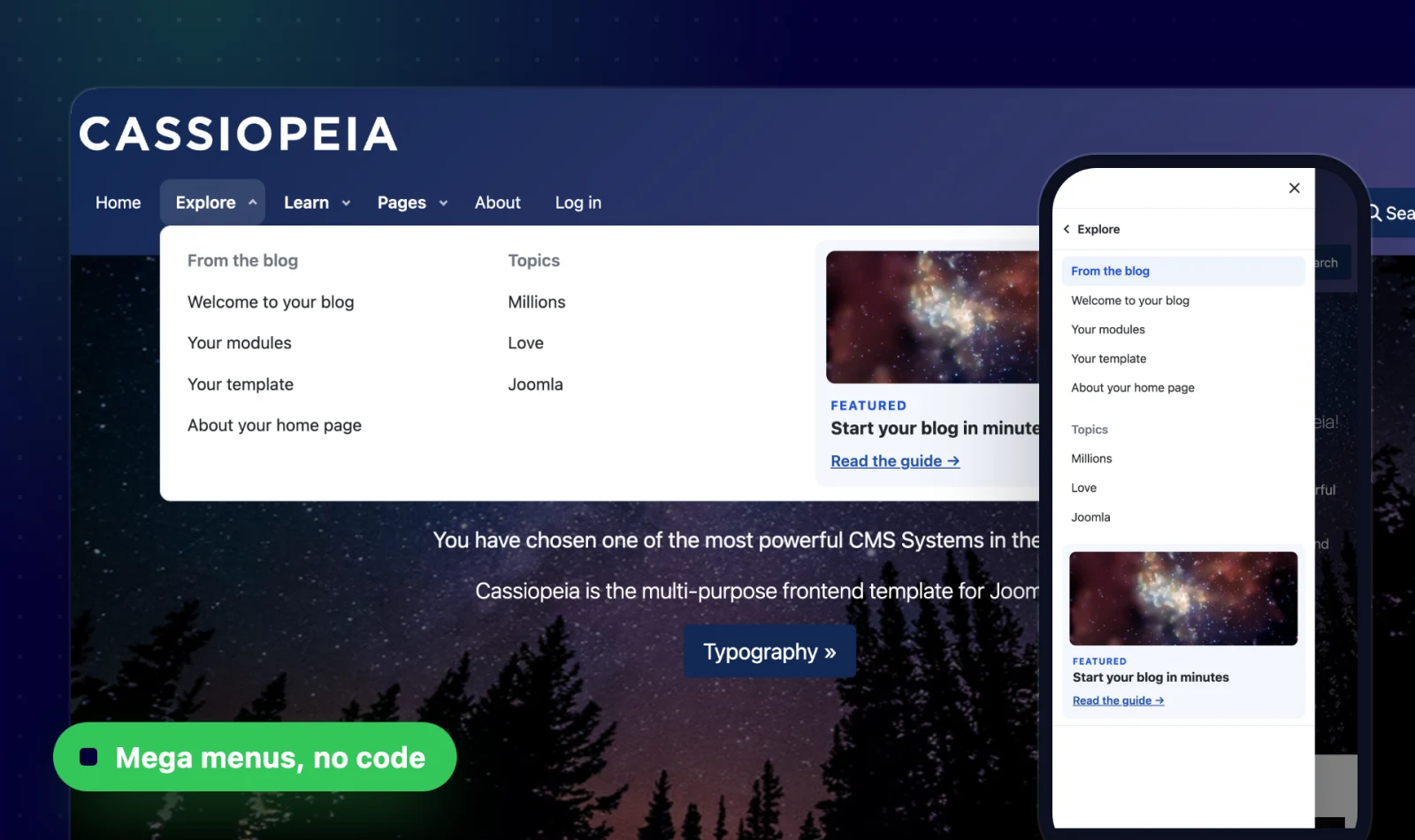
Build rich mega menus — visually.
Build rich mega menus visually in the Joomla admin — menu items, modules and positions in rows and columns, with a mobile drawer and light or dark themes. Works with any template.
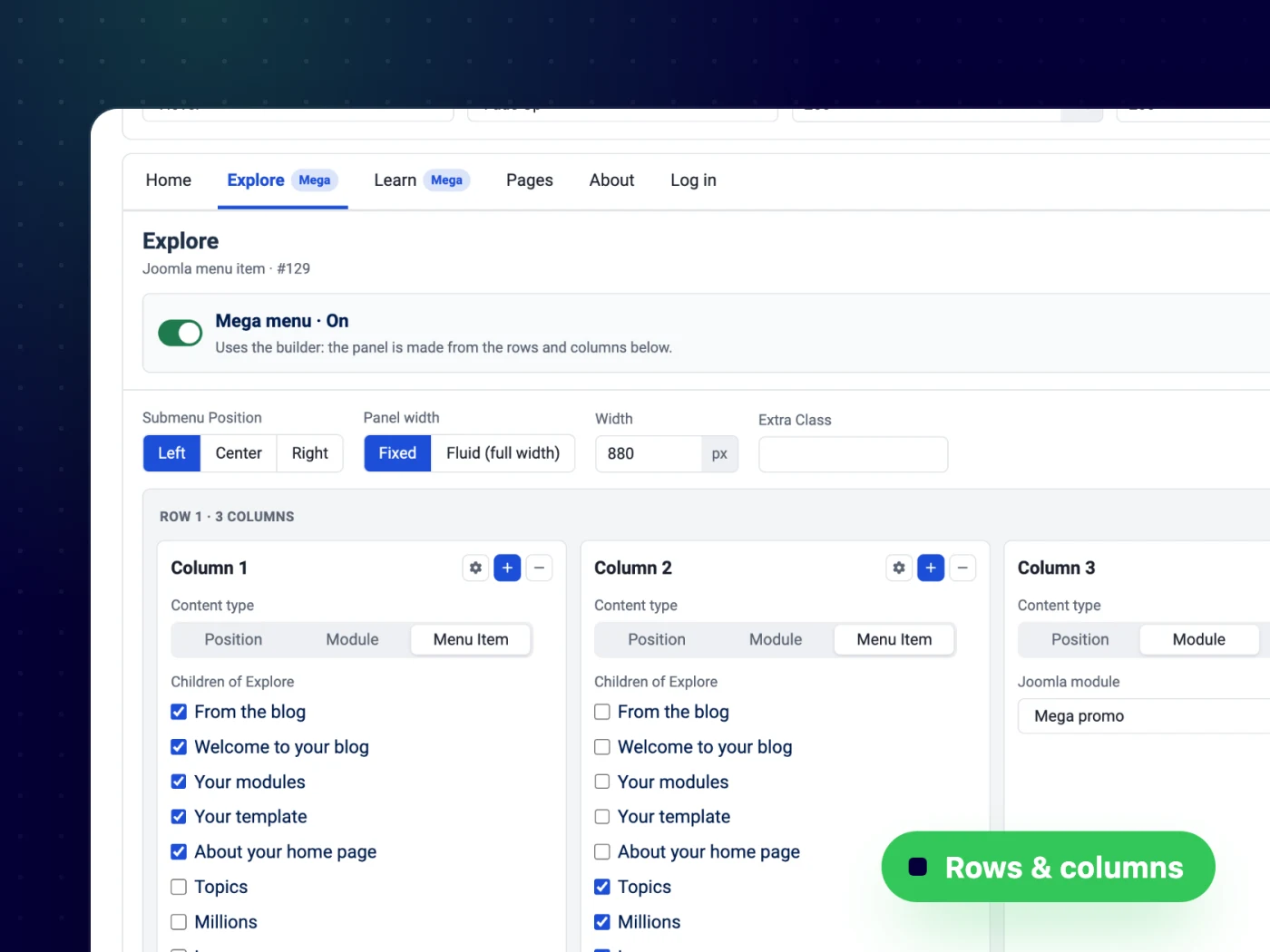
Lay out every panel in the admin
A builder tab inside the module: switch a menu item to mega, add rows and up to six columns, and pick what goes in each column — no code and no template edits.
- Rows and up to 6 columns per panel
- Fixed width or full-width panels
- Per-item or one shared panel
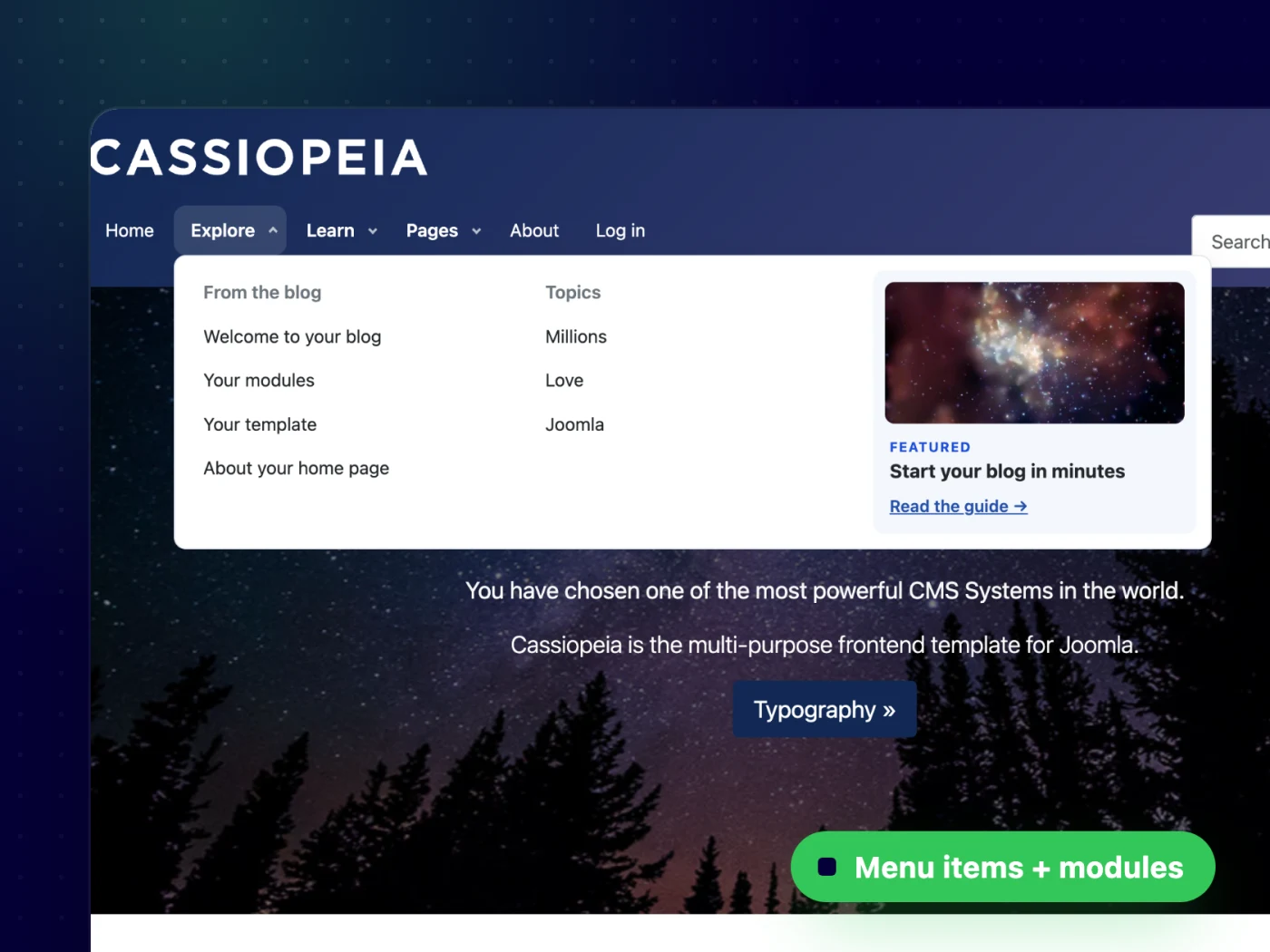
Menu items and modules, side by side
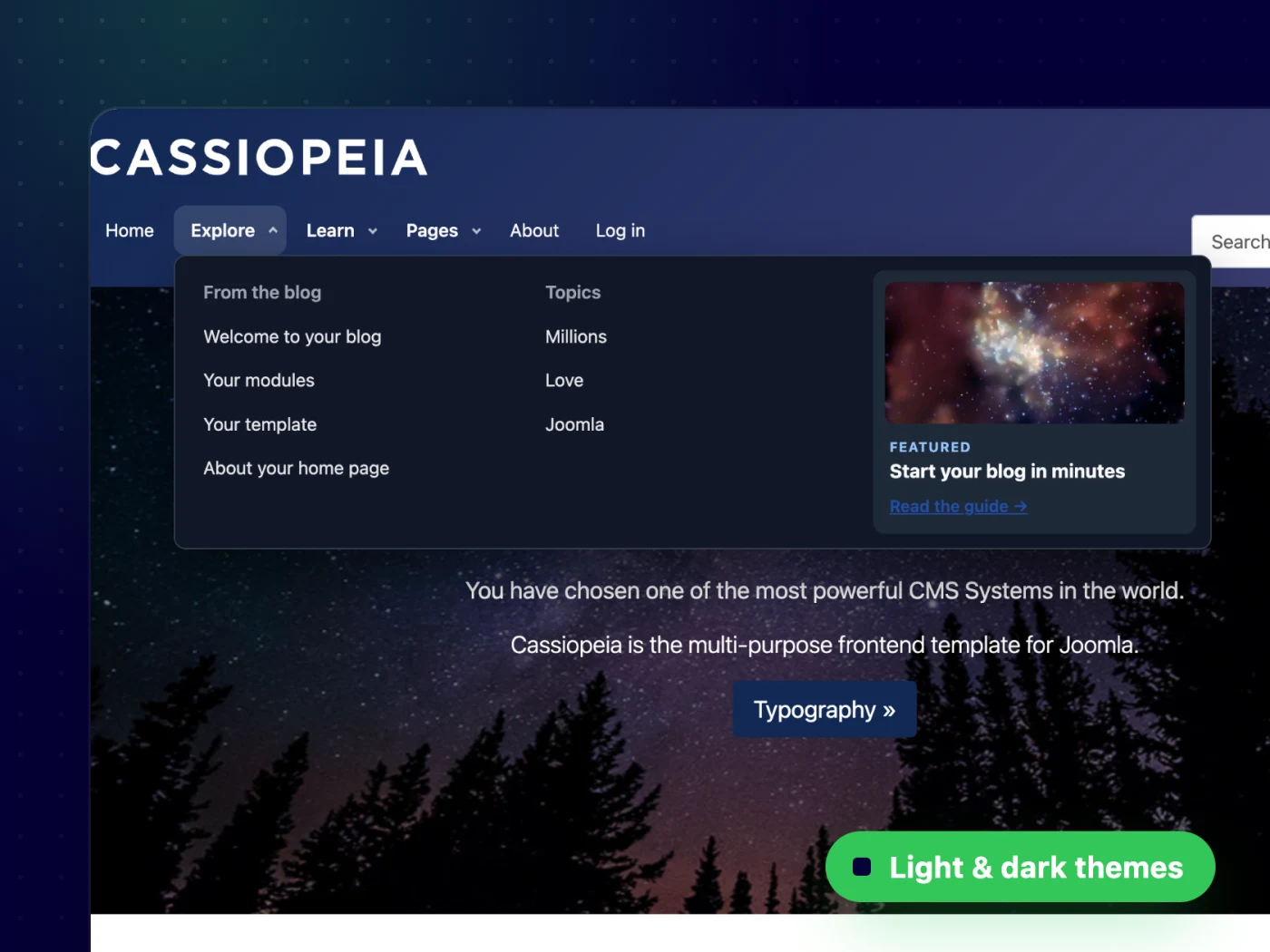
Columns hold your Joomla menu items — headings included — next to any module, so a panel can mix links with a promo card or a featured article.
- Headings and links from your menu
- Open on hover or click, with animations
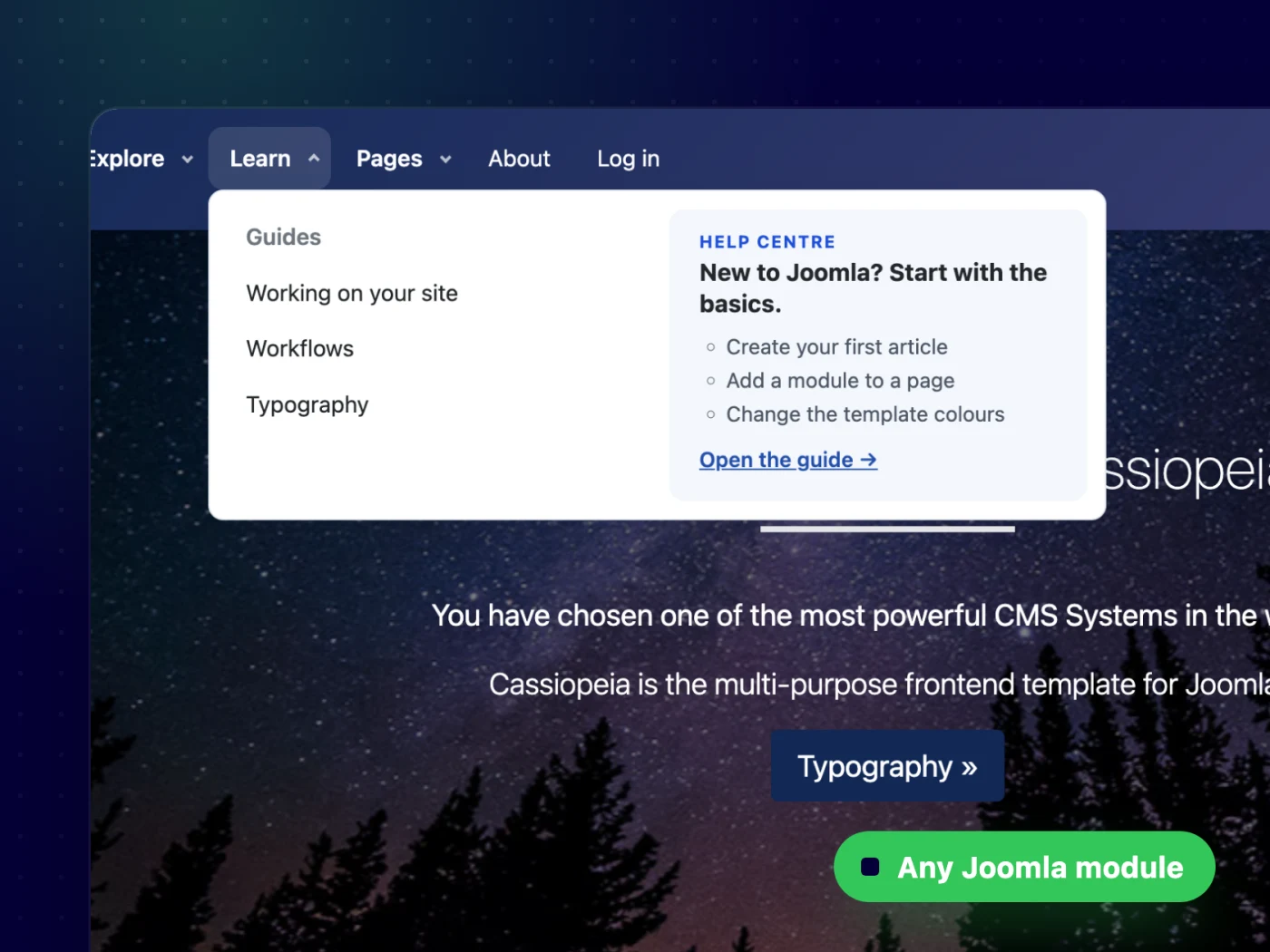
Put any Joomla module inside a panel
Drop a custom HTML card, a login form, latest articles or a whole module position into a column. Content stays in normal Joomla modules you already know.
- Single module or a whole position
- Module titles and settings respected
Classic dropdowns, as deep as you need
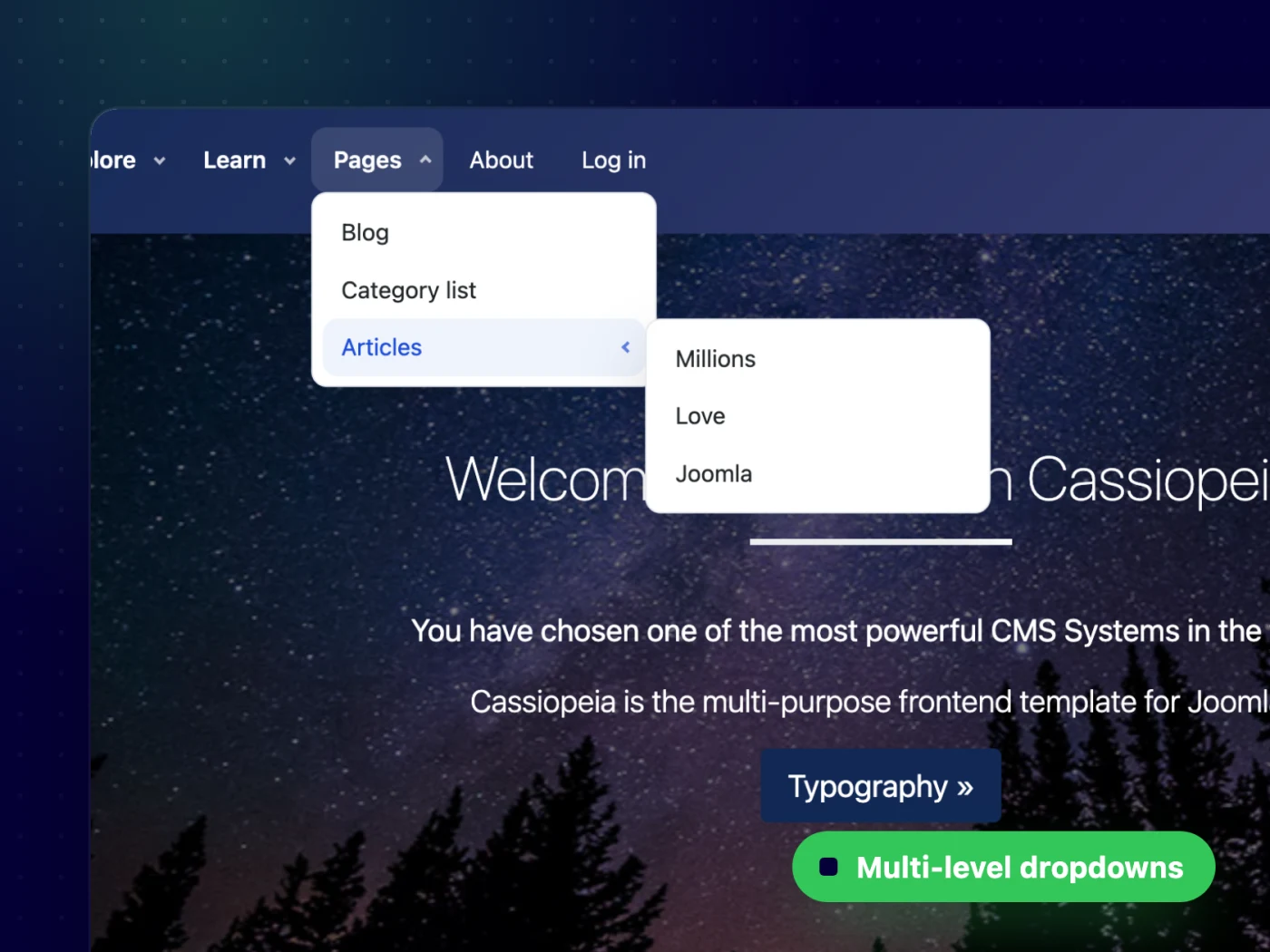
Items without a mega panel open as clean dropdowns with flyouts for deeper levels — and flip to the other side when they would leave the screen.
- Multi-level flyouts
- Auto-flip at the screen edge
A real mobile menu, not a squeezed one
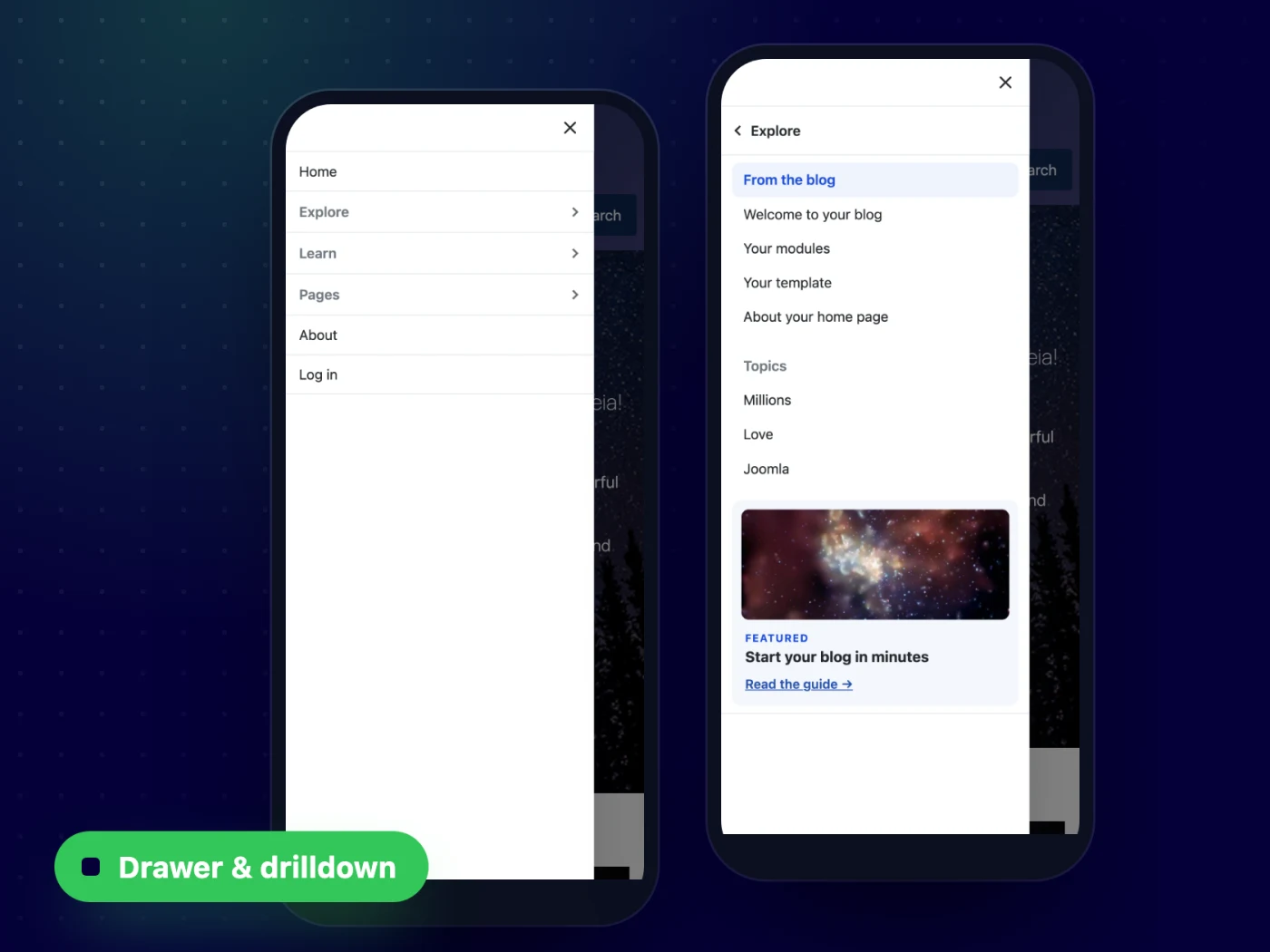
Below your breakpoint the menu becomes a drawer or a full-screen menu, with accordion or drilldown navigation, an overlay and scroll lock.
- Drawer left / right or full screen
- Accordion or drilldown with a Back bar
Light, dark — or your brand colours
Every colour is a CSS variable. Set a few tokens in your template and the bar, panels and mobile menu follow, including a dark header with light panels.
- No Bootstrap dependency
- Works with any template
Up and running in minutes — no code needed
All features
Everything you get out of the box — no add-ons to buy.
- Visual mega menu builder in the module settings
- Menu items, modules and positions in columns
- Per-item panels or one shared panel
- Fixed or full-width (fluid) panels
- Hover or click to open, 10 animations
- Multi-level dropdowns with auto-flip
- Mobile drawer or full screen, accordion or drilldown
- Light & dark theming with CSS variables
- No Bootstrap dependency, works with any template
- Joomla 4.4, 5 & 6 · PHP 8.1+
One membership. Every template & extension.
PX Mega Menu is included in Pro — together with every template and extension, new releases, updates and support.
Updates & FAQ
PX Mega Menu is actively maintained and kept compatible with the latest Joomla releases.
Changelog
- v1.0.0 Oct 13, 2026 Initial release.
FAQ
Will it work with my template?
Yes — our extensions do not depend on a specific template or framework.
Can I use PX Mega Menu on more than one website?
Yes — memberships cover unlimited websites, for your own projects and for your clients.
What happens if I cancel my membership?
Websites you have built keep working — the templates are GPL. You just stop receiving new downloads, updates and support.
Can you build a custom extension for me?
Yes — we build components, modules and plugins for Joomla 5 and 6, from a small tweak to a complete application.

