
 Travel · City guide network
Multisite Travel Platform Rebuilt
VIVI CITY runs Italian travel guides for major cities from one Joomla installation. We redesigned the network in Figma, upgraded it from Joomla 3 to 5, moved its custom template and features to T4 and modern Joomla tools, and optimized speed and SEO.
- Joomla3 → 5
- City sites11
- TemplateT4 Framework
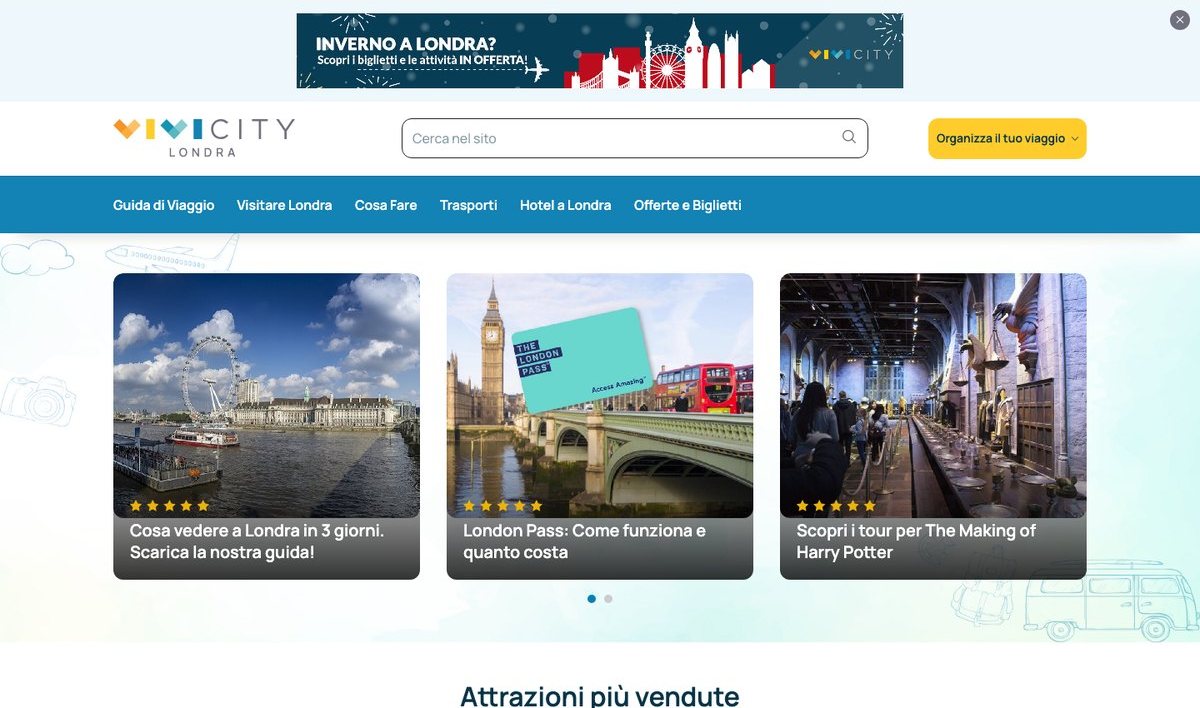
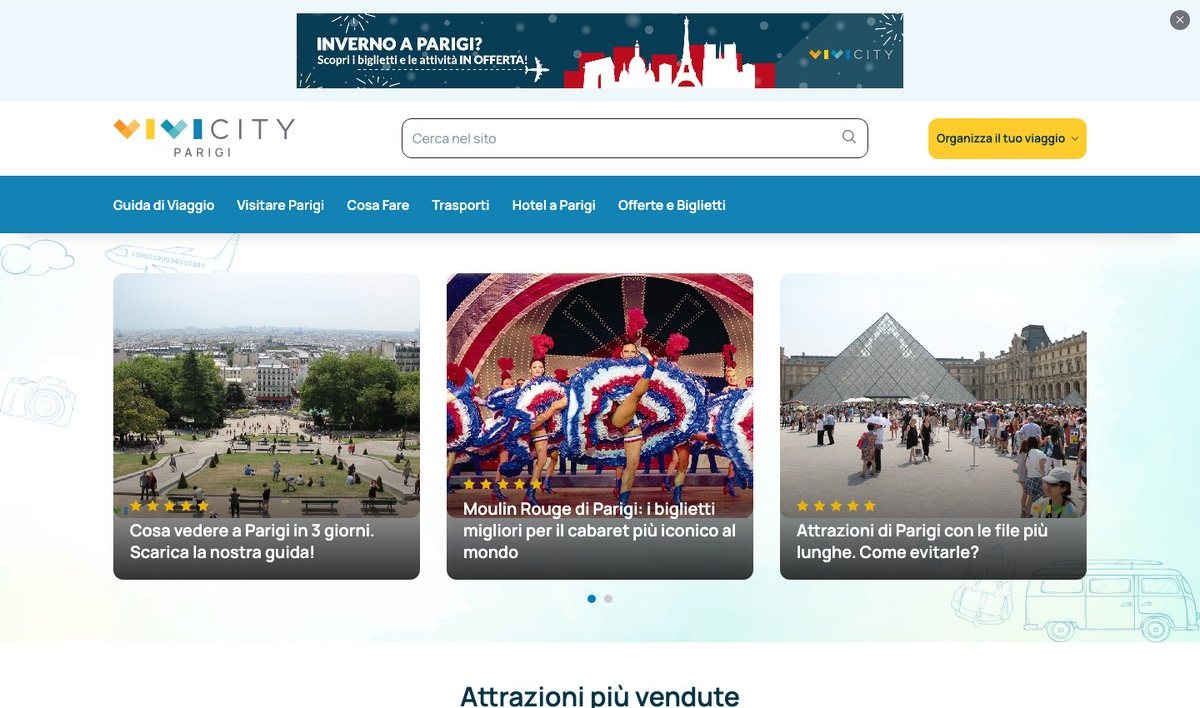
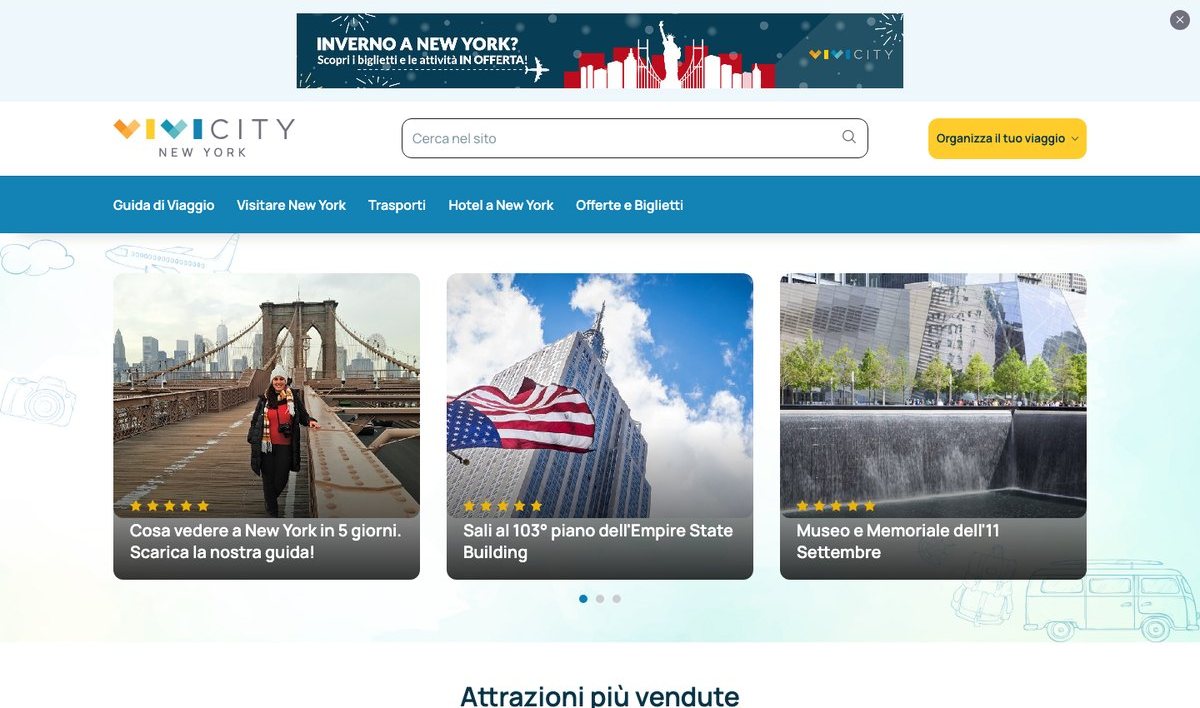
Eleven city guides that earn from bookings – all on one ageing Joomla 3 install
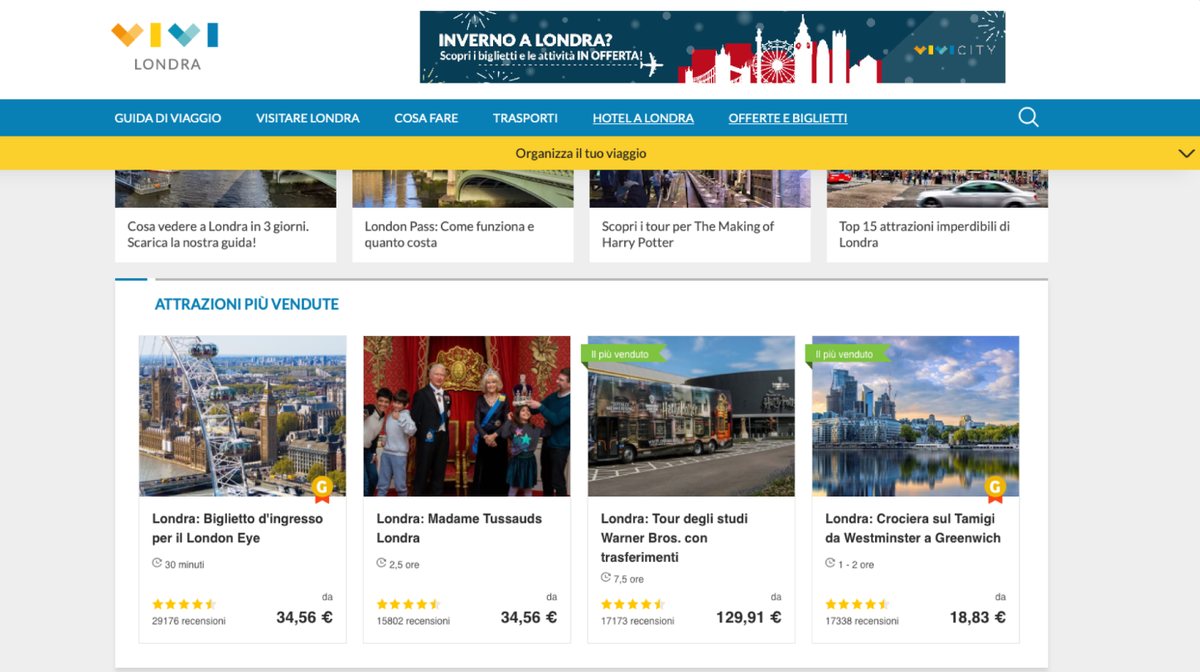
- No more security updatesJoomla 3 reached end of life in August 2023. Eleven live sites with a newsletter and affiliate links ran on a core that no longer got fixes.
- Readers plan trips on their phonesThe custom template wasn’t built mobile first – and that is where travelers read a guide and book a ticket.
- The parts that earn were custom codeBanner shortcodes, affiliate tracking, structured data and the newsletter were custom modules and plugins – the move had to keep every one of them working.
- Search traffic is the businessGuides live on Google. Content, links and SEO value had to survive the move on every city site.
One design for every city, with each city’s own name on it
The network was redesigned in one Figma file, “vivilondra”: a component library first – 3,084 components, from buttons to search – then the home page and sub-page templates on desktop and mobile. Every city site is built from the same parts, London first.
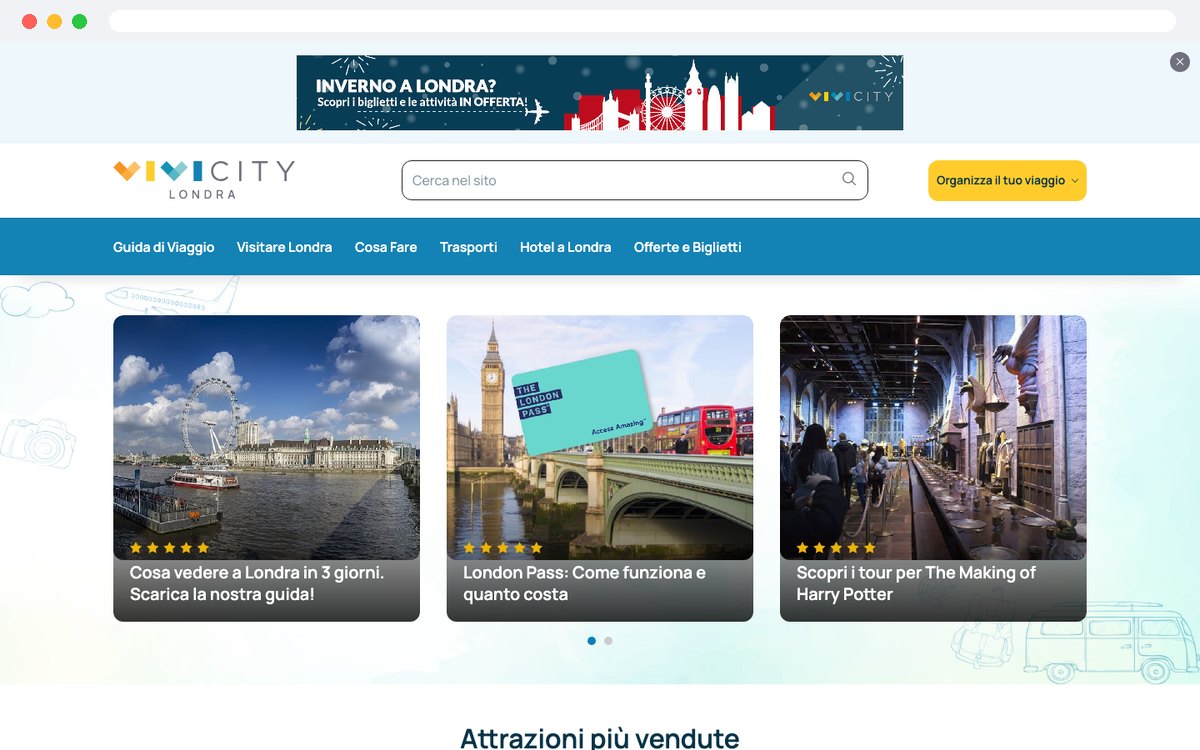
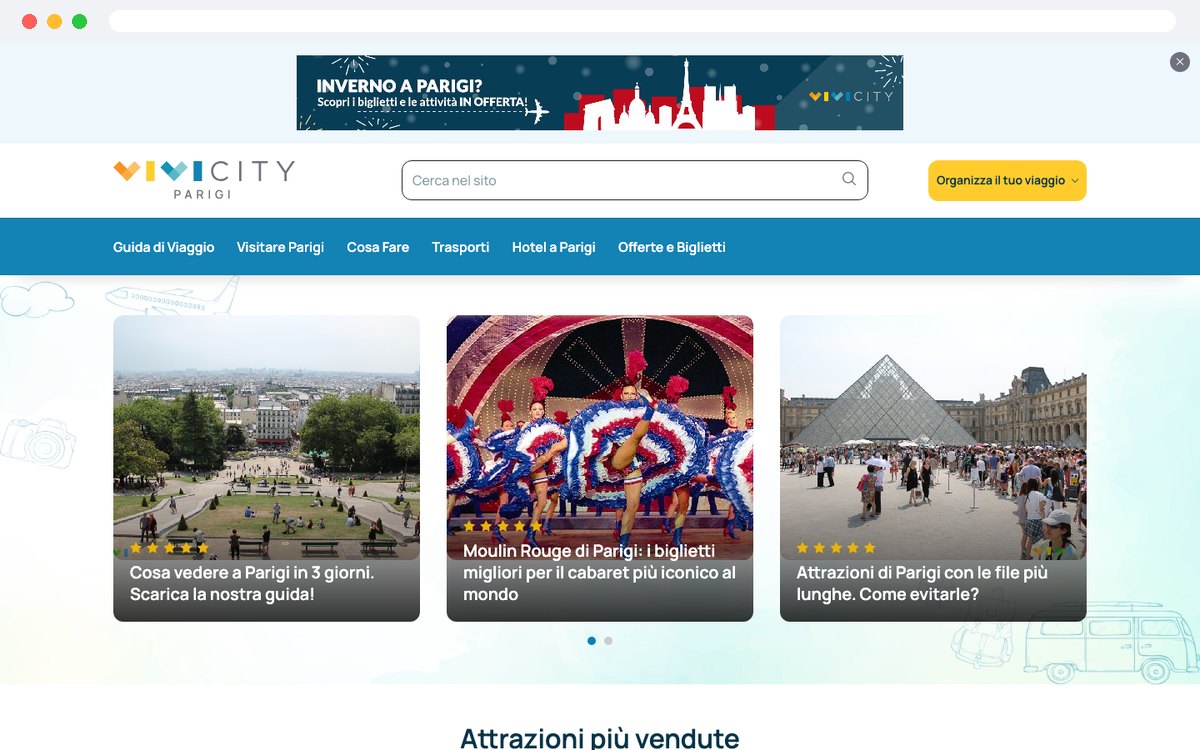
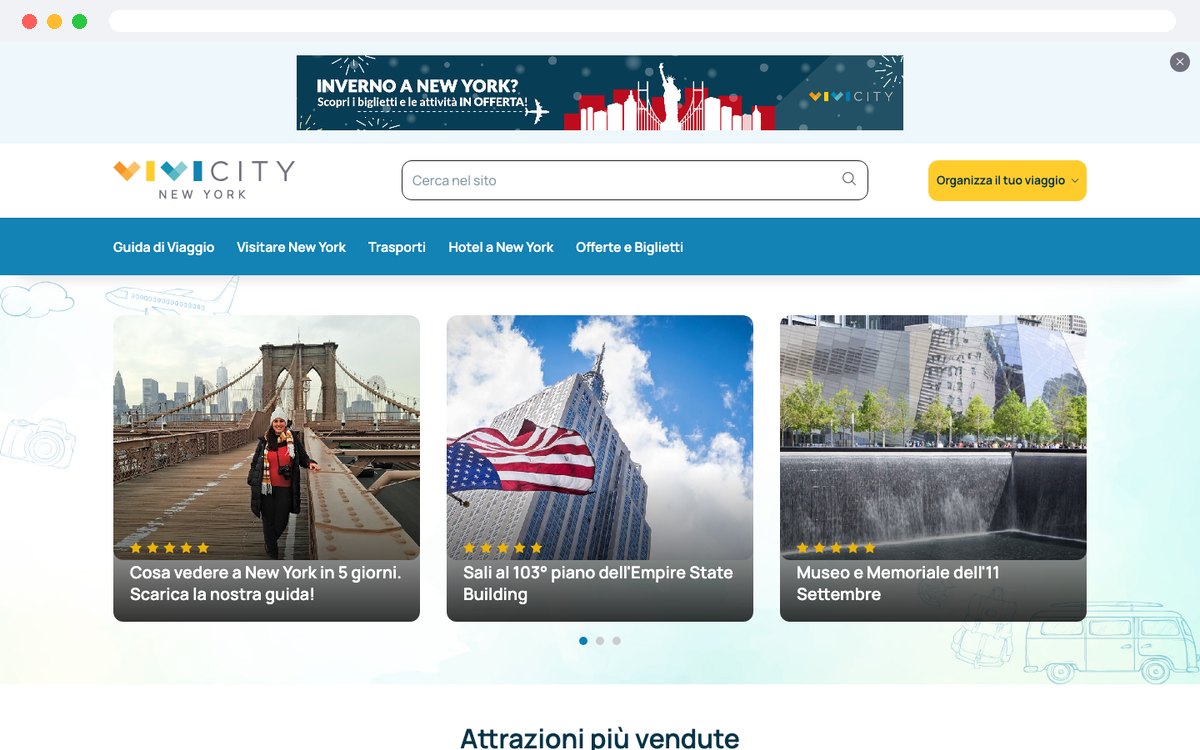
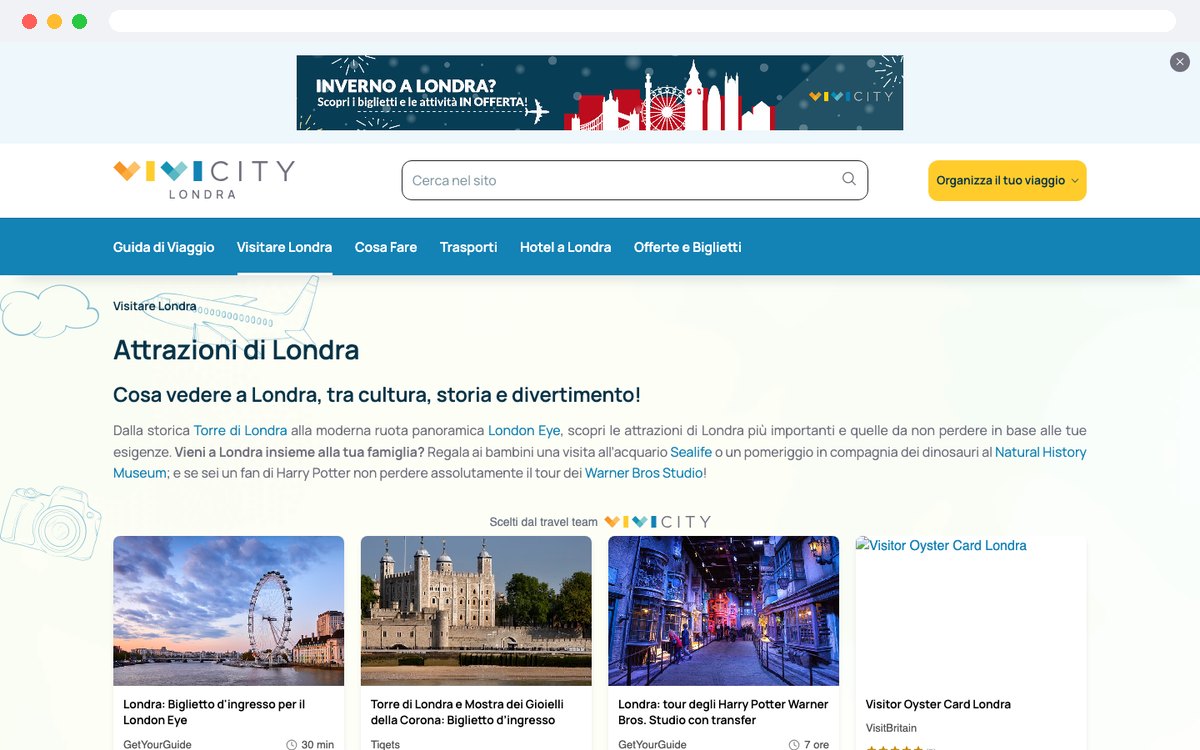
One mark for the network; the city name sits under it – Londra, Parigi, New York.
- h156 / 48
- h240 / 48
- h332 / 40
- h4 · h5 · h624 · 20 · 18
- BODY · LABEL · HELPERmore groups
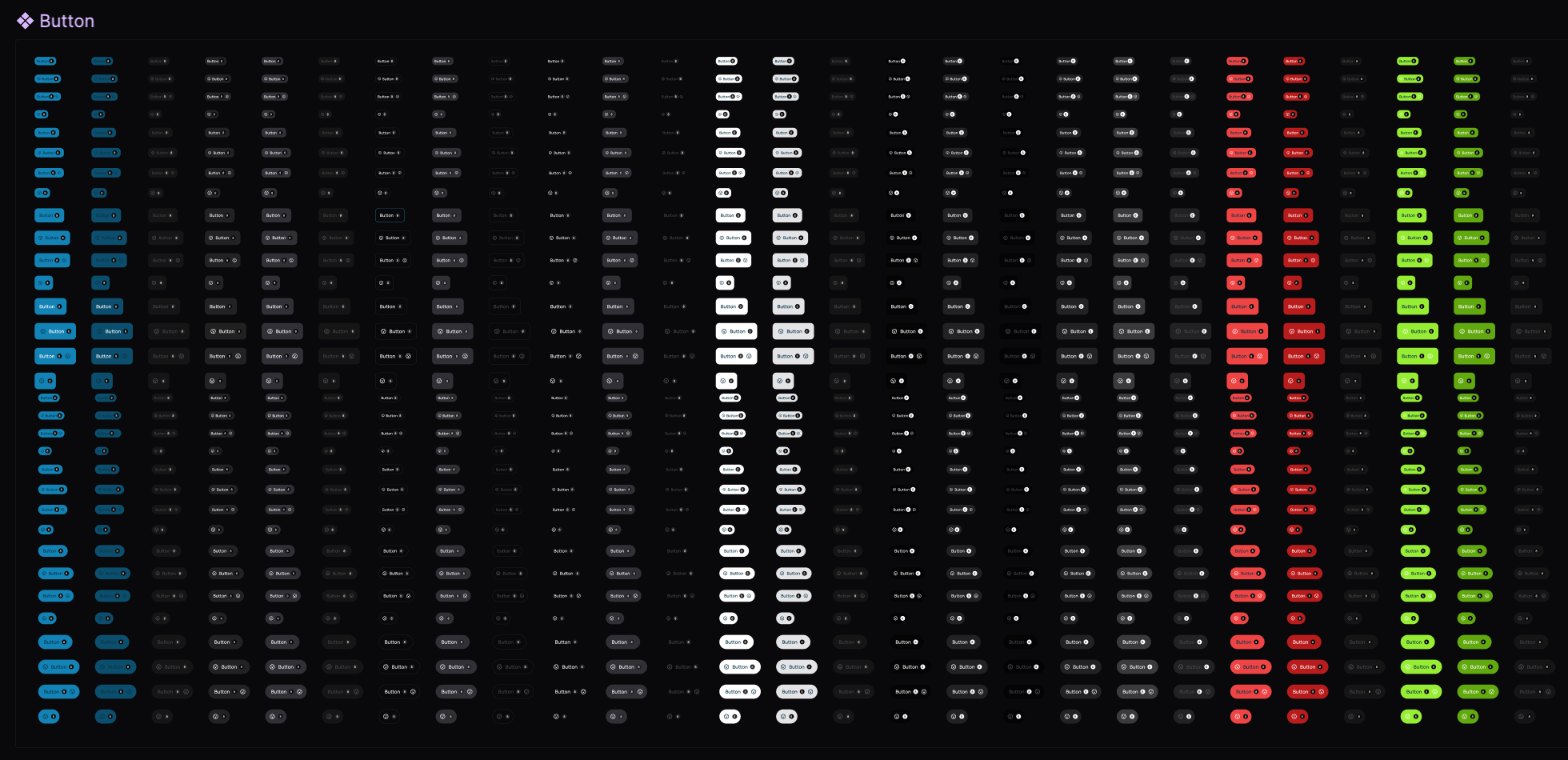
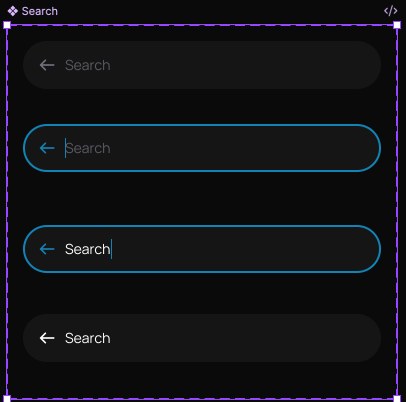
- Componentsavatars · badges · buttons · checkbox, radio & toggle · icon set · icons · images · input & text area · scroll · tabs · typography
- Styles and framestext: heading · body · label · helper text · effects: mark blur · menu blur · modal shadow · chart up · frames for home, search, mobile menu, sticky header, banner and the sub-pages
Design decisions – and what each one does for the guides
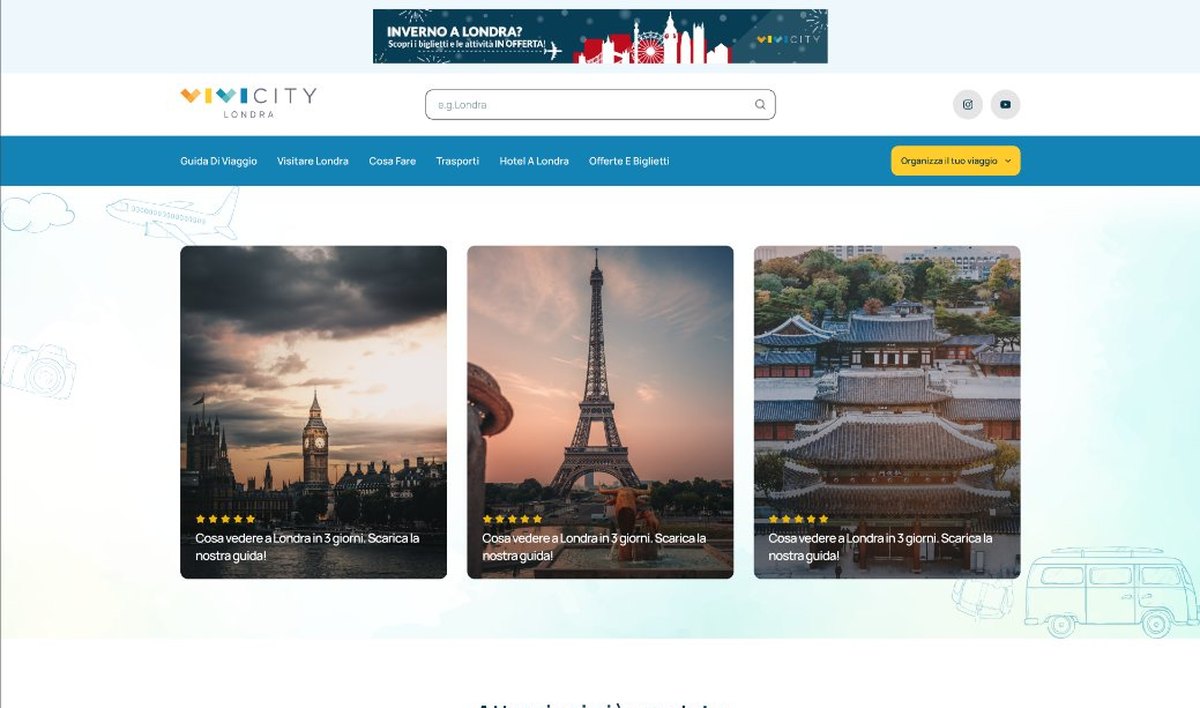
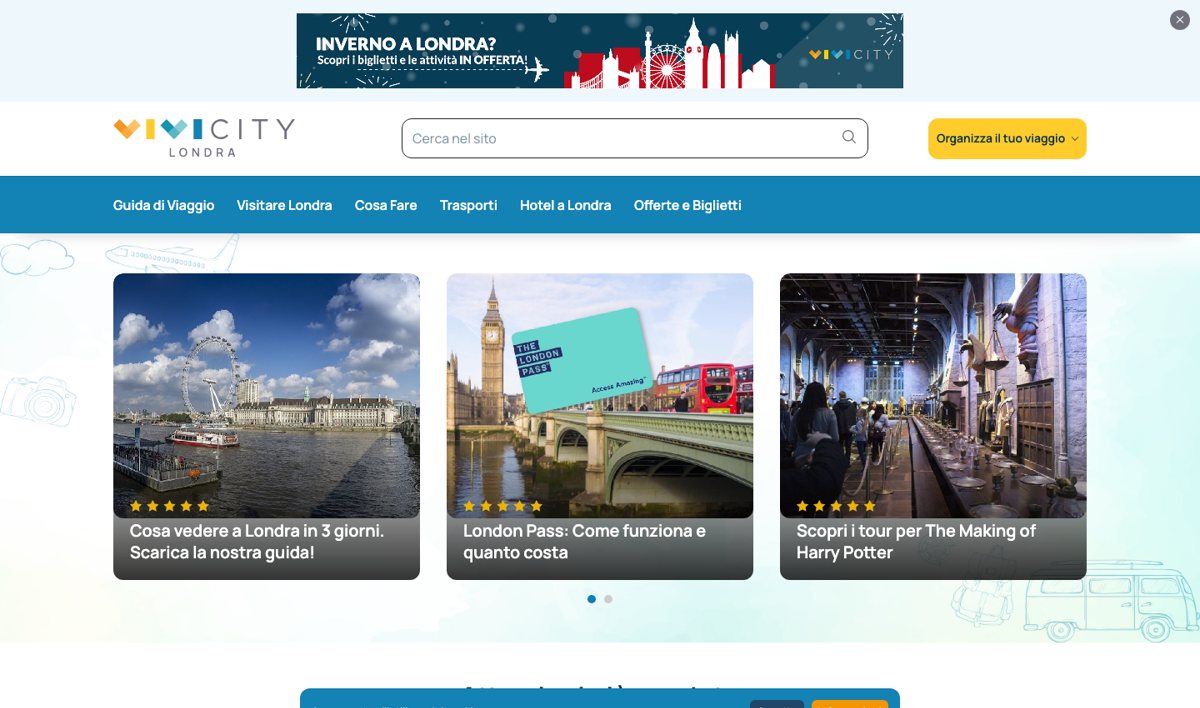
- The offer banner, kept – and given roomThe seasonal banner – “Inverno a Londra?” – used to share a row with the logo; now it has its own strip above the header.Tickets and offers still sell from the first screen.
- A real search boxA small icon at the end of the menu became a search box next to the logo.Readers reach the guide they want without browsing.
- The menu readers knewThe same six items – travel guide, visiting, things to do, transport, hotels, offers and tickets – in sentence case.Returning readers find everything where it was.
- The trip planner as a button“Organizza il tuo viaggio” was a full-width yellow bar; now it is one yellow button in the menu bar.Still the step that stands out – in far less space.
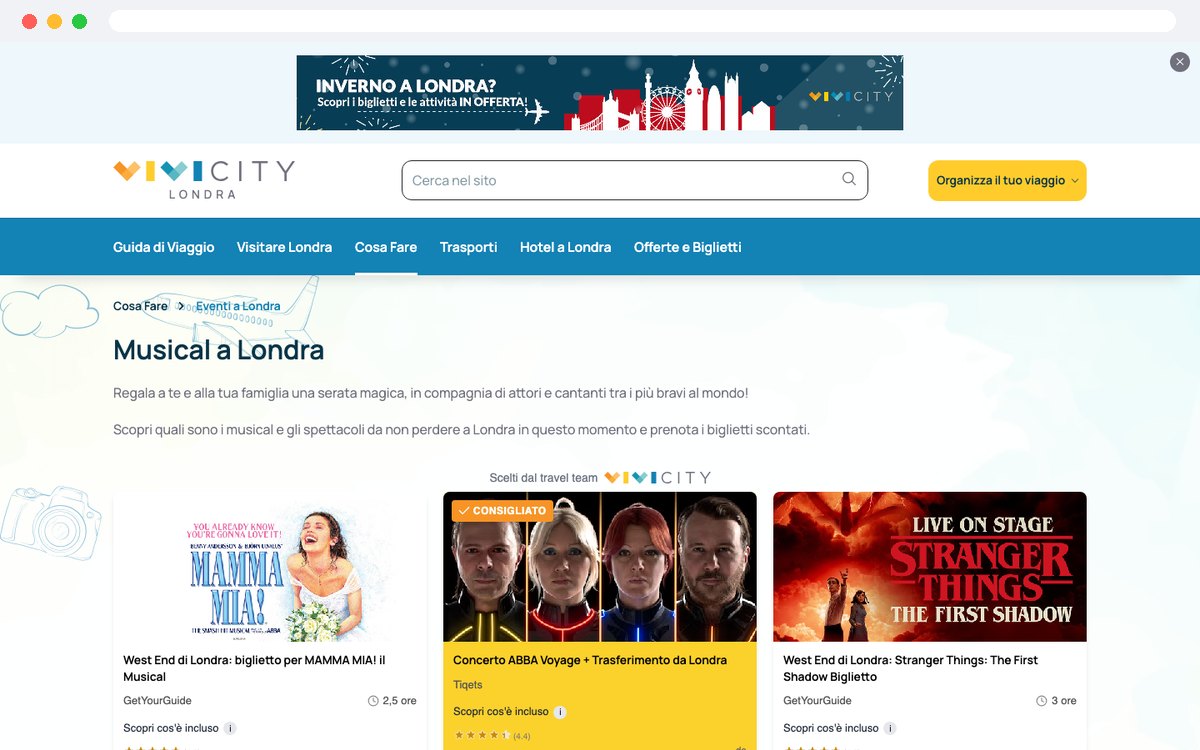
- Same layout, own cityEvery site uses the same templates; logo, content and offers change per city.A new city is a new site, not a new project.
The Vivi Londra home page, part by part
The home frame from the Figma file, with what each part is there for.
- Cover
- UI
- Home
- Banner
- header
- logo · Londra
- Search
- menu bar
- menu items
- trip planner button
- guide cards
- best-selling attractions
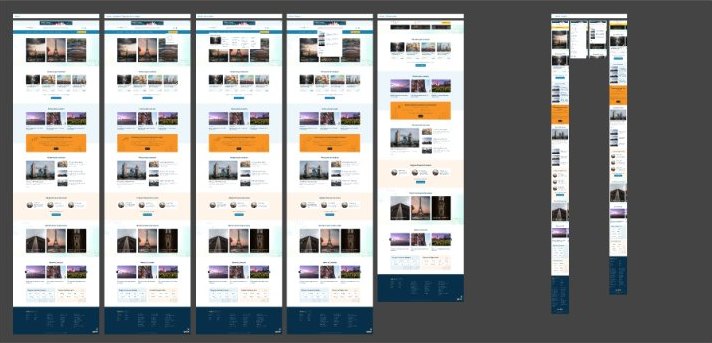
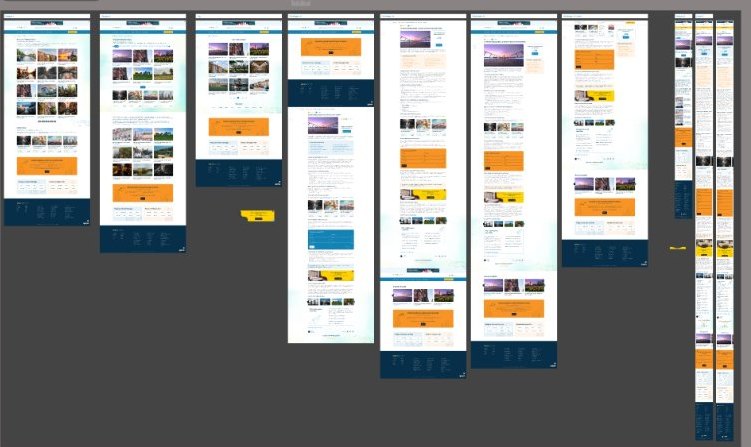
Home page variants with their mobile frames, and the sub-page templates the city sites use.
Redesign, upgrade, convert, optimize
- 01RedesignThe Figma design built for the home page and the sub-pages, desktop and mobile.Every city guide looks like one trusted network.
- 02UpgradeJoomla 3 → Joomla 5 with MightySites still serving every city – no broken links, no data loss.Back on a supported Joomla, with security fixes again.
- 03ConvertThe custom template to a T4 template; banner shortcodes, affiliate tracking, structured data and the newsletter rebuilt or replaced with modern Joomla tools.The features that earn kept working through the move.
- 04OptimizeMobile-first layouts, Core Web Vitals work, better metadata and structured data for product and review pages.Fast pages for readers – and for Google.
Six ways this migration could have broken the business
Behind the new design: one Joomla install serving eleven domains, custom code that earns the money, tracked links and structured data Google reads. Done wrong, each one costs VIVI CITY its bookings, its rankings or all eleven sites at once – this is the back-end work only a Joomla specialist sees coming.
- cms
- Joomla 5
- multisite
- MightySites – one install, 11 domains
- template
- T4 Framework · one template for every city
- backups
- Akeeba, monitored
- monitoring
- UptimeRobot – email when a site is down
- affiliates
- GetYourGuide partner links
- 3.xone MightySites install
- 5.xmigrated on staging first
- 5.3.xfirst update: dev → staging → live
Every change goes through a staging copy of the whole network before it reaches eleven live sites.
- 01multisite upgrade✓
- 02earning features✓
- 03URLs & duplicates✓
- 04structured data✓
- 05one template, 11 cities✓
- 06updates after launch✓
-
risk01MultisiteEleven sites on one core – upgrade one, upgrade all
- Problem
- Every VIVI city guide runs from one Joomla 3 installation through MightySites, each on its own domain.
- Why it’s hard
- MightySites decides which site answers which domain. If the core upgrade or the extension breaks, it doesn’t break one site – it breaks the network.
- If done wrong
- All eleven guides go down together – every booking link, every banner, every reader, at once.
- How we did it
- Moved Joomla 3 to Joomla 5 with MightySites still serving every city, tested on a staging copy of the network before go-live.
10 city domains checked live · one install behind them
-
risk02Custom codeThe features that earn money were custom code
- Problem
- Banner shortcodes, affiliate tracking, structured data and the newsletter were custom Joomla 3 modules and plugins.
- Why it’s hard
- Joomla 3 extension code doesn’t run on Joomla 5. Each piece had to be rebuilt or replaced – and still produce exactly the same tracking.
- If done wrong
- Affiliate links lose their partner ID or campaign tag, and bookings stop being credited – the guides keep sending traffic but stop earning.
- How we did it
- Rebuilt or replaced each feature with modern Joomla tools; affiliate links keep the partner ID and get a campaign tag per placement on the page.
GetYourGuide links carry
partner_id+cmp=VL_…per placement -
risk03SEOTracking links without duplicate pages
- Problem
- Internal links carry a
?source=tag so the team knows which block – menu, slider, home module – a reader clicked. - Why it’s hard
- Every tagged link is a new URL for Google. Without care, one attraction page becomes five “duplicates” competing with each other.
- If done wrong
- Rankings split across duplicate URLs and the guides slide down the results they live on.
- How we did it
- Every page declares its canonical address without the tag, so all the tracked links count as one page.
/london-eye.html?source=…→ canonical/attrazioni/london-eye.html -
risk04Structured dataStar ratings and prices in Google
- Problem
- The contract asked for structured data for products, reviews and breadcrumbs – what turns a search result into a rich one.
- Why it’s hard
- Product, rating, offer and breadcrumb markup has to match what’s on the page, on every attraction page of every city, or Google ignores it.
- If done wrong
- Plain blue links next to competitors with stars and prices – fewer clicks on the same ranking.
- How we did it
- Added the markup to the attraction pages: Product with AggregateRating and Offer, BreadcrumbList, Article.
Product · AggregateRating · Offer · BreadcrumbList on the London Eye page
-
risk05TemplateOne template, eleven cities
- Problem
- The old custom Joomla 3 template had to be replaced with a Joomla 5-native one built for Core Web Vitals.
- Why it’s hard
- Eleven cities, one codebase: the city name, logo and offers change per site, the layout and the code must not drift apart.
- If done wrong
- Eleven templates to maintain – or one fix that breaks ten other cities.
- How we did it
- One T4 template for the whole network, with the city carried by the logo, content and offers of each site.
Core Web Vitals passed for real visitors on vivilondra.it
-
risk06After launchThe first update after a migration is the risky one
- Problem
- Joomla 5 keeps moving – 5.3.2, 5.3.3 – and a slider module stopped supporting article selection on Joomla 5.
- Why it’s hard
- The first update after a big migration is where hidden incompatibilities show up – on eleven live sites at once.
- If done wrong
- An untested update takes the whole network offline, and nobody notices until readers do.
- How we did it
- Tested each update on a development server, then staging, then live; fixed the slider module; set up UptimeRobot alerts and watched the Akeeba backups.
Dev → staging → live · downtime alerts · backups watched
Sources: the migration contract (Feb 2025), our monthly maintenance reports (Jul–Sep 2025) and checks on the live sites, 19 Oct 2026.
Real visitors get a fast site – Core Web Vitals passed
We’ve worked with other developers before, but ThePixel really stood out. They didn’t just ‘do the migration’, they improved everything: the design, the performance, the way we manage content. Even with 11 sites, the process was smooth and well-organized. It feels like we finally have a system that works for us, not against us.
 Vincenzo GallianoCTO @ VIVI CITY
