
AI & automation
Guides, tutorials, and insights on using AI tools, MCP servers, and automation workflows with Joomla — from content generation to site management.

- Details
- Category: AI & automation
"AI-powered threat detection" usually means a product page. In practice, the useful part is narrower and very practical. Joomla and the web server already record most of what an attack looks like, and nobody reads those logs. An LLM is good at reading them, summarising, and pointing at the three lines that matter. It's bad at being the only control. This post shows what we do, starting with a real example.
What one site's logs showed
On a Joomla site we reviewed this month, we looked at Joomla's User Actions Log (#__action_logs):
| Event | Count, 9 July – 15 October 2026 |
|---|---|
| Failed logins | 43,307, of which 43,304 on /administrator |
| Successful logins | 130 |
| Usernames tried | 5 |
| Peak month | September: 28,752 failures |
| Source IP addresses | unknown: IP logging was off |
Three conclusions, and none of them needed AI. The admin login is under constant, low-skill password guessing. It's aimed at a handful of usernames the attackers have found or guessed. And we couldn't block by source, because the log didn't record it. The fixes are boring and effective: protect /administrator at the web server, enforce MFA, turn on IP logging (Users → User Actions Log → Options → IP Logging). They're in our hardening guide.
The point: most "threat detection" starts with reading what you already have. That's where an LLM helps, if you feed it the right extract.
Get the data out first
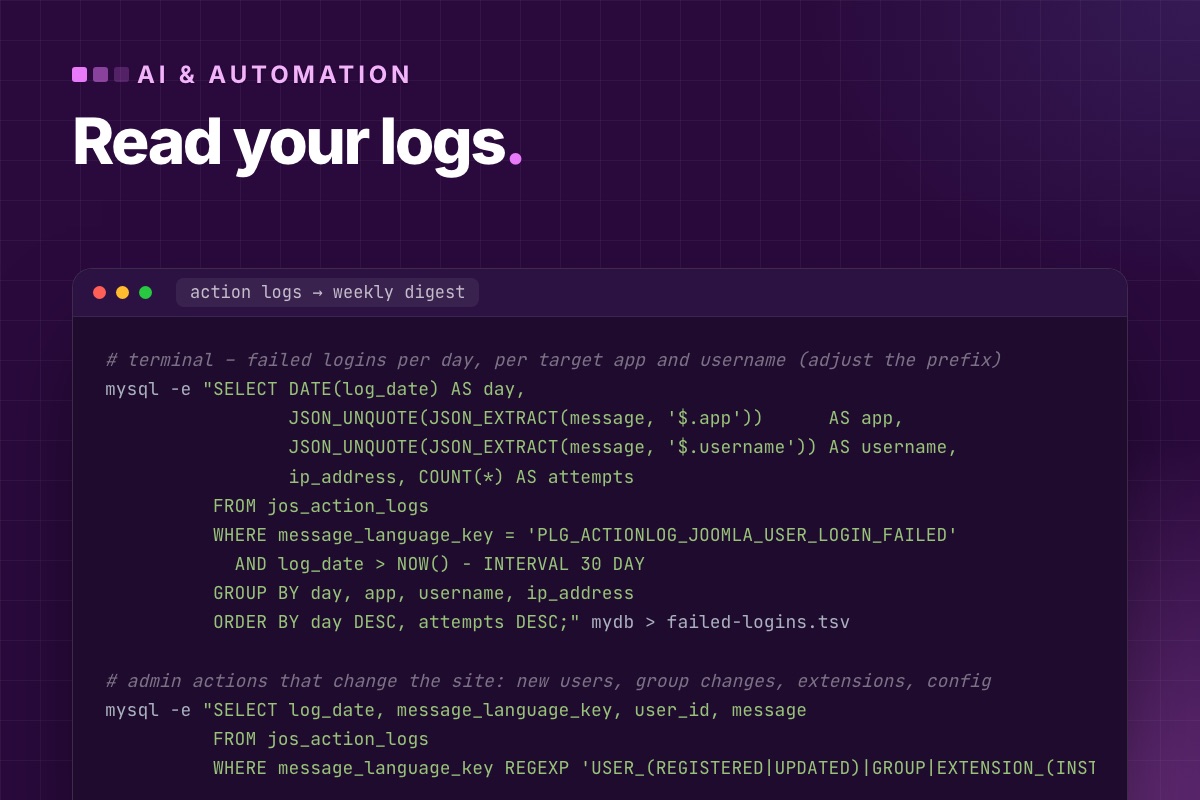
# terminal – failed logins per day, per target app and username (adjust the prefix)
mysql -e "SELECT DATE(log_date) AS day,
                 JSON_UNQUOTE(JSON_EXTRACT(message, '$.app'))      AS app,
                 JSON_UNQUOTE(JSON_EXTRACT(message, '$.username')) AS username,
                 ip_address, COUNT(*) AS attempts
          FROM jos_action_logs
          WHERE message_language_key = 'PLG_ACTIONLOG_JOOMLA_USER_LOGIN_FAILED'
            AND log_date > NOW() - INTERVAL 30 DAY
          GROUP BY day, app, username, ip_address
          ORDER BY day DESC, attempts DESC;" mydb > failed-logins.tsv

# admin actions that change the site: new users, group changes, extensions, config
mysql -e "SELECT log_date, message_language_key, user_id, message
          FROM jos_action_logs
          WHERE message_language_key REGEXP 'USER_(REGISTERED|UPDATED)|GROUP|EXTENSION_(INSTALLED|ENABLED)|CONFIG_UPDATED|PLUGIN'
            AND log_date > NOW() - INTERVAL 30 DAY ORDER BY log_date DESC;" mydb > admin-changes.tsv

# web server: POSTs to the admin, and requests for PHP files in upload folders
awk '$6 ~ /POST/ && $7 ~ /^\/administrator/' /var/log/nginx/example.com.access.log | awk '{print $1}' | sort | uniq -c | sort -rn | head -20 > admin-posts.txt
grep -E '"(GET|POST) /(images|media|tmp)/[^ ]*\.php' /var/log/nginx/example.com.access.log | tail -50 > upload-php.txt
Aggregate before you send anything to a model. Thousands of raw lines cost tokens and hide the pattern. One line per day, username and IP doesn't.
Where an LLM actually helps
1. A weekly digest a person will read
Nobody reads 40,000 log lines. Everybody reads five sentences. We send the aggregated files above with a fixed prompt:
You are reviewing security logs of a Joomla 6 site for its administrator.
Input: (1) failed logins aggregated per day/app/username/IP, (2) admin changes, (3) admin POSTs per IP,
(4) requests for PHP files in upload folders.
Write at most 8 bullet points:
- what changed compared with a normal week (volume, new usernames, new IPs, new targets);
- any admin change that looks unusual (new Super User, extension installed outside office hours, config changes);
- any request for a PHP file in images/, media/ or tmp/ that returned 200 – mark it URGENT.
Only state what the data shows. If something can't be determined from the data, say so.
The last line matters. Without it, models fill gaps with plausible stories ("likely a botnet from…").
2. Explaining one suspicious thing
A request you don't understand, a file you didn't put there, a plugin you don't remember installing. Paste it with context ("Joomla 6.2, this file appeared in images/ yesterday") and ask what it does. For obfuscated PHP backdoors (eval(base64_decode(…)) chains), an LLM decodes and explains in seconds what used to take an hour. Do this on a copy of the file, never by running it.
3. Reviewing extension code before you install it
For a small extension from an unknown vendor, ask a model to look for the classic Joomla mistakes: SQL built by string concatenation instead of bind(), missing Session::checkToken() on state-changing tasks, missing authorise() checks in controllers, file uploads without extension/MIME checks, unserialize() on request data. It's a first pass that tells you where to look, not a security audit.
Where it doesn't help
- As a control. An LLM in the request path deciding "is this request malicious?" adds latency and cost, fails open on outages, and can be talked into answers. Blocking belongs to the web server, the WAF and Joomla's own checks.
- On raw logs with personal data, unless you have decided that's acceptable. IPs and usernames are personal data. Aggregate, truncate IPs if you can, and know where the data goes.
- As the only reader. The digest is a prompt for a person to look, not a verdict.
Automating the digest
We run the extraction as a small script from cron on Monday mornings and send the files with the prompt above to an LLM API (the pattern is in calling LLM APIs from Joomla). The output goes to the site's admin mailbox. Ten minutes a week of reading has caught more problems for us than any security dashboard. That includes 43,000 failed logins like the ones above, which had gone unnoticed for three months.
Want someone to read your Joomla logs? Our maintenance plans include a weekly security digest and the hardening that makes most of it go quiet.
Maintenance & support →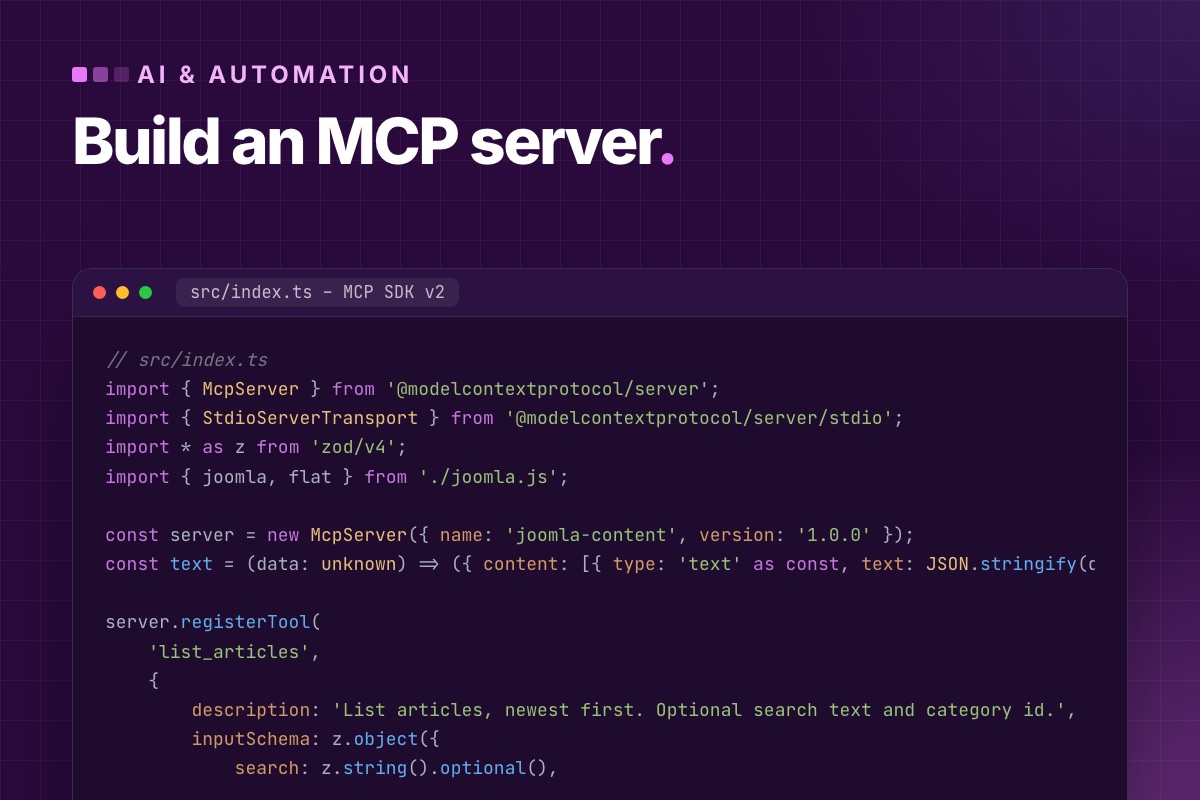

- Details
- Category: AI & automation
An MCP server lets an AI assistant such as Claude call your tools: "list the last ten articles", "save a draft", "fix this meta description". For Joomla there's no official MCP server, and you don't need one. Joomla has had a REST API in core since 4.0, and a small MCP server that wraps the parts you want to expose is about 150 lines.
This post builds one, with the current SDK (v2, @modelcontextprotocol/server) and the Joomla API as it actually behaves in Joomla 6.2. We also cover the security decisions, which matter more than the code.
The shape of it
Claude (Desktop / Code) ──stdio──▶ your MCP server (Node) ──HTTPS + token──▶ Joomla /api/index.php/v1/…The MCP server runs on your machine or a server you control. It holds one Joomla API token and exposes a short list of tools. The AI never sees the token and can only do what the tools allow. That is the whole security model, so choose the tools carefully.
1. Prepare Joomla: a user just for the AI
- Create a dedicated user, for example in a new group "API – Content" with permission to create and edit articles in the categories it should touch, and nothing else. Never use a Super User token for an AI.
- Allow that group to have tokens. By default only Super Users can. Open Plugins → User – Joomla API Token and add the group under "Allowed User Groups".
- Make sure API Authentication – Web Services Joomla Token is enabled, and the Web Services – Content plugin.
- Disable API Authentication – Basic if nothing uses it. It accepts a username and password on every API request.
- Log in as the new user (or edit it), open the Joomla API Token tab, and copy the token.
Test the token before writing any code:
# terminal
curl -s -H "Authorization: Bearer $JOOMLA_TOKEN" -H "Accept: application/vnd.api+json" \
  "https://example.com/api/index.php/v1/content/articles?page[limit]=2" | python3 -m json.tool | head -30
A 401 with {"errors":[{"title":"Forbidden"}]} means the token, the plugin or the group setting is wrong. The response format is JSON:API: each item is { "type": "articles", "id": "12", "attributes": { … } }.
2. The project
# terminal
mkdir joomla-mcp && cd joomla-mcp
npm init -y
npm pkg set type=module
npm install @modelcontextprotocol/server zod tsx
type=module is required, because the SDK ships ES modules only. tsx runs TypeScript directly, so there's no build step.
3. A small Joomla client
// src/joomla.ts
const BASE  = process.env.JOOMLA_URL?.replace(/\/$/, '');   // https://example.com
const TOKEN = process.env.JOOMLA_TOKEN;

if (!BASE || !TOKEN) {
    throw new Error('Set JOOMLA_URL and JOOMLA_TOKEN');
}

export async function joomla(path: string, init: RequestInit = {}): Promise<any> {
    const res = await fetch(`${BASE}/api/index.php/v1/${path}`, {
        ...init,
        headers: {
            Authorization: `Bearer ${TOKEN}`,
            Accept: 'application/vnd.api+json',
            'Content-Type': 'application/json',
            ...init.headers,
        },
        signal: AbortSignal.timeout(20_000),
    });
    const body = await res.text();

    if (!res.ok) {
        throw new Error(`Joomla API ${res.status}: ${body.slice(0, 300)}`);
    }
    return body ? JSON.parse(body) : null;
}

// JSON:API item → plain object
export const flat = (item: any) => ({ id: Number(item.id), ...item.attributes });
4. The server and its tools
Four tools: two that read, two that write, and the writes can't publish. New articles are saved unpublished (state: 0), and a person publishes them in the back end. That one rule removes most of the risk of letting an AI write to a live site.
// src/index.ts
import { McpServer } from '@modelcontextprotocol/server';
import { StdioServerTransport } from '@modelcontextprotocol/server/stdio';
import * as z from 'zod/v4';
import { joomla, flat } from './joomla.js';

const server = new McpServer({ name: 'joomla-content', version: '1.0.0' });
const text = (data: unknown) => ({ content: [{ type: 'text' as const, text: JSON.stringify(data, null, 2) }] });

server.registerTool(
    'list_articles',
    {
        description: 'List articles, newest first. Optional search text and category id.',
        inputSchema: z.object({
            search: z.string().optional(),
            category: z.number().int().optional(),
            limit: z.number().int().min(1).max(50).default(10),
        }),
        annotations: { readOnlyHint: true },
    },
    async ({ search, category, limit }) => {
        const q = new URLSearchParams({ 'page[limit]': String(limit), 'list[ordering]': 'a.id', 'list[direction]': 'DESC' });
        if (search) q.set('filter[search]', search);
        if (category) q.set('filter[category]', String(category));
        const res = await joomla(`content/articles?${q}`);
        return text(res.data.map(flat).map(({ id, title, state, metadesc }: any) => ({ id, title, state, metadesc })));
    }
);

server.registerTool(
    'get_article',
    {
        description: 'Get one article with its full text and metadata.',
        inputSchema: z.object({ id: z.number().int() }),
        annotations: { readOnlyHint: true },
    },
    async ({ id }) => text(flat((await joomla(`content/articles/${id}`)).data))
);

server.registerTool(
    'create_draft',
    {
        description: 'Create an UNPUBLISHED article for human review. HTML body; use <hr id="system-readmore"> for the intro break.',
        inputSchema: z.object({
            title: z.string().min(5).max(150),
            catid: z.number().int(),
            html: z.string().min(50),
            metadesc: z.string().max(160).optional(),
        }),
    },
    async ({ title, catid, html, metadesc }) => {
        const res = await joomla('content/articles', {
            method: 'POST',
            body: JSON.stringify({ title, catid, articletext: html, metadesc, language: '*', state: 0 }),
        });
        return text({ created: flat(res.data).id, state: 'unpublished – publish it in the back end after review' });
    }
);

server.registerTool(
    'update_meta_description',
    {
        description: 'Set the meta description of an article (max 160 characters).',
        inputSchema: z.object({ id: z.number().int(), metadesc: z.string().min(50).max(160) }),
    },
    async ({ id, metadesc }) => {
        await joomla(`content/articles/${id}`, { method: 'PATCH', body: JSON.stringify({ metadesc }) });
        return text({ updated: id });
    }
);

await server.connect(new StdioServerTransport());
Three details from testing against Joomla 6.2:
- The article body field for writing is
articletext. Joomla's content table splits it into intro and full text at the read-more marker, the same as the editor does. - Custom fields are sent by field name at the top level of the JSON (
"price": "19"). The API controller moves them intocom_fieldsfor you. - List filters use
filter[search],filter[category],filter[state]andfilter[language], and paging usespage[limit]andpage[offset].
5. Try it, then connect Claude
# terminal – the MCP Inspector lets you call each tool by hand
JOOMLA_URL=https://staging.example.com JOOMLA_TOKEN=… npx @modelcontextprotocol/inspector npx tsx src/index.ts
Claude Desktop reads servers from its config file (Settings → Developer → Edit Config):
// claude_desktop_config.json
{
  "mcpServers": {
    "joomla": {
      "command": "npx",
      "args": ["tsx", "/Users/you/joomla-mcp/src/index.ts"],
      "env": {
        "JOOMLA_URL": "https://staging.example.com",
        "JOOMLA_TOKEN": "…"
      }
    }
  }
}
Point it at a staging site first. Ask for something read-only ("which articles have no meta description?"), then for a draft, and check what lands in the back end.
Security decisions that matter more than the code
- Least privilege in Joomla, not in the prompt. The AI's user can only touch what its group allows. A prompt that says "don't delete anything" is not a control. A missing delete permission is.
- No publish, no delete tools. If a tool doesn't exist, the AI can't call it. Add them only with a confirmation step you control.
- The token stays in the server's environment. Never in a prompt, a repository or the tool output. Rotate it like a password: change the token in the user's profile and update the config.
- Treat article content as untrusted input. Text read from the site can contain instructions aimed at the model ("ignore previous instructions…"). Read tools should return data, and nothing in that data should be able to trigger a write without a person seeing it.
- Log what happens. Joomla's User Actions Log records API changes under the AI's user, which is one more reason to give it its own account.
Where to go from here
The same pattern extends to anything the Web Services API exposes: categories, tags, menus, modules, users (careful), redirects, and your own components if they have web services plugins. When not to use MCP, and when a plain script against the API is the better tool, is in MCP vs traditional APIs. The API itself is covered in Joomla REST API for beginners.
Want an MCP server for your own Joomla components? We build web services plugins for custom components and the MCP tools on top, with permissions designed first.
Custom extension development →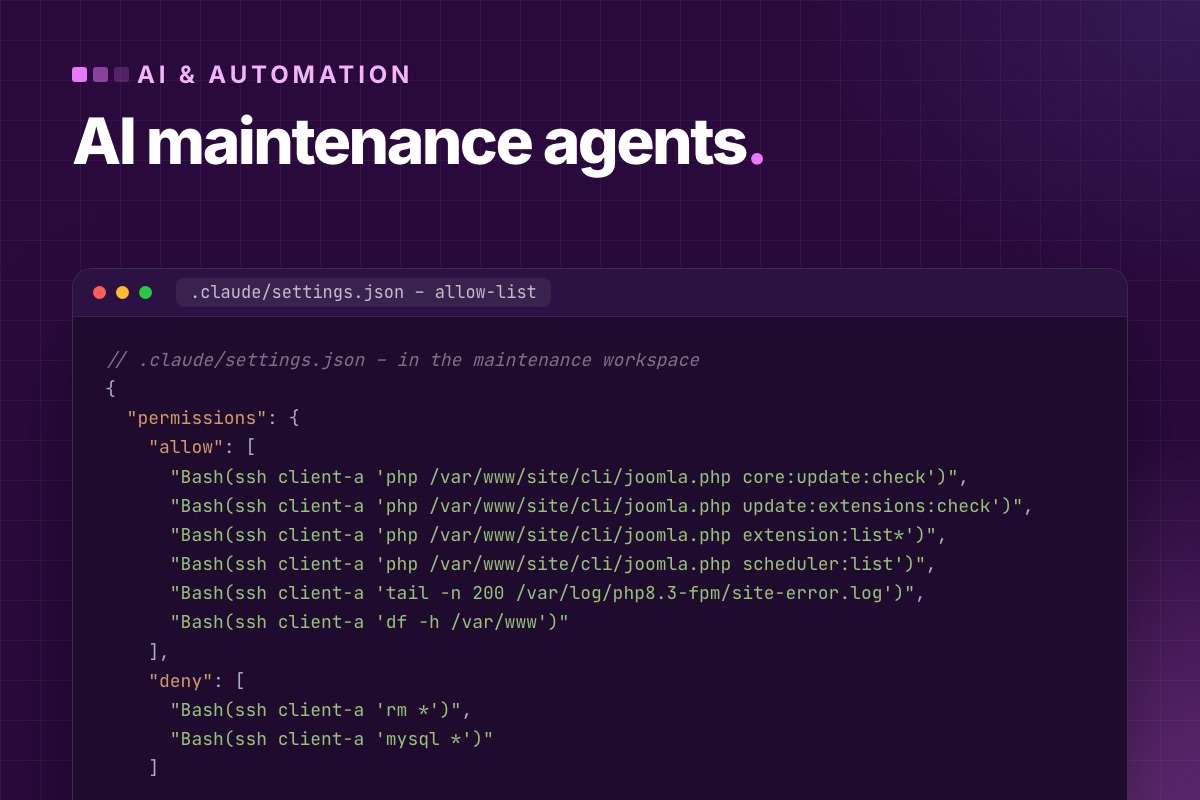
- Details
- Category: AI & automation
An AI agent with shell access to a Joomla server can do a week's worth of routine checks in a few minutes: versions, pending updates, failing tasks, disk use, error logs, backups. It can also break a site in one command. The difference is the setup: what the agent may run, on which copy, and who approves changes.
This is how we use agents for Joomla maintenance across client sites. Read-only by default, write actions approved one by one, and everything through Joomla's own CLI rather than clever SQL.
The Joomla CLI is the agent's API
Since Joomla 4, cli/joomla.php covers most maintenance tasks with clear, parseable output. That makes it the right interface for an agent: well-defined commands instead of free-form database edits.
| Question | Command | Changes anything? |
|---|---|---|
| Is a Joomla update available? | core:update:check | no |
| Which extensions have updates? | update:extensions:check | no |
| What's installed, which version, enabled? | extension:list | no |
| Do scheduled tasks run? | scheduler:list | no |
| Is the schema in sync after updates? | maintenance:database | yes, can fix: approve |
| Configuration value? | config:get <option> | no |
| Clear caches | cache:clean | yes, harmless |
| Update Joomla / install an extension | core:update, extension:install | yes: staging first, approve |
Step 1: an allow-list, not a prompt
"Don't change anything" in a prompt is a wish. A permission list is a control. With Claude Code, put the rules in the project's settings on the machine that runs the agent, so read-only commands run freely, and anything else stops and asks:
// .claude/settings.json – in the maintenance workspace
{
  "permissions": {
    "allow": [
      "Bash(ssh client-a 'php /var/www/site/cli/joomla.php core:update:check')",
      "Bash(ssh client-a 'php /var/www/site/cli/joomla.php update:extensions:check')",
      "Bash(ssh client-a 'php /var/www/site/cli/joomla.php extension:list*')",
      "Bash(ssh client-a 'php /var/www/site/cli/joomla.php scheduler:list')",
      "Bash(ssh client-a 'tail -n 200 /var/log/php8.3-fpm/site-error.log')",
      "Bash(ssh client-a 'df -h /var/www')"
    ],
    "deny": [
      "Bash(ssh client-a 'rm *')",
      "Bash(ssh client-a 'mysql *')"
    ]
  }
}
Other agents have similar mechanisms. The principle is the same: enumerate what may run unattended. On the server side, use an SSH user that can read the site and run PHP, but can't write to the web root. Then even an approved mistake can't change files.
Step 2: the weekly check, as a brief
The agent gets the same brief every week. Fixed structure in, fixed structure out, so reports can be compared:
Weekly maintenance check for client-a (Joomla 6, production). Read-only.
1. Joomla core: run core:update:check. Report current and available version.
2. Extensions: run update:extensions:check and extension:list. Report extensions with updates,
   and flag any update marked as a security release.
3. Scheduler: run scheduler:list. Report tasks that are disabled, overdue, or whose last exit was not OK.
4. Errors: read the last 200 lines of the PHP error log. Group by message, report counts and first/last time.
5. Disk: df -h. Warn above 80 %.
Output a table per section, then max 5 recommended actions ordered by risk.
Do not run any command that changes the site. If something needs a change, recommend it; don't do it.
What comes back is a one-page report per site. An agency with twenty sites reads twenty pages on Monday instead of logging into twenty back ends.
Step 3: changes, on staging, approved
When the report says "Joomla 6.2.1 available, two extension security updates", the update itself is a separate session:
- The agent refreshes staging from live (your normal script), then runs
core:updateand the extension updates on staging. Each write command asks for approval. - It runs
maintenance:database, clears the cache, and checks a list of URLs for HTTP 200 and PHP errors in the log. - A person looks at staging and decides. The live update is the same commands, approved again.
The agent saves the typing and the checking. The decisions stay with people.
What not to automate
- Direct database writes. An agent that "fixes" data with SQL bypasses Joomla's ACL, workflows, content history and action log. If it can't be done through the CLI, the API or the back end, a person does it.
- Unattended updates on live of sites with overrides, shops or CRMs. Joomla 6 has automated core updates for simple sites. Anything more complex gets staging first.
- Security incidents. An agent can collect logs and compare files with a clean package. Deciding what's compromised and cleaning it is human work.
- Anything without a backup you have restored at least once.
Content checks, through the API
Content quality checks (articles without meta descriptions, images without alt text, broken internal links) are better done through the Web Services API with a read-only token than over SSH. They're questions about content, not the server. The agent then uses an MCP server or a script against the API. See a Joomla MCP server for the tools.
What it saved us
The time saving is real but not the main gain. The main gain is consistency: every site gets the same checks every week, including the boring ones (failing scheduled tasks, filling disks, a PHP warning that started after an update), which used to wait until a client noticed.
Running many Joomla sites? Our maintenance plans combine this weekly agent check with a developer who acts on it.
Maintenance & support →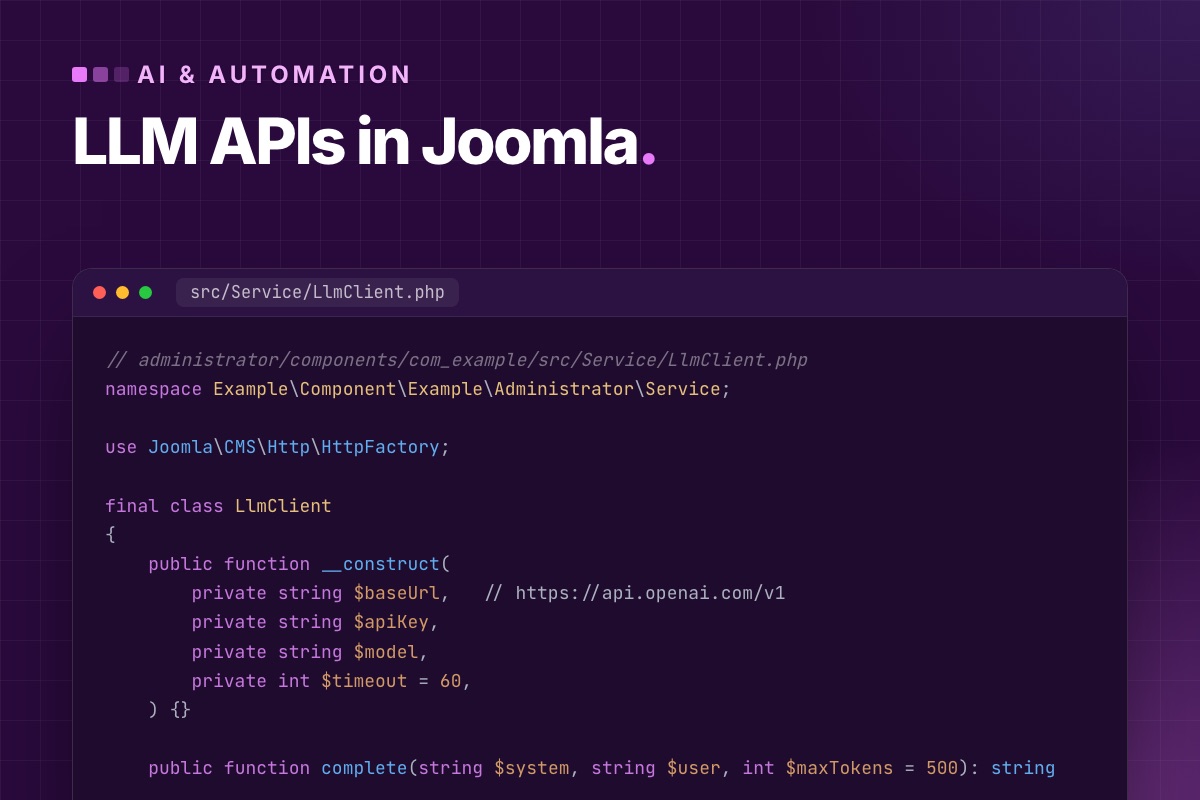
- Details
- Category: AI & automation
Calling ChatGPT from Joomla is ten lines of code. Calling it so that the site stays fast, the key stays secret, a provider outage doesn't break pages, and the bill doesn't surprise anyone takes some structure. This is the structure we use in Joomla extensions that talk to LLM APIs, from a one-off field generator to scheduled batch jobs.
Rule 1: never in the page request if you can avoid it
An LLM call takes one to thirty seconds and fails now and then. Put that in onContentPrepare or a module, and every visitor waits for it, and every outage becomes your outage. Where the call lives decides most of the design:
| Need | Where the call goes |
|---|---|
| Batch work: summaries, tags, descriptions, translations | a Scheduler task plugin or a console command |
| An editor clicks "suggest" in the back end | an AJAX request (com_ajax plugin) with a spinner; never on save |
| Visitor-facing answers (chat, search) | a separate endpoint with rate limiting and a cache, called from the browser |
Rule 2: one small client class, provider-agnostic
Most providers offer an OpenAI-compatible /chat/completions endpoint, so one class covers OpenAI, Azure OpenAI, Mistral, local models via Ollama or vLLM, and others. Keep the base URL and model configurable:
// administrator/components/com_example/src/Service/LlmClient.php
namespace Example\Component\Example\Administrator\Service;

use Joomla\CMS\Http\HttpFactory;

final class LlmClient
{
    public function __construct(
        private string $baseUrl,   // https://api.openai.com/v1
        private string $apiKey,
        private string $model,
        private int $timeout = 60,
    ) {}

    public function complete(string $system, string $user, int $maxTokens = 500): string
    {
        $response = HttpFactory::getHttp()->post(
            rtrim($this->baseUrl, '/') . '/chat/completions',
            json_encode([
                'model'      => $this->model,
                'max_tokens' => $maxTokens,
                'messages'   => [
                    ['role' => 'system', 'content' => $system],
                    ['role' => 'user', 'content' => $user],
                ],
            ], JSON_THROW_ON_ERROR),
            ['Authorization' => 'Bearer ' . $this->apiKey, 'Content-Type' => 'application/json'],
            $this->timeout
        );

        $status = $response->getStatusCode();

        if ($status === 429 || $status >= 500) {
            throw new LlmRetryableException("LLM API $status");      // rate limit or provider outage: try again later
        }
        if ($status !== 200) {
            throw new \RuntimeException("LLM API $status: " . substr((string) $response->getBody(), 0, 300));
        }

        $data = json_decode((string) $response->getBody(), true, 512, JSON_THROW_ON_ERROR);

        return trim($data['choices'][0]['message']['content'] ?? '');
    }
}
Joomla's HttpFactory picks an available transport (cURL or streams) and returns a PSR-7 response, so this works on any host without extra Composer packages. Anthropic's API has a different shape (/v1/messages, an x-api-key header, content[0].text in the response). Give it its own small class behind the same method, and nothing else in the extension changes.
Rule 3: the API key is not a plugin parameter
Plugin and component parameters are stored as plain JSON in #__extensions.params, so they show up in every database backup and every staging copy. A type="password" field only hides it in the form. Better options, in order:
- An environment variable of the PHP-FPM pool or the cron user (
getenv('OPENAI_API_KEY')). - A file outside the web root that only the PHP user can read.
- If it must be in the back end: a parameter, plus a documented decision that the database is now a secret too.
Whatever you choose, give each site its own key with a spending limit set at the provider. A leaked key with a limit is an incident. One without is a bill.
Rule 4: batch work belongs in a task plugin
Joomla's Scheduler (System → Scheduled Tasks) runs task plugins on a schedule, logs each run, and lets an admin see failures. That's the right home for "summarise new articles every hour":
// plugins/task/aisummary/src/Extension/AiSummary.php
final class AiSummary extends CMSPlugin implements SubscriberInterface
{
    use DatabaseAwareTrait;
    use TaskPluginTrait;

    private const TASKS_MAP = [
        'aisummary.articles' => [
            'langConstPrefix' => 'PLG_TASK_AISUMMARY_ARTICLES',
            'method'          => 'summarise',
            'form'            => 'summariseForm',
        ],
    ];

    protected $autoloadLanguage = true;

    public static function getSubscribedEvents(): array
    {
        return [
            'onTaskOptionsList'    => 'advertiseRoutines',
            'onExecuteTask'        => 'standardRoutineHandler',
            'onContentPrepareForm' => 'enhanceTaskItemForm',
        ];
    }

    private function summarise(ExecuteTaskEvent $event): int
    {
        $params = $event->getArgument('params');
        $llm    = new LlmClient($params->base_url, (string) getenv('OPENAI_API_KEY'), $params->model);
        $db     = $this->getDatabase();

        $query = $db->createQuery()
            ->select($db->quoteName(['id', 'title', 'introtext']))
            ->from($db->quoteName('#__content'))
            ->where($db->quoteName('state') . ' = 1')
            ->where($db->quoteName('note') . " = ''")                // not summarised yet
            ->setLimit((int) ($params->batch ?? 10));                  // small batches: bounded time and cost

        foreach ($db->setQuery($query)->loadObjectList() as $article) {
            try {
                $summary = $llm->complete(
                    'You summarise web articles in one plain sentence for an internal editor note.',
                    $article->title . "\n\n" . mb_substr(strip_tags($article->introtext), 0, 4000),
                    120
                );
            } catch (LlmRetryableException $e) {
                $this->logTask($e->getMessage() . ' – stopping, next run continues', 'warning');

                return Status::WILL_RESUME;
            }
            // … save $summary for $article->id with a prepared UPDATE
            $this->logTask("Summarised #{$article->id}");
        }

        return Status::OK;
    }
}
Two habits from production: small batches (a run that takes 20 minutes holds the Scheduler's lock and gets killed by PHP's time limit), and stop on rate limits instead of retrying in a loop. The next run continues where this one stopped, because the query only picks unprocessed rows.
Rule 5: cache what you can, store what you paid for
- Store results in the database, not just in the page cache. You paid for every token, and you shouldn't pay again because someone cleared the cache.
- Cache identical requests with Joomla's callback cache, keyed by a hash of model + prompt + input, when the same question repeats (FAQ answers, translations of a fixed string).
- Log usage: the response's
usageblock has token counts. A daily sum in the task log catches a runaway job before the invoice does.
Rule 6: personal data needs a decision, not a default
Sending user-generated content, form submissions or member data to an external API is a data transfer. Decide what may leave the site, strip personal data before the call where you can, check the provider's data-processing terms, and document it in the privacy policy. For anything sensitive, a self-hosted model behind the same OpenAI-compatible interface is a real option. Only the base URL changes.
Rule 7: output is untrusted input
Model output goes into your site like user input: escape it for HTML (htmlspecialchars, or InputFilter if you allow some HTML), validate lengths and formats, and never execute it or use it in SQL without binding. If the input came from visitors, the output may carry their instructions too.
For a complete, small example of this structure, see generating meta descriptions with a console command.
Adding AI to a Joomla extension? We build the integration the way this post describes: off the request path, with keys, costs and data handled properly.
Custom extension development →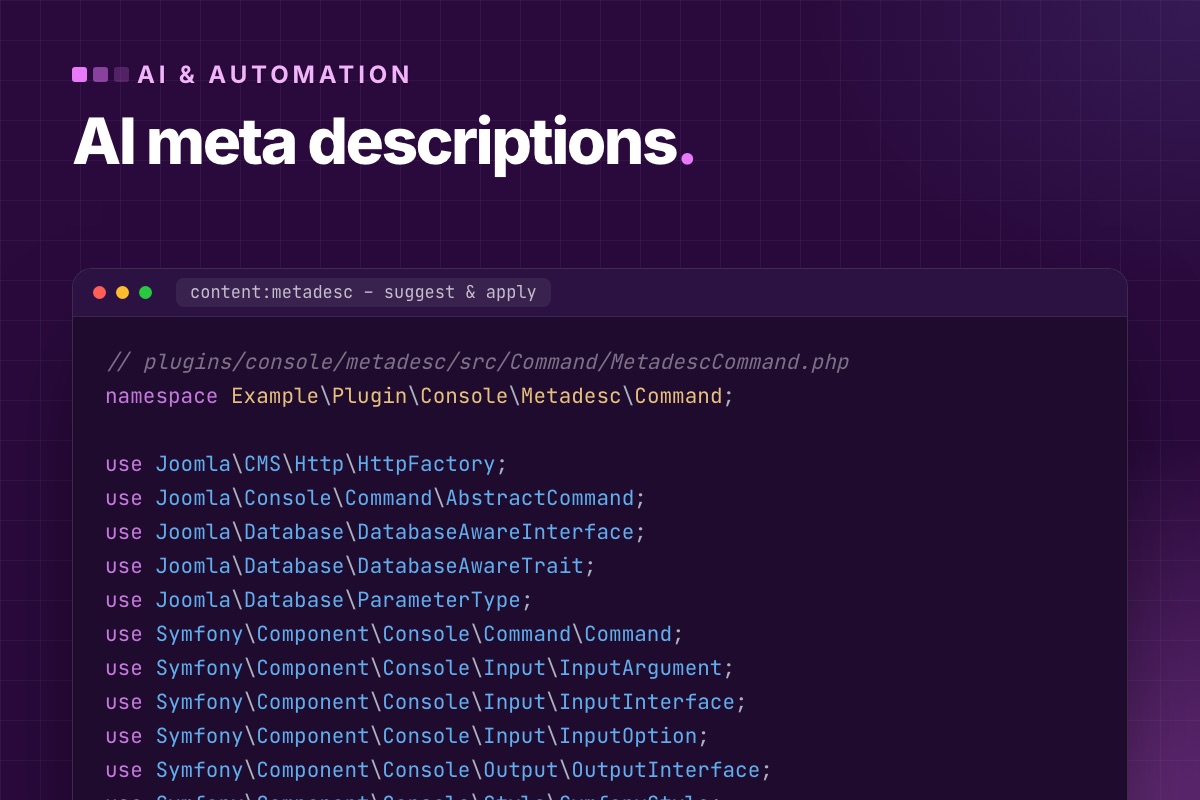

- Details
- Category: AI & automation
Most Joomla sites have dozens of articles with no meta description, or one copied from the global configuration. Search engines then make one up from the page, usually from the wrong paragraph. An LLM writes decent descriptions quickly. The trick is to do it so a person can check them before they go live, and so it doesn't burn tokens on articles that already have a good one.
We do it as a Joomla console command in two steps: suggest writes a CSV, a person reviews and edits it, and apply writes the reviewed lines to the database.
Find the gaps first
# terminal – how big is the job? (adjust the prefix)
mysql -e "SELECT
            SUM(metadesc = '')                    AS empty,
            SUM(CHAR_LENGTH(metadesc) > 160)      AS too_long,
            SUM(CHAR_LENGTH(metadesc) BETWEEN 1 AND 69) AS too_short
          FROM jos_content WHERE state = 1;" mydb
The command
It's registered by a small console plugin, the same pattern as any Joomla console command (see Joomla 6 for extension developers, section 5). The command itself:
// plugins/console/metadesc/src/Command/MetadescCommand.php
namespace Example\Plugin\Console\Metadesc\Command;

use Joomla\CMS\Http\HttpFactory;
use Joomla\Console\Command\AbstractCommand;
use Joomla\Database\DatabaseAwareInterface;
use Joomla\Database\DatabaseAwareTrait;
use Joomla\Database\ParameterType;
use Symfony\Component\Console\Command\Command;
use Symfony\Component\Console\Input\InputArgument;
use Symfony\Component\Console\Input\InputInterface;
use Symfony\Component\Console\Input\InputOption;
use Symfony\Component\Console\Output\OutputInterface;
use Symfony\Component\Console\Style\SymfonyStyle;

final class MetadescCommand extends AbstractCommand implements DatabaseAwareInterface
{
    use DatabaseAwareTrait;

    protected static $defaultName = 'content:metadesc';

    protected function configure(): void
    {
        $this->setDescription('Suggest meta descriptions with an LLM (suggest), or write reviewed ones (apply)');
        $this->addArgument('mode', InputArgument::REQUIRED, 'suggest | apply');
        $this->addOption('file', null, InputOption::VALUE_REQUIRED, 'CSV file', 'metadesc.csv');
        $this->addOption('limit', null, InputOption::VALUE_REQUIRED, 'Max articles per run', 25);
    }

    protected function doExecute(InputInterface $input, OutputInterface $output): int
    {
        $io = new SymfonyStyle($input, $output);

        return $input->getArgument('mode') === 'apply'
            ? $this->apply($io, $input->getOption('file'))
            : $this->suggest($io, $input->getOption('file'), (int) $input->getOption('limit'));
    }

    private function suggest(SymfonyStyle $io, string $file, int $limit): int
    {
        $db    = $this->getDatabase();
        $query = $db->createQuery()
            ->select($db->quoteName(['id', 'title', 'introtext', 'fulltext']))
            ->from($db->quoteName('#__content'))
            ->where($db->quoteName('state') . ' = 1')
            ->where('(' . $db->quoteName('metadesc') . " = '' OR CHAR_LENGTH(" . $db->quoteName('metadesc') . ') > 160)')
            ->order($db->quoteName('hits') . ' DESC')          // most-read pages first
            ->setLimit($limit);

        $out = fopen($file, 'w');
        fputcsv($out, ['id', 'title', 'metadesc', 'length']);

        foreach ($db->setQuery($query)->loadObjectList() as $article) {
            $text = trim(preg_replace('/\s+/', ' ', strip_tags($article->introtext . ' ' . $article->fulltext)));
            $desc = $this->ask($article->title, mb_substr($text, 0, 6000));
            fputcsv($out, [$article->id, $article->title, $desc, mb_strlen($desc)]);
            $io->writeln(sprintf('#%d (%d) %s', $article->id, mb_strlen($desc), $desc));
        }
        fclose($out);
        $io->success("Review and edit $file, then run: content:metadesc apply --file=$file");

        return Command::SUCCESS;
    }

    private function ask(string $title, string $text): string
    {
        $prompt = "Write a meta description for this web page.\n"
            . "Rules: 140–158 characters. Plain text, no quotes, no emoji, no marketing phrases like 'discover' or 'unlock'. "
            . "Say concretely what the reader gets. Use the page's own terms. Answer with the description only.\n\n"
            . "Title: $title\n\nPage text:\n$text";

        $response = HttpFactory::getHttp()->post(
            'https://api.anthropic.com/v1/messages',
            json_encode([
                'model'      => 'claude-haiku-5-5',
                'max_tokens' => 200,
                'messages'   => [['role' => 'user', 'content' => $prompt]],
            ]),
            [
                'x-api-key'         => getenv('ANTHROPIC_API_KEY'),
                'anthropic-version' => '2023-06-01',
                'content-type'      => 'application/json',
            ],
            30
        );

        if ($response->getStatusCode() !== 200) {
            throw new \RuntimeException('LLM API error ' . $response->getStatusCode() . ': ' . substr((string) $response->getBody(), 0, 200));
        }
        $data = json_decode((string) $response->getBody(), true);

        return trim($data['content'][0]['text'] ?? '');
    }

    private function apply(SymfonyStyle $io, string $file): int
    {
        $db   = $this->getDatabase();
        $in   = fopen($file, 'r');
        $head = fgetcsv($in);
        $n    = 0;

        while (($row = fgetcsv($in)) !== false) {
            [$id, , $desc] = $row;
            $id   = (int) $id;
            $desc = trim($desc);

            if ($desc === '' || mb_strlen($desc) > 160) {
                $io->warning("#$id skipped: empty or longer than 160 characters");
                continue;
            }
            $query = $db->createQuery()
                ->update($db->quoteName('#__content'))
                ->set($db->quoteName('metadesc') . ' = :desc')
                ->where($db->quoteName('id') . ' = :id')
                ->bind(':desc', $desc)
                ->bind(':id', $id, ParameterType::INTEGER);
            $db->setQuery($query)->execute();
            $n++;
        }
        fclose($in);
        $io->success("$n descriptions written. Clear the cache: php cli/joomla.php cache:clean");

        return Command::SUCCESS;
    }
}
The plugin injects the database when it registers the command ($command->setDatabase(...)), and the API key comes from the environment of the shell that runs the command. It never goes into Joomla's configuration or a plugin's settings, where it would sit in the database in plain text.
Running it
# terminal
export ANTHROPIC_API_KEY=…
php cli/joomla.php content:metadesc suggest --limit=25
# open metadesc.csv in a spreadsheet, fix what's wrong, delete rows you don't want
php cli/joomla.php content:metadesc apply --file=metadesc.csv
php cli/joomla.php cache:clean
What makes the descriptions good (or not)
- The prompt bans the model's habits. Without "no marketing phrases", you get "Discover the ultimate guide to…" on every page. Name the words you don't want.
- Give it the page, not the title. With only the title, every description becomes a rephrased title. The first 6,000 characters of text are plenty and keep the cost low.
- Check the length yourself. Models count characters badly, which is why
applyrefuses anything over 160 and the CSV shows the length. - Start with the most-read pages (
ORDER BY hits). They're where a better snippet changes clicks. - A small, fast model is enough. This is a summarising task. Cost per article is a fraction of a cent.
Why not a plugin that does it on save?
We tried onContentBeforeSave: generate a description whenever an article is saved without one. It works, but it adds an external API call, with its latency and its failures, to the editor's save button, and nobody reviews the result. The batch command keeps the AI out of the request cycle and keeps a person in the loop. If you want it automated, run suggest from the Scheduler weekly and mail the CSV to an editor, but keep apply manual.
Hundreds of pages without descriptions? We run this on your site, review the output with you, and fix titles and internal links while we're at it.
SEO & speed optimization →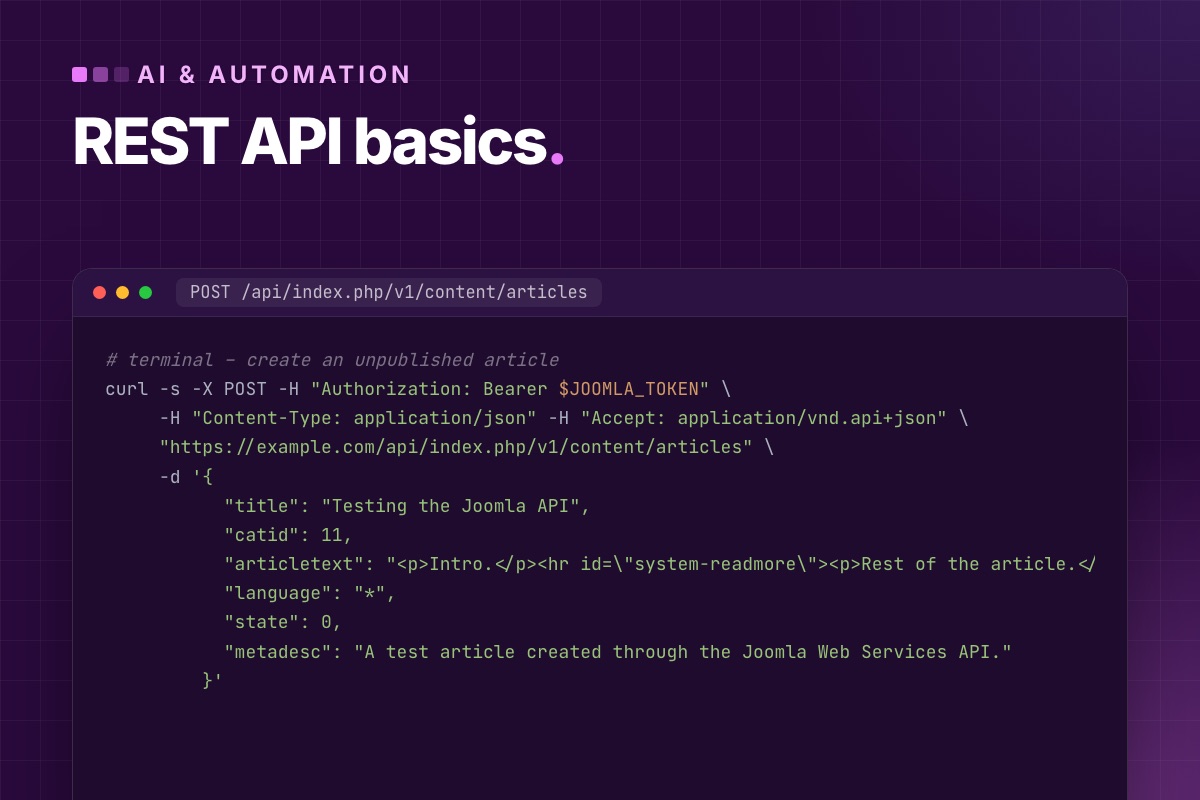
- Details
- Category: AI & automation
Every automation on a Joomla site, from an AI assistant writing drafts to a nightly import or a mobile app, runs through the same door: the Web Services API that has been in core since Joomla 4.0. This is the practical introduction we give developers who start with it: how authentication really works, what the requests and responses look like, and the details the official docs leave you to discover.
How the API is put together
- The entry point is
/api/index.php/v1/…, a separate application next to the site and the administrator. - Each resource comes from a plugin in the webservices group: Content, Users, Menus, Modules, Tags, Media, Redirect, Config and more. Disable the plugin and its endpoints disappear.
- Authentication comes from plugins in the api-authentication group: Token and Basic.
- Requests and responses use JSON:API (
application/vnd.api+json). - Every route is a standard set:
GETlist,GET /:id,POST,PATCH /:id,DELETE /:id.
// plugins/webservices/content/src/Extension/Content.php (Joomla 6.2, shortened)
public function onBeforeApiRoute(BeforeApiRouteEvent $event): void
{
    $router = $event->getRouter();

    $router->createCRUDRoutes('v1/content/articles', 'articles', ['component' => 'com_content']);
    $router->createCRUDRoutes('v1/content/categories', 'categories', ['component' => 'com_categories', 'extension' => 'com_content']);
    // …
}
One consequence surprises people: reading is not public. The content routes are registered with public => false, so even GET on published articles needs a token. The API is for managing a site, not for serving it. For public data, use the site's normal pages or a feed.
Authentication
Token (use this)
Each user can have an API token: User → Edit → Joomla API Token tab. It's sent as a bearer token:
# terminal
curl -s -H "Authorization: Bearer $JOOMLA_TOKEN" \
     -H "Accept: application/vnd.api+json" \
     "https://example.com/api/index.php/v1/content/articles?page[limit]=5"
Two things to set up first:
- By default only Super Users can have a token. To give one to a restricted integration user, add their group in Plugins → User – Joomla API Token → Allowed User Groups.
- The token acts with that user's permissions. An integration that only writes articles to one category should be a user who can only do that. API permissions are Joomla ACL, nothing separate.
Basic (disable it unless you need it)
The Basic plugin accepts a username and password on each request. It's handy for a quick test and a liability on a live site, because it turns the API into a login form without MFA. If nothing uses it, disable API Authentication – Basic.
Reading: lists, filters, paging
# terminal – published articles in category 11 containing "upgrade", newest first, 10 per page
curl -s -G -H "Authorization: Bearer $JOOMLA_TOKEN" -H "Accept: application/vnd.api+json" \
  --data-urlencode "filter[category]=11" \
  --data-urlencode "filter[state]=1" \
  --data-urlencode "filter[search]=upgrade" \
  --data-urlencode "list[ordering]=a.publish_up" \
  --data-urlencode "list[direction]=DESC" \
  --data-urlencode "page[limit]=10" \
  --data-urlencode "page[offset]=0" \
  "https://example.com/api/index.php/v1/content/articles"
The response, shortened:
{
  "links": { "self": "…/content/articles?page[offset]=0&page[limit]=10", "next": "…page[offset]=10…", "last": "…" },
  "data": [
    {
      "type": "articles",
      "id": "103",
      "attributes": {
        "title": "Upgrade a Joomla Site with CiviCRM to Joomla 6",
        "alias": "upgrade-joomla-civicrm-site-to-joomla-6",
        "state": 1,
        "language": "*",
        "metadesc": "…",
        "publish_up": "2026-10-16 08:46:09"
      },
      "relationships": {
        "category":   { "data": { "type": "categories", "id": "23" } },
        "created_by": { "data": { "type": "users", "id": "42" } }
      }
    }
  ],
  "meta": { "total-pages": 2 }
}
Notes from real use:
- The id is a string in
data[].id, as JSON:API requires. Cast it. list[ordering]only accepts columns the model allows as filter fields. Anything else is silently ignored, and the default order applies.- Follow
links.nextinstead of computing offsets. It's correct even when the total changes while you page. - A single item (
GET …/articles/103) includes the full text, images, metadata and custom fields by name.
Writing: create, update, delete
# terminal – create an unpublished article
curl -s -X POST -H "Authorization: Bearer $JOOMLA_TOKEN" \
     -H "Content-Type: application/json" -H "Accept: application/vnd.api+json" \
     "https://example.com/api/index.php/v1/content/articles" \
     -d '{
           "title": "Testing the Joomla API",
           "catid": 11,
           "articletext": "<p>Intro.</p><hr id=\"system-readmore\"><p>Rest of the article.</p>",
           "language": "*",
           "state": 0,
           "metadesc": "A test article created through the Joomla Web Services API."
}'- The body field is
articletext. Joomla splits it into intro and full text at the read-more marker, exactly like the editor. aliasis optional and generated from the title. Send it when URLs matter.- Custom fields go by their field name at the top level (
"price": "19"). The controller moves them intocom_fields. PATCHsends only the fields you change. Tags you don't send are kept.DELETEonly works on trashed items (state: -2), the same rule as in the back end. Two steps, on purpose.
# terminal – change one field
curl -s -X PATCH -H "Authorization: Bearer $JOOMLA_TOKEN" -H "Content-Type: application/json" \
     "https://example.com/api/index.php/v1/content/articles/103" -d '{"metadesc": "New description."}'
Errors you will meet
| Response | Usual cause |
|---|---|
401 {"errors":[{"title":"Forbidden"}]} | missing/wrong token, token plugin disabled, or the user's group not allowed tokens |
404 Resource not found | the webservices plugin for that resource is disabled, or a typo in the route |
403 on write | the user lacks create/edit permission in that category |
400 with a field message | form validation, e.g. a duplicate alias in the category, or a missing catid |
| HTML instead of JSON | a PHP error or a security plugin intercepting /api/; check the server error log |
From the browser: CORS
Calls from JavaScript on another domain need CORS headers. Global Configuration → Server → Web Services → Enable CORS, with allowed origins, headers and methods. Never put a token in front-end JavaScript: anyone can read it. Browser apps should talk to your own backend, and that backend calls Joomla.
Your own component in the API
A custom component joins the API with two pieces: an api/components/com_example folder with controllers and JSON:API views, and a webservices plugin that registers the routes with createCRUDRoutes(). Core's com_contact and its plugin are the cleanest example to copy.
Security checklist
- Disable the webservices plugins you don't use, and Basic authentication.
- One dedicated user per integration, with its own group and minimal permissions.
- Tokens live in server-side environment variables, and get rotated when people leave.
- Keep Joomla updated. The worst Joomla flaw of recent years (CVE-2023-23752) was in the API's access check.
- If nothing calls the API at all, deny
/api/in the web server.
Next: put an AI assistant on top of it with a Joomla MCP server.
Connecting Joomla to another system? We build API integrations and web services for custom components, with permissions and error handling done properly.
Back-end development →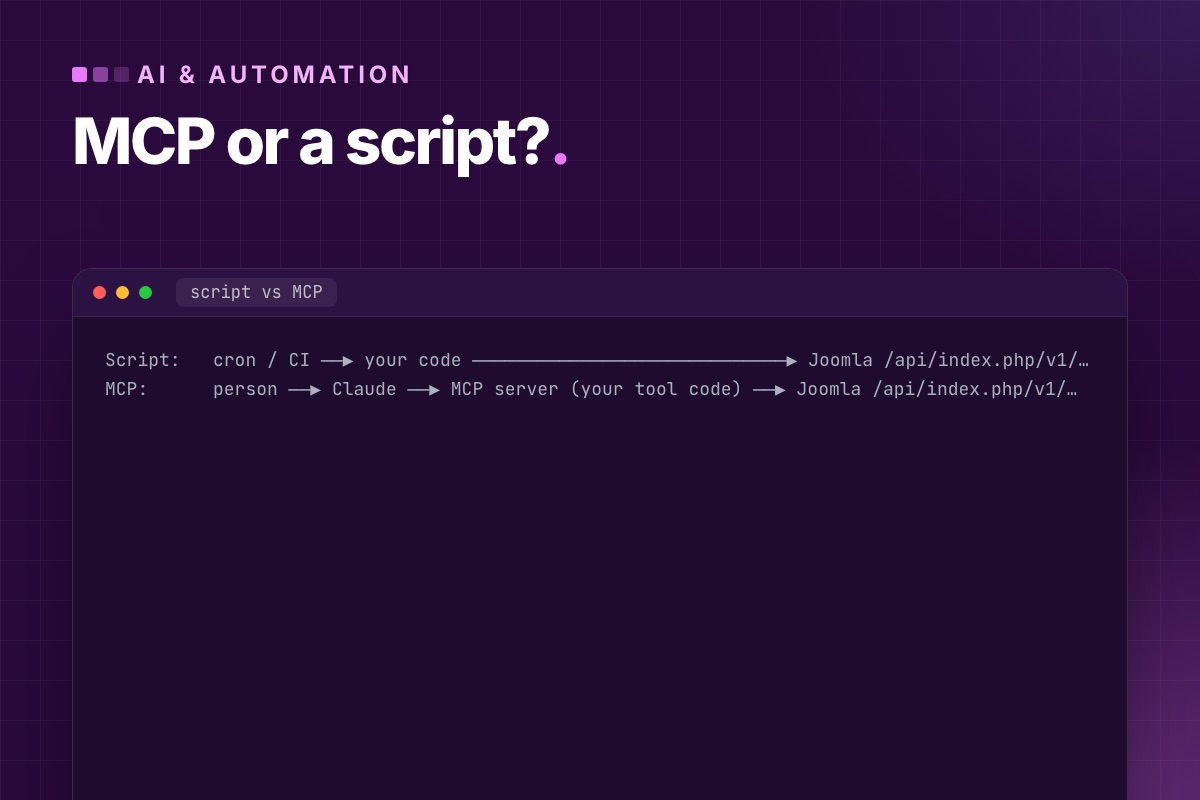

- Details
- Category: AI & automation
MCP doesn't replace Joomla's REST API. It sits on top of it. The real question for a developer is when a task should be a script that calls the API, and when it should be a tool an AI assistant calls. We use both every week. Here's how we decide.
Same API underneath
Script:   cron / CI ──▶ your code ─────────────────────────────▶ Joomla /api/index.php/v1/…
MCP:      person ──▶ Claude ──▶ MCP server (your tool code) ──▶ Joomla /api/index.php/v1/…
Both paths end at the same endpoints, with the same token and the same Joomla permissions. What differs is who decides which calls to make. With a script, you decide when you write it. With MCP, the model decides at runtime, within the tools you exposed.
When a script is the right tool
- The steps are known in advance. Import 500 products from a CSV, sync users from a CRM, publish scheduled content. A model adds nothing but cost and variance.
- It must be exactly the same every time. Scripts are deterministic and testable. A model may take a different path tomorrow.
- Volume. Thousands of calls cost nothing as a script and a lot as model tokens.
- Unattended runs. Cron at 3 a.m. doesn't need natural language.
# terminal – a typical script job: unpublish articles whose event date has passed
curl -s -G -H "Authorization: Bearer $TOKEN" -H "Accept: application/vnd.api+json" \
  --data-urlencode "filter[category]=31" --data-urlencode "filter[state]=1" --data-urlencode "page[limit]=100" \
  "https://example.com/api/index.php/v1/content/articles" \
| jq -r '.data[] | select(.attributes.event_date < (now | strftime("%Y-%m-%d"))) | .id' \
| while read id; do
    curl -s -X PATCH -H "Authorization: Bearer $TOKEN" -H "Content-Type: application/json" \
      "https://example.com/api/index.php/v1/content/articles/$id" -d '{"state": 0}' >/dev/null
done(event_date is a custom field. The API returns custom fields by name on items.)
When MCP is the right tool
- The question changes every time. "Which posts mention Joomla 4 but haven't been updated since 2024?" "Are there two articles competing for the same keyword?" Writing a script for each question costs more than asking.
- The work needs judgement on text. Drafting, rewriting a description, suggesting internal links, checking tone. That's what models are for.
- A person is in the loop anyway. Editors working with an assistant, where each write is a draft someone reviews.
Designing tools: fewer, narrower, safer
Exposing the whole REST API as MCP tools ("create", "update", "delete" for every resource) is the most common mistake. The model then has to plan multi-step operations with generic tools, and the riskiest operations are always one call away. Better tools are shaped like tasks:
| Generic (avoid) | Task-shaped (prefer) |
|---|---|
update_article(id, fields) | update_meta_description(id, text) with a 160-character limit in the schema |
create_article(fields) | create_draft(title, catid, html), which always saves unpublished |
delete_article(id) | no tool; trashing is a human action |
query(sql) | find_articles_without_meta(category) |
Constraints in the tool's input schema (max lengths, allowed categories, enums) are enforced before the API is called, whatever the model sends. Tool descriptions matter too. The model chooses tools by reading them, so "Creates an UNPUBLISHED draft for human review" is a safety feature, not documentation.
Errors: scripts fail, models improvise
A script that gets a 400 stops and logs it. A model that gets a 400 tries something else, which is helpful when it fixes a typo in an alias and harmful when it "works around" a permission error. Return errors to the model as plain, specific text ("Category 24 not allowed for this user"), and never design a tool where a retry with different arguments can widen what it does.
Cost and speed, roughly
| Script via API | Assistant via MCP | |
|---|---|---|
| Per call | milliseconds, free | seconds, model tokens per step |
| Building it | developer time per task | tools once, then questions are free-form |
| Repeatability | exact | similar, not identical |
| Best for | known, repeated, high-volume jobs | ad-hoc questions, text work, small batches with review |
The combination we use
Scripts (and Scheduler tasks) for everything repeatable. A small MCP server with read tools and draft-only writes for editors and for us. And a rule for the line between them: when we've asked the assistant the same question three times, it becomes a script or a report.
The code for both sides is in Joomla REST API for beginners and How to build a Joomla MCP server.
Automating content or data on Joomla? We help you decide what should be a script and what an AI tool, and build both on the Joomla API.
Back-end development →
- Details
- Category: AI & automation
We build on Joomla and we're obviously not neutral. So this comparison sticks to things you can check: what each CMS has in core, what needs a plugin, and what that means when an AI tool or an automation pipeline works with the site. Where WordPress is ahead, we say so.
The comparison
| Capability | Joomla 6 | WordPress |
|---|---|---|
| REST API in core | yes, since 4.0 (2021), JSON:API format | yes, since 4.7 (2016), WordPress's own JSON format |
| API authentication in core | per-user API tokens (Bearer) | application passwords (since 5.6), via Basic auth |
| Permissions | ACL per action, per category and per item, plus view levels | roles and capabilities, site-wide; per-category rules need plugins |
| Editorial workflow | configurable workflows with per-transition permissions, in core | draft / pending / published in core; custom workflows via plugins |
| Multilingual | core, with associations and hreflang | plugins (e.g. WPML, Polylang) |
| Structured data | schema.org plugins in core (since 5.0) | usually via an SEO plugin |
| Background jobs | Scheduler with task plugins; can run from real cron | WP-Cron, triggered by page visits unless replaced by real cron |
| CLI | cli/joomla.php in core | WP-CLI (separate project, very mature) |
| AI building blocks from the project | none in core yet | an AI team working on standard building blocks, including a way for plugins to expose "abilities" to AI tools and an MCP adapter |
| AI plugins available | a modest number | many more, in every category |
Where Joomla's core helps with AI work
Containment is built in
Letting an AI write to a CMS is mostly a permissions problem. In Joomla, the AI's account can be limited to "create drafts in these two categories, execute only the 'submit for review' transition", using core ACL and Workflows, enforced on every API request. In WordPress, a role like "Contributor" gets close, but restricting it to specific categories, or adding a review stage with its own permissions, means plugins. Each plugin is one more thing to trust and update.
One API style, documented by its routes
Joomla's API is JSON:API throughout: the same list/filter/paging conventions for articles, categories, users, menus and modules. For an AI tool or a generated client that's predictable. WordPress's API is more varied, partly because plugins add endpoints in their own style, but it's far more widely documented and used.
Multilingual and structured data without plugins
For AI translation pipelines, Joomla's core associations give a clear target: create the translated article as a draft, then associate it. Schema.org in core means AI-generated content gets structured data without another plugin in the chain.
Where WordPress is ahead
- Ecosystem. Far more AI plugins, integrations and tutorials. If you want an off-the-shelf AI feature today, WordPress probably has a plugin for it.
- Project-level AI work. The WordPress project has an AI team working on shared building blocks, so plugins can expose capabilities to AI tools in one standard way, including through MCP. Joomla has nothing comparable in core yet. Joomla integrations are built per site or per extension, on top of the API.
- Familiarity. More developers, and more AI-generated code that actually works, because models have seen far more WordPress code than Joomla code. In our experience, AI-written Joomla code needs more correction: older APIs, invented option names.
What this means in practice
- Content teams with review needs, multilingual sites, organisations with real permission structures: Joomla's core gives an AI integration a safer frame with fewer moving parts.
- Sites that want many ready-made AI features quickly: WordPress's ecosystem is hard to beat.
- Either way: the important parts are platform-independent. A dedicated user with minimal rights, drafts instead of publishing, model calls outside the page request, keys outside the database. Our Joomla versions of those are in Claude writes, Joomla publishes and where AI fits in Joomla's architecture.
Choosing a CMS for its AI story alone is a mistake. The AI tools change every few months, and the CMS stays for years. Choose for content model, permissions, languages and the team that will maintain it, then add AI on top through the API.
Weighing Joomla for a new project? Tell us what the site has to do. We'll tell you honestly whether Joomla is the right fit, and how AI would plug into it.
Let's talk →
- Details
- Category: AI & automation
Predictions about "AI-run websites" are cheap. What we can offer instead is a report from daily use. We use AI assistants every day in Joomla work: writing code, reviewing extensions, drafting content, running maintenance checks. Here is what has changed in how we run sites, what hasn't, and what we expect next. Expectations, not prophecies.
What AI does in our Joomla work today
| Task | How | Human step |
|---|---|---|
| Weekly maintenance checks on client sites | agent runs read-only Joomla CLI commands over SSH and writes a report | we read the report and decide on updates |
| Security log digest | aggregated action logs + server logs summarised weekly | we follow up anything flagged |
| Code: modernising extensions for Joomla 6/7 | assistant rewrites deprecated calls with the deprecation log as input | code review and tests, every time |
| Reading unfamiliar code (inherited sites, obfuscated files) | assistant explains what it does | we verify before acting |
| Content drafts and meta descriptions | written into Joomla as unpublished drafts via the API | an editor fact-checks and publishes |
| Bulk SEO fixes | suggestions to a CSV, applied after review | review of every row |
Every row has a human step, and that's not caution for its own sake. Each one exists because we saw what happens without it. A draft that recommended a non-existent npm package. Generated Joomla code calling methods removed two versions ago. A confident explanation of an option that Joomla doesn't have.
What changed
- The cost of looking went down. Reading logs, auditing 60 articles for missing descriptions, checking twenty sites for pending updates: tasks we used to skip are now cheap enough to do every week.
- The cost of starting went down. A first draft of a plugin, a migration script, a test checklist exists in minutes. Finishing it takes as long as it did.
- The API matters more. Every AI workflow we run goes through Joomla's Web Services API or its CLI. Sites with those set up cleanly (a dedicated user, a token, narrow permissions) get the benefits. Sites without them don't.
What didn't change
- Someone has to know Joomla. The assistant writes plausible Joomla code. Knowing that
Factory::getUser()is on its way out, that a legacy plugin fails silently on Joomla 7, or that an override needs re-checking after 6.2 is still the developer's job. AI made experience more valuable, not less. - Publishing is a decision. Nothing we run publishes on its own, and we don't expect that to change for business sites. The liability for what's on the page stays with a person.
- Maintenance is still maintenance. Updates, backups, staging, testing. AI makes them faster to check, not optional.
What we expect in the next two years
- Standard AI interfaces in CMS cores. WordPress already has project-level work on exposing plugin "abilities" to AI tools, including through MCP. We'd expect Joomla to follow in some form, because its plugin architecture and ACL make that a natural fit. Until then, a small MCP server on the existing API does the job.
- Permissions designed for non-human users. Today an AI integration is "a user with a token". Expect finer controls: tokens with scopes, rate limits and expiry, not just a user's full rights.
- Review tooling inside the CMS. Workflows already give drafts a review stage. What's missing is showing editors what the AI changed: a diff between versions, which Joomla's content history already stores.
- More pressure on extension quality. AI tools work through APIs and well-defined events. Extensions without web services or with legacy plugins will be the parts of a site that automation can't reach. Joomla 7's cleanup pushes in the same direction.
What to do now
- Set up the Web Services API properly: unused endpoints off, Basic auth off, a dedicated user per integration. How.
- Start with read-only uses: questions about your content, log digests, maintenance reports. They're useful and they can't break anything.
- Add drafts with review once the read-only part works. Our pipeline.
- Keep your code and extensions current. Automation reaches what follows Joomla's modern patterns.
Want AI in your Joomla workflow without the risk? We set it up the way we use it ourselves: API, permissions, drafts and review.
Talk to us →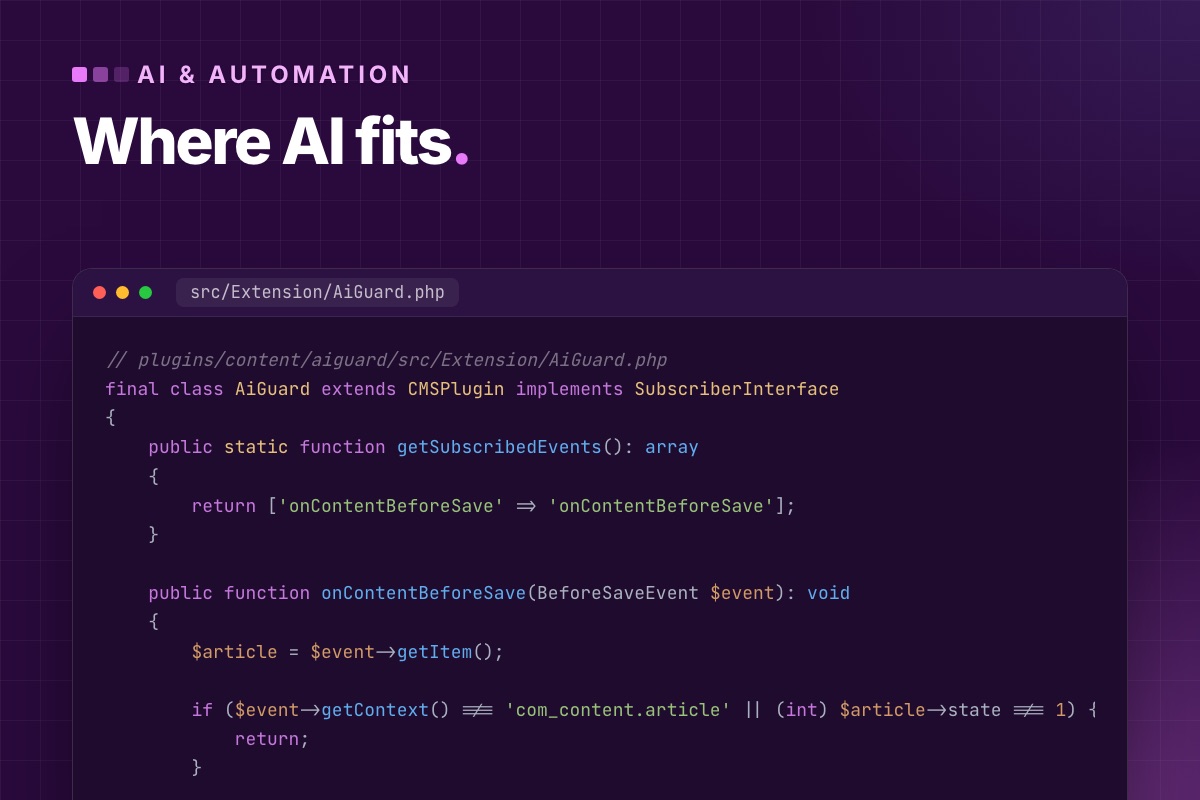
- Details
- Category: AI & automation
"Joomla is ideal for AI" is marketing. What's true, and useful, is that Joomla has clearly separated places where an AI integration can live, and a permission system strong enough to keep it contained. This post maps those places: which kind of AI feature belongs where in Joomla's architecture, with the code entry point for each.
The map
| Integration point | Runs when | Good for |
|---|---|---|
Web Services API (/api) | an outside client calls | assistants via MCP, external pipelines, imports |
| Scheduler task plugin | on a schedule, logged | batch generation: summaries, tags, alt texts, translations |
| Console command | a person or deploy script runs it | one-off bulk jobs with review (CSV in, CSV out) |
Content events (onContentBeforeSave …) | an editor saves | cheap checks and flags, not slow API calls |
com_ajax plugin | an editor clicks a button | "suggest a description" in the edit form |
| Custom fields | always | storing structured AI output where templates can use it |
| ACL, Workflows, User Actions Log | always | keeping the AI's account inside its lane, and auditable |
1. The API: the outside door
Since Joomla 4, every core resource is available through /api/index.php/v1/…, with per-user tokens and Joomla's normal permissions. An assistant connected through MCP works through this door and nothing else, which means the AI's reach is exactly the token user's ACL. Custom components join with a webservices plugin and JSON:API views. Details in the REST API guide.
2. Events: for checks, not for calls
Content events fire inside the editor's save request. They're the right place for quick rules about AI content, and the wrong place for slow API calls. An example we use: a plugin that keeps AI drafts from being published without a human edit.
// plugins/content/aiguard/src/Extension/AiGuard.php
final class AiGuard extends CMSPlugin implements SubscriberInterface
{
    public static function getSubscribedEvents(): array
    {
        return ['onContentBeforeSave' => 'onContentBeforeSave'];
    }

    public function onContentBeforeSave(BeforeSaveEvent $event): void
    {
        $article = $event->getItem();

        if ($event->getContext() !== 'com_content.article' || (int) $article->state !== 1) {
            return;
        }

        // AI drafts carry a note; publishing one needs an editor's edit first
        $aiDraft   = str_starts_with((string) $article->note, 'AI draft');
        $aiUserId  = (int) $this->params->get('ai_user');
        $lastByAi  = (int) $article->modified_by === $aiUserId;

        if ($aiDraft && $lastByAi) {
            throw new \RuntimeException('This AI draft must be edited by an editor before it is published.');
        }
    }
}
A RuntimeException in onContentBeforeSave stops the save, and Joomla shows the message to the editor. Cheap, synchronous, no external call. That's the profile of a good event listener.
3. Scheduler and console: where the model calls go
Anything that calls an LLM belongs outside the visitor's and the editor's request. The Scheduler runs task plugins with logging, locking and a status per run. Console commands handle the bulk jobs a person starts and reviews. Both get the database injected, both can run for minutes without anyone waiting. The patterns are in calling LLM APIs from Joomla and the meta description command.
4. Custom fields: structured output
When a model produces structured data (a reading level, key takeaways, a product's specs extracted from a PDF), don't paste it into the article HTML. Store it in custom fields. Templates can then render it consistently, filter on it, and replace it without touching the text. The API accepts fields by name, so a pipeline can write "key_takeaways": "…" directly:
// in a layout override – templates/yourtemplate/html/com_content/article/default.php
$fields = FieldsHelper::getFields('com_content.article', $this->item, true);
$take   = array_values(array_filter($fields, fn ($f) => $f->name === 'key_takeaways'))[0] ?? null;

if ($take && $take->rawvalue !== '') : ?>
    <aside class="takeaways"><?php echo $take->value; ?></aside>
<?php endif; ?>
5. ACL, Workflows and the action log: containment
This is where Joomla is genuinely strong compared with simpler CMSs. An AI integration gets its own user, in its own group:
- ACL per category and per action: may create in "Blog", may not edit state, may not delete. Enforced on every API request.
- Workflows (core since Joomla 4): the AI's group can execute exactly one transition, "Submit for review".
- User Actions Log: every change by that user is recorded with time and item, which gives you an audit trail of what the AI did, for free.
None of this needs AI-specific code. It's the same machinery that keeps a junior editor from publishing on the home page.
What to avoid
- LLM calls in system plugins (
onAfterRoute,onAfterRender): every page waits, every outage is yours. - A Super User token for any automation.
- Writing AI output directly into published content without a review state.
- Keys in plugin parameters, which end up in every database dump.
Planning an AI feature in Joomla? We help you put it in the right place in the architecture, then build it: plugins, tasks, API and permissions.
Custom extension development →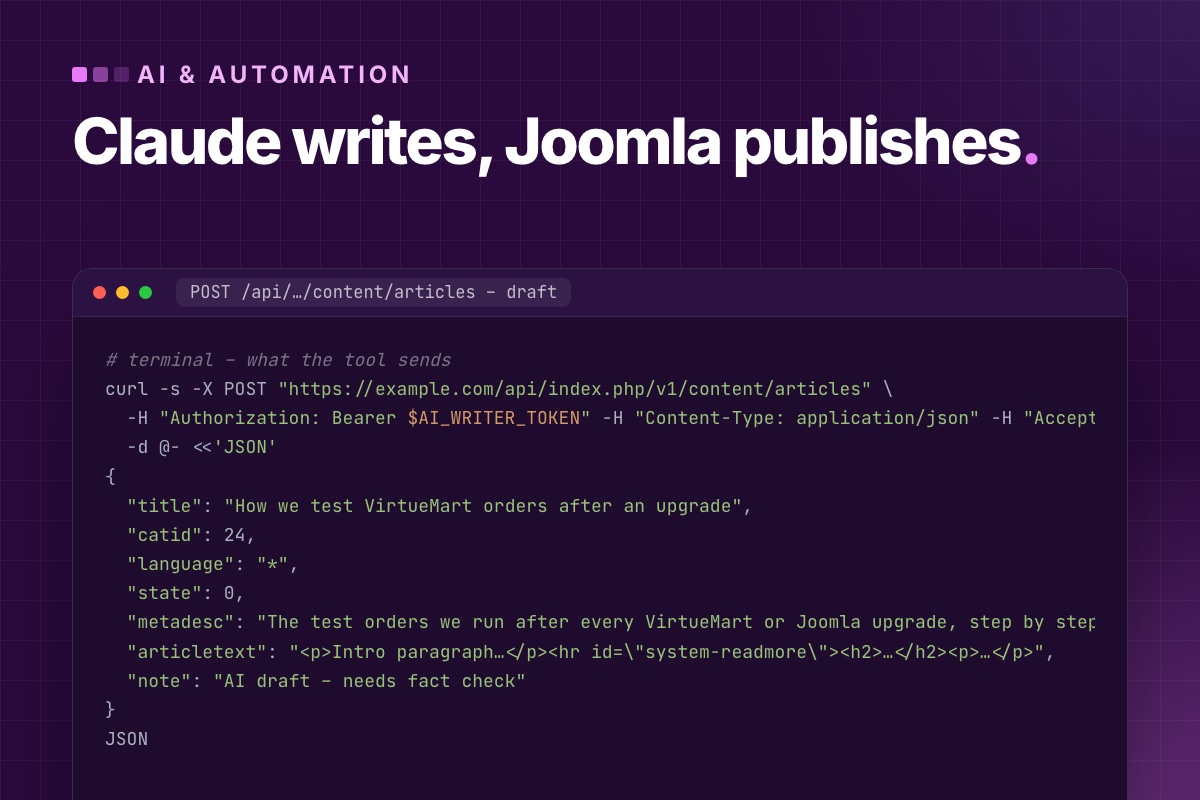
- Details
- Category: AI & automation
"Let the AI publish articles automatically" is easy to build and a bad idea to run. Our setup has Claude write drafts straight into Joomla, with images and metadata, and a person publishes every one of them. This post shows that setup. Joomla's permissions and workflows do the controlling, not the prompt.
The pipeline
- An editor gives Claude a brief: topic, audience, sources, internal links to use.
- Claude writes the article and calls Joomla through an MCP server (or a script) to save it as an unpublished draft, with category, meta description and, if needed, an image.
- Joomla puts the draft into a review stage. Only editors can move it on.
- An editor checks facts, links and tone in the normal article editor, then publishes.
The AI never holds publish rights. That single decision is what makes the rest safe to automate.
Step 1: an account that can't publish
Create a user group "AI writer" (child of Registered, not Author or Editor) and give it, in Articles → Options → Permissions and per category:
| Permission | AI writer |
|---|---|
| Create | Allowed, only in the categories it writes for |
| Edit Own | Allowed (so it can revise its own drafts) |
| Edit, Edit State, Delete | Denied |
| Execute transition (with Workflows) | only "Submit for review" |
| Media: Access Administration Interface, Create | Allowed, if it uploads images |
Create one user in that group, allow the group to have API tokens (Plugins → User – Joomla API Token → Allowed User Groups), and generate the token on the user's Joomla API Token tab. Joomla then enforces "drafts only" on every request, whatever the model decides to send. A "state": 1 from a user without Edit State is ignored, so the article stays unpublished.
Step 2 (optional): a review stage with Workflows
For teams, turn on Workflows (Articles → Options → Integration → Enable Workflow) and create a workflow such as:
Draft ──(Submit for review: AI writer, Authors)──▶ Review ──(Publish: Editors)──▶ Published
                                                      └──(Send back: Editors)──▶ Draft
Transitions have their own permissions, so the AI's group gets exactly one: Submit for review. Since Joomla 6.1 the workflow screen draws this as a diagram, which makes it easy to check with the team.
Step 3: the writing call
With an MCP server (we build one in How to build a Joomla MCP server), Claude calls a create_draft tool. Without one, a script does the same request:
# terminal – what the tool sends
curl -s -X POST "https://example.com/api/index.php/v1/content/articles" \
  -H "Authorization: Bearer $AI_WRITER_TOKEN" -H "Content-Type: application/json" -H "Accept: application/vnd.api+json" \
  -d @- <<'JSON'
{
  "title": "How we test VirtueMart orders after an upgrade",
  "catid": 24,
  "language": "*",
  "state": 0,
  "metadesc": "The test orders we run after every VirtueMart or Joomla upgrade, step by step.",
  "articletext": "<p>Intro paragraph…</p><hr id=\"system-readmore\"><h2>…</h2><p>…</p>",
  "note": "AI draft – needs fact check"
}
JSON
Two fields make the editors' job easier: note shows in the article list in the back end (we use it for "AI draft, sources: …"), and metadesc gets written while the model still has the whole article in context.
Step 4: images
Images go through the Media API, base64-encoded, into a folder you choose. The request passes the same upload checks as the Media Manager: allowed extensions and MIME type.
# terminal
curl -s -X POST "https://example.com/api/index.php/v1/media/files" \
  -H "Authorization: Bearer $AI_WRITER_TOKEN" -H "Content-Type: application/json" \
  -d "{\"path\": \"local-images:/blog/drafts/vm-test-orders.jpg\", \"content\": \"$(base64 < cover.jpg | tr -d '\n')\"}"
Reference it in the article's images field (image_intro, image_fulltext) or in the HTML. Keep AI-supplied images in a drafts folder, so you can see at a glance what still needs a human look.
Step 5: the review
This is where the time goes, and where it should. Our checklist for an AI draft:
- Every technical claim: version numbers, option names, menu paths, code. Models invent plausible option names. We check them against a real Joomla install.
- Every link resolves, and internal links point where the brief said.
- Code runs. Copy each block into a test site, or don't publish it.
- Voice: our experience, not generic advice. If the draft could appear on any site, it isn't finished.
- Title ≤ 60 characters, description ≤ 160, alias as intended.
We learned the first point the hard way. An older post on this blog told readers to install an npm package that doesn't exist. The model had made up a plausible name, and nobody checked. It's fixed, and it's why the review step is not optional.
What we automate, and what we don't
| Good fit | Keep human |
|---|---|
| First drafts from a detailed brief and sources | deciding what to publish |
| Meta descriptions for existing articles (see auto-generating meta descriptions) | facts, numbers, code |
| Translations as drafts for a native speaker to review | anything legal, medical or financial |
| Finding articles with missing alt text, descriptions or links | the final publish click |
Want this pipeline on your Joomla site? We set up the user, permissions, workflow and the MCP server, and train your editors on the review step.
Talk to us →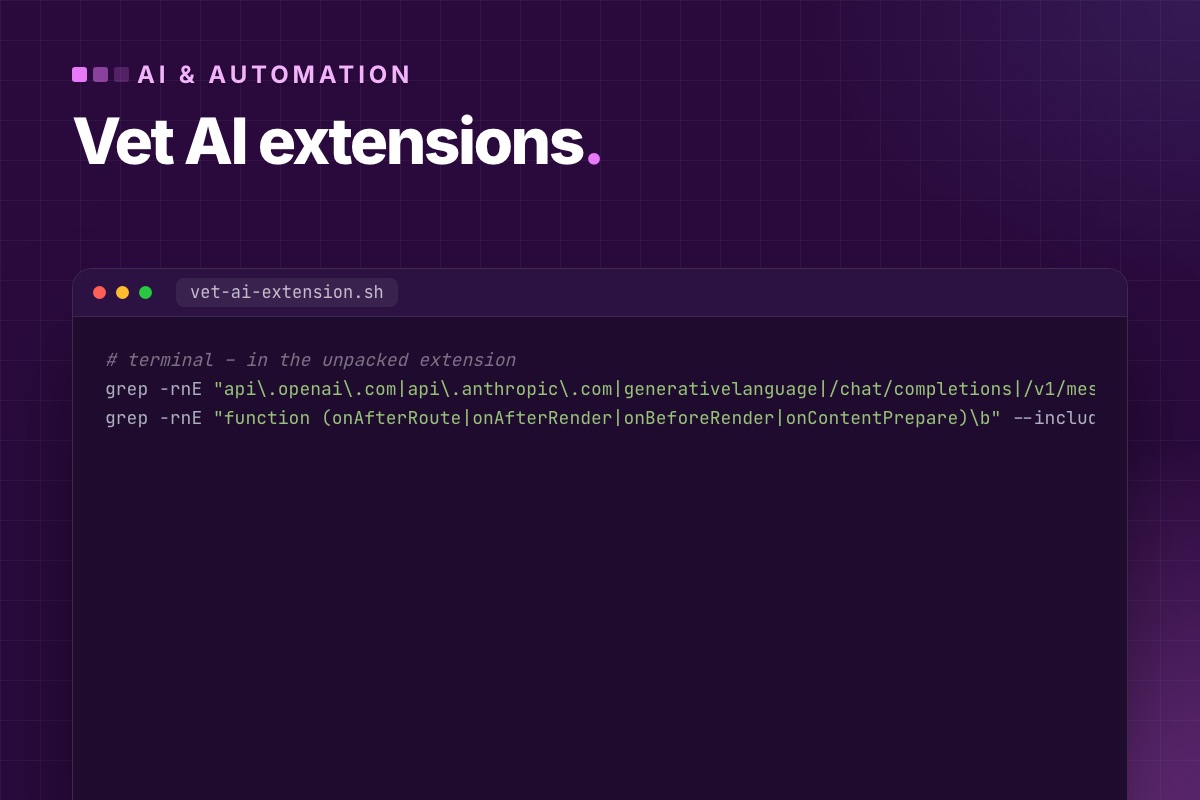
- Details
- Category: AI & automation
There are AI extensions for Joomla for content generation, SEO fields, alt texts, translation, chatbots and smart search. Product lists go stale in months. The questions that decide whether an extension is safe to run on your site don't. This is the checklist we use before an AI extension goes onto a client site, with the commands to answer each question from the extension's code, not its sales page.
What the categories are worth
| Category | Typical value | Watch out for |
|---|---|---|
| Field generators (meta description, alt text, intro) | high: fills gaps editors skip | generation on save, without review |
| Writing assistants in the editor | medium: drafts and rewrites | content sent to a third party; invented facts |
| Translation | high for multilingual sites | publishing translations without a native reader |
| Chatbots on the front end | varies a lot | cost per visitor, data protection, prompt injection |
| AI search / Q&A over your content | useful on large sites | index freshness, answers that cite nothing |
The checklist
1. Does it call the API during page requests?
An extension that calls an LLM from a system plugin or a module makes visitors wait, and makes the provider's outages yours. Look at where the HTTP calls are:
# terminal – in the unpacked extension
grep -rnE "api\.openai\.com|api\.anthropic\.com|generativelanguage|/chat/completions|/v1/messages" --include=*.php .
grep -rnE "function (onAfterRoute|onAfterRender|onBeforeRender|onContentPrepare)\b" --include=*.php .
If both lists point to the same files, the extension calls the model while rendering pages. Acceptable for a chatbot endpoint, not for anything that runs on every page.
2. Where does the API key live?
Almost always in the extension's parameters, which means plain text in #__extensions.params, in every backup and staging copy. That's common and not a deal-breaker, but then: a separate key per site, a spending limit at the provider, and the database treated as a secret. Check whether the key is ever printed to the page:
# terminal – any chance the key reaches the browser?
grep -rnE "addScriptOptions|getScriptOptions|data-api-key|apiKey" --include=*.php --include=*.js .
A key passed to JavaScript is a published key.
3. Does it check permissions?
AJAX endpoints that generate content cost money per call. Without a permission and token check, anyone can call them:
# terminal – entry points vs. checks
grep -rnE "function on\w*Ajax|com_ajax|task=" --include=*.php . | head
grep -rnE "Session::checkToken|checkToken\(|->authorise\(" --include=*.php . | head
Every endpoint that triggers a generation should check a CSRF token and an ACL permission ($user->authorise('core.edit', …)). If the second list is empty, don't install it.
4. What data leaves the site?
Read what's in the request body. The whole article? Form submissions? User names and emails? Then check the provider's data terms and your privacy policy. For member or customer data, prefer extensions that let you choose the provider and base URL, so a self-hosted or EU-hosted model is an option.
5. Does generated content go through review?
Good extensions write suggestions into the form for the editor to accept, or save drafts. Risky ones overwrite fields on save or publish directly. Test it: generate something and check whether you had to click anything before it went live.
6. Is it ready for Joomla 6 and 7?
# terminal – the same checks as for any extension
grep -rnE "\bJ(Factory|Text|Html|Route)\b|Factory::get(User|Dbo|Document)\(|getQuery\(true\)" --include=*.php .
grep -rnE "class Plg\w+ extends CMSPlugin" --include=*.php .
Hits mean it relies on APIs removed from core or marked for removal in Joomla 7. Then turn on "Log Deprecated API" on a test site and use the extension. Our full list is in Joomla 7 breaking changes.
7. Does it control cost?
- A limit per day or per user for front-end features.
- Caching of identical requests (the same alt text for the same image twice is waste).
- A log of usage, so you see the tokens before the invoice does.
8. Does it clean up after itself?
Uninstall it on a test site and check for leftover tables, scheduled tasks and parameters. AI extensions often create queues and caches that stay behind.
Our verdict format
For clients we summarise the result in four lines: where it calls the model (request / AJAX / background), what data it sends, whether it checks permissions, and Joomla 7 readiness. An extension that passes all four is usually fine. When none do, a small custom integration on the API or a task plugin is often cheaper over a year than living with the risks. Patterns for that are in calling LLM APIs from Joomla.
Evaluating an AI extension for your site? Send us the name or the package. We run this checklist and tell you what we found.
Talk to us →Page 1 of 2