

- Details
- Category: VirtueMart
If you run a shop on VirtueMart, Joomla 6 raises one question before any other: does VirtueMart come with you? This guide gives the honest answer for October 2026, the route we recommend from an old VirtueMart 3 shop to Joomla 6, and the checks that keep a shop selling while it upgrades.
The short answer
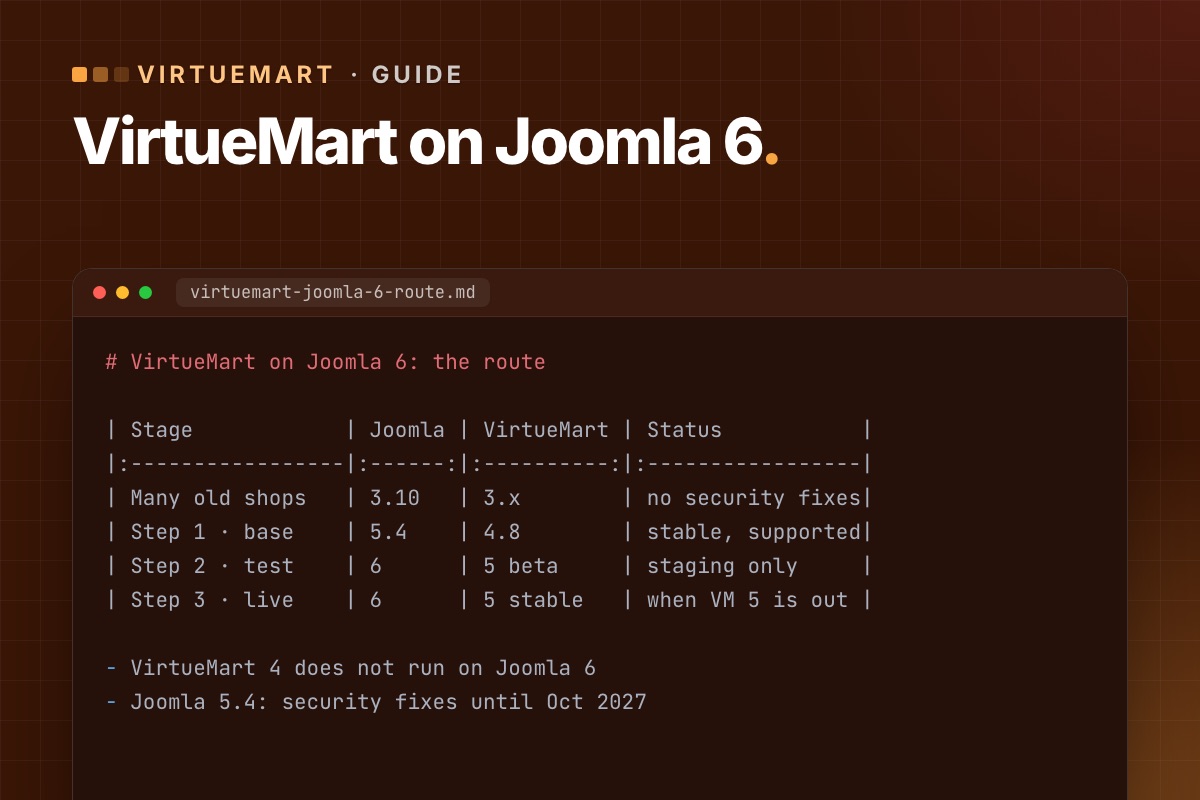
- VirtueMart 4 does not run on Joomla 6. The VirtueMart team said so plainly with the 4.6 release. VirtueMart 4.8.2 (August 2026) is the current stable version, for Joomla 3.10, 4 and 5.
- VirtueMart 5 is the Joomla 6 version. It is in beta – published as test builds numbered 4.9.x – and the team reports it already running on Joomla 6.
- For a live shop today: Joomla 5.4 with VirtueMart 4.8. Joomla 5.4 gets security fixes until 12 October 2027, so there is time to do Joomla 6 properly.
We keep the current status in Does VirtueMart work on Joomla 6?
The route: two steps, not one jump
| Stage | Joomla | VirtueMart | Status |
|---|---|---|---|
| Where many old shops are | 3.10 | 3.x | No support, no security fixes |
| Step 1 – supported base | 5.4 | 4.8 | Stable, supported |
| Step 2 – test | 6 | 5 beta | On a staging copy only |
| Step 3 – go live on 6 | 6 | 5 stable | When VM 5 is stable and your plugins support it |
Step 1 is worth doing now on its own: it gets the shop onto supported, patched software. Step 2 tells you, months before you need it, what Joomla 6 will cost for your shop. Step 3 waits for a stable VirtueMart 5 – not for your patience to run out.
Where the work really is
VirtueMart 3 updates to 4 much like a normal update. The data – products, categories, orders, customers – usually comes across fine. The work is around it:
- Template overrides. Cart and checkout overrides copied from VirtueMart 3 miss the security tokens newer versions require – the classic "Invalid token" in the cart. See how to fix it and how to review overrides.
- Payment and shipping plugins. Each needs a version for your target Joomla and VirtueMart. Some have none. Check them first.
- Third-party add-ons – one-page checkouts, feeds, importers. VirtueMart 5 moves some functions to static calls and drops its jQuery dependency, so older add-ons may need updates for Joomla 6.
- URLs. Router changes can move product and category URLs, which costs rankings unless you redirect. Keep your URLs.
- The server. Joomla 6 needs PHP 8.3+ and MySQL 8.0.13+ or MariaDB 10.4+. Older hosting plans often can't.
Upgrade checklist
- Audit: Joomla, VirtueMart and PHP versions; every extension, payment and shipping plugin; every override in
templates/your-template/html/com_virtuemart; custom code. - Back up files and database, and restore the backup on staging.
- Count your data on staging: products, categories, orders, customers. You will compare after each step.
- Update VirtueMart to the latest 4.x on the Joomla you have, then upgrade Joomla to 5.4 with the template and extensions.
- Fix overrides, update or replace payment and shipping plugins.
- Place test orders with every payment and shipping method. Our test-order checklist.
- Go live in a quiet hour, with a final sync of orders and customers placed since you built staging.
- Later: copy the upgraded shop to a new staging and try VirtueMart 5 beta on Joomla 6.
The full walkthrough for step 1: Upgrade VirtueMart 3 to 4.8 on Joomla 5, step by step.
Stay patched in the meantime
VirtueMart has had several security releases in the last eighteen months – 4.4.8, 4.4.10, 4.6.0 and 4.8.0. The last one fixed a flaw in the Skrill payment plugin and added token checks across the shop. Whatever your Joomla plans, keep VirtueMart current: what 4.8.0 means for your shop.
Why VirtueMart 4 and Joomla 6 don't mix
The reason is visible in the code. In VirtueMart 4.6 (component and bundled plugins), we counted the old Joomla class names: JFactory 1,277 times, JHtml 429, JRoute 376, JText 219, JFile/JFolder 178. That's 333 of 624 PHP files. Joomla 6 removed those names from core; they now load only through the compatibility plugin, and the Joomla 7 branch installs that plugin disabled. A namespaced VirtueMart 5 isn't a nice-to-have, it's the only way forward.
For developers: a data baseline in one query
Before and after each step, count every VirtueMart table at once instead of a handful by hand:
# terminal – row counts of all VirtueMart tables (adjust database and prefix)
mysql -N -e "SELECT CONCAT('SELECT ''', table_name, ''', COUNT(*) FROM ', table_name, ' UNION ALL')
             FROM information_schema.tables
             WHERE table_schema = 'shop_db' AND table_name LIKE 'jos\_virtuemart\_%';" \
  | sed '$ s/ UNION ALL$/;/' | mysql -N shop_db > counts-$(date +%F).txt
diff counts-before.txt counts-after.txt
Running a shop on an old Joomla or VirtueMart? We audit it, move it to a supported base and plan the step to Joomla 6 – the shop keeps selling.
VirtueMart Joomla 6 upgrade →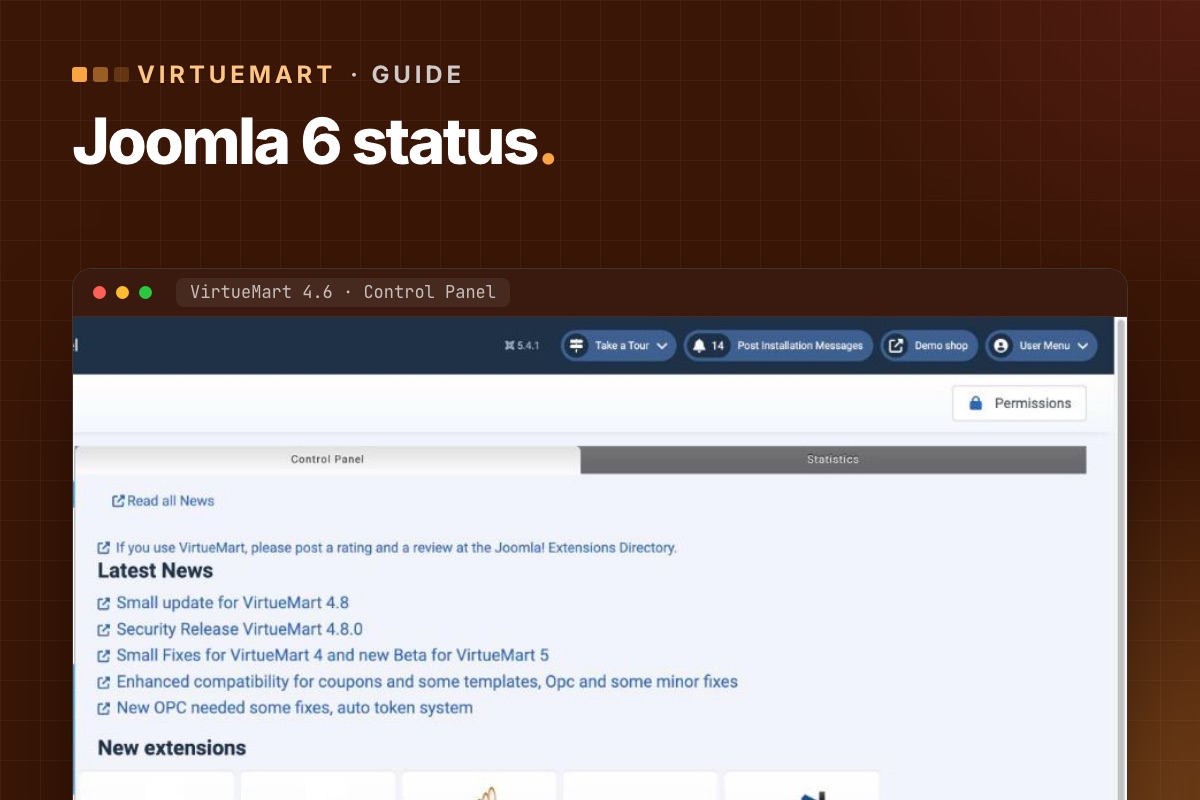
- Details
- Category: VirtueMart
Short version: VirtueMart 4 – no. VirtueMart 5 – yes, but it is still in beta. This page tracks the status and is updated as VirtueMart releases.
Current status
| Stable release | VirtueMart 4.8.2 (31 Aug 2026) |
|---|---|
| Stable runs on | Joomla 3.10, 4 and 5 |
| Joomla 6 version | VirtueMart 5 – beta, test builds published as 4.9.x (latest seen: 4.9.3) |
| VM 5 on Joomla 6 | Reported by the VirtueMart team as already running on Joomla 6 |
| For a live shop today | Joomla 5.4 + VirtueMart 4.8.2 |
Why VirtueMart 4 can't simply run on Joomla 6
When VirtueMart 4.6.0 came out in September 2025, the team stated it does not work on Joomla 6 and that a new VirtueMart 5 would follow "to match all the changes". Their stated aim for VirtueMart 5 is a namespaced code base that runs without Joomla's legacy compatibility plugin, on Joomla 3 up to 6.
What changes in VirtueMart 5
From the VirtueMart team's own announcements:
- Namespaced code, without relying on Joomla's backward-compatibility layer.
- Less jQuery. The plan is to replace VirtueMart's core jQuery code with plain JavaScript. The old "chosen" dropdowns are replaced by "choices", which works without jQuery and is what Joomla 6 uses.
- More static functions for performance – for example the media handler. Templates are not affected, but more complex extensions that call these functions may need small updates.
For shop owners, that means: VirtueMart itself will be ready before some of your add-ons are. Payment gateways, one-page checkouts and feed tools are the ones to watch.
When to move a live shop to Joomla 6
- VirtueMart 5 has a stable release.
- Every payment and shipping plugin you use has a version for VirtueMart 5 and Joomla 6.
- Your template and overrides have been tested with VirtueMart 5 on a staging copy.
- Test orders pass on staging with every payment method.
Until all four are true: stay on Joomla 5.4 and VirtueMart 4.8.x – it is supported and gets security fixes until October 2027. Use the time to test VirtueMart 5 beta on a copy.
How we keep this current
We follow every VirtueMart release and check it on a Joomla test shop. The latest release and our notes are on the VirtueMart Joomla 6 upgrade page, under Release watch. When VirtueMart 5 goes stable, this page will say so.
Why it's a rewrite, not a patch
The reason is visible in the code. In VirtueMart 4.6 (component and bundled plugins), we counted the old Joomla class names: JFactory 1,277 times, JHtml 429, JRoute 376, JText 219, JFile/JFolder 178. That's 333 of 624 PHP files. Joomla 6 removed those names from core; they now load only through the compatibility plugin, and the Joomla 7 branch installs that plugin disabled. A namespaced VirtueMart 5 isn't a nice-to-have, it's the only way forward.
For add-on developers the same check applies to your own code. Anything that runs inside VirtueMart 5 on Joomla 6 should pass:
# terminal – in your VirtueMart plugin or add-on
grep -rnoE "\bJ(Factory|Html|Route|Text|File|Folder|Table|Request|PluginHelper)\b" --include=*.php . | sort | uniq -c | sort -rn | head
grep -rnE "jQuery|\$\(" --include=*.js --include=*.php . | head    # VirtueMart 5 is moving off jQuery
Want to know what Joomla 6 means for your shop? We run your store on Joomla 6 with the VirtueMart 5 beta on staging and list what has to change.
VirtueMart Joomla 6 upgrade →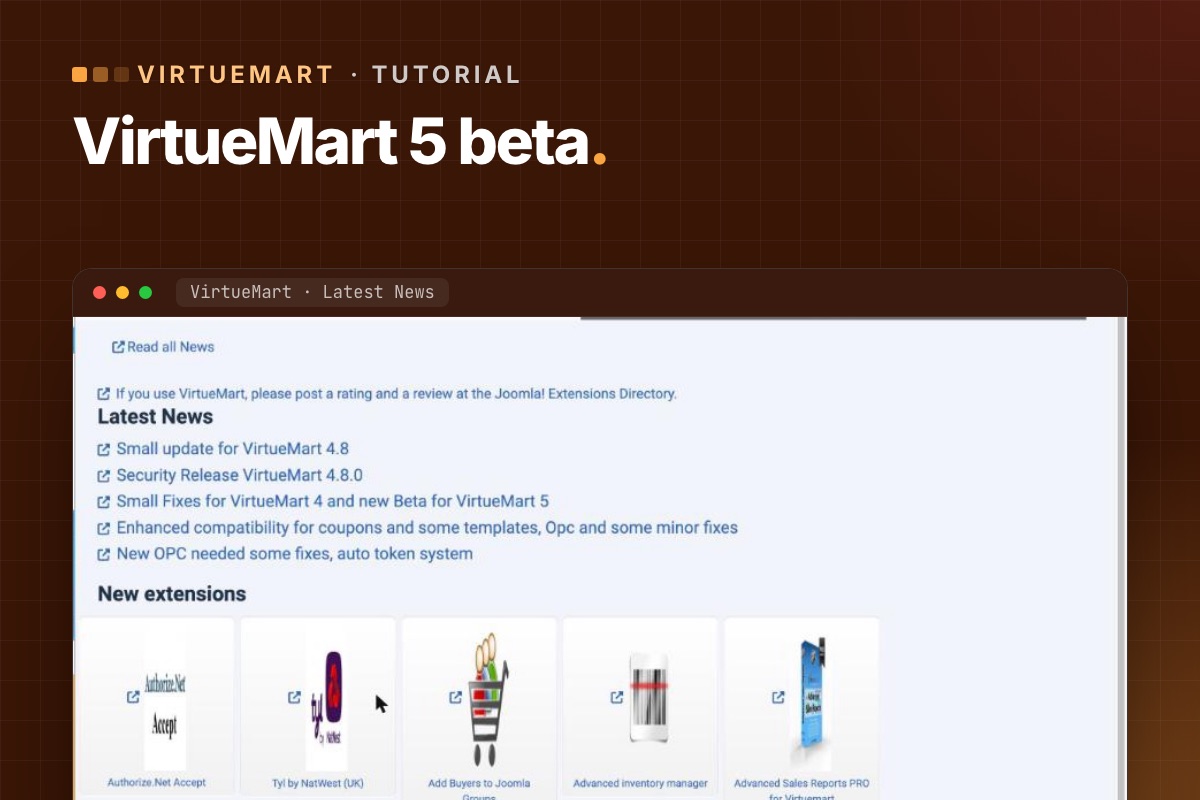

- Details
- Category: VirtueMart
VirtueMart 5 is the version for Joomla 6, and it is still in beta. That is no reason to wait with your eyes closed. Running your shop on Joomla 6 with the beta – on a copy – tells you now what the real upgrade will involve. This is how we do it.
Never install a VirtueMart beta on a live shop. Everything below happens on staging.
Start from a supported base
Do this from a shop on Joomla 5.4 and VirtueMart 4.8.x. If you are still on Joomla 3 or VirtueMart 3, do step 1 of the route first – two big jumps at once make it impossible to tell what broke.
1. Build a fresh staging copy
- Copy files and database from live to a staging server running PHP 8.3+ and MySQL 8.0.13+ or MariaDB 10.4+ – Joomla 6's minimum.
- Payments in sandbox mode, outgoing email caught, search engines blocked.
- Count products, categories, orders and shoppers, so you can compare later.
2. Upgrade Joomla to 6
- Run Joomla's pre-update check for Joomla 6. Write down every extension it flags – this list is half your answer.
- Install the VirtueMart 5 beta (the 4.9.x test build from virtuemart.net) before or together with the Joomla upgrade, following the notes that come with the build.
- Upgrade Joomla to 6 and the template to its Joomla 6 version, if it has one.
3. Walk through the shop
Go through the shop as a customer, with error reporting on and the browser console open:
- Category pages, filters, search, product pages with variants and custom fields.
- Add to cart from product pages and from modules, update quantities, coupons.
- Checkout as guest and as a registered shopper, every shipping and payment method in sandbox mode.
- Account pages: orders, addresses.
- Admin: products, orders, status changes, invoices.
4. Write down what breaks, and why
VirtueMart 5 changes some internals, so expect findings in these areas:
| Area | Likely cause |
|---|---|
| Template overrides | Layouts copied from older VirtueMart versions; jQuery-dependent scripts |
| Payment and shipping plugins | No Joomla 6 / VirtueMart 5 version yet |
| One-page checkout, feeds, importers | Calls to VirtueMart functions that became static in VM 5; jQuery |
| Custom plugins and code | Legacy Joomla classes, old event style, PHP 8.3 changes |
For each finding note: the extension or file, the error, and whether a vendor update exists or is announced.
5. Turn the list into a plan
Sort findings into "update when the vendor releases", "replace", "fix ourselves" and "drop". Add rough effort. That is your Joomla 6 budget and timeline – months before you need it, instead of the week the old version goes out of support.
6. Repeat with each beta
VirtueMart publishes new test builds as VirtueMart 5 matures. Re-run the walk-through with each new build, and when the stable release lands, you will already know it works with your shop.
Status of VirtueMart 5: Does VirtueMart work on Joomla 6?
For developers: make the findings list exact
On the Joomla 6 staging copy, let Joomla tell you what's deprecated or missing instead of guessing:
# terminal – Global Configuration: maximum error reporting and the deprecation log
php cli/joomla.php config:set error_reporting=maximum
php cli/joomla.php config:set log_deprecated=true

# after the walk-through: grouped deprecations, by file
grep -v '^#' administrator/logs/deprecated.php | cut -f4- | sort | uniq -c | sort -rn | head -40

# third-party VirtueMart plugins still using removed Joomla class names
grep -rlE "\bJ(Factory|Html|Route|Text|Request)\b" plugins/vmpayment plugins/vmshipment plugins/vmcustom --include=*.php
Run the walk-through once with "Backward Compatibility 6" → Classes Aliases off. Whatever breaks then is also what will break on Joomla 7, so the same list covers both upgrades.
Want this done for your shop? We run your store on Joomla 6 with the VirtueMart 5 beta on staging and hand you the list of what has to change.
VirtueMart Joomla 6 upgrade →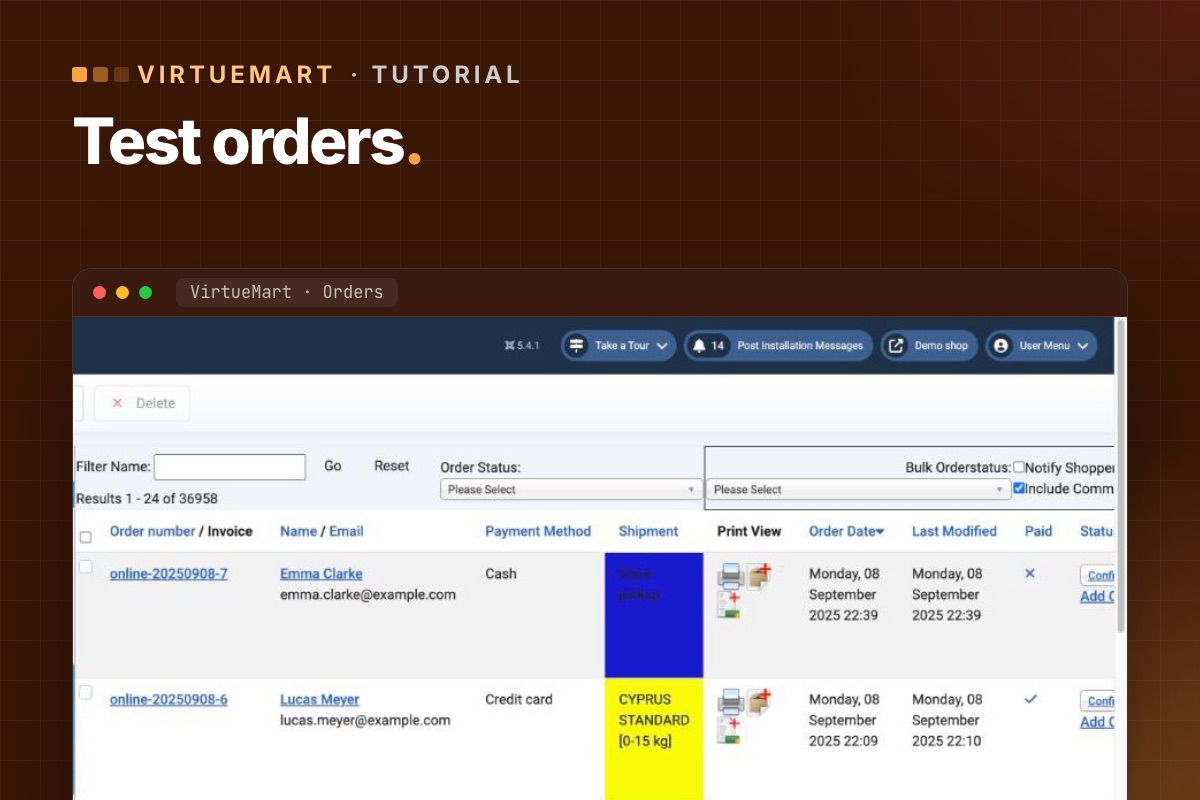
- Details
- Category: VirtueMart
An upgraded shop is done when it can take an order from start to finish with every payment and shipping method – and the shop owner can process it. This is our list. Run it in full on staging, and a short version on live right after the switch.
On staging: payment gateways in sandbox mode, outgoing email caught, and a few test products you can safely order.
1. Before you test: compare the data
- Counts of products, categories, manufacturers, orders and shoppers match the old shop.
- Five random products: prices, taxes, discounts, stock, images and custom fields match.
- Shopper groups and their prices still apply.
2. Browsing
- Home page product modules, category pages, sorting and pagination.
- Filters and search find the right products.
- Product pages: variants/child products, custom fields, availability messages, reviews.
- Old product and category URLs still work or redirect. How to check.
3. Cart
- Add to cart from the product page and from every product module – in two different browser sessions if caching is on. Why.
- Change quantities, remove items, update the cart – no "Invalid token". If there is.
- Coupons: valid, expired, minimum order amount.
4. Checkout
- As a guest and as a registered shopper; registration during checkout if you allow it.
- Address fields, required fields, terms-of-service checkbox.
- Every shipping method to a few typical destinations – compare the rates with the old shop.
- Every payment method in sandbox: successful payment, cancelled payment, failed payment.
- Order status changes after payment – proves the gateway's callback reaches the shop.
5. After the order
- Customer and shop emails arrive with correct totals, taxes and links.
- Invoice PDF generates, if you use invoices.
- Stock goes down; downloadable products deliver the file.
- The order shows in the customer's account.
6. Admin
- Order list and order detail open; change a status and the customer is notified (if configured).
- Edit a product, save, check the front end.
- Refund or cancel through the admin if your gateway supports it.
- Reviews and ratings can be moderated.
7. On live, right after the switch
- One real order per payment method with a small amount, then refund it.
- One order per shipping method if rates are calculated by a carrier API.
- Watch new orders closely for the first day – especially their status after payment.
Write down what you tested, when and by whom. If something is reported next week, you'll know what was working at launch.
For developers: check the orders, not just the screen
# terminal – the last test orders: status, total, payment method (adjust prefix)
mysql -e "SELECT o.virtuemart_order_id, o.order_number, o.order_status, o.order_total,
                 o.virtuemart_paymentmethod_id, o.virtuemart_shipmentmethod_id, o.created_on
          FROM jos_virtuemart_orders o ORDER BY o.virtuemart_order_id DESC LIMIT 10;" shop_db

# order history: did the status move after the gateway callback?
mysql -e "SELECT virtuemart_order_id, order_status_code, created_on
          FROM jos_virtuemart_order_histories ORDER BY virtuemart_order_history_id DESC LIMIT 20;" shop_db
An order stuck at the initial status (usually P, pending) after a successful sandbox payment means the gateway's callback didn't reach the shop or didn't validate. That failure doesn't show on any page, only in the data.
Every shop upgrade we do ends with this list – and a test order list you keep.
VirtueMart Joomla 6 upgrade →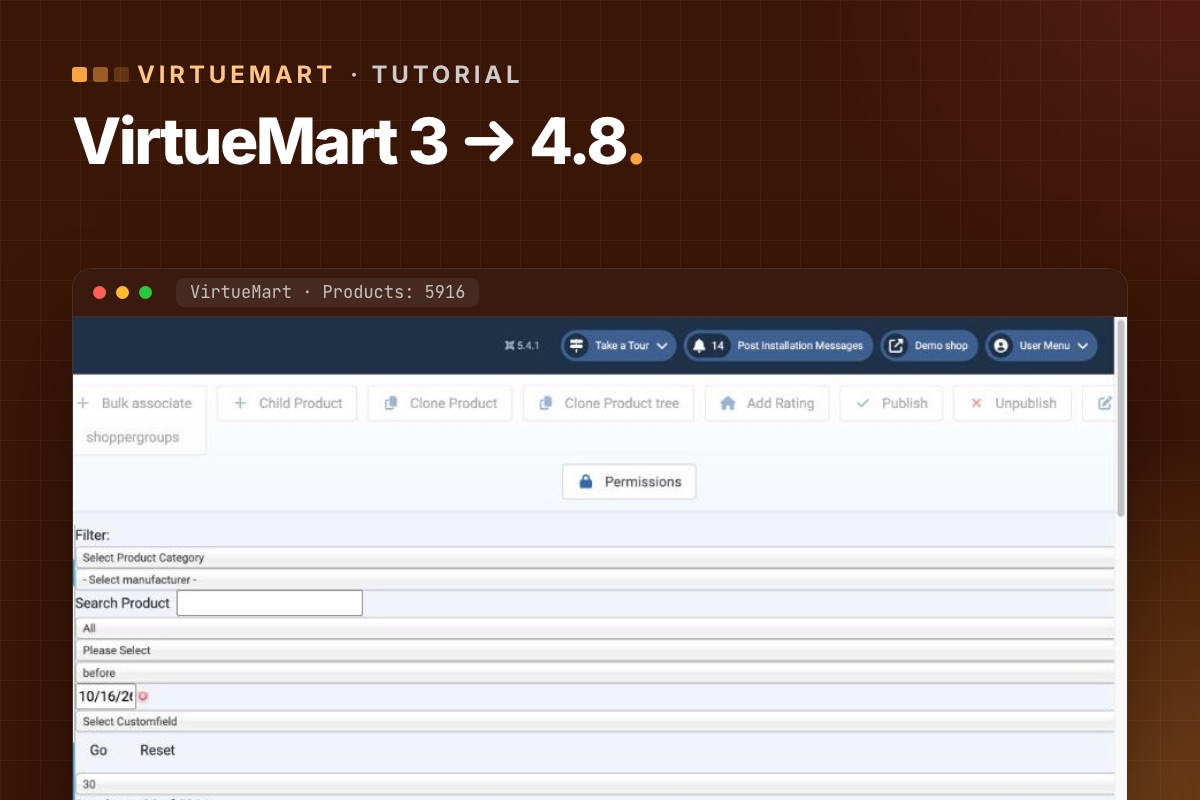

- Details
- Category: VirtueMart
This is step 1 of the route to Joomla 6: get an old shop onto Joomla 5.4 and VirtueMart 4.8, which are supported and patched. Do it on a staging copy; the live shop keeps selling until you switch.
Before you start
- A staging server with PHP 8.1–8.3 and MySQL 8.0.13+ or MariaDB 10.4+ (Joomla 5's requirements; PHP 8.3 also gets you ready for Joomla 6).
- A full backup of files and database, restored on staging.
- The VirtueMart 4.8 package from virtuemart.net. Some VirtueMart releases are offered to members first; check the download page.
- A list of your extensions, payment and shipping plugins, and overrides – see checking plugins.
Step 1: Make staging safe
- Put payment plugins in sandbox or test mode.
- Stop outgoing email (or catch it), so customers don't get order emails from staging.
- Block search engines from staging.
Step 2: Count your data
Write down how many products, categories, manufacturers, orders and shoppers the shop has. In phpMyAdmin or MySQL, with your table prefix:
SELECT COUNT(*) FROM jos_virtuemart_products;
SELECT COUNT(*) FROM jos_virtuemart_categories;
SELECT COUNT(*) FROM jos_virtuemart_orders;
SELECT COUNT(*) FROM jos_virtuemart_vmusers;
You will run the same queries after each step. Matching numbers are the quickest proof that nothing went missing.
Step 3: Update VirtueMart while still on Joomla 3.10
- Make sure Joomla is on 3.10 (the last Joomla 3).
- Install the VirtueMart 4 package over VirtueMart 3 through the Joomla extension installer – component first, then the AIO package, as the VirtueMart download explains.
- Open VirtueMart in the admin. If it offers database updates or tools, run them.
- Compare the counts.
- Open the shop front end: categories, a product, add to cart.
VirtueMart 4 supports Joomla 3.10, 4 and 5, which is what makes this order work: VirtueMart first, Joomla second.
Step 4: Upgrade Joomla 3 → 4 → 5.4
- Run Joomla's pre-update check for Joomla 4 and deal with every extension it flags – update, replace or remove.
- Switch to a Joomla 4-compatible template (or its new version) before the upgrade, if your template has no Joomla 4 version.
- Upgrade to Joomla 4, then straight on to the latest 5.4.
- Update VirtueMart to the latest 4.8.x again if a newer one is out.
- Compare the counts.
Step 5: Fix the shop front end
- Cart and checkout overrides need the security token – otherwise "Invalid token" when updating the cart. The fix.
- Compare every other override with the new core layout. How.
- Update or replace payment and shipping plugins.
Step 6: Test orders
Place a test order with every payment method and every shipping method, as a guest and as a registered shopper. Check the order in the admin, the emails, the stock, and the status changes after payment. The full list: test-order checklist.
Step 7: Switch live
- Pick a quiet hour. Put the live shop in maintenance mode.
- New orders and customers since you built staging must come across – either repeat the upgrade on live, or copy the new rows into the upgraded database. Don't lose a single order.
- Switch, place one real order with a small amount, refund it.
- Check redirects for any URLs that changed. Keep your URLs.
Common errors
- White page after the Joomla upgrade – an extension without a Joomla 4/5 version. Disable it from the database or the extension manager and replace it.
- Product images missing – check the media paths in VirtueMart configuration; VirtueMart 4.4.6 added a tool that repairs images that lost their image property.
- Prices or taxes look wrong – check the calculation rules and shopper groups on a few products against the old shop.
For developers: compare everything, not four tables
The four counts above catch the big losses. To catch anything, count every VirtueMart table before and after each step and diff the two files:
# terminal – row counts of all VirtueMart tables (adjust database and prefix)
mysql -N -e "SELECT CONCAT('SELECT ''', table_name, ''', COUNT(*) FROM ', table_name, ' UNION ALL')
             FROM information_schema.tables
             WHERE table_schema = 'shop_db' AND table_name LIKE 'jos\_virtuemart\_%';" \
  | sed '$ s/ UNION ALL$/;/' | mysql -N shop_db > counts-step3.txt
diff counts-step2.txt counts-step3.txt
Expected differences are new tables or columns that VirtueMart 4 adds. Anything that loses rows is a stop sign. During the Joomla 3 → 4 → 5 steps, the Joomla CLI is faster than the browser for big shops: php cli/joomla.php core:update after each version change (Joomla 4+), then maintenance:database.
Rather have it done for you? We upgrade VirtueMart shops on staging, compare data after every step and test real orders before go-live.
VirtueMart Joomla 6 upgrade →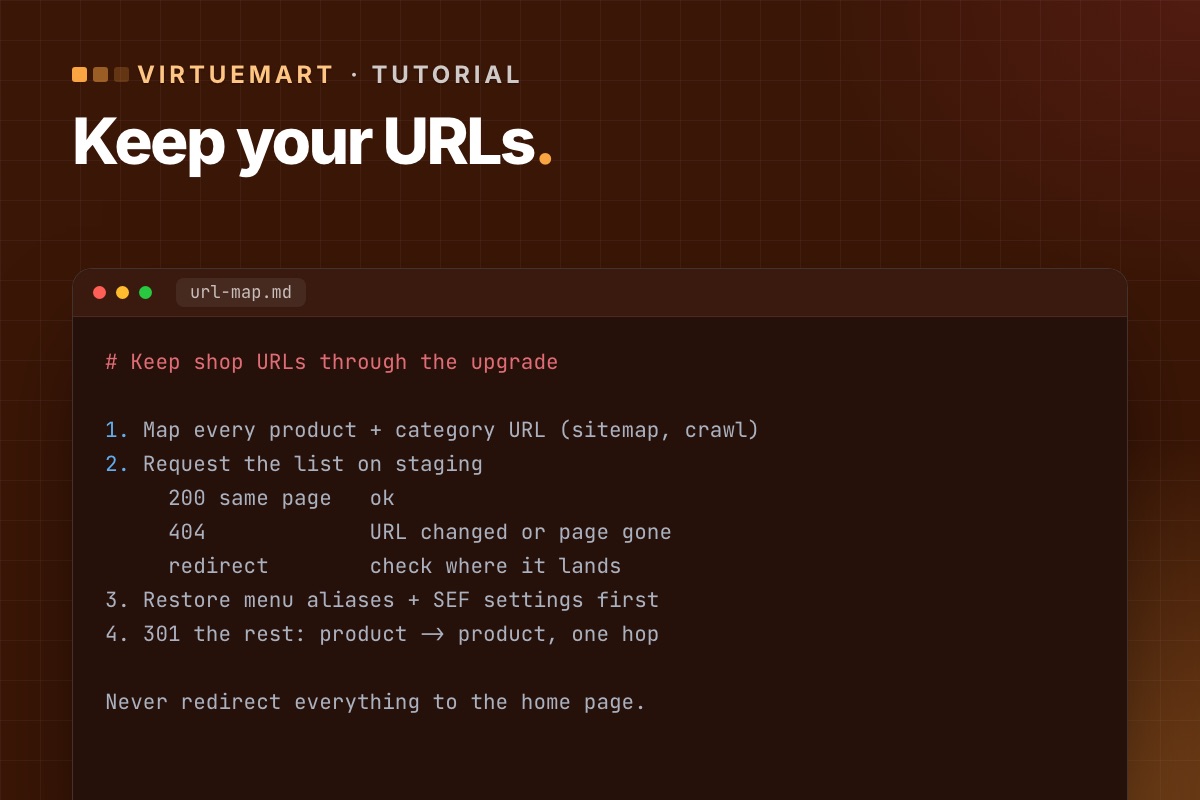

- Details
- Category: VirtueMart
A shop's product and category pages carry years of search rankings and inbound links. A Joomla or VirtueMart upgrade can change their URLs – a router change, a renamed menu item, a different slug setting – and those rankings quietly drain away. Here is how to keep them.
Why URLs change
- Router changes between Joomla versions and between VirtueMart versions.
- Menu items renamed, moved or recreated during the upgrade – VirtueMart URLs are built from them.
- Slug handling. VirtueMart added a hidden setting for product slugs that can change a URL when the product name changes.
- SEF extensions (sh404SEF, JoomSEF and others) dropped or replaced because they have no new version.
1. Map the URLs before you start
On the live shop, collect every product and category URL:
- Export them from your XML sitemap, or crawl the shop with a crawler tool.
- Add the URLs that matter most from Google Search Console (Pages and Links reports) and your analytics: top landing pages, pages with backlinks.
Save the list. It is your before-picture.
2. Compare on staging
After the upgrade on staging, request every URL from the list (a crawler can take a list as input) and sort the results:
- 200, same page – fine.
- 404 – the URL changed or the page is gone.
- Redirect to something unexpected – often the home page or a category; check each.
VirtueMart improved its 404 handling in late 2025 (parts of the router used a wrong fallback), so some old URLs that used to "work" by accident may now correctly return 404 – they still need a redirect.
3. Fix the cause where you can
Before adding redirects, try to keep the original URLs: restore the menu item aliases, the category structure in menus, and the SEF settings the old shop used. Every URL kept as-is is better than a redirect.
4. Redirect the rest with 301s
- Use Joomla's Redirects component, or server rules (
.htaccess/ nginx) for large or patterned changes. - Redirect each old URL to its own new page – product to product, category to category. Redirecting everything to the home page is treated like a 404 by search engines.
- Redirect in one hop; avoid chains.
5. After go-live
- Turn on the "System – Redirect" plugin with URL collection for a few weeks and redirect the 404s it records.
- Submit the new sitemap in Search Console and watch the Pages report.
- Check feeds for Google Shopping or comparison sites – they carry product URLs too.
For developers: the settings that shape the URLs
VirtueMart's SEF output depends on a few configuration values (Configuration → SEO). Note them on the old shop and set the same on the new one before comparing anything:
| Setting (config key) | Effect on URLs |
|---|---|
seo_disabled | VirtueMart's own SEF router on or off |
seo_full | with 0, categories are left out of product URLs |
seo_use_id | IDs in the URL instead of slugs only |
seo_translate | translated URL segments ("detail", "manufacturer"…) |
Then the comparison itself is a loop over the old URL list:
# terminal – status and final URL of every old product/category URL against staging
sed 's#https://shop.example.com#https://staging.example.com#' old-urls.txt | while read -r u; do
  curl -s -o /dev/null -L -w '%{http_code} %{url_effective}
' "$u"
done | tee url-check.txt | awk '$1 != 200' | head -50
Redirects for large, patterned changes are best as server rules. For a few hundred one-off URLs, Joomla's Redirects component (table #__redirect_links, columns old_url, new_url, header = 301) can take them as a bulk import.
We keep or redirect every product and category URL when we upgrade a shop, so it keeps its rankings.
VirtueMart Joomla 6 upgrade →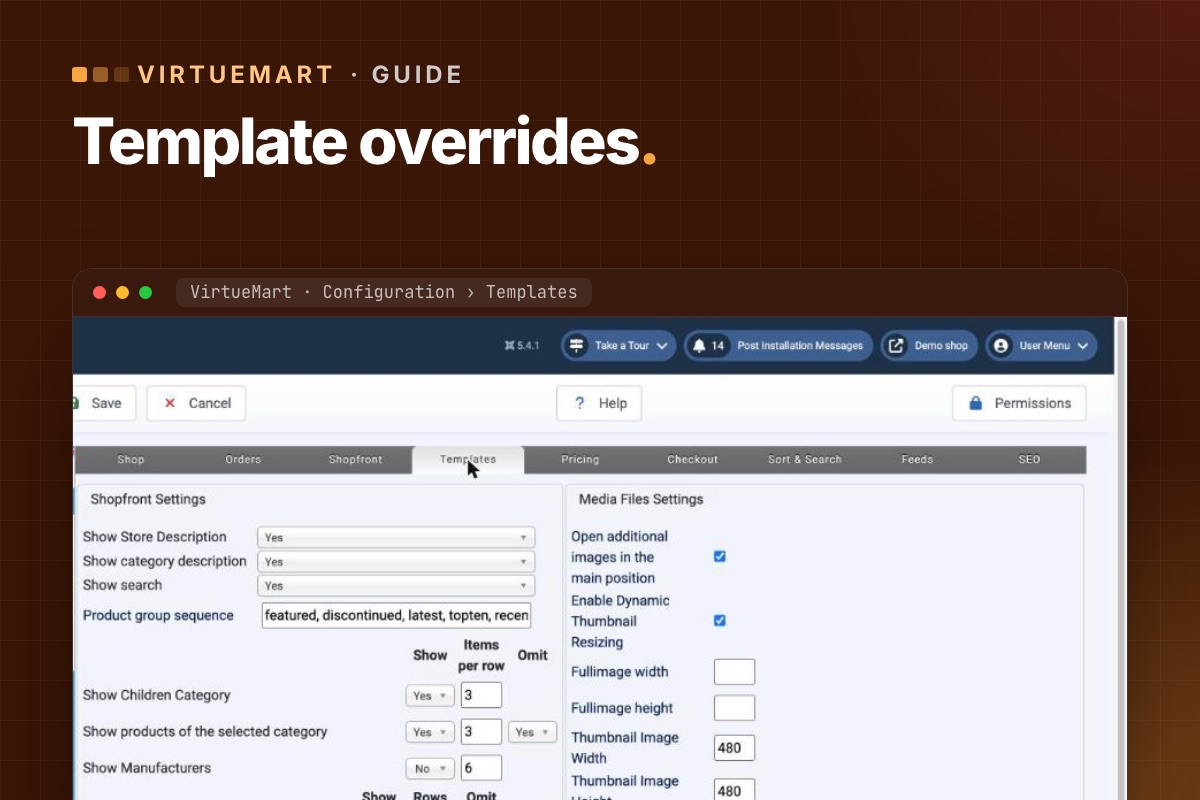
- Details
- Category: VirtueMart
Template overrides are how most VirtueMart shops get their look: copies of VirtueMart's layouts in the template, edited to fit the design. They are also the part of a shop that ages worst. VirtueMart keeps improving its layouts – new fields, security tokens, fixes – and an override from years ago keeps none of it. After an upgrade, that is where things break.
1. Find every override
VirtueMart overrides live in the active template:
templates/your-template/html/com_virtuemart/   – views: category, productdetails, cart, user, orders …
templates/your-template/html/mod_virtuemart_*/ – VirtueMart modules
Check which template the shop really uses: the default site template style, but also templates assigned to menu items, and templates set per category in VirtueMart. A child template can have its own overrides too.
List the files. A typical shop has somewhere between five and thirty.
2. Find the original each one came from
Each override replaces a core file in the component:
components/com_virtuemart/views/<view>/tmpl/<layout>.php
components/com_virtuemart/sublayouts/<sublayout>.php
Get the core file from the version the override was based on (often unknown) and from the version you are upgrading to.
3. Compare
Use a diff tool – or git, if the template is in a repository – to compare the override with the new core file. You are looking for:
- Missing token fields in forms (cart, checkout, account, ratings). These cause "Invalid token" errors. Details.
- Missing fields or variables added in newer layouts – custom fields, prices, stock messages.
- Old function calls that changed or were removed – especially relevant for VirtueMart 5, where some helper functions became static.
- jQuery-only scripts – VirtueMart 5 is moving away from jQuery.
- Design changes – the part that is actually yours and must be kept.
4. Rebuild, don't patch
For each override that differs a lot from core: start from the new core file and re-apply only your design changes. Patching an old copy just carries old bugs forward.
For overrides that only change markup or classes, a careful merge is enough.
And ask the honest question for each one: is the override still needed? Many shops override layouts to change one detail that CSS or a VirtueMart setting can handle today. Every override you remove is one less to maintain.
5. Test with real flows
Overrides break in use, not on sight. After rebuilding, run the shop as a customer – browse, filter, add to cart from pages and modules, update the cart, check out with each payment method. Test-order checklist.
6. Keep them maintainable
- Keep the template in version control, with a note in each override saying which VirtueMart version it was based on.
- At every VirtueMart feature release, diff your overrides against the new core layouts.
- Prefer CSS and VirtueMart settings over overrides for small changes.
For developers: diff all overrides in one go
# terminal – in the site root: which overrides differ from the current core layout, and by how much
T=templates/your-template/html/com_virtuemart
for f in $(cd $T && find . -name '*.php'); do
  view=$(dirname "$f" | cut -d/ -f2); file=$(basename "$f")
  core=components/com_virtuemart/views/$view/tmpl/$file
  [ -f "$core" ] || core=components/com_virtuemart/sublayouts/$file
  [ -f "$core" ] || { echo "NO CORE  $f"; continue; }
  echo "$(diff -u "$core" "$T/$f" | grep -c '^[-+][^-+]') lines  $f"
done | sort -rn
The biggest numbers are the rebuild candidates, and "NO CORE" means the layout no longer exists in this version (or was a custom addition). VirtueMart honours overrides only while useLayoutOverrides is on (Configuration → Templates, "Use current shop template overrides"). Switching it off for a minute is the fastest way to prove an override is the cause of a bug.
Overrides are a fixed part of our store audit: every file listed, compared with the new core and rebuilt where needed.
VirtueMart Joomla 6 upgrade →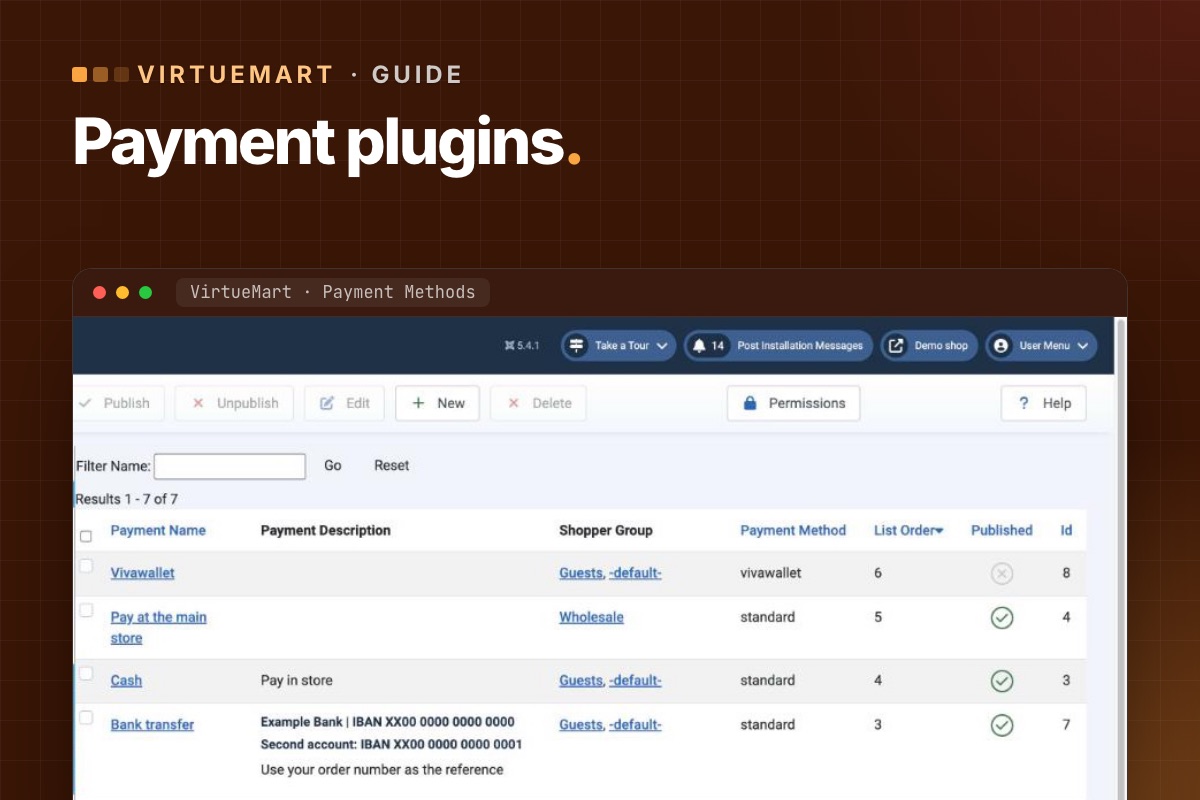
- Details
- Category: VirtueMart
A shop can lose its design and still take orders. It can't take orders without payment. Payment and shipping plugins are the part of a VirtueMart upgrade that deserves the most care – and the part most often left to the last day.
1. List what the shop really uses
In VirtueMart, open Shop » Payment Methods and Shop » Shipment Methods. For each published method, note:
- the plugin behind it (Joomla Extensions » Plugins, groups
vmpaymentandvmshipment), - its version and vendor,
- where its settings point: merchant account, API keys, IPN or webhook URLs.
Unpublished methods can be removed before the upgrade – less to check.
2. Check each one with its vendor
For every plugin, find out whether there is a version for:
- your target Joomla version (5.4 now; 6 later),
- your target VirtueMart version (4.8 now; 5 later),
- your target PHP version (8.3+ for Joomla 6).
Plugins bundled with VirtueMart's AIO package update with VirtueMart. Third-party gateways depend on their vendor. If the vendor is silent, treat it as "no".
3. Pay attention to security notices
VirtueMart 4.8.0 fixed a security issue in the Skrill payment plugin – the advice was to update or remove the plugin entirely. More in the 4.8.0 security release.
4. Decide: update, replace or drop
| Finding | Action |
|---|---|
| Vendor has a compatible version | Update on staging, re-check settings |
| Announced but not released | Plan the upgrade around it; don't go live without it |
| No version, vendor gone | Replace with a maintained gateway; tell customers if checkout changes |
| Method barely used | Drop it – check order history first |
5. Test with real transactions
- Use the gateway's sandbox on staging, with the staging URL registered for callbacks.
- Check that the order status changes after payment – this proves IPN/webhook callbacks reach the shop.
- Test refunds and cancelled payments if the plugin supports them.
- On live, after the switch, make one real small payment per method and refund it.
Callback URLs are the classic trap: they often point at the old site, an old path, or http:// instead of https://. Payments go through, but orders stay "pending".
6. Shipping: compare rates, not just "it works"
For shipping plugins, place test orders to a few typical destinations and weights and compare the rates with the old shop. A changed zone or tax setting won't throw an error – it will just charge the wrong amount.
Full test list: VirtueMart test-order checklist.
For developers: the inventory from SQL
Payment and shipment methods are rows in VirtueMart's own tables, each pointing at a Joomla plugin. One query gives the full picture, with plugin versions:
# terminal – published methods, their plugin and its version (adjust prefix)
mysql -e "SELECT 'payment' AS kind, m.virtuemart_paymentmethod_id AS id, m.payment_element AS plugin, m.published,
                 JSON_UNQUOTE(JSON_EXTRACT(e.manifest_cache, '$.version')) AS version, e.enabled AS plugin_enabled
          FROM jos_virtuemart_paymentmethods m LEFT JOIN jos_extensions e ON e.extension_id = m.payment_jplugin_id
          UNION ALL
          SELECT 'shipment', s.virtuemart_shipmentmethod_id, s.shipment_element, s.published,
                 JSON_UNQUOTE(JSON_EXTRACT(e.manifest_cache, '$.version')), e.enabled
          FROM jos_virtuemart_shipmentmethods s LEFT JOIN jos_extensions e ON e.extension_id = s.shipment_jplugin_id
          ORDER BY kind, published DESC;" shop_db
Then check which methods were actually used recently. A published method nobody chose in a year is a candidate to drop:
# terminal – orders per payment method in the last 12 months
mysql -e "SELECT virtuemart_paymentmethod_id, COUNT(*) FROM jos_virtuemart_orders
          WHERE created_on > NOW() - INTERVAL 12 MONTH GROUP BY 1 ORDER BY 2 DESC;" shop_db
For callbacks: request the notification URL from outside (curl -I https://shop.example.com/index.php?option=com_virtuemart&view=vmplg&task=notify… with the path your gateway uses). It should return 200 over HTTPS, not a redirect or a login page.
Every payment and shipping plugin gets a verdict in our store audit – update, replace or drop – before we quote.
VirtueMart Joomla 6 upgrade →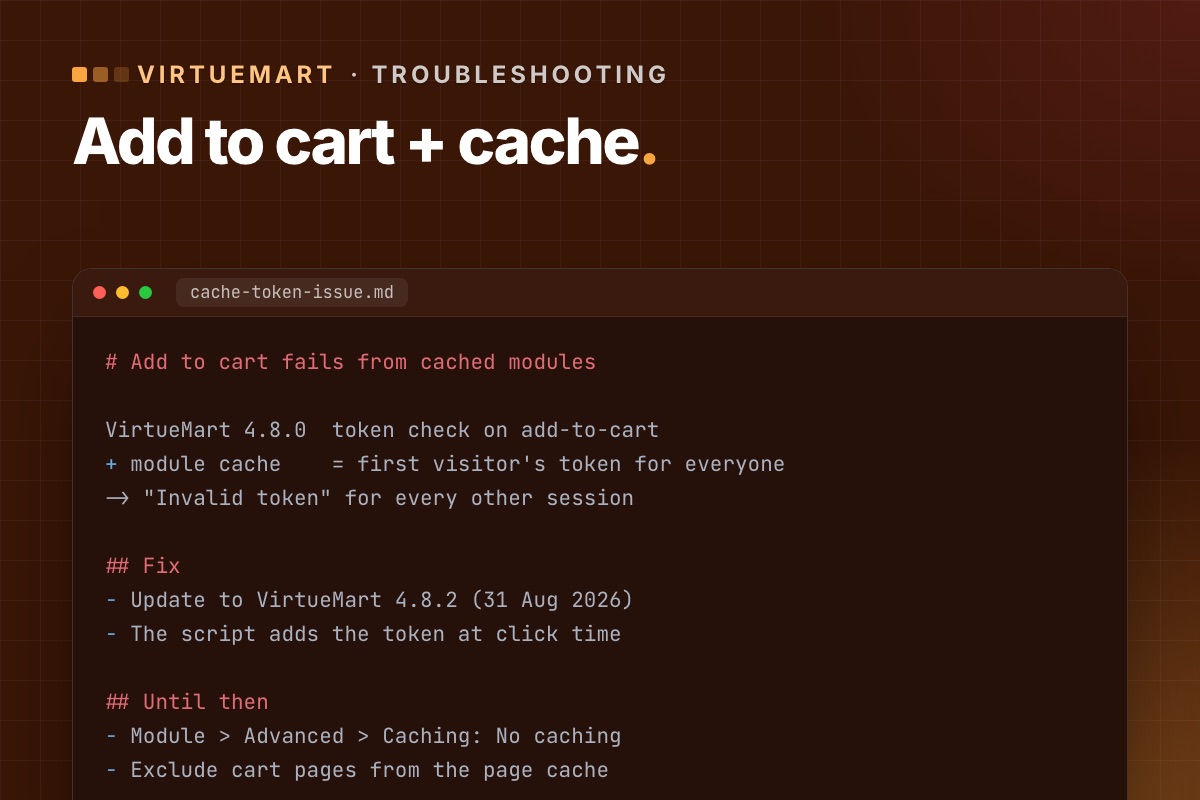
- Details
- Category: VirtueMart
A symptom that showed up after the VirtueMart 4.8.0 security release: "Add to cart" works on the product page but fails from a product module – latest products, featured, related – especially on sites with caching turned on. Here is what happened and how to fix it.
Why it happens
VirtueMart 4.8.0 added a token check to the "add to cart" form. A token belongs to one visitor's session. When a product module is cached, Joomla stores its HTML – including the token of whoever loaded it first – and shows that same HTML to everyone. For every other visitor the token is wrong, so the add-to-cart request is rejected.
VirtueMart's lead developer explained it in the 4.8.2 announcement: the token check for add-to-cart had no real attack scenario, but caching made it break real shops.
The fix: update to 4.8.2
VirtueMart 4.8.2 (31 August 2026) solves it properly: the add-to-cart script now adds the token itself, from VirtueMart's JavaScript object, at the moment of the click – so cached HTML no longer matters. It also widened the script's selector so it finds VirtueMart forms in more templates.
The same release reverted an accidental change to the parameters of a plugin function (onstoreplugintable) that broke some plugins, and tidied the display of custom form fields. Worth installing for those alone.
If you can't update yet
- Turn off caching for the affected product modules (module settings, Advanced » Caching » No caching).
- If you use a page cache (Joomla's System – Page Cache plugin or a host-level cache), exclude pages with add-to-cart buttons, or at least the cart.
Both cost some speed. Treat them as a bridge to 4.8.2, not a fix.
Check it works
- Update to 4.8.2 and clear all caches.
- In a private browser window (a fresh session), add a product to the cart from each product module.
- Repeat in a second private window – a different session – to be sure the cached HTML works for everyone.
- Turn caching back on if you turned it off, and repeat.
Seeing "Invalid token" when updating the cart instead? That is the template-override issue: five ways to fix it.
For developers: find what is cached
# terminal – VirtueMart modules with caching on (Joomla database, adjust prefix)
mysql -e "SELECT id, title, module, position,
                 JSON_UNQUOTE(JSON_EXTRACT(params, '$.cache')) AS cache,
                 JSON_UNQUOTE(JSON_EXTRACT(params, '$.cache_time')) AS cache_time
          FROM jos_modules
          WHERE module LIKE 'mod_virtuemart%' AND published = 1 AND client_id = 0;" shop_db

# is the page cache plugin on?
mysql -e "SELECT element, enabled FROM jos_extensions WHERE folder = 'system' AND element = 'cache';" shop_db
The general rule behind this bug applies to every extension: anything tied to a session (form tokens, cart counts, "Hello, name") must not be rendered into HTML that a cache can serve to someone else. Either the page part isn't cached, or the value is added in the browser at the moment it's needed, which is what 4.8.2 does. More on cache scope in Joomla performance from the code up.
Keeping VirtueMart current without surprises is part of every shop we look after – updates on staging first, then test orders.
VirtueMart Joomla 6 upgrade →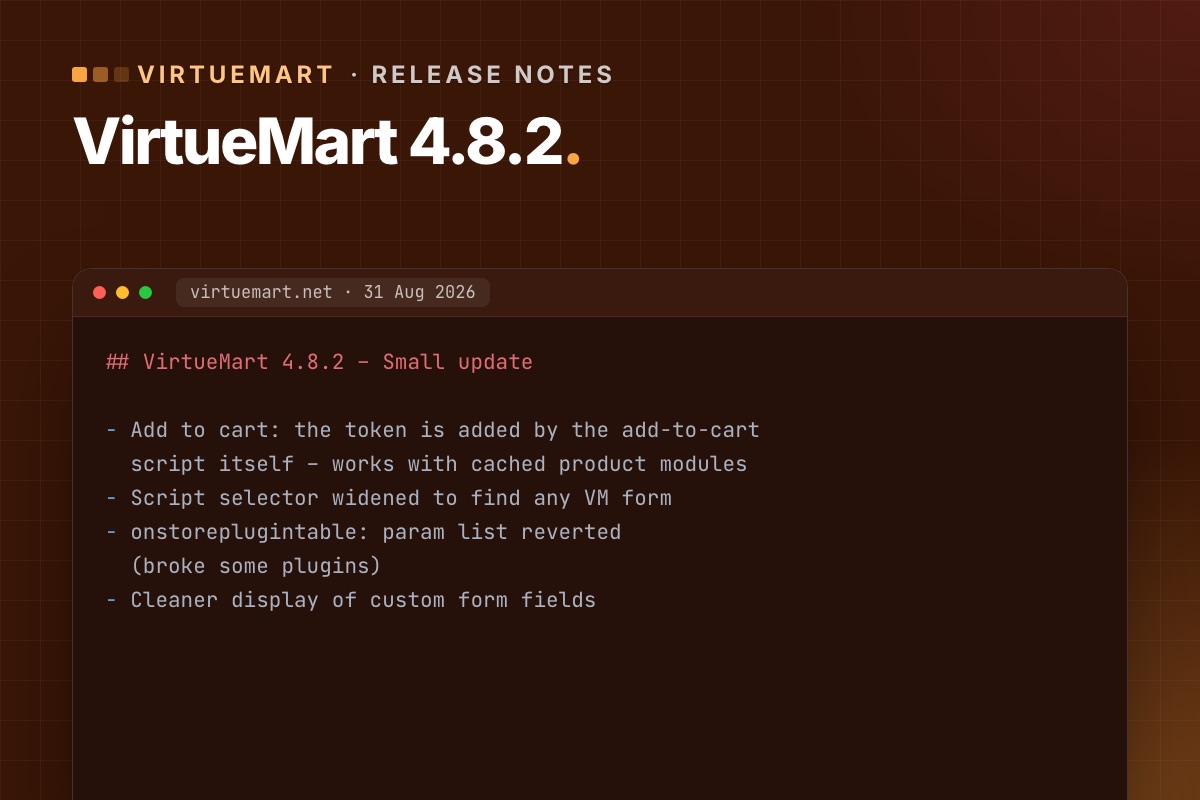
- Details
- Category: VirtueMart
VirtueMart 4.8.2 is a small follow-up to the 4.8.0 security release. It is not a security release itself, but it fixes two problems 4.8.0 caused on real shops. If you are on 4.8.0 or 4.8.1, update.
What it fixes
Add to cart in cached modules
4.8.0 added a token to the add-to-cart form. In a cached product module, the token of one visitor was shown to everyone, so add-to-cart failed for other sessions. 4.8.2 lets the add-to-cart script add the token itself at click time, and widens the script's selector so it finds VirtueMart forms in more templates. Full explanation.
A plugin parameter change, reverted
The parameter list of the function onstoreplugintable had been extended by accident in the parent class, which caused problems with some plugins. 4.8.2 reverts it.
Cleaner custom form fields
The display of custom form fields was tidied up.
Our verdict
- On 4.8.0 or 4.8.1: update – especially with module or page caching.
- On an older 4.x: go straight to 4.8.2; it includes the 4.8.0 security fixes. What those change.
- Test: add to cart from every product module in two browser sessions, update the cart, one checkout per payment method.
VirtueMart 4.8.2 still runs on Joomla 3.10 to 5. Joomla 6 needs VirtueMart 5 – current status.
Check what's installed
# terminal – the VirtueMart version actually running
grep -E "static \$(RELEASE|REVISION)" administrator/components/com_virtuemart/version.php
mysql -N -e "SELECT JSON_UNQUOTE(JSON_EXTRACT(manifest_cache, '$.version')) FROM jos_extensions WHERE element = 'com_virtuemart';" shop_db
Both should say 4.8.2. If the manifest and version.php disagree, an update was interrupted: install the 4.8.2 package again over itself. Background on the cache issue this fixes, and how to find cached VirtueMart modules, is in Add to cart fails with cached product modules.
We follow every VirtueMart release and note what it means for Joomla shops. The latest is on our service page.
See Release watch →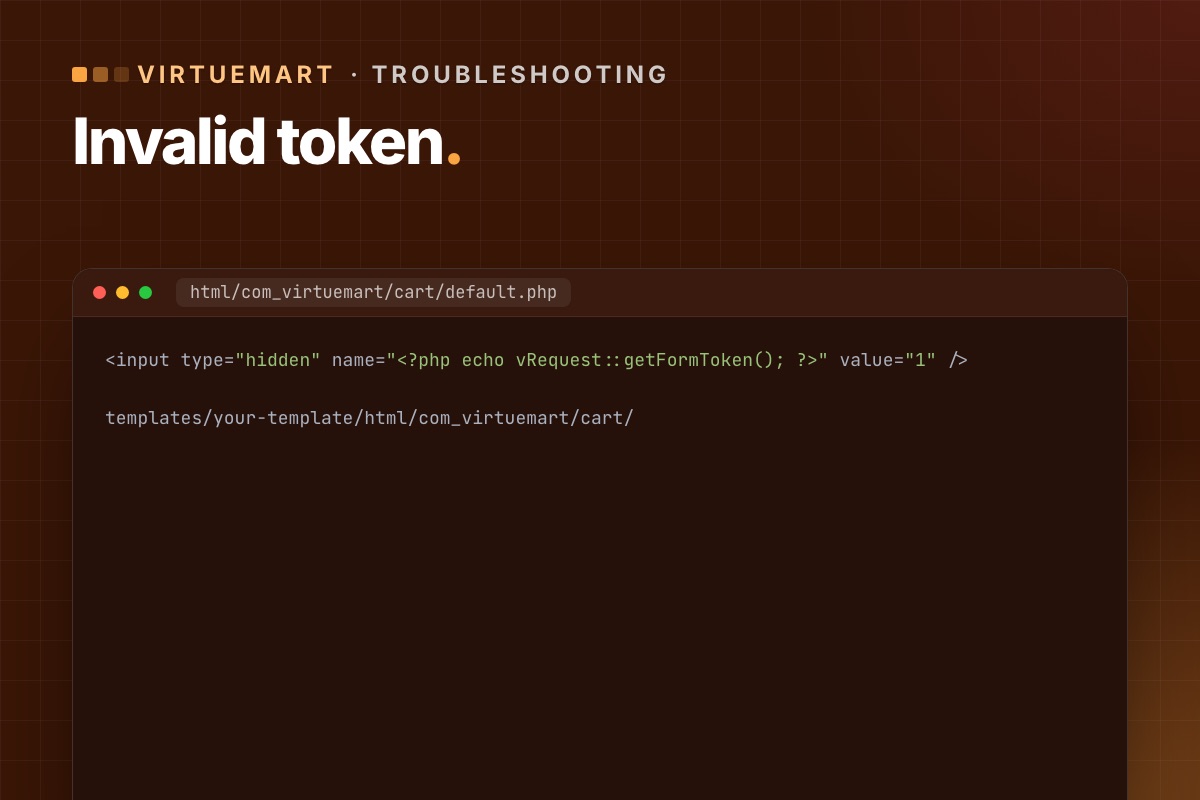
- Details
- Category: VirtueMart
After updating VirtueMart to 4.6 or later, some shops see "Invalid Token" when a customer changes a quantity or updates the cart (view=cart&task=updatecart). Orders stop. Here is why, and how to fix it.
Why it happens
VirtueMart started checking a security token when the cart is saved – a protection against forged requests, added in its security releases. The default VirtueMart cart layout includes the token. But many shops use a template with its own copy of the cart layout (an override), often copied years ago. Those older copies don't have the token field, so VirtueMart rejects the request.
VirtueMart 4.8.0 extended token checks to more front-end and back-end forms, so other old overrides can show the same error.
Find the override
Find which template the shop uses (System » Site Template Styles, the default one – unless a menu item or VirtueMart category sets another). The cart override is usually here:
templates/your-template/html/com_virtuemart/cart/Five fixes, quickest first
1. Use VirtueMart's built-in option (4.6.2 and later)
In VirtueMart » Configuration » Templates, section "Shopfront settings for deprecated views/layouts", enable the option that adds the token by JavaScript. VirtueMart calls this its auto token system. No files to edit.
2. Add one line to the override
The clean fix. Open the cart layout in your template override (usually cart/default.php, sometimes a sublayout) and add this line anywhere between the <form> tags:
<input type="hidden" name="<?php echo vRequest::getFormToken(); ?>" value="1" />You can edit the file in Joomla under System » Site Templates → your template → html/com_virtuemart/cart. Check every form in the cart layouts, not just the first one.
3. Disable only the cart overrides
Rename the folder html/com_virtuemart/cart (for example to cart_off). The cart then uses VirtueMart's default layout, while the rest of the shop keeps your design. Quick, but the cart may look different.
4. Install VirtueMart's token plugin
The VirtueMart team published a small plugin, "Tokencart", that adds the missing token to the cart form. Install, publish, done. Useful when you can't edit template files.
5. Turn off all template overrides
In VirtueMart » Configuration » Templates, disable "Use current shop template overrides". Every VirtueMart page then uses the default layouts. The bluntest option – use it to confirm the cause, not as the final fix.
Which fix to choose
- Need orders working in five minutes: option 1.
- Long term: option 2 – fix the overrides properly, and compare them with the new core layouts while you are there. How to review overrides.
Check it is fixed
- Clear Joomla's cache and any page cache.
- Add a product to the cart, change the quantity, update – no error.
- Apply a coupon if you use them (coupon handling got its own token fix in December 2025).
- Complete a test order with each payment method.
If "Add to cart" stops working only on pages with a cached product module, that is a related but different issue – see Add to cart fails with cached product modules.
For developers: where the error comes from
The message isn't a Joomla error page. It's VirtueMart stopping the request in its cart controller:
// components/com_virtuemart/controllers/cart.php (VirtueMart 4.6)
public function updatecart($html = true, $force = null, $methods = true)
{
    // …
    vRequest::vmCheckToken() or jexit('Invalid Token');
vRequest::vmCheckToken() looks for a request field whose name is the session token (value 1), or a token parameter with the token as value. That's why the fix is a hidden field named after vRequest::getFormToken(). If the session is new (expired), it redirects with "session expired" instead. So "Invalid Token" for one customer and a redirect for another can be the same missing field.
Find every VirtueMart override with a form but no token field:
# terminal – in the site root
grep -rl "<form" templates/*/html/com_virtuemart | xargs grep -L "getFormToken"
Every file this lists is a candidate for the same error on some page. The cart is just the one customers hit first.
Old overrides are the most common VirtueMart upgrade problem we fix. We refresh cart and checkout overrides from the new core layouts and test real orders.
VirtueMart Joomla 6 upgrade →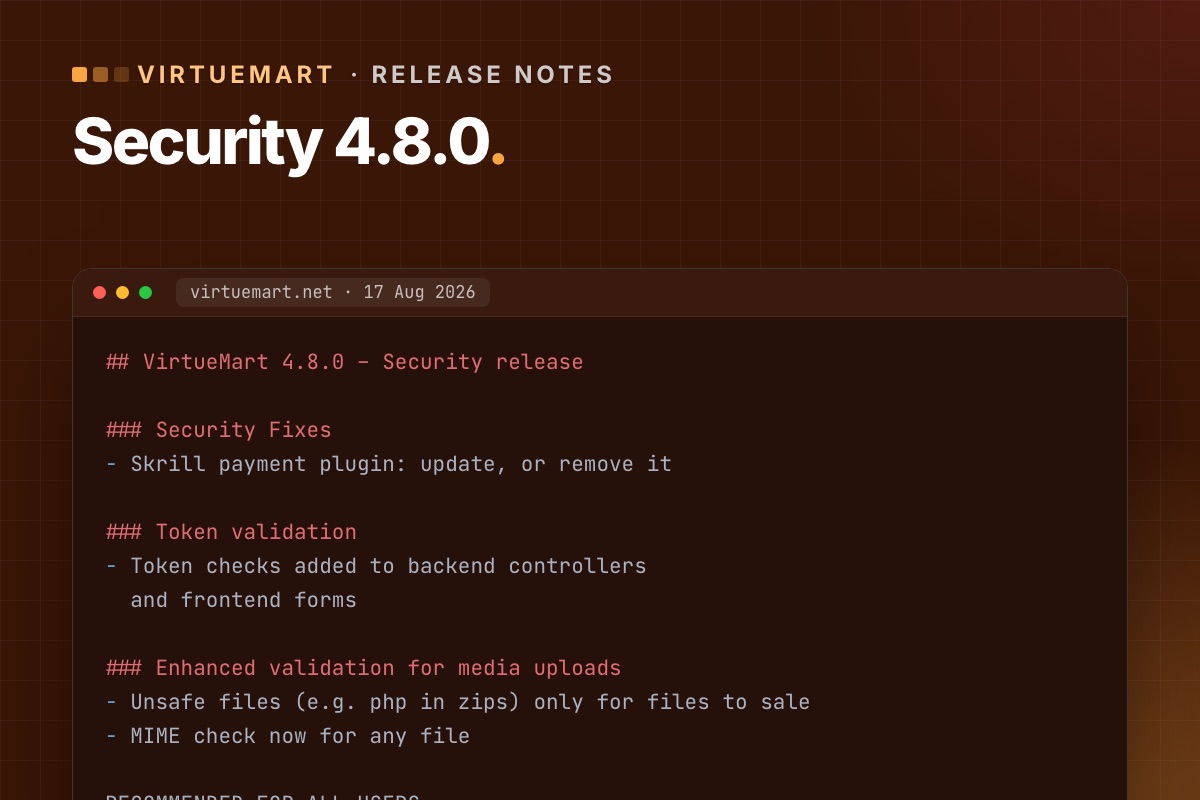
- Details
- Category: VirtueMart
VirtueMart 4.8.0 is a security release, and the VirtueMart team recommends it for all shops. It came after VirtueMart was unpublished from the Joomla Extensions Directory following a security audit. If your shop is on an older 4.x, update – and read the "what can break" part first.
What it fixes
- Skrill payment plugin – a security issue. If you use Skrill, update to 4.8.0 or remove the plugin entirely.
- Token validation – token checks added to back-end controllers and front-end forms, so forged form submissions are rejected.
- File uploads and downloads – better media upload validation: unsafe file types such as PHP inside zips are now allowed only for files you sell, and the MIME check now applies to every file. The "Download simple" plugin got a fix for how it checks the requested file.
- Ratings and reviews – shop owners can edit customer names and review text in the admin (votes stay protected), plus validation and bug fixes.
Who should update now
- Everyone on VirtueMart 4.x – it is the current security baseline.
- Urgently if you use the Skrill plugin, sell downloadable files, or manage product reviews.
- On VirtueMart 3? The 4.8.0 fixes are not available for VirtueMart 3. The way forward is VirtueMart 4.8 on Joomla 5.
What can break
The new token checks are the risk. Forms in template overrides that were copied from older VirtueMart versions may lack the token – customers then see "Invalid token". Two follow-ups are already known:
- Cart and checkout overrides without a token – five ways to fix it.
- Add to cart in cached product modules – fixed in 4.8.2. Details. Go straight to 4.8.2 rather than stopping at 4.8.0.
How to update
- Back up files and database.
- Update a staging copy first: install the latest 4.8.x package over your current version.
- Run the short test: browse, add to cart from page and modules, update the cart, check out with each payment method (sandbox), submit a review.
- Fix any override that shows "Invalid token".
- Update live in a quiet hour; place one real small order and refund it.
Full list: test-order checklist.
For developers: check your safe path
Downloadable products, invoices and VirtueMart's encryption keys live in the safe path (configuration key forSale_path). VirtueMart suggests a folder above the web root (vmfiles next to the Joomla folder). If that isn't possible, its setup wizard creates a folder with a random 21-character name inside administrator/components/com_virtuemart/, containing keys/ and invoices/. Those random-looking folders are not malware, a question we get on shop audits. But they are inside the web root, protected only by their name.
# terminal – where is the safe path, and is it reachable from the web?
mysql -N -e "SELECT config FROM jos_virtuemart_configs WHERE virtuemart_config_id = 1;" shop_db | tr '|' '
' | grep '^forSale_path='
ls -d administrator/components/com_virtuemart/*/keys 2>/dev/null      # wizard folders inside the web root

# 4.8.0 tightened uploads – check nothing executable sits where files for sale are stored
find /path/to/safe/path -type f \( -name '*.php' -o -name '*.phtml' -o -name '*.phar' \)
Moving the safe path outside the web root (and updating forSale_path) is a ten-minute change that removes the question for good. Do it on staging first: downloads and invoices must still work afterwards.
Behind on VirtueMart updates? We update on staging, fix overrides, test real orders and update live.
VirtueMart Joomla 6 upgrade →
