

If your Joomla site runs donations, memberships, events or mailings through CiviCRM, the Joomla 6 question is not "should we upgrade?" but "can CiviCRM come with us?". This guide answers that in plain terms: where official support stands, the three realistic options, what the server needs, and the order of work for a safe upgrade.
We run CiviCRM on Joomla 6 on live client sites today – a cancer nonprofit and an international medical association – so everything below comes from work we have actually done, not from release announcements.
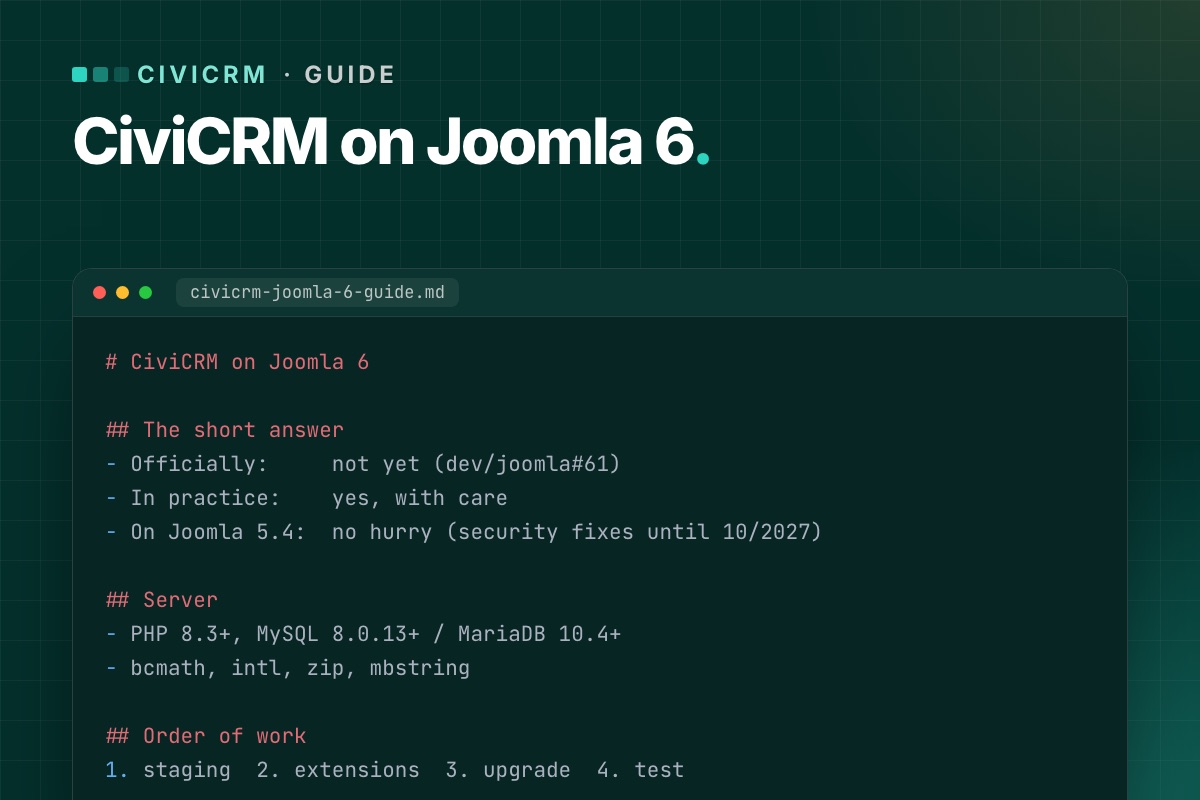
The short answer
- Officially: not yet. CiviCRM 6.19 (October 2026) ships its Joomla package for "Joomla 5+". Joomla 6 compatibility is an open task in CiviCRM's own tracker (dev/joomla#61).
- In practice: yes, with care. The missing piece is small and well understood – CiviCRM's Joomla plugins still use the old plugin style. It can be bridged outside CiviCRM core, so CiviCRM updates keep installing normally.
- No hurry if you are on Joomla 5.4. Joomla 5.4 gets security fixes until 12 October 2027, and it is the version CiviCRM officially supports.
We keep the current status up to date in Is CiviCRM compatible with Joomla 6?
Why CiviCRM is not "Joomla 6 ready" yet
Joomla has been moving plugins to its event system since Joomla 4. In Joomla 6 the old way of writing plugins – methods that receive loose arguments – is on its way out, and plugins are expected to implement SubscriberInterface and receive event objects.
CiviCRM ships three Joomla plugins with its component: a user plugin (resets CiviCRM's menu cache when users change and removes the contact link when a user is deleted), a system plugin and a quick-icon plugin. Matching Joomla users to CiviCRM contacts is done by CiviCRM core itself, not by the plugin. The open issue lists exactly these three as the work to do. CiviCRM core itself does not care which Joomla version it runs on; the integration layer does.
That is good news: the gap is narrow. For the developer side, see Joomla 6 plugin events explained, with a CiviCRM example.
Your three options
1. Stay on Joomla 5.4 and wait
The safest choice for most organizations right now. Keep Joomla 5.4 and CiviCRM updated, and plan the Joomla 6 move for when CiviCRM marks Joomla 6 as supported. Use the time to get the server and extensions ready (see the checklist below), so the upgrade is short when it comes.
Good fit if: nothing else is pushing you to Joomla 6, and your template and extensions are happy on 5.4.
2. Upgrade Joomla now with a compatibility layer
Move the site to Joomla 6 and bridge CiviCRM's plugins with code that lives outside CiviCRM core – a small Joomla extension and hooks. Then prove it on staging by installing a CiviCRM update and checking every fix is still in place.
Good fit if: your template, other extensions or hosting are already moving to Joomla 6, or you want one upgrade project instead of two. This is the route we took for NorCal CarciNET and WARMTH.
3. Patch CiviCRM core – don't
Editing CiviCRM's plugin files directly works once. The next CiviCRM update overwrites them, and the site breaks on a day nobody is watching – often in the middle of a mailing or a donation campaign. Whatever you do, keep fixes outside the files CiviCRM ships. More in Keep CiviCRM fixes out of core.
What the server needs
| Part | Joomla 6 | CiviCRM 6.16+ |
|---|---|---|
| PHP | 8.3 minimum (8.4 recommended) | 8.2–8.5 compatible, 8.3+ recommended |
| MySQL | 8.0.13 minimum | 5.7.5+, 8 recommended |
| MariaDB | 10.4 minimum (10.6 supported) | 10.2+, 11.4 recommended |
| PHP extensions | json, simplexml, dom, zlib, gd, mysqlnd | also bcmath, intl, zip, mbstring |
The combined minimum is therefore PHP 8.3 with MySQL 8.0.13+ or MariaDB 10.4+. Older shared hosting plans often fail on the database version, so check this first. Step by step: Check your server before a CiviCRM upgrade.
Safe upgrade checklist
- Inventory. Joomla, PHP and CiviCRM versions; every Joomla extension and every CiviCRM extension, with its update status.
- Backups. Files, the Joomla database and – if separate – the CiviCRM database. Copy both
civicrm.settings.phpfiles somewhere safe. - Staging. Restore the backup on the target stack (PHP 8.3+, MySQL 8). Never test the upgrade on the live site.
- Update CiviCRM first on the current Joomla version, so you change one thing at a time.
- Upgrade Joomla together with the template and extensions, then add the CiviCRM compatibility layer.
- Test what takes money and email: donation and membership pages, recurring contributions, event registration, mailing-list sign-ups. Our post-upgrade test checklist lists every page.
- Check cron – scheduled reminders, renewals and mailings only work if it runs. See CiviCRM scheduled jobs not running on Joomla.
- Install a CiviCRM update on staging and repeat the tests. If the fixes survive an update, they will survive the next one.
- Switch live in a quiet window, with a rollback backup ready.
The full walkthrough is in Upgrade a Joomla site with CiviCRM to Joomla 6 without losing data.
Common problems after the upgrade
- Scheduled jobs stop running – usually a PHP version mismatch between web and command line, or a cron URL that changed. Fix it here.
- CiviCRM pages return 404 – menu items or old
task=civicrm/…links. Fix it here. - CiviCRM suddenly writes to the Joomla database – the separate-database upgrade bug. Fix it here.
- A CiviCRM extension breaks on PHP 8.3 – audit them before you switch.
Keeping it running
An upgrade is a one-off; CiviCRM releases are not. A new version comes out roughly every month, with security releases in between. Have a routine: read the release notes, update staging, test, then live. Ours is in A safe CiviCRM update routine for Joomla sites, and we track each release on Joomla 6 on our CiviCRM Joomla 6 upgrade page.
Under the hood: what the Joomla integration is
For developers, "CiviCRM on Joomla" is three pieces, and only one of them cares about the Joomla version:
- CiviCRM core (
administrator/components/com_civicrm/civicrm): contacts, contributions, CiviMail. CMS-independent. - The Joomla component (
com_civicrm, from thecivicrm-joomlarepository): the admin and front-end entry points and the menu item types. Its code already branches onversion_compare(JVERSION, '4.0')and uses namespaced Joomla classes on 4+. - Three Joomla plugins, still written in the legacy style (a
plgUserCivicrmclass with methods named after events):
| Plugin (group) | Events it handles | What it does |
|---|---|---|
plg_user_civicrm (user) | onUserAfterSave, onUserAfterSaveGroup, onUserLogin, onUserAfterDelete | resets CiviCRM's navigation cache; on user delete removes the user's civicrm_uf_match row |
plg_system_civicrmsys (system) | onBeforeCompileHead, onExtensionBeforeInstall, onExtensionAfterInstall, onExtensionAfterUpdate | admin head assets and the CiviCRM install/upgrade hooks |
plg_quickicon_civicrmicon (quickicon) | onGetIcons | the CiviCRM icon on the Joomla dashboard |
Legacy listeners still run on Joomla 6, so the plugins don't simply stop. But Joomla has marked that mechanism "will be removed in 7.0", and the plugins' own source says the rewrite to SubscriberInterface is pending. That's the content of dev/joomla#61, and it makes that issue more urgent for Joomla 7 than for Joomla 6. Details in Joomla 7 breaking changes.
A quick inventory of any CiviCRM site from the shell, with CiviCRM's command-line tool cv:
# terminal – CiviCRM, CMS, PHP and database versions in one overview
cv status --cwd=/var/www/example.org
# installed CiviCRM extensions with versions
cv ext:list -Li --cwd=/var/www/example.org
Running CiviCRM on an older Joomla? Tell us your Joomla and CiviCRM versions. We reply with a plan and a fixed quote – no CiviCRM core edits.
CiviCRM Joomla 6 upgrade →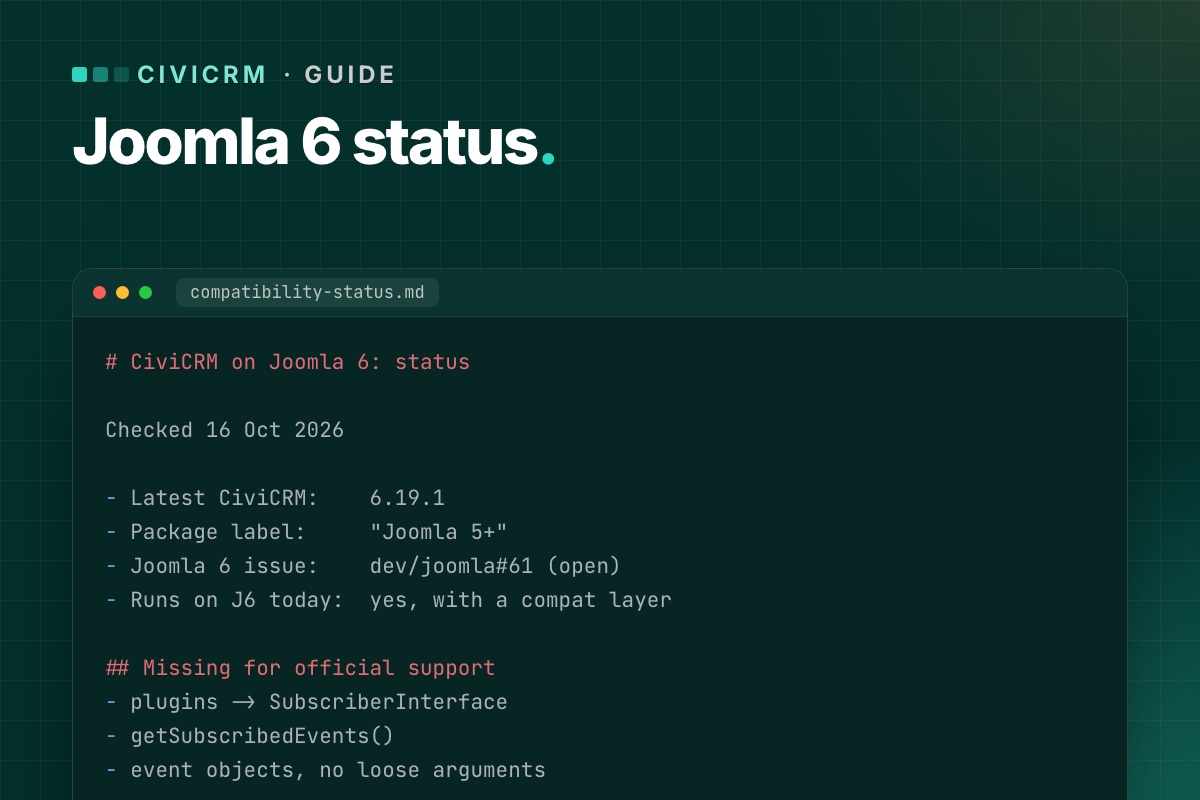

Short version: not officially, yet. CiviCRM runs on Joomla 6 today with a small compatibility layer, but the package CiviCRM ships is built for Joomla 5. This page tracks the status and is updated with each CiviCRM release.
Current status
| Latest CiviCRM | 6.19.1 (13 Oct 2026) – a bug-fix release |
|---|---|
| Joomla package label | "Joomla 5+" |
| Officially supported CMS versions | Joomla 5 (plus Drupal, WordPress, Backdrop and Standalone) |
| Joomla 6 work item | dev/joomla#61 – open since February 2026 |
| Runs on Joomla 6 today? | Yes, with a compatibility layer outside CiviCRM core |
What is missing for official support
The open work item is short. CiviCRM's three Joomla plugins – the user plugin, the system plugin and the quick-icon plugin – have to be rewritten to Joomla's event system (the full list of their events is below): implement SubscriberInterface, list their events in getSubscribedEvents(), and read event objects instead of loose arguments. Optionally, old version_compare() branches for Joomla 3 and 4 get removed.
CiviCRM itself – contacts, contributions, events, CiviMail – is not affected by the Joomla version. That is why the gap can be bridged safely from outside.
What changed recently on the Joomla side
- 6.19.0 (7 Oct 2026) fixed "class not found" errors during Joomla installs and upgrades, as part of the Joomla 5 compatibility work (dev/joomla#54), and fixed the upgrade bug for sites where CiviCRM uses its own database (dev/joomla#60).
- 6.17.3 (26 Aug 2026) fixed a compatibility issue with Joomla's DI container on Joomla 4 and 5 (dev/joomla#67).
Both are steps in the right direction. Neither adds Joomla 6 support by itself.
Should you upgrade to Joomla 6 now?
- On Joomla 5.4 and nothing pushing you? Stay. Joomla 5.4 has security support until 12 October 2027, and it is what CiviCRM supports.
- On Joomla 3 or 4? Move now – to 5.4 at least. Those versions no longer get security fixes.
- Need Joomla 6 now (template, other extensions, hosting)? It works with a compatibility layer that lives outside CiviCRM core, tested through a CiviCRM update. The options are explained in CiviCRM on Joomla 6: the complete guide.
How we keep this page current
We follow every CiviCRM release and install it on a Joomla 6 test site before it goes on client sites. The result per release is on our CiviCRM Joomla 6 upgrade page, under Release watch. When CiviCRM marks Joomla 6 as supported, this page will say so first.
The three plugins, precisely
From the civicrm-joomla source (October 2026):
| Plugin (group) | Events it handles | What it does |
|---|---|---|
plg_user_civicrm (user) | onUserAfterSave, onUserAfterSaveGroup, onUserLogin, onUserAfterDelete | resets CiviCRM's navigation cache; on user delete removes the user's civicrm_uf_match row |
plg_system_civicrmsys (system) | onBeforeCompileHead, onExtensionBeforeInstall, onExtensionAfterInstall, onExtensionAfterUpdate | admin head assets and the CiviCRM install/upgrade hooks |
plg_quickicon_civicrmicon (quickicon) | onGetIcons | the CiviCRM icon on the Joomla dashboard |
All three still use method names as event names (function onUserAfterSave($user, $isnew, $success, $msg)) and branch on JVERSION. Joomla 6 still calls such listeners, with a deprecation, through the backward-compatibility layer in CMSPlugin. Joomla has tagged that layer "will be removed in 7.0". So the honest status is: works on Joomla 6, needs dev/joomla#61 before Joomla 7. Contact matching (Joomla user ↔ CiviCRM contact) is not in these plugins. CiviCRM core does it when a user first loads CiviCRM, which is why it keeps working whatever happens to the plugins.
Want CiviCRM on Joomla 6 before official support? We do it with extensions and hooks, not core edits – and prove it survives a CiviCRM update.
See how we do it →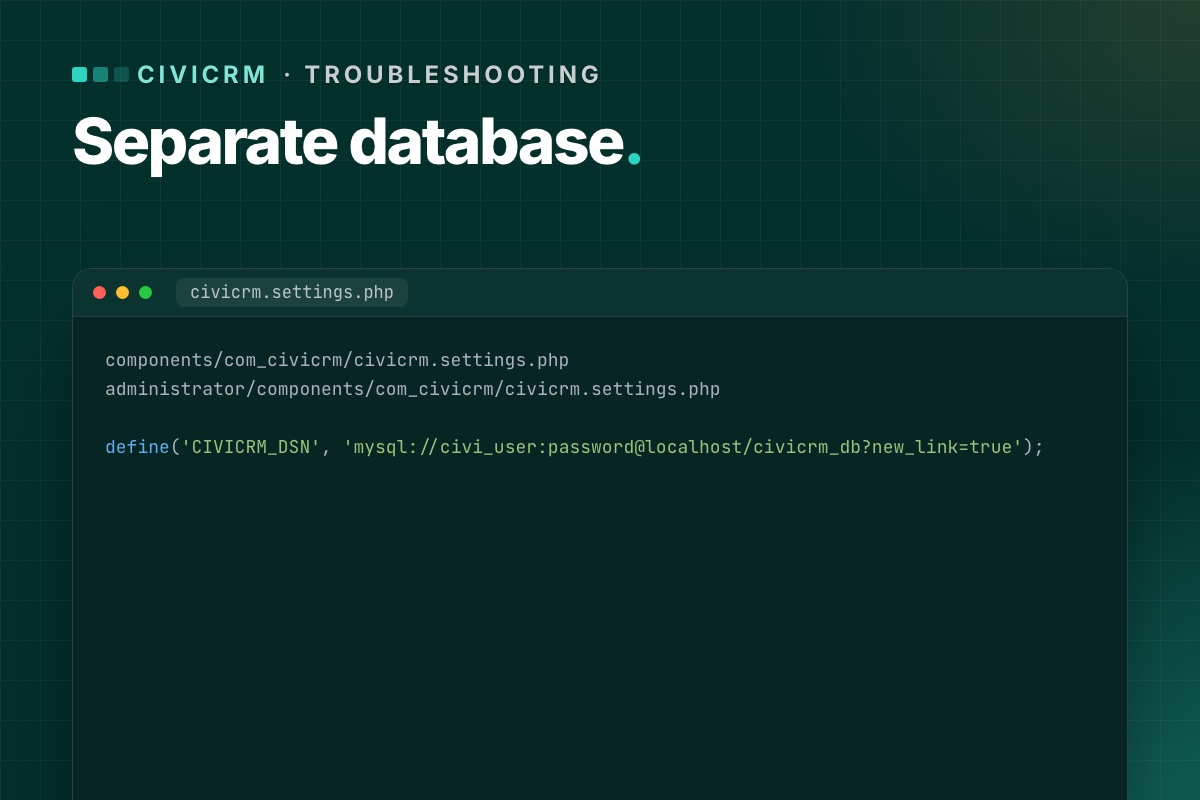

Many Joomla sites keep CiviCRM's data in its own database, next to Joomla's. It is a sensible setup – separate backups, separate credentials, a smaller Joomla database. But for a long time, upgrading CiviCRM through the Joomla installer could quietly break it.
The bug
When CiviCRM was upgraded on Joomla, the installer rewrote the CiviCRM settings files with the Joomla database credentials. Right after the upgrade, CiviCRM started reading and writing in the Joomla database instead of its own. The issue was reported several times (dev/joomla#47, then dev/joomla#60) and admins worked around it by copying CIVICRM_DSN back from their old settings file after every upgrade.
It was fixed in CiviCRM 6.19.0 (7 October 2026). The release notes list it under Joomla integration.
How to tell if you are affected
- You are on a CiviCRM version before 6.19.0, and
CIVICRM_DSNin your settings file points at a different database from the one in Joomla'sconfiguration.php.
Signs after an upgrade:
- CiviCRM looks empty or asks to be installed again – it is looking at a database without its tables.
- Or worse, it works but recent contacts and contributions are "missing", and new ones appear in
civicrm_*tables inside the Joomla database.
Where the settings live
CiviCRM on Joomla has two settings files, and both must agree:
components/com_civicrm/civicrm.settings.php
administrator/components/com_civicrm/civicrm.settings.php
The line that matters:
define('CIVICRM_DSN', 'mysql://civi_user:password@localhost/civicrm_db?new_link=true');CIVICRM_UF_DSN is the connection to the Joomla database (for users) and should point there – don't change it to the CiviCRM database.
The fix if you are already affected
- Stop cron and, if you can, put the site in maintenance mode, so nothing more is written to the wrong database.
- Restore
CIVICRM_DSNin both settings files from your pre-upgrade copies. - Clear
media/civicrm/templates_c. - Open CiviCRM and run the database upgrade again if it asks:
/administrator/index.php?option=com_civicrm&task=civicrm/upgrade&reset=1 - Check for stray data: look for
civicrm_*tables in the Joomla database. If anything was written there after the upgrade (new contributions, contacts, activities), it has to be moved across by hand or re-entered – do this with care, ideally with help. - When it is clean, drop the stray
civicrm_*tables from the Joomla database (after a backup).
Prevent it
- Upgrade to 6.19.0 or later – the fix is in the installer.
- Until then, before every CiviCRM upgrade, copy both settings files outside the site, and after the upgrade compare
CIVICRM_DSNbefore anyone logs in. - Always upgrade on staging first. This is exactly the kind of bug that is harmless on staging and expensive on live.
Check it in ten seconds
# terminal – the two settings files must agree, and CIVICRM_DSN must not point at the Joomla database
grep -h "define('CIVICRM_DSN'" components/com_civicrm/civicrm.settings.php administrator/components/com_civicrm/civicrm.settings.php
grep -E "public \$(db|user) " configuration.php

# stray CiviCRM tables in the Joomla database = data written to the wrong place
mysql -e "SELECT table_name, table_rows FROM information_schema.tables
          WHERE table_schema = 'joomla_db' AND table_name LIKE 'civicrm\_%' ORDER BY table_rows DESC;"
On a correctly separated site the last query returns nothing. If it returns tables with rows, compare their newest records (civicrm_contribution.receive_date, civicrm_activity.activity_date_time) with the date of the upgrade to see what was written there.
Separate databases are part of our upgrade checks. Both settings files and both databases are backed up, compared and tested before anything goes live.
CiviCRM Joomla 6 upgrade →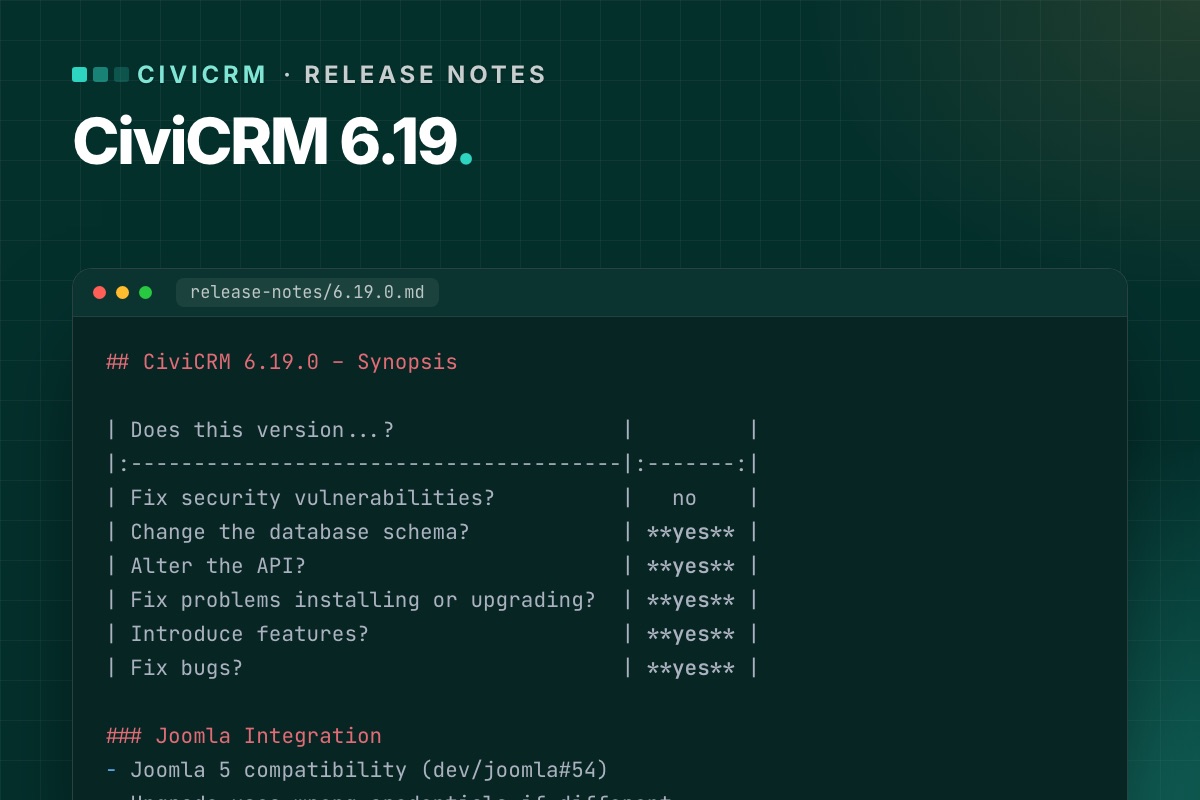
CiviCRM 6.19 is a feature release with two changes that matter specifically for Joomla sites. Here is what is in it, from the Joomla side, and how we would update.
At a glance
| Security fixes | No |
|---|---|
| Database schema change | Yes – run the database upgrade |
| API change | Yes – check custom integrations |
| New features | Yes |
| Joomla 6 support | Still "Joomla 5+" – see status |
For Joomla sites
The separate-database upgrade bug is fixed
If CiviCRM keeps its data in its own database, earlier upgrades through the Joomla installer could rewrite its settings with the Joomla database credentials (dev/joomla#60). 6.19.0 fixes that. Background and clean-up steps: CiviCRM with a separate database on Joomla.
The fix is in the installer of 6.19.0 itself, so this is the first upgrade where you shouldn't need to restore CIVICRM_DSN by hand. Back up both settings files anyway.
Fewer "class not found" errors on install and upgrade
As part of the Joomla 5 compatibility work (dev/joomla#54), 6.19.0 fixes class-not-found errors during Joomla installation and upgrade and removes legacy code. It doesn't add Joomla 6 support, but it is the same area of code that Joomla 6 support will build on.
Other changes worth knowing
- CiviMail: custom fields can now be used in mailing tokens, and FlexMailer supports CC and BCC.
- Message templates: send yourself a preview email from the message admin screen.
- Search: full-text search can power the contact quick search, with better matching and speed.
- SearchKit and FormBuilder: several improvements, including smarter smart-group handling and more filters.
- Longer fields: custom group titles and tag names can be longer (schema change).
6.19.1 (13 Oct 2026)
A bug-fix release, no schema or API changes and no security fixes. It fixes recurring contributions created through FormBuilder, a CKEditor 4 status popup, SearchKit dropdown options in conditions, APIv4 performance with hierarchical entities, a CiviContribute warning and KCFinder file icons. If you are going to 6.19, go straight to 6.19.1.
Our verdict
- Separate CiviCRM database? Worth updating soon – the upgrade-bug fix alone is reason enough.
- Everyone else: a normal feature update. Do it on staging first because of the schema change, run the database upgrade, and test custom integrations that use the API.
- On Joomla 6 with a compatibility layer: install on staging and check the user–contact sync and cron before live, as with every release.
Our routine is in A safe CiviCRM update routine for Joomla sites. Full official notes: 6.19.0, 6.19.1.
For developers
- Schema change: run
cv upgrade:db(or the browser upgrade) right after installing the package, before anyone uses the site. - API change: grep your extensions and integrations for the entities you call, and run their tests. For APIv4 callers, property names are case-sensitive since 6.17.1.
- CiviMail tokens with custom fields: if you added custom-field tokens through a hook before, check for duplicates in the token list after updating.
# terminal – where does our own code call the API?
grep -rnE 'civicrm_api3?\(|Civi\\Api4|api4\(' /path/to/civicrm/ext/org.example.* --include=*.php | cut -c1-140
We test every CiviCRM release on Joomla 6 before it goes on client sites. The result per release is on our service page.
See Release watch →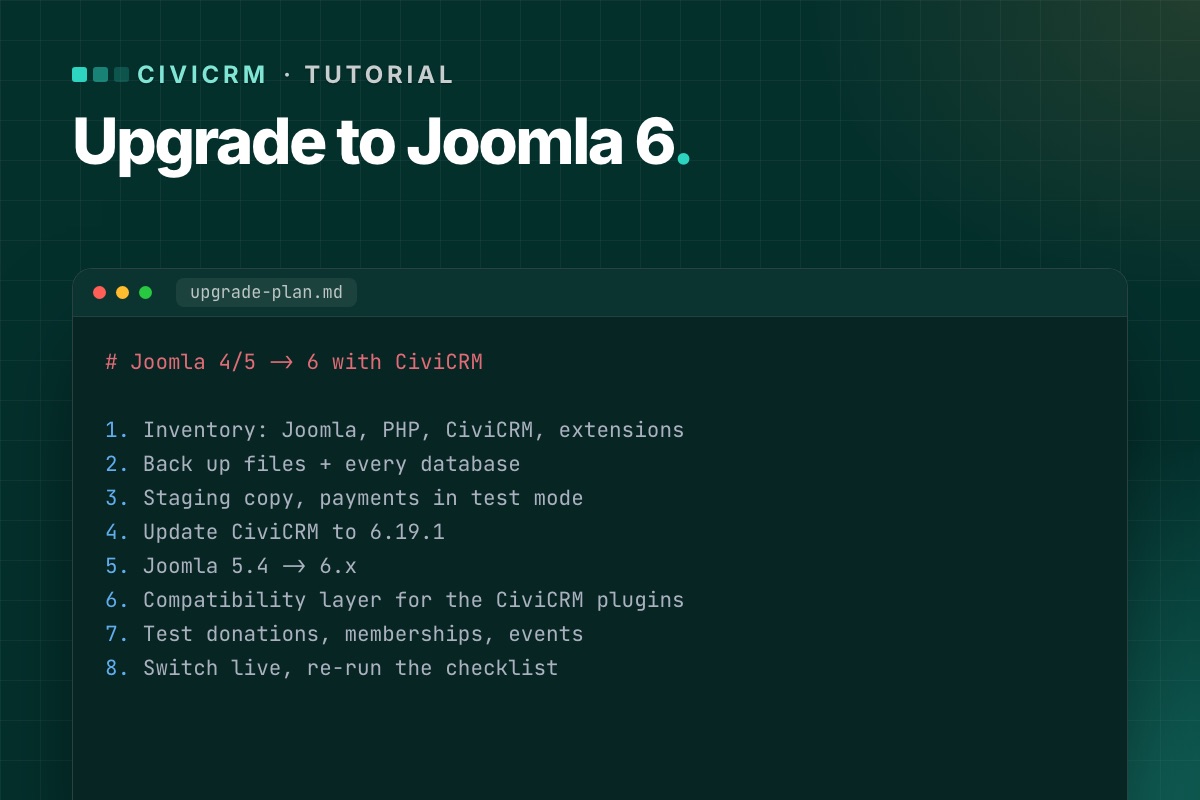
This is the order of work we use to move a Joomla site with CiviCRM to Joomla 6. It assumes you have shell or hosting-panel access, and that you will do everything on a staging copy first. Expect a day of work for a simple site and several days for one with many extensions.
Before you start, read the current Joomla 6 status: CiviCRM's own package is built for Joomla 5, so step 6 needs a compatibility layer.
What you need
- A server (or staging server) with PHP 8.3+, MySQL 8.0.13+ or MariaDB 10.4+, and the PHP extensions bcmath, intl, zip and mbstring. How to check.
- Full backups – files and every database.
- A list of what the site does with CiviCRM: which contribution pages, membership types, events, mailing lists and scheduled jobs are in use.
- Time when nobody is running a mailing or a campaign.
Step 1: Take an inventory
Write down the Joomla version, PHP version and CiviCRM version (CiviCRM shows it in the footer of its admin pages). Then list:
- Every Joomla extension, and whether it has a Joomla 6 version.
- Every CiviCRM extension (Administer » System Settings » Extensions), and whether it supports your target CiviCRM and PHP versions.
- Payment processors in use – they are the riskiest part to break.
Extensions without a Joomla 6 or PHP 8.3 version are your real project scope. See how to audit CiviCRM extensions.
Step 2: Back up everything
CiviCRM keeps files in several places on a Joomla site:
administrator/components/com_civicrm– the codecomponents/com_civicrm– the front-end entry pointmedia/civicrm– uploads, compiled templates, custom files
Back up the whole site folder plus the Joomla database. If CiviCRM uses its own database, back that up too – check CIVICRM_DSN in civicrm.settings.php. Copy both settings files outside the site:
components/com_civicrm/civicrm.settings.php
administrator/components/com_civicrm/civicrm.settings.php
Then restore the backup somewhere and open it. A backup you have never restored is a hope, not a backup.
Step 3: Build staging on the target stack
Restore the backup on a staging server that already runs PHP 8.3 and MySQL 8 (or MariaDB 10.4+). Update the database credentials and paths in configuration.php and both CiviCRM settings files. Then:
- Block outgoing email on staging (or point it at a mail catcher) so test mailings never reach real supporters.
- Switch payment processors to test or sandbox mode.
- Disable the staging cron until you are ready to test it.
Step 4: Update CiviCRM on the current Joomla
Change one thing at a time. First bring CiviCRM to the latest release on the Joomla version you have:
- Download
civicrm-x.y.z-joomla.zipfrom civicrm.org and unzip it into the Joomlatmpfolder. - System » Install » Extensions » Install from Folder, path ending in
tmp/com_civicrm. - Delete the compiled templates in
media/civicrm/templates_c. - Run the database upgrade:
/administrator/index.php?option=com_civicrm&task=civicrm/upgrade&reset=1 - Check the version in the CiviCRM footer and look at Administer » Administration Console » System Status.
If CiviCRM uses a separate database and you are below 6.19.0, compare CIVICRM_DSN with your backup after the install – see the separate-database bug.
Step 5: Upgrade Joomla
- Update Joomla to the latest 5.4 first, and every extension to its latest 5.x version.
- Run Joomla's pre-update check for Joomla 6. Replace or remove extensions it flags.
- Update the template – or its Joomla 6 version – at the same time as Joomla.
- Upgrade Joomla to 6.
Step 6: Add the CiviCRM compatibility layer
On Joomla 6, CiviCRM's own Joomla plugins (user sync, system, quick icon) need to work with Joomla's event system. Do this outside the files CiviCRM ships – a small Joomla extension or plugin of your own – so a CiviCRM update never overwrites it. The pattern is explained in Joomla 6 plugin events, with a CiviCRM example and Keep CiviCRM fixes out of core.
Step 7: Test what matters
Test every page that takes money, members or email addresses, end to end, with test payments. Then run the scheduled jobs from the command line and check the job log. The full list is in our post-upgrade test checklist.
Step 8: Prove it survives a CiviCRM update
Install a CiviCRM update on staging – even a reinstall of the same version – and repeat the tests. If anything you fixed in step 6 breaks, the fix lives in the wrong place.
Step 9: Go live
- Pick a quiet window. Pause cron during the switch.
- Take a fresh backup of live – there may be new donations since you built staging.
- Repeat the upgrade on live (or switch to the upgraded copy and merge new data), then run a short smoke test: one test donation, one sign-up, one cron run.
- Keep the rollback backup for at least a week.
Common errors
- Blank page after installing the CiviCRM package – raise
memory_limitandmax_execution_time, or use the-altzip if PHP has no zip support. - Missing icons or broken styling – check Administer » System Settings » Resource URLs.
- Reminders and renewals stop – cron. See scheduled jobs not running.
- CiviCRM pages 404 – menu items and old links.
The commands we actually run
# terminal – before: versions, and a backup of both databases and both settings files
cv status --cwd=/var/www/example.org
mysqldump --single-transaction --no-tablespaces joomla_db  | gzip > joomla-$(date +%F).sql.gz
mysqldump --single-transaction --no-tablespaces civicrm_db | gzip > civicrm-$(date +%F).sql.gz   # if separate
cp components/com_civicrm/civicrm.settings.php ~/civicrm.settings.site.php
cp administrator/components/com_civicrm/civicrm.settings.php ~/civicrm.settings.admin.php
On staging, stop CiviCRM from sending any email at all, not just CiviMail: add this to both settings files. CiviCRM then writes every outgoing message to the log file instead of the mail server:
// administrator/components/com_civicrm/civicrm.settings.php (staging only)
define('CIVICRM_MAIL_LOG', '/var/www/example.org/media/civicrm/templates_c/mail.log');
After installing the new CiviCRM package, run the database upgrade and clear caches from the shell, which is safer than the browser for large databases:
# terminal
cv upgrade:db --cwd=/var/www/example.org
cv flush --cwd=/var/www/example.org
Rather have it done for you? We upgrade Joomla sites with CiviCRM to Joomla 6 on staging first, with a test report and a rollback backup.
CiviCRM Joomla 6 upgrade →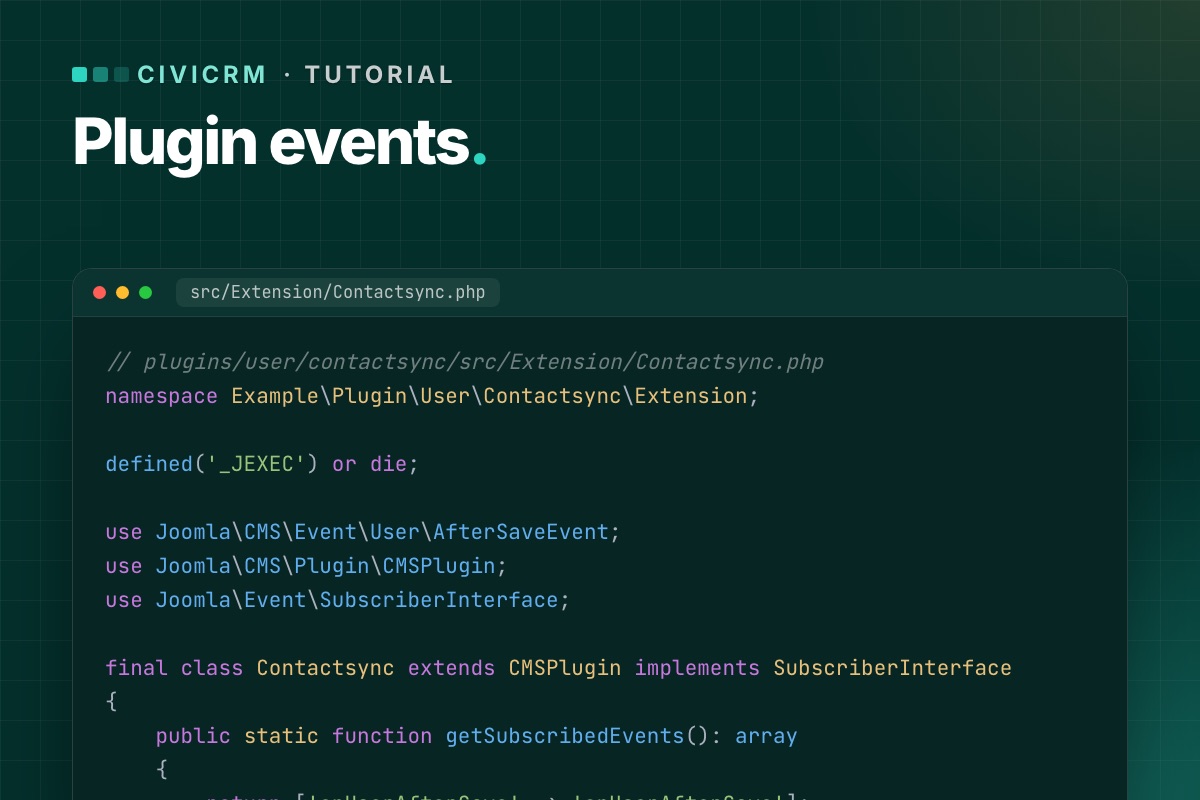
The open item that stands between CiviCRM and official Joomla 6 support (dev/joomla#61) is not about CiviCRM at all. It is about how Joomla plugins are written. This post explains the change with an example in the spirit of CiviCRM's user plugin: a plugin that reacts when Joomla users are saved or deleted.
The code below is a generic plugin written for this post, not CiviCRM's own code.
What changed in Joomla
Since Joomla 4, the CMS has been moving plugins to its event dispatcher. A modern plugin:
- is a namespaced class, created by a service provider (
services/provider.php), - implements
SubscriberInterfaceand says which events it listens to ingetSubscribedEvents(), - receives one event object per call, with typed getters, instead of a list of loose arguments.
The old style – a class named plgUserSomething whose public methods are matched to event names by reflection – has been kept working through backward-compatibility code and is deprecated. CiviCRM's three Joomla plugins (user, system, quick icon) are still written that way, which is why they are the work item for Joomla 6.
Before: a legacy user plugin
// plugins/user/contactsync/contactsync.php
defined('_JEXEC') or die;

use Joomla\CMS\Plugin\CMSPlugin;

class PlgUserContactsync extends CMSPlugin
{
    // Called after a Joomla user is saved.
    // $user is an array, $isNew a bool – positional arguments.
    public function onUserAfterSave($user, $isNew, $success, $msg)
    {
        if (!$success) {
            return;
        }

        $this->syncContact((int) $user['id'], $user['email'], $user['name']);
    }

    private function syncContact(int $userId, string $email, string $name): void
    {
        // create or update the matching CRM contact
    }
}
After: the same plugin for Joomla 5 and 6
Three files. The service provider:
// plugins/user/contactsync/services/provider.php
defined('_JEXEC') or die;

use Joomla\CMS\Extension\PluginInterface;
use Joomla\CMS\Factory;
use Joomla\CMS\Plugin\PluginHelper;
use Joomla\DI\Container;
use Joomla\DI\ServiceProviderInterface;
use Joomla\Event\DispatcherInterface;
use Example\Plugin\User\Contactsync\Extension\Contactsync;

return new class () implements ServiceProviderInterface {
    public function register(Container $container): void
    {
        $container->set(PluginInterface::class, function (Container $container) {
            $plugin = new Contactsync(
                $container->get(DispatcherInterface::class),
                (array) PluginHelper::getPlugin('user', 'contactsync')
            );
            $plugin->setApplication(Factory::getApplication());

            return $plugin;
        });
    }
};
The plugin class:
// plugins/user/contactsync/src/Extension/Contactsync.php
namespace Example\Plugin\User\Contactsync\Extension;

defined('_JEXEC') or die;

use Joomla\CMS\Event\User\AfterSaveEvent;
use Joomla\CMS\Plugin\CMSPlugin;
use Joomla\Event\SubscriberInterface;

final class Contactsync extends CMSPlugin implements SubscriberInterface
{
    public static function getSubscribedEvents(): array
    {
        return ['onUserAfterSave' => 'onUserAfterSave'];
    }

    public function onUserAfterSave(AfterSaveEvent $event): void
    {
        if (!$event->getSavingResult()) {
            return;
        }

        $user = $event->getUser();   // array, as before
        $this->syncContact((int) $user['id'], $user['email'], $user['name']);
    }

    private function syncContact(int $userId, string $email, string $name): void
    {
        // create or update the matching CRM contact
    }
}
And the manifest declares the namespace and the folders:
<extension type="plugin" group="user" method="upgrade">
    <name>plg_user_contactsync</name>
    <namespace path="src">Example\Plugin\User\Contactsync</namespace>
    <files>
        <folder plugin="contactsync">services</folder>
        <folder>src</folder>
    </files>
</extension>
What to watch for when converting
- Return values. Legacy methods sometimes returned
true/falseto signal a result. With event objects, results are added to the event (for events that collect results) or the plugin stops propagation – check the event class for the right method. - One event, one handler. List every event in
getSubscribedEvents(). A method that exists but is not listed is never called. - Priorities. If your plugin must run before or after another one, subscribe with a priority:
['onAfterRoute' => ['onAfterRoute', Priority::HIGH]]. - Generic events. Not every event has a concrete class. For those, accept
Joomla\Event\Eventand read arguments with$event->getArgument('name'). - The application. Use
$this->getApplication(), notFactory::getApplication(), inside the plugin.
How this applies to CiviCRM today
Until CiviCRM ships Joomla 6-ready plugins, a site on Joomla 6 needs the same behavior provided from outside the files CiviCRM installs – a small plugin of your own that does what the CiviCRM plugin would do, written the modern way. Keep it in its own extension and repository, so a CiviCRM update never touches it. More on that approach in Keep CiviCRM fixes out of core.
When CiviCRM's own plugins are updated, retire yours – and test that nothing is left running twice.
What CiviCRM's real plugin looks like today
For reference, the method signatures in civicrm-joomla's user plugin (October 2026), shortened:
// admin/plugins/civicrm/civicrm.php (civicrm-joomla, shortened)
class plgUserCivicrm extends _J3_to_J4_plgUserCivicrm
{
    function onUserAfterSave($user, $isnew, $success, $msg) { self::civicrmResetNavigation(); }
    function onUserAfterSaveGroup($var) { self::civicrmResetNavigation(); }
    function onUserAfterDelete($user, $succes, $msg) { CRM_Core_BAO_UFMatch::deleteUser($user['id']); }
    public function onUserLogin($user, $options = []) { /* admin only: reset navigation */ }
}
Four legacy listeners with positional arguments. Converting them is mechanical: AfterSaveEvent, AfterSaveGroupEvent, AfterDeleteEvent and LoginEvent carry the same data through getters. Joomla 6 still calls the legacy form, but Joomla has marked that support "will be removed in 7.0". That's the real deadline for this work.
Need this on a live site? We have run CiviCRM on Joomla 6 since early 2026, with the compatibility code in its own extension and tested through CiviCRM updates.
CiviCRM Joomla 6 upgrade →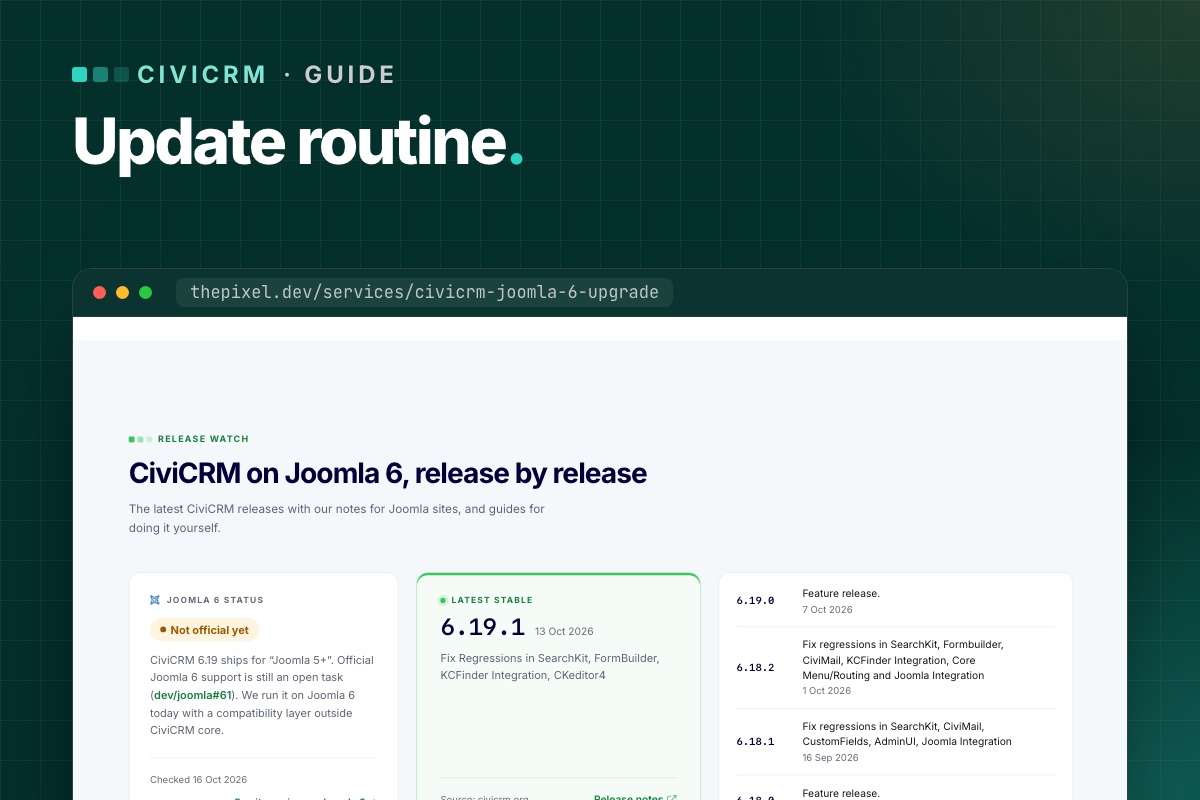

CiviCRM puts out a new feature release about once a month, bug-fix releases in between, and security releases when needed – sometimes rated "highly critical". Sites that update rarely end up making risky jumps under pressure. Sites with a routine update calmly. Here is ours.
Know which releases matter
- Security releases – update within days. The release notes say "Fix security vulnerabilities? yes" and link an advisory with a risk rating.
- Bug-fix releases (x.y.1, x.y.2…) – usually small; update if they fix something you use, or with the next routine update.
- Feature releases (x.y.0) – may change the database schema or the API. Update on staging first, always.
- ESR – CiviCRM also has an extended support release line that gets security fixes for longer, if you prefer fewer, bigger updates.
Every CiviCRM release note starts with a short synopsis table – schema change, API change, security, features, bugs. Read that first. We summarize each release for Joomla sites on our CiviCRM Joomla 6 upgrade page.
The routine
1. Read
Release notes and any "version-specific upgrade steps" in CiviCRM's sysadmin guide. Note anything touching what your site uses: CiviContribute, CiviMember, CiviEvent, CiviMail, your payment processor, Joomla integration.
2. Refresh staging
Copy live to staging (files and databases), with email blocked and payments in test mode. Staging that is months old tests the wrong site.
3. Update staging
- Back up both
civicrm.settings.phpfiles. - Install the new
civicrm-x.y.z-joomla.zipthrough Install from Folder. - Clear
media/civicrm/templates_c. - Run the database upgrade (
task=civicrm/upgrade&reset=1), or from the shell withcv upgrade:dbfollowed bycv flush. - Update CiviCRM extensions that have new versions.
4. Test
Run the short version of our post-upgrade checklist: one donation, one membership or event sign-up, one test mailing, one cron run. On Joomla 6, also check the user–contact sync. For feature releases, run the full list.
5. Update live
Same steps, in a quiet hour, with a fresh backup taken just before. Pause cron during the update so no job runs against a half-upgraded database.
6. Check message templates
If your organization has customized system workflow messages (receipts, confirmations), CiviCRM stops updating those templates. After feature releases, compare your customized ones with the new defaults – CiviCRM's upgrade guide explains how.
7. Write it down
Date, from-version, to-version, what was tested, anything odd. Three lines in a shared document.
Rolling back
If something important breaks on live and can't be fixed quickly: restore the pre-update backup of files and databases together. Never roll back files without the database – a newer schema with older code is worse than either. Anything recorded on live since the update (new donations) has to be re-entered, which is why updating in a quiet hour matters.
How often?
- Security releases: within a few days.
- Everything else: once a month, or every second release – whatever you can keep up with reliably.
The worst routine is the one that stops. If monthly updates don't fit your team, that is what our maintenance plans are for.
Find your customised message templates
CiviCRM keeps two rows per system message template in civicrm_msg_template: the active one (is_default = 1) and a pristine reserved copy (is_reserved = 1). Where the two differ, your organisation has customised it, and upgrades won't touch it:
# terminal – customised workflow templates (CiviCRM database)
mysql -e "SELECT d.workflow_name, d.msg_title
          FROM civicrm_msg_template d
          JOIN civicrm_msg_template r ON r.workflow_name = d.workflow_name AND r.is_reserved = 1
          WHERE d.is_default = 1 AND (d.msg_html <> r.msg_html OR d.msg_subject <> r.msg_subject);" civicrm_db
That's your list to review after each feature release. Compare each one with the new reserved version, so a fix CiviCRM shipped in a receipt template doesn't miss your site.
One script for staging
# terminal – update-staging.sh (after unzipping the new package into tmp/ and installing it)
set -e
cv upgrade:db --cwd=/var/www/staging.example.org
cv flush --cwd=/var/www/staging.example.org
cv api4 System.check --cwd=/var/www/staging.example.org | grep -iE '"(title|severity)"'
cv cron --cwd=/var/www/staging.example.org
mysql -e "SELECT run_time, name FROM civicrm_job_log ORDER BY id DESC LIMIT 5;" civicrm_staging
Want CiviCRM updates handled? We update on staging, test, and update live – and we have CiviCRM running on Joomla 6.
CiviCRM Joomla 6 upgrade →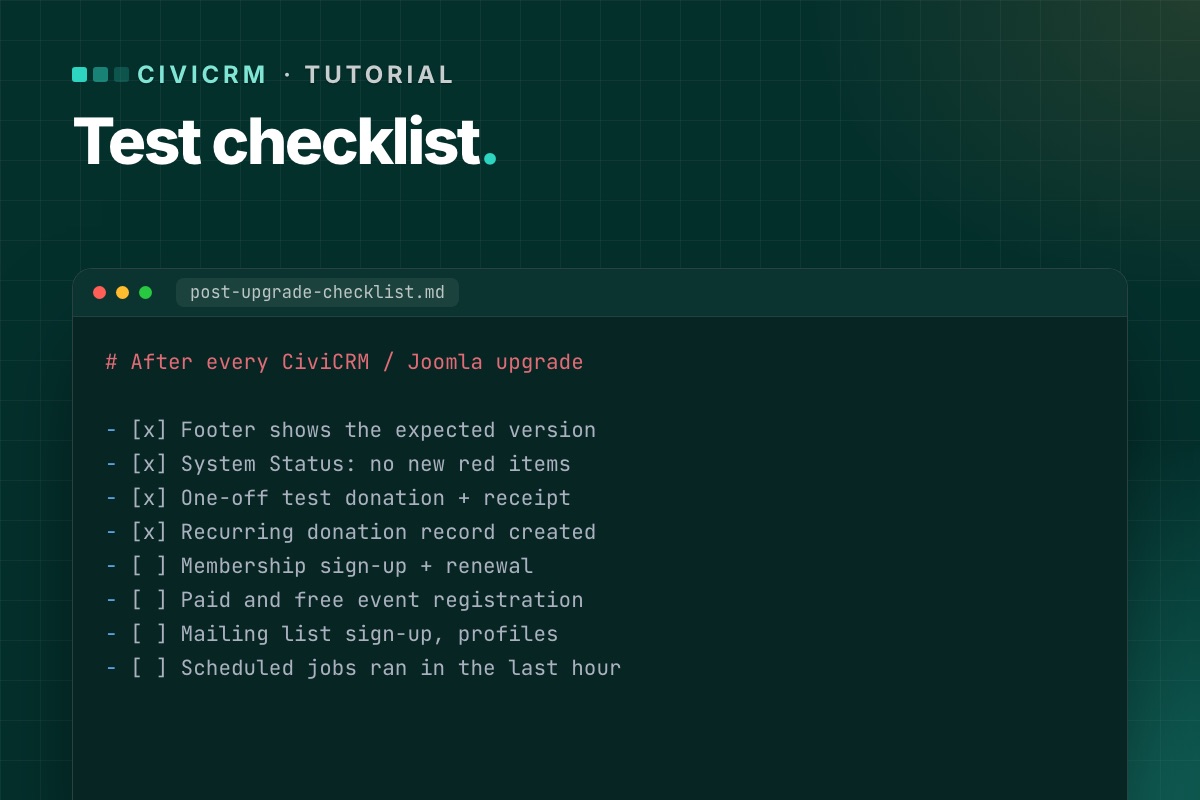
An upgrade is finished when the things that bring in money, members and sign-ups work – not when the installer says "success". This is the list we run on staging after every CiviCRM or Joomla upgrade, and a shorter version on live right after the switch.
Before you start on staging: payment processors in test mode, outgoing email to a mail catcher, and a test contact you can safely fill with records.
1. CiviCRM itself
- Footer shows the expected CiviCRM version.
- System Status has no new red or orange items (resource URLs, extensions, cron).
- Dashboard, contact search and one contact record open without errors.
- Extensions page: no extension shows an error or a missing dependency.
2. Donations
- Each public contribution page loads from its Joomla menu item.
- A one-off test donation completes; the contribution is recorded with the right financial type and status.
- The receipt email arrives (in the mail catcher) with correct amounts and links.
- A recurring donation can be set up, and the recurring record is created.
- Premiums, price sets and "other amount" fields behave as before.
3. Memberships
- Membership sign-up page completes with a test payment.
- The membership is created with the right type, dates and status.
- Renewal works for an existing member, including from the link in a renewal email.
- Members-only Joomla content still checks access correctly, if you use it.
4. Events
- Event listing, information page and registration form load.
- A paid and a free registration complete; participants are recorded.
- Confirmation emails arrive; waitlist and full-event behavior still work.
- Personal campaign (PCP) pages load and accept a donation, if you use them.
5. Forms and profiles
- Profile create/edit forms and FormBuilder forms submit and save.
- Mailing-list subscription page adds the contact to the group, with confirmation if enabled.
- The CiviCRM user dashboard shows a logged-in user their contributions, memberships and events.
6. Joomla users and contacts
- Creating a Joomla user creates or matches a CiviCRM contact.
- Changing a user's email in Joomla updates the contact (if your setup syncs it).
- Login and logout work on pages that show CiviCRM content.
On Joomla 6 this is the part that touches CiviCRM's Joomla plugins and its user matching – test it carefully. Background: Joomla 6 plugin events.
7. CiviMail and scheduled jobs
- A test mailing to a small group sends; open and click tracking links work.
- Unsubscribe and opt-out links in that mailing work.
- Cron runs from the command line and the job log shows "Success". If not.
- Bounce processing connects to its mailbox, if configured.
8. Links already out there
- Old
task=civicrm/…links from past emails still open the right page. - Changed menu aliases have redirects. How to check.
9. On live, right after the switch
A short version, with real (small) payments if your processor has no test mode on live:
- One donation, one membership or event sign-up, one mailing-list sign-up.
- One cron run checked in the job log.
- System Status checked.
Refund the real test payments afterwards, and write down what you tested and when. If someone reports a problem next week, you'll know what was working at launch.
Checks you can script
# terminal – System Status, without opening the browser
cv api4 System.check --cwd=/var/www/example.org | grep -iE '"(title|severity)"'

# did cron run after the upgrade? (CiviCRM database)
mysql -e "SELECT MAX(run_time) FROM civicrm_job_log;" civicrm_db

# Joomla users without a CiviCRM contact link (adjust database names and prefix)
mysql -e "SELECT u.id, u.username FROM joomla_db.jos_users u
          LEFT JOIN civicrm_db.civicrm_uf_match m ON m.uf_id = u.id
          WHERE m.id IS NULL AND u.block = 0 LIMIT 20;"
Users who never opened a CiviCRM page may legitimately have no link yet, because CiviCRM creates it on first use. A user who has CiviCRM records but no link after the upgrade is a real problem.
On staging, define('CIVICRM_MAIL_LOG', '…/mail.log') in both settings files sends every CiviCRM email to a file instead of the mail server, so you can check receipts and confirmations without a mail catcher.
Every CiviCRM upgrade we do ends with this list – and a written test report you keep.
CiviCRM Joomla 6 upgrade →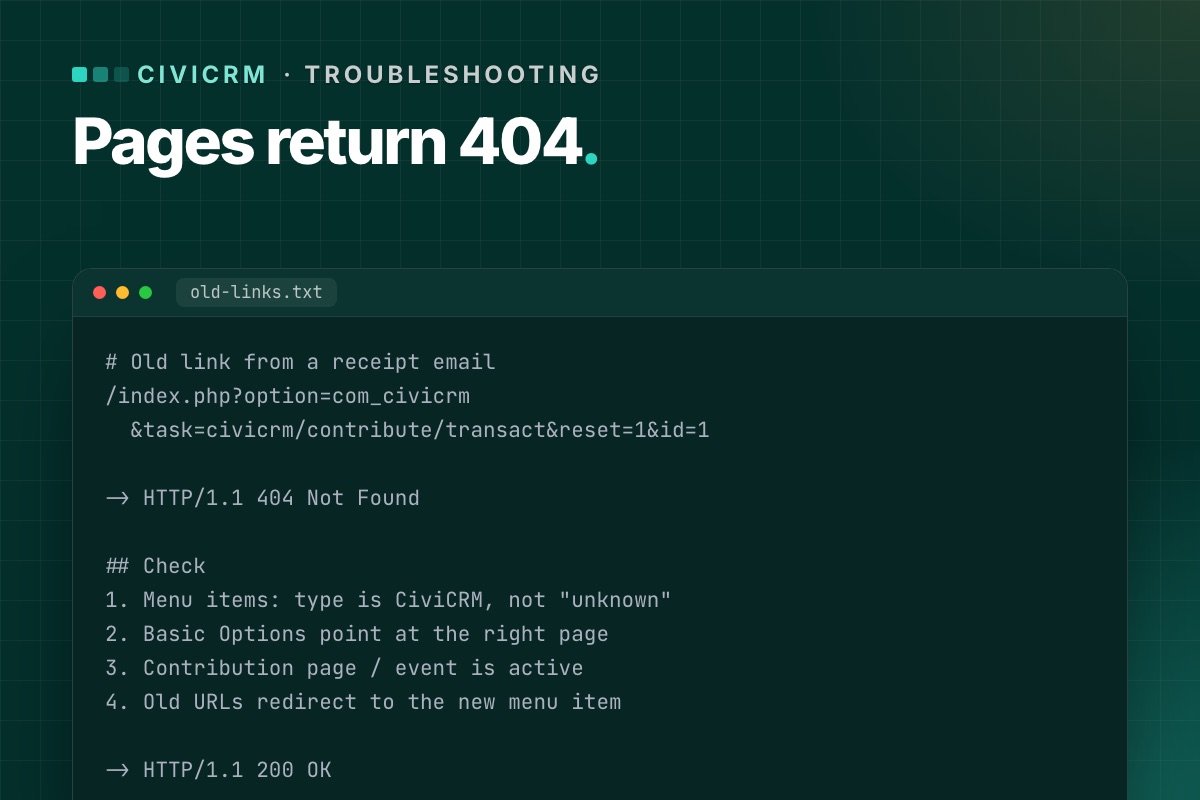
CiviCRM's public pages – contribution pages, event registration, profiles, mailing-list sign-ups – reach visitors through Joomla. After a Joomla upgrade or a site rebuild, it is common for some of them to stop working while the CiviCRM back end looks fine. Here is how to find and fix them.
How CiviCRM pages reach the front end
There are two ways a visitor lands on a CiviCRM page in Joomla:
- A Joomla menu item of a CiviCRM type: Contribution Page, Event Information Page, Event Registration Form, Event Listing, Mailing List Subscription, Profile forms, CiviCRM Dashboard and others. The menu item stores which page it shows (for example, the contribution page ID).
- A direct component URL with a CiviCRM path in the
taskparameter, for example:
These are in old emails, receipts, social posts and other sites linking to you./index.php?option=com_civicrm&task=civicrm/contribute/transact&reset=1&id=1
Both can break in an upgrade for different reasons.
Check 1: The menu items still exist and are valid
- Open Menus » All Menu Items and filter by the CiviCRM component. Every item should show a CiviCRM type, not "Menu item type unknown".
- Open each one and check Basic Options still points at the right page (contribution page, event, profile).
- Check access levels: the CiviCRM Dashboard should be Registered, public forms Public.
- Check the menu item is published and assigned to the right language.
If a CiviCRM menu item type is missing entirely, the component may not have installed cleanly – reinstall the same CiviCRM version over itself and check again.
Check 2: The CiviCRM page itself is active
A contribution page or event that was disabled, ended, or reached its registration limit shows an error or redirect, which can look like a broken page. In CiviCRM, open the page's settings and check it is active and within its dates.
Check 3: SEF URLs and aliases
- If you changed menu aliases or moved items between menus, the friendly URL changes. Links in emails and on other sites still use the old one.
- Joomla's Redirects component (enable the "System - Redirect" plugin with "Collect URLs" on) shows which old URLs visitors are hitting. Add a redirect for each.
- Long
task=civicrm/…URLs should keep working as long as the component is installed and the CiviCRM page exists. If they 404 too, the problem is the component or the page, not the alias.
Check 4: Old links in emails and receipts
Receipts and mailings sent years ago still carry links. Test a few real ones from your sent items: renewal links, event "register" links, unsubscribe and opt-out links. Unsubscribe and opt-out links are the ones you must not break – they come from CiviMail and need the component working, not a menu item.
Check 5: The template
A new template may lack an override CiviCRM's front-end pages rely on, or hide the component area on certain pages. If the CiviCRM form loads but appears empty or unstyled, test the same page with Joomla's default template (Cassiopeia). If it works there, the template is the cause.
Prevent it next time
- Before an upgrade, export a list of every CiviCRM menu item with its target page.
- Keep aliases unchanged during the upgrade; redesign URLs separately, with redirects.
- Add every public CiviCRM page to your post-upgrade test list – our test checklist has them all.
List every CiviCRM menu item from SQL
Before and after an upgrade, export the CiviCRM menu items with the page each one points to. Then a broken one is a diff, not a hunt:
# terminal – Joomla database, adjust the prefix
mysql -e "SELECT id, menutype, published, path, link
          FROM jos_menu
          WHERE link LIKE 'index.php?option=com_civicrm%' AND client_id = 0
          ORDER BY menutype, lft;" joomla_db
The link column carries the CiviCRM route (task=civicrm/contribute/transact, civicrm/event/register, civicrm/profile/create …) and the page id, so you can check each one against CiviCRM: is contribution page 3 still active, does event 12 still exist?
For old links that must keep working, test them as a visitor would, without a session:
# terminal – status code of each old link (one URL per line in old-links.txt)
while read -r url; do
  printf '%s %s
' "$(curl -s -o /dev/null -w '%{http_code}' -L "$url")" "$url"
done < old-links.txt
We keep the links that are already out there. On every CiviCRM upgrade we check menu items, old task URLs and add redirects where needed.
CiviCRM Joomla 6 upgrade →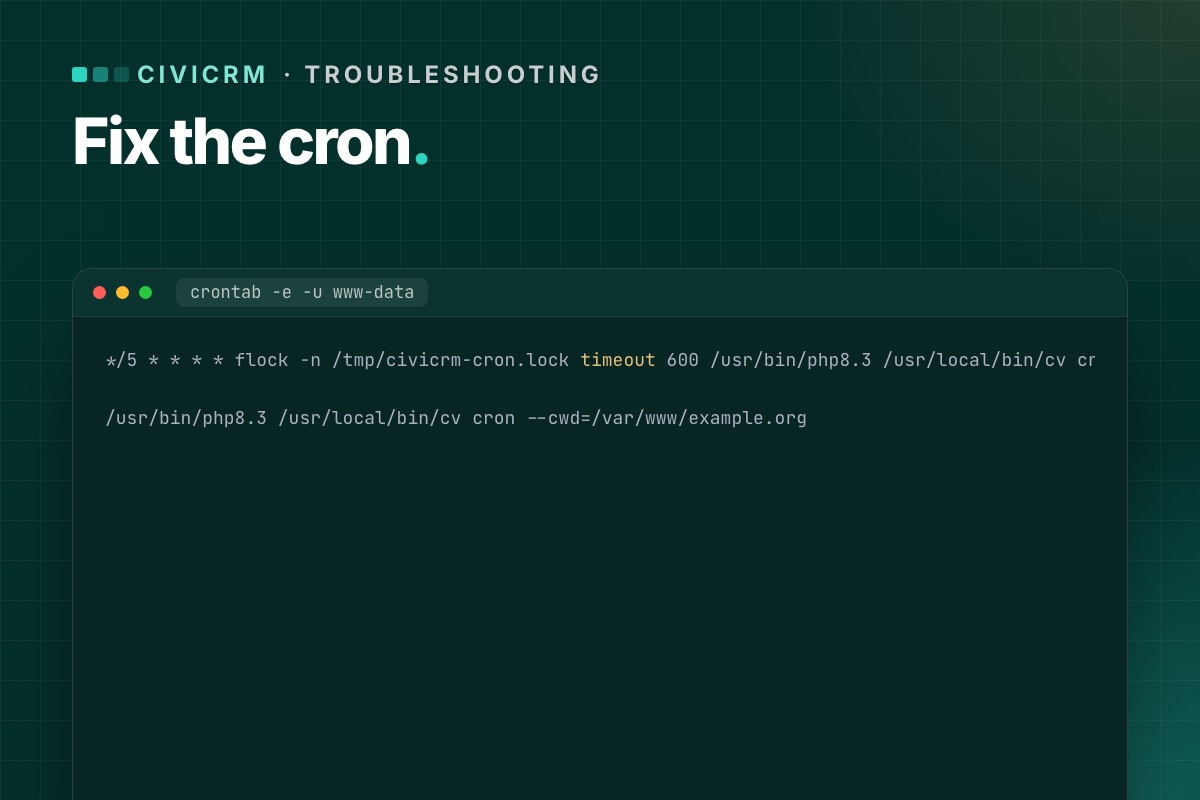
CiviCRM does a lot of its work on a schedule: sending CiviMail mailings, membership reminders and status updates, processing bounces, recurring contribution jobs. None of that happens unless a server cron calls CiviCRM regularly. After a Joomla or PHP upgrade, this is one of the first things to break – quietly.
Symptoms
- Mailings stay "Scheduled" and never send.
- Membership statuses don't change, renewal reminders stop.
- System Status says cron is not running.
- The job log (Administer » System Settings » Scheduled Jobs → View Log) has no recent entries.
Step 1: Check the job works by hand
In Scheduled Jobs, pick a harmless job such as CiviCRM Update Check, set it to run "Always", and click Execute Now. If it fails here, the problem is inside CiviCRM (permissions, a broken extension), not cron. Fix that first.
Step 2: Run the same job from the command line
There are three common ways to run CiviCRM's cron on Joomla. Try them by hand, as the same system user the web server runs as (often www-data).
cv (recommended)
cv cron --cwd=/var/www/example.orgcv is CiviCRM's command-line tool; cv cron is the alias of its core:cron command. It runs the jobs with full admin rights for the default domain. If it works in your shell but not from cron, use absolute paths to PHP and cv:
/usr/bin/php8.3 /usr/local/bin/cv cron --cwd=/var/www/example.orgcli.php
/usr/bin/php8.3 /var/www/example.org/administrator/components/com_civicrm/civicrm/bin/cli.php \
  -s example.org -u cronuser -p 'password' -e Job -a execute
Use a dedicated Joomla user with the CiviCRM permissions the jobs need. -s should be your real domain – CiviMail uses it to build absolute links.
HTTP (cron.php)
If you have no shell access, call the cron URL from a web cron service:
https://example.org/administrator/components/com_civicrm/civicrm/bin/cron.phpwith name, pass and key (your site key, CIVICRM_SITE_KEY in civicrm.settings.php) sent as POST data rather than in the URL.
Step 3: The usual causes after an upgrade
Different PHP on the command line
The web server runs PHP 8.3, but php on the command line is still 8.1 – or lacks bcmath or intl. CiviCRM's docs call this out specifically. Check both:
php -v
php -m | grep -E 'bcmath|intl|mbstring|zip'
Then put the full path to the right PHP binary in the crontab.
The path moved
A new server, a new document root or a staging copy promoted to live – and the crontab still points at the old folder. Check the paths in the crontab line one by one.
The cron user changed
Running cron as a different system user than the web server can leave files in media/civicrm that the web server can't write, and vice versa. Run cron as the web server user:
sudo crontab -e -u www-dataOnly one job is called
If the crontab calls a single job (for example process_mailing) instead of Job.execute, mailings go out but System Status still reports cron as not running, and other jobs never run.
Step 4: Stop runs from piling up
On one of our client sites, the host flagged heavy database load from CiviCRM's cron after an upgrade. A run took longer than the five-minute interval, the next run started on top of it, and so on. The fix is a lock and a hard time limit:
*/5 * * * * flock -n /tmp/civicrm-cron.lock timeout 600 /usr/bin/php8.3 /usr/local/bin/cv cron --cwd=/var/www/example.org --quietflock -nskips a run if the previous one is still going.timeout 600stops a run after ten minutes, so one stuck job can't hold the lock forever.
After a week, check the job log: if jobs regularly hit the limit, look at which one is slow (often a large mailing or a bounce mailbox with thousands of messages).
Step 5: Confirm it runs
- Wait for the next cron interval.
- Open the job log – the test job should have a fresh "Success" entry.
- Check System Status – the cron warning should be gone.
- Set the test job back to its normal frequency.
Read the job log from SQL
The Scheduled Jobs screen shows one job at a time. The table behind it, civicrm_job_log, shows the whole picture: which jobs ran, when, and what they said.
# terminal – last run per job, newest first (in the CiviCRM database)
mysql -e "SELECT j.name, MAX(l.run_time) AS last_run, j.is_active, j.run_frequency
          FROM civicrm_job j LEFT JOIN civicrm_job_log l ON l.job_id = j.id
          GROUP BY j.id ORDER BY last_run DESC;" civicrm_db

# what the last ten runs reported
mysql -e "SELECT run_time, name, LEFT(description, 120) FROM civicrm_job_log ORDER BY id DESC LIMIT 10;" civicrm_db
An active job whose last_run is days old is your problem job. A gap of exactly the same length for all jobs means cron itself stopped. The civicrm_job table also has last_run and last_run_end: a last_run without a matching end means a run started and never finished, which is exactly the overlapping-run case above.
System Status from the shell, so you can check it from the same cron user:
# terminal
cv api4 System.check --cwd=/var/www/example.org | grep -iE '"(title|severity)"'
Cron is one line we check on every CiviCRM upgrade. We test it on the new stack with a time limit, alongside payments and mailings.
CiviCRM Joomla 6 upgrade →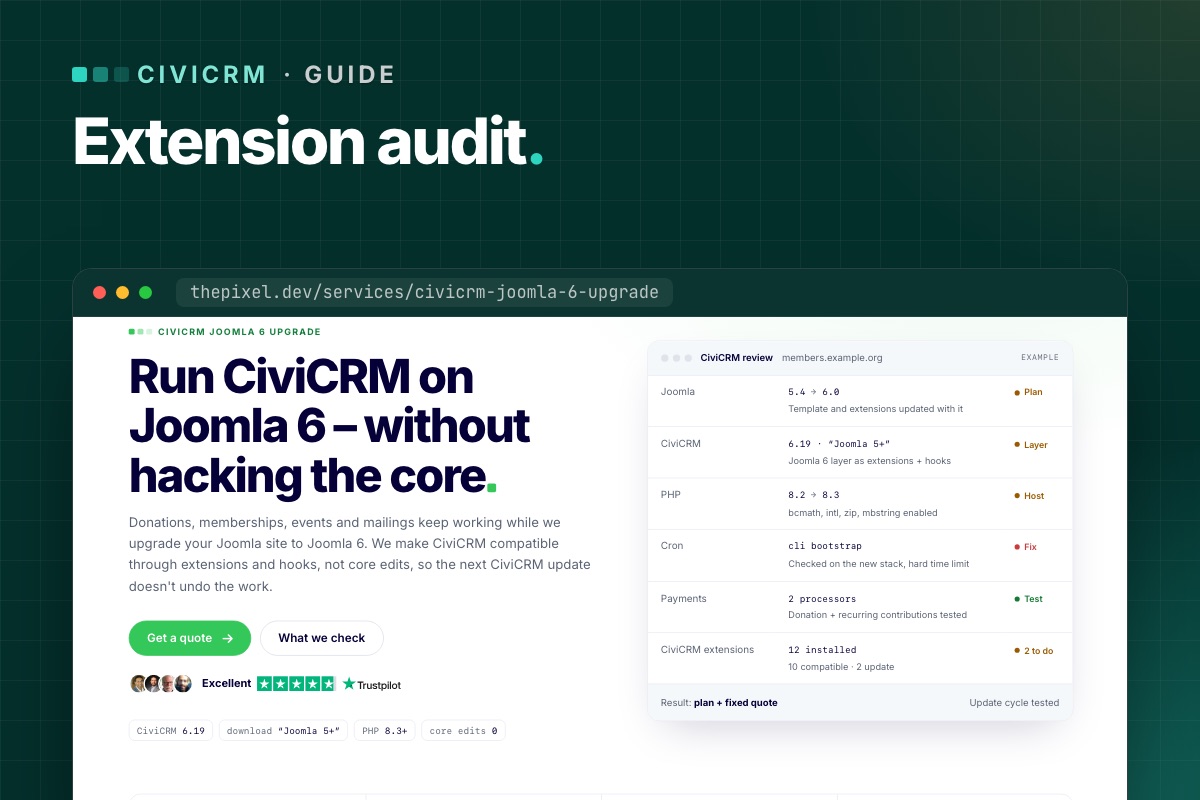
CiviCRM core keeps up with PHP well. CiviCRM extensions – payment processors, reports, integrations, small helpers someone installed years ago – are maintained on their own schedules, and they are usually what breaks when PHP goes up. CiviCRM's own docs warn about exactly this. Here is how we audit them before an upgrade.
1. List what is installed
Go to Administer » System Settings » Extensions. For each enabled extension note:
- name and key (for example
org.civicrm.example) - installed version
- whether an update is offered
- what the site uses it for – ask the people who run the site, not just the admin screen
With shell access, cv ext:list -Li lists installed extensions with versions, which is quicker to paste into a spreadsheet.
Disabled extensions still sit on disk. Remove the ones nobody needs before the upgrade – less to check, less to break.
2. Check each one
For every enabled extension, find its page in the CiviCRM extensions directory or its code repository and look for:
- Supported CiviCRM versions in the release info – does it list your target version?
- Last release date. Nothing in two or three years on an extension with PHP code is a warning sign.
- Open issues mentioning PHP 8.2 or 8.3, "deprecated", or the CiviCRM version you are moving to.
Then sort the list into three groups:
| Group | What it means | Action |
|---|---|---|
| Compatible | Recent release supporting your targets | Update it on staging |
| Update needed | A newer version exists | Update first, then test its feature |
| Unclear or abandoned | No recent release, no word on PHP 8.3 | Test on staging; replace, patch or remove |
3. Test on staging with errors visible
On a staging copy running the target PHP version, turn on CiviCRM's debugging and keep an eye on the PHP error log. Then use each extension's feature – run the report, make a test payment through the processor, trigger the integration.
On PHP 8.x, look for:
- Fatal errors – the extension is not usable as is.
- "Deprecated" notices – fine today, but they become errors in a later PHP version. Note them for the next round.
- Silent failures – a payment that never records, a report that comes back empty. Only testing the actual feature catches these.
4. Decide what to do with the problem ones
- Is it still needed? Often the feature moved into CiviCRM core (SearchKit and FormBuilder replaced many old report and form extensions).
- Is there a maintained alternative? Especially for payment processors.
- Can it be patched? Small PHP 8 fixes are usually quick. Send the patch upstream, so you are not maintaining a private fork.
What a good audit looks like
On a typical site we review, most extensions are fine, a few need an update and one or two need a decision. That one-line summary – "12 installed, 10 compatible, 2 to update" – is what should go into the upgrade plan and the quote, before any work starts.
Part of the bigger picture in CiviCRM on Joomla 6: the complete guide.
Speed it up with static checks
Clicking through every feature is the only real test, but a static pass finds the obvious PHP 8 problems first, so the click-through is shorter:
# terminal – where extensions live, and their declared compatibility
cv ext:list -Li --cwd=/var/www/example.org
grep -h -A3 "<compatibility>" /path/to/civicrm/ext/*/info.xml | grep "<ver>"

# syntax check every extension with the target PHP binary
find /path/to/civicrm/ext -name '*.php' -print0 | xargs -0 -n1 php8.3 -l | grep -v '^No syntax errors'

# PHP 8.3 compatibility scan (PHP_CodeSniffer + PHPCompatibility)
composer global require squizlabs/php_codesniffer phpcompatibility/php-compatibility
phpcs -p --standard=PHPCompatibility --runtime-set testVersion 8.3- /path/to/civicrm/ext/org.example.someext
PHPCompatibility reports removed functions, changed signatures and deprecated syntax. It can't see behaviour that changed silently (string-to-number comparisons, for example), which is why the feature test still decides.
Want the audit done for you? Every CiviCRM upgrade review we do lists each extension with a verdict, before we quote.
CiviCRM Joomla 6 upgrade →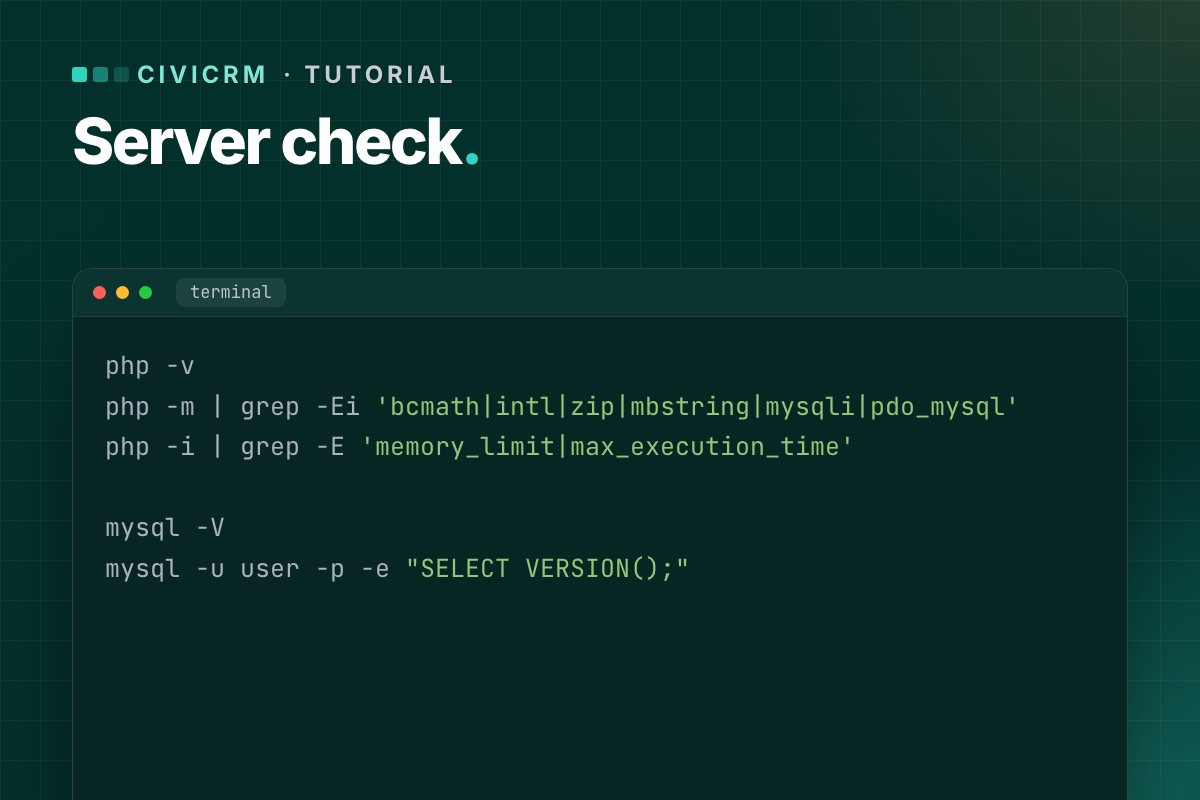
Most failed CiviCRM upgrades we see don't fail in CiviCRM. They fail on the server: a PHP extension that isn't there, a database too old for Joomla 6, a command-line PHP that differs from the web one. Fifteen minutes of checking saves a broken weekend.
The target
For CiviCRM 6.x on Joomla 6 you need what both ask for:
| Check | Minimum | Better |
|---|---|---|
| PHP (web and CLI) | 8.3 | 8.4 |
| MySQL | 8.0.13 | 8.4 |
| MariaDB (instead of MySQL) | 10.4 | 10.6+ / 11.4 |
| PHP memory limit | 256M | 512M |
| PHP extensions | bcmath, intl, zip, mbstring, gd, dom, simplexml, json, curl, mysqli/pdo_mysql | |
On Joomla 5.4, PHP 8.1+ and MySQL 8.0.13 / MariaDB 10.4 already apply; CiviCRM 6.16+ recommends PHP 8.3 or newer.
1. PHP on the web
In Joomla: System » System Information » PHP Information. Note the version and search the page for bcmath, intl, zip and mbstring. CiviCRM's own System Status screen also warns about missing extensions.
2. PHP on the command line
This is the one that gets missed. Cron and cv run on the command-line PHP, which can be a different version with different extensions:
php -v
php -m | grep -Ei 'bcmath|intl|zip|mbstring|mysqli|pdo_mysql'
php -i | grep -E 'memory_limit|max_execution_time'
If php is the wrong version, find the right binary (for example /usr/bin/php8.3 or, on cPanel, /opt/cpanel/ea-php83/root/usr/bin/php) and use its full path in cron.
3. The database
In Joomla: System Information » System Information shows the database version. Or from the shell:
mysql -V
mysql -u user -p -e "SELECT VERSION();"
MySQL 5.7 or MariaDB 10.3 means a database upgrade before Joomla 6 – on shared hosting, often a move to a newer plan or server. Ask the host early; it is the slowest part to arrange.
If CiviCRM uses its own database, check it lives on the same server version, and read about the separate-database upgrade bug.
4. Limits that matter during the upgrade
memory_limit– 256M at least; the CiviCRM installer and database upgrade are memory-hungry.max_execution_time– raise to 300–600 seconds for the upgrade itself.upload_max_filesize– only matters if you upload the package through the browser; unzipping intotmpand using Install from Folder avoids it.
5. Disk space and permissions
- Room for a full backup plus the unzipped CiviCRM package (several hundred MB).
- The web server user can write to
media/civicrmand the Joomlatmpfolder.
Write it down
Keep the results with your upgrade plan: PHP web/CLI versions, extensions, database version, limits, and who changes what (you or the host). If anything is below the minimum, fix the server first and upgrade second – never both on the same night.
Next: audit your CiviCRM extensions for PHP 8.3, then follow the upgrade walkthrough.
The whole check as one script
Run it as the user cron runs as, so you see the CLI PHP that matters:
# terminal – precheck.sh
#!/bin/sh
echo "PHP CLI: $(php -r 'echo PHP_VERSION;')  ($(command -v php))"
for ext in bcmath intl zip mbstring gd dom simplexml json curl mysqli pdo_mysql; do
  php -m | grep -qix "$ext" || echo "MISSING extension: $ext"
done
php -r 'printf("memory_limit=%s max_execution_time=%s
", ini_get("memory_limit"), ini_get("max_execution_time"));'
mysql -N -e "SELECT VERSION();"
df -h . | tail -1
# CiviCRM's own view of the environment (after install)
cv status --cwd=/var/www/example.org
Compare the CLI result with System → System Information in Joomla (the web PHP). Any difference between the two is a cron problem waiting to happen.
Not sure your hosting can take it? We include a server check in every CiviCRM upgrade review, and help move to a host that meets it.
CiviCRM Joomla 6 upgrade →Page 1 of 2

