

CiviCRM does a lot of its work on a schedule: sending CiviMail mailings, membership reminders and status updates, processing bounces, recurring contribution jobs. None of that happens unless a server cron calls CiviCRM regularly. After a Joomla or PHP upgrade, this is one of the first things to break – quietly.
Symptoms
- Mailings stay "Scheduled" and never send.
- Membership statuses don't change, renewal reminders stop.
- System Status says cron is not running.
- The job log (Administer » System Settings » Scheduled Jobs → View Log) has no recent entries.
Step 1: Check the job works by hand
In Scheduled Jobs, pick a harmless job such as CiviCRM Update Check, set it to run "Always", and click Execute Now. If it fails here, the problem is inside CiviCRM (permissions, a broken extension), not cron. Fix that first.
Step 2: Run the same job from the command line
There are three common ways to run CiviCRM's cron on Joomla. Try them by hand, as the same system user the web server runs as (often www-data).
cv (recommended)
cv cron --cwd=/var/www/example.orgcv is CiviCRM's command-line tool; cv cron is the alias of its core:cron command. It runs the jobs with full admin rights for the default domain. If it works in your shell but not from cron, use absolute paths to PHP and cv:
/usr/bin/php8.3 /usr/local/bin/cv cron --cwd=/var/www/example.orgcli.php
/usr/bin/php8.3 /var/www/example.org/administrator/components/com_civicrm/civicrm/bin/cli.php \
  -s example.org -u cronuser -p 'password' -e Job -a execute
Use a dedicated Joomla user with the CiviCRM permissions the jobs need. -s should be your real domain – CiviMail uses it to build absolute links.
HTTP (cron.php)
If you have no shell access, call the cron URL from a web cron service:
https://example.org/administrator/components/com_civicrm/civicrm/bin/cron.phpwith name, pass and key (your site key, CIVICRM_SITE_KEY in civicrm.settings.php) sent as POST data rather than in the URL.
Step 3: The usual causes after an upgrade
Different PHP on the command line
The web server runs PHP 8.3, but php on the command line is still 8.1 – or lacks bcmath or intl. CiviCRM's docs call this out specifically. Check both:
php -v
php -m | grep -E 'bcmath|intl|mbstring|zip'
Then put the full path to the right PHP binary in the crontab.
The path moved
A new server, a new document root or a staging copy promoted to live – and the crontab still points at the old folder. Check the paths in the crontab line one by one.
The cron user changed
Running cron as a different system user than the web server can leave files in media/civicrm that the web server can't write, and vice versa. Run cron as the web server user:
sudo crontab -e -u www-dataOnly one job is called
If the crontab calls a single job (for example process_mailing) instead of Job.execute, mailings go out but System Status still reports cron as not running, and other jobs never run.
Step 4: Stop runs from piling up
On one of our client sites, the host flagged heavy database load from CiviCRM's cron after an upgrade. A run took longer than the five-minute interval, the next run started on top of it, and so on. The fix is a lock and a hard time limit:
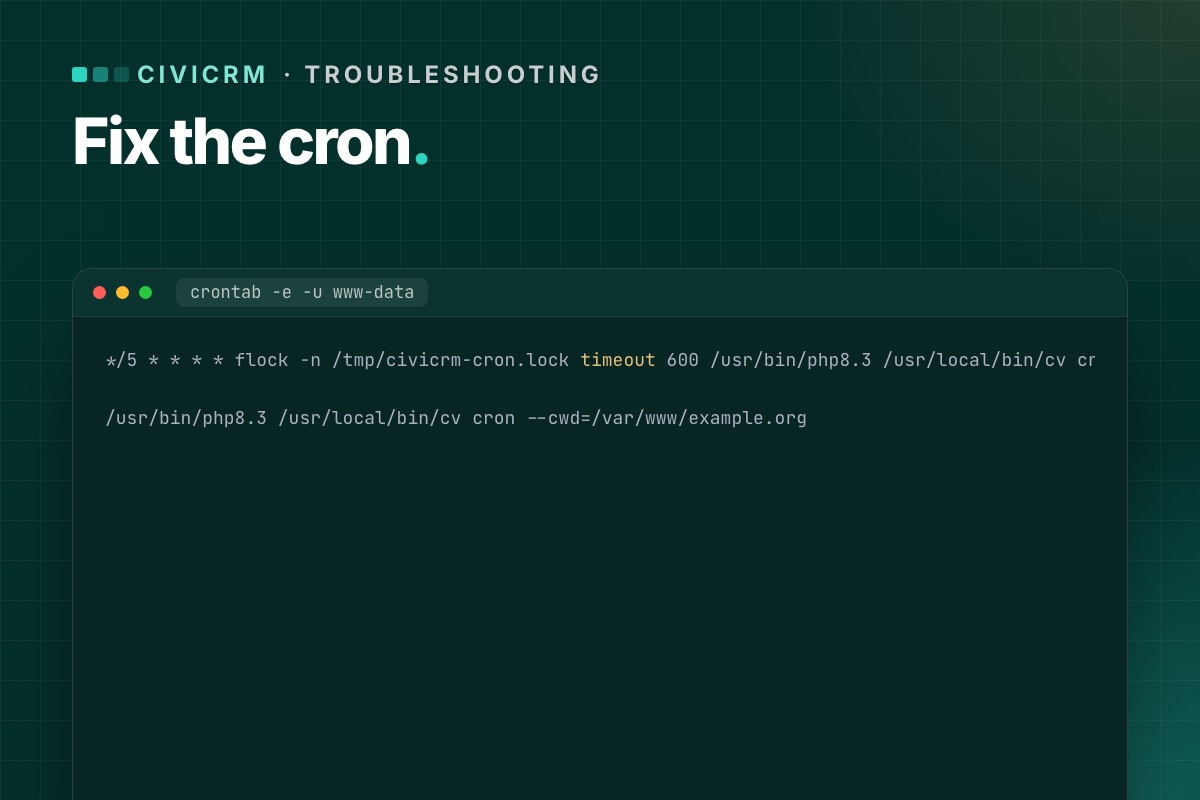
*/5 * * * * flock -n /tmp/civicrm-cron.lock timeout 600 /usr/bin/php8.3 /usr/local/bin/cv cron --cwd=/var/www/example.org --quietflock -nskips a run if the previous one is still going.timeout 600stops a run after ten minutes, so one stuck job can't hold the lock forever.
After a week, check the job log: if jobs regularly hit the limit, look at which one is slow (often a large mailing or a bounce mailbox with thousands of messages).
Step 5: Confirm it runs
- Wait for the next cron interval.
- Open the job log – the test job should have a fresh "Success" entry.
- Check System Status – the cron warning should be gone.
- Set the test job back to its normal frequency.
Read the job log from SQL
The Scheduled Jobs screen shows one job at a time. The table behind it, civicrm_job_log, shows the whole picture: which jobs ran, when, and what they said.
# terminal – last run per job, newest first (in the CiviCRM database)
mysql -e "SELECT j.name, MAX(l.run_time) AS last_run, j.is_active, j.run_frequency
          FROM civicrm_job j LEFT JOIN civicrm_job_log l ON l.job_id = j.id
          GROUP BY j.id ORDER BY last_run DESC;" civicrm_db

# what the last ten runs reported
mysql -e "SELECT run_time, name, LEFT(description, 120) FROM civicrm_job_log ORDER BY id DESC LIMIT 10;" civicrm_db
An active job whose last_run is days old is your problem job. A gap of exactly the same length for all jobs means cron itself stopped. The civicrm_job table also has last_run and last_run_end: a last_run without a matching end means a run started and never finished, which is exactly the overlapping-run case above.
System Status from the shell, so you can check it from the same cron user:
# terminal
cv api4 System.check --cwd=/var/www/example.org | grep -iE '"(title|severity)"'
Cron is one line we check on every CiviCRM upgrade. We test it on the new stack with a time limit, alongside payments and mailings.
CiviCRM Joomla 6 upgrade →
