We use Google Analytics to see which pages help people, only if you allow it. Cookies for login, security (reCAPTCHA) and support chat are always on. Privacy policy
Orthogate connects orthopaedic students, residents, surgeons and patients. We upgraded the platform to Joomla 6 and redesigned it into separate Professional and Patient experiences, with verified access, new forums and personal dashboards.
Dec 2025 → Aug 2026Live on Joomla 6 since August 2026
orthogate.org/patients
Select profile typeRegistrationI am a Healthcare Professional* Requires verification via email.I am a Patient or Caregiver* Requires verification via email.After verificationProfessional groupPatient group
ClientOrthogate
TimelineDec 2025 – Aug 2026
ScopeJoomla 6 Upgrade · Redesign · Custom Development
A surgeon, a student and a patient all landed on the same page
Two audiences, one front doorFor more than 20 years Orthogate has connected students, residents, surgeons and patients. Patients had to find their way through clinical content; professionals through patient content.
Surgeons need a room of their ownThe brief asked for a private room for verified surgeons – which needs a sign-up that knows who is a surgeon, and an admin who can check.
Conversations in two placesForums were split between Kunena and EasyDiscuss, and the textbook lived on a separate WordPress site – two systems to run, an audience split in two.
A core running out of timeThe site ran on Joomla 4, which reached end of life in October 2025.
02 Design direction
Two front doors on one platform
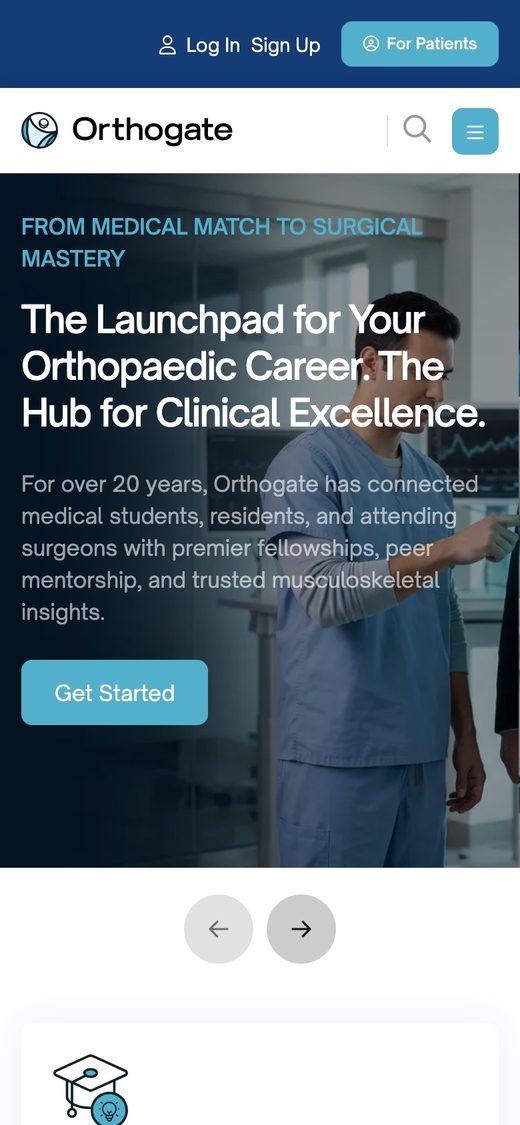
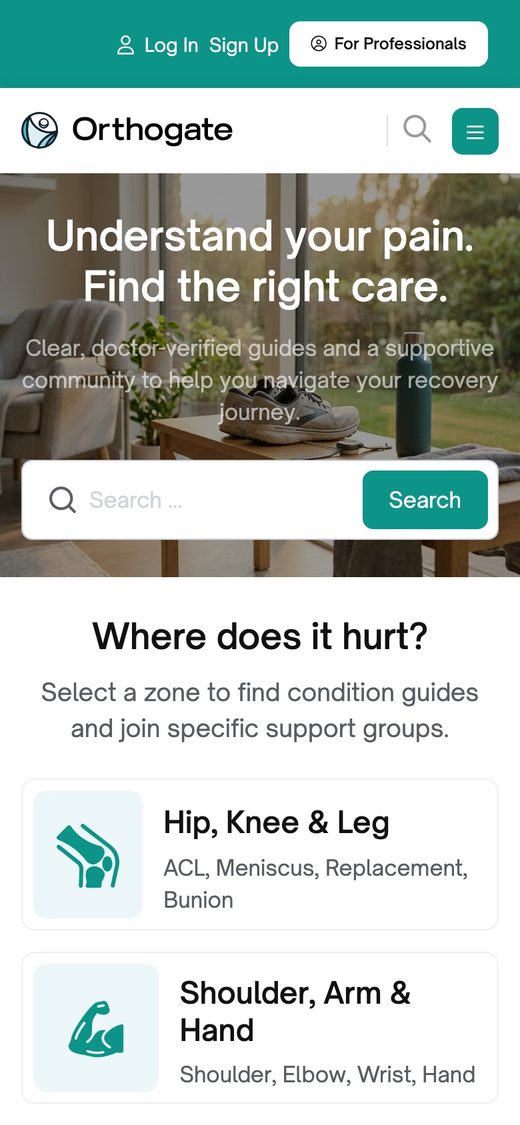
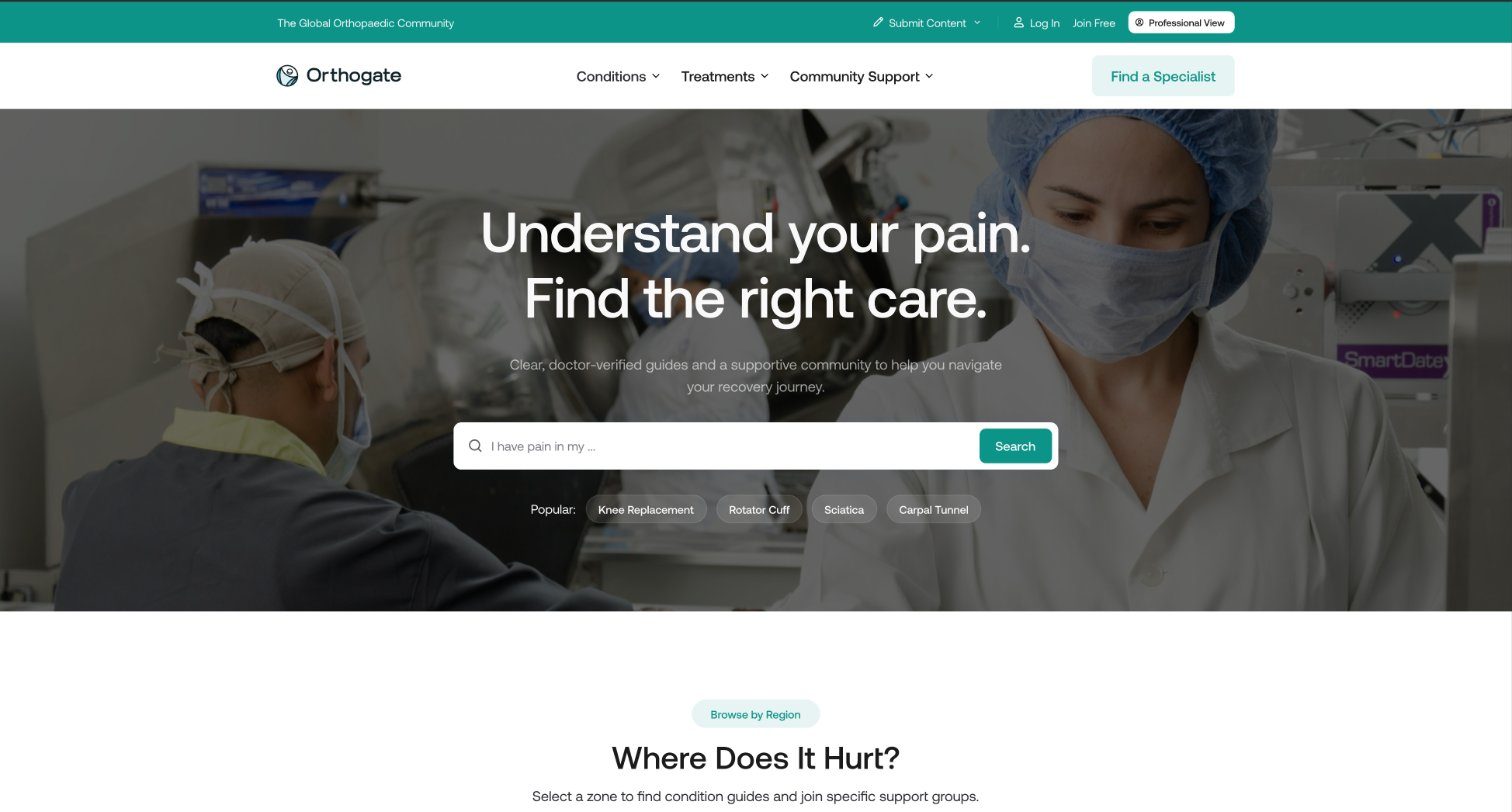
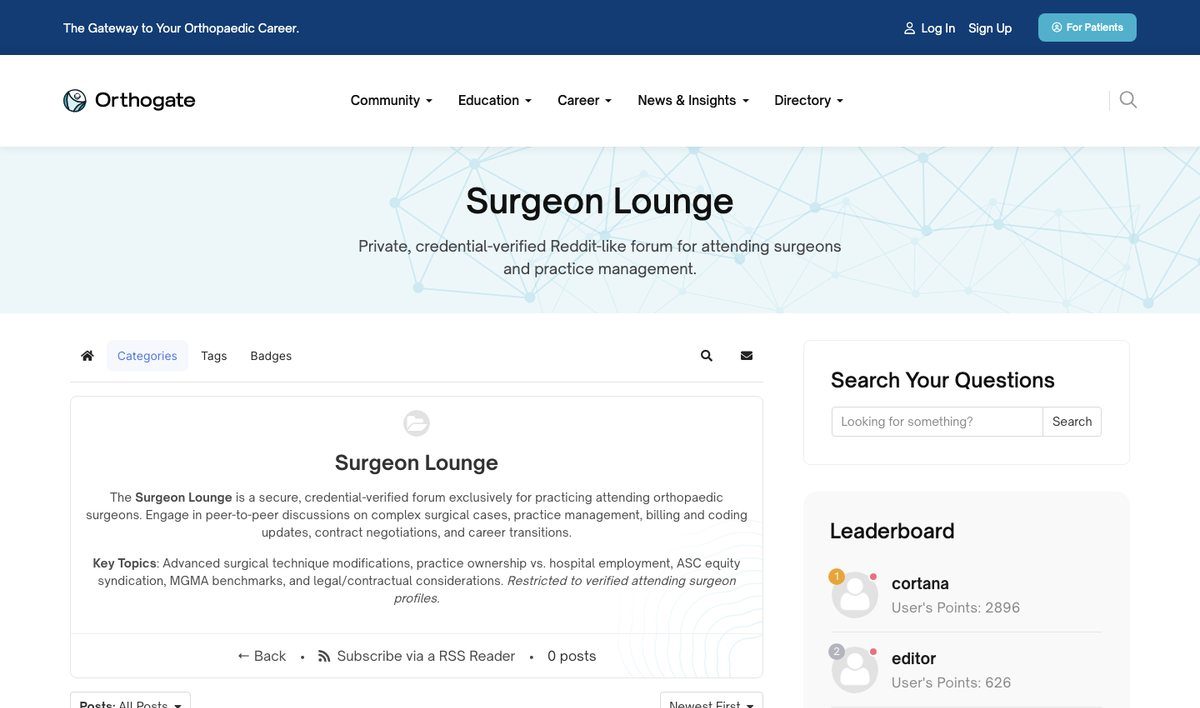
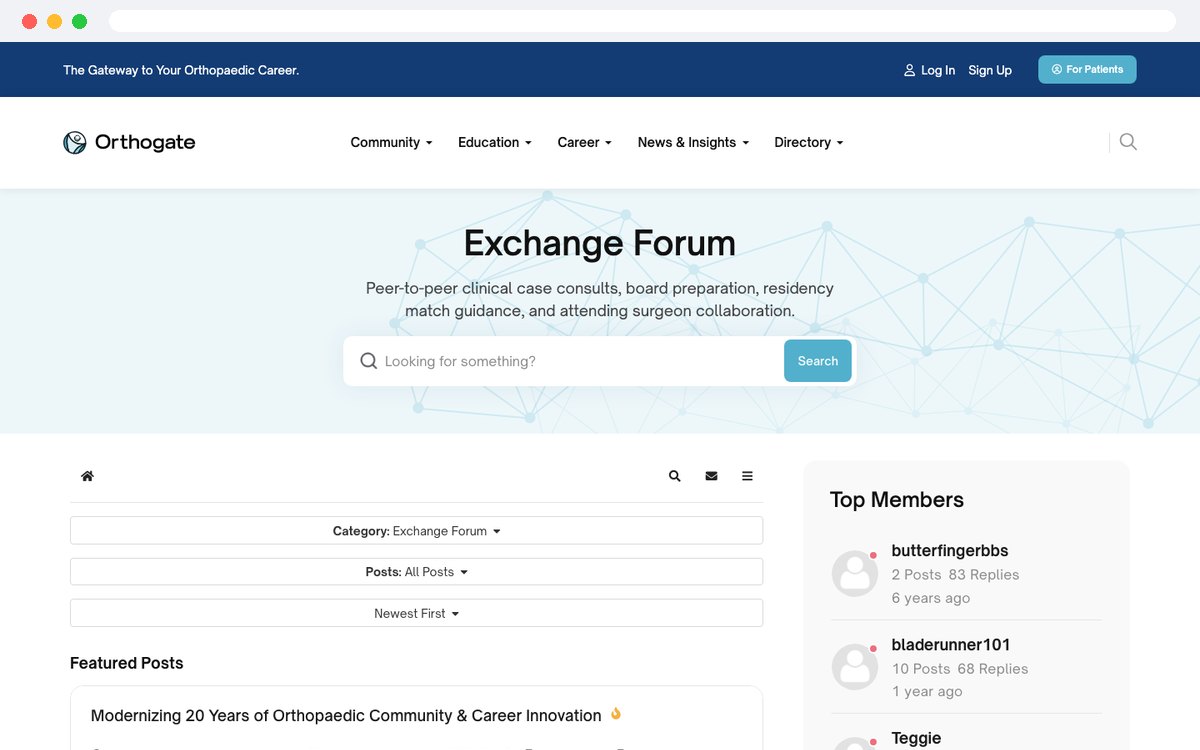
The design starts from the split: a dark blue, clinical Professional side and a softer, teal Patient side – each with its own menu and home page, both on the same Joomla site and the same accounts.
A
Professional · dark blue, clinical
Medical students, residents, fellows and surgeons
#133C74 · #51AECD
Community
Education
Career
News & insights
Directory
B
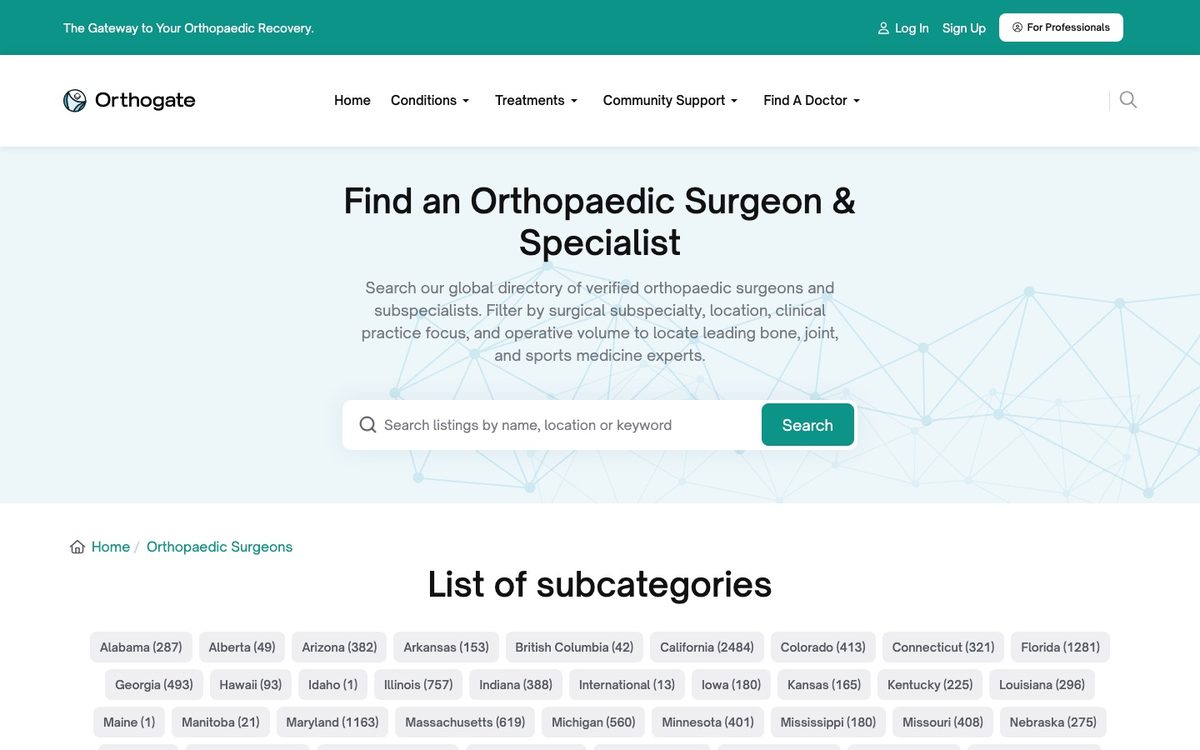
Patient · teal, softer
Patients, family members and caregivers
#0C9488 · #D6F5F1
Conditions
Treatments
Community support
Find a specialist
Branding · from the old logo to the new one
The logo was redrawn in the same Figma file: the old raster mark, a first redraw that kept the serif and the tagline, and the version that went live.
BeforeThe old logoA raster image, a figure in a circle, two lines of tagline.
ExploredNew mark, old voiceA new circular mark, still with the serif name and the tagline.
LiveBold, modern, no taglineThe mark with a clean wordmark – sharp at any size, on both sides of the site.
Components and tokens · one system behind every frame
The frames are built from components bound to design tokens – on the UI page alone, 120 button and 49 card instances share the same parts. Two of them, with their real values from the Figma file:
Patient ViewRebuilt here from the Figma values
Component · used 120×button
type
primary
style
filled
size
sm
state
default
content
icon-leading
radius
radius-lg
padding
spacing-6 · spacing-12
gap
gap-4
fill
bg-primary · #52B0CD
Frame · used 49×Card
layout
vertical · fill 384 px
used in
home · job board · mega menu
radius
radius-3xl
padding
spacing-32
gap
spacing-24
shadow
0 0 32 · #133C75 8%
Also in the file
Text stylesdisplay 72 → 40 · heading 28 → 20 · body and label 18 → 10 · code 14 · 12
Effect stylesone shadow scale – xs to 2xl – plus tooltip, toast and modal, so every floating element looks the same
Design decisions – and what each one does for the community
Two template stylesA Professional and a Patient style on T4, each assigned by menu.Each audience sees only what is meant for them.
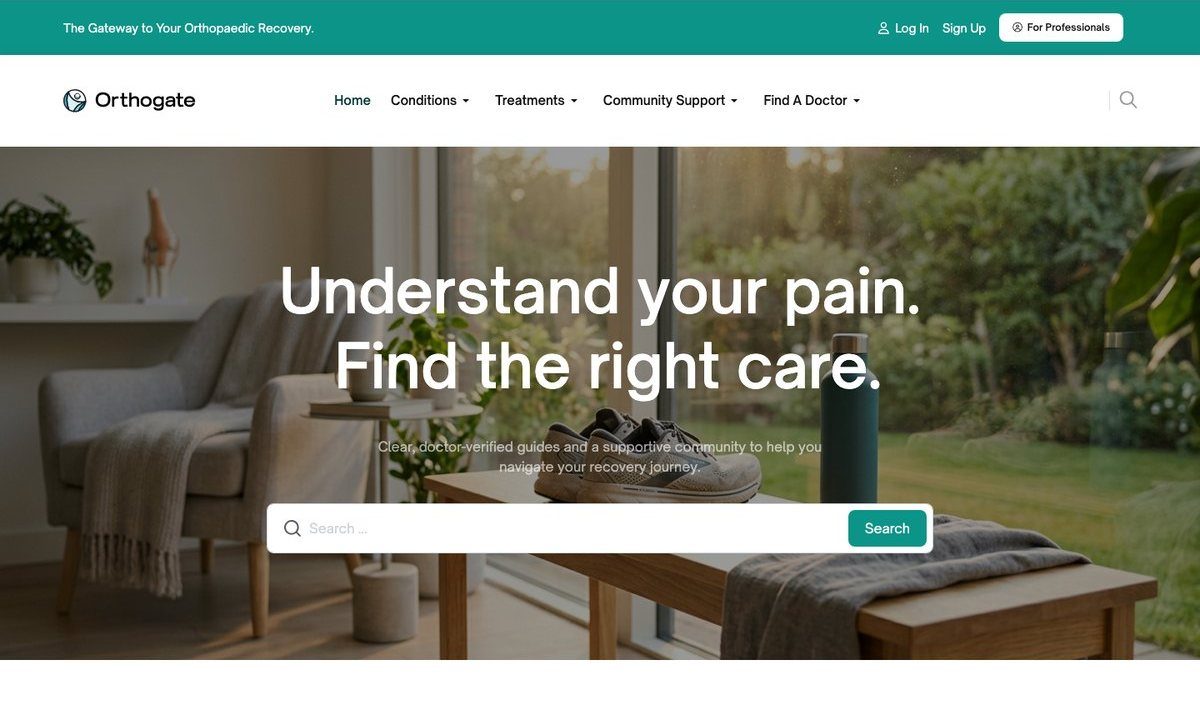
A switch in the top bar“Patient view” in the design; on the live site “For Patients” and “For Professionals”.Nobody gets stuck on the wrong side.
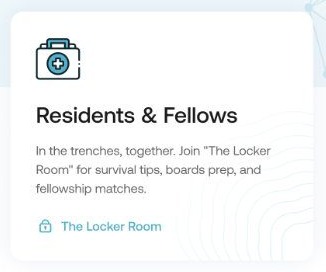
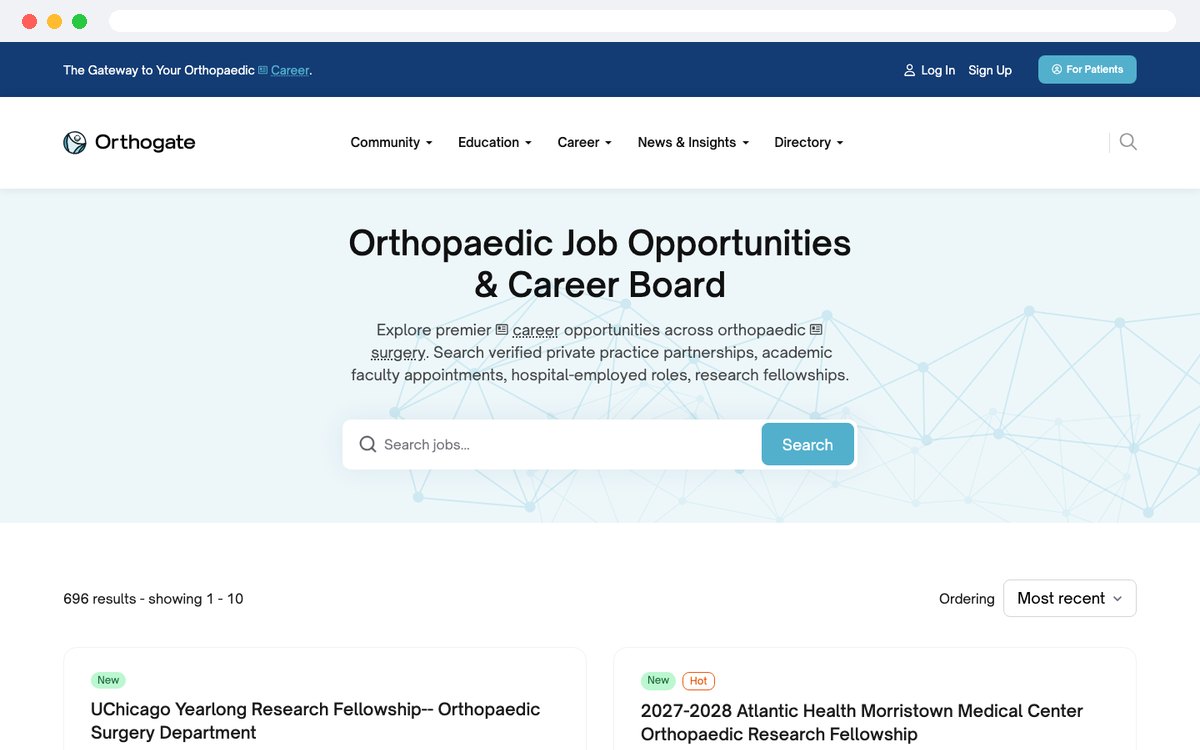
One card per career stageMedical students, residents & fellows, verified surgeons – each card opens its own room.A new member finds their place in one click.
Plain words for patients“Understand your pain. Find the right care.” – a symptom search and popular conditions.Patients start from what hurts, not from a medical menu.
Sign-up sorts peoplePick a profile, then an identity; the right group is set automatically.The admin only reviews surgeons – everyone else is in right away.
03 In Figma
The Professional home, part by part
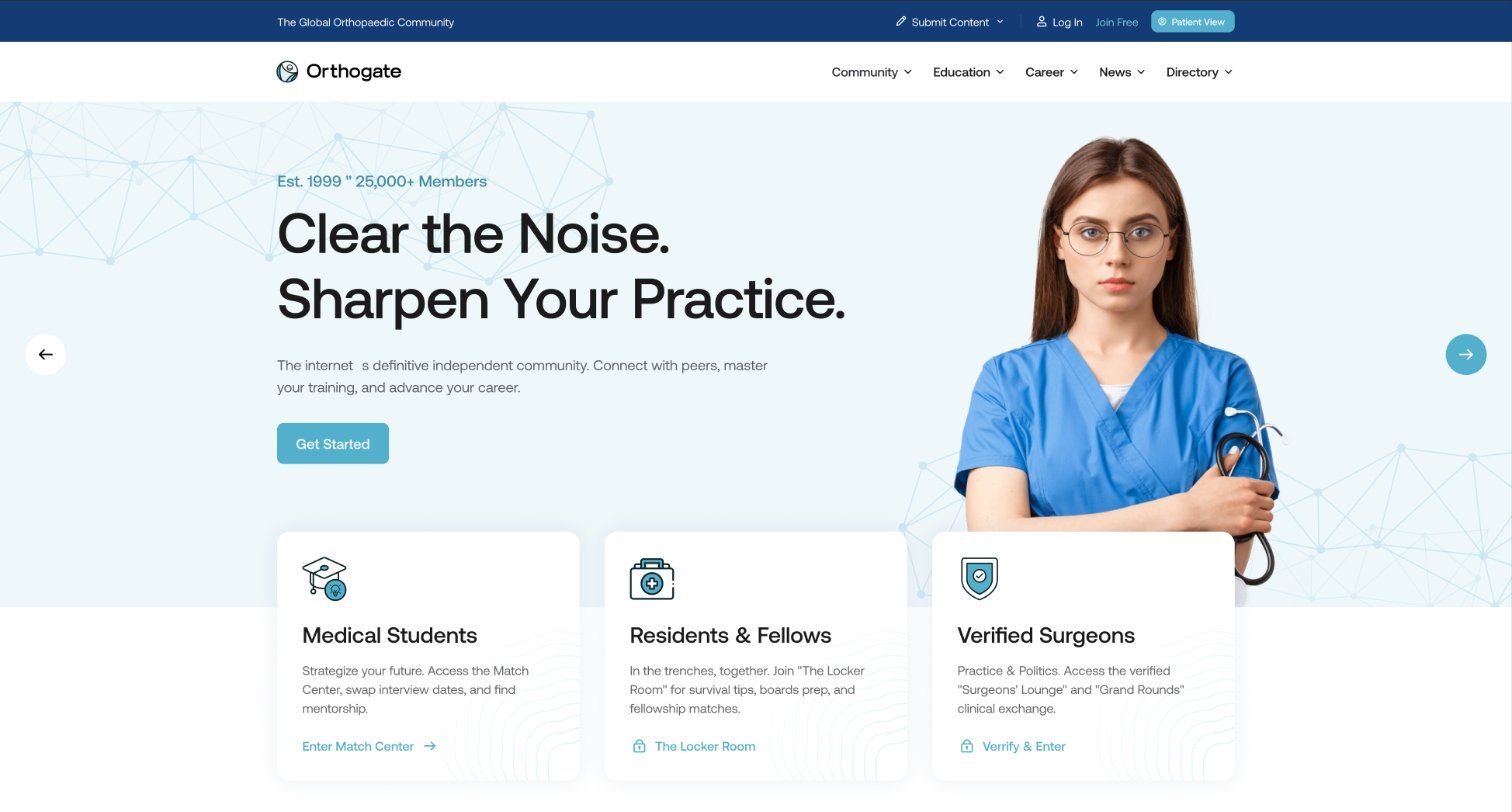
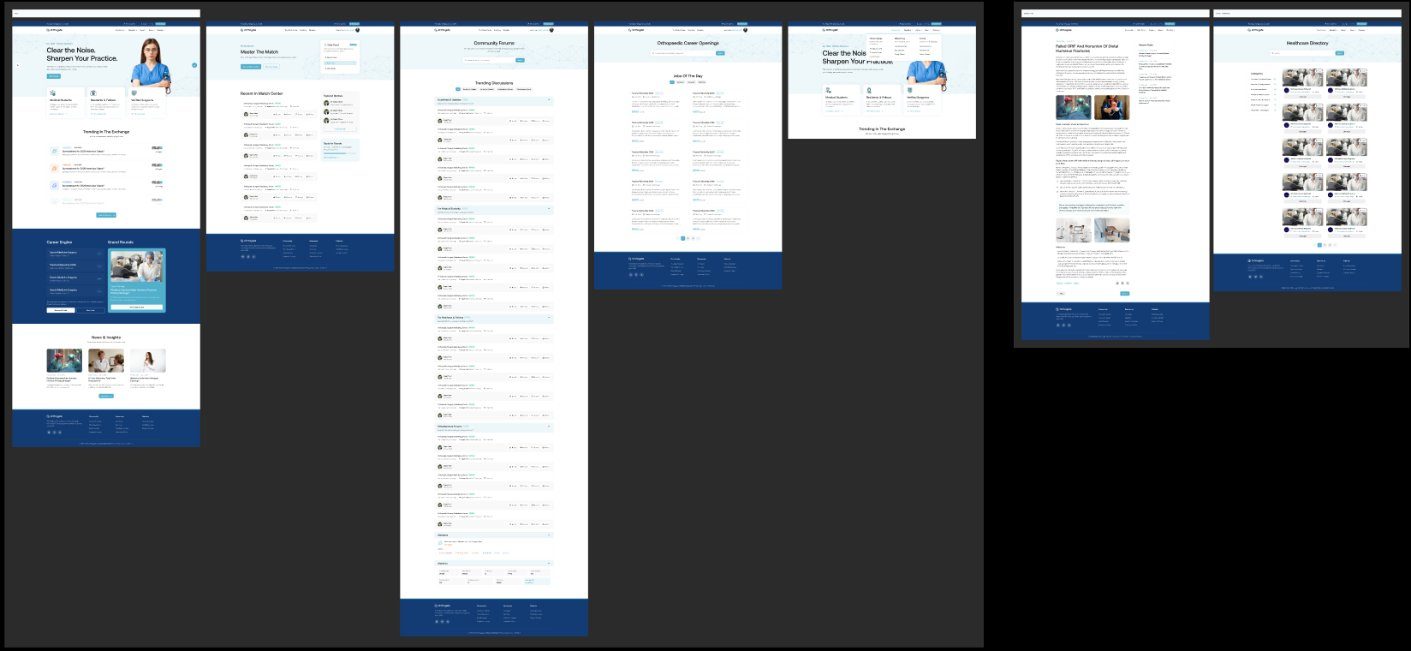
The key screens were drawn in Figma first. Here is the Professional home frame, with what each part is there for.
Orthogate⌄
FileAssets
Frames
Professional home
Match Center
Community forums
Career openings
Mega menu
Article
Healthcare directory
Patient home
Layers
Professional home
top bar
patient view switch
main menu
hero
since line
headline
get started
career stage cards
trending in the exchange
Professional home
</>
The whole file
The Professional screens – home, Match Center, forums, career openings, mega menu, article, directory – and the Patient home.
Professional
Patient
04 Built
One Joomla 6 site, two templates
Same site, same accounts – the switch in the top bar takes a visitor from one side to the other. After launch the Professional hero was reworked with the founder’s own images; the parts and the system stayed the same.
A · Professionalorthogate.org · Professional templateB · Patientorthogate.org/patients · Patient template
01UpgradeJoomla 4 → 4.4 → 5 → 6 on PHP 8.2+ and MySQL 8; forums, members and content carried over.20+ years of community on a supported core.
02Two templatesA Professional and a Patient style on T4, each assigned by menu, each with its own mega menu.Each audience gets a site that speaks to them.
03One forumKunena users and posts moved into EasyDiscuss, in rooms by career stage.Every conversation in one place, easier to moderate.
04Verified accessRole-based sign-up with 23 professional paths; surgeons give a license number and the admin approves them.Surgeons can trust who is in the Surgeon Lounge.
05One listings engineJReviews for the specialist directory, the job board and mentorship – jobs moved off EasyArticles.One engine for every kind of listing.
06/press into JoomlaThe WordPress textbook and Deep Research moved into Joomla articles, on the same URLs.One site to run; the textbook keeps its links.
Who can post where · Exchange ForumEasyDiscuss + Joomla access levels
Patient
Student
Resident / Fellow
Surgeon unverified
Surgeon verified
Patient Forum
Match Center
Locker Room
Grand Rounds
Surgeon Lounge
What each group gets on the new site
Verified surgeons · Surgeon LoungeA private room – only after the license check.Professionals · Exchange ForumRooms by career stage, moved from Kunena to EasyDiscuss.Residents & fellows · Job boardFellowships and jobs as JReviews listings.Patients · Specialist directorySearch surgeons and specialists by name or location.
05 Under the hood
Six ways this redesign could have broken the business
Behind the new look: a forum migration, access rules across three extensions, two templates on one forum engine and a second CMS to absorb. Done wrong, each one costs Orthogate its discussions, its search traffic or its members’ trust – this is the back-end work only a Joomla specialist sees coming.
orthogate.orgstackupgrade pathback-end risks
// stack
cms
Joomla 6
php
8.2+
database
MySQL 8
template
T4 · Bootstrap 5 · FA 6
styles
orthogate-pro · orthogate-patient
community
EasySocial · EasyDiscuss · JReviews · Guru
// upgrade path
4.xstarting point
4.4last 4.x
5.xextensions brought along
6.xlive since Aug 2026
One major version at a time – every break shows up in its own step.
// back-end risks
01data migration✓
02access control✓
03routing✓
04content import✓
05server-side bug✓
06performance✓
risk01Data migrationTwo forum engines into one, without losing a post
Problem
Twenty years of discussions sat in Kunena, with Q&A in EasyDiscuss and over a hundred patient sub-categories, many of them empty.
Why it’s hard
Members, authors, dates and thread order all have to land in a different schema – and every old forum URL is already in Google.
If done wrong
Lost posts or dead forum links – twenty years of the community’s value and the search traffic that brings new members.
How we did it
Imported Kunena users and posts into EasyDiscuss, merged topics into the new Professional / Patient categories, turned old sub-categories into tags, folded the patient rooms into five zones and kept the old forum address on a 301.
One forum · /forum → 301 → /forums · 5 support zones live
risk02Access controlOne role per member, enforced across three extensions
Problem
Students, residents, surgeons and patients each need different rooms – and only verified surgeons may enter the Surgeon Lounge.
Why it’s hard
Sign-up lives in EasySocial, groups in Joomla, posting rights in EasyDiscuss. If they drift apart, the wrong person sees the wrong room.
If done wrong
A patient reading the Surgeon Lounge, or surgeons locked out of it – the trust the whole community runs on.
How we did it
Sign-up sets the Joomla group from the chosen profile type (23 professional paths); posting rights are set per forum room; surgeons give a license number and the admin moves them up after review.
5 groups · per-room rights · verified-only lounge
risk03RoutingTwo templates on one forum engine
Problem
Clean forum URLs needed /forums as EasyDiscuss’s start page – which pulled the patient support groups into the Professional template.
Why it’s hard
The template follows the menu item, and one component can only route through one start page. Fix it the obvious way and either the URLs or the patient look break.
If done wrong
Patients dropped into a clinical-looking forum, or forum URLs that change and lose their rankings.
How we did it
/forums set as a Categories List, with the template assignment worked out per forum branch – professional rooms and patient groups share one engine and keep their own look.
/forums/exchange-forum · /forums/support-groups
risk04Content importA WordPress site moved into Joomla, on the same URLs
Problem
The Musculoskeletal Medicine textbook and Deep Research lived on a separate WordPress install under /press.
Why it’s hard
Two CMSs, two URL schemes – and textbook chapters are exactly the pages other sites link to.
If done wrong
Textbook links from other sites turn into 404s – the pages that bring readers in disappear from Google.
How we did it
Imported the content as Joomla articles in their own categories – 5 sections and 33 chapters, and Deep Research in 7 sections – and mapped them to the addresses they already had.
risk05Server-side bugVideo posts crashing after the relaunch
Problem
Submitting “Create video” ended on Joomla’s error page, and YouTube links in the stream were rejected.
Why it’s hard
The browser only sees a generic error; the cause sits in the server-side video handling of a third-party extension on a new PHP and Joomla version.
If done wrong
Members can’t share videos right after launch – the moment a relaunch needs activity most.
How we did it
Followed the failing request to the server instead of guessing in the browser, and fixed the video component behind it.
POST /network/videos/form 500 → works
risk06PerformanceAn optimizer that made things worse
Problem
JSpeed was meant to raise the PageSpeed score. Above “minimal” it broke the EasyDiscuss and EasySocial toolbars and the home hero.
Why it’s hard
Combining and caching scripts from several extensions breaks their load order – and its cache had grown to 7 GB on the server.
If done wrong
Members lose their forum and profile menus, and a cache that keeps growing can fill the hosting disk and take the site down.
How we did it
Removed it instead of tuning it, and traced the real causes of the slow home page in a separate Lighthouse audit.
7 GB cache gone · toolbars and hero back
Plus the smaller fixes that keep a community running: sign-up emails that threaded together, so the admin could miss surgeons waiting for verification (username now in the subject), a JReviews listing that wouldn’t delete, an Activity Stream link that loaded the wrong page – all closed, with files and database backed up before every extension update.
06 SEO through the restructure
A new structure – without losing 20 years of search traffic
A redesign like this moves things: a forum engine, a hundred categories, a whole second site. Every move is a set of addresses Google already knows – each one had to keep working.
What movedOld addressNowChecked 19 Oct 2026
The textbook/press/musculoskeletal-medicine/same URL · Joomla200 OK
Deep Research/press/deep-research/same URL · Joomla200 OK
The forum/forum/forums301 redirect
Forum categoriesKunena categoriesEasyDiscuss categories301 map, required in the spec
200 OK – the page answers at its old address. 301 – a permanent redirect that passes the old page’s ranking to the new one.
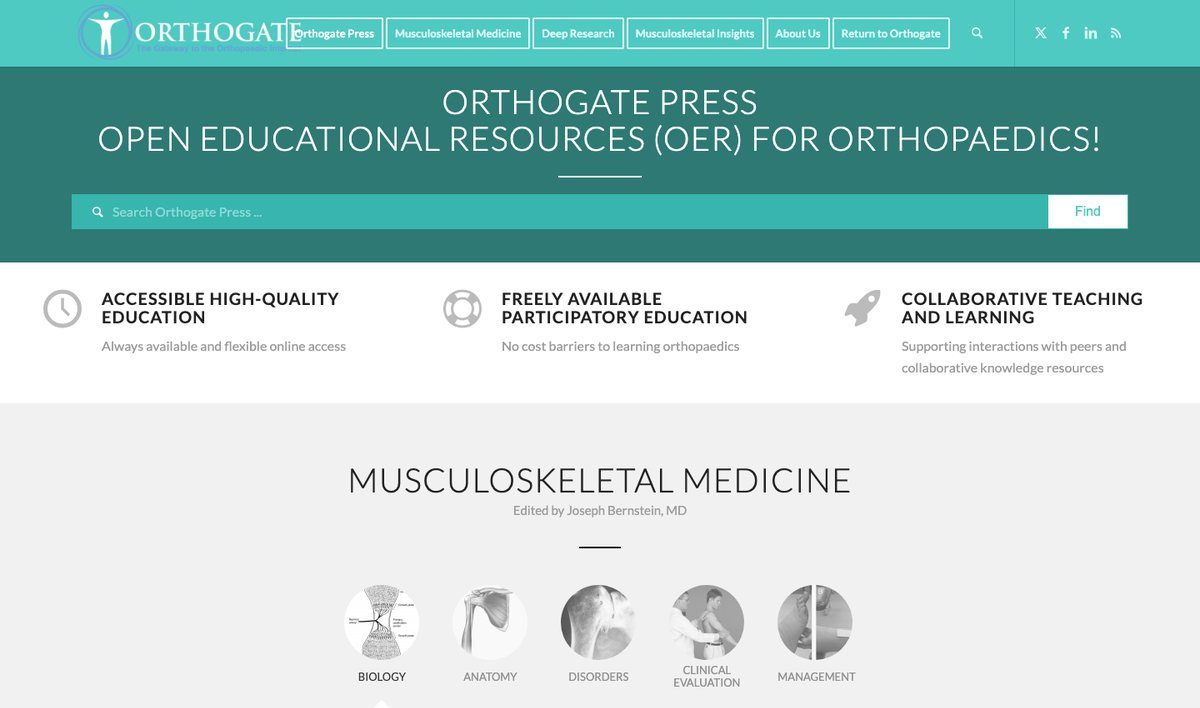
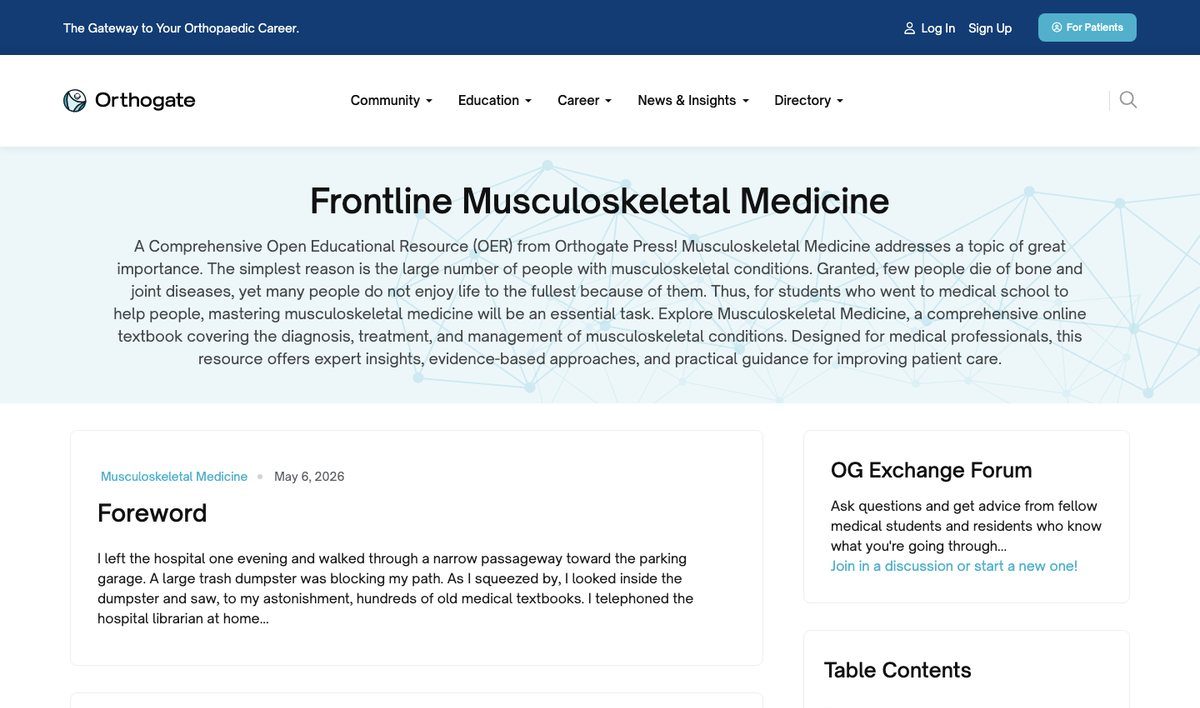
orthogate.org/press
Same address, new engine
The Musculoskeletal Medicine textbook in 5 sections and 33 chapters, and Deep Research in 7 sections – now Joomla articles inside the main site.
Before · WordPressorthogate.org/press · Oct 2025, via the Internet ArchiveNow · Joomla 6orthogate.org/press/musculoskeletal-medicine · live
07 The result
Live on Joomla 6 since August 2026
Measured on the live siteorthogate.org · desktop · 19 Oct 2026 · Google PageSpeed Insights, 1 run
good needs work
98Performance
96Best practices
82SEO
Lighthouse lab test · emulated desktop
Largest Contentful Paint
0.7 sgood ≤ 2.5 s
First Contentful Paint
0.7 sgood ≤ 1.8 s
Total Blocking Time
0 msgood ≤ 200 ms
Layout shift (CLS)
0.019good ≤ 0.1
98desktop performance on a community site with forums, listings and member profiles. On mobile the same day: 31 – our September audit traced it to slow server response and forum and profile scripts loading on the home page.
2experiences – Professional and Patient
4personal dashboards, one per user group
20+years of members, forums and content kept
2 → 1sites – WordPress /press moved into Joomla
“major upgrade and structural modernization”
Dr. Christian VeilletteFounder, Orthogate · in the launch announcement

 Medical community · Orthopaedics