
 Veterans community · US Navy submarines
Cold War Boats: 400 Boats Moved to Joomla 6
Cold War Boats keeps a home page, crew pages and archives for every US Navy submarine of the Cold War era – each boat with its own menu, all in one Joomla site. We moved it to Joomla 6 and a T4 template, and replaced the old one-template-per-boat setup with a single plugin.
- Boat pages400+ in the fleet menu
- Boat menusOne plugin
- Extensions~45 components
Hundreds of boats, each with its own menu – held together by an old template
- One site, a whole fleetCold War Boats gives every US Navy submarine of the era its own home: quarterdeck, crew, history and reunions. The fleet menu alone links to more than 400 boat pages.
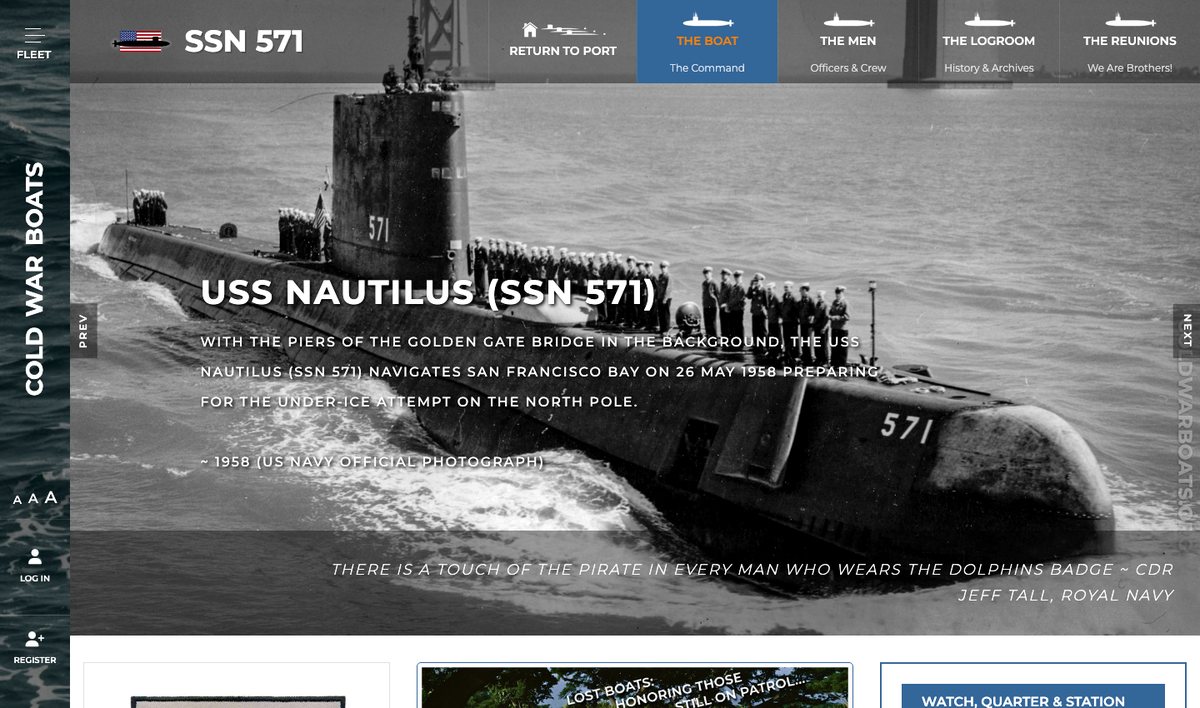
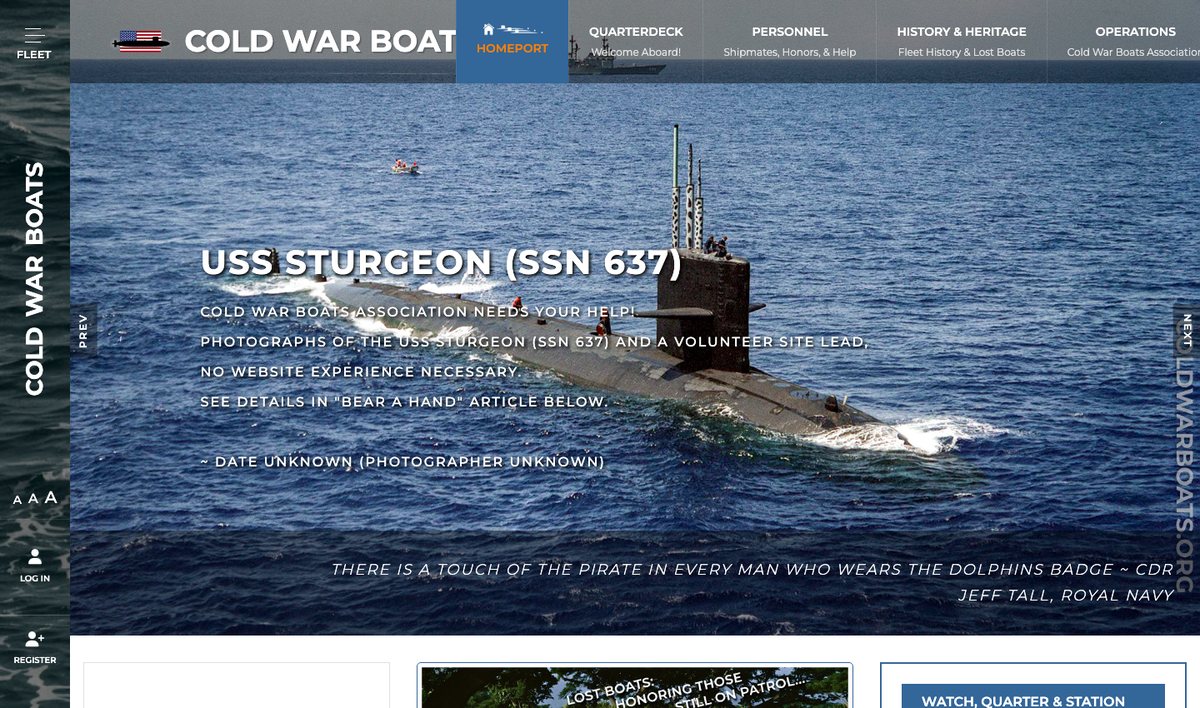
- Each boat, its own menuOpen a boat and the menu across the top becomes that boat’s menu. On the old site this worked by giving every boat its own copy of the template.
- A community, not a brochureShipmates sign up with Community Builder, upload photos to the galleries, find reunions and events and ask for help – all of it had to keep working.
- A template with no futureThe light_church template runs on the Vertex framework, which has no Joomla 6 version. Staying put meant staying on an old Joomla.
A new template and a new way to pick each boat’s menu
Work started in August 2026; the Joomla 6 site went live on the same server in early November.
- 01Joomla 6.2Core upgraded, with the site’s PHP and database settings checked for it.Security fixes again – for years, not months.
- 02Rebuilt on T4JA Colab on the T4 framework, with the old module positions and layouts recreated and the site’s look carried over.A template that follows Joomla updates.
- 03A boat-menu pluginOne small system plugin decides which menu a page shows – the fleet menu or one boat’s menu.No more one template copy per boat.
- 04Settings moved by scriptThe old per-boat template settings turned into plugin settings on hundreds of menu items, with a dry run and a check first.Every boat kept its own menu on day one.
- 05Extensions reviewedCommunity Builder, JEvents, RSEvents Pro, AcyMailing, JCE, Akeeba and the rest checked and updated where a Joomla 6 version exists.The community features members use still work.
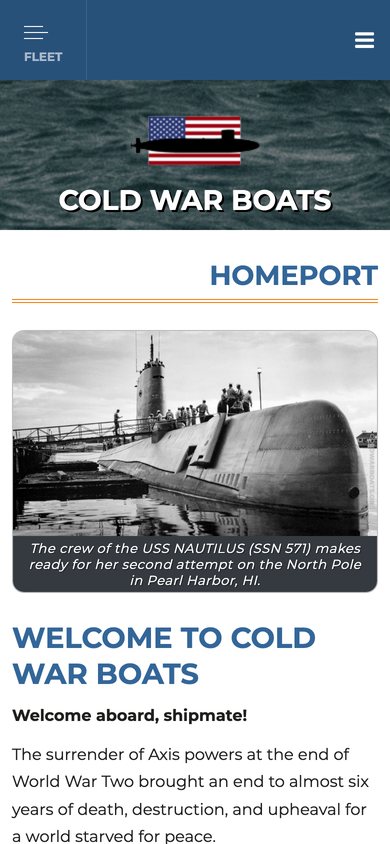
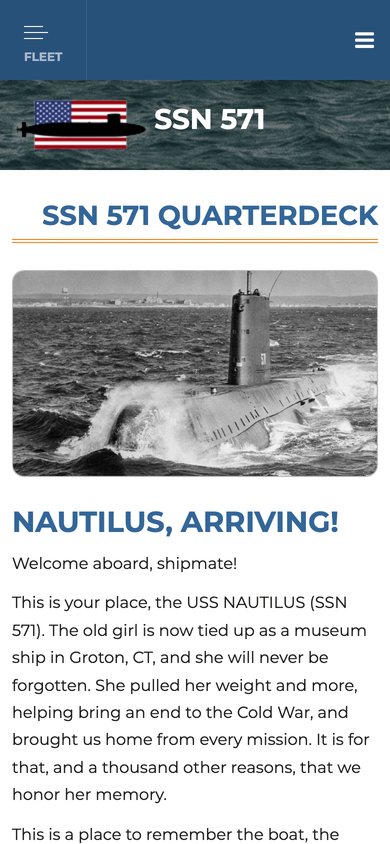
- 06Mobile and loadingResponsive header and off-canvas fleet menu; CSS, JS and images loaded more lightly.Shipmates can browse their boat on a phone.
Six ways a template swap could have broken 400 boats
On most sites a new template is a front-end job. Here the old template also decided which menu each boat showed – so changing it meant moving the site’s navigation logic, hundreds of menu settings and a large set of community extensions without losing a boat.
- cms
- Joomla 6.2
- template
- JA Colab · T4 Framework
- custom
- plg_system_cwbcontext
- community
- Community Builder
- events
- JEvents · RSEvents Pro
- host
- Plesk · ~220 GB site
- oldlight_church · Vertex
- copyfull migration copy
- menusdry run → verify → apply
- 6.2live, Nov 2026
The old site kept next to the new one until the switch.
- 01boat menus✓
- 02menu settings✓
- 03Homeport menu✓
- 04extensions✓
- 05custom code✓
- 06a very large site✓
-
risk01NavigationThe template decided which menu each boat showed
- Problem
- Every boat had its own light_church template style. A menu item picked a style, and the style’s Vertex settings named the menu to show.
- Why it’s hard
- T4 has nothing like this. Copying the trick would mean hundreds of T4 styles to keep in sync – the same trap again.
- If done wrong
- Boats lose their menus, or show another boat’s – and shipmates can’t find their crew pages.
- How we did it
- Wrote a system plugin with one rule for every page: the menu item’s own boat setting, else its menu if that is a boat menu, else the last boat visited, else the fleet menu. T4’s mega menu and logo read it through template overrides.
One plugin · one rule · cached boat map
-
risk02Data migrationHundreds of menu items to switch over
- Problem
- The boat each page belongs to lived in old template styles and a Vertex settings table, not on the menu items.
- Why it’s hard
- Done by hand across hundreds of menus, a few would be missed – and nobody would notice until a shipmate did.
- If done wrong
- Boats quietly falling back to the fleet menu, with no record of what they used to show.
- How we did it
- A migration script with a dry run (report only), a
--verifymode that compares the new rules with what the old template did, and--apply, which first saves the original styles to a backup table so it can be checked and run again.
Dry run · verify · apply · old styles kept
-
risk03MenusA fleet menu that was also the home page
- Problem
- Homeport – the home page, Quarterdeck, Personnel, History & Heritage, Operations – sat inside the big fleet menu.
- Why it’s hard
- Moving menu items usually changes their ids, and ids are what links, modules and bookmarks point to.
- If done wrong
- A broken home page and links across the site pointing at items that no longer exist.
- How we did it
- A second script moved the Homeport branch into its own menu with every item id kept, backed up the menu table first and refuses to run twice. The plugin treats Homeport like a boat, so its menu shows across the top.
Item ids kept · backup table · run once
-
risk04ExtensionsAbout 45 components, each on its own update path
- Problem
- Community Builder, JEvents, RSEvents Pro, RSTickets Pro, AcyMailing, JCE, Akeeba, a gallery, donations, surveys and access-control tools all had to run on Joomla 6.
- Why it’s hard
- Each vendor ships Joomla 6 support on its own schedule, and permissions from an access-control extension don’t always survive an upgrade.
- If done wrong
- Sign-ups, events, galleries or member-only pages break – or open up to the wrong people.
- How we did it
- Updated each extension where a Joomla 6 version exists, and wrote maintenance scripts to fix and rebuild the access-control tables after the upgrade.
Extensions updated · ACL rebuilt
-
risk05Custom codeCustom work the next update could wipe
- Problem
- The boat menus touch the template’s mega menu, off-canvas toggle and logo.
- Why it’s hard
- Edits inside T4 or JA Colab are overwritten by the next template update. And menus are cached, so a change in the back end may not show for hours.
- If done wrong
- A routine template update takes every boat menu off the site, or editors save a menu and see nothing change.
- How we did it
- Kept the logic in the plugin and the template changes in overrides that fall back safely when the plugin is off. Saving, moving or unpublishing a menu item clears the plugin and page caches.
Overrides only · caches cleared on save
-
risk06ScaleA site too big to move twice
- Problem
- Decades of photos, documents and galleries – the hosting account is around 220 GB.
- Why it’s hard
- A full copy takes hours, and the site keeps changing while you work. Member lists and image-heavy archive pages were already slow.
- If done wrong
- Lost uploads from the weeks of the move, or a new template that makes the slowest pages slower.
- How we did it
- Built the migration copy on the same server, pointed it at the live images instead of copying them, and kept the old site beside the new one until the switch. Reviewed the slow pages for lazy loading and lighter assets.
Images shared · old site kept · same server
Every boat kept its menu – now on Joomla 6
The menu across the top follows the boat you are on
The same Joomla 6 site and template. On Homeport the header shows the fleet sections; open a boat and it switches to that boat’s own menu – The Boat, The Men, The Logroom, The Reunions.
Related work & services

Still on an older Joomla version?
Tell us about your site. We reply within one business day with a migration plan and a quote.