
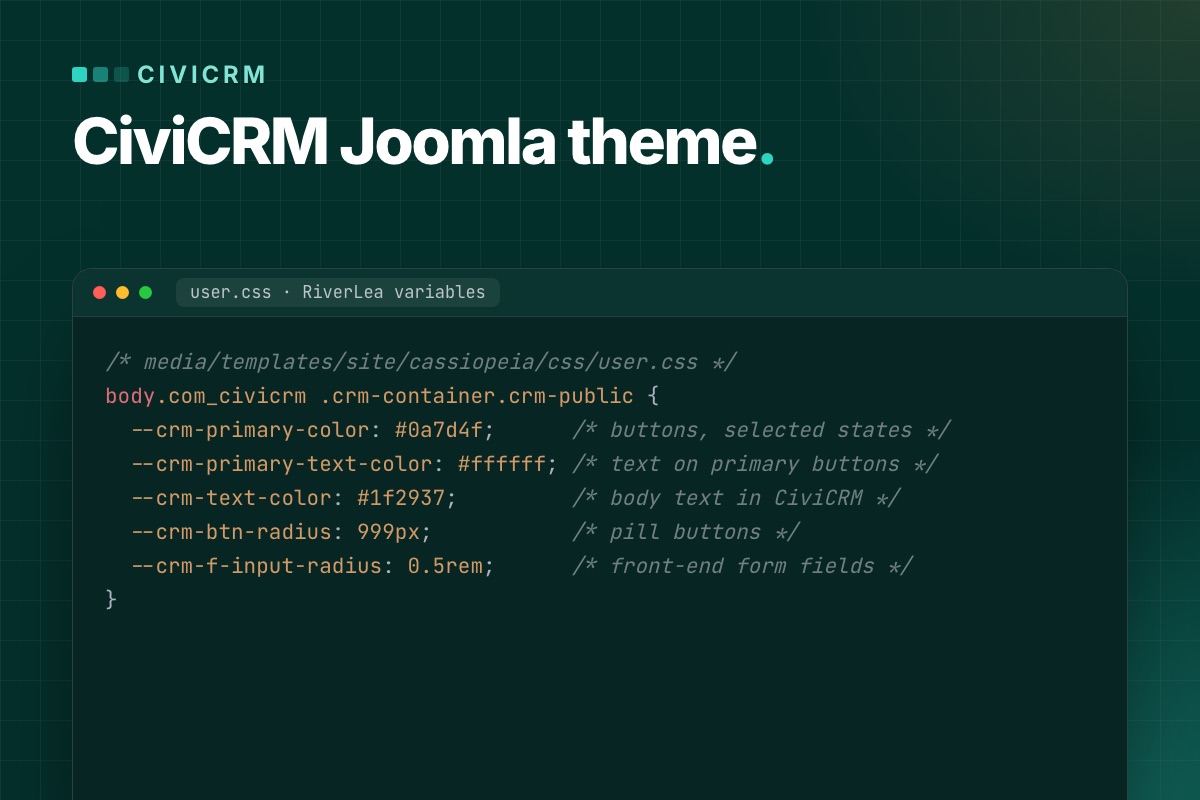

Your Joomla template does not style CiviCRM. CiviCRM pages bring their own theme, RiverLea, and its CSS loads after your template's CSS. For a CiviCRM Joomla theme that matches the rest of your site, keep RiverLea and change its CSS variables from your template's user.css, scoped to body.com_civicrm .crm-container.crm-public. Five variables were enough to give the donate page in our test the site's colors and button shape. Below is the snippet, three things that made our first attempts fail, and what to do when CSS is not enough.
Why your template does not reach CiviCRM pages
A CiviCRM page in Joomla is the CiviCRM component (option=com_civicrm) printing its own Smarty templates inside <div id="crm-container">. Joomla layout overrides in html/com_civicrm/ do nothing, because there is no Joomla layout to override.
The CSS order is the bigger surprise. On our test page (CiviCRM 6.19.2 on Joomla 6.2 with Cassiopeia) the template's user.css was the 5th stylesheet. All 27 stylesheets after it were CiviCRM's: icons, jQuery UI, select2, the RiverLea files and, last, RiverLea's generated river.css. When your rule and CiviCRM's rule have the same specificity, CiviCRM wins.
Step 1: check which CiviCRM theme the front end uses
New CiviCRM 6.x installs enable the RiverLea extension and set the Minetta stream for both front end and back end. A site upgraded from an older CiviCRM may still be on Greenwich, the old theme. Check under Administer → Customize Data and Screens → Display Preferences → Frontend Theme. The options:
- Minetta, Walbrook, Hackney Brook, Thames: the four RiverLea streams. They share the same CSS and differ in their variable values. Everything in this post works with them.
- Greenwich: the CiviCRM 4.x look, without the variables. You would have to override selectors one by one.
- Automatic: resolves to Greenwich in CiviCRM's code unless an extension picks another theme.
- None (Unstyled): leaves out
civicrm.cssandbootstrap.css. Only worth it if you want to write every CiviCRM style yourself.
Pick the stream closest to your site and leave the rest to variables. Dark mode is a separate setting under Administer → Customize Data and Screens → Theme Settings: Frontend Dark Mode Setting defaults to "Always use light mode". Keep that unless your Joomla template has a dark mode too: with "Inherit from browser/OS", visitors whose system runs in dark mode get dark CiviCRM forms inside a light page. If you do switch it on, the colors you set in step 2 apply in both modes, so give the dark mode its own values: inside @media (prefers-color-scheme: dark) with "Inherit from browser/OS", or in place of the light values if you choose "Always use dark mode".
Step 2: override RiverLea variables in your template
RiverLea defines more than 400 custom properties in ext/riverlea/core/css/_variables.css, all on :root. Buttons, fields, tables and alerts read their colors and shapes from them. You set your values on the CiviCRM container instead. This is the file we tested with Cassiopeia, which loads user.css on every page once the file exists:
/* media/templates/site/cassiopeia/css/user.css */
body.com_civicrm .crm-container.crm-public {
  --crm-primary-color: #0a7d4f;      /* buttons, selected states */
  --crm-primary-text-color: #ffffff; /* text on primary buttons */
  --crm-text-color: #1f2937;         /* body text in CiviCRM */
  --crm-btn-radius: 999px;           /* pill buttons */
  --crm-f-input-radius: 0.5rem;      /* front-end form fields */
}
The font needs no line on Minetta: RiverLea already sets --crm-font: inherit on public pages, so CiviCRM text uses your template's font. The other streams name their own font (Thames uses Lato, Walbrook Inter); with those, add --crm-font with your font stack.
Create the file under System → Site Templates → Cassiopeia Details and Files (New File, in media/templates/site/cassiopeia/css) or upload it. With another template, put the same rule in its custom CSS file (in a T4 template, custom.css), or use your template's own color variables as the values: --crm-primary-color: var(--your-brand-color);.

The selector matters for two reasons. body.com_civicrm limits the rule to CiviCRM pages (Cassiopeia and T4 templates both put the component name in the body class), and the extra weight keeps it ahead of RiverLea's own .crm-container.crm-public rule, which sets a few variables on the same element. .crm-public is added by CiviCRM only on public pages (contribution, event, petition and profile pages), so the CiviCRM screens in the Joomla administrator keep their theme.
Three things that failed in our test
1. Setting the variables on :root. The obvious :root { --crm-primary-color: #0a7d4f; } in user.css changed nothing: the button stayed gray (#696969). RiverLea's files declare the same variables on :root later in the page. Setting them on the container works, because an element takes a variable from its closest ancestor that sets it.
2. Setting a base variable and expecting the others to follow. Many RiverLea variables are built from other variables, for example --crm-text-color: var(--crm-text-dark-color). That line is worked out once, on :root. Setting --crm-text-dark-color on the container did not change the text color; setting --crm-text-color did. The same trap catches the radius: --crm-l-radius is the general corner size, but buttons use --crm-btn-radius (a fixed 3px in the core variables) and front-end fields use --crm-f-input-radius. Set the variable the element actually reads.
3. Guessing variable names. To find the right one, open the page with the browser's developer tools, select the element, and look at the rule that sets the property: it shows var(--crm-…). Then search _variables.css for that name to see its default. Note that the variable list can change between CiviCRM versions, so check your overrides after each CiviCRM update.
Another way: edit a stream inside CiviCRM
If the people who run the site should change colors without touching files, RiverLea has an editor. On the same Theme Settings page, click Copy and edit on a stream (the built-in streams are not edited directly), and set Colors, Font Size, Roundness and Custom CSS. Then click Set for Frontend on the copy.
The values are saved in the database and written to river.css, so there is no file to deploy. The trade-offs: they are not in your template's version control, they apply to the back end too if you set the stream for it, and the editor itself warns that custom CSS may need adjusting after CiviCRM updates. Roundness sets --crm-l-radius in river.css, so fields and boxes that are built from it follow, but buttons keep their fixed 3px --crm-btn-radius. We prefer the template file for a site whose design lives in the template, and the stream editor when the client wants to tweak colors themselves.
Custom CSS URL and "Disable CiviCRM css"
Administer → System Settings → Resource URLs has two older options. Custom CSS URL loads your stylesheet after CiviCRM's core CSS and before river.css, on admin screens as well as public pages, so scope it with .crm-public too. Disable CiviCRM css only removes civicrm.css. With a RiverLea stream active, the other core files are still added by RiverLea, so the page is not unstyled. If you want no CiviCRM styling at all, choose the None (Unstyled) theme instead.
When CSS is not enough: Smarty overrides
Some changes need different markup, such as an event list as dated rows or a two-column event page. CiviCRM looks for templates in its Custom Template Directory before its own templates/ folder. Set the directory under Administer → System Settings → Directories. Keeping it inside your Joomla template makes the overrides travel with it:
# Administer → System Settings → Directories → Custom Template Directory
[cms.root]/templates/your_template/civicrm/

# copy the core file to the same path below that folder, then edit the copy
administrator/components/com_civicrm/civicrm/templates/CRM/Event/Page/List.tpl
  → templates/your_template/civicrm/CRM/Event/Page/List.tpl
Two habits keep this manageable:
- Add instead of replacing when you can. A file named
List.extra.tplnext to the path is appended after the core template's output, with no copy of the original to maintain. - Clear the caches after adding an override. CiviCRM compiles Smarty files into
media/civicrm/templates_c/. With the default settings it notices edits to an existing override on the next request; after adding a new override file or changing the directory, run Administer → System Settings → Clear Caches so nothing old is served.
CiviCRM's developer docs describe the template system and themes in more detail. Every copied .tpl is a file you have to compare with the new core version on each CiviCRM update, so keep the list short and note at the top of each copy what you changed. Our CiviCRM update routine includes that check. For changes in behavior rather than markup, hooks in an extension are the better place; see keeping CiviCRM fixes out of core.
The Joomla side of a CiviCRM page
- Keep one H1. CiviCRM prints the page title as an
<h1>inside.crm-title. It is tempting to hide it and show the title elsewhere, but on Cassiopeia that left our page with no visible H1. Hide it only if your template prints its own page heading on CiviCRM pages. - Give each public CiviCRM page a menu item. The menu item decides which modules, template style and breadcrumbs the page gets, and gives it a clean URL. Our post on CiviCRM pages that return 404 after a Joomla upgrade covers the menu item types.
- Use a template style for wide forms. If a sidebar squeezes a long contribution form, assign a template style without the sidebar to those menu items.
Test every step, not only the first page
Contribution and event pages are several pages in a row, and each step has its own markup. After a change, clear the CiviCRM cache, reload without the browser cache, and walk through:
- a contribution page: form, confirmation and thank-you step, with and without "Other amount";
- a membership page, if you sell memberships: the plan choice is a different block from a donation amount;
- an event: the list, the information page, registration, confirmation and thank-you;
- a petition and a profile form;
- the same pages at phone width, and one form submitted with a missing required field, to see the error styles.
Or start from a template that already does this
PX Unity is our Joomla CiviCRM template for nonprofits and councils, built the way this post describes. It maps about 50 RiverLea variables to the template's own colors, fonts and spacing, all scoped to public CiviCRM pages. Four Smarty overrides change the event list, the event page, membership plan cards and personal campaign pages, and summary cards next to the forms show live CiviCRM numbers. The launch post shows the pages, and the PX Unity documentation lists what is covered. Already running CiviCRM on an older Joomla site? Our CiviCRM Joomla 6 upgrade service moves the site and its CiviCRM data first.