
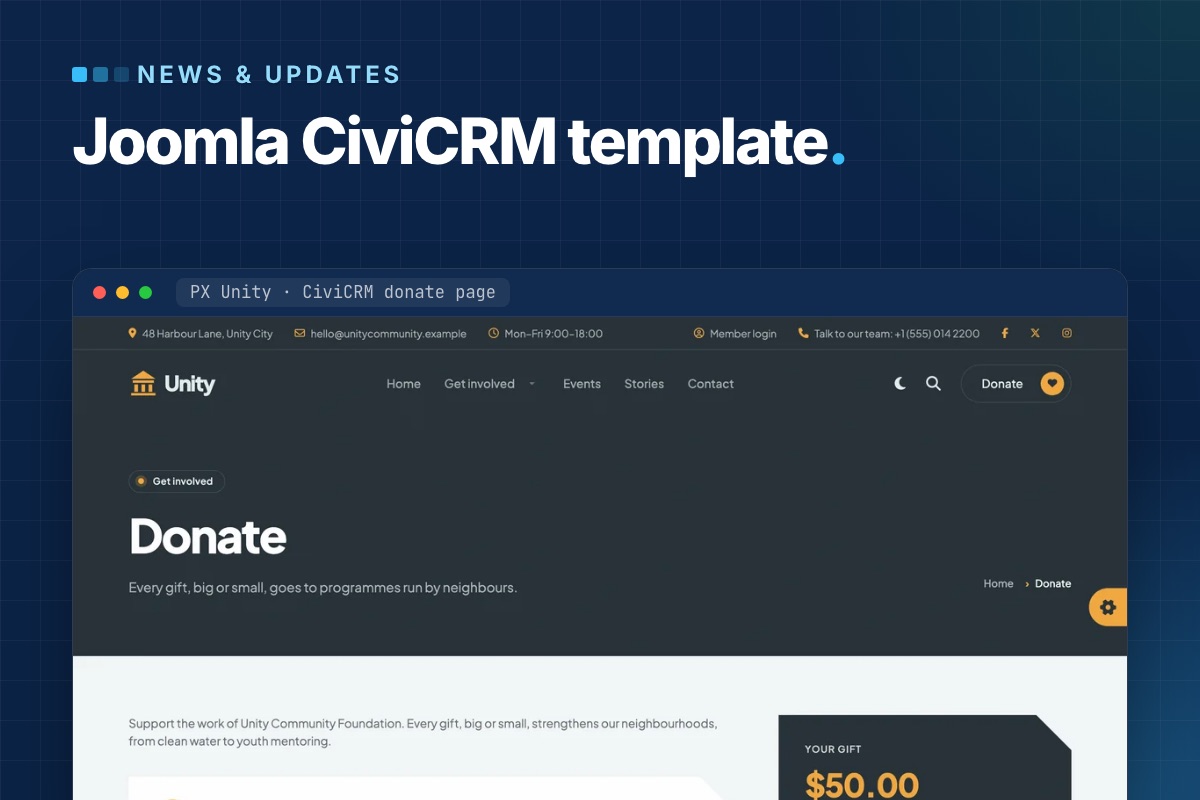

PX Unity is out: a Joomla CiviCRM template for nonprofits, councils and city halls. It styles CiviCRM's donation, membership, event and petition pages like the rest of the site, and its home page blocks read live numbers from CiviCRM – amount raised, places left, membership prices, signatures. The quickstart installs Joomla, CiviCRM, the template and the demo content in one go.
Why a template for CiviCRM sites
Out of the box, CiviCRM's forms come with CiviCRM's own styles. On a typical Joomla template the donate page ends up looking like a different website from the pages around it, and the numbers on the home page – amount raised, places left – are typed in by hand and go stale.
PX Unity handles both: the CiviCRM pages get the site's design, and the blocks that show CiviCRM numbers read them from CiviCRM itself.
CiviCRM pages in the site's design
PX Unity styles the CiviCRM pages visitors see: contribution pages (donations and memberships), event lists, event information and registration, petitions and profiles. They get the same page header and breadcrumbs as every other page, rounded fields, a summary card next to the form and buttons in your brand color.
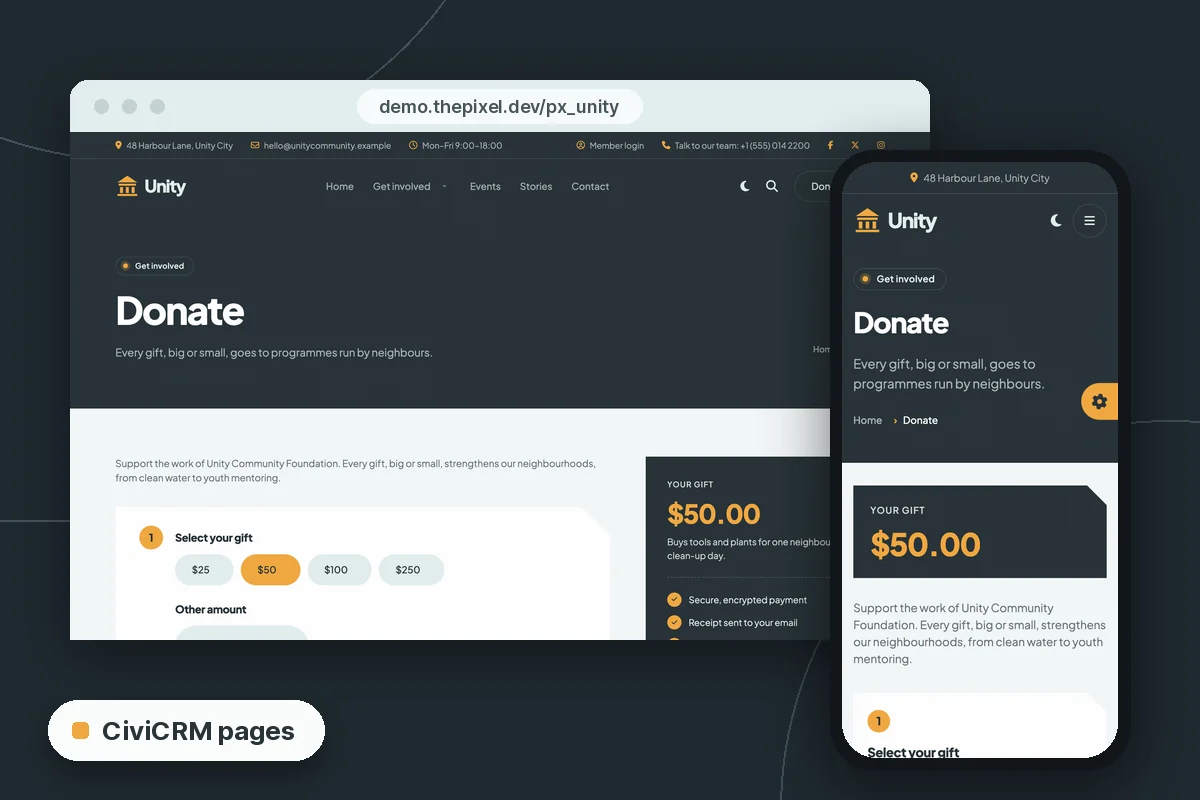
Try it on the demo donate page or the demo events list.
Home page blocks with live CiviCRM numbers
Four PX Content blocks (plus the donation hero) take a CiviCRM ID in their settings and read the rest from CiviCRM. You find the IDs in CiviCRM itself, for example the id= in a contribution page link under Contributions » Manage Contribution Pages.
| Block | Setting | Shows |
|---|---|---|
| Hero, style 2 | Contribution page ID | The donation amounts of that page; the form opens it |
| Campaign | Campaign ID, contribution page ID (optional) | Amount raised, goal, donors and days left |
| Events | Number of upcoming events, or event IDs | Date, place, places left; a waitlist button when an event is full |
| Pricing | Membership type IDs, signup contribution page ID | Plan names and prices |
| Petition | Petition (survey) ID | Signatures and goal; the form signs the petition |
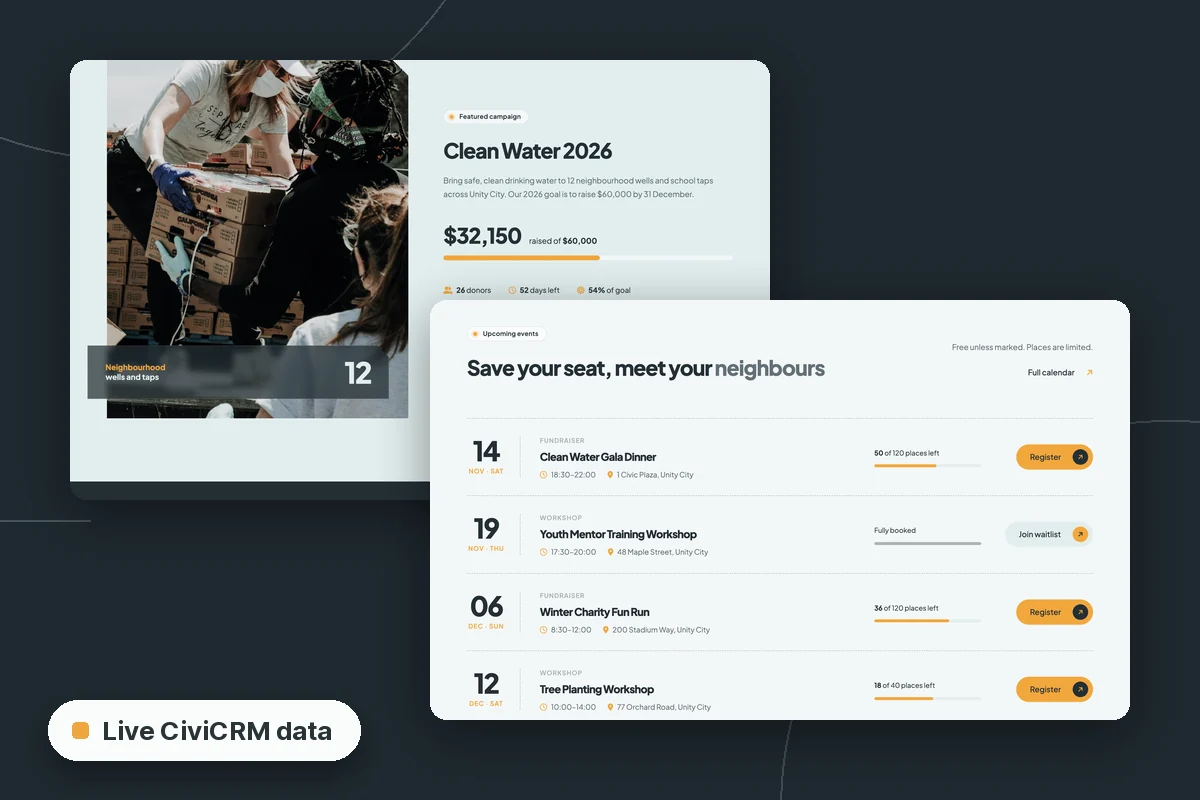
Numbers are cached for a short time, so a new donation can take a few minutes to show. Without CiviCRM – or with an empty or unknown ID – each block shows the texts typed in its other fields, so the template works on sites that don't run CiviCRM at all.
Two home pages: city hall and community foundation
The demo is Unity City, with two home pages built from the same blocks, colors and fonts:
- City hall – services, alerts, departments and public documents first. The documents list (a Category Blog layout) shows budgets, plans and council minutes with a date and a download button from the article's Link A.
- Community foundation – donations, volunteering, events and membership, with its own menu, top bar and a "Donate" header button.
Every section is a PX Content block – 18 blocks in 26 styles made for PX Unity. Editors click Edit content, double-click a heading or paragraph and change it in place. Light and dark mode come with a toggle in the header; in the template settings you choose light, dark, the visitor's system setting, or no toggle.
The quickstart sets up CiviCRM for you
The quickstart is a full Joomla install with CiviCRM 6.19.2, the template, its extensions and the demo contacts, contribution pages, events, membership types and a petition. A few details that save time on a CiviCRM install:
- CiviCRM reads its database, paths, site address and keys from Joomla's
configuration.php. There is nothing to edit after the install, and the site keeps working when you move it to another folder or domain. - The CiviCRM keys are made from the Joomla secret, which is unique to your site.
- On your first visit to the administrator, the site finishes the CiviCRM set-up (menus, caches, database triggers) and turns that step off.
- Demo contacts use example.org addresses and the demo mailings are not queued, so the new site sends nothing. For real mailings and reminders, set up the CiviCRM scheduled jobs – see CiviCRM scheduled jobs not running on Joomla.
Requirements: PHP 8.1.2+ for Joomla 5.4 or PHP 8.3+ for Joomla 6, MySQL 8.0.13+ or MariaDB 10.4+, and about 350 MB of disk space (CiviCRM is most of it).
Joomla 5.4 or Joomla 6?
There are two quickstarts with the same template, CiviCRM version and demo content: Joomla 5.4.10 and Joomla 6.2.0. The PX Unity page marks the Joomla 5.4 one as recommended, and the Joomla 6 one needs PHP 8.3+. As of November 2026, CiviCRM's Joomla package is still labeled "Joomla 5+" – what that means for a Joomla 6 site is tracked in Is CiviCRM compatible with Joomla 6?, updated with each CiviCRM release.
Already running CiviCRM on Joomla?
Install the T4 Framework plugin, the PX Unity template and the PX Content module, in that order, through System » Install » Extensions. Your CiviCRM pages pick up the styles; the home page blocks need the IDs of your own campaigns, events and membership types. A manual install doesn't bring the demo pages and modules, so you build the pages from the blocks – the PX Unity documentation walks through it.
If the site is still on Joomla 3 or 4, move it first: Upgrade a Joomla site with CiviCRM to Joomla 6 covers the route, and the CiviCRM on Joomla 6 guide collects the rest.
Get PX Unity
PX Unity is part of the Pro membership ($99/year), with every ThePixel.dev template and extension. Open the PX Unity page for the downloads, and click through the live demo first. With Pro + Launch ($199/year) our developers install it with your logo, colors and fonts, plus two hours of changes, in two business days.