

Joomla database repair in short: if the error is 1194 or 1195 ("marked as crashed"), take a backup, run CHECK TABLE, and only then REPAIR TABLE, which works on MyISAM, ARCHIVE and CSV tables and does nothing on InnoDB, where you restore the backup instead. A missing table or column (errors 1146, 1054) is a different problem with a different fix. Below: how to tell them apart, and how to run the check and repair from the Joomla administrator with PX Adminer (free) or from SSH with mysqlcheck.
First: what kind of broken is it?
Read the exact error before you touch anything. The MySQL numbers show in the PHP or Joomla error log, or on the page itself when Error Reporting in Global Configuration is set to Maximum; visitors normally see a generic error. A damaged MyISAM table often reports Got error 145 from storage engine, which is the same crashed-table problem (MySQL error 145).
- Error 1194 / 1195, "marked as crashed". The server's own wording is Table '%s' is marked as crashed and should be repaired (1194) and …and last (automatic?) repair failed (1195). This is the case
REPAIR TABLEexists for. - Error 1146 (table doesn't exist) or 1054 (unknown column). The table or column is missing, usually after a half-finished extension update or an import that stopped early. A repair does nothing here; the structure has to be brought up to date. See the Joomla section below.
- The site loads but one item is wrong (a module that will not render, an article stuck as checked out). That is bad data, not a damaged table. Edit the row, or for a locked item use System → Global Check-in.
- Everything is down, including the admin. Start with the host's tools or SSH, and read Joomla broken after a PHP upgrade, because a PHP version problem looks the same from outside.
Back up before you repair
The MySQL documentation for REPAIR TABLE says to back up a table before repairing it, because a repair can lose data. Do it even when the table looks small. In PX Adminer 1.1.0 there is a Back up database link next to Export; it downloads the whole database as a dated .sql.gz file. On the command line the equivalent is mysqldump. Keep the file outside the web root. If the dump stops on the crashed table itself, copy that table's files (.frm, .MYD, .MYI on MyISAM) from the data directory first; that needs server access, so ask your host if you do not have it. If you are about to upgrade Joomla as well, step one of our migration runbook covers the same backup.
Check the storage engine: REPAIR TABLE does not work on InnoDB
REPAIR TABLE works only for MyISAM, ARCHIVE and CSV tables. Current Joomla installs create InnoDB tables, so on a normal Joomla table the statement answers with a note instead of repairing anything. We ran both on a scratch database (MySQL 8.0.40):
-- MySQL 8.0.40, scratch database (Table column left out)
REPAIR TABLE pixel_demo_inno;
+--------+----------+---------------------------------------------------------+
| Op     | Msg_type | Msg_text                                                |
+--------+----------+---------------------------------------------------------+
| repair | note     | The storage engine for the table doesn't support repair |
+--------+----------+---------------------------------------------------------+
List the tables that are not InnoDB on your site:
-- Tables that are not InnoDB
SELECT table_name, engine
FROM information_schema.tables
WHERE table_schema = DATABASE() AND engine <> 'InnoDB';
On a test copy of thepixel.dev, none of Joomla's core tables are in that list: 31 of its 290 tables are MyISAM, and all of them belong to one third-party subscription extension. That is the usual picture: the list is short and points at one extension. Those are the tables a "marked as crashed" error can come from, and the only ones REPAIR TABLE can fix.
Check, then repair a MyISAM table
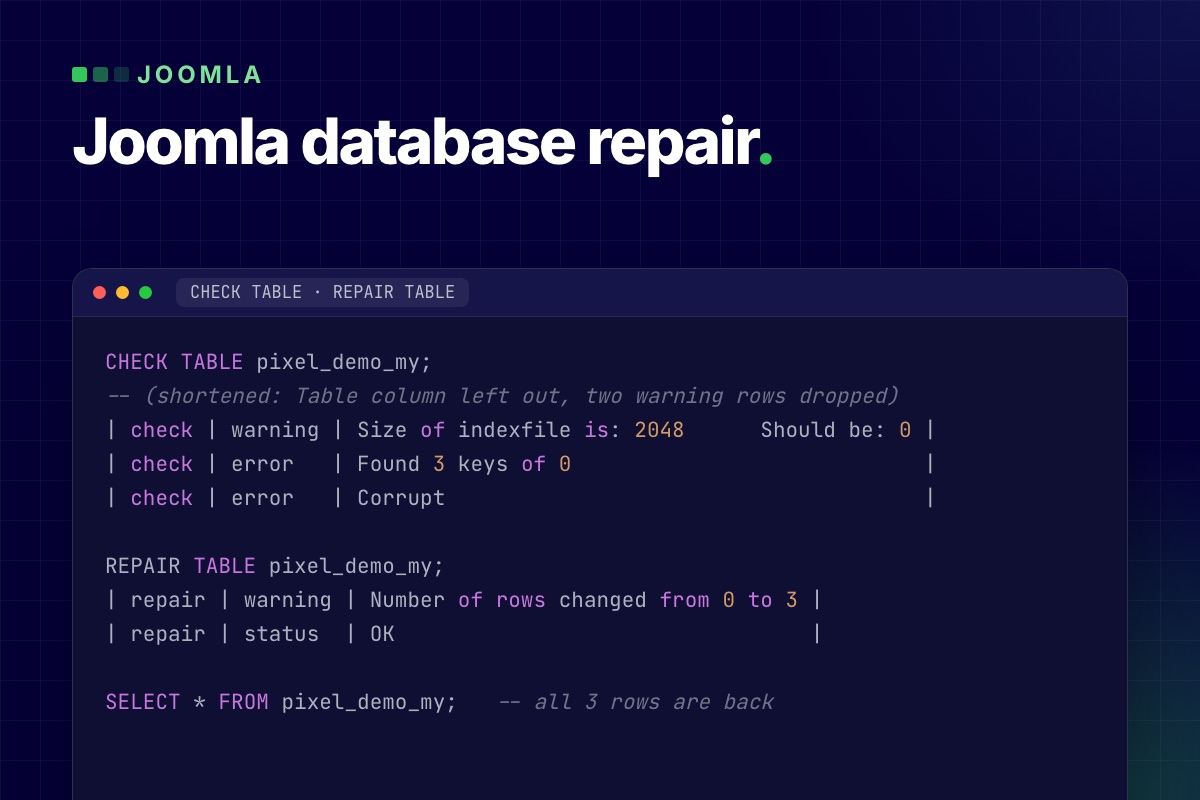
To get a damaged table to show, we overwrote 64 bytes in the header of a MyISAM index file (.MYI) on the scratch database. This is a rough imitation, not the same as a crash during a write, but it gives the same kind of messages. The first step is always CHECK TABLE, which changes nothing:
CHECK TABLE pixel_demo_my;
-- (shortened: Table column left out, two warning rows dropped)
| check | warning | Size of indexfile is: 2048      Should be: 0 |
| check | error   | Found 3 keys of 0                            |
| check | error   | Corrupt                                      |

REPAIR TABLE pixel_demo_my;
| repair | warning | Number of rows changed from 0 to 3 |
| repair | status  | OK                                 |

SELECT * FROM pixel_demo_my;   -- all 3 rows are back
Treat the result as a report to read. A repair that ends with status OK but changes the row count has dropped or recovered rows, and you should know which before the site goes back to normal. If the server stops during a repair, MySQL's documentation says to restart it and run REPAIR TABLE again straight away, before any other statement touches the table.
Run it from the admin with PX Adminer
If the Joomla administrator still opens, you do not need a hosting panel for this:
- Open Components → PX Adminer (it needs Track Session Metadata set to Yes under System → Global Configuration → System, the Joomla default) and click the database name to see the table list with sizes and engines.
- Tick the tables you want to look at. Under the list, the buttons run Analyze, Optimize, Check and Repair; Adminer shows the SQL statement behind each one as a tooltip (
CHECK TABLE,REPAIR TABLE, …). Click Check first. - Read the result. Only if it reports errors on a MyISAM table, run Repair on that table, then Check again.
- Reload the page that failed.
The same four statements can be typed in the SQL command screen. These buttons are Adminer features; PX Adminer wraps them in a Joomla component that only Super Users can open and that uses the database settings Joomla already has. For its security model see the documentation.
No admin? Use mysqlcheck over SSH
mysqlcheck ships with MySQL and MariaDB and runs the same statements on a whole database:
# check every table, change nothing
mysqlcheck -u DBUSER -p --check DBNAME

# check, and repair only the tables that report corruption
mysqlcheck -u DBUSER -p --auto-repair DBNAME
Take the backup first and run it when traffic is low. MariaDB ships its own mysqlcheck with the same options, though we only tested MySQL 8.0.40.
What Joomla's own Database screen does (and does not)
System → Maintenance → Database compares your tables with the update scripts of Joomla and your extensions, and its Update Structure button applies the changes that are missing. That can fix errors like 1146 and 1054 after an interrupted update, when the missing table or column is defined in the update scripts of Joomla or the extension; if it is not, update or reinstall the extension. It does not run REPAIR TABLE, so it will not bring back a crashed table. Run it after a repair if the site still complains about a missing column.
When the table is InnoDB and really is damaged
There is no REPAIR TABLE for it. Damage on InnoDB tends to show up as page corruption or the server failing to start, not as error 1194; if you get 1194, check the engine again with the query above. In order of preference:
- Restore the table, or the whole database, from your last good backup. This is the normal answer.
- Ask your host. Corruption is often a disk or crash problem, not a Joomla one.
- Only as an emergency, MySQL's
innodb_force_recoverycan start a server that will not start, so you can dump your data. Values 4 and above can damage the data files for good, so start at 1 and read that page before you try it. It is a job for the server owner, not something to run from a Joomla admin.
Stop it coming back: move old tables to InnoDB
InnoDB tables recover from a crash on their own in most cases, which is why a "marked as crashed" error is rare on a current Joomla site. If the engine query above showed MyISAM tables, convert them once you have a backup:
ALTER TABLE pixel_demo_my ENGINE=InnoDB;The statement rebuilds the table and blocks writes to it while it runs, which takes a while on a large table, so do it off-peak and check that the extension that owns the table has no fixed-engine requirement first. On the scratch database the table was InnoDB afterwards and kept its rows.
Limits you should know
- There is no undo. Repair and engine changes act on the live database at once.
- It needs a working administrator for the PX Adminer route; otherwise use SSH or your host's tools.
- MySQL and MariaDB only. PX Adminer does not support PostgreSQL.
- Your database user needs the privileges for the statements; on shared hosting the host may restrict them.
Get PX Adminer
PX Adminer is free with a free account on this site. Download it from the PX Adminer page, install it from System → Install → Extensions and open it under Components. Not comfortable running repairs on a live site? Our maintenance and recovery service does it for you.