
PX File Pro – Joomla File Manager for Teams and Clients
Add-on for the free PX File ManagerPX File Pro is PX File Manager for teams and client sites: folders per user group, an image optimizer that makes uploads up to 75% lighter, file versions, a document library, a file manager on your site, S3 / R2 storage and a security scan. In the Pro membership.
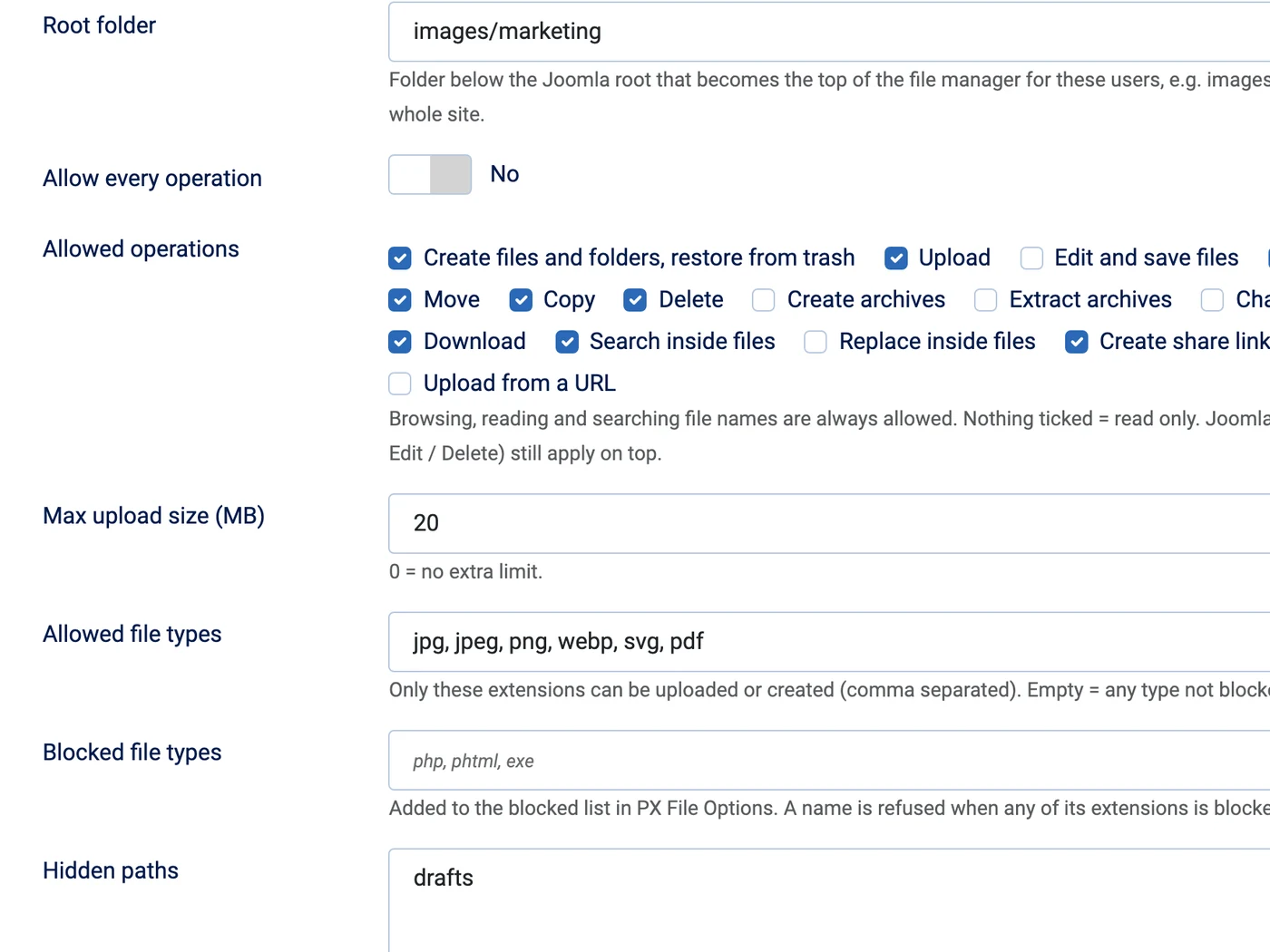
Give each Joomla user group its own folder
Clients, editors or the marketing team see only their folder, with the operations, upload size and file types you allow. Checked on the server, not just hidden.
- Root folder per group or per user
- Choose operations: upload, edit, delete, share…
- Upload size, allowed and blocked file types
- Hidden and read-only paths
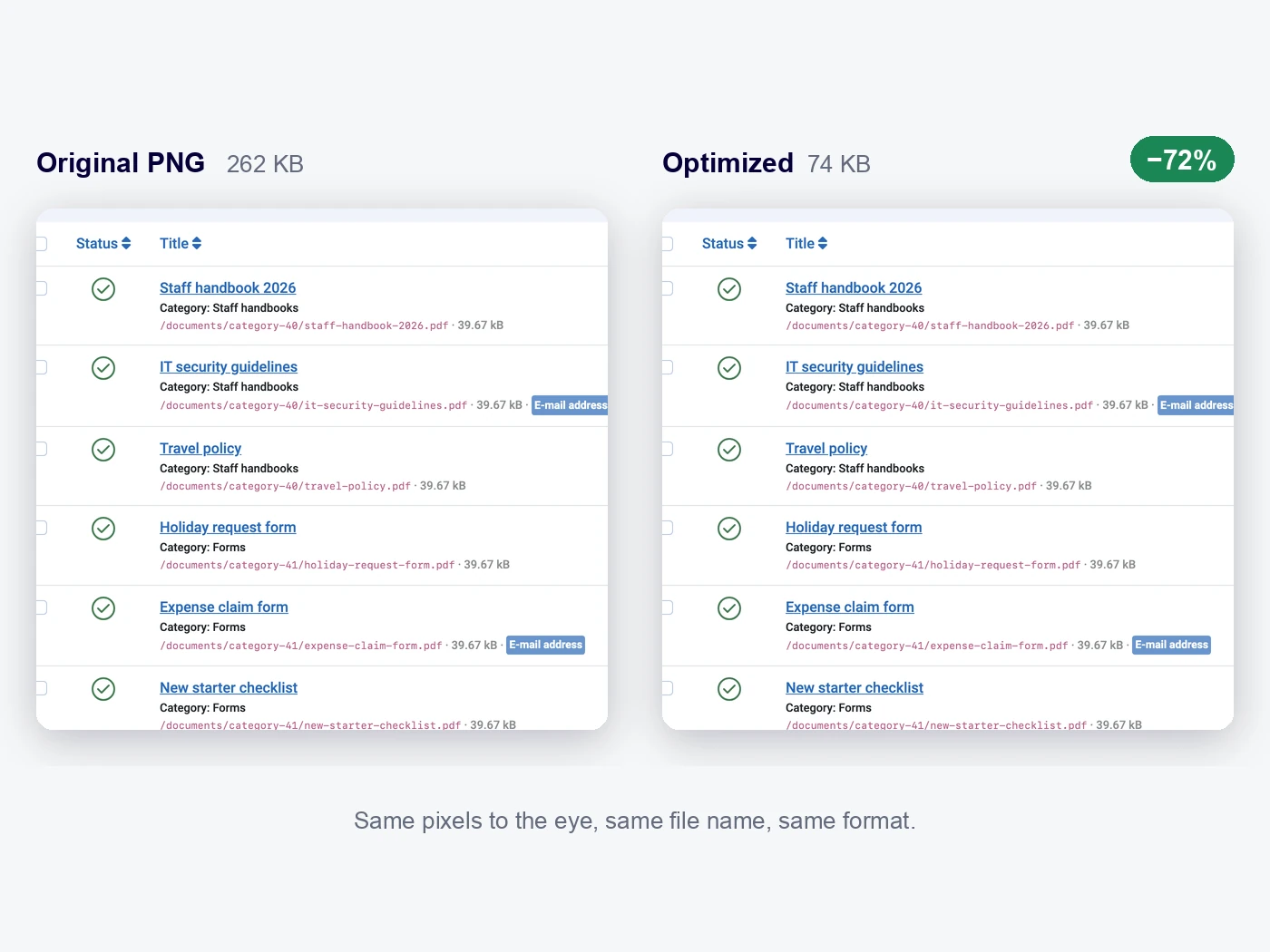
Images up to 75% lighter, automatically
Every JPEG, PNG and WebP gets smaller the moment it is uploaded, in the file manager and in Joomla’s Media Manager. Same format, same name, so every link keeps working. Existing images are done in bulk with one click.
Measured on 35 real images from Joomla sites with the Balanced setting: high quality kept on every image (ssimulacra2 74 or more).
- Large photos fitted inside 2560 px, camera data removed, colours kept exact
- The original kept as a version: restore it any time
- On your server, or TinyPNG with your own API key
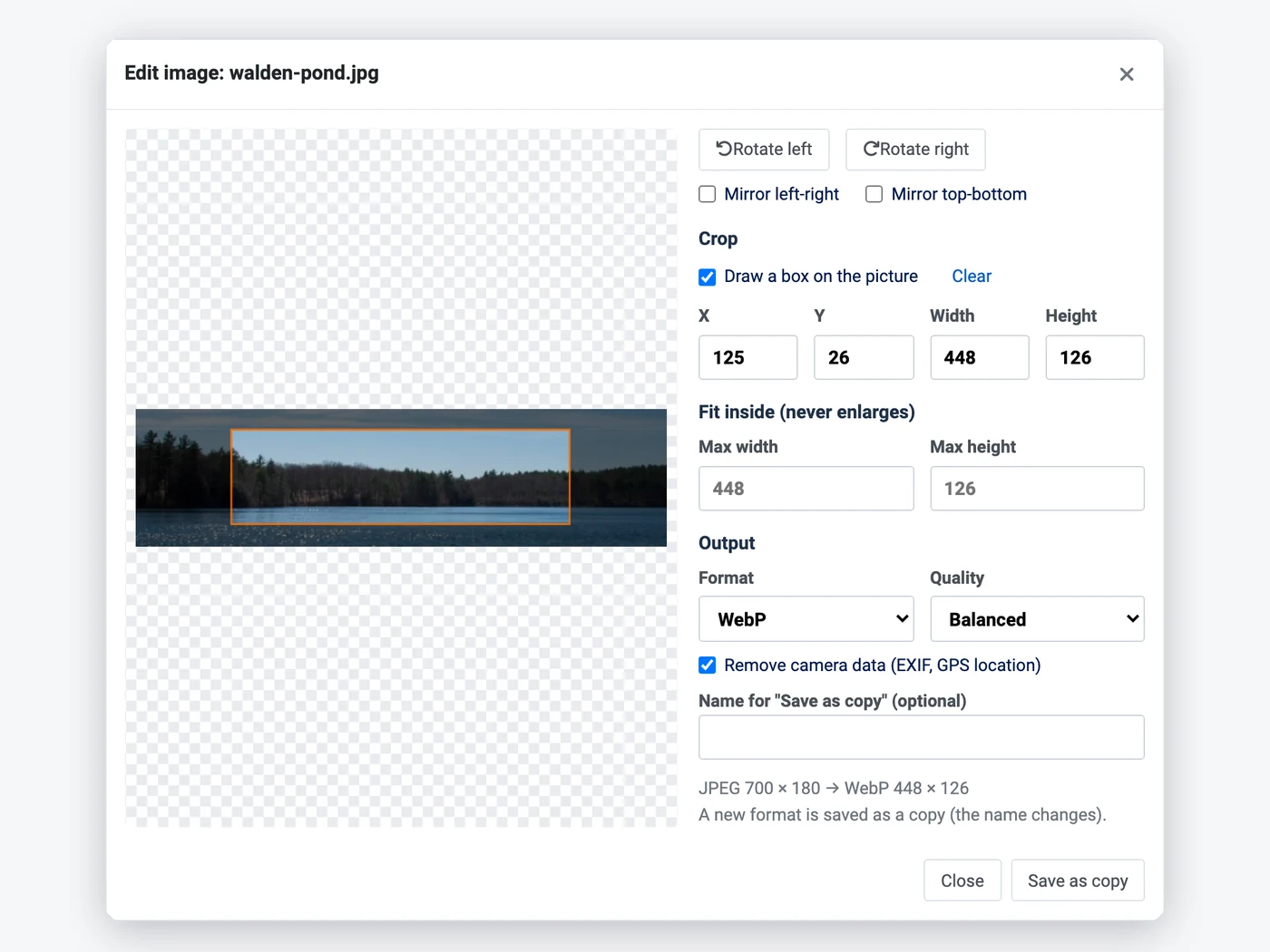
Crop, resize and convert images in Joomla
Rotate, mirror, crop and resize, then save as JPEG, PNG, WebP or AVIF with a quality preset. Every result is checked before it replaces a file, and the original is kept as a version.
- Draw the crop box on the picture, fit inside a size
- WebP and AVIF with tested quality presets
- Removes camera data and GPS location
- Animated and colour-profiled images are never damaged silently
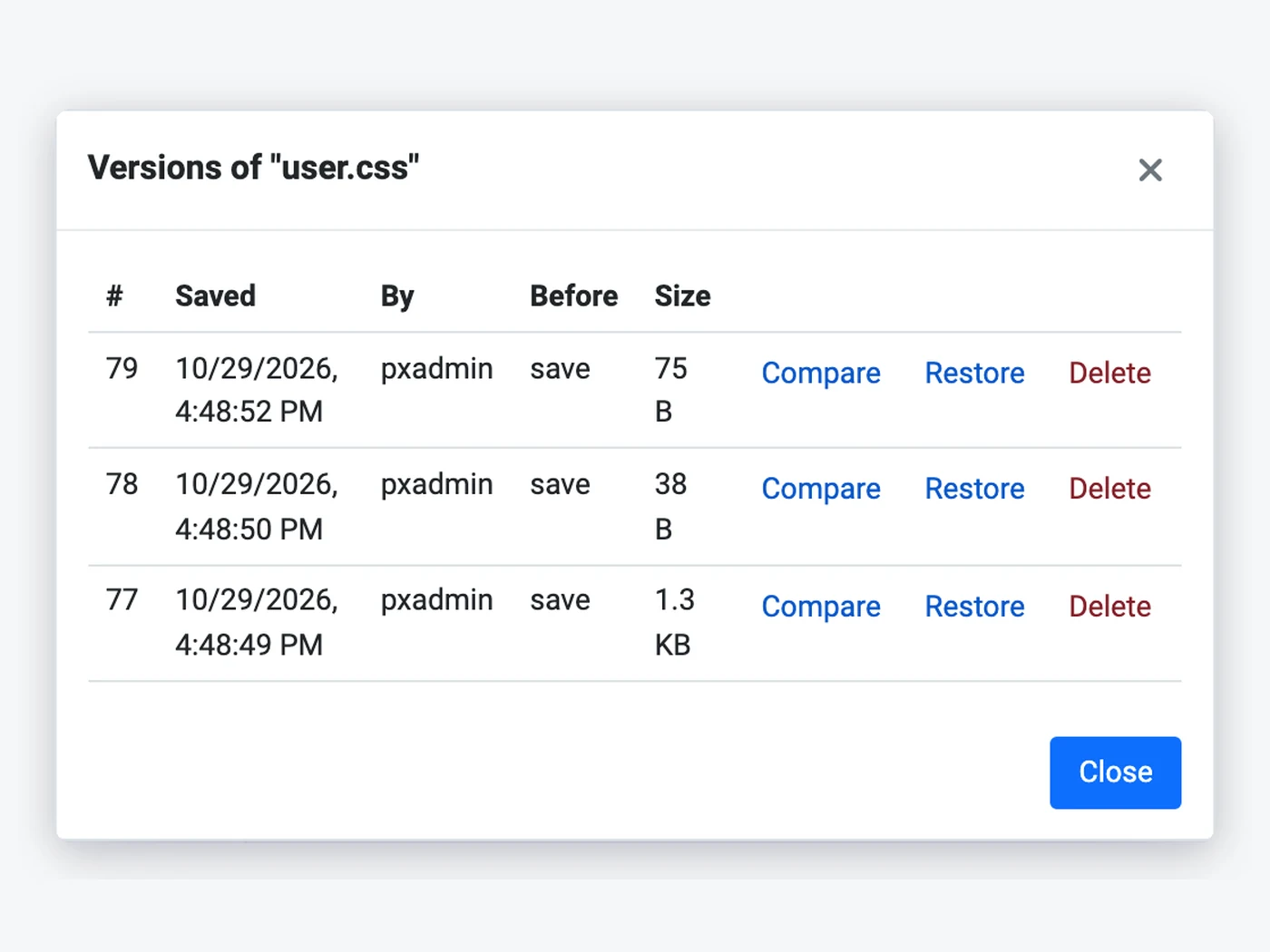
Undo any save: every file keeps its versions
Saving, overwriting, replacing or editing an image keeps the previous version. Compare it with the file as it is now and restore it in one click.
- Side-by-side compare for text files
- Restore in one click, the current file is kept too
- 10 versions per file for 90 days by default
- Old versions purged by the scheduled clean-up
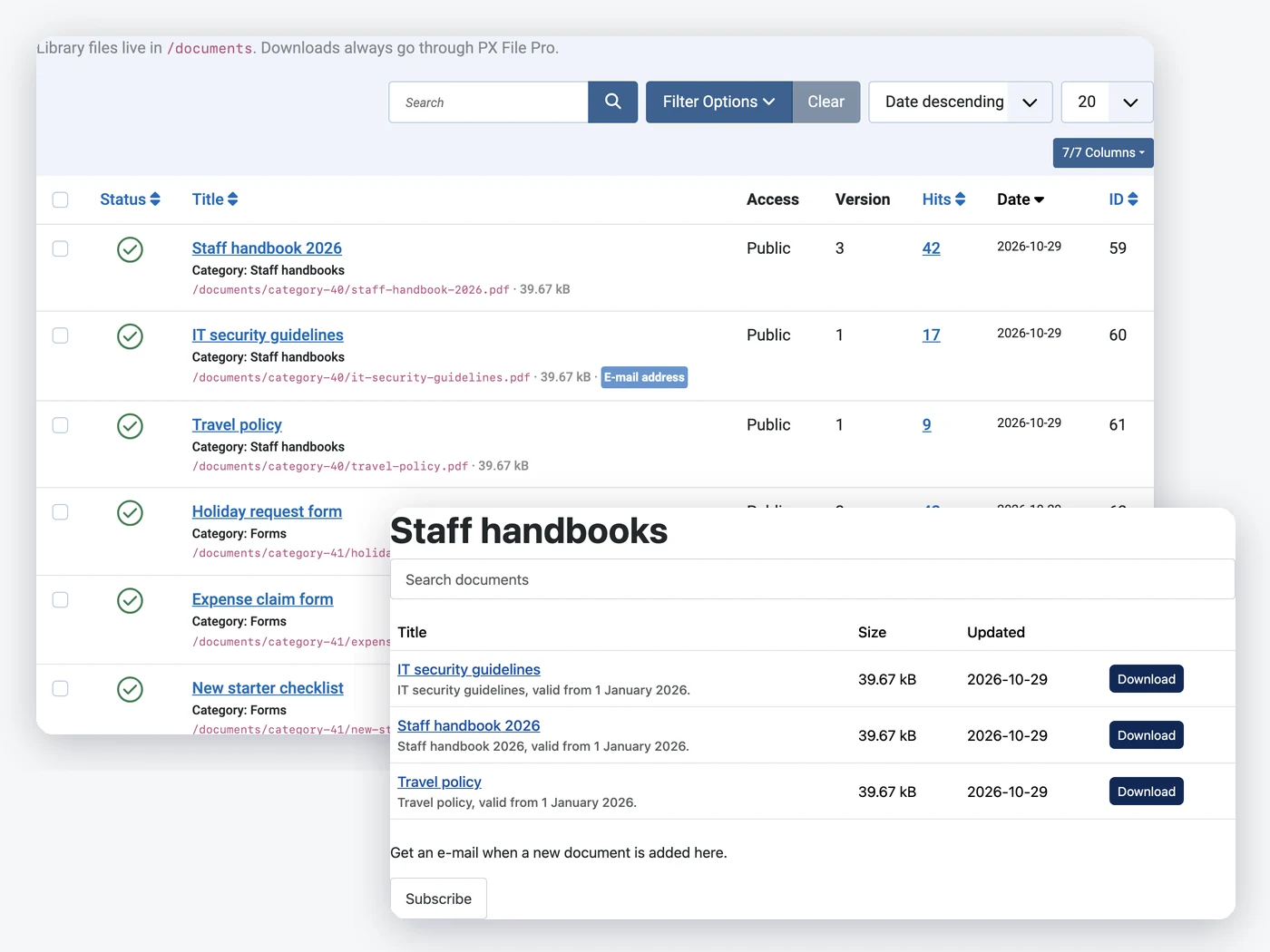
A document library with protected downloads
Publish files in categories on your site. Every download goes through PX File Pro, so access levels, e-mail gates and expiring links are checked each time.
- Categories, versions and download counts
- E-mail gate and signed links that expire
- E-mail to subscribers when a document is added
- Smart Search, Latest documents module, import from DOCman or Phoca Download
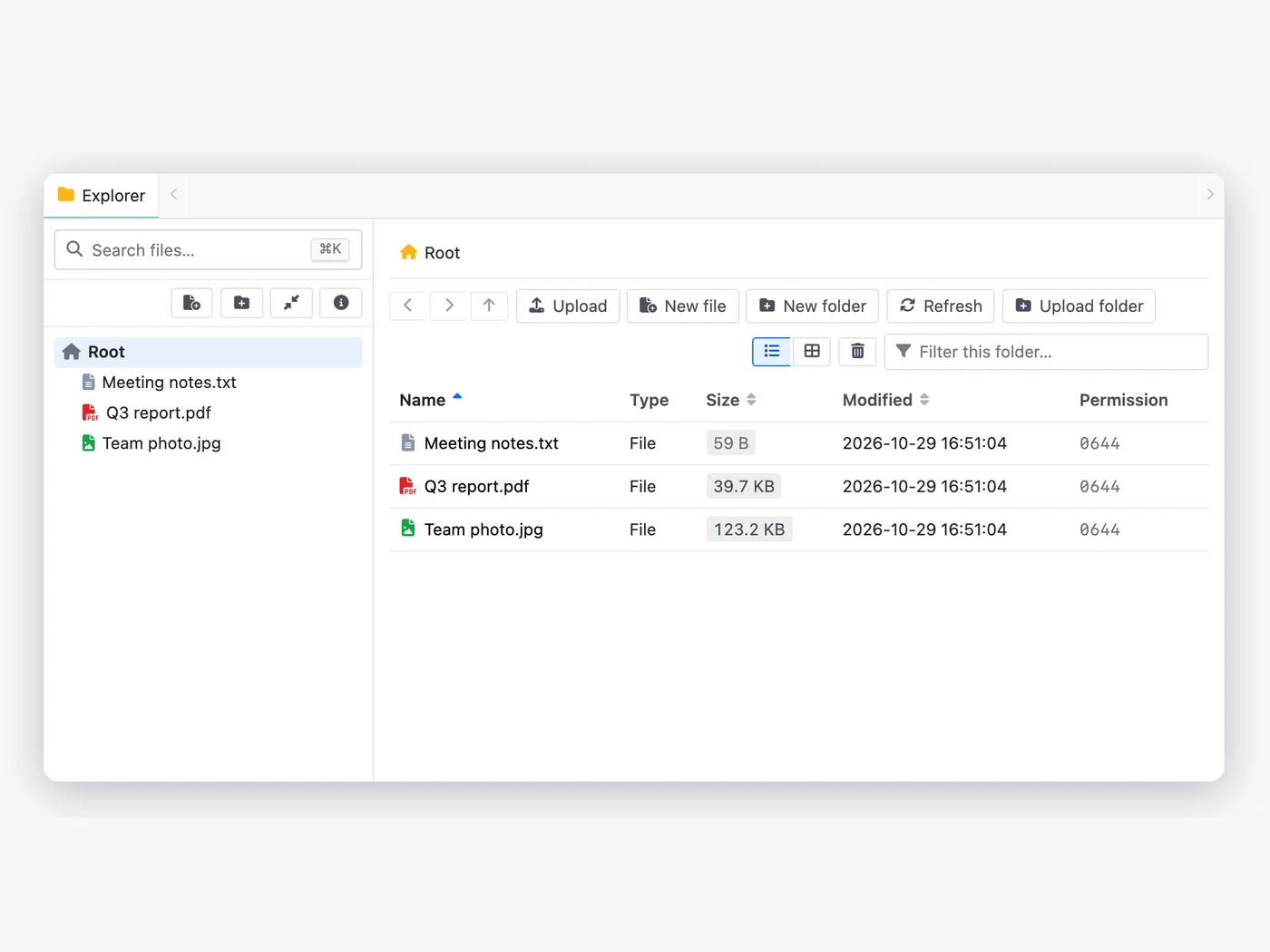
Give members their own folder on the site
Put the file manager on a site page. Each user works in a private folder, with stricter rules than in the administrator.
- Private folder per user, made on the first visit
- Folder profiles decide what each group can do
- Files the server can run are always refused on the site
- .htaccess, .user.ini and web.config hidden
Know who changed which file, and when
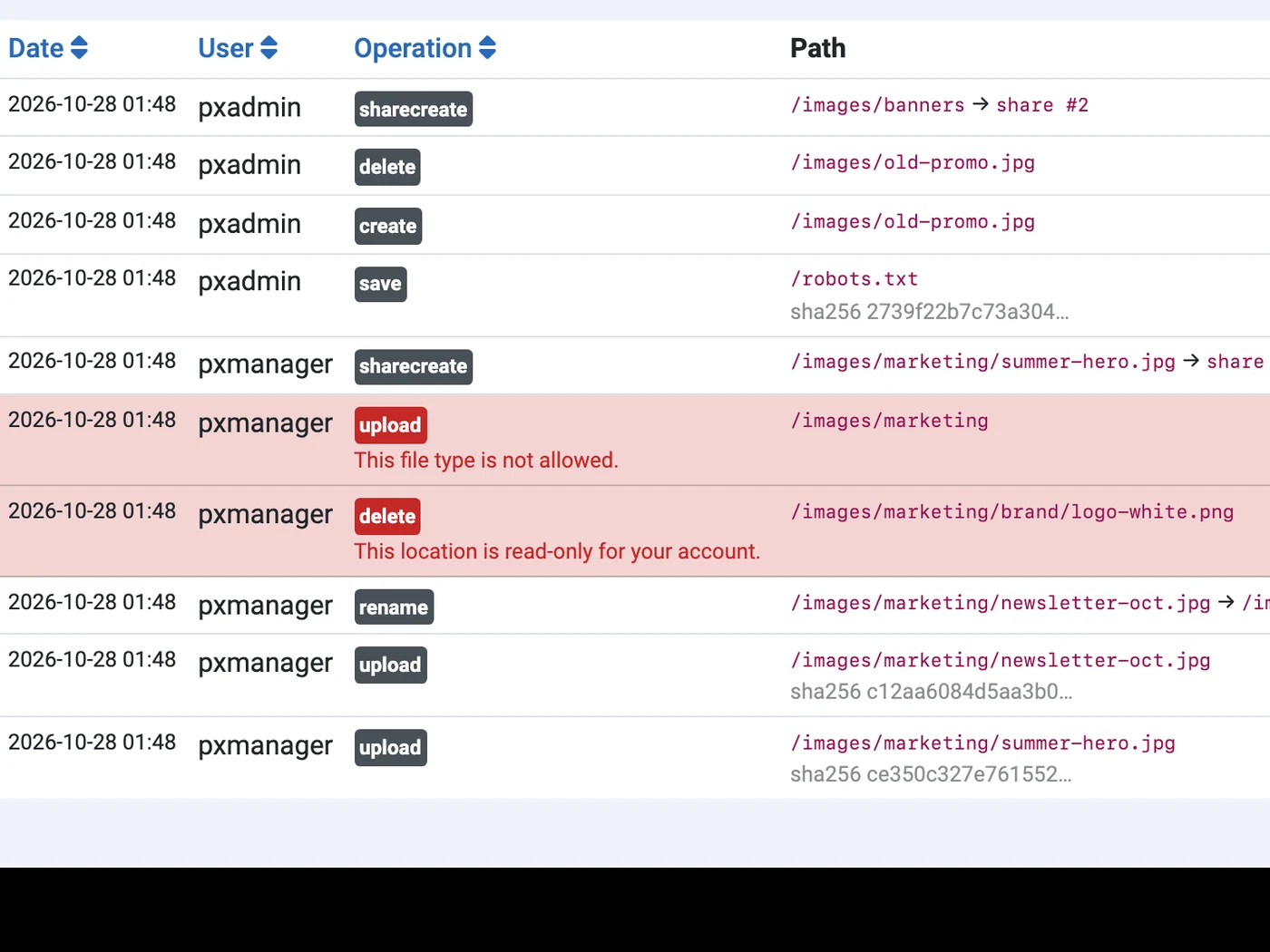
Every upload, edit, rename, move and delete is logged with user, IP, size and a SHA-256 fingerprint, and refused attempts show in red. Get it by email, Slack, Teams or Discord.
- Filters and CSV export
- Also in Joomla’s User Actions Log
- Email or chat notifications, now or as a daily digest
- Retention with Joomla Scheduled Tasks
Send a file or folder with a link that expires
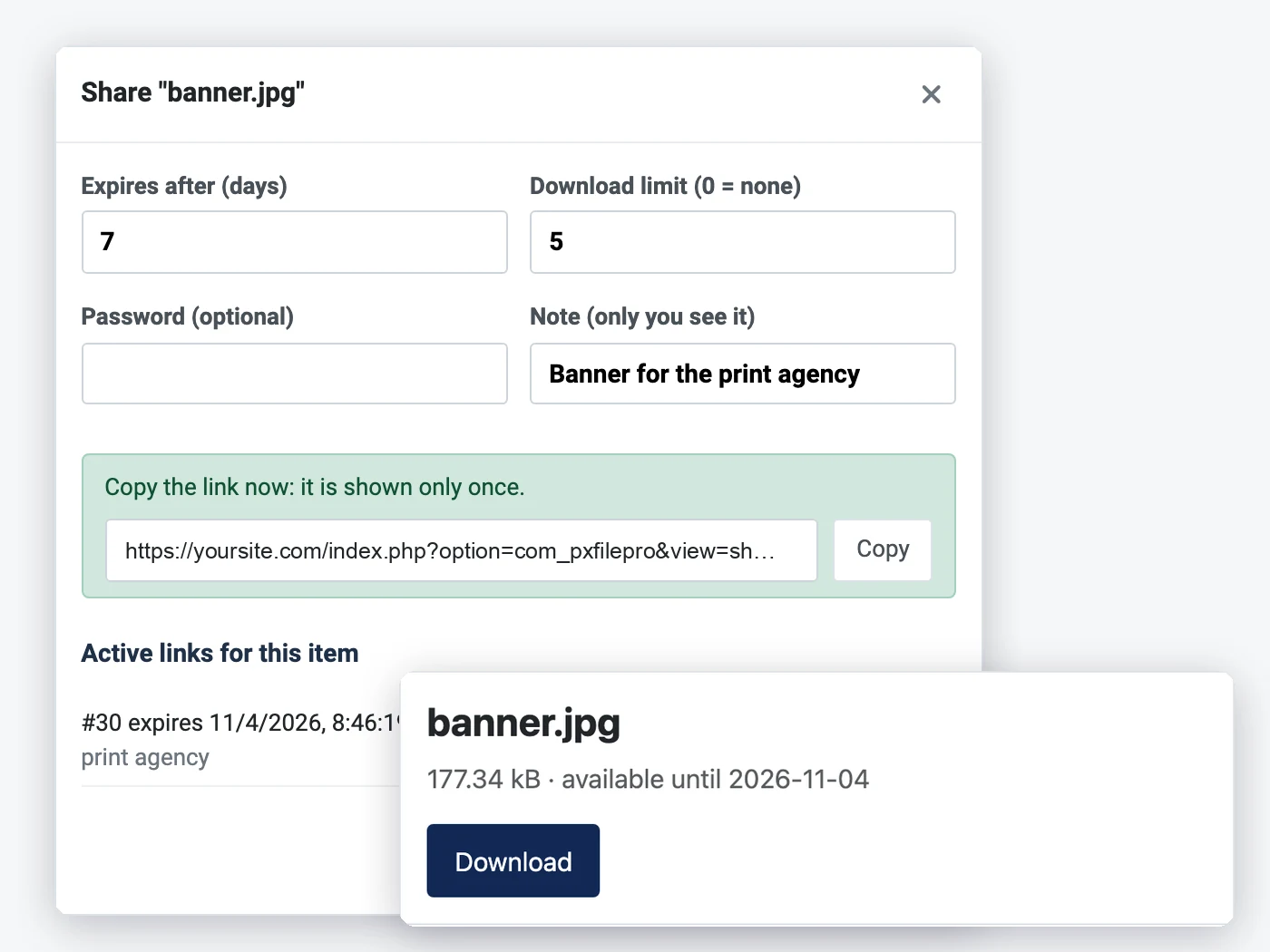
Create a public download link from the right-click menu with expiry, password and download limit; revoke it any time. Folders are sent as a zip.
- Expiry, password and download limit
- Link shown once, stored as a fingerprint
- Stops working when the creator loses access
- Every download logged
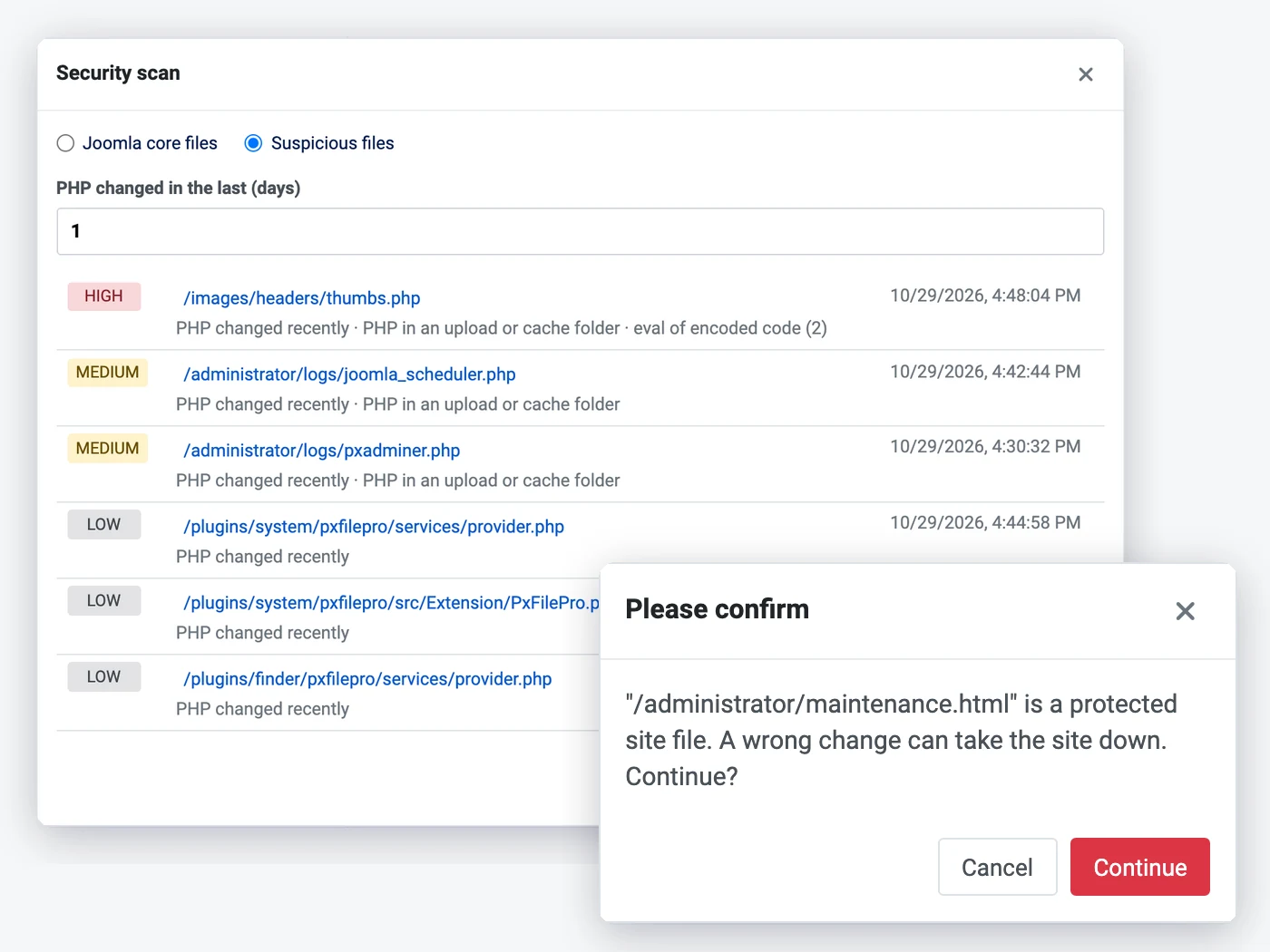
Protected core files and a security scan
configuration.php, .htaccess and the core folders are hidden or read-only for everyone but Super Users. The scan checks Joomla core files against the official package and lists suspicious PHP.
- configuration.php, keys and .env hidden
- Super Users confirm every change to core files
- Changed, missing and extra core files
- PHP in upload and cache folders, encoded eval code
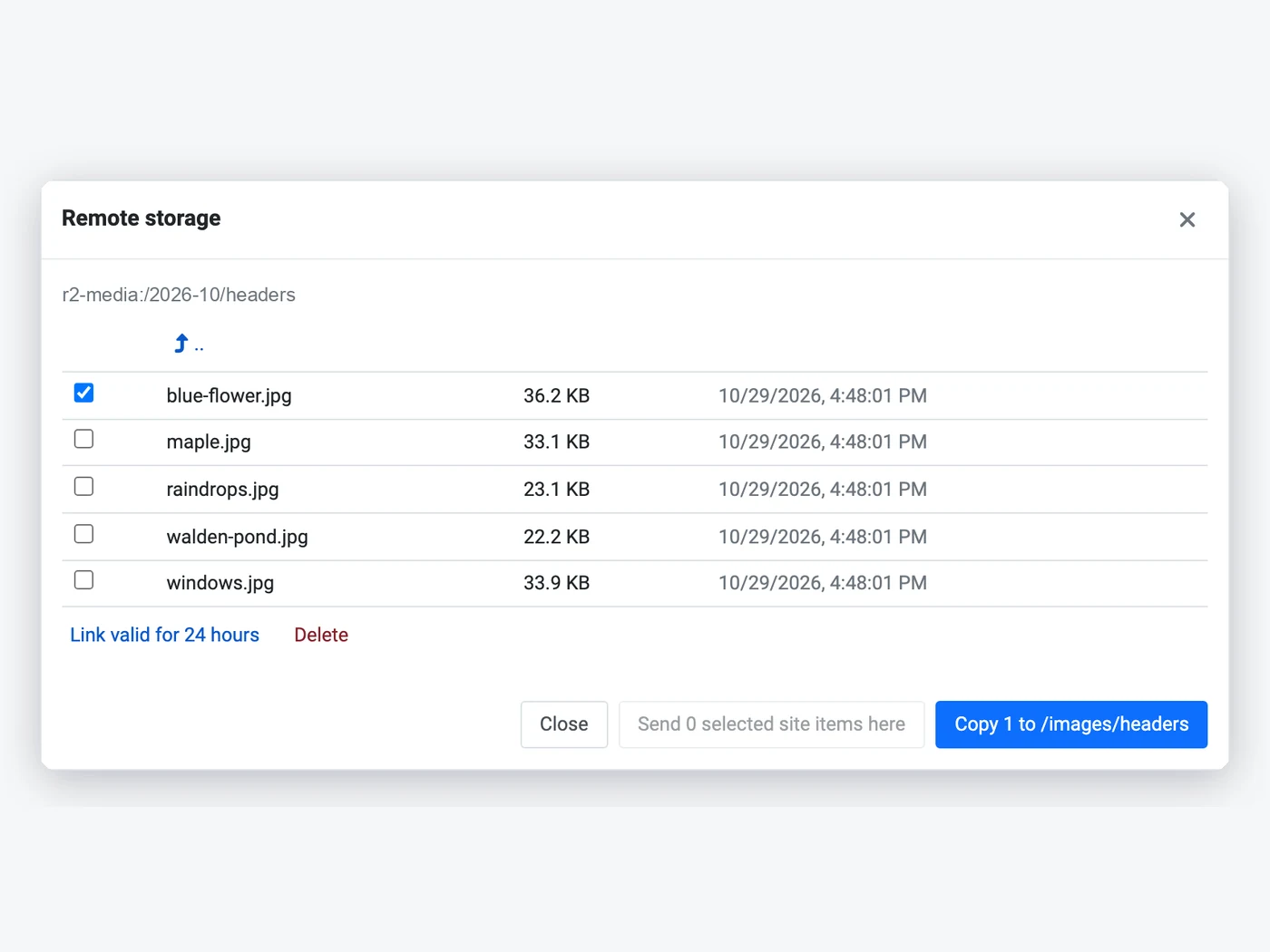
Move files to S3, R2 or any S3-compatible bucket
Connect a bucket and browse it next to your site files. Push files to it, pull them back, delete them, or create a temporary link to a large file.
- Amazon S3, Cloudflare R2 and other S3-compatible storage
- Push, pull and delete from the file manager
- Temporary download links
- A prefix per user keeps folders apart
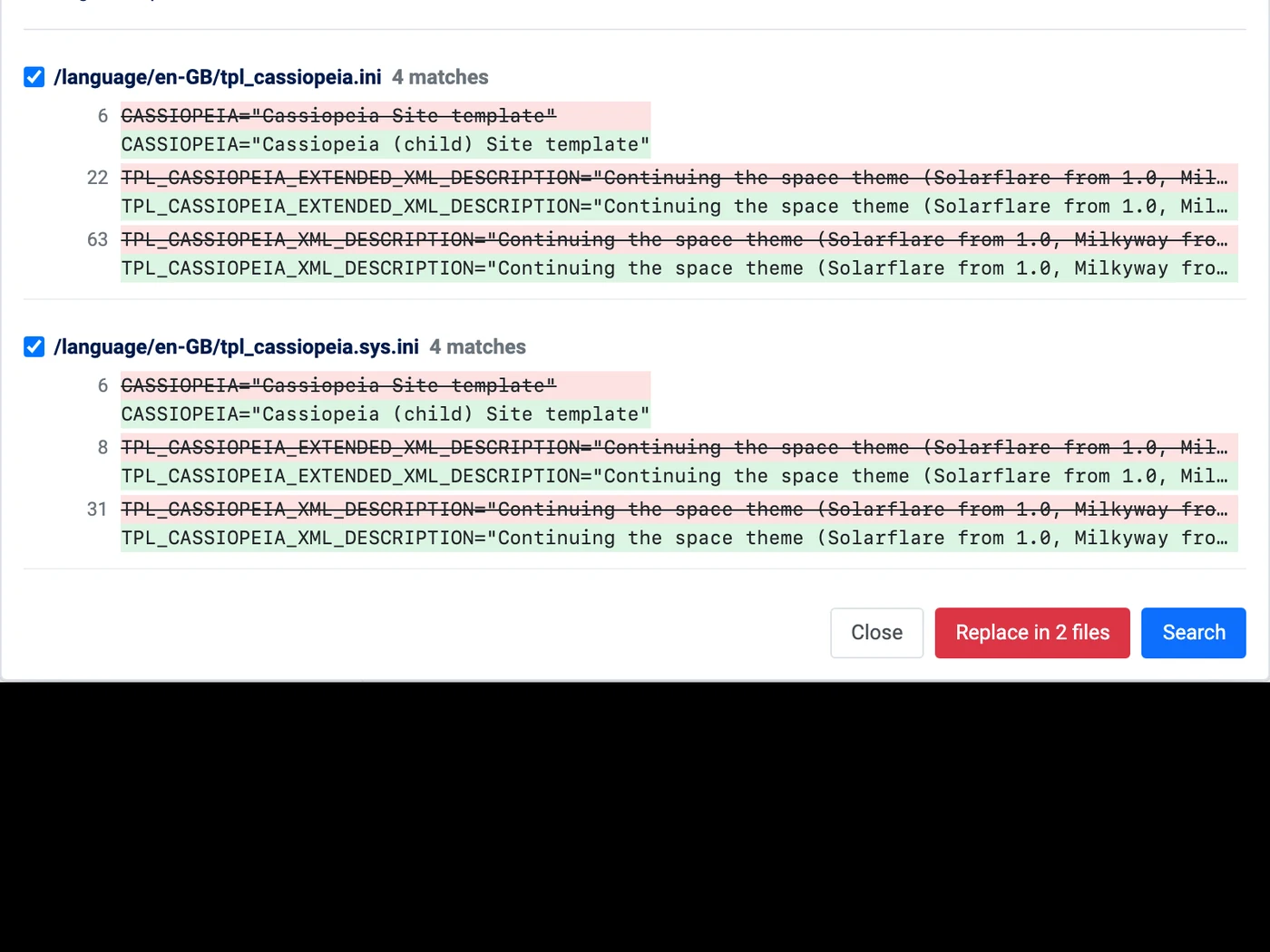
Search and replace, 7z archives, upload from a URL
Replace text across files after a preview, extract 7z and RAR archives, download a selection as one ZIP and fetch files from another site.
- Search and replace in a folder, plain text or regex
- Extract 7z / RAR, refused when encrypted or too large
- Download a selection as ZIP
- Upload from a URL; compare with saved in the editor
How to install PX File Pro in Joomla
Install the package
Upload it in the Joomla extension manager, like any other extension.Set it up
Adjust the options to fit your site from one settings screen.Stay up to date
Updates and support are included while your membership is active.All PX File Pro features
Everything you get out of the box — no add-ons to buy.
- Folder profiles: own root and rules per group
- Image optimizer on upload and in bulk
- Protected core files
- Activity log, email / Slack alerts
- Share links with expiry and password
- Search and replace inside files
- Image editor: crop, resize, WebP / AVIF
- File versions with restore
- Document library
- File manager on the site, private folders
- S3 / R2 storage, security scan
- Download as ZIP, 7z / RAR
- Joomla 5.4 & 6 · PHP 8.1+
PX File Manager and PX File Pro
PX File Manager is free and complete for one admin. PX File Pro is the edition for teams and client sites: one package that includes it and adds folders per user group, protected files, an activity log, share links, an image optimizer and editor, file versions and a document library.
| Feature | PX File ManagerFree | PX File ProPro membership |
|---|---|---|
| File explorer, code editor, file search | Included | Included |
| Trash, folder uploads, syntax check | Included | Included |
| Joomla permissions per user group | Included | Included |
| Public folder listing on the site | Included | Included |
| Own folder and rules per user group | Not included | Included |
| Protected core files (configuration.php…) | Not included | Included |
| Activity log, email / Slack notifications | Not included | Included |
| Share links with expiry and password | Not included | Included |
| Search and replace inside files | Not included | Included |
| Upload from URL, compare with saved | Not included | Included |
| Image optimizer on upload and in bulk | Not included | Included |
| Image editor: crop, resize, WebP / AVIF | Not included | Included |
| File versions with restore | Not included | Included |
| Document library with protected downloads | Not included | Included |
| File manager on the site, private folders | Not included | Included |
| S3 / R2 storage, security scan | Not included | Included |
| Download as ZIP, 7z / RAR | Not included | Included |
| Get it free | You are here |
One membership. Every template & extension.
PX File Pro is included in Pro — together with every template and extension, new releases, updates and support.
PX File Pro updates & FAQ
PX File Pro is actively maintained and kept compatible with the latest Joomla releases.
PX File Pro changelog
- v1.2.0 Oct 29, 2026 Image optimizer: on upload, in the Media Manager and in bulk.
- v1.1.0 Oct 29, 2026 Image editor, versions, document library, site file manager, S3 / R2, security scan, ZIP / 7z.
- v1.0.1 Oct 28, 2026 PX File Manager included.
- v1.0.0 Oct 28, 2026 Initial release.
Frequently asked questions
Do I need to install PX File Manager first?
No. PX File Pro is one package that includes PX File Manager: it installs or updates it, and a newer PX File Manager already on the site is kept.
Which Joomla versions does it support?
Joomla 5.4 or later and Joomla 6, with PHP 8.1 or later. Upload from URL, remote storage and the security scan also need the PHP curl extension.
What does it add to the free PX File Manager?
Folder profiles (a root folder and rules per user group), protected core files, an activity log with email or chat notifications, share links with expiry and password, search and replace inside files, an image optimizer, file versions, a document library, a file manager on the site, S3 / R2 storage and a security scan.
Can clients or editors use it without reaching core files?
Yes. A folder profile gives a user group its own root folder, allowed operations, upload size and file types. configuration.php, .htaccess, /administrator and other core files stay hidden or read-only for everyone but Super Users.
How do I update it?
New versions show up in System » Update » Extensions. As a Pro member, download the new package from your account and install it over the current one; profiles, log, links and options are kept.
Will it work with my template?
Yes — our extensions do not depend on a specific template or framework.
Can I use PX File Pro on more than one website?
Yes — memberships cover unlimited websites, for your own projects and for your clients.
What happens if I cancel my membership?
Sites where it is installed keep working — the extension is GPL. You just stop receiving new downloads, updates and support.
Can you build a custom extension for me?
Yes — we build components, modules and plugins for Joomla 5 and 6, from a small tweak to a complete application.