
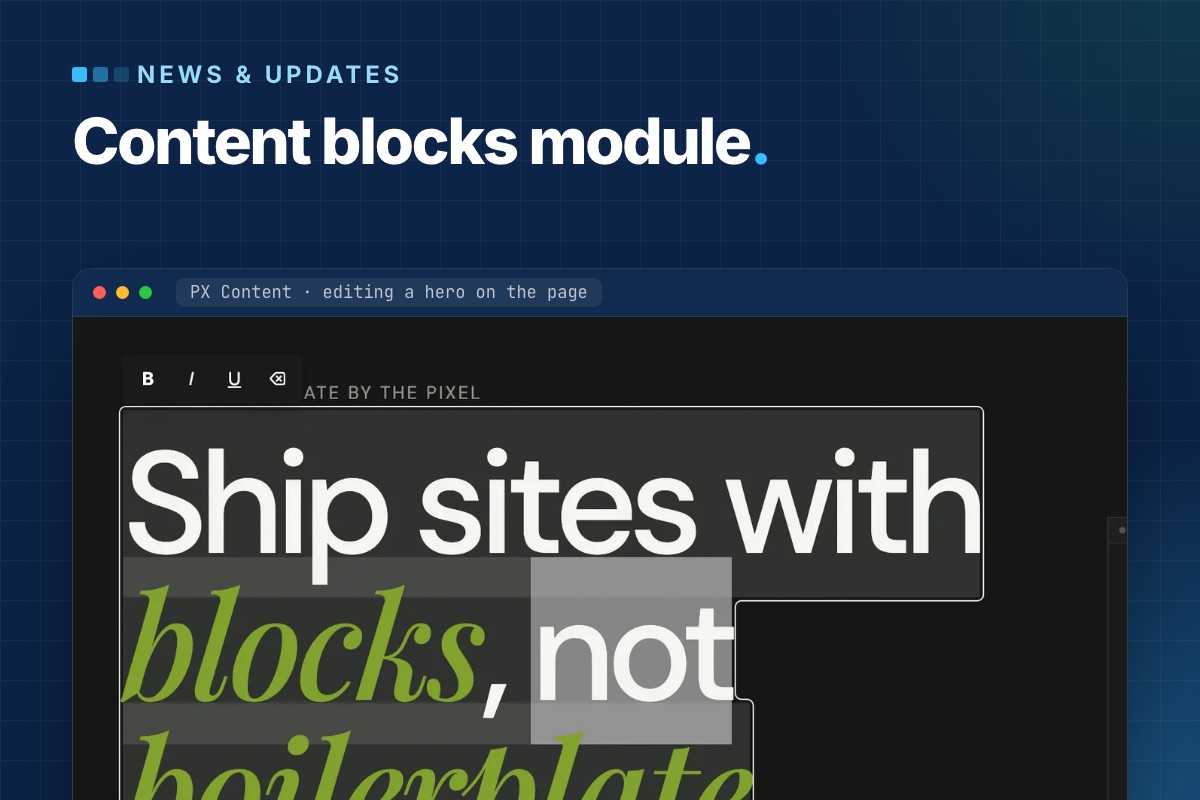

PX Content 1.0.0 is out: a free Joomla module that builds page sections from ready-made content blocks and lets editors change them right on the page. It ships 12 blocks in 20 styles, works with any template, and a template can add or override blocks without touching the module. Download it with a free ThePixel.dev account.
The problem it solves
A typical Joomla landing page is a stack of sections: hero, features, logos, numbers, testimonials, pricing, FAQ, call to action. They usually end up as Custom modules full of hand-written HTML, or as overrides with the copy baked in. Both are hard for editors: a new headline means finding the right module in the admin and editing markup they did not write.
PX Content splits the two. The section layout lives in a block template; the content lives in the module as structured fields. Editors only ever see the fields – in a short admin form, or directly on the page.
Twelve blocks, twenty styles
Each PX Content module shows one block. Pick it from a visual library with a preview per style:
| Block | Styles |
|---|---|
| Hero | 2 – background image with overlay; copy, visual and stats |
| Features Intro | 4 – why us, service cards, about with metrics, process steps |
| Clients | 3 – logo grid, name marquee, capability marquee |
| Gallery | 2 – project grid, case studies |
| Accordion | 2 – FAQ in two columns, centered FAQ |
| Stats, Team, Testimonials, Pricing, Timeline, Call To Action, Contact Info | 1 each |
Every block opens with sample content, so a new module renders something sensible before you type a word. The whole configuration is also available as Advanced JSON for copying a section between modules or sites.
Editing on the page
Log in on the front end and click Edit content. Double-click a heading, paragraph or button label and type; Enter saves a one-line field, Ctrl/⌘+Enter a multi-line one, Esc cancels. Links get a small URL popup, images open the Joomla Media Manager, and every block has a Settings panel for spacing, alignment and button styles.
Because this writes to the database from the front end, the save endpoint is deliberately narrow:
- it needs a logged-in user with
core.editon that specific module – the normal Joomla module permission, so you decide who gets it; - every request carries the Joomla CSRF token;
- only fields declared in the block's XML for the active style can be written, and each value is sanitized for its field type (rich text through Joomla's
InputFilter); - it can be switched off per module (Advanced → Frontend Inline Edit).
After a save the module cache is cleared, so visitors see the change right away. A page cache or CDN in front of the site still needs its own purge.
A block is a folder
Blocks are plain files. The module scans its own blocks/ folder and the active template's, so a template can ship new blocks or replace a stock style:
# templates/your_template/blocks/
hero/
  config.xml          # block title, description, shared fields
  tmpl/style-1.php    # front-end markup
  tmpl/style-1.xml    # fields + sample content for this style
  preview/style-1.jpg # thumbnail in the block library
  css/style.css       # decoration on top of the module's base layout
Fields are standard Joomla form XML. Mark a field with setting="1" and it also appears in the on-page Settings panel:
<!-- templates/your_template/blocks/hero/tmpl/style-1.xml -->
<fieldset name="global" label="Global">
  <field name="align" type="list" default="start" label="Content align" setting="1">
    <option value="start">Left</option>
    <option value="center">Center</option>
  </field>
</fieldset>
Styling: base layout in the module, brand in the template
The module's block CSS is a usable base – grid, spacing and type sizes – so blocks read correctly on Cassiopeia or any other template. Colours and decoration come from the template. All blocks read shared custom properties defined once in media/css/px-content.css, so a template restyles every block from its own :root:
/* templates/your_template/css/template.css */
:root {
  --px-color-primary: #c9ff56;
  --px-space-lg: 80px;   /* "Large" section spacing on desktop */
  --px-fs-lg: 1.25rem;   /* intros and quotes */
}
Stylesheets load in a fixed order – shared tokens, module block CSS, template block CSS, then an optional local/ override – and later files win, so overrides never need !important.
Where it is used
PX Content powers every section of PX Base, our free Joomla 6 starter template, and the content blocks of PX University. Those templates add their own styles and decoration through the template block folder described above; the module itself stays the same.
Get it
- Product page and download: PX Content (free account).
- Documentation: install, blocks, front-end editing and template blocks.
- Updates arrive through System → Update → Extensions.
Need a block that is not in the library, or a full set designed for your brand? Our team builds them as part of template customization and custom extensions.