

If your Joomla site runs donations, memberships, events or mailings through CiviCRM, the Joomla 6 question is not "should we upgrade?" but "can CiviCRM come with us?". This guide answers that in plain terms: where official support stands, the three realistic options, what the server needs, and the order of work for a safe upgrade.
We run CiviCRM on Joomla 6 on live client sites today – a cancer nonprofit and an international medical association – so everything below comes from work we have actually done, not from release announcements.
The short answer
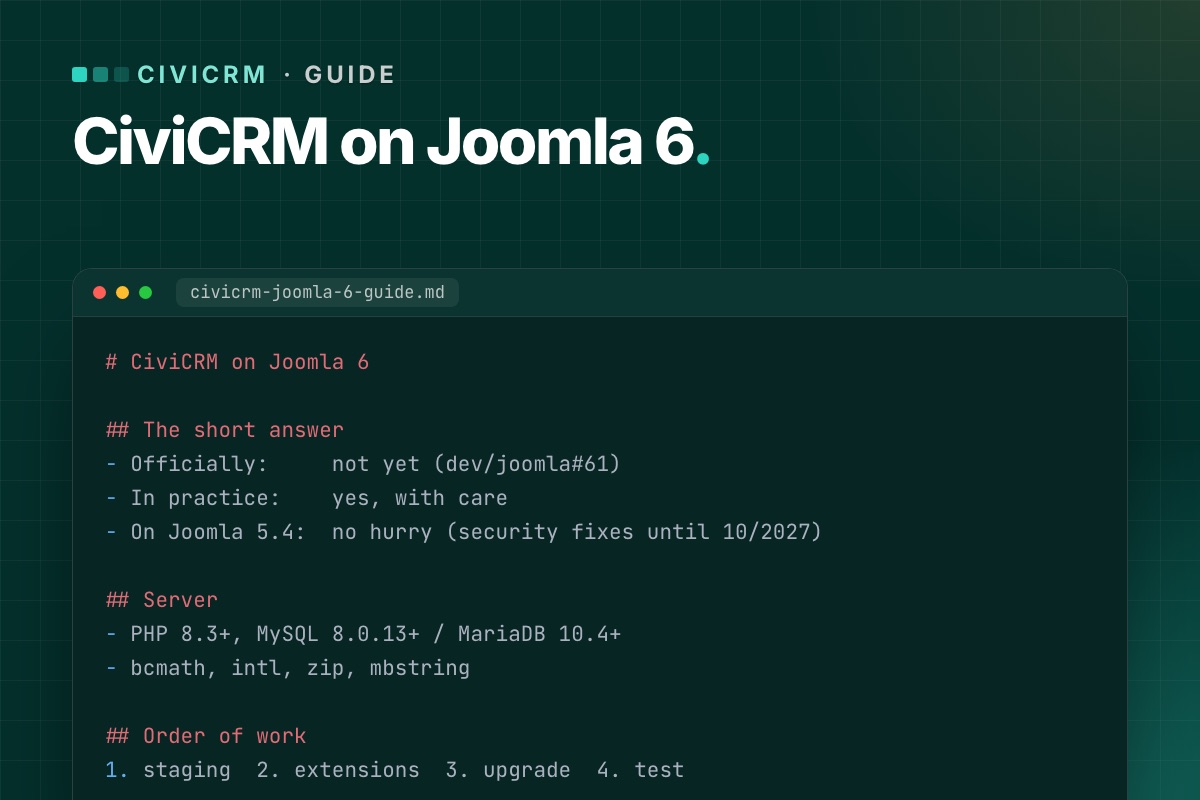
- Officially: not yet. CiviCRM 6.19 (October 2026) ships its Joomla package for "Joomla 5+". Joomla 6 compatibility is an open task in CiviCRM's own tracker (dev/joomla#61).
- In practice: yes, with care. The missing piece is small and well understood – CiviCRM's Joomla plugins still use the old plugin style. It can be bridged outside CiviCRM core, so CiviCRM updates keep installing normally.
- No hurry if you are on Joomla 5.4. Joomla 5.4 gets security fixes until 12 October 2027, and it is the version CiviCRM officially supports.
We keep the current status up to date in Is CiviCRM compatible with Joomla 6?
Why CiviCRM is not "Joomla 6 ready" yet
Joomla has been moving plugins to its event system since Joomla 4. In Joomla 6 the old way of writing plugins – methods that receive loose arguments – is on its way out, and plugins are expected to implement SubscriberInterface and receive event objects.
CiviCRM ships three Joomla plugins with its component: a user plugin (resets CiviCRM's menu cache when users change and removes the contact link when a user is deleted), a system plugin and a quick-icon plugin. Matching Joomla users to CiviCRM contacts is done by CiviCRM core itself, not by the plugin. The open issue lists exactly these three as the work to do. CiviCRM core itself does not care which Joomla version it runs on; the integration layer does.
That is good news: the gap is narrow. For the developer side, see Joomla 6 plugin events explained, with a CiviCRM example.
Your three options
1. Stay on Joomla 5.4 and wait
The safest choice for most organizations right now. Keep Joomla 5.4 and CiviCRM updated, and plan the Joomla 6 move for when CiviCRM marks Joomla 6 as supported. Use the time to get the server and extensions ready (see the checklist below), so the upgrade is short when it comes.
Good fit if: nothing else is pushing you to Joomla 6, and your template and extensions are happy on 5.4.
2. Upgrade Joomla now with a compatibility layer
Move the site to Joomla 6 and bridge CiviCRM's plugins with code that lives outside CiviCRM core – a small Joomla extension and hooks. Then prove it on staging by installing a CiviCRM update and checking every fix is still in place.
Good fit if: your template, other extensions or hosting are already moving to Joomla 6, or you want one upgrade project instead of two. This is the route we took for NorCal CarciNET and WARMTH.
3. Patch CiviCRM core – don't
Editing CiviCRM's plugin files directly works once. The next CiviCRM update overwrites them, and the site breaks on a day nobody is watching – often in the middle of a mailing or a donation campaign. Whatever you do, keep fixes outside the files CiviCRM ships. More in Keep CiviCRM fixes out of core.
What the server needs
| Part | Joomla 6 | CiviCRM 6.16+ |
|---|---|---|
| PHP | 8.3 minimum (8.4 recommended) | 8.2–8.5 compatible, 8.3+ recommended |
| MySQL | 8.0.13 minimum | 5.7.5+, 8 recommended |
| MariaDB | 10.4 minimum (10.6 supported) | 10.2+, 11.4 recommended |
| PHP extensions | json, simplexml, dom, zlib, gd, mysqlnd | also bcmath, intl, zip, mbstring |
The combined minimum is therefore PHP 8.3 with MySQL 8.0.13+ or MariaDB 10.4+. Older shared hosting plans often fail on the database version, so check this first. Step by step: Check your server before a CiviCRM upgrade.
Safe upgrade checklist
- Inventory. Joomla, PHP and CiviCRM versions; every Joomla extension and every CiviCRM extension, with its update status.
- Backups. Files, the Joomla database and – if separate – the CiviCRM database. Copy both
civicrm.settings.phpfiles somewhere safe. - Staging. Restore the backup on the target stack (PHP 8.3+, MySQL 8). Never test the upgrade on the live site.
- Update CiviCRM first on the current Joomla version, so you change one thing at a time.
- Upgrade Joomla together with the template and extensions, then add the CiviCRM compatibility layer.
- Test what takes money and email: donation and membership pages, recurring contributions, event registration, mailing-list sign-ups. Our post-upgrade test checklist lists every page.
- Check cron – scheduled reminders, renewals and mailings only work if it runs. See CiviCRM scheduled jobs not running on Joomla.
- Install a CiviCRM update on staging and repeat the tests. If the fixes survive an update, they will survive the next one.
- Switch live in a quiet window, with a rollback backup ready.
The full walkthrough is in Upgrade a Joomla site with CiviCRM to Joomla 6 without losing data.
Common problems after the upgrade
- Scheduled jobs stop running – usually a PHP version mismatch between web and command line, or a cron URL that changed. Fix it here.
- CiviCRM pages return 404 – menu items or old
task=civicrm/…links. Fix it here. - CiviCRM suddenly writes to the Joomla database – the separate-database upgrade bug. Fix it here.
- A CiviCRM extension breaks on PHP 8.3 – audit them before you switch.
Keeping it running
An upgrade is a one-off; CiviCRM releases are not. A new version comes out roughly every month, with security releases in between. Have a routine: read the release notes, update staging, test, then live. Ours is in A safe CiviCRM update routine for Joomla sites, and we track each release on Joomla 6 on our CiviCRM Joomla 6 upgrade page.
Under the hood: what the Joomla integration is
For developers, "CiviCRM on Joomla" is three pieces, and only one of them cares about the Joomla version:
- CiviCRM core (
administrator/components/com_civicrm/civicrm): contacts, contributions, CiviMail. CMS-independent. - The Joomla component (
com_civicrm, from thecivicrm-joomlarepository): the admin and front-end entry points and the menu item types. Its code already branches onversion_compare(JVERSION, '4.0')and uses namespaced Joomla classes on 4+. - Three Joomla plugins, still written in the legacy style (a
plgUserCivicrmclass with methods named after events):
| Plugin (group) | Events it handles | What it does |
|---|---|---|
plg_user_civicrm (user) | onUserAfterSave, onUserAfterSaveGroup, onUserLogin, onUserAfterDelete | resets CiviCRM's navigation cache; on user delete removes the user's civicrm_uf_match row |
plg_system_civicrmsys (system) | onBeforeCompileHead, onExtensionBeforeInstall, onExtensionAfterInstall, onExtensionAfterUpdate | admin head assets and the CiviCRM install/upgrade hooks |
plg_quickicon_civicrmicon (quickicon) | onGetIcons | the CiviCRM icon on the Joomla dashboard |
Legacy listeners still run on Joomla 6, so the plugins don't simply stop. But Joomla has marked that mechanism "will be removed in 7.0", and the plugins' own source says the rewrite to SubscriberInterface is pending. That's the content of dev/joomla#61, and it makes that issue more urgent for Joomla 7 than for Joomla 6. Details in Joomla 7 breaking changes.
A quick inventory of any CiviCRM site from the shell, with CiviCRM's command-line tool cv:
# terminal – CiviCRM, CMS, PHP and database versions in one overview
cv status --cwd=/var/www/example.org
# installed CiviCRM extensions with versions
cv ext:list -Li --cwd=/var/www/example.org
Running CiviCRM on an older Joomla? Tell us your Joomla and CiviCRM versions. We reply with a plan and a fixed quote – no CiviCRM core edits.
CiviCRM Joomla 6 upgrade →
