
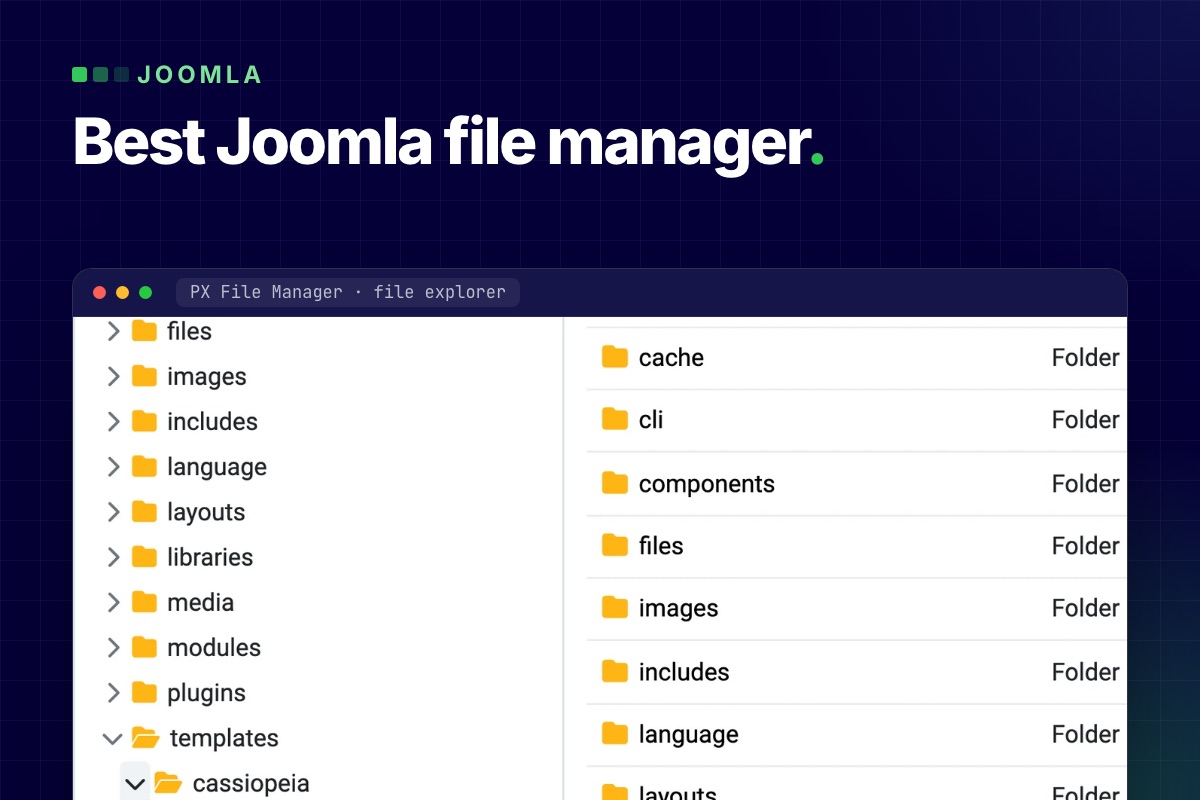

The best Joomla file manager depends on the job. For editing site files from the administrator (configuration.php, .htaccess, a plugin file), pick a site file manager such as PX File Manager, Phoca Commander or JMP File Manager. For images and documents inside articles, a media manager such as Quantum Manager or Joomla's own Media Manager is enough. For giving visitors a download area, you want a document manager like FILEman, not a file manager at all.
We make PX File Manager, so read that row with that in mind. This page compares what each tool's own listing says, as of November 2026.
How we compared
- Tested by us: PX File Manager 1.2.1 on Joomla 6.2. Its features below come from the extension itself.
- Read, not tested: every other tool. Versions, prices and features come from the Joomla Extensions Directory (JED) listing or the vendor page, opened on 4 November 2026. Listings change, so check the version line for your Joomla before you install anything.
- Tools that only manage media or downloads are included because they show up in the same searches. We did not audit any other tool's security; the checklist further down is what we would look at before installing one.
What Joomla core already does
- Template files: System → Site Templates → your template → Customise opens files inside that template's folder. By default it handles
txt, less, ini, xml, js, php, css, sass, scss, jsonfiles (Templates options). - Media Manager: works inside the folders set in the Filesystem – Local plugin. In Joomla 6.2 the defaults are
imagesandfiles.
Neither opens configuration.php, .htaccess or a file in /plugins. That gap is what a site file manager fills. For the step-by-step version, see how to edit Joomla files without FTP.
Joomla file managers compared (November 2026)
| Tool | What it is | Joomla (per listing) | Price | Worth knowing |
|---|---|---|---|---|
| PX File Manager | Site file manager: tree and list, tabbed code editor, search, trash, zip and tar.gz | 5.4 and 6 (1.2.1); 1.1 covers 4.4 to 5.3 | Free with a site account | Super Users only by default; view, create, edit and delete per user group. PHP 8.1+ |
| Phoca Commander | Dual-panel file manager | 3 to 6; 6.0.0, updated December 2025 | Free, GPL | Edit, upload, zip and unzip, chmod, copy and move |
| JMP File Manager | Site file manager built on elFinder | 3 to 6; 1.3.3, updated November 2026 | Paid (price not on the listing) | Edits and reads text files in the browser, zip and unzip, search, preview |
| Quantum Manager | File and media manager for editor and media fields | 5 and 6 in the tags (the text says 4 and 5); 3.3.0, updated May 2026 | Free, GPL | Bulk upload, resize and crop, watermark. A media tool, not a code editor |
| FILEman | File, video and image manager for visitors and editors | Not listed on the vendor page | $49 for 6 months for FILEman alone; or $99 a year and up for the Joomlatools suite | Galleries, public or private downloads. A document and media manager, not a site file editor |
| Joomla core | Template editor and Media Manager | Built in | Free | Template folder and media folders only |
We left out eXtplorer. Its JED listing is currently unpublished with the reason "UR3: Vulnerable Extension", and we found no Joomla 4, 5 or 6 compatibility statement for it. If you still run it from an old install, replace it.
Pick by job
- Small, urgent edits on one site: a site file manager. Phoca Commander is free and has a familiar two-panel layout. PX File Manager adds a tabbed Monaco editor (the VS Code engine), a syntax check for PHP, JSON, XML and INI before saving, and a trash you can restore from for 30 days.
- Prefer an elFinder-style interface: JMP File Manager.
- Editors who need to upload and resize images: Quantum Manager or the core Media Manager. A site file manager is the wrong tool and gives editors more access than they need.
- A download area with public and private files: FILEman. In PX File Manager the "Folder listing" menu item can list one folder of downloads, read-only, but it is not a gallery or document library.
- Client sites and teams: PX File Pro adds a folder and rules per user group, protected core files, an activity log, share links with expiry, file versions and an image optimizer. It comes with the Pro membership ($99 a year at the time of writing, every product, unlimited sites).
What to check before you install a file manager
A tool that can edit PHP in the browser is a way into your site. Before you install any of them:
- Who can open it? It should respect Joomla's user groups, and the default should be Super Users only. Anyone who can edit can write PHP, which is full control of the site.
- Is it locked to the site folder? Paths with
..or links that lead outside the Joomla root should be refused. - Does it check a session token on every action? Without it, a link on another website can trigger a delete or an edit while you are logged in.
- Can you undo a delete? PX File Manager moves deleted files to a trash folder first. Check what yours does before you need it.
- Does it update through Joomla? An extension that is not updated is a risk. Check the "last updated" date and the Joomla version on its JED listing, and that it is still listed.
- Does it match your Joomla and PHP version? PX File Manager 1.2 needs Joomla 5.4 or 6; on Joomla 4.4 to 5.3 use 1.1. Check the same for the others.
The login still matters most: a strong Super User password and two-factor authentication. Our Joomla hardening guide covers that side. And none of these can help when the administrator is down; keep SFTP or your host's panel for that.
Get PX File Manager
PX File Manager is free for registered users. Download it, install it from System → Install → Extensions and open it under Components. Teams and agencies can compare it with PX File Pro on the same page. For a database instead of files, there is PX Adminer, and if you would rather have someone else look after the site, see our maintenance and security service.