
PX Adminer Pro adds snapshots before every change, safe search and replace, a Joomla clean-up centre, an audit log, access controls, a health report, a schema check, import, transfer, extra connections and an AI SQL assistant to PX Adminer. It is part of the Pro membership and comes as one package that includes PX Adminer.
Overview
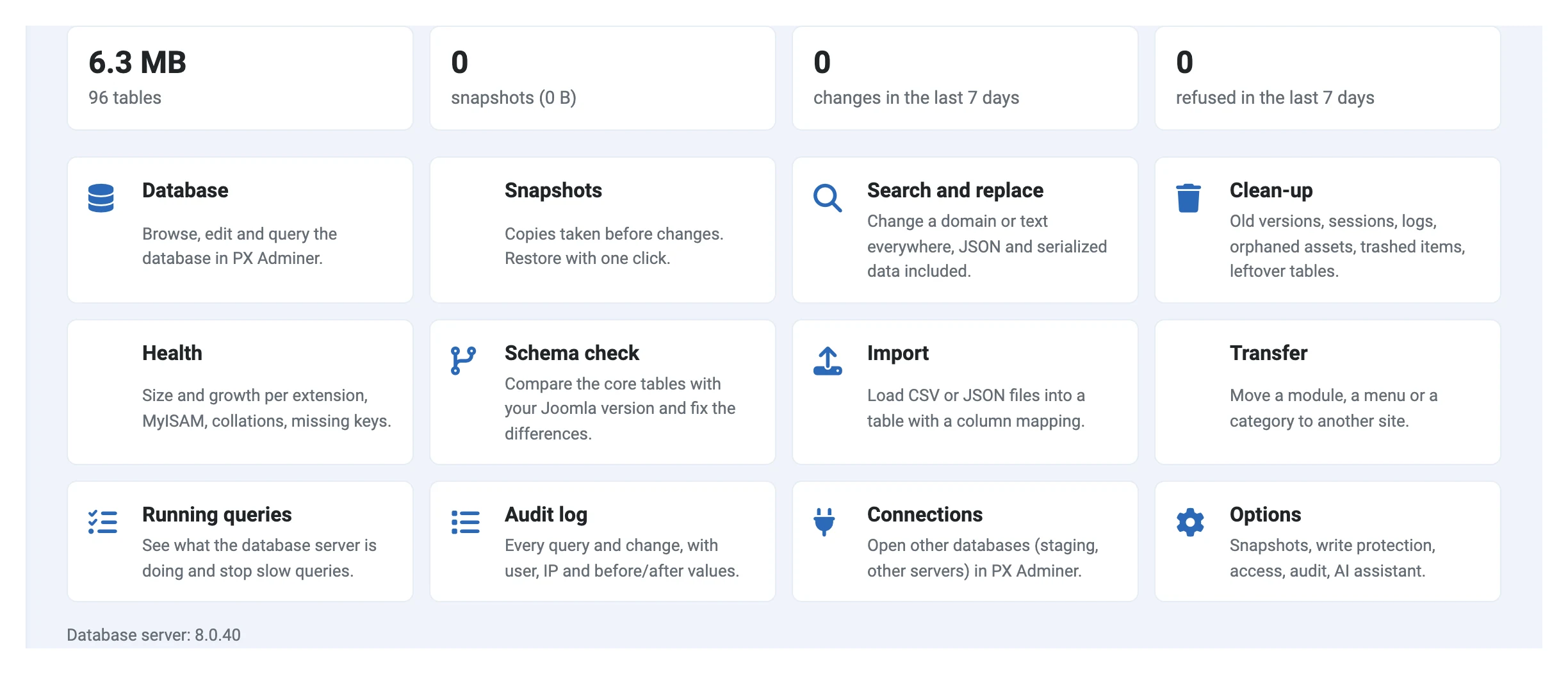
PX Adminer Pro is one package for Pro members. It includes PX Adminer, so the database manager you know gets a safety net and new tools, and the menu Components » PX Adminer gets Pro tools, Snapshots, Search and replace, Clean-up, Health, Audit log and Connections next to Database.
- Snapshots: before an edit, delete, UPDATE, ALTER, DROP or TRUNCATE, the rows or tables it changes are copied. Restore in one click.
- Search and replace across tables, with a dry run; JSON params and PHP serialized values stay valid.
- Clean-up centre: old content versions, expired sessions, logs, orphaned assets, trashed items, tables of uninstalled extensions. Preview first, snapshot always.
- Audit log: every query and change with user, IP and before/after values, also in Joomla's User Actions Log.
- Access controls: IP allowlist, password (and second-factor) re-prompt, read-only mode and groups, write-protected core tables.
- Saved queries shared with the other admins, and your query history.
- Health report, schema check, running queries, import of CSV/JSON, transfer of modules, menus and categories, extra connections, scheduled tasks and an AI SQL assistant with your own API key.
Installation
Requirements
- Nothing else: PX Adminer is in the package (a newer PX Adminer already on the site is kept)
- Joomla 5 or Joomla 6, with Track Session Metadata set to Yes (the Joomla default)
- PHP 8.1 or later (with
curlfor the AI assistant) - MySQL 5.7+ or MariaDB 10.4+
Install the package
- Download
pkg_pxadminerpro_vx.y.z.zipfrom your account (Downloads). - Install it in System » Install » Extensions, like any Joomla package.
- The package installs or updates PX Adminer (1.1.0 or later is needed) and installs the PX Adminer Pro component, the System - PX Adminer Pro plugin and the Task - PX Adminer Pro plugin, both enabled.
- Create the PX Adminer Pro - Maintenance task (see Scheduled tasks), so old snapshots are removed.
Uninstalling PX Adminer Pro removes the Pro parts, its tables and all snapshot copies. PX Adminer stays.
Snapshots, the audit log and write protection of the core user and permission tables work right after installation. Review the defaults in the Options.
Snapshots
Before PX Adminer runs a change, PX Adminer Pro copies what the change will touch into a snapshot table next to the original (<prefix>pxsnap_…, hidden in the table list):
| Change | What is copied |
|---|---|
| Edit or delete a row, edit or delete selected rows | Only those rows |
UPDATE / DELETE with a WHERE on one table | The rows that match the condition |
UPDATE / DELETE without WHERE, several statements at once, a key column changed, REPLACE, ALTER, imports | The whole table |
DROP, TRUNCATE, the Drop and Truncate buttons | The whole table, moved aside instantly at any size (copied instead when the table has triggers or foreign keys) |
INSERT, CREATE TABLE | Nothing (nothing existing changes) |
Statements whose tables PX Adminer Pro cannot tell (CALL, PREPARE, USE, executable comments, an import file it cannot read) are refused while snapshots or write protection are on, because neither can be applied to them. Name the tables in plain statements, or turn both options off for that job.
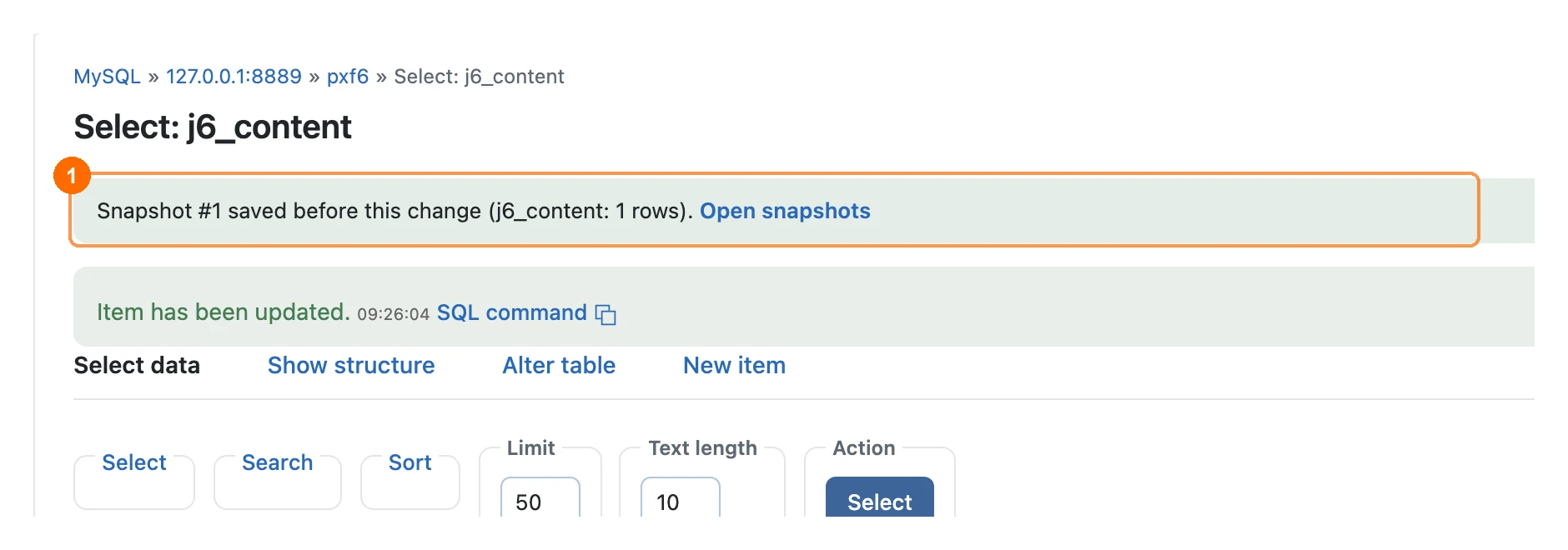
A green notice confirms the snapshot after the change 1. Tables larger than the limit in the Options (100 MB by default) are not copied automatically; the change still runs and the notice says so.
Restore a snapshot
Open Components » PX Adminer » Snapshots. Each snapshot shows what was copied, why and by whom. Click Restore 1:
- a whole-table copy is swapped back in (instantly, with
RENAME TABLE), structure included; - a rows copy puts those rows back by primary key: deleted rows come back, changed rows get their old values, other rows are not touched. If a row clashes with a newer row on another unique key, the restore stops and tells you instead of deleting that row.
The current state of the restored tables is saved as a new snapshot first, so a restore can itself be undone.
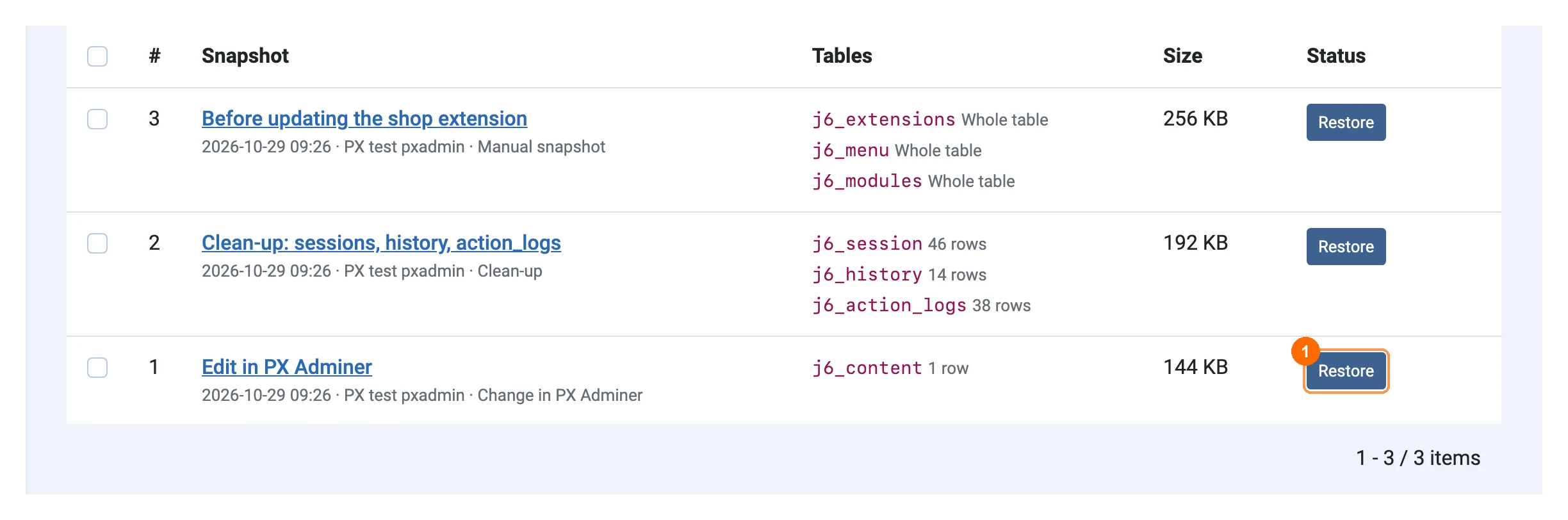
Take a snapshot copies tables of your choice at any time, for example before updating an extension; manual snapshots have no size limit. Old snapshots are removed by the Maintenance task after the days and number set in the Options.
Access controls
PX Adminer opens for Super Users only. PX Adminer Pro adds these rules in Options:
- Write-protect core tables (on by default): changes to users, groups, access levels, assets, extensions, schemas and second-factor records are refused in PX Adminer; reading them works. The Joomla database cannot be dropped. The protected tables show a lock in the table list.
- Read-only for everyone, or for Super Users in the groups you choose: browsing, searching, export and
SELECTwork, every change is refused and the buttons that change data are hidden. - IP allowlist: addresses or CIDR ranges (IPv4 and IPv6). PX Adminer and the Pro screens refuse other addresses.
- Ask for the password again before PX Adminer opens, optionally with the user's authenticator code, YubiKey or fixed code. One confirmation lasts the minutes you set. Five wrong tries lock the form for ten minutes.
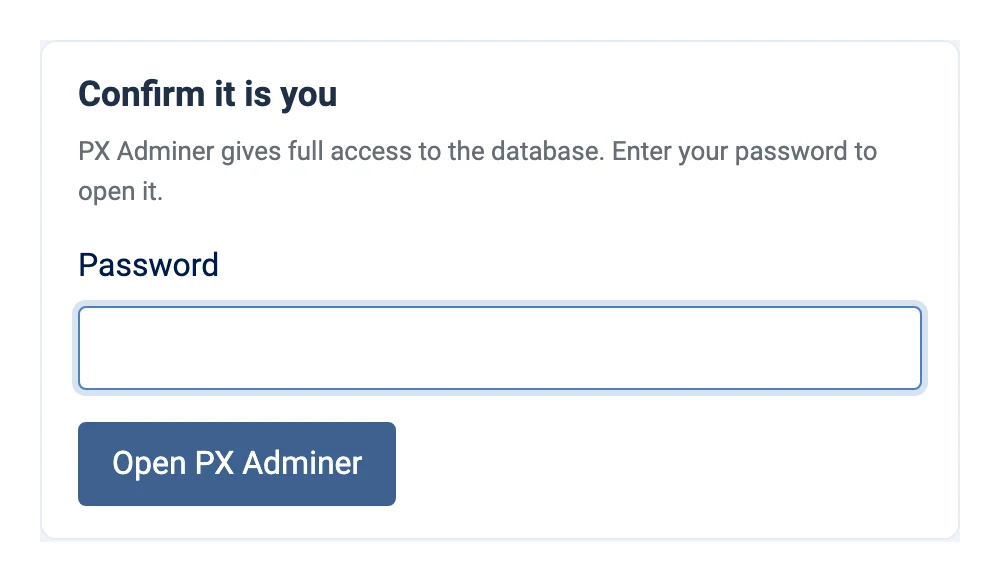
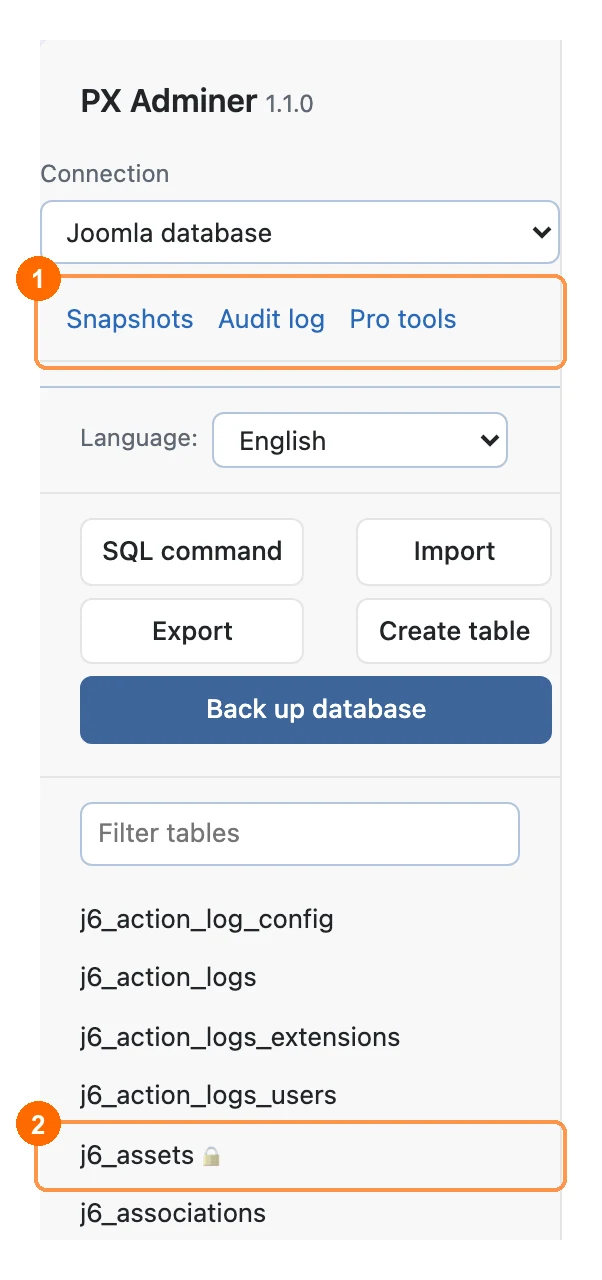
Read-only mode and the re-prompt also apply to the Pro screens. Every refused attempt is logged in the audit log with the reason.
These rules protect against mistakes and stolen sessions. A Super User can still change them in the Options, so they are not a limit for Super Users you do not trust: give Super User rights only to people who may change the database.
Audit log
Components » PX Adminer » Audit log lists every change made in PX Adminer and the Pro tools: date, user, IP, action, tables, the SQL, the result, the rows affected and the snapshot. SQL command queries that only read are logged too (Options, Log read queries), and so are exports.
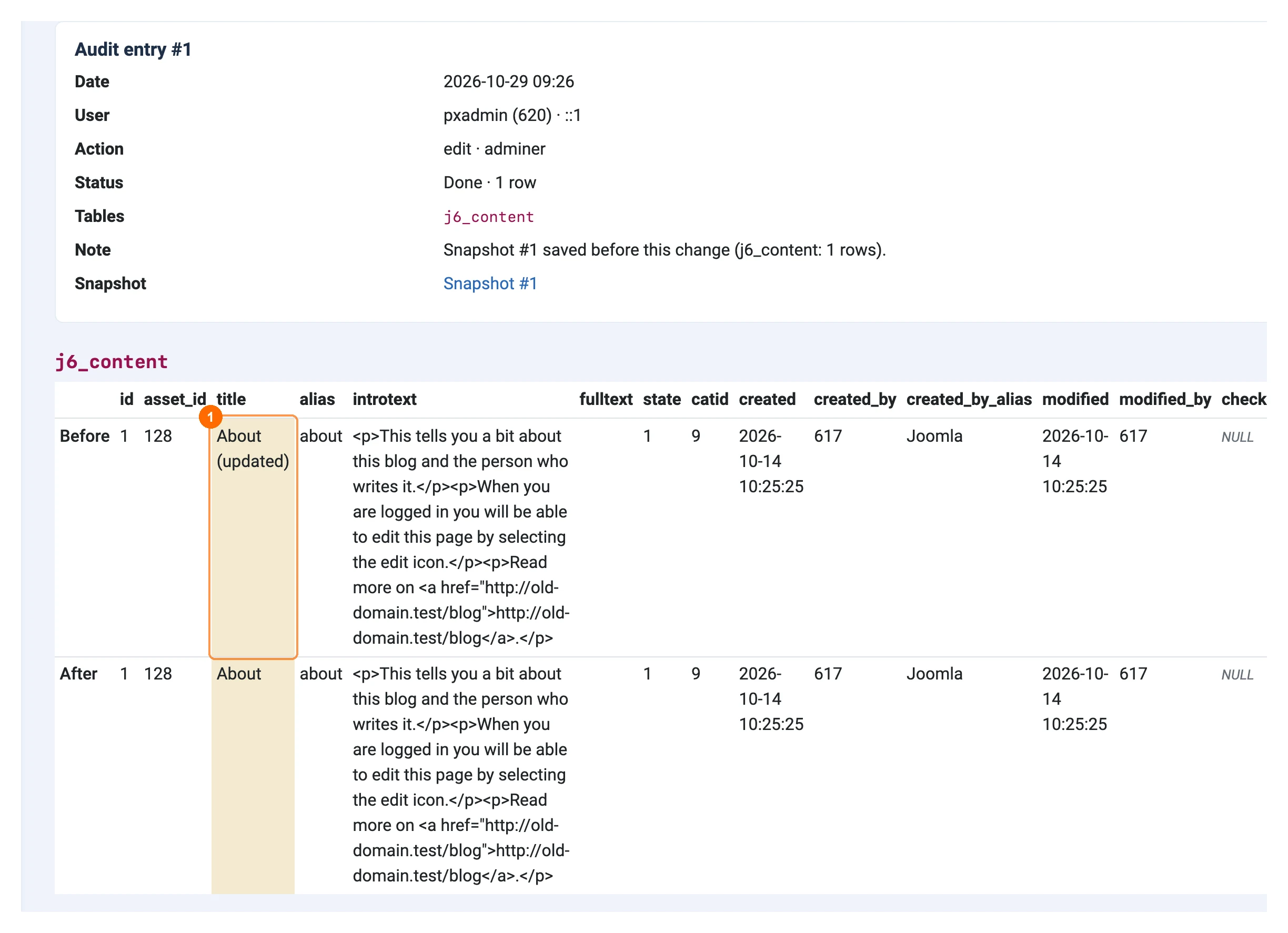
For row edits and deletes, the entry keeps the values before and after; changed values are highlighted 1.
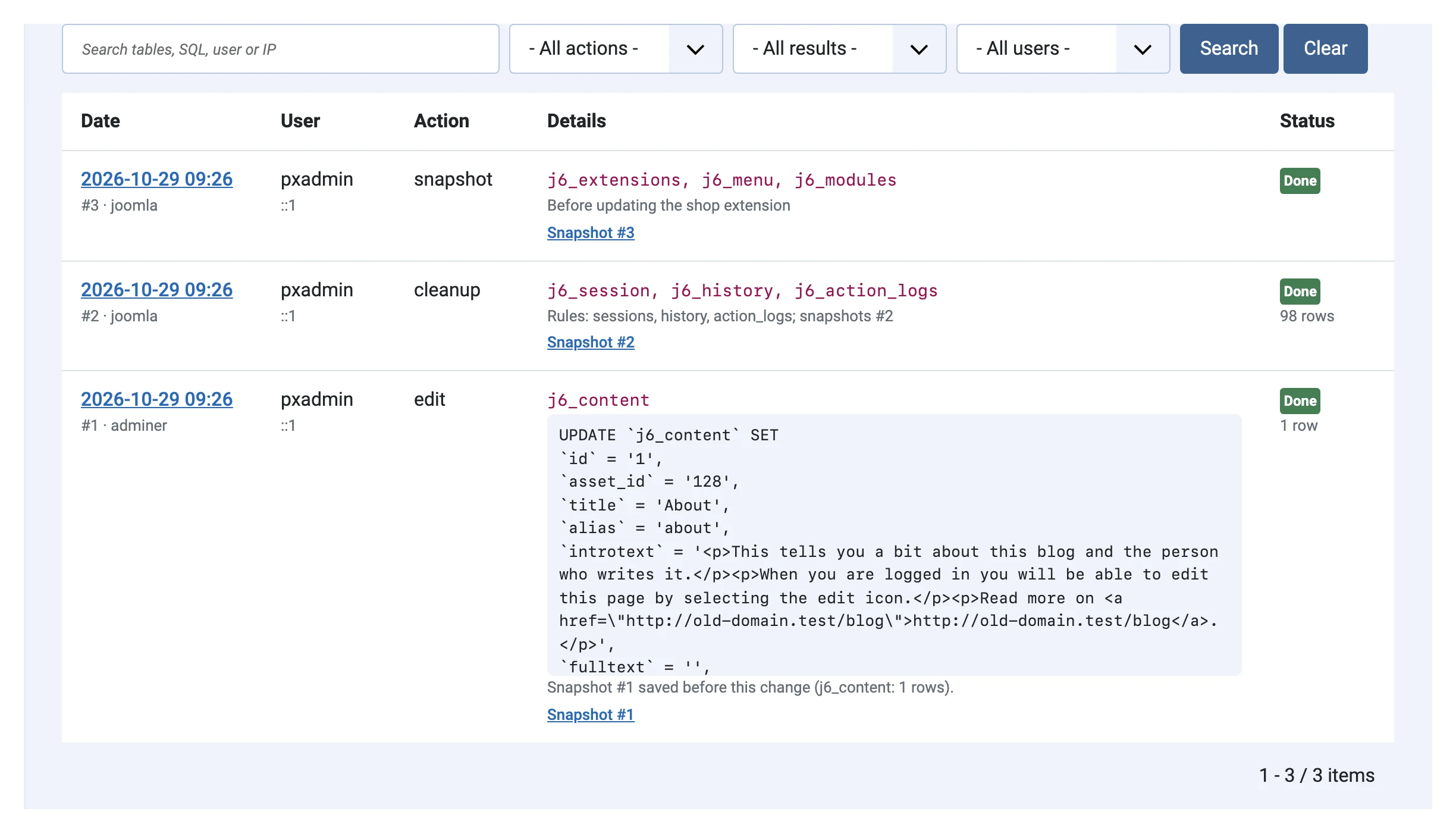
Filter by action, result or user, search tables, SQL or IP, and export the list as CSV. Changes are also written to Joomla's Users » User Actions Log (Options, Write to User Actions Log).
Saved queries, history and AI assistant
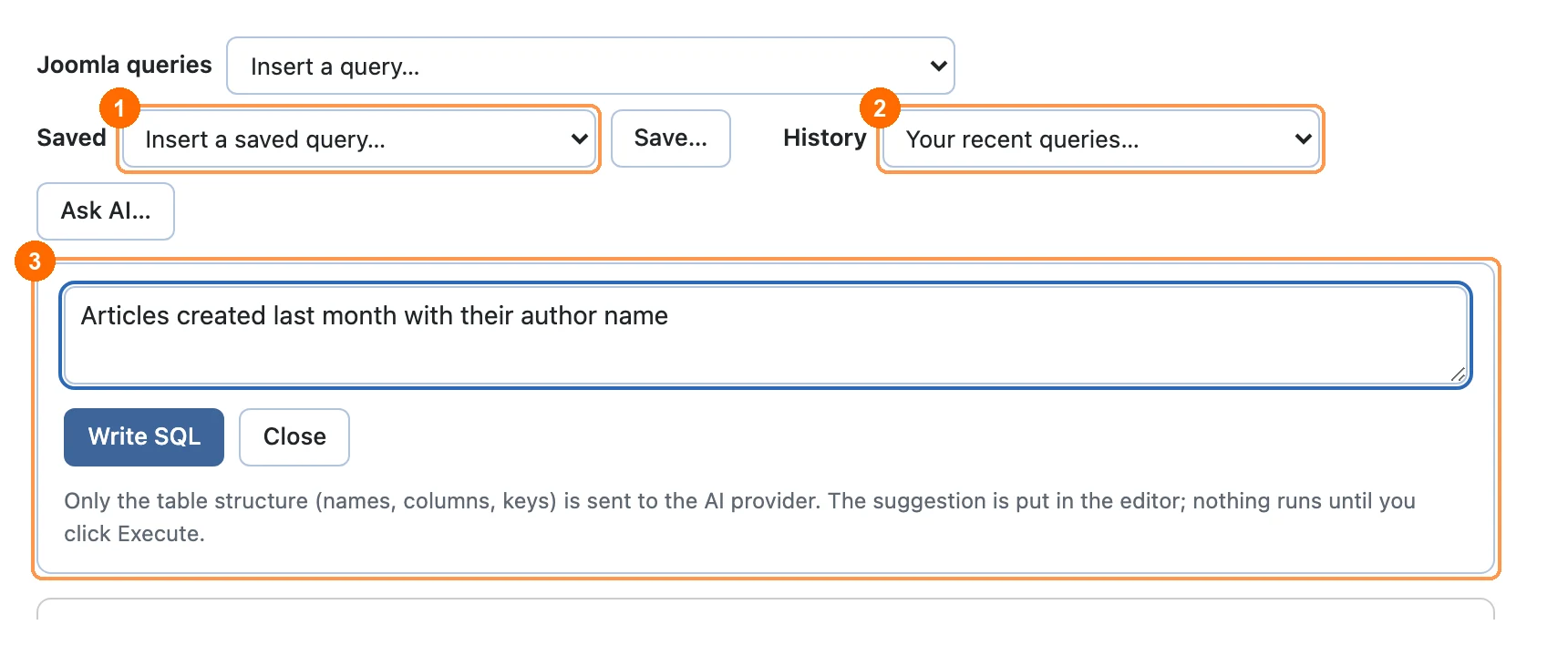
The SQL command page of PX Adminer gets three more tools next to the Joomla queries:
- 1Saved: queries saved by name, shared with the other administrators or private. Save… stores the query in the editor.
- 2History: your recent queries, newest first.
- 3Ask AI: describe what you need; the assistant writes the SQL into the editor and explains it. Nothing runs until you click Execute.
AI assistant
Add your own Anthropic API key in Options » AI assistant (stored encrypted). Only the table structure (table and column names, types, keys) is sent, never table data. By default the assistant only suggests read-only queries; Allow write suggestions lets it write changes, which still need your Execute and get a snapshot first. The model defaults to claude-opus-5-5.
Search and replace
Components » PX Adminer » Search and replace changes text in every selected table, for example a new domain after a move:
- Enter the text to search for and the replacement. Choose Match case, Regular expression, the tables (all by default) and, if you like, only some columns.
- Click Preview (dry run): the counts per table 1 and every change, old text struck through and new text highlighted 2.
- Click Replace now. The matching rows are copied into a snapshot, then changed by primary key in one transaction per table.
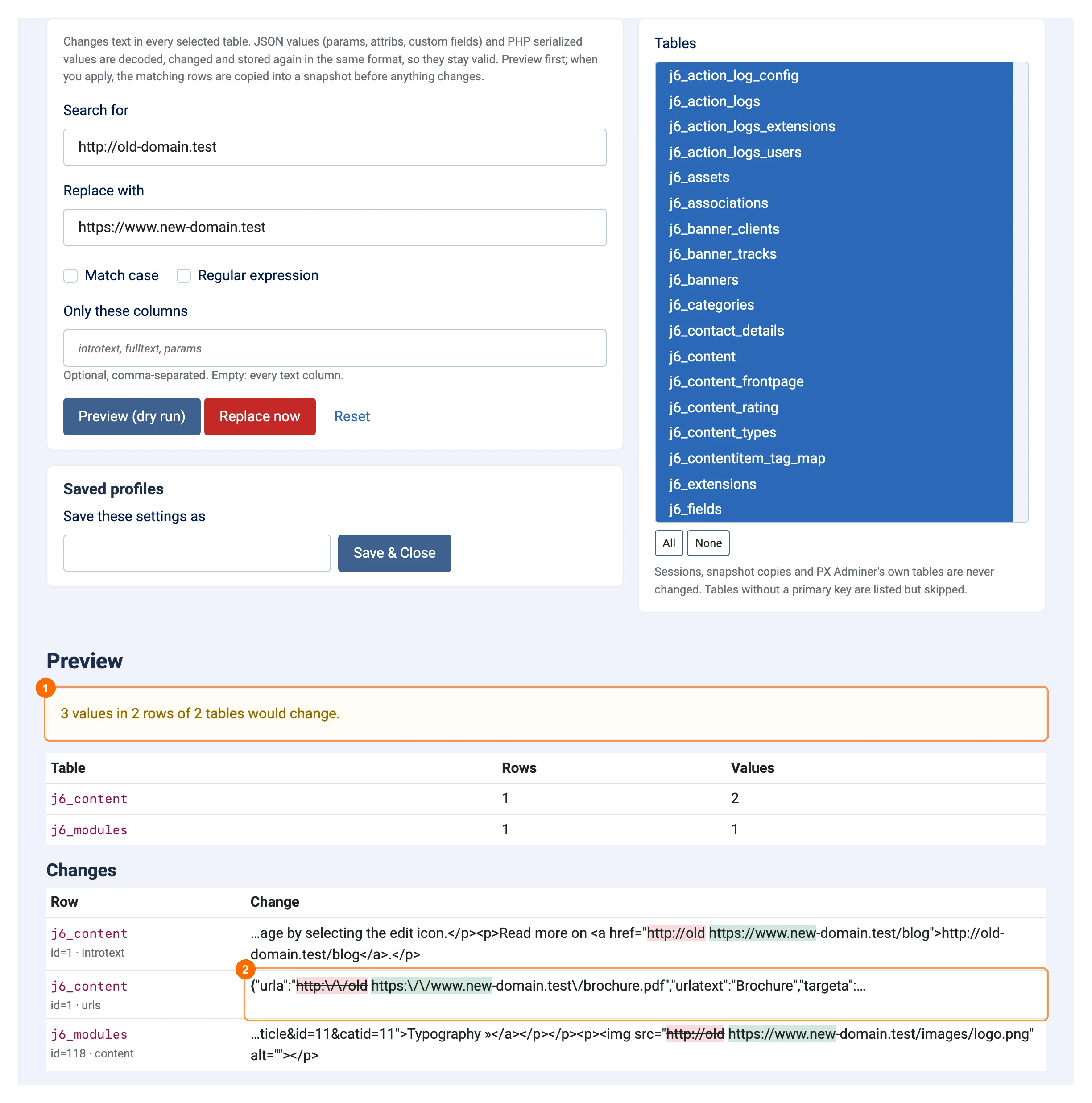
JSON values (params, attribs, rules, custom field values) are decoded, changed and encoded again in the same style, so http:// also matches http:\/\/ in escaped JSON. PHP serialized values are rewritten with the right string lengths. Serialized objects, sessions, snapshot copies and PX Adminer's own tables are never changed; tables without a primary key are listed but skipped. Save the settings as a profile to run the same replacement on another copy of the site.
Clean-up centre
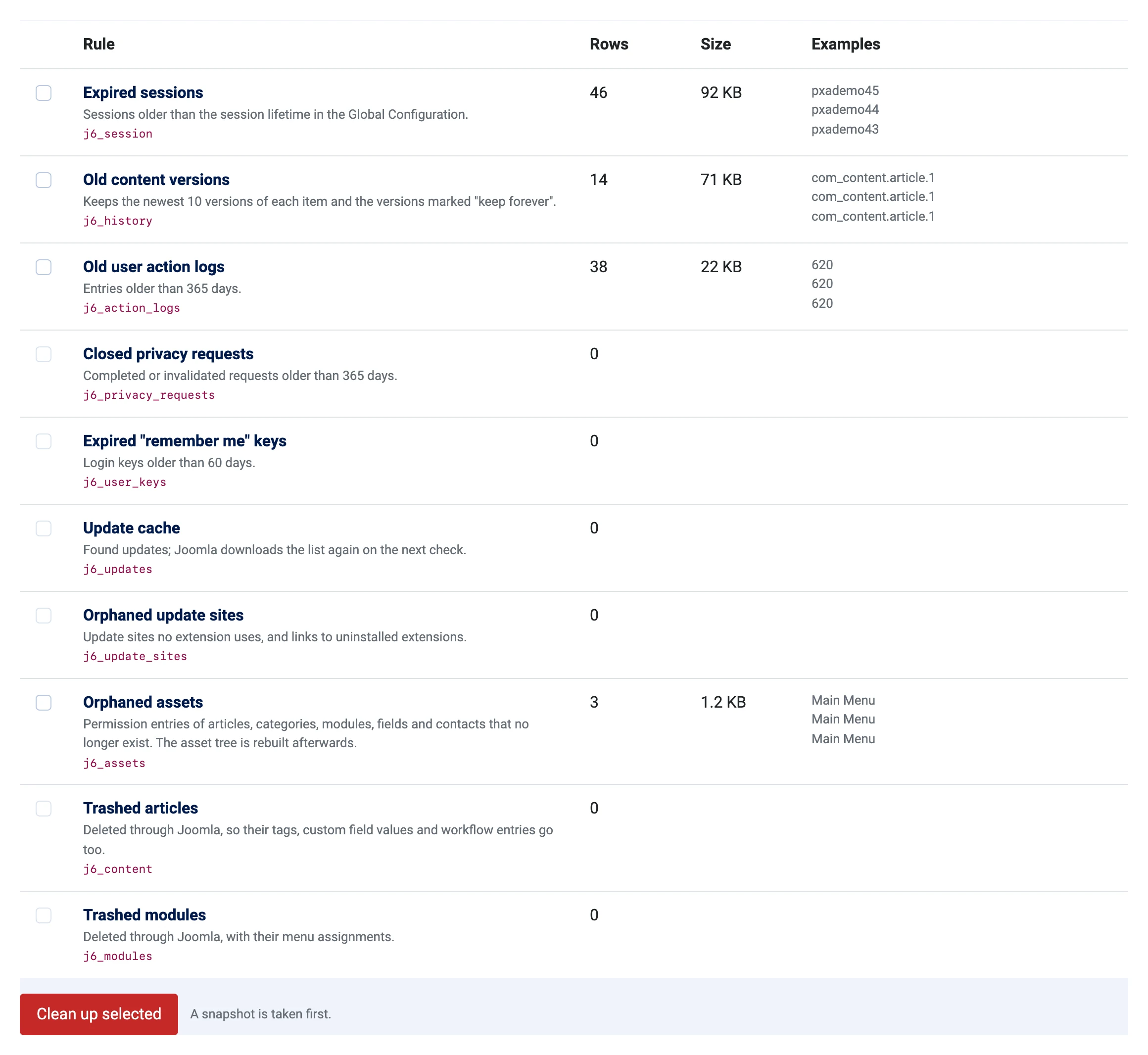
Components » PX Adminer » Clean-up shows each rule with the rows it would delete, their size and examples. Select rules and click Clean up selected: exactly those rows are copied into a snapshot first, then deleted.
| Rule | Deletes |
|---|---|
| Expired sessions | Sessions older than the session lifetime |
| Old content versions | All but the newest versions of each item (10 by default; "keep forever" versions stay) |
| Old user action logs | Entries older than 365 days (Options) |
| Closed privacy requests | Completed or invalidated requests older than 365 days |
| Expired "remember me" keys | Login keys older than 60 days |
| Update cache | Found updates (Joomla fetches them again) |
| Orphaned update sites | Update sites no extension uses |
| Orphaned assets | Permission entries of deleted articles, categories, modules, fields and contacts; the asset tree is rebuilt |
| Trashed articles, trashed modules | Deleted through Joomla, with their tags, field values, workflow and menu assignments |
Tables of uninstalled extensions lists tables that are not part of Joomla and do not match an installed extension. Check the list (an extension may use a different name), select tables and move them into a snapshot: they are renamed, so this is instant at any size, and can be restored.
Health, schema check and running queries
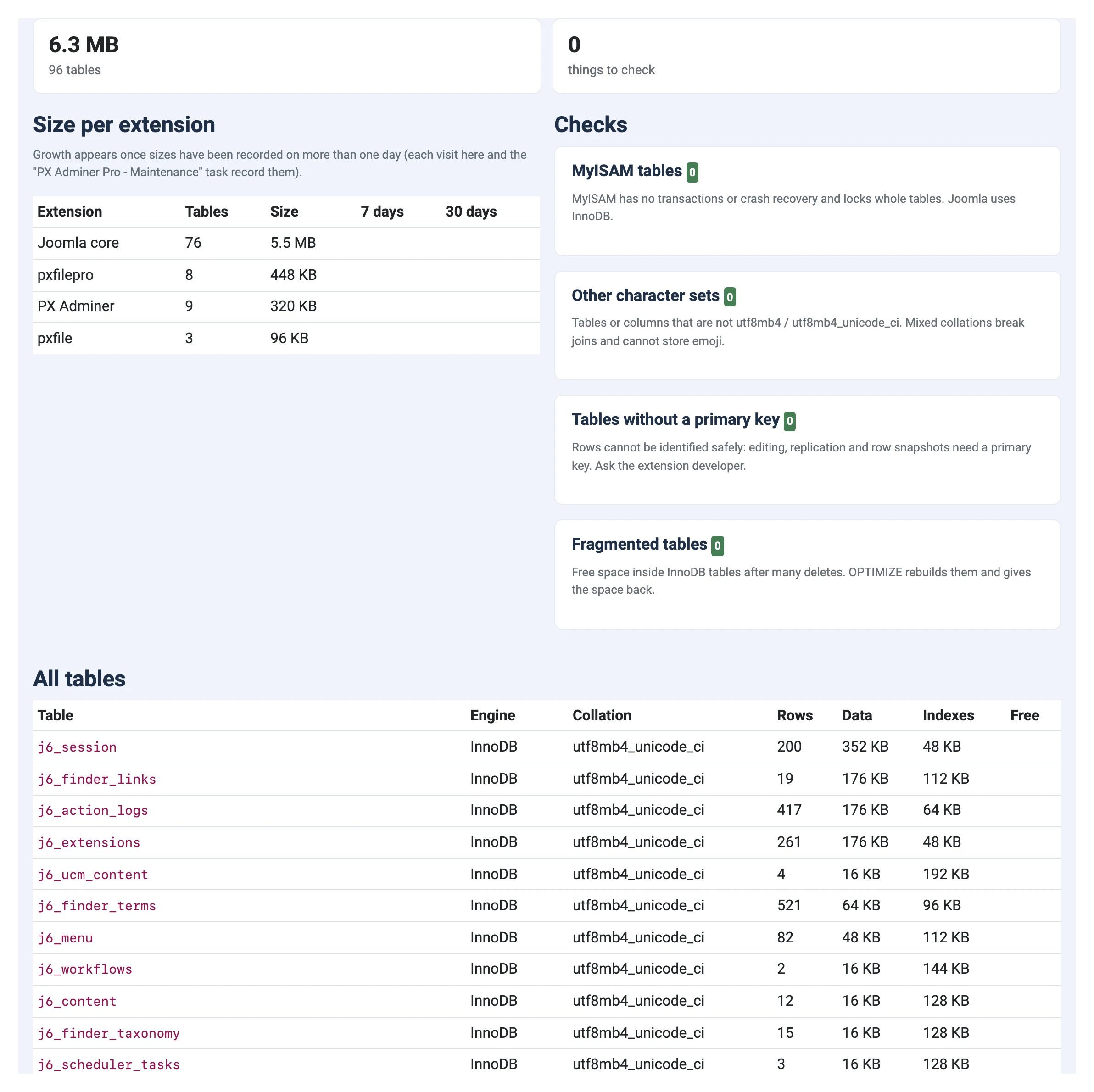
Health shows the size of the database per extension, with growth over 7 and 30 days once sizes are recorded on more days, and checks:
- MyISAM tables: Convert to InnoDB.
- Other character sets: tables or columns that are not utf8mb4 / utf8mb4_unicode_ci; Convert to utf8mb4.
- Tables without a primary key.
- Fragmented tables: free space after many deletes; Optimize gives it back.
Conversions copy each table into a snapshot first.
Schema check
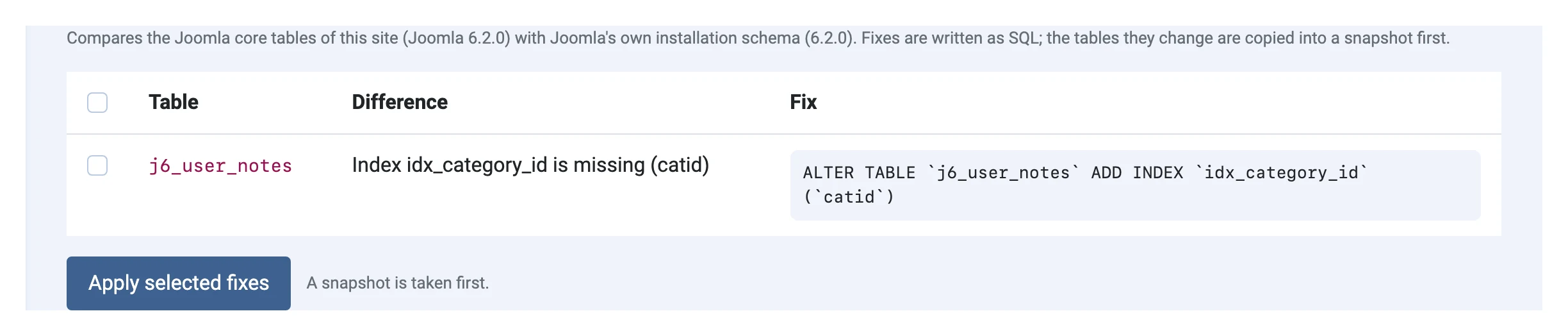
Health » Schema check compares the Joomla core tables with Joomla's own installation schema for your version: missing tables, columns, indexes and keys, columns with another type, nullability or default, other engines. Each difference comes with the SQL that fixes it; select the fixes and apply them (the tables are copied into a snapshot first). Columns added by extensions are listed for information only.
Running queries
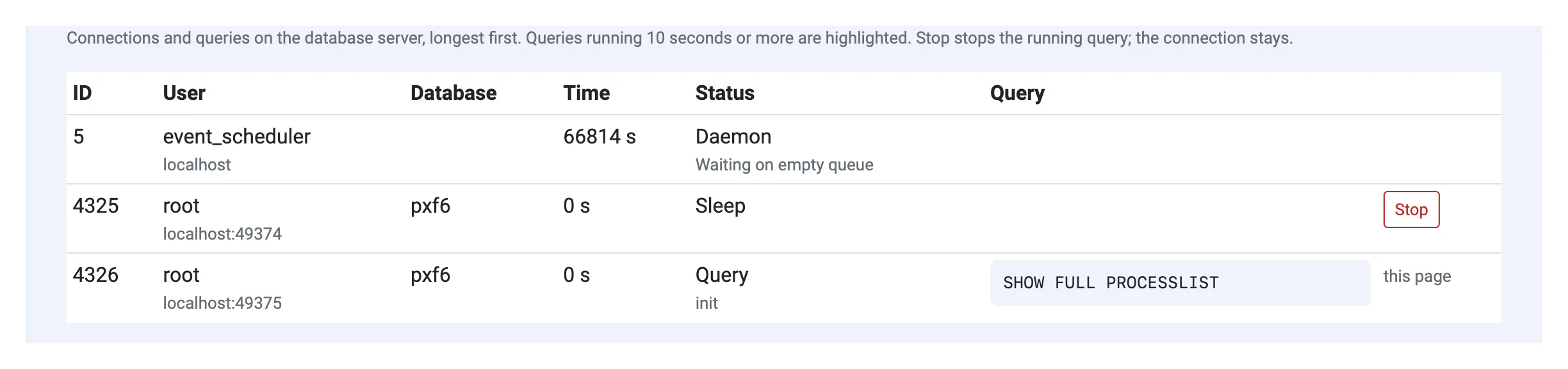
Health » Running queries lists the connections and queries on the database server, longest first; queries running 10 seconds or more are highlighted. Stop ends the running query of a process.
Import CSV and JSON
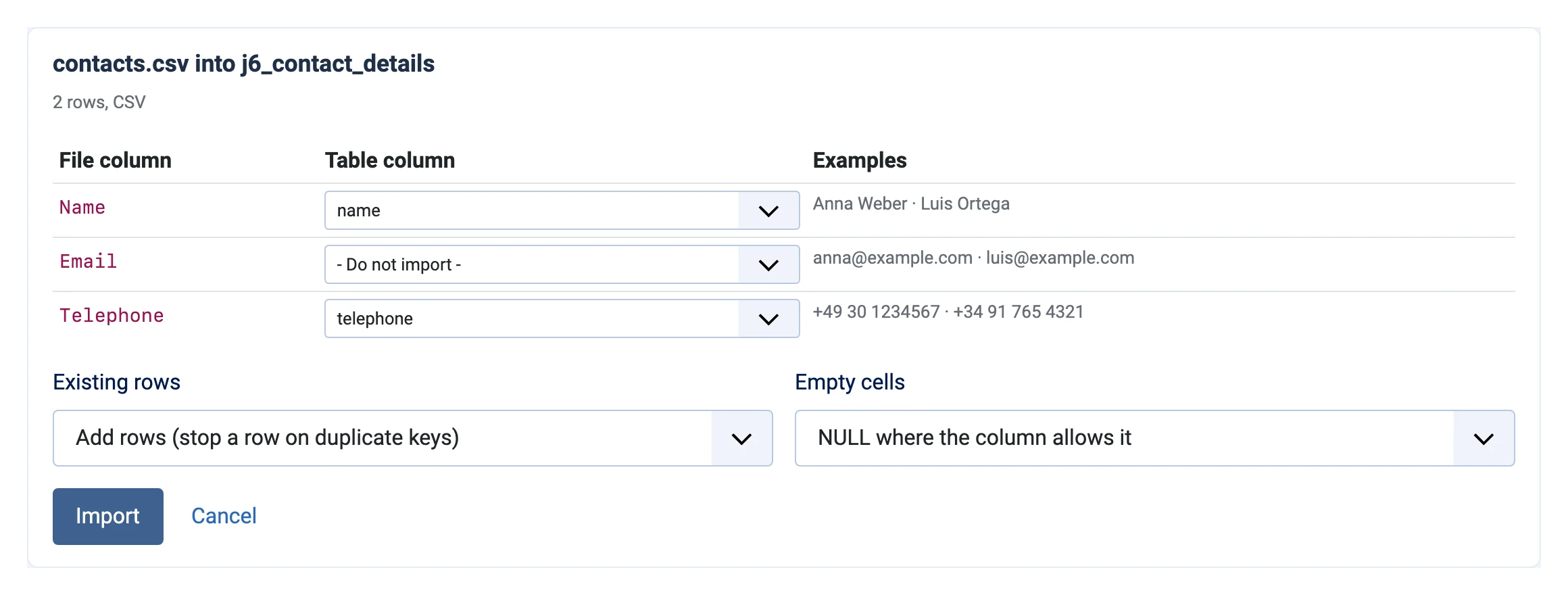
Pro tools » Import loads a CSV (comma, semicolon, tab or pipe, detected) or JSON file (a list of objects) of up to 50 MB into a table:
- Choose the file and the table.
- Map each file column to a table column (columns with the same name are mapped for you) and choose what happens to existing rows: add, add and skip duplicates, add and replace duplicates, or only update existing rows by primary key. Empty cells become NULL where the column allows it.
- Import. The table (or the rows an update changes) is copied into a snapshot first.
Transfer between sites
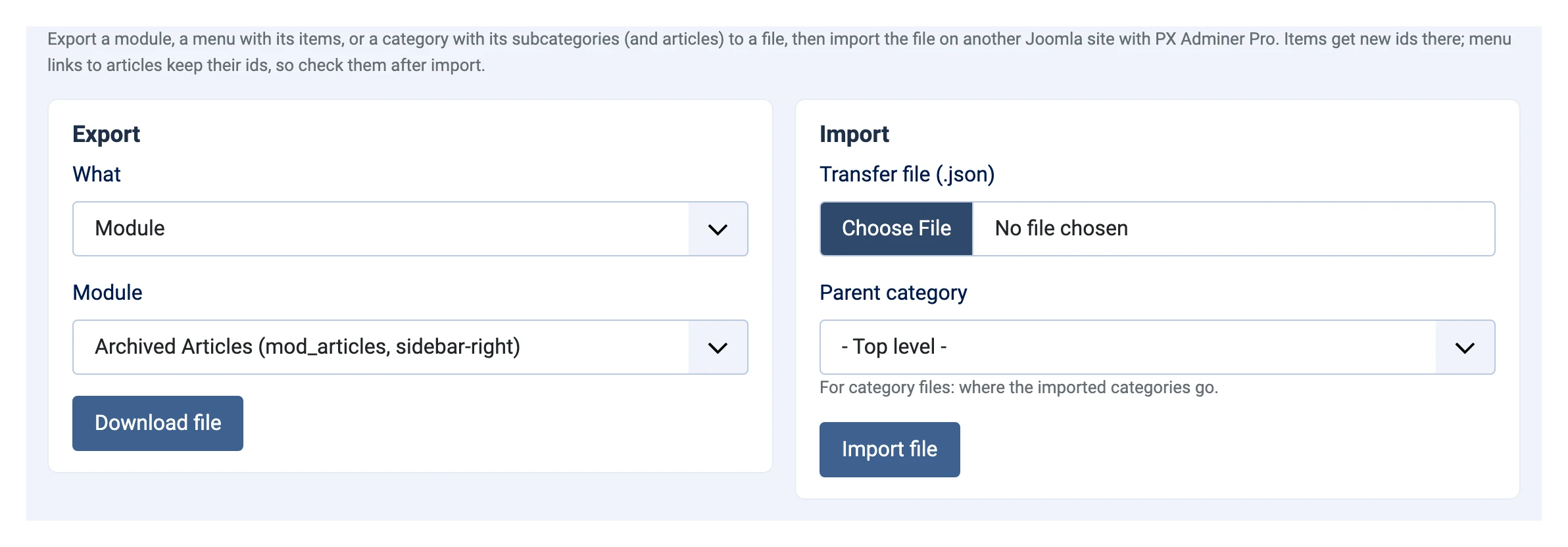
Pro tools » Transfer moves content structures to another Joomla site with PX Adminer Pro:
- a module, with its settings, permissions and menu assignments (matched by menu item path on the other site);
- a menu with all its items, in order;
- a category with its subcategories and, optionally, their articles.
Export downloads a JSON file; import it on the other site. Items are created through Joomla, with new ids, aliases made unique where needed and permissions kept. Menu links that point to articles by id keep that id: check them after the import.
Connections
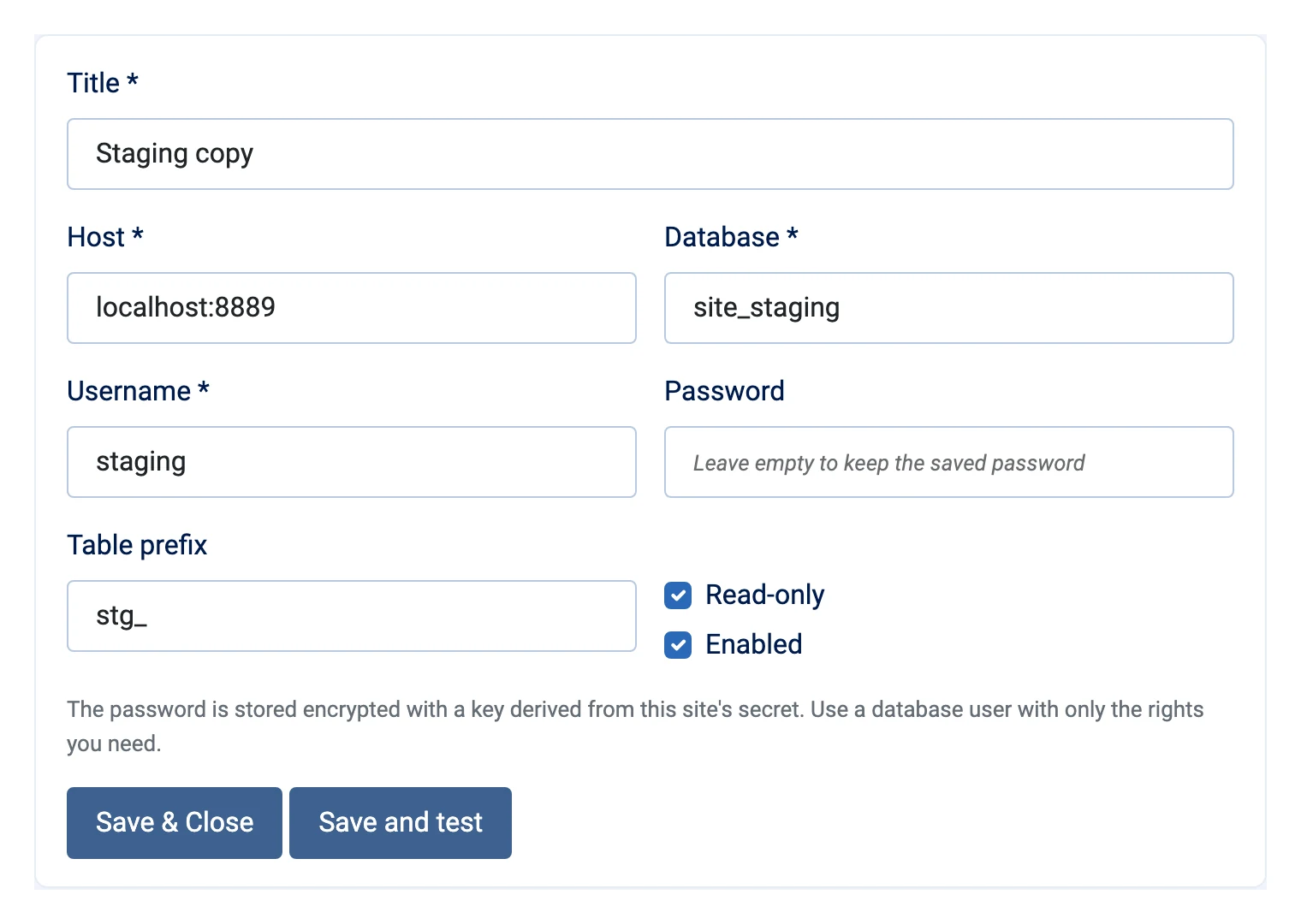
Components » PX Adminer » Connections adds other MySQL or MariaDB databases, such as a staging copy or another site: title, host, database, user, password (stored encrypted with a key from your site's secret), table prefix, and Read-only. Save and test checks the connection.
Switch between the Joomla database and your connections with the Connection list at the top of the PX Adminer sidebar. Snapshots and the audit log work on every connection; write protection of core tables applies to the Joomla database.
Scheduled tasks
In System » Scheduled Tasks » New:
| Task | What it does | Suggested |
|---|---|---|
| PX Adminer Pro - Maintenance | Deletes snapshots and audit entries past their retention, records table sizes for the growth report | Daily |
| PX Adminer Pro - Database clean-up | Runs the clean-up rules you tick (snapshot first; trashed items only from the screen) | Weekly |
| PX Adminer Pro - Optimize tables | Optimizes fragmented InnoDB tables | Monthly |
With Email a report on, each task mails what it did to the addresses in Options » Clean-up and reports.
Options
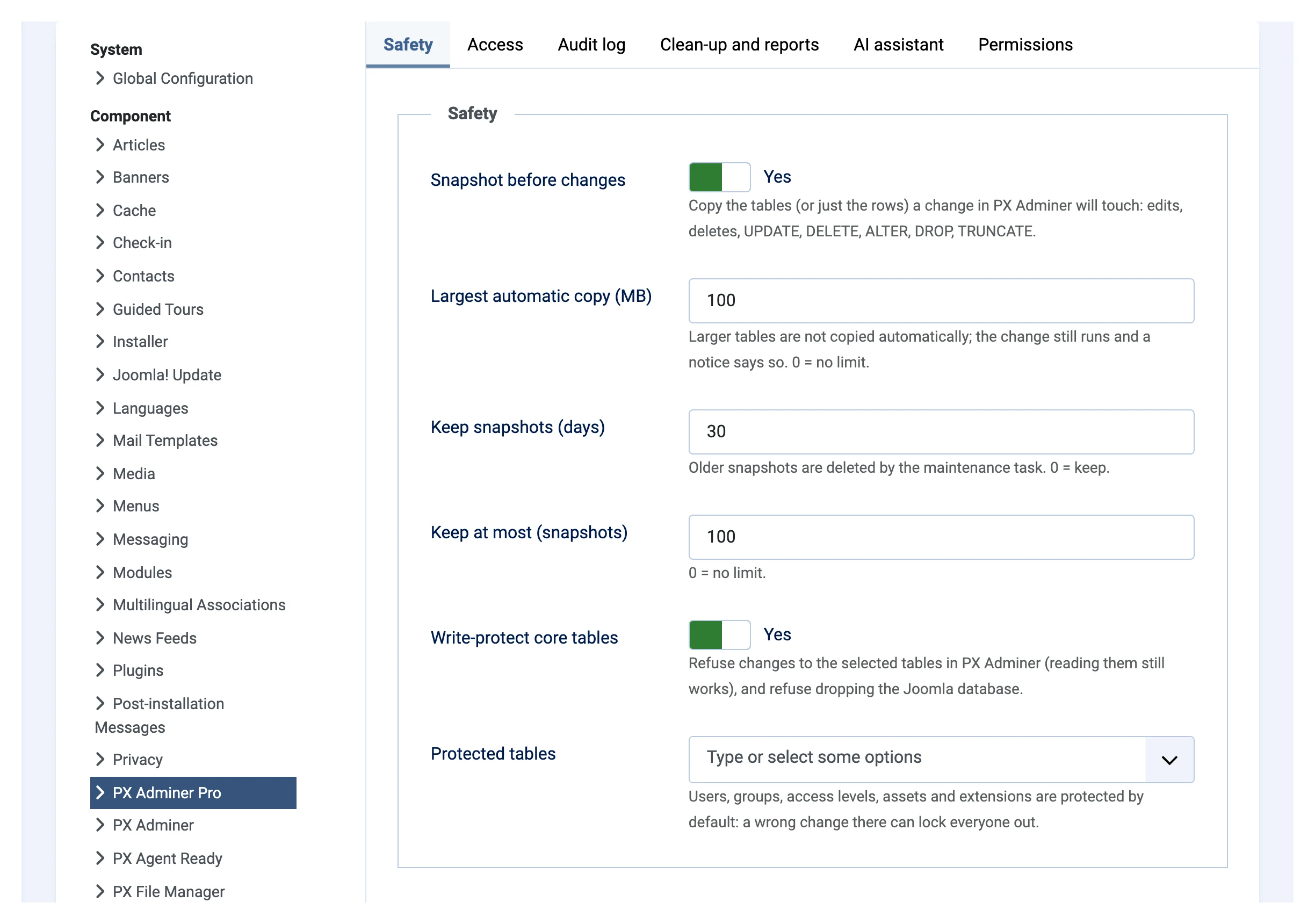
| Tab | Settings |
|---|---|
| Safety | Snapshot before changes, largest automatic copy, keep snapshots (days, number), write-protect core tables and which |
| Access | Read-only for everyone, read-only groups, IP allowlist, ask for the password again (and second factor), how long it lasts |
| Audit log | Log read queries, write to User Actions Log, keep entries (days) |
| Clean-up and reports | Versions to keep, days for action logs and privacy requests, fragmentation threshold, report email addresses |
| AI assistant | Anthropic API key, model, allow write suggestions |
Updates
Joomla shows when a new PX Adminer Pro version is available. Download it from your account and install it over the current one; settings, snapshots and the audit log are kept. Questions go to the forum.