
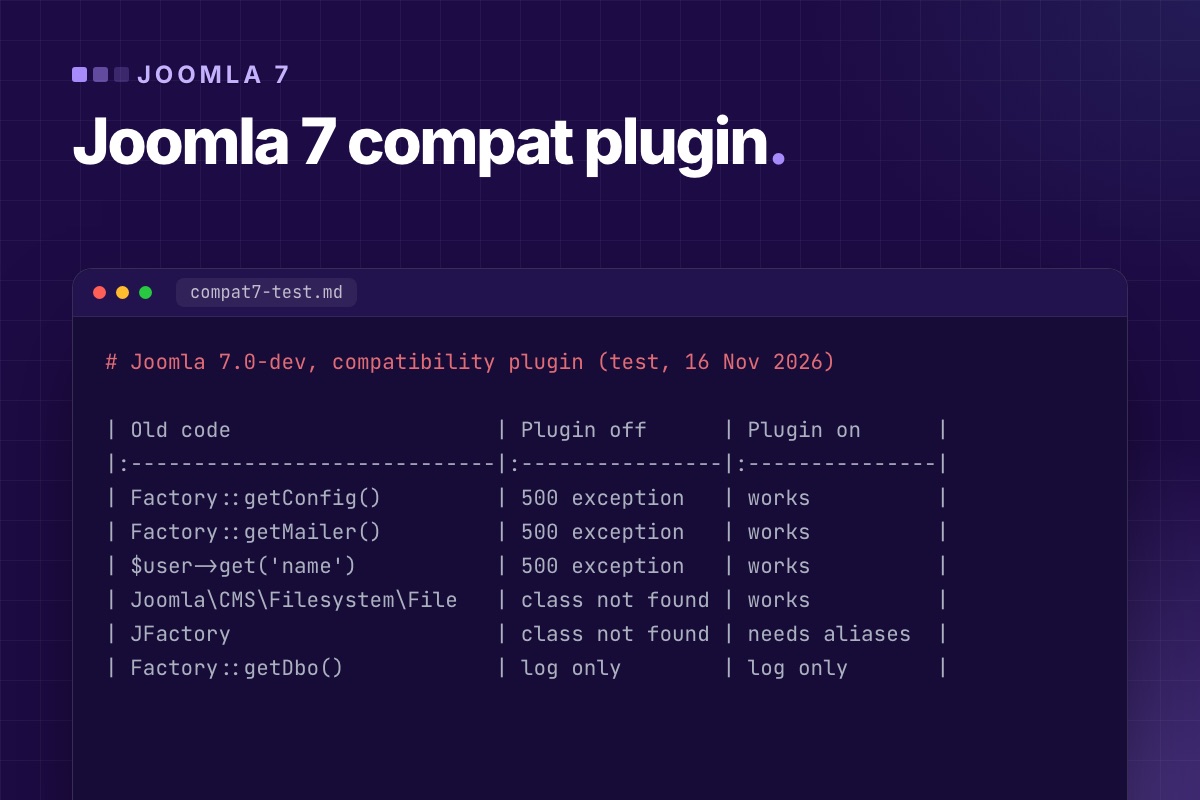

Joomla 7 keeps its backward compatibility in one plugin, Behaviour - Backward Compatibility 7 (plg_behaviour_compat7), and on the 7.0-dev branch that plugin is switched off – on new installs and on sites updated from Joomla 6. With it off, old code fails in three ways: four functions throw an exception and the page shows a 500 error, classes that moved into the plugin are "not found", and other deprecated calls still work but write a line to the log. We installed 7.0-dev, called each old API from a small test plugin with the compatibility plugin off and on, and ran our own extensions and templates through the same test. This post shows what broke, what each plugin option brings back, how to switch it on and how to find the extension that needs it.
Joomla 7 backward compatibility at a glance
| Old code | Compatibility plugin off (default) | Plugin on, default options |
|---|---|---|
Factory::getConfig(), Factory::getSession(), Factory::getMailer() | Exception, page returns 500 | Works, logged as deprecated |
$user->get('name') on a User object | Exception, page returns 500 | Works, logged as deprecated |
Joomla\CMS\Filesystem\File, Folder, Path; Joomla\CMS\Input\Input; Joomla\CMS\Crypt\Crypt | Class not found, page returns 500 | Works |
JFactory, JText, JTable and the other J* names | Class not found, page returns 500 | Still not found (500) – needs the Classes Aliases option as well |
Factory::getUser(), Factory::getDbo(), getLanguage(), getDocument(), getCache() | Works, logged as deprecated | Works, logged as deprecated |
"Logged as deprecated" means a line in administrator/logs/deprecated.php, and only when Log Deprecated API is on in Global Configuration. This is the state of the development branch: Joomla 7.0 has no alpha yet, and the list of functions behind the switch can still grow before the release.
What the plugin is and why it is off
Every Joomla major removes code that was deprecated in the versions before it. Since Joomla 5, the removed pieces that are still widely used move into a "behaviour" plugin for one more major: Backward Compatibility (Joomla 5), Backward Compatibility 6 and now Backward Compatibility 7, added to the 7.0 branch in April 2026 (PR #47420). Its description in the plugin manager says it provides backward compatibility to Joomla 6 for extensions that don't follow the current coding standards.
Either way it is off; what differs is whether that is a change for your site:
- New Joomla 7 install: the plugin is installed disabled. That is not new – a fresh Joomla 6.2 install also has Backward Compatibility 6 switched off.
- Site updated from Joomla 6: this is where it changes. Joomla 5.4 added Backward Compatibility 6 enabled, with Classes Aliases on, so a site that came up from Joomla 5 has run with it on ever since, unless someone switched it off. The 7.0 update script on 7.0-dev uninstalls Backward Compatibility 6 and inserts Backward Compatibility 7 disabled, with Classes Aliases off – unless a later 6.x ships Backward Compatibility 7 early, as 5.4 did with Backward Compatibility 6. An extension that has quietly relied on the old plugin for two years loses it on update day.
In June 2026 the branch also got a switch for single deprecated functions (PR #47911). Classes can be moved into the plugin; functions on a core class cannot, so these now check whether the plugin is on and throw an exception if it is not. The pull request describes it as a fallback that gives sites with old code or unmaintained extensions an extra two years to update – the plugin itself is expected to go with the next major, as Backward Compatibility 6 did now.
What is inside Backward Compatibility 7
The plugin has three options. We read them from its code on the 7.0-dev branch:
| Option | Default | What it brings back |
|---|---|---|
| Classes Aliases | No | About 450 old class names mapped to their namespaced classes: JFactory, JText, JTable, JPlugin, JRegistry and the rest, plus old names of core extension classes such as FieldsPlugin, PrivacyPlugin, FinderIndexerAdapter and ContentHelperRoute. |
| Include Deprecated Classes | Yes | Classes removed from the core library and kept in plugins/behaviour/compat7/classes/: the CMS Filesystem classes (File, Folder, Path, Stream, Patcher), the CMS Input classes (Input, Cookie, Files, Json), Crypt with its ciphers, the old BaseApplication / CliApplication with their CLI input and output classes, and the radiobasic form field. |
| Removed Assets | Yes | Empty placeholders for web assets that were removed from core, so an extension that still asks for one gets no exception. On 7.0-dev the list is still empty. |
Switching the plugin on also unlocks the four functions from the table above, whatever the options say. It does that by defining a constant, COMPAT_JOOMLA_7, which Factory and User check before they run the old code.
What it does not bring back
The plugin covers classes and a few functions, not everything 7.0 removes. The old helper files of the core components are gone for good: components/com_tags/helpers/route.php, com_content/helpers/icon.php and the other site helpers (PR #45857), and the administrator ones (PR #45856). Some old class names, such as ContentHelperRoute, still work through Classes Aliases; code that loads a helper by its file path, such as TagsHelperRoute, fails with "Class not found" whatever the plugin settings. The same goes for removed methods and properties, for example the automatic $this->app and $this->db in plugins and onDisplay in editor buttons – see Joomla 7 breaking changes.
What you see when it is off
On the page that runs the old code you get Joomla's error page with a code of 0 and one of these messages. They are the exact texts from 7.0-dev:
# Joomla 7.0-dev error page, compatibility plugin off
Joomla\CMS\Factory::getConfig() is only available in compatibility mode (compatibility plugin enabled). The configuration object should be read from the application.
Joomla\CMS\User\User::get() is only available in compatibility mode (compatibility plugin enabled). Access directly the property from the user object.
Class "Joomla\CMS\Filesystem\File" not found
Class "JFactory" not found
getSession() and getMailer() give the same "only available in compatibility mode" text with their own hint. Where the failure appears depends on where the old call is: a module breaks the pages it is shown on, a content plugin breaks article pages, a mail plugin breaks every email the site sends, and a system plugin can take down every page it runs on, administrator included. The other deprecated getters keep working and only write to the log, so a site can look fine while it still depends on code that Joomla 7 is set to remove.
How to switch it on, and the catch
In the administrator: System → Manage → Plugins, search for "compatibility", open Behaviour - Backward Compatibility 7, set it to Enabled and save. Turn on Classes Aliases only if the error is about a J* class name such as JFactory.
If the administrator itself fails, use the command line from the site root. Find the plugin's id first – it differs per site:
# terminal, in the Joomla root
php cli/joomla.php extension:list --type=plugin | grep -i compat7
php cli/joomla.php extension:enable 94     # the id from the line above
That works as long as the failing code doesn't run on the command line as well.
The catch: switching the plugin on keeps old code running, it does not update it. With it on, the site runs code that Joomla has marked for removal, and the previous plugin was uninstalled by the next major update. Use it to get a site working again or to buy time for an extension update, and write down which extension needed it. Then ask the vendor for a Joomla 7 version, or replace the extension, and test with the plugin off before the next major.
How to find the extension that needs it
The error message names the old API, not the extension that called it. Three ways to find the caller, quickest first:
- Read the call stack. On a staging copy, set Debug System to Yes in Global Configuration → System and load the page that fails. With debug on, the error page shows a call stack, and the first path outside
libraries/is your extension. In our test it pointed straight at the test plugin's file and line. - Search the code. The hard breaks and the old J* class names are easy to grep for. Run this in the Joomla root and look at the paths of your extensions and template – a few hits in core files are only comments:
# terminal, in the Joomla root – calls that fail when the plugin is off grep -rnE 'Factory::(getConfig|getSession|getMailer)\(|\bJ[A-Z][A-Za-z]+::|Joomla\\CMS\\(Filesystem|Input|Crypt)\\' \ components administrator/components plugins modules administrator/modules templates administrator/templates libraries \ --include='*.php' | grep -v -e '^libraries/src/' -e '^libraries/vendor/' -e '^plugins/behaviour/compat7/' -e 'JLoader::'User::get()is harder to grep, because->get('…')is also how you read parameters; search forgetIdentity()->get(andgetUser()->get(to catch the common cases. On our test site the grep found 14Factory::getConfig()calls in one plugin, and that plugin was the one breaking every article page. - Use the deprecation log for the soft list. In Global Configuration → System → Logging, set Log Deprecated API to Yes and click through the site with the plugin on.
administrator/logs/deprecated.phpthen lists every deprecated API the site used. Note what it does not tell you: for most entries – every deprecation Joomla raises withtrigger_error(), the Factory getters included – the file and line are where Joomla raises the warning, not who called it.
So the log tells you which APIs to grep for; method 1 or 2 tells you where.# administrator/logs/deprecated.php (one entry, date and IP left out) WARNING deprecated Joomla\CMS\Factory::getDbo() is deprecated. Load the database from the dependency injection container. - [ROOT]/libraries/src/Factory.php - Line 468
Our own extensions on 7.0-dev
We ran our extensions and templates through the same test with the plugin off, its default on 7.0-dev. Most passed. Three broke pages or email outright (PX Mail, the T4 Framework and PX Unity), one more has an email that will fail (PX Adminer Pro), and PX Mosaic, PX Magz and PX University have the same calls in their code. We would rather say so here than have you find out on an update:
| Product | With the plugin off | Status |
|---|---|---|
| PX File Manager 1.2, PX File Pro 1.2, PX Adminer 1.1 | Works, full test suites pass | – |
| PX Hotspot 1.0 | Works | – |
| PX Image Optimizer, PX Agent Ready, PX Content | Works; some deprecated calls that only log | Clean-up planned |
| PX Adminer Pro 1.0 | Works; the email of the scheduled maintenance task will fail (getMailer(), found in the code) | Update needed – fix in progress |
| PX Mail 1.0 | Once configured, site emails fail with a 500 (getConfig(), getMailer()) | Update needed – fix in progress |
| T4 Framework 2.6 (the base of all our PX templates) | Every single-article page fails, on any template, and the T4 style editor in the administrator returns 500 (getConfig()) | Update needed – fix in progress |
| PX Unity 1.0 | Every page fails (getConfig() in two layouts and the error page) | Update needed – fix in progress |
| PX Mosaic, PX Magz, PX University | Not run; a code scan finds the same calls as in PX Unity, plus T4 underneath | Update needed – fix in progress |
With the compatibility plugin switched on, the PX Mail failure and the getConfig() failures in T4 and PX Unity went away. One T4 problem stays: its tags layout loads TagsHelperRoute from a file Joomla 7 deleted, so pages that show article tags still return 500 with the plugin on (T4 2.6.5). Tested on 7.0-dev commit 91a5aad with PHP 8.3; results can change as the branch changes.
For developers: the four hard breaks, before and after
The replacements below already work on Joomla 5 and 6, so you can ship them today without a version check. For services in general – where to get the database, user, language or document in each extension type – see After JFactory: replacing Factory getters before Joomla 7.
// Global configuration
// before
$sitename = Factory::getConfig()->get('sitename');
// after
$sitename = Factory::getApplication()->get('sitename');
// in a plugin: $this->getApplication()->get('sitename');
// Session
// before
$session = Factory::getSession();
// after
$session = Factory::getApplication()->getSession();// Mailer
use Joomla\CMS\Mail\MailerFactoryInterface;
// before
$mailer = Factory::getMailer();
// after
$mailer = Factory::getContainer()->get(MailerFactoryInterface::class)->createMailer();// User properties
$user = Factory::getApplication()->getIdentity();
// before
$name = $user->get('name');
$guest = $user->get('guest');
// after
$name = $user->name;
$guest = $user->guest;
// getIdentity() can be null very early in the request (e.g. onAfterInitialise) – check it thereFor the moved classes, switch to the framework packages that ship with Joomla: Joomla\Filesystem\File, Folder and Path instead of Joomla\CMS\Filesystem\…, and Joomla\Input\Input instead of Joomla\CMS\Input\Input, and Joomla\Crypt\Crypt instead of Joomla\CMS\Crypt\Crypt. One difference to watch: the framework File and Folder methods throw an exception on failure where the old CMS classes returned false, so wrap them in try/catch. And JFactory becomes Joomla\CMS\Factory, with a use statement.
To test your own code the way we did, set up a 7.0-dev site as in our Joomla 7 dev environment guide and leave the compatibility plugin off. The full list of what 7.0 removes is in Joomla 7 breaking changes.
What to do now
- Site owners: on a staging copy of your Joomla 6 site, switch Backward Compatibility 6 off and click through the pages, forms and emails. Whatever breaks will break on Joomla 7 too – but this test does not catch the four hard breaks or the Crypt classes, which only throw on Joomla 7, so run the grep above as well. Make a list per extension and check each vendor for a Joomla 7 plan. The Joomla 7 upgrade checklist puts this in order.
- Developers: grep for the four hard breaks and the moved classes first – they are the ones that take a page down. The soft deprecations can follow in normal releases.
- After the update to 7: if a page fails with "only available in compatibility mode" or "Class … not found", switching the plugin on is a valid stopgap. Note what needed it and plan the replacement.
More on the next major in our Joomla 7 hub.
Sources
- joomla-cms branch 7.0-dev, commit 91a5aad (7 November 2026):
libraries/src/Factory.php,libraries/src/User/User.php,plugins/behaviour/compat7/,installation/sql/mysql/base.sql,administrator/components/com_admin/sql/updates/mysql/7.0.0-2026-03-18.sql,administrator/components/com_admin/script.php,libraries/src/Exception/ExceptionHandler.php - Pull requests: #47420 (Backward Compatibility 7 plugin), #47915 (Backward Compatibility 6 removed), #47911 (compatibility switch for deprecated functions)
- Earlier behaviour:
installation/sql/mysql/base.sqlon 6.2-dev and5.4.0-2025-04-23.sqlon 5.4-dev - Our test: 7.0-dev site with Cassiopeia, PHP 8.3, a test plugin calling each old API, compatibility plugin off and on (16 November 2026)
Getting a site ready for Joomla 7
If your site runs extensions nobody updates any more, or custom code from the Joomla 3 or 4 days, the compatibility plugin is what has kept it running – and Joomla 7 turns it off. Our Joomla migration service checks every extension, override and piece of custom code against the next version on a staging copy first and fixes or replaces what breaks. For your own extensions, see custom extension development.