

To restore hacked Joomla files you cannot trust file dates, a malware grep, or even last month's backup. What works is a comparison by content: check every core PHP file against the Joomla release you run, put the official files back, then read by hand what the comparison cannot judge (extensions, templates, uploads, the database) and close every door the attacker may have kept. Below is that routine with a script that does the comparison without downloading the package. We tested each step on a copy of a Joomla 6.2 site with planted backdoors, and ran the check on our own site.
Why "restore the backup" is often not enough
Our FAQ answer for a hacked site covers the first hour: take the site offline, keep a copy of the hacked state and the access logs, change the hosting passwords, restore a clean backup. The problem is the word "clean". When we cleaned up a regional newspaper's Joomla site in September 2026, the visible damage was a spam article by an unknown Super User. The first backdoor had been planted at the end of July, through a vulnerable extension, weeks before anyone saw a thing. So every backup from those weeks would have carried it.
So treat the files as unknown, keep the hacked copy as evidence, and work through them in this order. If you can, work on a copy of the site on another server and move the cleaned result back.
1. Why dates and pattern searches miss things
The two usual first moves both failed in our test:
find -mtimelists files changed in the last days. We planted a new file inlibraries/src/Helper/and gave it the date of its neighbor withtouch -r, which any shell user can do.find . -name '*.php' -mtime -3did not list it. The inode change time (-ctime) cannot be set that way, but deploys, restores and achmod -Rreset it for every file, so on many sites it says little.- Searching for
eval(,base64_decode(,gzinflate(orstr_rot13(matched about 200 PHP files on our own Joomla 6.2 site, whose core files are identical to the release (see step 2). The list includes core files incom_users,com_templatesand the WebAuthn plugin, and a good part oflibraries/vendor. A pattern search gives you leads to read, not a verdict, and a backdoor that avoids those words does not show up at all.
2. Compare core PHP files with the release, no download needed
GitHub's API lists every file in a Joomla release tag with its git blob hash, and git hash-object computes the same hash for a file on your server. Comparing the two finds changed and missing core files. A second pass lists PHP files that sit in core folders but are not part of the release:
#!/bin/bash
# check-core.sh – compare a Joomla site's PHP files with the release tag on GitHub
# usage, in the site root:  bash check-core.sh 6.2.0
set -o pipefail
TAG="$1"; LIST=$(mktemp)
curl -fsS "https://api.github.com/repos/joomla/joomla-cms/git/trees/$TAG?recursive=1" \
  | jq -r '.tree[] | select(.type == "blob" and (.path | endswith(".php"))
           and (.path | test("^(build|tests|installation|\\.github)/") | not)) | "\(.sha) \(.path)"' \
  | sort -k2 > "$LIST" && [ -s "$LIST" ] || { echo "no file list for $TAG" >&2; exit 1; }

# 1. core files that were changed, or are missing
while read -r sha file; do
  if [ ! -f "$file" ]; then echo "missing  $file"
  elif [ "$(git hash-object --no-filters "$file")" != "$sha" ]; then echo "changed  $file"; fi
done < "$LIST"

# 2. PHP files in core folders that the release does not have (templates/ holds your overrides: skipped)
cut -d' ' -f2 "$LIST" | xargs -n1 dirname | sort -u | grep -v '^templates/' \
  | while read -r dir; do [ -d "$dir" ] && find "$dir" -maxdepth 1 -type f -name '*.php'; done \
  | sed 's|^\./||' | sort | comm -23 - <(cut -d' ' -f2 "$LIST" | sort) | sed 's/^/extra    /'
rm -f "$LIST"
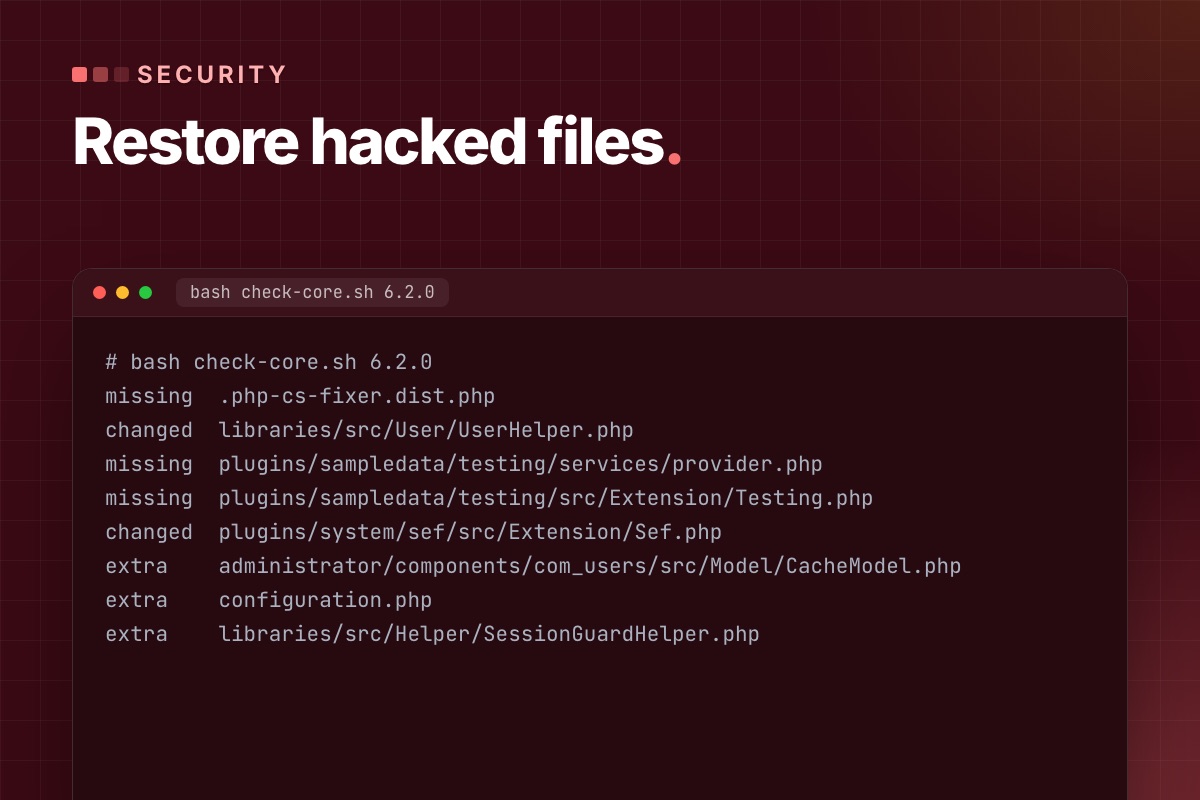
Run it with the version from libraries/src/Version.php. On our test copy, with two core files changed and two PHP files added, it printed:
# bash check-core.sh 6.2.0
missing  .php-cs-fixer.dist.php
changed  libraries/src/User/UserHelper.php
missing  plugins/sampledata/testing/services/provider.php
missing  plugins/sampledata/testing/src/Extension/Testing.php
changed  plugins/system/sef/src/Extension/Sef.php
extra    administrator/components/com_users/src/Model/CacheModel.php
extra    configuration.php
extra    libraries/src/Helper/SessionGuardHelper.php
How to read it:
- The three
missinglines show on every site installed from the release package: the repository has those development files, the package does not ship them. changed: a core file with different content. Either someone patched core (bad practice, and overwritten by the next update anyway) or it carries injected code. Both get replaced in step 3.extra: a PHP file in a folder that belongs to Joomla. Both planted files were found, although both carried the date of a neighboring core file.configuration.phpis yours; anything else needs an explanation.
On our own site the script compared 3,132 core PHP files in about a minute. It reported the three expected missing lines, and its extra list held configuration.php and one small script of ours in the site root. It needs curl, jq and git on the server; if they are not there, copy the site to your machine and run it there. It makes one GitHub API request, well inside the limit for anonymous use.
The extra pass looks only at .php files directly inside folders that hold core PHP files. A file in a new subfolder, or a .phtml or .inc file, needs the upload checks in step 4. What the script does not cover at all: libraries/vendor (Composer packages, not in the repository), JavaScript and CSS in media, and everything under templates/. Step 3 replaces the first two; templates are in step 4.
3. Put the official core files back
Download the full package of the same version from the Joomla 6.2.0 release on GitHub to a folder outside the web root and check its SHA-256 against the release page; downloads.joomla.org lists the checksums a second time.
# terminal
cd /tmp
curl -LO https://github.com/joomla/joomla-cms/releases/download/6.2.0/Joomla_6.2.0-Stable-Full_Package.zip
sha256sum Joomla_6.2.0-Stable-Full_Package.zip     # macOS: shasum -a 256
# expected: eaafc68b5990d7b9dd9156656d4c3c3547743d1d7a85682a92e2f9121b58f018
unzip -q Joomla_6.2.0-Stable-Full_Package.zip -d /tmp/joomla-6.2.0
Then copy the package over the site. Preview first with -n; the itemized list shows what would be overwritten:
# terminal, in the site root
rsync -rcn -i --exclude=/installation/ --exclude=/configuration.php --exclude=/images/ /tmp/joomla-6.2.0/ ./
>fcsT.... libraries/src/User/UserHelper.php
>fcsT.... plugins/system/sef/src/Extension/Sef.php

rsync -rc --exclude=/installation/ --exclude=/configuration.php --exclude=/images/ /tmp/joomla-6.2.0/ ./--exclude=/installation/is the important one. The package contains the installer; copied to a live site, it would be reachable in the browser.- No
--delete. The same folders hold your extensions, so deleting everything the package lacks would remove them. Move eachextrafile from step 2 into your evidence folder by hand instead. -ccompares content, not dates, so a backdated file is still replaced.- Run it as the site's user (for example
sudo -u siteuser rsync …). Run as root, every replaced file becomes root-owned, and Joomla can no longer update or write to it.
Run check-core.sh again. On our test copy, after the copy and moving the two extra files away, only the three expected missing lines and configuration.php were left.
The admin has a shortcut: System → Update → Joomla shows "Reinstall Joomla core files" when no update is waiting. It downloads the package, checks the SHA-256/384/512 hash from the update server, and extracts it over the site. Like rsync without --delete, it leaves added files where they are. And on a hacked site the administrator is part of what you don't trust yet, so prefer the shell.
4. What the comparison cannot judge
Extensions
Each third-party extension needs the same treatment against its vendor's package: unzip the version you run and compare with diff -rq, or simply install the current version over it. Remove anything you don't use, and anything listed on Joomla's Vulnerable Extensions List without a fixed version. A vulnerable extension is a common way in, as in the case above, and reinstalling it as it was reopens the hole.
Templates and overrides
Everything in templates/*/html is yours, so no release can vouch for it, and in the case above backdoors were hidden in template folders. Compare the template itself with its vendor package, then read every override. This lists them as a reading list; the dates can be faked, so read them all, not only the newest:
# terminal – every PHP file in the templates, with its date
find templates -name '*.php' -exec ls -l {} + | sort -k9
Uploads, caches and server rules
# terminal – code or server rules where only uploads and cache files belong
find images media tmp cache administrator/cache -type f \
  \( -iname '*.php*' -o -iname '*.phtml' -o -iname '*.phar' -o -name '.htaccess' -o -name '.user.ini' \)

# rules that make the server run other file types as PHP, anywhere in the site
find . \( -name '.htaccess' -o -name '.user.ini' -o -name 'php.ini' \) \
  -exec grep -l -iE 'AddHandler|SetHandler|AddType|ForceType|auto_prepend_file|auto_append_file' {} +
On the test copy the first command found our planted images/banners/thumb.php.jpg and an images/banners/.htaccess, and the second showed why that pair is dangerous: the .htaccess made the server run .jpg files as PHP. On our own site the first command lists 43 files, all in the media folders of three extensions that keep PHP templates, logs and .htaccess files there. So read the list, then compare those files with the extensions' packages; don't delete by pattern.
5. The database
Files are half of it. Attackers add Super Users, put scripts into articles and modules, and install extensions. Run these in phpMyAdmin, Adminer or PX Adminer, with your real table prefix instead of #__. The column names are from Joomla 6.2's schema; adjust the date to a few weeks before the first sign of trouble.
-- users created since the date, blocked or not
SELECT id, username, email, registerDate, lastvisitDate, block
FROM #__users WHERE registerDate >= '2026-07-01' ORDER BY registerDate;

-- articles and modules that carry a script or an iframe
SELECT id, title, modified FROM #__content
WHERE introtext LIKE '%<script%' OR `fulltext` LIKE '%<script%'
   OR introtext LIKE '%<iframe%' OR `fulltext` LIKE '%<iframe%';
SELECT id, title, module, position FROM #__modules
WHERE content LIKE '%<script%' OR params LIKE '%<script%';

-- extension installs and logins, from the User Actions Log
SELECT log_date, user_id, ip_address, message_language_key FROM #__action_logs
WHERE message_language_key IN ('PLG_ACTIONLOG_JOOMLA_EXTENSION_INSTALLED', 'PLG_ACTIONLOG_JOOMLA_USER_LOGGED_IN')
ORDER BY log_date DESC LIMIT 50;
Scripts in content can be legitimate (an embed an editor added), so compare with what the site owner expects. For the list of Super Users and when they last logged in, use the query in our Joomla hardening guide. The action log only helps if the User Actions Log plugins were on before the attack, and ip_address holds an address only when IP logging was switched on in the User Actions Log options.
6. Close the doors behind you
Assume the attacker read configuration.php and still holds a session somewhere.
- Database password. Change it in the hosting panel, then
$passwordinconfiguration.php. Change the hosting, SFTP and SSH passwords as well. - Every Joomla password. Set new passwords for all Super Users and Administrators yourself; a forced reset alone does not lock out an attacker who knows the old one, since they could log in and choose the new one. For everyone else,
UPDATE #__users SET requireReset = 1 WHERE block = 0;makes Joomla send each user to the password form at the next login. - Sessions.
DELETE FROM #__session;logs everyone out when sessions are stored in the database, which is what Joomla's installer sets. With the filesystem handler, delete the session files instead.DELETE FROM #__user_keys;also removes every "remember me" login. - API tokens. Joomla checks Web Services tokens as an HMAC made with
$secretfromconfiguration.php, so a new$secretinvalidates every token at once. Generate one withopenssl rand -hex 16and hand new tokens only to integrations you still use. - Outside the server. Check the owners in Google Search Console; in the case above the attacker had added themselves.
- Update and harden. Joomla and every extension to current versions, multi-factor authentication enforced for Super Users and Administrators, and no PHP execution in the uploads folders. The hardening guide has the settings and the nginx rules; the file permissions FAQ has the modes.
- Keep checking. Run
check-core.shfrom cron once a week and mail yourself any output other than the expected lines. In the admin, the security scan of PX File Pro compares core files with the official package of your version and lists PHP in uploads and cache folders, recent PHP changes and typical web shell patterns.
Only then bring the site back online, and keep reading the access logs for a few weeks. Requests to the paths of the files you removed tell you whether someone is still trying them.
Need it cleaned up?
If the site is down, the backups are suspect, or you would rather not do this on a live site yourself, our maintenance and security service cleans up hacked Joomla sites: files, database and accounts, the root cause, and the hardening afterwards, with a report of what we found. Tell us about the site and we start with a look at the damage.