
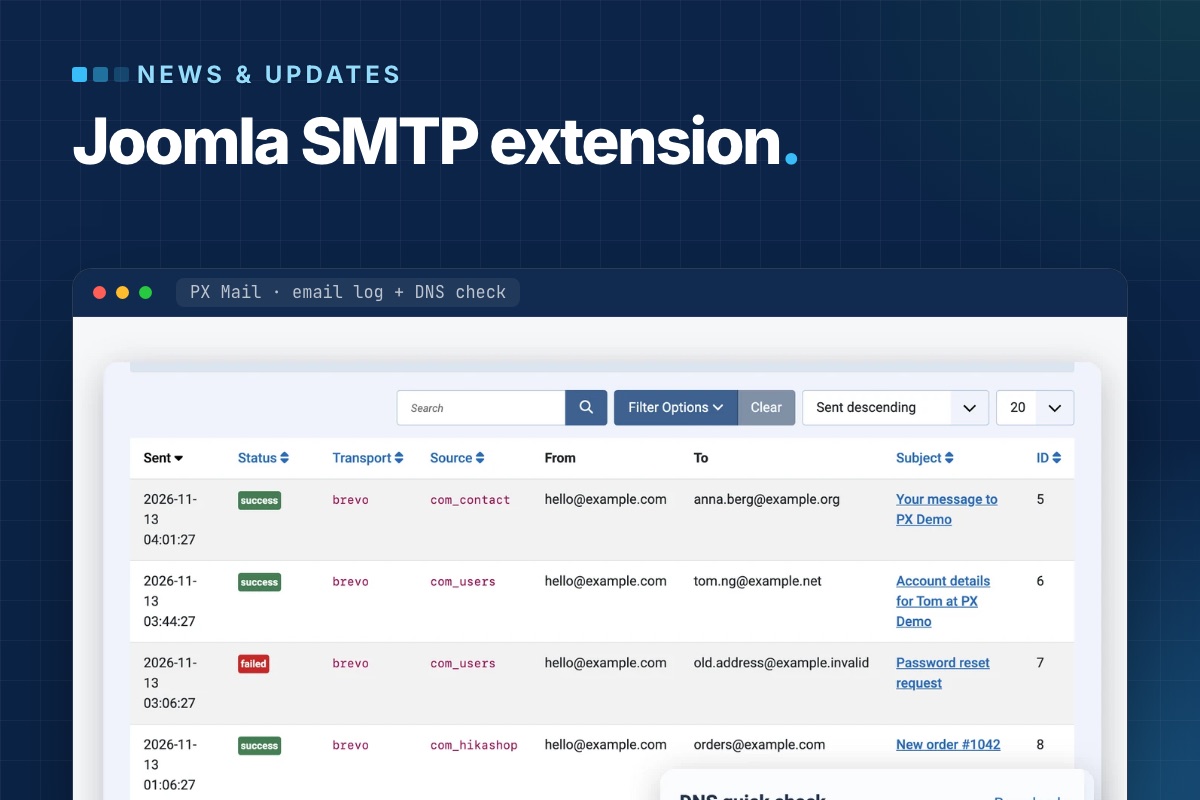

PX Mail is a free Joomla SMTP extension for Joomla 6. It sends the mail your site already sends – registrations, password resets, contact forms, order emails – through one real provider: an SMTP account, Gmail with OAuth, or an email API such as Brevo, Mailgun or Postmark. Every message lands in an email log, and a DNS check shows which SPF, DKIM and DMARC records your domain is missing.
Doesn't Joomla already do SMTP?
It does. In Joomla 6.2, System » Global Configuration » Server » Mail offers three mailers – PHP Mail (the default), Sendmail and SMTP – and SMTP can log in with a username and password or, new in 6.2, with OAuth 2.0. If your mail goes out fine with those settings, keep them. Our FAQ Emails from my site don't arrive walks through the core setup.
What core doesn't give you is everything around the sending:
- No record of what was sent. When a customer says the password reset never came, there's no screen that shows whether it left the site, which extension sent it or what the mail server answered – only debug logging, which you have to switch on before the problem happens.
- No email APIs. Some hosts block outbound SMTP ports. Email APIs send over HTTPS instead, and core has no transport for them.
- Generic OAuth fields. Core OAuth 2.0 asks for the authorize URL, token URL and scope yourself. That works with any provider, but it's easy to get wrong.
- No DNS check. Whether mail reaches the inbox depends on SPF, DKIM and DMARC records, and you have to look them up somewhere else.
Providers: SMTP presets, Gmail OAuth, email APIs
You pick one active provider in Components » PX Mail » Settings:
| Provider type | Options in 1.0 | What you enter |
|---|---|---|
| SMTP (presets) | Gmail (app password), Microsoft 365, Zoho, Brevo, Amazon SES (us-east-1), Mailgun, SendGrid, or Custom | Username and password; the preset fills host, port and encryption |
| Gmail / Google Workspace OAuth | Gmail over SMTP with XOAUTH2 | Google client ID and secret, then Connect with Google; the refresh token is stored and access tokens renew by themselves |
| Email API (HTTPS) | Brevo, Mailgun, Postmark, SendGrid, SMTP2GO, Resend | An API key (Mailgun also needs the domain and EU/US region) |
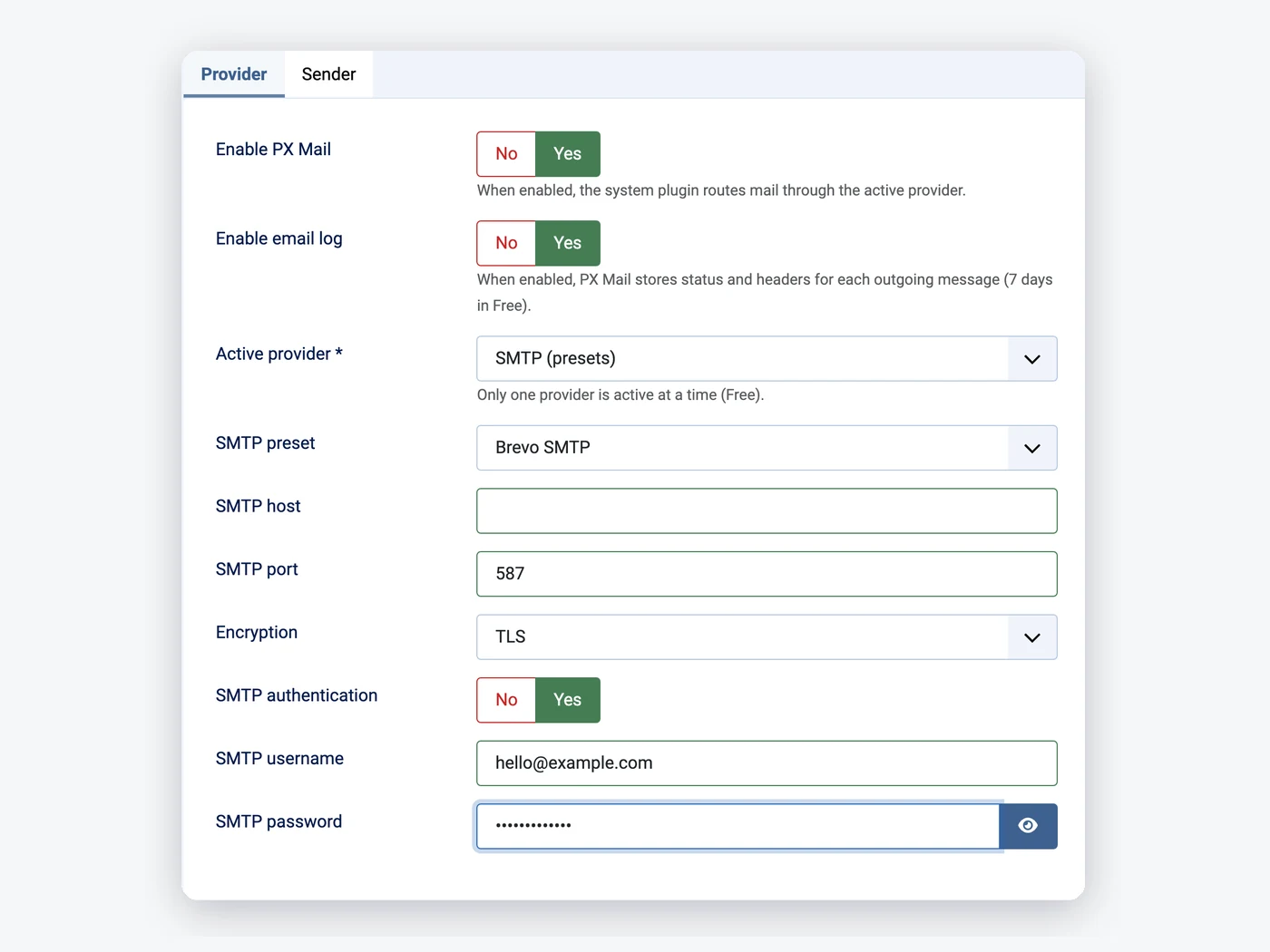
Passwords, API keys and tokens are stored encrypted, and a test email from the settings page shows the provider's error text when it fails – a wrong port or an unverified From address shows up there, not in a customer's inbox.
An email log: what was sent, from where, and what failed
Components » PX Mail » Email log lists every message with the time, status, provider, source (the component of the request that sent it: com_users, com_contact, com_hikashop …), sender, recipients and subject. Filter by failed messages, one provider, one source or a date range, and open a row for the addresses, the subject and the provider's error.
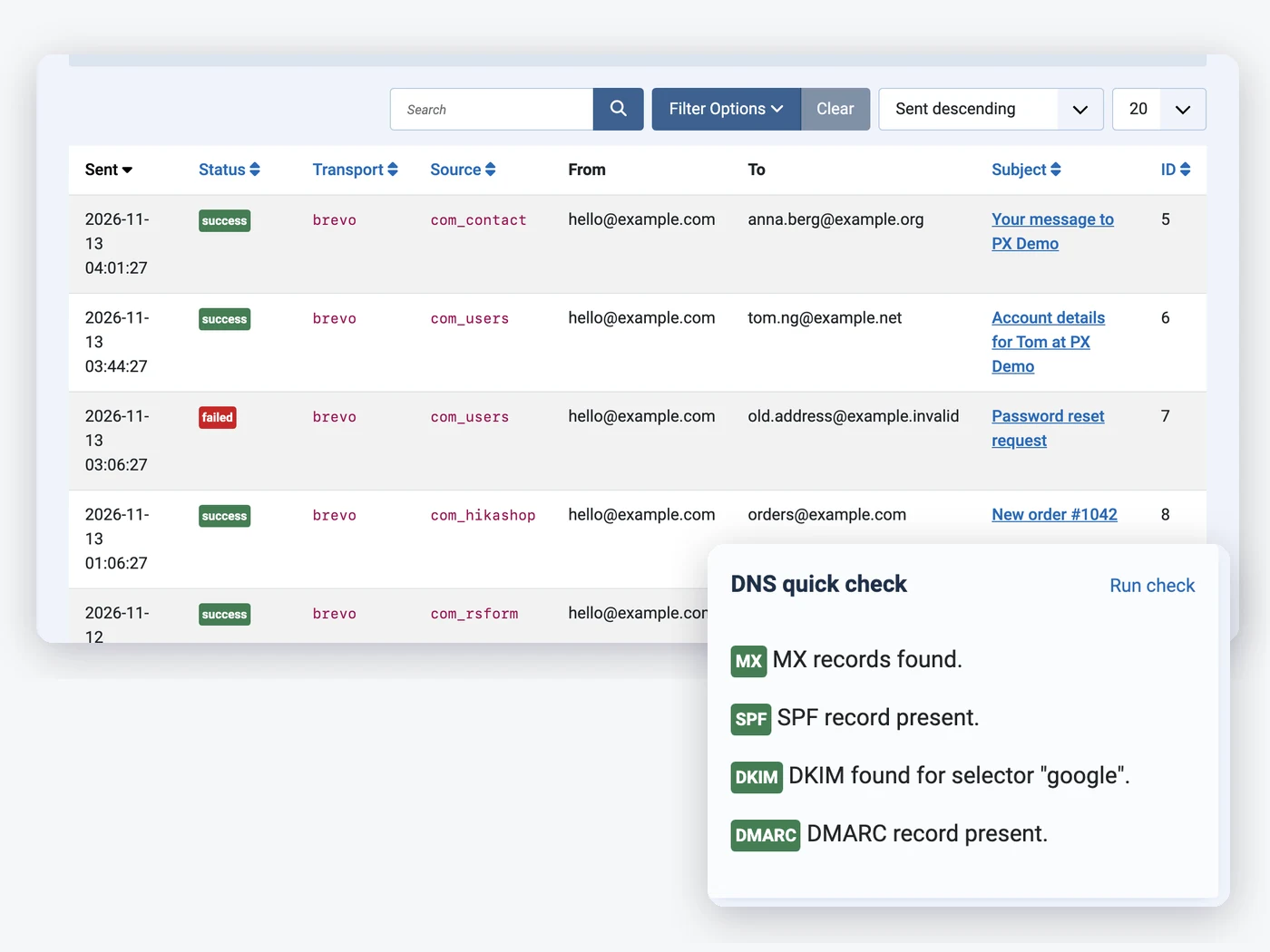
The free edition keeps 7 days and stores the addresses, subject and status only – never the message body or attachments. Older rows are removed automatically; you can also create a PX Mail: Prune email log task in System » Scheduled Tasks, and the Privacy - PX Mail plugin adds the log rows to Joomla's privacy export and removal requests.
DNS check: MX, SPF, DKIM, DMARC
The DNS check looks up your sending domain and marks each record as found or missing, with a hint for the missing ones. For DKIM, enter the selector your provider gives you; left empty, PX Mail tries common ones (google, default, s1, s2, k1, mail, selector1, selector2). If mail lands in spam, this is the first screen to open – the fix is then a record at your DNS host, not a Joomla setting.
Sender rules
Extensions put all kinds of addresses in the From field, and providers reject mail from addresses that aren't verified. The Sender tab forces the From name and address for every message, plus an optional Reply-To and Return-Path. Leave a field empty and the sending extension's value stays.
What goes through PX Mail – and what doesn't
PX Mail replaces Joomla's mailer factory, so everything that sends with Joomla's mailer goes through it: registration, password reset, the Global Configuration test mail, Contact, and extensions such as RSForm!Pro and HikaShop. Extensions that ship their own mailer don't: AcyMailing sends with its own PHPMailer, so give AcyMailing the same SMTP or API account in its own configuration.
Installing PX Mail changes nothing by itself. Joomla keeps its own mailer until you set Enable PX Mail to Yes and fill in a provider, and setting it back to No returns to the Global Configuration settings.
Install
- Requirements: Joomla 6.x, PHP 8.3 or later (with the sodium extension, which PHP ships by default, for the stored secrets), outbound HTTPS for API providers and Gmail OAuth.
- Download
pkg_pxmail-1.0.0.zipfrom the PX Mail page – a free thepixel.dev account is enough. - Upload it in System » Install » Extensions. The package installs the component and three plugins (System, Privacy and Task - PX Mail).
- Open Components » PX Mail » Settings, pick a provider, set the Force From address on the Sender tab and send a test email.
- Run the DNS check for your sending domain.
Every screen is covered in the PX Mail documentation. Still on Joomla 4 or 5? PX Mail needs Joomla 6 and PHP 8.3 – our PHP 8.2 end-of-life plan covers the PHP side. For another free Joomla 6 start, see PX Base, the free starter template.
Rather have someone else watch it? Our Joomla maintenance and support plans handle updates, backups and fixes – contact form mail that stopped arriving included.