
Expert Joomla guides
Tutorials, upgrade notes and AI workflows for people who build and run Joomla sites.

Every CiviCRM site eventually needs something CiviCRM doesn't do out of the box: a changed form, a workaround for a bug, a Joomla 6 compatibility fix. The quickest way is to edit the file that causes the problem. It is also the way that guarantees the problem comes back. This post is about where fixes should live instead.
Why core edits fail
A CiviCRM upgrade on Joomla installs the new package over the old one. Every file CiviCRM ships – in administrator/components/com_civicrm, in its Joomla plugins, in components/com_civicrm – is replaced. Your edit is gone, silently, and usually nobody remembers it existed until a donation form breaks.
The cost is not the first fix. It is every update after it: either someone re-applies the patch by hand each month, or the site stops getting updates – including security releases.
Where fixes should live
| Kind of change | Put it in |
|---|---|
| Change CiviCRM behavior (validation, form fields, totals, permissions) | A CiviCRM extension using hooks such as hook_civicrm_buildForm, validateForm, post, alterAPIPermissions |
| Change how a CiviCRM page looks | A CiviCRM extension with template overrides or CSS, or the Joomla template |
| New reports, searches, forms | SearchKit and FormBuilder (saved as managed entities in an extension) |
| Joomla-side behavior (user sync, routing, Joomla 6 compatibility) | Your own Joomla plugin, packaged as a separate extension |
| A real bug in CiviCRM | A patch sent upstream, plus a temporary hotfix extension until the release includes it |
CiviCRM itself works this way for urgent problems: for the August 2026 APIv4 security issue, one of the official mitigations was a small "hotfix" extension you could install instead of upgrading. See CiviCRM 6.17.1 security release.
A small example: a hook instead of an edit
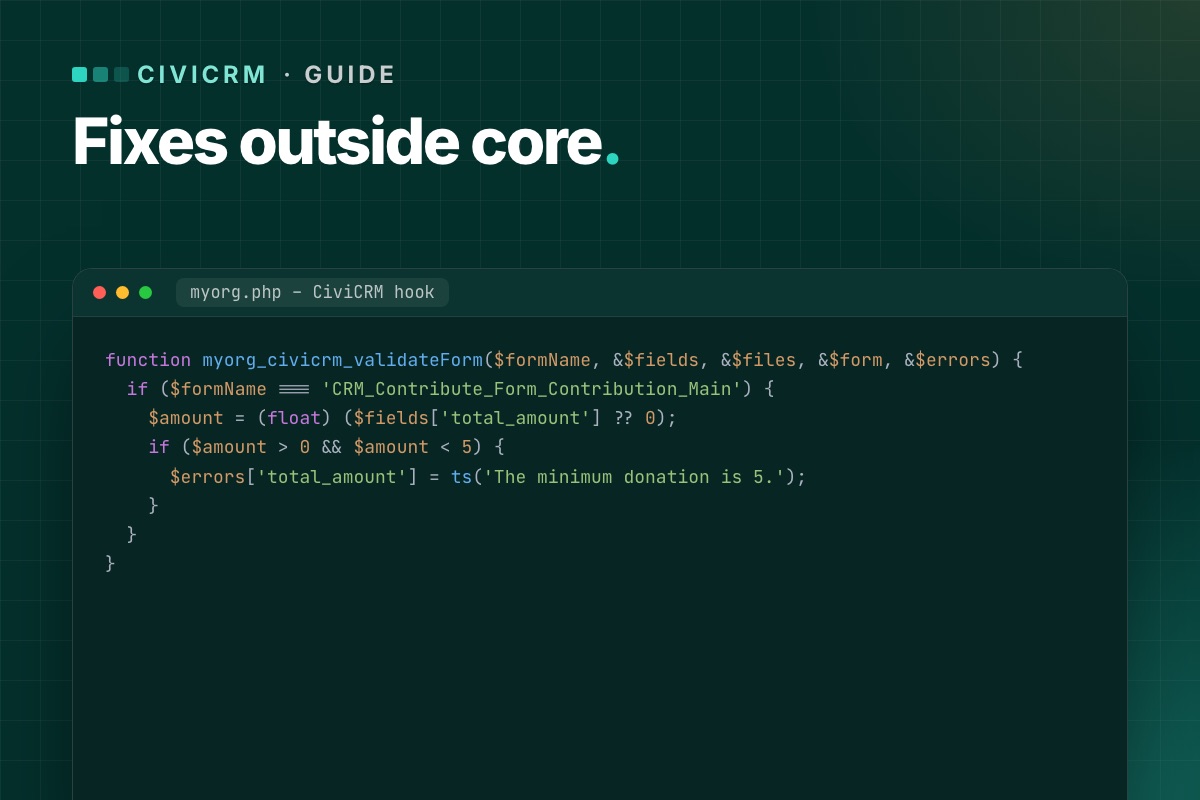
Say a contribution form must reject donations below 5 in your currency. Instead of editing the form class, a CiviCRM extension adds a validation hook:
function myorg_civicrm_validateForm($formName, &$fields, &$files, &$form, &$errors) {
  if ($formName === 'CRM_Contribute_Form_Contribution_Main') {
    $amount = (float) ($fields['total_amount'] ?? 0);
    if ($amount > 0 && $amount < 5) {
      $errors['total_amount'] = ts('The minimum donation is 5.');
    }
  }
}
The extension has its own folder, its own version number and its own repository. A CiviCRM upgrade doesn't touch it.
Joomla 6: the same principle
On Joomla 6, CiviCRM's own Joomla plugins need updating for the event system (explained here). Rewriting them in place would be a core edit. Instead, the compatibility code goes in a separate Joomla extension of your own. That is how we run CiviCRM on Joomla 6 on NorCal CarciNET and WARMTH: zero CiviCRM core files changed.
Prove it survives an update
A fix is only "outside core" if an update proves it. On staging:
- Note what each fix does and how to see it working.
- Install a CiviCRM update – or reinstall the current version over itself.
- Check every fix again.
If anything disappears, it was in the wrong place. Move it before the next real update finds it for you.
Keep a register
For every customization, write down: what it does, why, where it lives (extension name and version), and how to test it. One page is enough. It turns "what did the last developer change?" into a five-minute read.
Start the extension with civix
CiviCRM's scaffolding tool civix creates an extension with the right structure, info.xml and hook wiring in a minute, so there is no excuse to put a fix anywhere else:
# terminal – in CiviCRM's extensions directory
civix generate:module org.example.donationmin
cd org.example.donationmin
# add myorg-style hook functions to donationmin.php, then:
cv ext:enable org.example.donationmin --cwd=/var/www/example.org
Keep the extension in its own Git repository and deploy it like any other code. The register of customisations then points at a repository, not at a person's memory.
Inherited a CiviCRM site with core edits? We find them, move them into extensions and hooks, and prove they survive the next update.
CiviCRM Joomla 6 upgrade →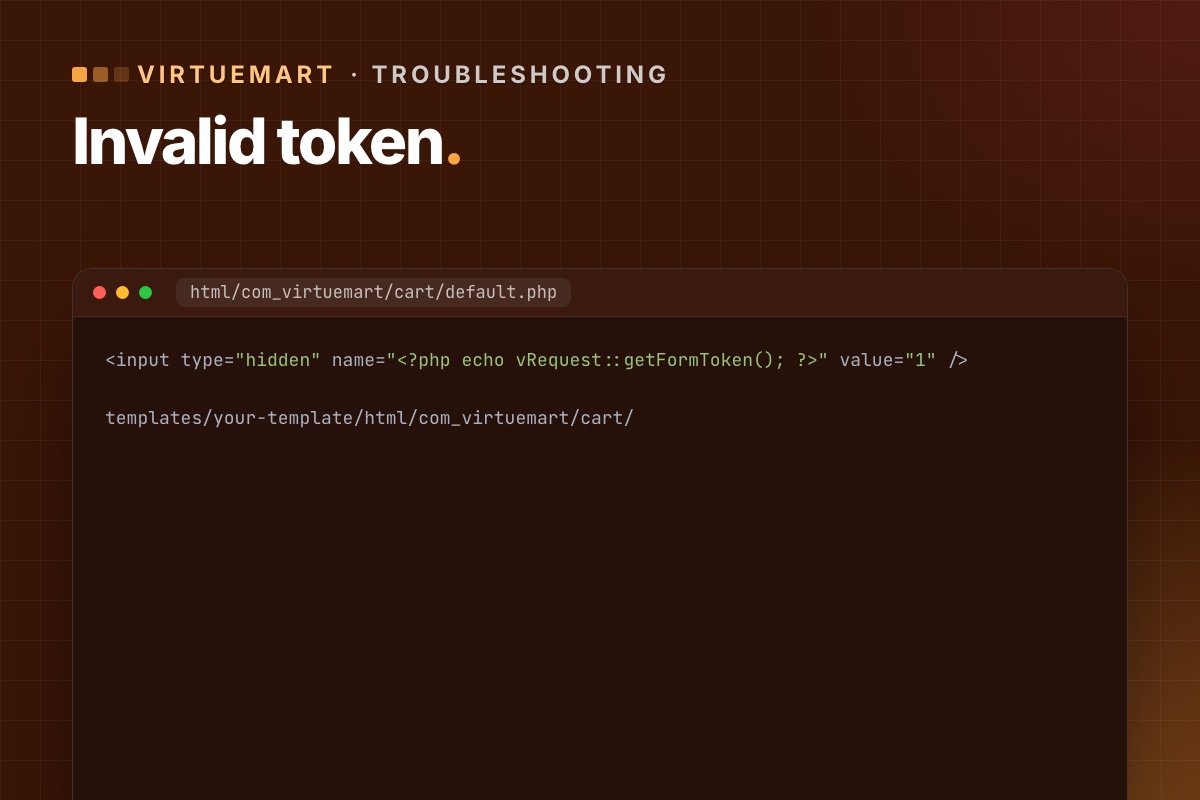

- Details
- Category: VirtueMart
After updating VirtueMart to 4.6 or later, some shops see "Invalid Token" when a customer changes a quantity or updates the cart (view=cart&task=updatecart). Orders stop. Here is why, and how to fix it.
Why it happens
VirtueMart started checking a security token when the cart is saved – a protection against forged requests, added in its security releases. The default VirtueMart cart layout includes the token. But many shops use a template with its own copy of the cart layout (an override), often copied years ago. Those older copies don't have the token field, so VirtueMart rejects the request.
VirtueMart 4.8.0 extended token checks to more front-end and back-end forms, so other old overrides can show the same error.
Find the override
Find which template the shop uses (System » Site Template Styles, the default one – unless a menu item or VirtueMart category sets another). The cart override is usually here:
templates/your-template/html/com_virtuemart/cart/Five fixes, quickest first
1. Use VirtueMart's built-in option (4.6.2 and later)
In VirtueMart » Configuration » Templates, section "Shopfront settings for deprecated views/layouts", enable the option that adds the token by JavaScript. VirtueMart calls this its auto token system. No files to edit.
2. Add one line to the override
The clean fix. Open the cart layout in your template override (usually cart/default.php, sometimes a sublayout) and add this line anywhere between the <form> tags:
<input type="hidden" name="<?php echo vRequest::getFormToken(); ?>" value="1" />You can edit the file in Joomla under System » Site Templates → your template → html/com_virtuemart/cart. Check every form in the cart layouts, not just the first one.
3. Disable only the cart overrides
Rename the folder html/com_virtuemart/cart (for example to cart_off). The cart then uses VirtueMart's default layout, while the rest of the shop keeps your design. Quick, but the cart may look different.
4. Install VirtueMart's token plugin
The VirtueMart team published a small plugin, "Tokencart", that adds the missing token to the cart form. Install, publish, done. Useful when you can't edit template files.
5. Turn off all template overrides
In VirtueMart » Configuration » Templates, disable "Use current shop template overrides". Every VirtueMart page then uses the default layouts. The bluntest option – use it to confirm the cause, not as the final fix.
Which fix to choose
- Need orders working in five minutes: option 1.
- Long term: option 2 – fix the overrides properly, and compare them with the new core layouts while you are there. How to review overrides.
Check it is fixed
- Clear Joomla's cache and any page cache.
- Add a product to the cart, change the quantity, update – no error.
- Apply a coupon if you use them (coupon handling got its own token fix in December 2025).
- Complete a test order with each payment method.
If "Add to cart" stops working only on pages with a cached product module, that is a related but different issue – see Add to cart fails with cached product modules.
For developers: where the error comes from
The message isn't a Joomla error page. It's VirtueMart stopping the request in its cart controller:
// components/com_virtuemart/controllers/cart.php (VirtueMart 4.6)
public function updatecart($html = true, $force = null, $methods = true)
{
    // …
    vRequest::vmCheckToken() or jexit('Invalid Token');
vRequest::vmCheckToken() looks for a request field whose name is the session token (value 1), or a token parameter with the token as value. That's why the fix is a hidden field named after vRequest::getFormToken(). If the session is new (expired), it redirects with "session expired" instead. So "Invalid Token" for one customer and a redirect for another can be the same missing field.
Find every VirtueMart override with a form but no token field:
# terminal – in the site root
grep -rl "<form" templates/*/html/com_virtuemart | xargs grep -L "getFormToken"
Every file this lists is a candidate for the same error on some page. The cart is just the one customers hit first.
Old overrides are the most common VirtueMart upgrade problem we fix. We refresh cart and checkout overrides from the new core layouts and test real orders.
VirtueMart Joomla 6 upgrade →

- Details
- Category: AI & automation
Predictions about "AI-run websites" are cheap. What we can offer instead is a report from daily use. We use AI assistants every day in Joomla work: writing code, reviewing extensions, drafting content, running maintenance checks. Here is what has changed in how we run sites, what hasn't, and what we expect next. Expectations, not prophecies.
What AI does in our Joomla work today
| Task | How | Human step |
|---|---|---|
| Weekly maintenance checks on client sites | agent runs read-only Joomla CLI commands over SSH and writes a report | we read the report and decide on updates |
| Security log digest | aggregated action logs + server logs summarised weekly | we follow up anything flagged |
| Code: modernising extensions for Joomla 6/7 | assistant rewrites deprecated calls with the deprecation log as input | code review and tests, every time |
| Reading unfamiliar code (inherited sites, obfuscated files) | assistant explains what it does | we verify before acting |
| Content drafts and meta descriptions | written into Joomla as unpublished drafts via the API | an editor fact-checks and publishes |
| Bulk SEO fixes | suggestions to a CSV, applied after review | review of every row |
Every row has a human step, and that's not caution for its own sake. Each one exists because we saw what happens without it. A draft that recommended a non-existent npm package. Generated Joomla code calling methods removed two versions ago. A confident explanation of an option that Joomla doesn't have.
What changed
- The cost of looking went down. Reading logs, auditing 60 articles for missing descriptions, checking twenty sites for pending updates: tasks we used to skip are now cheap enough to do every week.
- The cost of starting went down. A first draft of a plugin, a migration script, a test checklist exists in minutes. Finishing it takes as long as it did.
- The API matters more. Every AI workflow we run goes through Joomla's Web Services API or its CLI. Sites with those set up cleanly (a dedicated user, a token, narrow permissions) get the benefits. Sites without them don't.
What didn't change
- Someone has to know Joomla. The assistant writes plausible Joomla code. Knowing that
Factory::getUser()is on its way out, that a legacy plugin fails silently on Joomla 7, or that an override needs re-checking after 6.2 is still the developer's job. AI made experience more valuable, not less. - Publishing is a decision. Nothing we run publishes on its own, and we don't expect that to change for business sites. The liability for what's on the page stays with a person.
- Maintenance is still maintenance. Updates, backups, staging, testing. AI makes them faster to check, not optional.
What we expect in the next two years
- Standard AI interfaces in CMS cores. WordPress already has project-level work on exposing plugin "abilities" to AI tools, including through MCP. We'd expect Joomla to follow in some form, because its plugin architecture and ACL make that a natural fit. Until then, a small MCP server on the existing API does the job.
- Permissions designed for non-human users. Today an AI integration is "a user with a token". Expect finer controls: tokens with scopes, rate limits and expiry, not just a user's full rights.
- Review tooling inside the CMS. Workflows already give drafts a review stage. What's missing is showing editors what the AI changed: a diff between versions, which Joomla's content history already stores.
- More pressure on extension quality. AI tools work through APIs and well-defined events. Extensions without web services or with legacy plugins will be the parts of a site that automation can't reach. Joomla 7's cleanup pushes in the same direction.
What to do now
- Set up the Web Services API properly: unused endpoints off, Basic auth off, a dedicated user per integration. How.
- Start with read-only uses: questions about your content, log digests, maintenance reports. They're useful and they can't break anything.
- Add drafts with review once the read-only part works. Our pipeline.
- Keep your code and extensions current. Automation reaches what follows Joomla's modern patterns.
Want AI in your Joomla workflow without the risk? We set it up the way we use it ourselves: API, permissions, drafts and review.
Talk to us →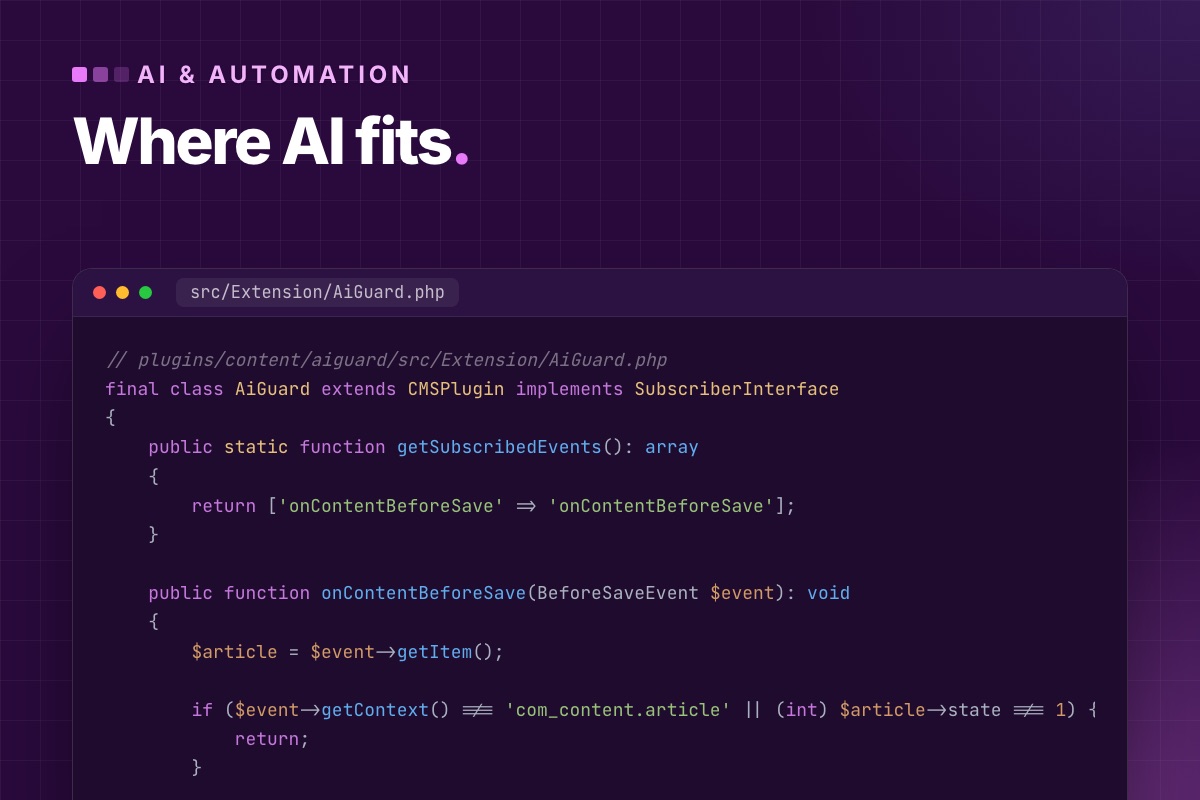
- Details
- Category: AI & automation
"Joomla is ideal for AI" is marketing. What's true, and useful, is that Joomla has clearly separated places where an AI integration can live, and a permission system strong enough to keep it contained. This post maps those places: which kind of AI feature belongs where in Joomla's architecture, with the code entry point for each.
The map
| Integration point | Runs when | Good for |
|---|---|---|
Web Services API (/api) | an outside client calls | assistants via MCP, external pipelines, imports |
| Scheduler task plugin | on a schedule, logged | batch generation: summaries, tags, alt texts, translations |
| Console command | a person or deploy script runs it | one-off bulk jobs with review (CSV in, CSV out) |
Content events (onContentBeforeSave …) | an editor saves | cheap checks and flags, not slow API calls |
com_ajax plugin | an editor clicks a button | "suggest a description" in the edit form |
| Custom fields | always | storing structured AI output where templates can use it |
| ACL, Workflows, User Actions Log | always | keeping the AI's account inside its lane, and auditable |
1. The API: the outside door
Since Joomla 4, every core resource is available through /api/index.php/v1/…, with per-user tokens and Joomla's normal permissions. An assistant connected through MCP works through this door and nothing else, which means the AI's reach is exactly the token user's ACL. Custom components join with a webservices plugin and JSON:API views. Details in the REST API guide.
2. Events: for checks, not for calls
Content events fire inside the editor's save request. They're the right place for quick rules about AI content, and the wrong place for slow API calls. An example we use: a plugin that keeps AI drafts from being published without a human edit.
// plugins/content/aiguard/src/Extension/AiGuard.php
final class AiGuard extends CMSPlugin implements SubscriberInterface
{
    public static function getSubscribedEvents(): array
    {
        return ['onContentBeforeSave' => 'onContentBeforeSave'];
    }

    public function onContentBeforeSave(BeforeSaveEvent $event): void
    {
        $article = $event->getItem();

        if ($event->getContext() !== 'com_content.article' || (int) $article->state !== 1) {
            return;
        }

        // AI drafts carry a note; publishing one needs an editor's edit first
        $aiDraft   = str_starts_with((string) $article->note, 'AI draft');
        $aiUserId  = (int) $this->params->get('ai_user');
        $lastByAi  = (int) $article->modified_by === $aiUserId;

        if ($aiDraft && $lastByAi) {
            throw new \RuntimeException('This AI draft must be edited by an editor before it is published.');
        }
    }
}
A RuntimeException in onContentBeforeSave stops the save, and Joomla shows the message to the editor. Cheap, synchronous, no external call. That's the profile of a good event listener.
3. Scheduler and console: where the model calls go
Anything that calls an LLM belongs outside the visitor's and the editor's request. The Scheduler runs task plugins with logging, locking and a status per run. Console commands handle the bulk jobs a person starts and reviews. Both get the database injected, both can run for minutes without anyone waiting. The patterns are in calling LLM APIs from Joomla and the meta description command.
4. Custom fields: structured output
When a model produces structured data (a reading level, key takeaways, a product's specs extracted from a PDF), don't paste it into the article HTML. Store it in custom fields. Templates can then render it consistently, filter on it, and replace it without touching the text. The API accepts fields by name, so a pipeline can write "key_takeaways": "…" directly:
// in a layout override – templates/yourtemplate/html/com_content/article/default.php
$fields = FieldsHelper::getFields('com_content.article', $this->item, true);
$take   = array_values(array_filter($fields, fn ($f) => $f->name === 'key_takeaways'))[0] ?? null;

if ($take && $take->rawvalue !== '') : ?>
    <aside class="takeaways"><?php echo $take->value; ?></aside>
<?php endif; ?>
5. ACL, Workflows and the action log: containment
This is where Joomla is genuinely strong compared with simpler CMSs. An AI integration gets its own user, in its own group:
- ACL per category and per action: may create in "Blog", may not edit state, may not delete. Enforced on every API request.
- Workflows (core since Joomla 4): the AI's group can execute exactly one transition, "Submit for review".
- User Actions Log: every change by that user is recorded with time and item, which gives you an audit trail of what the AI did, for free.
None of this needs AI-specific code. It's the same machinery that keeps a junior editor from publishing on the home page.
What to avoid
- LLM calls in system plugins (
onAfterRoute,onAfterRender): every page waits, every outage is yours. - A Super User token for any automation.
- Writing AI output directly into published content without a review state.
- Keys in plugin parameters, which end up in every database dump.
Planning an AI feature in Joomla? We help you put it in the right place in the architecture, then build it: plugins, tasks, API and permissions.
Custom extension development →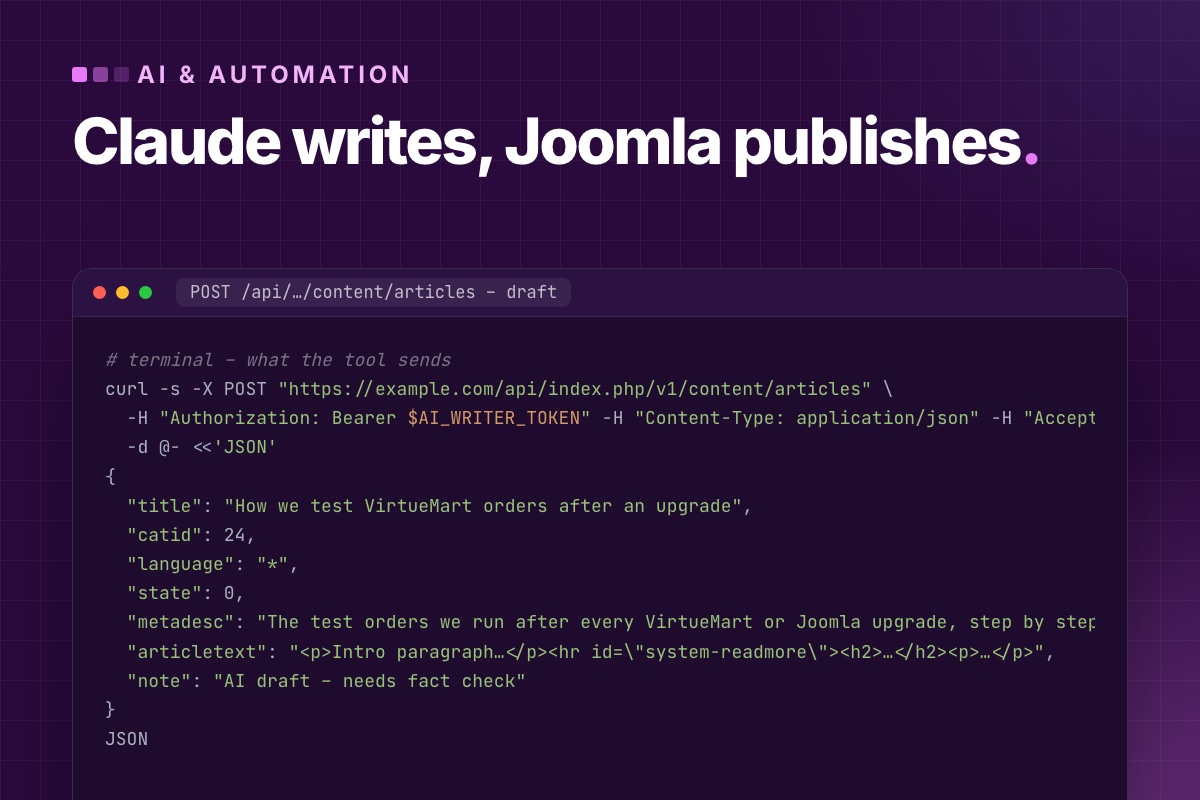
- Details
- Category: AI & automation
"Let the AI publish articles automatically" is easy to build and a bad idea to run. Our setup has Claude write drafts straight into Joomla, with images and metadata, and a person publishes every one of them. This post shows that setup. Joomla's permissions and workflows do the controlling, not the prompt.
The pipeline
- An editor gives Claude a brief: topic, audience, sources, internal links to use.
- Claude writes the article and calls Joomla through an MCP server (or a script) to save it as an unpublished draft, with category, meta description and, if needed, an image.
- Joomla puts the draft into a review stage. Only editors can move it on.
- An editor checks facts, links and tone in the normal article editor, then publishes.
The AI never holds publish rights. That single decision is what makes the rest safe to automate.
Step 1: an account that can't publish
Create a user group "AI writer" (child of Registered, not Author or Editor) and give it, in Articles → Options → Permissions and per category:
| Permission | AI writer |
|---|---|
| Create | Allowed, only in the categories it writes for |
| Edit Own | Allowed (so it can revise its own drafts) |
| Edit, Edit State, Delete | Denied |
| Execute transition (with Workflows) | only "Submit for review" |
| Media: Access Administration Interface, Create | Allowed, if it uploads images |
Create one user in that group, allow the group to have API tokens (Plugins → User – Joomla API Token → Allowed User Groups), and generate the token on the user's Joomla API Token tab. Joomla then enforces "drafts only" on every request, whatever the model decides to send. A "state": 1 from a user without Edit State is ignored, so the article stays unpublished.
Step 2 (optional): a review stage with Workflows
For teams, turn on Workflows (Articles → Options → Integration → Enable Workflow) and create a workflow such as:
Draft ──(Submit for review: AI writer, Authors)──▶ Review ──(Publish: Editors)──▶ Published
                                                      └──(Send back: Editors)──▶ Draft
Transitions have their own permissions, so the AI's group gets exactly one: Submit for review. Since Joomla 6.1 the workflow screen draws this as a diagram, which makes it easy to check with the team.
Step 3: the writing call
With an MCP server (we build one in How to build a Joomla MCP server), Claude calls a create_draft tool. Without one, a script does the same request:
# terminal – what the tool sends
curl -s -X POST "https://example.com/api/index.php/v1/content/articles" \
  -H "Authorization: Bearer $AI_WRITER_TOKEN" -H "Content-Type: application/json" -H "Accept: application/vnd.api+json" \
  -d @- <<'JSON'
{
  "title": "How we test VirtueMart orders after an upgrade",
  "catid": 24,
  "language": "*",
  "state": 0,
  "metadesc": "The test orders we run after every VirtueMart or Joomla upgrade, step by step.",
  "articletext": "<p>Intro paragraph…</p><hr id=\"system-readmore\"><h2>…</h2><p>…</p>",
  "note": "AI draft – needs fact check"
}
JSON
Two fields make the editors' job easier: note shows in the article list in the back end (we use it for "AI draft, sources: …"), and metadesc gets written while the model still has the whole article in context.
Step 4: images
Images go through the Media API, base64-encoded, into a folder you choose. The request passes the same upload checks as the Media Manager: allowed extensions and MIME type.
# terminal
curl -s -X POST "https://example.com/api/index.php/v1/media/files" \
  -H "Authorization: Bearer $AI_WRITER_TOKEN" -H "Content-Type: application/json" \
  -d "{\"path\": \"local-images:/blog/drafts/vm-test-orders.jpg\", \"content\": \"$(base64 < cover.jpg | tr -d '\n')\"}"
Reference it in the article's images field (image_intro, image_fulltext) or in the HTML. Keep AI-supplied images in a drafts folder, so you can see at a glance what still needs a human look.
Step 5: the review
This is where the time goes, and where it should. Our checklist for an AI draft:
- Every technical claim: version numbers, option names, menu paths, code. Models invent plausible option names. We check them against a real Joomla install.
- Every link resolves, and internal links point where the brief said.
- Code runs. Copy each block into a test site, or don't publish it.
- Voice: our experience, not generic advice. If the draft could appear on any site, it isn't finished.
- Title ≤ 60 characters, description ≤ 160, alias as intended.
We learned the first point the hard way. An older post on this blog told readers to install an npm package that doesn't exist. The model had made up a plausible name, and nobody checked. It's fixed, and it's why the review step is not optional.
What we automate, and what we don't
| Good fit | Keep human |
|---|---|
| First drafts from a detailed brief and sources | deciding what to publish |
| Meta descriptions for existing articles (see auto-generating meta descriptions) | facts, numbers, code |
| Translations as drafts for a native speaker to review | anything legal, medical or financial |
| Finding articles with missing alt text, descriptions or links | the final publish click |
Want this pipeline on your Joomla site? We set up the user, permissions, workflow and the MCP server, and train your editors on the review step.
Talk to us →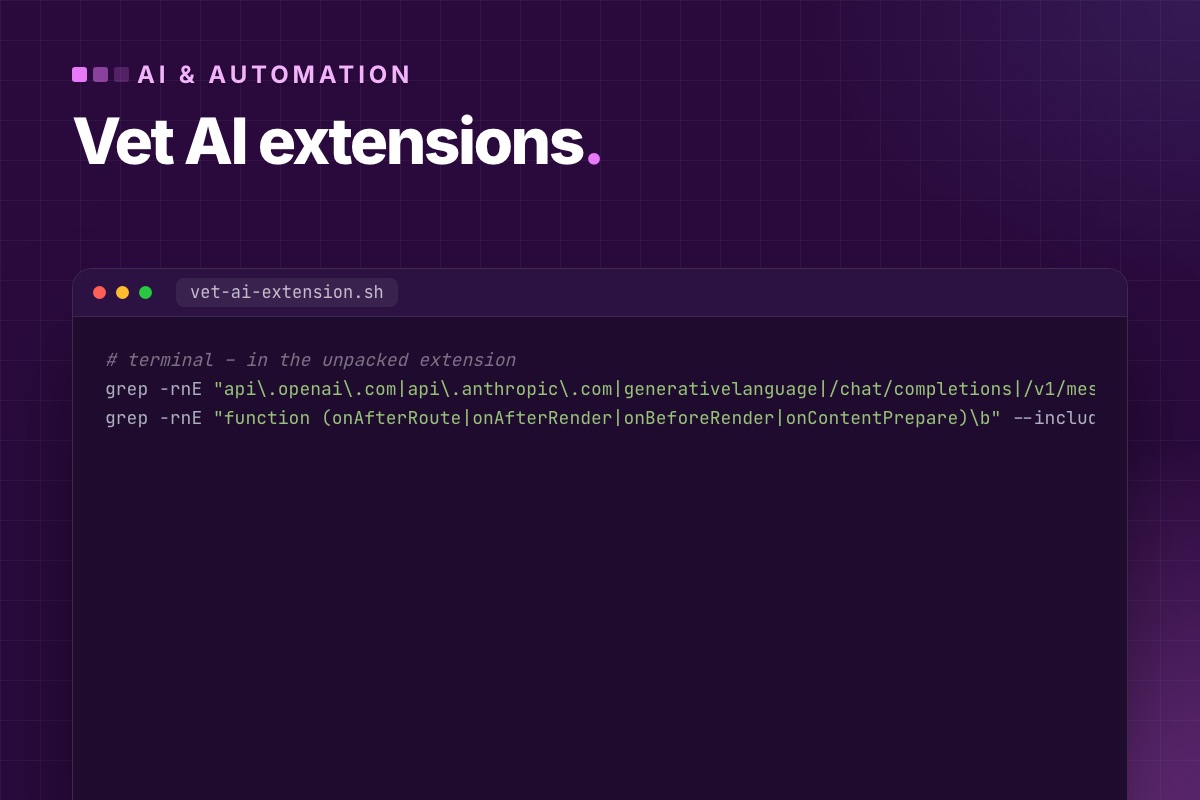
- Details
- Category: AI & automation
There are AI extensions for Joomla for content generation, SEO fields, alt texts, translation, chatbots and smart search. Product lists go stale in months. The questions that decide whether an extension is safe to run on your site don't. This is the checklist we use before an AI extension goes onto a client site, with the commands to answer each question from the extension's code, not its sales page.
What the categories are worth
| Category | Typical value | Watch out for |
|---|---|---|
| Field generators (meta description, alt text, intro) | high: fills gaps editors skip | generation on save, without review |
| Writing assistants in the editor | medium: drafts and rewrites | content sent to a third party; invented facts |
| Translation | high for multilingual sites | publishing translations without a native reader |
| Chatbots on the front end | varies a lot | cost per visitor, data protection, prompt injection |
| AI search / Q&A over your content | useful on large sites | index freshness, answers that cite nothing |
The checklist
1. Does it call the API during page requests?
An extension that calls an LLM from a system plugin or a module makes visitors wait, and makes the provider's outages yours. Look at where the HTTP calls are:
# terminal – in the unpacked extension
grep -rnE "api\.openai\.com|api\.anthropic\.com|generativelanguage|/chat/completions|/v1/messages" --include=*.php .
grep -rnE "function (onAfterRoute|onAfterRender|onBeforeRender|onContentPrepare)\b" --include=*.php .
If both lists point to the same files, the extension calls the model while rendering pages. Acceptable for a chatbot endpoint, not for anything that runs on every page.
2. Where does the API key live?
Almost always in the extension's parameters, which means plain text in #__extensions.params, in every backup and staging copy. That's common and not a deal-breaker, but then: a separate key per site, a spending limit at the provider, and the database treated as a secret. Check whether the key is ever printed to the page:
# terminal – any chance the key reaches the browser?
grep -rnE "addScriptOptions|getScriptOptions|data-api-key|apiKey" --include=*.php --include=*.js .
A key passed to JavaScript is a published key.
3. Does it check permissions?
AJAX endpoints that generate content cost money per call. Without a permission and token check, anyone can call them:
# terminal – entry points vs. checks
grep -rnE "function on\w*Ajax|com_ajax|task=" --include=*.php . | head
grep -rnE "Session::checkToken|checkToken\(|->authorise\(" --include=*.php . | head
Every endpoint that triggers a generation should check a CSRF token and an ACL permission ($user->authorise('core.edit', …)). If the second list is empty, don't install it.
4. What data leaves the site?
Read what's in the request body. The whole article? Form submissions? User names and emails? Then check the provider's data terms and your privacy policy. For member or customer data, prefer extensions that let you choose the provider and base URL, so a self-hosted or EU-hosted model is an option.
5. Does generated content go through review?
Good extensions write suggestions into the form for the editor to accept, or save drafts. Risky ones overwrite fields on save or publish directly. Test it: generate something and check whether you had to click anything before it went live.
6. Is it ready for Joomla 6 and 7?
# terminal – the same checks as for any extension
grep -rnE "\bJ(Factory|Text|Html|Route)\b|Factory::get(User|Dbo|Document)\(|getQuery\(true\)" --include=*.php .
grep -rnE "class Plg\w+ extends CMSPlugin" --include=*.php .
Hits mean it relies on APIs removed from core or marked for removal in Joomla 7. Then turn on "Log Deprecated API" on a test site and use the extension. Our full list is in Joomla 7 breaking changes.
7. Does it control cost?
- A limit per day or per user for front-end features.
- Caching of identical requests (the same alt text for the same image twice is waste).
- A log of usage, so you see the tokens before the invoice does.
8. Does it clean up after itself?
Uninstall it on a test site and check for leftover tables, scheduled tasks and parameters. AI extensions often create queues and caches that stay behind.
Our verdict format
For clients we summarise the result in four lines: where it calls the model (request / AJAX / background), what data it sends, whether it checks permissions, and Joomla 7 readiness. An extension that passes all four is usually fine. When none do, a small custom integration on the API or a task plugin is often cheaper over a year than living with the risks. Patterns for that are in calling LLM APIs from Joomla.
Evaluating an AI extension for your site? Send us the name or the package. We run this checklist and tell you what we found.
Talk to us →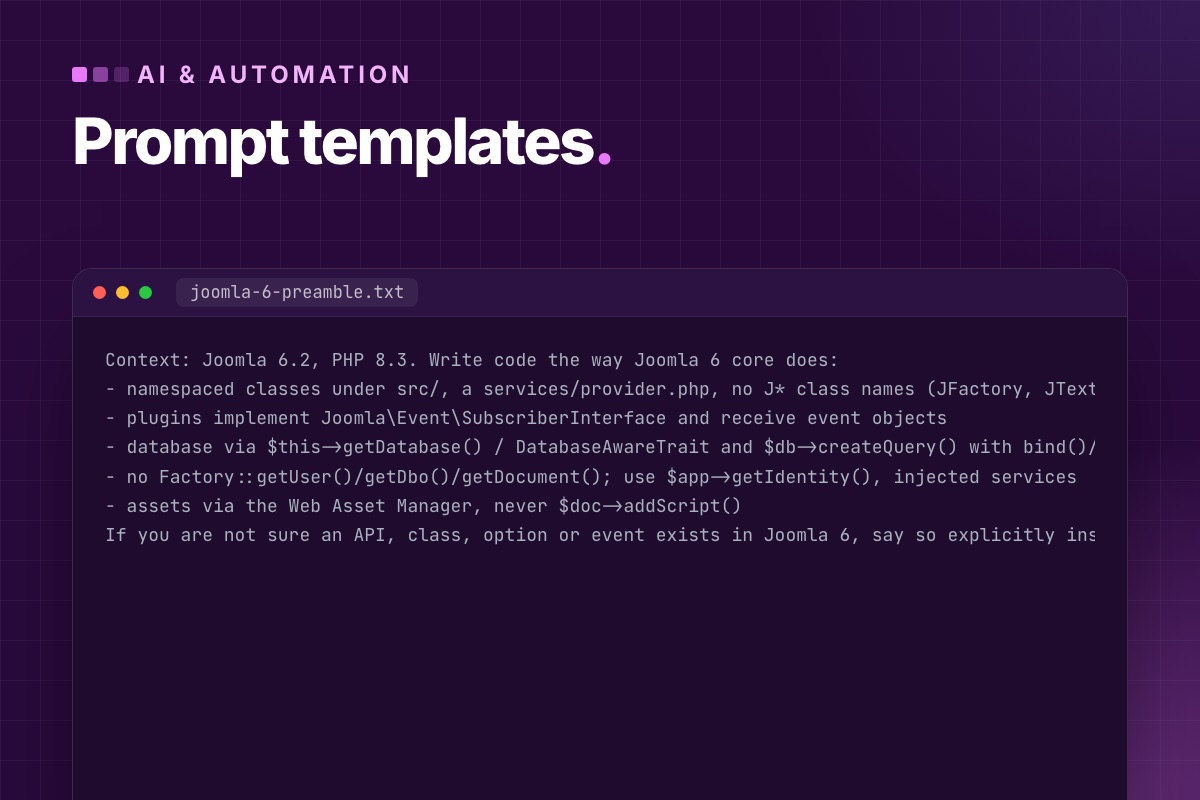
- Details
- Category: AI & automation
Generic prompts get generic Joomla answers: code written for Joomla 3, options that don't exist, advice for WordPress with "Joomla" pasted in. The prompts below are the ones we actually use for Joomla work. Each comes with the reason it's phrased the way it is. The pattern behind all of them: pin the Joomla version, paste the real input, constrain the output, and give the model a way to say "I don't know".
A preamble for every Joomla code task
Models have seen far more Joomla 3 code than Joomla 5/6 code, and default to it. We start every code request with this:
Context: Joomla 6.2, PHP 8.3. Write code the way Joomla 6 core does:
- namespaced classes under src/, a services/provider.php, no J* class names (JFactory, JText…)
- plugins implement Joomla\Event\SubscriberInterface and receive event objects
- database via $this->getDatabase() / DatabaseAwareTrait and $db->createQuery() with bind()/whereIn()
- no Factory::getUser()/getDbo()/getDocument(); use $app->getIdentity(), injected services
- assets via the Web Asset Manager, never $doc->addScript()
If you are not sure an API, class, option or event exists in Joomla 6, say so explicitly instead of guessing.
The last line does the most work. Without it, a missing piece gets filled with a plausible invention.
1. Triage the deprecation log
Below is administrator/logs/deprecated.php from a Joomla 6.2 site (grouped and counted).
For each distinct message:
1. which extension or file it comes from (from the path),
2. what the Joomla 7-safe replacement is,
3. effort: trivial / small / needs refactor.
Output a table sorted by extension, then a short list of what to fix first.
Do not invent replacements; if the message doesn't name one and you are unsure, write "check Joomla docs".

[paste: grep -v '^#' deprecated.php | cut -f4- | sort | uniq -c | sort -rn | head -100]
Why it works: the log already contains file paths and Joomla's own replacement hints. The model's job is sorting and grouping, which it does well, not remembering APIs. More on the log in Joomla 7 breaking changes.
2. Review a template override after an update
Joomla updated a core layout that my template overrides.
File: components/com_content/tmpl/article/default.php
Below: (A) the new core layout, (B) my override.
List every functional difference: new variables, removed variables, changed HTML structure, new events/escaping.
Then tell me which core changes my override is missing that matter (security, accessibility, new features).
Do not rewrite the file; I will apply the changes.

(A) [paste core file]
(B) [paste override]
Why it works: diffing two versions of a layout is tedious for people and easy for models. "Do not rewrite" keeps your customisations from being silently dropped.
3. Write a small plugin
[preamble above]
Write a Joomla 6 content plugin "plg_content_readingtime":
- on onContentPrepare for context com_content.article only, add $item->readingTime (words/220, rounded up)
- no output, no assets; the template will print it
Give me: the manifest XML, services/provider.php, src/Extension/ReadingTime.php, the language .ini files.
Namespace: Example\Plugin\Content\ReadingTime.
Why it works: naming every file you expect stops the model from collapsing a plugin into one legacy file, and the namespace is the part it most often gets wrong. Test the result on a real site. Generated manifests often miss <namespace> or the services folder.
4. Write SQL for an audit, read-only
MySQL 8, Joomla 6 database, table prefix jos_.
Write ONE read-only SELECT query (no UPDATE/DELETE) that lists published articles (#__content state=1) with:
id, title, category title, CHAR_LENGTH(metadesc), whether image_intro is set (images is JSON),
number of links to other pages of the same site in introtext+fulltext (href starting with "/" or the domain example.com).
Sort by the missing/short descriptions first.
Why it works: "ONE read-only SELECT" is a constraint you can verify at a glance before running it. Telling the model that images is JSON avoids string matching on it.
5. Translate a language file without breaking it
Translate the values of this Joomla language .ini file from English to German.
Rules: keep every KEY exactly as is; keep placeholders (%s, %d, %1$s, {name}) and HTML tags unchanged;
keep the file format KEY="value" with double quotes, escape inner double quotes as \";
do not add or remove lines. Output only the file.

[paste en-GB.mod_example.ini]
Why it works: the failure modes of translated .ini files are always the same: changed keys, broken placeholders, unescaped quotes that make Joomla skip the rest of the file. Listing them prevents most of them. Still diff the key list afterwards.
6. Explain unfamiliar or suspicious code
This PHP file was found in images/ on a Joomla site. Do not execute anything.
Explain step by step what it does, decode any encoded strings, and say whether it is a backdoor,
what it allows an attacker to do, and what other files or database entries such code typically creates.

[paste file content]
7. Meta descriptions from the real page
Write a meta description for this page. 140–158 characters, plain text, no quotes or emoji,
no marketing words ("discover", "unlock", "ultimate", "comprehensive"). Say concretely what the reader gets,
using the page's own terms. Answer with the description only.
Title: [title]
Page text: [first ~6000 characters of the article, tags stripped]
We run this in batch with a review step. The command is in auto-generating meta descriptions.
8. A content draft that sounds like you
Write a draft blog post for [site], a [what the business does].
Audience: [who, what they already know].
Our experience to use (facts, don't embellish): [3–6 bullet points of what you actually did/saw]
Sources to rely on: [links or pasted notes]. Don't add facts beyond these; mark anything you'd want to add as [CHECK: …].
Structure: short intro, H2 sections, one table or code block if it helps, no conclusion section that repeats the intro.
Output clean HTML (p, h2, ul, table, pre/code), no inline styles.
Why it works: "our experience, don't embellish" plus "[CHECK: …]" markers turns invented details into visible to-dos for the editor. The draft goes into Joomla unpublished. See Claude writes, Joomla publishes.
Habits that matter more than the prompt
- Paste the real thing: the file, the log, the error. Never describe it from memory.
- State the Joomla and PHP version every time.
- Ask for a plan before code on anything bigger than one file.
- Verify option names and menu paths in a real back end before you publish or ship.
- Never paste secrets:
configuration.php, API tokens, customer data.
Want your team to use AI on Joomla work safely? We share our prompts, checklists and review steps, and set up the API side for you.
Talk to us →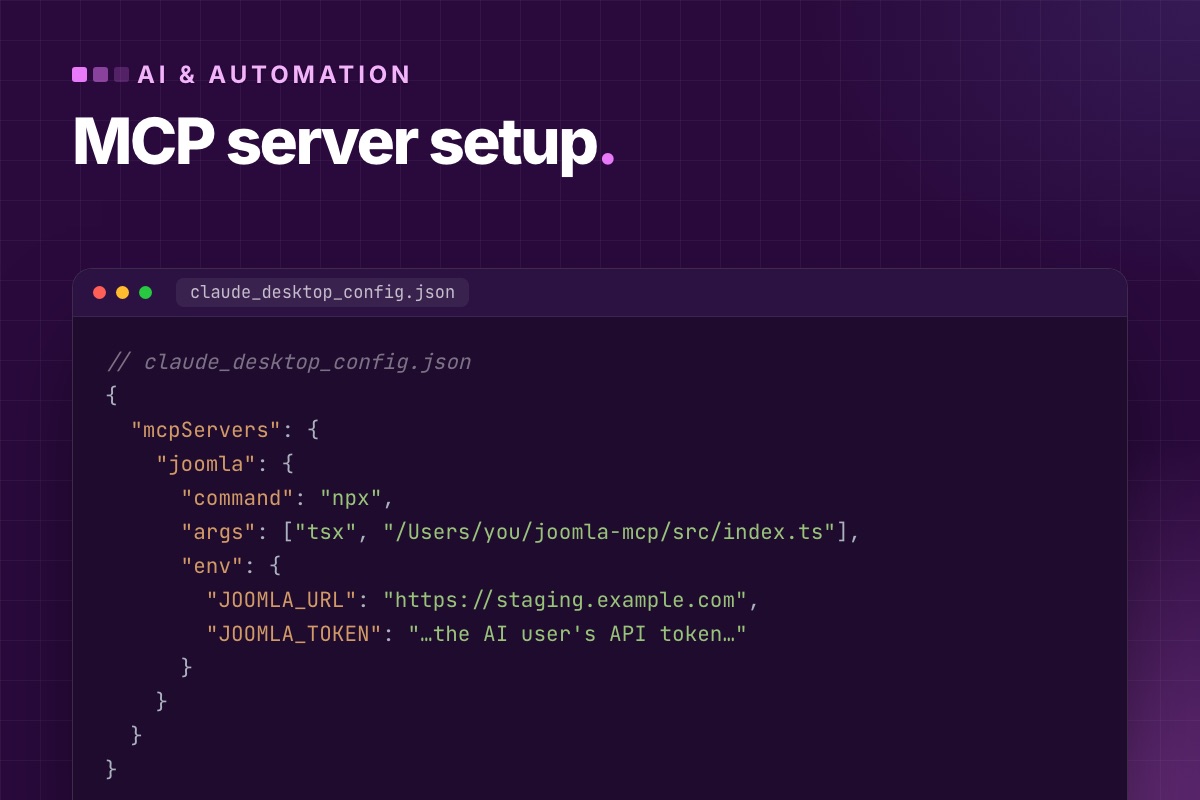
- Details
- Category: AI & automation
The Model Context Protocol (MCP) is the standard way to give an AI assistant tools: functions it can call, with arguments it fills in. A "Joomla MCP server" is a small program that offers Joomla actions as such tools: "list articles", "save a draft", "find pages without a meta description". The assistant decides when to call them. The server decides what is allowed.
This post explains what such a server can and can't do, what to look for before you connect one to a real site, and how to get one running.
First, a correction
An earlier version of this post told you to install a package called joomla-mcp-server from npm. That package doesn't exist, and we should have caught it. To be clear about the state of things in October 2026: Joomla core has no MCP server, and the Joomla project doesn't publish one. There are community projects, and you can build your own in an afternoon. Both are covered below.
How it fits together
You ──▶ Claude ──(MCP, local)──▶ Joomla MCP server ──(HTTPS, API token)──▶ Joomla Web Services API
                                     │
                                     └─ decides which tools exist and what they may do
Everything goes through Joomla's own REST API (/api/index.php/v1/…, in core since Joomla 4.0). So an MCP server can never do more than the Joomla user behind its token, which is your most important safety net. The API itself is explained in Joomla REST API for beginners.
What it's good at
- Questions about your content: "Which articles in the VirtueMart category have no meta description?", "List posts older than two years that mention Joomla 4."
- Drafts: write an article from a brief and save it unpublished in the right category, with a meta description.
- Bulk fixes you review: propose meta descriptions, alt texts or internal links, one article at a time, with a person approving.
- Inventory: list modules, menu items, redirects or users (read-only) to answer "where is this used?"
What it's not good at: anything that needs to be right without review (publishing, deleting, changing permissions), and anything outside the API: template code, server configuration, extensions without web services.
Before you connect one to a real site
Whether you install a community server or write your own, check these. They matter more than the feature list.
| Check | Why |
|---|---|
| Which tools write, and which delete? | A tool that exists will eventually be called. Prefer servers where writes are drafts and deletes don't exist. |
| Whose token does it use? | Never a Super User. Give it a dedicated user in a restricted group (Joomla only lets Super Users have tokens until you allow the group in the User – Joomla API Token plugin). |
| Where does the token live? | In the server's environment, never in a prompt, a repository or tool output. |
| Does it treat site content as data? | Article text can contain instructions aimed at the model ("prompt injection"). Reading content must never trigger a write by itself. |
| Can you read the code? | An MCP server runs on your machine with your token. If you can't read what it does, don't run it. |
Getting one running
Option A: build a small one
With the official TypeScript SDK (@modelcontextprotocol/server, v2), a server with four tools (list, get, create draft, update meta description) is around 150 lines, and you know exactly what it can do. The full code, tested against Joomla 6.2, is in How to build a Joomla MCP server from scratch.
Option B: a community server
Go through the table above first, and point it at a staging copy of your site, never live, until you have seen every tool it offers.
Connecting Claude
Claude Desktop reads MCP servers from its configuration file (Settings → Developer → Edit Config). The server is started as a local command, with the Joomla URL and token as environment variables:
// claude_desktop_config.json
{
  "mcpServers": {
    "joomla": {
      "command": "npx",
      "args": ["tsx", "/Users/you/joomla-mcp/src/index.ts"],
      "env": {
        "JOOMLA_URL": "https://staging.example.com",
        "JOOMLA_TOKEN": "…the AI user's API token…"
      }
    }
  }
}
Restart Claude Desktop, and the Joomla tools appear in the tools menu. Start with a read-only question, check the answer against the back end, then try a draft.
A sensible first setup
- A staging copy of the site.
- A user "AI writer" who can create and edit own articles in two categories, and nothing else.
- An MCP server with four tools: list, get, create draft, update meta description.
- A person who reviews every draft in the normal editor and publishes it. Our pipeline is in Claude writes, Joomla publishes.
Run that for a month before adding tools. Most teams find that the read-only questions save more time than the writing.
Want an MCP server you can trust on your site? We build them on the Joomla API, with a restricted user, draft-only writes and your custom components included.
Custom extension development →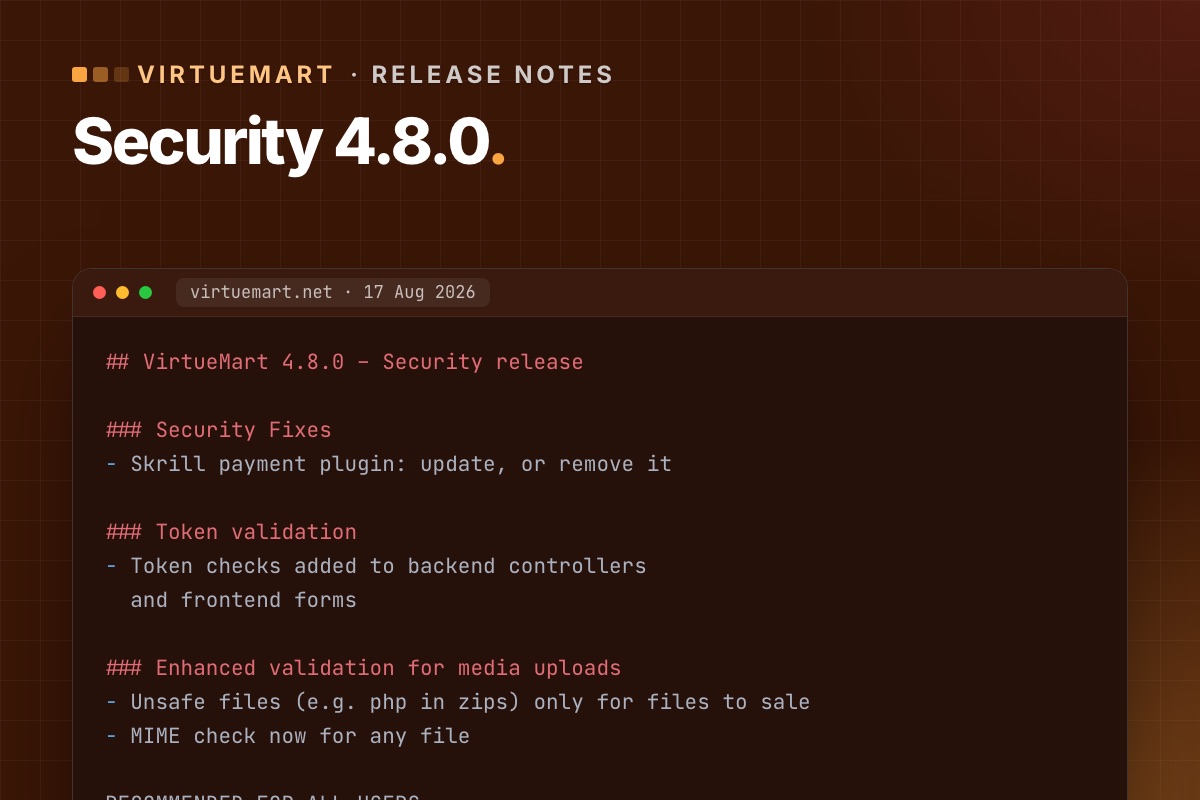
- Details
- Category: VirtueMart
VirtueMart 4.8.0 is a security release, and the VirtueMart team recommends it for all shops. It came after VirtueMart was unpublished from the Joomla Extensions Directory following a security audit. If your shop is on an older 4.x, update – and read the "what can break" part first.
What it fixes
- Skrill payment plugin – a security issue. If you use Skrill, update to 4.8.0 or remove the plugin entirely.
- Token validation – token checks added to back-end controllers and front-end forms, so forged form submissions are rejected.
- File uploads and downloads – better media upload validation: unsafe file types such as PHP inside zips are now allowed only for files you sell, and the MIME check now applies to every file. The "Download simple" plugin got a fix for how it checks the requested file.
- Ratings and reviews – shop owners can edit customer names and review text in the admin (votes stay protected), plus validation and bug fixes.
Who should update now
- Everyone on VirtueMart 4.x – it is the current security baseline.
- Urgently if you use the Skrill plugin, sell downloadable files, or manage product reviews.
- On VirtueMart 3? The 4.8.0 fixes are not available for VirtueMart 3. The way forward is VirtueMart 4.8 on Joomla 5.
What can break
The new token checks are the risk. Forms in template overrides that were copied from older VirtueMart versions may lack the token – customers then see "Invalid token". Two follow-ups are already known:
- Cart and checkout overrides without a token – five ways to fix it.
- Add to cart in cached product modules – fixed in 4.8.2. Details. Go straight to 4.8.2 rather than stopping at 4.8.0.
How to update
- Back up files and database.
- Update a staging copy first: install the latest 4.8.x package over your current version.
- Run the short test: browse, add to cart from page and modules, update the cart, check out with each payment method (sandbox), submit a review.
- Fix any override that shows "Invalid token".
- Update live in a quiet hour; place one real small order and refund it.
Full list: test-order checklist.
For developers: check your safe path
Downloadable products, invoices and VirtueMart's encryption keys live in the safe path (configuration key forSale_path). VirtueMart suggests a folder above the web root (vmfiles next to the Joomla folder). If that isn't possible, its setup wizard creates a folder with a random 21-character name inside administrator/components/com_virtuemart/, containing keys/ and invoices/. Those random-looking folders are not malware, a question we get on shop audits. But they are inside the web root, protected only by their name.
# terminal – where is the safe path, and is it reachable from the web?
mysql -N -e "SELECT config FROM jos_virtuemart_configs WHERE virtuemart_config_id = 1;" shop_db | tr '|' '
' | grep '^forSale_path='
ls -d administrator/components/com_virtuemart/*/keys 2>/dev/null      # wizard folders inside the web root

# 4.8.0 tightened uploads – check nothing executable sits where files for sale are stored
find /path/to/safe/path -type f \( -name '*.php' -o -name '*.phtml' -o -name '*.phar' \)
Moving the safe path outside the web root (and updating forSale_path) is a ten-minute change that removes the question for good. Do it on staging first: downloads and invoices must still work afterwards.
Behind on VirtueMart updates? We update on staging, fix overrides, test real orders and update live.
VirtueMart Joomla 6 upgrade →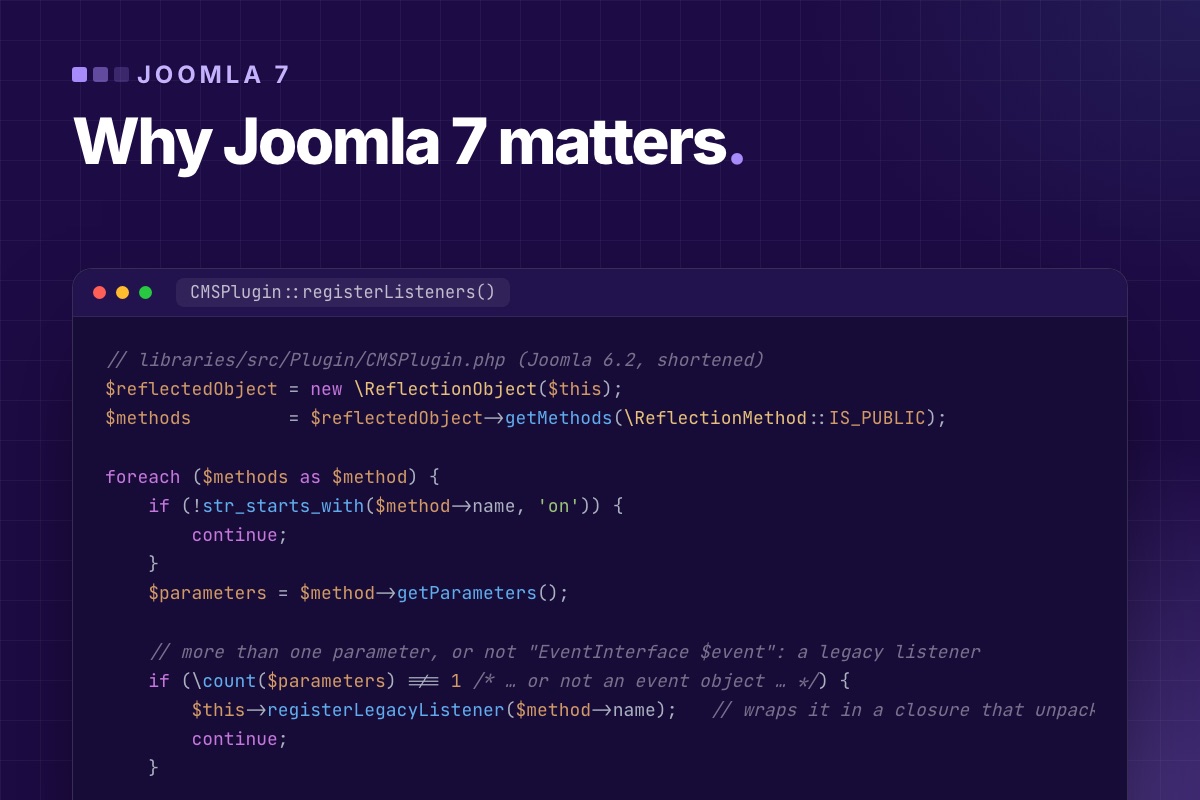
Joomla 4 was the big rewrite. Joomla 7 looks smaller: no redesign, no new requirements, mostly removals. We think it matters more than it looks, for one reason. It's the release where Joomla stops carrying two ways of doing everything. Here is the technical case, with numbers from the code.
Five years of two systems
Joomla 4.0 (2021) introduced the modern architecture: namespaced classes, a dependency injection container, service providers, an MVC factory, event objects, the Web Asset Manager. To avoid breaking the whole extension ecosystem at once, it kept the old architecture working next to it. Joomla 5 and 6 did the same, through a backward-compatibility plugin per major version.
The cost of that is visible in the Joomla 6.2 source:
- ≈375 APIs in
libraries/srcmarked "will be removed in 7.0", nearly a third of them in the event system alone; - ≈450 old class aliases (
JFactory,JText…) maintained in the compat plugin; - two plugin systems: event subscribers, and the legacy system that matches method names to events.
The plugin system, as an example
On every request, Joomla loads the enabled plugins and registers their listeners. For a plugin that implements SubscriberInterface, that's one call: the plugin says which events it handles. For a legacy plugin, CMSPlugin::registerListeners() does this:
// libraries/src/Plugin/CMSPlugin.php (Joomla 6.2, shortened)
$reflectedObject = new \ReflectionObject($this);
$methods         = $reflectedObject->getMethods(\ReflectionMethod::IS_PUBLIC);

foreach ($methods as $method) {
    if (!str_starts_with($method->name, 'on')) {
        continue;
    }
    $parameters = $method->getParameters();

    // more than one parameter, or not "EventInterface $event": a legacy listener
    if (\count($parameters) !== 1 /* … or not an event object … */) {
        $this->registerLegacyListener($method->name);   // wraps it in a closure that unpacks the event into arguments
        continue;
    }
    $this->registerListener($method->name);
}
Reflection on every public method of every legacy plugin, on every request, plus a wrapper that converts each event object back into positional arguments when the event fires. On its own it's milliseconds. But look at a real site. On our own site, with Joomla 6.2 and a typical set of commercial extensions, we counted the enabled plugins:
| Enabled plugins | SubscriberInterface | Legacy |
|---|---|---|
| Joomla core | 132 | 0 |
| Third-party | 6 | 134 |
Core finished its move years ago. The ecosystem mostly hasn't, because nothing forced it to. Joomla 7 is set to remove the legacy path. That's the forcing function, and it's why the release matters more for extension vendors than for Joomla itself.
What the cleanup buys
Code you can reason about
A class that receives its database, user factory and dispatcher in its constructor or through an …AwareInterface declares what it depends on. A class that calls Factory::getDbo() in the middle of a method doesn't, so you find out at runtime. When the static getters go, every dependency becomes visible in the code, to people and to tools.
Static analysis that works
PHPStan and Psalm can't follow magic properties ($app->input), runtime aliases (JFactory) or method-name event wiring. With those gone, "class not found", "undefined method" and wrong argument types turn up in CI instead of on a customer's site. For extension vendors who test against three Joomla versions, that's the difference between hoping and knowing.
Tests that are possible
You can't unit-test a helper that reaches into globals without building half of Joomla around it. You can test one that gets a mock DatabaseInterface injected. Joomla 7 doesn't add a test framework. It removes the reason most extension code was untestable.
Less to load, less to secure
Fewer compatibility layers mean fewer files on every request and less code to keep secure. The 7.0-dev branch has already deleted the PHPass password handler, a hashing scheme from the Joomla 1.5 era. Old crypto classes have moved out of core into the optional compat plugin, which the update installs disabled.
Why it's also a risk
Major releases that remove things have hurt Joomla before. The 3 → 4 transition left many sites on Joomla 3 for years, because their extensions never moved. Two things make 7 different:
- Nothing new has to be learned. Every replacement has existed since Joomla 4.x, and code written that way today runs on 5.4, 6 and 7 alike. Joomla 4 asked vendors to rewrite. Joomla 7 asks them to finish.
- The work is measurable today. Joomla 6's "Log Deprecated API" lists every call that will break, with file and line. A vendor can know the exact size of the job a year before release.
The risk is the same as last time: vendors who leave it until release day, and site owners who find out on upgrade day. The 134 legacy plugins in the table above are a fair measure of how much work is still out there.
What we do about it
- Every extension we write or maintain implements
SubscriberInterface, gets its services injected and logs no deprecations on Joomla 6. - We test our own extensions against the
7.0-devbranch monthly. Here's the setup. - For client sites, we collect the deprecation log now and fix custom code in normal maintenance. The fixes run on Joomla 6, so nothing waits for 7.0.
If you build on Joomla, Joomla 7 is the release that rewards the work you put into modern code, and the one that ends the grace period for code that wasn't. Either way, it's better to know which side you're on now. Start with the breaking changes list.
Vendor extensions you depend on that aren't moving? We port and modernise Joomla extensions, keep your data, and hand back code that runs on 5.4, 6 and 7.
Custom extension development →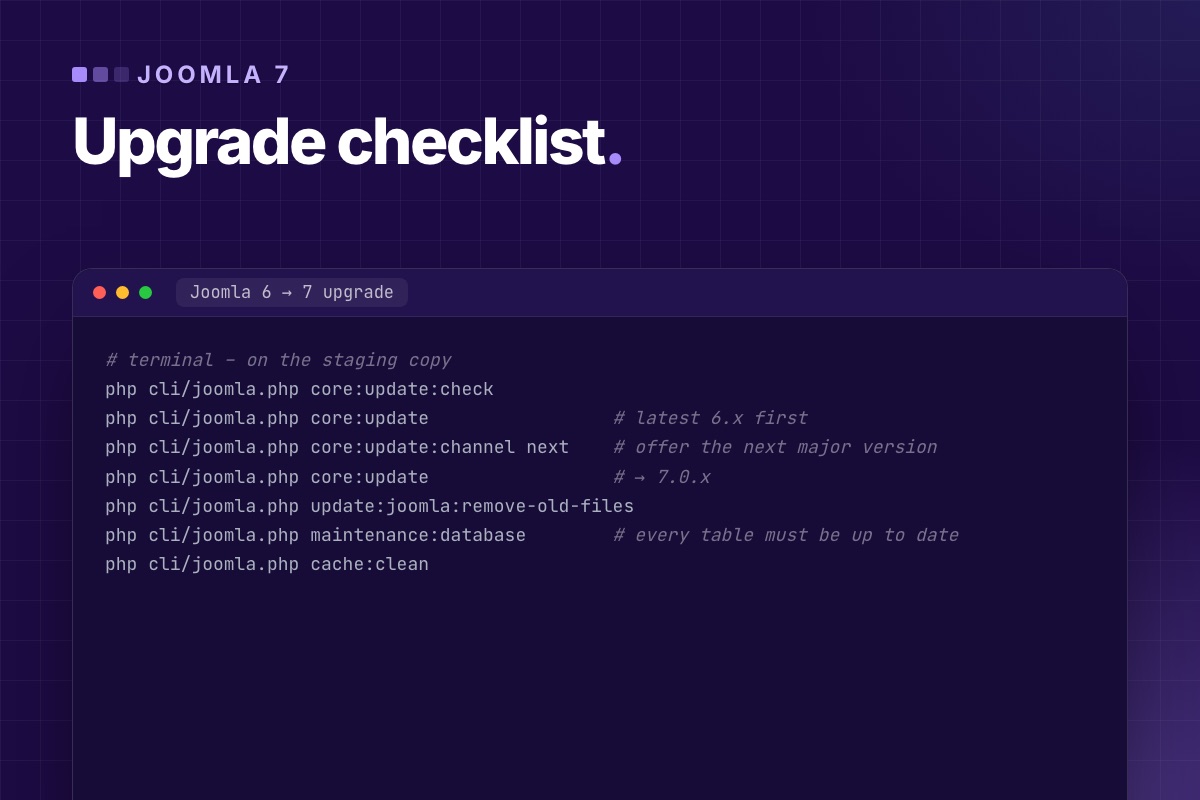
This is the checklist we'll use for Joomla 7 upgrades. It's the same process that worked for 5 → 6 on our own site and client sites, adjusted for what the 7.0-dev branch already shows. Most of it happens months before the upgrade, on Joomla 6. The upgrade day itself should be boring.
Phase 1: on Joomla 6, months before
- Get to the latest 6.x and stay current. Every 6.x release fixes things in a backward-compatible way, and the last 6.x is the version Joomla 7's upgrade is tested from.
- Inventory the extensions, with version, vendor and last release date:
# terminal php cli/joomla.php extension:list --type=component php cli/joomla.php extension:list --type=plugin # core extensions are listed too: System → Manage → Extensions, filtered by author, shows only third-party ones - Ask each vendor about Joomla 7. Write the answers down. "No plan" means "find a replacement", and replacing an extension takes longer than upgrading Joomla.
- Collect the deprecation log on a staging copy: Global Configuration → Logging → Log Deprecated API, then use the site.
administrator/logs/deprecated.phplists every call that Joomla 7 is set to remove, with the file responsible. - Switch the compat plugin's "Classes Aliases" off on staging and click through. Whatever breaks needs fixing before Joomla 7, where the compat plugin starts disabled.
- Fix custom code and the template using the log. The fixes run on Joomla 6 too, so deploy them to live as normal updates, one at a time. See Joomla 7 breaking changes.
- Deal with old password hashes: count the accounts still on MD5/PHPass and decide whether to delete them or to email them a reset link before the upgrade.
Phase 2: when Joomla 7 and your extensions are ready
- Wait for the first bug-fix release (7.0.1 or 7.0.2) unless you have a reason not to. On a business site, "first" has no value of its own.
- Check that every extension has a Joomla 7 release, and update them on Joomla 6 first if the vendor ships versions that run on both.
- Make a fresh staging copy from live, with outgoing mail caught and payment plugins in test mode.
- Back up live, and restore that backup somewhere once. Then you know it works.
Phase 3: the upgrade, on staging first
# terminal – on the staging copy
php cli/joomla.php core:update:check
php cli/joomla.php core:update                 # latest 6.x first
php cli/joomla.php core:update:channel next    # offer the next major version
php cli/joomla.php core:update                 # → 7.0.x
php cli/joomla.php update:joomla:remove-old-files
php cli/joomla.php maintenance:database        # every table must be up to date
php cli/joomla.php cache:clean
Two lessons from the 5 → 6 upgrade apply here as well:
- If the CLI crashes before the update starts, an enabled plugin that uses removed classes is crashing the console application. Disable it for the upgrade and enable it afterwards (with its Joomla 7 version installed).
- "Files updated" is not "upgrade finished". The database maintenance report is. If finalisation fails, run it again with the new code before you test anything.
Phase 4: test like a visitor, then like an editor
| Test | Pass when |
|---|---|
| Every page type (home, category, article, contact, search, login, 404, each component) | renders, no PHP errors in the server log |
| Forms: contact, registration, password reset, any extension forms | submit, and the mail arrives in the catcher |
| Shop / donations / bookings | a full test transaction in sandbox mode |
| Editors' work: create, edit, publish, upload an image, restore a version | works for a normal editor account, not just a Super User |
| Plugins that act on events (SEO, redirects, notifications) | they still do their job; legacy plugins fail silently |
| Scheduled tasks and cron | scheduler:list shows them, and each one ran successfully once |
| URLs | the old sitemap's URLs all return 200 or a deliberate 301 |
| Logs | deprecated.php and the PHP error log are quiet |
The fifth row is the one people skip. A legacy plugin doesn't throw an error on Joomla 7, it just isn't called. Check the result of each plugin (the redirect happens, the email is sent, the meta tag is there), not the absence of errors.
Phase 5: live
- Pick a quiet time. Freeze content edits for the duration.
- Back up live again (files and database).
- Run the same commands as on staging, or deploy the upgraded staging copy with live's configuration values.
- Clear Joomla's cache and the CDN.
- Repeat the visitor tests from phase 4 on live, and watch the PHP error log for an hour.
- Keep the pre-upgrade backup for at least a month.
Leave the compat plugin off
If something fails after the upgrade, enabling Backward Compatibility 7 may bring it back, and that's fine as a stop-gap. Note which extension needed it, and get it fixed or replaced. What it carries is already on the next removal list (parts of it are tagged "removed with 8.0"), so a site that depends on it is deferring the same problem to the next major version.
Want us to run the checklist? We prepare your site on Joomla 6, do the upgrade on staging, test it, and switch live in a quiet window. Fixed price after a free check.
Joomla upgrades →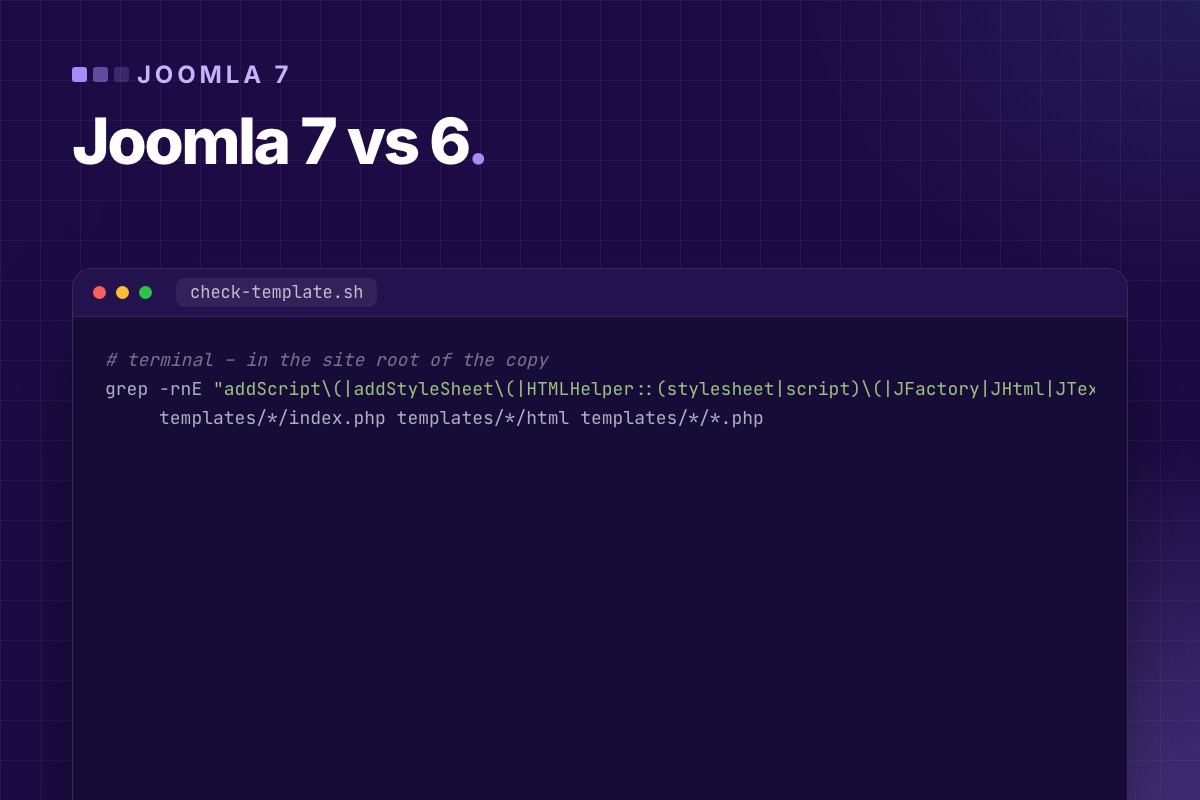
For people who use Joomla, Joomla 7 will look a lot like Joomla 6. For the code behind a site, it's the version that stops accepting Joomla 3-era shortcuts. This post separates the two, so you can tell whether Joomla 7 is a routine update for your site or a project.
It's based on the Joomla 6.2 source and the 7.0-dev branch as of October 2026 (alpha). Details can still change, but the direction is set.
What stays the same
- Articles, categories, menus, modules, custom fields, tags, workflows, Smart Search, multilingual associations.
- The database: no structural change so far beyond the plugin swap below. Content and users come across as in any update.
- PHP 8.3 as the minimum. If your host runs Joomla 6, it runs Joomla 7.
- The admin (Atum) and Cassiopeia, which keep evolving in minor releases rather than being redesigned.
- Extensions built on Joomla 4+ patterns: namespaced classes, service providers, event subscribers, the Web Asset Manager.
What changes
| Area | Joomla 6 | Joomla 7 |
|---|---|---|
| Compatibility plugin | "Backward Compatibility 6", enabled | "Backward Compatibility 7", installed disabled |
Old J* class names | available if Classes Aliases is on | only if someone enables the compat plugin and its aliases |
Factory::getUser(), getDbo() … | work, deprecated | marked for removal |
| Legacy plugins (method-name events) | work, deprecated | marked for removal: such a plugin stops reacting |
$doc->addScript(), HTMLHelper::stylesheet() | work, deprecated | marked for removal |
| MD5 / PHPass password hashes | accepted, re-hashed on login | PHPass handler removed: those accounts need a reset |
The pattern: Joomla 6 kept old code running and logged it. Joomla 7 stops running it. A site that shows no deprecation warnings on Joomla 6 is in good shape. A site that only works because the compatibility plugin is on will break, quietly in the case of plugins, loudly in the case of missing classes.
Check your own site in 15 minutes
These checks need shell or file access to a copy of the site, not the live one.
1. Is the site leaning on the compat plugin?
System → Plugins → search "compatibility". If Backward Compatibility 6 has "Classes Aliases" switched on, find out which extension needed it: switch it off on the copy and click through the site. Whatever breaks will break on Joomla 7.
2. Does the template use old APIs?
# terminal – in the site root of the copy
grep -rnE "addScript\(|addStyleSheet\(|HTMLHelper::(stylesheet|script)\(|JFactory|JHtml|JText|Factory::get(User|Document|Language|Dbo)\(" \
     templates/*/index.php templates/*/html templates/*/*.php
Each hit is a small fix in the template or an override. Templates from vendors that still release updates usually get fixed for you. Templates nobody maintains need a developer.
3. What does Joomla itself report?
Turn on Log Deprecated API (Global Configuration → Logging) on the copy, use the site's main pages and forms, then look at administrator/logs/deprecated.php. Every line names the file responsible, so you can see at a glance whether it's the template, a third-party extension or your own code.
4. Old password hashes?
# terminal – accounts that never logged in since their hash became outdated
mysql -e "SELECT COUNT(*) FROM jos_users WHERE password NOT LIKE '\$2y\$%' AND password NOT LIKE '\$argon2%';" mydb
A handful of old accounts is normal on long-running sites. Decide whether to delete them or to warn them before the upgrade.
What it means by type of site
- Brochure site on core + a maintained template: expect a normal major update, like 5 → 6. Test on staging, update, done.
- Site with a shop, forum, membership or CRM extension: the extension's Joomla 7 release decides your timing. Ask the vendor now. See how this played out for VirtueMart and CiviCRM on Joomla 6.
- Site with custom extensions: budget for code work, and start before Joomla 7 is released. The fixes run on Joomla 6 too, so there's no reason to wait. The developer's side is in Joomla 7 breaking changes.
Timing
There's no release date. Joomla's two-year major cycle points to late 2027, which is also when Joomla 5.4's security support ends. Joomla 6 will keep getting security fixes well after 7.0 is out, as 5.4 does now. So there's no rush to be first on Joomla 7. There is good reason to be ready for it, because being ready is mostly fixing what Joomla 6 already logs.
Want to know where your site stands? We run the checks above on a copy of your site and send you a short report: routine update, or a project, and what it costs.
Joomla upgrades →Page 5 of 7