
Expert Joomla guides
Tutorials, upgrade notes and AI workflows for people who build and run Joomla sites.
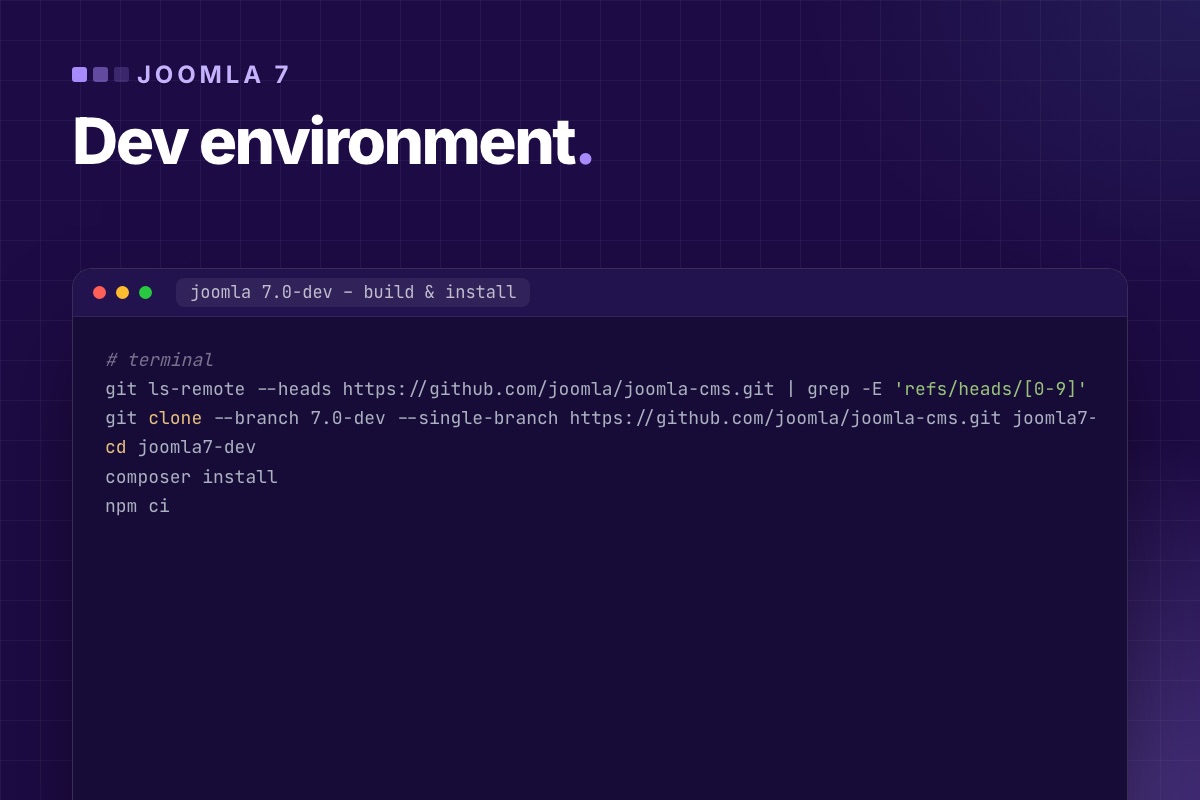

The cheapest moment to find out what Joomla 7 breaks in your extension is now, while the changes are still small and land one pull request at a time. This is the setup we use to test extensions against the next major version: a local Joomla built from the 7.0-dev branch, installed from the command line, with the settings that make deprecated code impossible to miss.
Every command below was checked against the branch in October 2026, when it reported version 7.0.0-alpha1-dev.
What you need
| Tool | Version on 7.0-dev | Where it's defined |
|---|---|---|
| PHP | 8.3 or newer (test on 8.4 and 8.5 too) | composer.json → "php": "^8.3.0" |
| Composer | 2.x | |
| Node.js / npm | Node 20+, npm 10.1+ | package.json → engines |
| Database | MySQL 8 or MariaDB 10.4+ (or PostgreSQL) | |
| Git | any |
PHP extensions: the usual Joomla set (gd, intl, mbstring, mysqli or pdo_mysql, zip, xml, sodium), and xdebug if you step through code.
1. Get the branch and build it
# terminal
git ls-remote --heads https://github.com/joomla/joomla-cms.git | grep -E 'refs/heads/[0-9]'   # see which -dev branches exist
git clone --branch 7.0-dev --single-branch https://github.com/joomla/joomla-cms.git joomla7-dev
cd joomla7-dev
composer install
npm ci
npm ci takes a few minutes. The repository's install script runs the full asset build (build/build.mjs build) right after the packages are installed, compiling the SCSS and JavaScript into media/. If the admin looks unstyled after installation, this step didn't finish. Run it again and read the error.
To update later, pull, then repeat both installs. The lock files change often on a dev branch:
# terminal
git pull && composer install && npm ci
2. Install Joomla from the command line
The installer has a CLI (installation/joomla.php). Its options are generated from the installation form, so they match the fields of the web installer:
# terminal – inside joomla7-dev, with an empty database "j7dev"
php installation/joomla.php install \
    --site-name="Joomla 7 dev" \
    --admin-user="Dev Admin" --admin-username=admin --admin-password='a-long-local-password' \
    --admin-email=This email address is being protected from spambots. You need JavaScript enabled to view it. \
    --db-type=mysqli --db-host=127.0.0.1 --db-user=root --db-pass=root \
    --db-name=j7dev --db-prefix=j7_ --db-encryption=0
Run php installation/joomla.php install --help to see every option on your checkout. The CLI install also makes resetting fast. Drop the database, delete configuration.php, run the same command, and you have a clean site in seconds. That's what you want before each test round.
Serve it with whatever you use locally (MAMP, Herd, DDEV, nginx). For a quick look, PHP's built-in server works for the front end and back end:
# terminal
php -S 127.0.0.1:8070 -t .
3. Settings that make problems visible
# terminal – the Joomla CLI can set configuration values directly
php cli/joomla.php config:set error_reporting=maximum
php cli/joomla.php config:set debug=true
php cli/joomla.php config:set log_deprecated=true- Error reporting "maximum" shows notices and deprecations from PHP itself, not only from Joomla.
- Debug System adds the debug console with queries, timing and the language strings that are missing.
- Log Deprecated API writes every call to a deprecated Joomla API to
administrator/logs/deprecated.php, with file and line. This is the most useful file in the whole exercise.
Then check System → Plugins → "Behaviour – Backward Compatibility 7". On the dev branch it is installed but disabled, and that's how you want to test first. Your extension should run with it off. If it only runs with it on, you know exactly what to fix: J* class names or the moved Filesystem/Input/CLI classes.
4. Install your extension
# terminal – from a built package
php cli/joomla.php extension:install --path=/path/to/pkg_example.zip

# or from a folder (unpacked package)
php cli/joomla.php extension:install --path=/path/to/build/pkg_example
For day-to-day work, symlink your source folders into the dev site after the first install, so edits show up without reinstalling. Joomla follows the symlinks:
# terminal – a module and its language files
ln -sfn ~/code/mod_example/src            modules/mod_example/src
ln -sfn ~/code/mod_example/tmpl           modules/mod_example/tmpl
ln -sfn ~/code/mod_example/language/en-GB/mod_example.ini language/en-GB/mod_example.ini
5. Test, then read the logs
- Use every view and every task of the extension, front end and back end, as a guest, as a registered user and as an admin.
- Read the logs:
# terminal
grep -v '^#' administrator/logs/deprecated.php | cut -f4- | sort | uniq -c | sort -rn | head -30
tail -n 50 administrator/logs/everything.php 2>/dev/null
tail -n 50 /path/to/php-error.log
Errors you'll typically see on 7.0-dev with older code:
Class "JFactory" not found, or anyJ*class: the compat plugin is off, as it is by default. Use the namespaced class.Class "Joomla\CMS\Filesystem\File" not found: useJoomla\Filesystem\File, which throws exceptions instead of returning false.- A plugin that simply doesn't react: a legacy plugin whose method-name listeners aren't registered. Move it to
SubscriberInterface. TypeErroronJoomla\CMS\Input\Inputtype hints: hintJoomla\Input\Input.
The full list of what's marked for removal, with replacements, is in Joomla 7 breaking changes.
6. Static analysis against the dev branch
Clicking through finds what runs. PHPStan finds the rest, including code paths you never trigger by hand. Point it at your extension and let it read the Joomla 7 checkout for class definitions:
# ~/code/mod_example/phpstan.neon
parameters:
    level: 3
    paths:
        - src
        - tmpl
    scanDirectories:
        - ../joomla7-dev/libraries
        - ../joomla7-dev/administrator/components
        - ../joomla7-dev/components
        - ../joomla7-dev/plugins
    bootstrapFiles:
        - ../joomla7-dev/includes/defines.php
# terminal
composer require --dev phpstan/phpstan
vendor/bin/phpstan analyse"Call to an undefined method" and "class not found" here are exactly the Joomla 7 breakages. Running the same config against a Joomla 6 checkout shows which of them are new in 7.
Keep it running
The branch changes weekly. Once a month we pull, rebuild, reinstall from scratch and repeat steps 4–6 for each extension we maintain. It takes an hour, and it means that on release day, "Joomla 7 compatible" is a version bump, not a project.
No time to test your extensions against Joomla 7? We run this setup for you, fix what breaks, and keep your code working on Joomla 5.4, 6 and 7 from one codebase.
Custom extension development →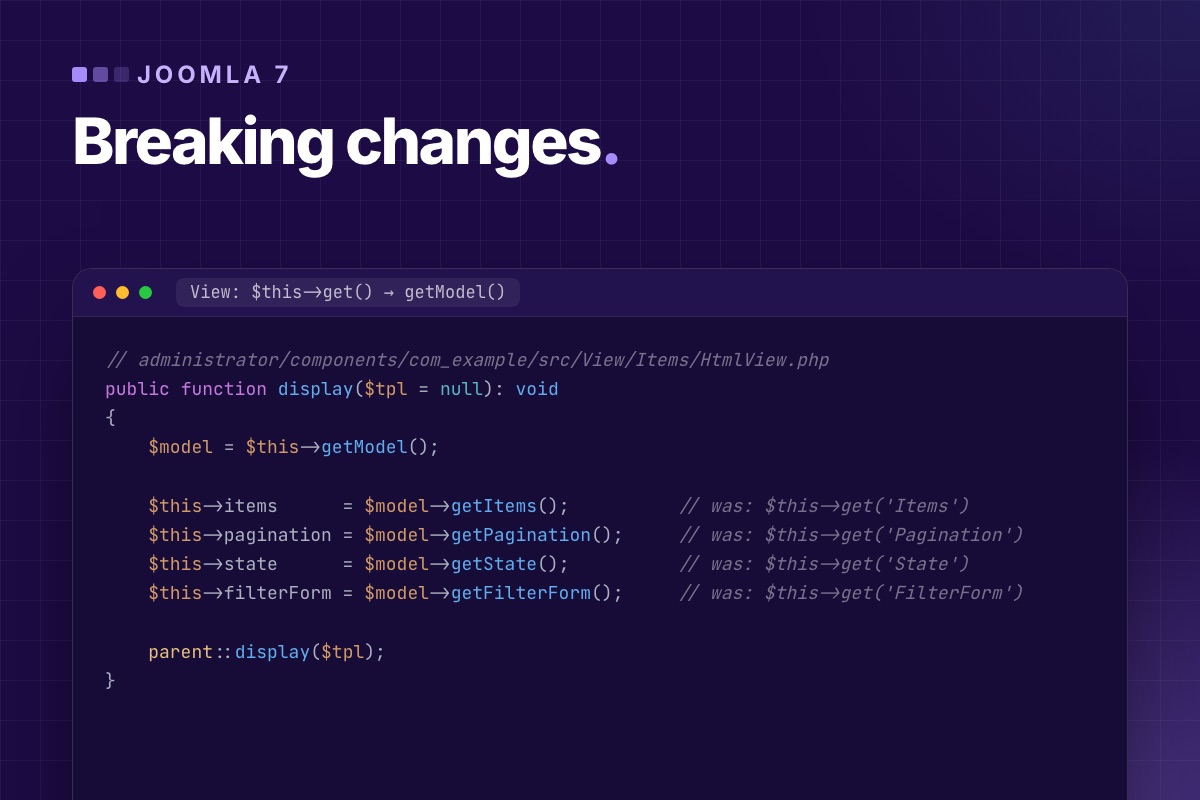

Most "Joomla 7 breaking changes" lists are guesses. This one is built from two sources you can check yourself. First, the Joomla 6.2 source: Joomla marks every API it plans to remove with a @deprecated … will be removed in 7.0 tag, and libraries/src alone contains about 375 of them. Second, the 7.0-dev branch on GitHub, compared file by file with 6.2 (October 2026, version string 7.0.0-alpha1-dev).
What the 7.0-dev branch has already changed
- The compatibility plugin is renamed and switched off. Backward Compatibility 6 is gone, and Backward Compatibility 7 (
plg_behaviour_compat7) replaces it. It still carries the ≈450J*aliases (JFactory,JText…), off by default, plus the moved Filesystem, Input, CLI, Crypt and Form classes. But the 7.0 update script installs it disabled. Code that only runs on Joomla 6 because the compat plugin is on will stop on Joomla 7 unless someone turns it back on. - PHPass passwords: the PHPass password handler is deleted (more below).
- Moved to the compat plugin:
Cryptand its ciphers, the old Mcrypt AES class, andRadiobasicFieldwith its layout. - PHP: the minimum is still 8.3 on the branch.
Most of the APIs below are still present in the branch at the time of writing: removal happens in steps, and some will move into the compat plugin instead of disappearing. Treat "marked for removal in 7.0" as "don't start a release cycle depending on it". There is no fixed release date. Joomla's two-year major cycle (4.0 in 2021, 5.0 in 2023, 6.0 in 2025) points to late 2027, when Joomla 5.4's security support also ends.
Find them in your own code first
Joomla can tell you exactly which of these your extension uses. On a Joomla 6 test site, turn on Log Deprecated API (Global Configuration → Logging), use every screen of your extension, and read the log:
# terminal – group the log by message, most frequent first
grep -v '^#' administrator/logs/deprecated.php | cut -f4- | sort | uniq -c | sort -rn | head -40
The log only sees code that runs. A grep catches the rest:
# terminal – from your extension's root
grep -rnE "Factory::(getUser|getDbo|getSession|getLanguage|getDocument|getConfig|getCache|getMailer|getDate)\(" --include=*.php .
grep -rnE "::getInstance\(|addIncludePath\(|addModelPath\(|getDbo\(\)|setDbo\(" --include=*.php .
grep -rnE "new CMSObject|extends CMSObject|->getProperties\(\)|->get\('(items|item|state|pagination|form)'" --include=*.php .
grep -rnE "triggerEvent\(|->addScript\(|->addStyleSheet\(|HTMLHelper::(stylesheet|script)\(|HTMLHelper::_\('(behavior|bootstrap\.framework|jquery|formbehavior|sortablelist)" --include=*.php .
grep -rnE "class Plg[A-Z]\w+ extends CMSPlugin|allowLegacyListeners" --include=*.php .
Marked for removal in 7.0 – high impact: found in most older extensions
Static Factory getters
| Removed in 7.0 | Use instead |
|---|---|
Factory::getUser() | $app->getIdentity(), or UserFactoryInterface for another user |
Factory::getDbo(), Factory::$database | DatabaseInterface from the container, or $this->getDatabase() in models and tables |
Factory::getSession(), getLanguage(), getDocument(), getConfig() | $app->getSession(), getLanguage(), getDocument(), getConfig() |
Factory::getCache() | CacheControllerFactoryInterface → createCacheController() |
Factory::getApplication() and Factory::getContainer() stay. They're the two entry points everything else goes through. The details and a migration walkthrough are in Factory getters after Joomla 6.
Legacy plugins
Since Joomla 5.4, CMSPlugin::registerListeners() and the whole mechanism that maps method names to events are deprecated, and $allowLegacyListeners goes with them. In Joomla 7 a plugin must implement SubscriberInterface and receive event objects. A plugin class like PlgContentExample with onContentPrepare($context, &$article, &$params, $page) stops being called. It doesn't throw, which makes it the quietest breaking change on this list. The pattern is in Joomla 6 plugin events explained.
Event classes change too: the positional "legacy arguments order" support is deprecated, and argument setters move from setFoo() to onSetFoo(). That matters if you wrote your own event classes.
MVC: the old way to get models, tables and controllers
| Removed in 7.0 | Use instead |
|---|---|
BaseDatabaseModel::getInstance(), BaseModel::addIncludePath(), LegacyModelLoaderTrait | $app->bootComponent('com_x')->getMVCFactory()->createModel('Items', 'Administrator') |
Table::getInstance(), Table::addIncludePath() | $mvcFactory->createTable(…) or new MyTable($db) |
BaseController::getInstance(), addModelPath() | the component's MVC factory |
$model->getDbo() / setDbo(), $table->getDbo(), $this->_db | getDatabase() / setDatabase() |
$view->get('Items') (deprecated in 5.3) | $this->getModel()->getItems() |
$view->document (public property) | $this->getDocument() |
Joomla\CMS\MVC\Model\State | Joomla\Registry\Registry |
$this->get('Items') in views deserves special mention. It's in nearly every component written since Joomla 1.5, including code generators' output, and it was deprecated only in 5.3:
// administrator/components/com_example/src/View/Items/HtmlView.php
public function display($tpl = null): void
{
    $model = $this->getModel();

    $this->items      = $model->getItems();          // was: $this->get('Items')
    $this->pagination = $model->getPagination();     // was: $this->get('Pagination')
    $this->state      = $model->getState();          // was: $this->get('State')
    $this->filterForm = $model->getFilterForm();     // was: $this->get('FilterForm')

    parent::display($tpl);
}
CMSObject
Joomla\CMS\Object\CMSObject, the base of countless helper and item classes since Joomla 1.5, is removed. Its get(), set(), getProperties() and setError() go with it. Joomla names the replacement: \stdClass for plain data, Registry for key/value data. Your own classes get typed properties and exceptions instead of setError().
Assets added the old way
| Removed in 7.0 | Use instead |
|---|---|
$doc->addScript(), $doc->_scripts, _styleSheets, _script, _style | Web Asset Manager: registerAndUseScript(), addInlineScript() |
HTMLHelper::stylesheet() (deprecated in 5.3) | $wa->registerAndUseStyle() |
HTMLHelper::_('behavior.core' / 'formvalidator' / 'keepalive' / 'multiselect' / 'combobox') | $wa->useScript('core' / 'form.validate' / 'keepalive' / 'multiselect' / 'awesomplete') |
HTMLHelper::_('jquery.framework'), 'bootstrap.framework' | $wa->useScript('jquery'); load Bootstrap components individually |
HTMLHelper::_('formbehavior.chosen'), 'sortablelist.sortable' | choices.js (fancy-select layout); draggablelist.draggable |
Templates and overrides are affected here as much as extensions. Many older templates call $doc->addScript() in index.php.
Marked for removal – medium impact: common in older components
- Application:
$app->getCfg()→$app->get().triggerEvent()→$app->getDispatcher()->dispatch(). StaticgetRouter()andgetInstance()→ the container.$app->input(magic property) →getInput(). - Toolbar:
Toolbar::getInstance()→ToolbarFactoryInterfaceor$this->getDocument()->getToolbar(). Custom buttons implementingfetchButton()→render().addButtonPath()→ namespaced buttons. - Forms and language:
Form::getInstance()→FormFactoryInterface.Language::getInstance()→LanguageFactoryInterface. - Routing:
Route::_()stops failing silently on router errors, and the old integer/-1 forms of the TLS argument go away. - Users:
User::getInstance()→UserFactoryInterface. - CLI:
Joomla\CMS\Input\Cliand the old CLI application → console commands.
Low impact, but check this one: old password hashes
UserHelper::HASH_MD5 and HASH_PHPASS are marked for removal, and the PHPass password handler is already deleted from the 7.0-dev branch. Joomla has re-hashed passwords on login for years, so active users are fine. But accounts migrated from Joomla 1.5/2.5 that haven't logged in since still carry the old hash, and on Joomla 7 they can't log in. They'll need a password reset. Check before the upgrade:
# terminal – accounts still on legacy hashes (bcrypt starts with $2y$, argon2 with $argon2)
mysql -e "SELECT COUNT(*) AS legacy, MAX(lastvisitDate) AS last_login
          FROM jos_users
          WHERE password NOT LIKE '\$2y\$%' AND password NOT LIKE '\$argon2%';" mydb
Also on the list, rarely used
Table\UcmandCoreContent::storeUcmBase(), part of the old UCM layer (5.4).HtmlDocument::countMenuChildren(): count the active menu item's children yourself.AdministratorApplication::purgeMessages(): use the Messages model.CMSApplication::isTwoFactorAuthenticationRequired(), a leftover of pre-4.2 2FA.Form\Field\RadiobasicField:RadioField(moved to the compat plugin in 7.0, removed in 8.0).Tag::ajaxfield()andBehavior::highlighter(), without replacement.
What doesn't change
If your code already uses namespaced classes, a service provider, the MVC factory, SubscriberInterface, the Web Asset Manager and getDatabase(), almost nothing on this list applies to you. Those patterns have been the recommended way since Joomla 4.0. Joomla 7 removes the bridges, not the road. Code that runs on Joomla 6 with the compat plugin's options switched off and an empty deprecated.php is very likely Joomla 7 ready today.
Want to know how much of this is in your extension? Send us the code or the site. We run the checks above and give you a list of what to change, with a fixed quote to do it.
Custom extension development →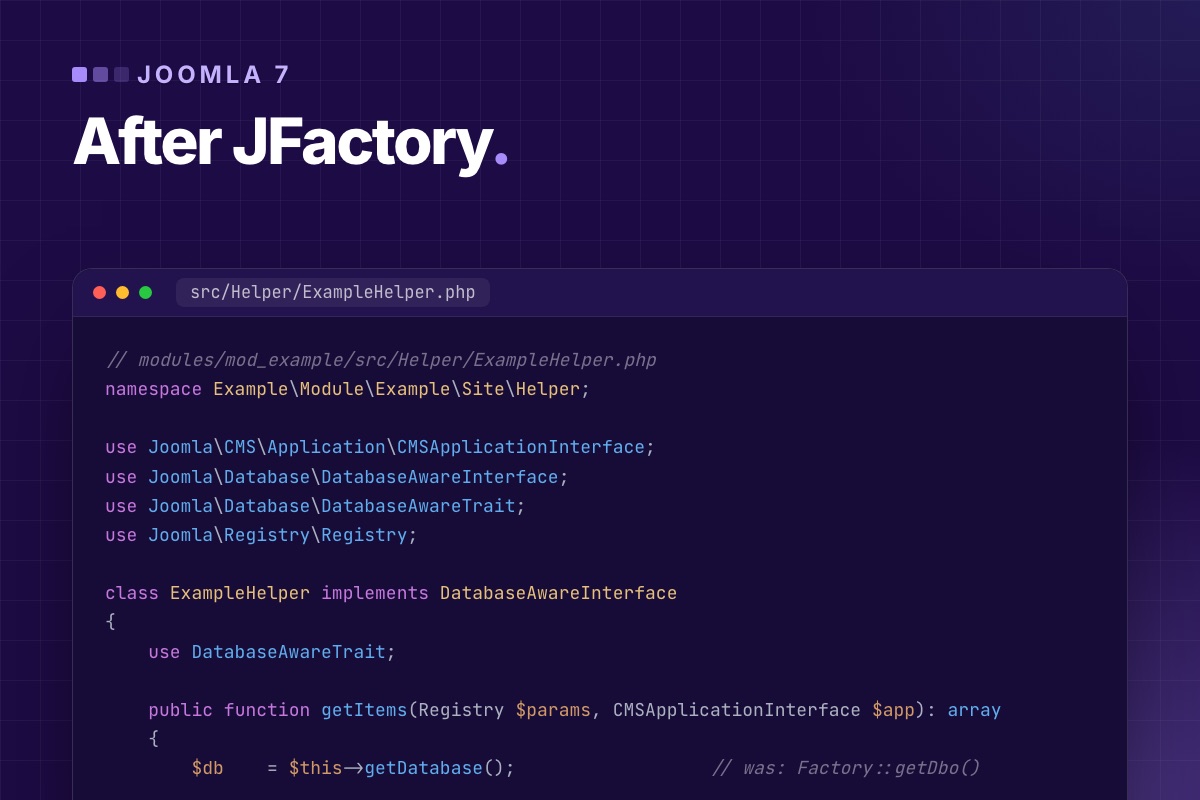
"JFactory is dead" is only half the story. The JFactory name already left Joomla core in 6.0: it now loads only through the Backward Compatibility 6 plugin. The bigger job is what comes next. The static getters on the namespaced Factory class are next: getUser(), getDbo(), getSession(), getLanguage(), getDocument(), getConfig(), getCache() and getMailer() are all marked "will be removed in 7.0". Replacing JFactory::getDbo() with Factory::getDbo() gets you through Joomla 6, and possibly no further.
On the 7.0-dev branch (October 2026, alpha) these getters are still there, and the compat plugin that carries JFactory is now Backward Compatibility 7, installed disabled. Don't plan on either surviving the final release.
This post shows where each of those services comes from in modern Joomla, per extension type, using the patterns core itself uses.
What stays on Factory, and what goes
| Factory method | Status | Replacement |
|---|---|---|
getApplication() | stays | (but prefer the injected application where you have one) |
getContainer() | stays | the DI container |
getDate(), getStream() | stay | (new Date() works just as well) |
getUser() | marked for removal in 7.0 | $app->getIdentity(); other users: UserFactoryInterface::loadUserById() |
getDbo() | marked for removal in 7.0 | DatabaseAwareTrait + injection, or DatabaseInterface from the container |
getSession(), getLanguage(), getDocument(), getConfig() | marked for removal in 7.0 | the same getters on the application |
getCache() | marked for removal in 7.0 | CacheControllerFactoryInterface::createCacheController() |
getMailer() | marked for removal in 7.0 | MailerFactoryInterface::createMailer() |
The rule behind the table: a class should receive its dependencies, not fetch them from a global. Joomla 4 added the container and the "aware" interfaces to make that possible. Joomla 7 is set to remove the shortcuts that let code ignore them.
Modules: the helper factory
A module written the Joomla 3 way has a static helper that calls Factory::getDbo(). The modern module (core's mod_articles_latest is a good reference) registers a helper factory in its service provider. The factory injects the database into any helper that implements DatabaseAwareInterface:
// modules/mod_example/services/provider.php
use Joomla\CMS\Extension\Service\Provider\HelperFactory;
use Joomla\CMS\Extension\Service\Provider\Module;
use Joomla\CMS\Extension\Service\Provider\ModuleDispatcherFactory;
use Joomla\DI\Container;
use Joomla\DI\ServiceProviderInterface;

return new class () implements ServiceProviderInterface {
    public function register(Container $container): void
    {
        $container->registerServiceProvider(new ModuleDispatcherFactory('\\Example\\Module\\Example'));
        $container->registerServiceProvider(new HelperFactory('\\Example\\Module\\Example\\Site\\Helper'));
        $container->registerServiceProvider(new Module());
    }
};
// modules/mod_example/src/Dispatcher/Dispatcher.php
namespace Example\Module\Example\Site\Dispatcher;
use Joomla\CMS\Dispatcher\AbstractModuleDispatcher;
use Joomla\CMS\Helper\HelperFactoryAwareInterface;
use Joomla\CMS\Helper\HelperFactoryAwareTrait;
class Dispatcher extends AbstractModuleDispatcher implements HelperFactoryAwareInterface
{
use HelperFactoryAwareTrait;
protected function getLayoutData(): array
{
$data = parent::getLayoutData();
$data['items'] = $this->getHelperFactory()
->getHelper('ExampleHelper')
->getItems($data['params'], $this->getApplication());
return $data;
}
}// modules/mod_example/src/Helper/ExampleHelper.php
namespace Example\Module\Example\Site\Helper;
use Joomla\CMS\Application\CMSApplicationInterface;
use Joomla\Database\DatabaseAwareInterface;
use Joomla\Database\DatabaseAwareTrait;
use Joomla\Registry\Registry;
class ExampleHelper implements DatabaseAwareInterface
{
use DatabaseAwareTrait;
public function getItems(Registry $params, CMSApplicationInterface $app): array
{
$db = $this->getDatabase(); // was: Factory::getDbo()
$user = $app->getIdentity(); // was: Factory::getUser()
$query = $db->createQuery()
->select($db->quoteName(['id', 'title']))
->from($db->quoteName('#__example_items'))
->whereIn($db->quoteName('access'), $user->getAuthorisedViewLevels())
->setLimit((int) $params->get('count', 5));
return $db->setQuery($query)->loadObjectList();
}
}The helper is now a normal object. It can be unit-tested with a mock database, and it no longer depends on global state.
Plugins: inject in the service provider
Plugins get the application from CMSPlugin ($this->getApplication()). Everything else is injected when the plugin is built:
// plugins/system/example/services/provider.php
$container->set(PluginInterface::class, function (Container $container) {
    $plugin = new Example(
        $container->get(DispatcherInterface::class),
        (array) PluginHelper::getPlugin('system', 'example')
    );
    $plugin->setApplication(Factory::getApplication());
    $plugin->setDatabase($container->get(DatabaseInterface::class));   // the plugin uses DatabaseAwareTrait
    $plugin->setUserFactory($container->get(UserFactoryInterface::class)); // UserFactoryAwareTrait

    return $plugin;
});
// plugins/system/example/src/Extension/Example.php
final class Example extends CMSPlugin implements SubscriberInterface
{
use DatabaseAwareTrait;
use UserFactoryAwareTrait;
public function onUserAfterSave(AfterSaveEvent $event): void
{
$author = $this->getUserFactory()->loadUserById((int) $event->getUser()['id']); // was: Factory::getUser($id)
$lang = $this->getApplication()->getLanguage(); // was: Factory::getLanguage()
// …
}
}Components: models, views and controllers already have it
Inside a component, most of what you need is already a method call away, because the MVC factory injects it:
| In a… | Old | Modern |
|---|---|---|
| Model | Factory::getDbo(), $this->_db | $this->getDatabase() |
| Model, HTML view | Factory::getUser() | $this->getCurrentUser() (CurrentUserTrait) |
| Controller | Factory::getUser() | $this->app->getIdentity() |
| Controller | Factory::getApplication() | $this->app, injected |
| View | Factory::getDocument(), $this->document | $this->getDocument() |
| View | $this->get('Items') | $this->getModel()->getItems() |
| Anywhere | BaseDatabaseModel::getInstance('Items', 'ExampleModel') | $app->bootComponent('com_example')->getMVCFactory()->createModel('Items', 'Site') |
Templates and layouts: use what you're given
In a template's index.php, $this is the document, so Factory::getDocument() is never needed there. In a layout override, the view is $this. Factory::getApplication() stays in Joomla 7 and is what core's Cassiopeia uses:
// templates/yourtemplate/index.php
$app  = Factory::getApplication();        // stays in Joomla 7
$wa   = $this->getWebAssetManager();      // was: Factory::getDocument()->getWebAssetManager()
$user = $app->getIdentity();              // was: Factory::getUser()
$lang = $app->getLanguage();              // was: Factory::getLanguage()
When there is no injection point
Some code really has nothing injected: a static callback, a legacy helper you can't restructure yet. Then go through the container, not a removed getter. It's still a global lookup, but it survives Joomla 7, and it is easy to find and refactor later:
use Joomla\CMS\Factory;
use Joomla\CMS\Mail\MailerFactoryInterface;
use Joomla\Database\DatabaseInterface;

$db     = Factory::getContainer()->get(DatabaseInterface::class);
$mailer = Factory::getContainer()->get(MailerFactoryInterface::class)->createMailer();
How we migrate an extension
- Log first. On Joomla 6, turn on Log Deprecated API and use every screen.
administrator/logs/deprecated.phpis the to-do list. - Grep for the rest, see the commands in Joomla 7 breaking changes.
- Fix by class, not by line. Make the class "aware" (
DatabaseAwareInterface,UserFactoryAwareInterface,MailerFactoryAwareInterface), inject in the provider or factory, then replace the calls. Replacing calls one by one with container lookups just moves the global around. - Switch off the compat plugin options on the test site and click through again.
- Keep Joomla 5.4 support if your users need it. Everything above exists since Joomla 4.4, so one codebase covers 5.4, 6 and 7.
Extension full of Factory calls? We modernise Joomla extensions to the patterns above, with tests, so the next major version is a version bump and not a rewrite.
Custom extension development →
Joomla 7 is not released and has no release date. It is being built, though, in public, and you can already see what kind of release it will be. This is where it stands, checked against the code rather than announcements, and what we would do now in your place.
Where Joomla 7 stands (October 2026)
| Branch | 7.0-dev in joomla/joomla-cms, next to 6.3-dev for the next 6.x release |
|---|---|
| Version string | 7.0.0-alpha1-dev |
| PHP minimum | 8.3, unchanged from Joomla 6 |
| Compatibility plugin | Backward Compatibility 7 replaces version 6, and the update installs it disabled |
| Already removed | the PHPass password handler; Crypt classes and RadiobasicField moved to the compat plugin |
| Marked for removal | about 375 APIs in libraries/src tagged "will be removed in 7.0" |
| Expected | no official date; the two-year major cycle points to late 2027 |
You can check every line yourself. Clone the branch and grep, or compare it with your Joomla 6 install. We describe the setup in a Joomla 7 dev environment.
What kind of release it is
Joomla 4 was the rewrite: namespaces, DI container, new MVC, Bootstrap 5. Joomla 5 and 6 kept the old ways working next to the new ones, through compatibility plugins. Joomla 7 is the release where that bridge is meant to come down:
- Static shortcuts:
Factory::getUser(),getDbo(),getDocument(),getLanguage(),getSession()and friends, in favour of injected services. - Legacy plugins: method names matched to events. Plugins must implement
SubscriberInterface. - Old MVC entry points:
BaseDatabaseModel::getInstance(),Table::getInstance(), include paths,$view->get('Items'). CMSObject, the base class of much Joomla 1.5–3 era code.- Old asset APIs:
$doc->addScript(),HTMLHelper::stylesheet(), the behavior/jQuery/Bootstrap framework helpers. - Old password hashes (MD5, PHPass) from sites that started on Joomla 1.5 or 2.5.
None of this is new to developers who followed Joomla 4+ practice. Every replacement exists since Joomla 4.x. The details per API are in Joomla 7 breaking changes.
Who is affected
| You have… | Joomla 7 impact |
|---|---|
| A site using only core and well-maintained extensions | low: wait for your vendors' Joomla 7 releases, then upgrade like 5 → 6 |
| Custom extensions written before 2022 | high: most use Factory::get*, legacy plugins and $this->get() in views |
A template with $doc->addScript() or old overrides | medium: the template's index.php and overrides need updating |
| Extensions that only run on Joomla 6 with "Classes Aliases" on | high: the compat plugin is off after the 7.0 update |
| Users from a Joomla 1.5/2.5 site who never logged in since | those accounts will need a password reset |
What to do now
- Turn on "Log Deprecated API" on a Joomla 6 staging copy of each site you maintain, click through, and keep
administrator/logs/deprecated.php. It's a free, exact inventory of what will break. - Try running with the compat plugin off. On Joomla 6 that's "Backward Compatibility 6" → Classes Aliases off. Whatever fails is your Joomla 7 list, today.
- Fix custom code by pattern, not by line: inject the database and user factory, move plugins to
SubscriberInterface, get models from the MVC factory. How we do it. - Ask your vendors. For every commercial extension: is there a Joomla 7 plan, and does the current version log deprecations on Joomla 6? A vendor whose current release is full of deprecated calls in late 2026 is a risk to plan around.
- Don't wait for Joomla 7 to leave Joomla 5. Joomla 5.4's security support ends in late 2027, around when Joomla 7 is expected. Sites that are cleanly on Joomla 6 by then have one step to take, not two.
Following the work
The 7.0-dev branch history and its pull requests are the primary source. Each removal comes with a PR that names the replacement, and the Joomla manual's migration pages follow. We recheck the branch regularly and update our breaking changes list when something moves from "marked" to "removed".
Custom Joomla code you'll need on Joomla 7? We audit it against the 7.0 branch and give you a fixed quote to make it ready, while it still runs on 5.4 and 6.
Custom extension development →

On 5 August 2026 CiviCRM released 6.17.1, 6.16.5 and 6.10.10 (ESR) to fix a highly critical security issue. If your Joomla site runs CiviCRM and has not been updated since, this is the one to do now.
What the problem is
CIVI-SA-2026-37: any user – including an anonymous visitor – could bypass APIv4 permission checks with a specially crafted REST call. In other words, data and actions that should need a login and the right permission could be reached without either.
It is a variation of an earlier issue (CIVI-SA-2026-35), whose first fix was deliberately narrow. The new fix closes more variations of the same bug.
Who is affected
| Affected | CiviCRM 6.17.0 and earlier |
|---|---|
| Fixed in | 6.17.1, 6.16.5, 6.10.10 (ESR), and every later release |
| Risk | Highly critical · access bypass |
The Joomla version doesn't matter – this is in CiviCRM core.
What to do
CiviCRM lists three ways to mitigate it. Any one is enough:
- Upgrade to a fixed version – today, that means the current release (6.19.1 at the time of writing), or 6.10.10+ if you stay on ESR.
- Install the hotfix extension "Hotfix: Camel Attack" through the extensions screen or the command line, if you can't upgrade straight away.
- Apply the patch linked from the advisory – for developers who manage CiviCRM by hand.
Upgrading is the best option; the hotfix buys time. If you use the hotfix, plan the full upgrade anyway.
Check after updating
The advisory notes a regression risk: APIv4 now treats more properties as case-sensitive. That matches how APIv4 is meant to work, but third-party code that relied on the old, looser behavior may break. After updating, test:
- Integrations that call CiviCRM's API – website forms, external apps, sync scripts.
- Custom CiviCRM extensions written in-house.
- FormBuilder forms and SearchKit displays that the public can reach.
An "unknown field" or "not found" error from an integration after this update usually means a property name with the wrong capitalization in the calling code.
Lessons for next time
- Subscribe to CiviCRM's security announcements, so you hear about the next one the day it ships.
- Keep a staging copy fresh enough that a security update can be tested in an hour, not a week. Our update routine is built for exactly this.
- Keep fixes out of CiviCRM core, so security updates never wait on re-applying patches. More here.
Verify it, don't assume it
# terminal – which version is really running, and is the hotfix extension installed?
cv status --cwd=/var/www/example.org | grep -i civicrm
cv ext:list -Li --cwd=/var/www/example.org | grep -i hotfix

# integration code that may rely on case-insensitive APIv4 property names
grep -rnE 'api4\(|Civi\\Api4' /path/to/integrations --include=*.php | cut -c1-140
After a security update, look at the web server log for the days before it: requests to /civicrm/ajax/api4/ or the REST endpoint from unknown addresses, at volumes no form would produce, are worth a closer look.
Behind on CiviCRM updates? We bring CiviCRM up to date on staging, test what takes money and email, and update live.
CiviCRM Joomla 6 upgrade →

Content wins rankings, but on a Joomla site the technical layer decides whether that content is found once, under one URL, with the right title, and understood. This guide covers that layer: URLs, duplicates, titles and descriptions, structured data, sitemaps, multilingual tags and speed. It's what we check and fix on every Joomla site, including our own. We just went through our own blog with this list.
1. URLs: one page, one address
Joomla can reach the same article under many URLs: the menu route, /index.php/…, /component/content/article/…, with and without ?Itemid=, with and without a trailing slash. Search engines see each one as a separate page. The fixes are all in core:
| Setting | Where | Set to |
|---|---|---|
| Search Engine Friendly URLs | Global Configuration → Site | Yes |
| Use URL Rewriting | Global Configuration → Site | Yes (rename htaccess.txt to .htaccess, or the nginx equivalent) |
| Remove IDs from URLs | Articles → Options → Integration | Yes (check it on staging, see below) |
| Strict Routing | Plugins → System – SEF | Yes: redirects non-SEF URLs to the SEF one |
| Strict handling of index.php | Plugins → System – SEF | Yes: redirects /index.php/… away |
| Trailing slash for URLs | Plugins → System – SEF | one choice, enforced by redirect |
The SEF plugin options arrived in Joomla 5.1–5.2, and most sites never turned them on. They replace the hand-written redirect rules we used to put in .htaccess.
"Remove IDs from URLs" changes URLs on an existing site: /blog/12-my-post becomes /blog/my-post. Do it on a new site, or with 301 redirects from every old URL (the Redirect component or server rules). Turning it on without redirects is a reliable way to lose rankings.
# nginx – the Joomla front controller, with the URL rewriting it expects
location / {
    try_files $uri $uri/ /index.php?$args;
}
2. Canonical tags: core only adds them in one case
Many people assume Joomla prints a canonical tag on every page. It doesn't. The System – SEF plugin only adds one when its Site Domain option is filled in. Components can add their own, but core content doesn't. Check your page source:
# terminal
curl -s https://example.com/blog/my-post | grep -io '<link[^>]*canonical[^>]*>'
If nothing comes back, set Site Domain, or add the canonical in your template the way we did on this site: path only, query string dropped except for pagination (?start=), and only on pages that are indexable.
3. Titles and descriptions
- Browser Page Title (article → Options → Layout, or the menu item's Page Display tab) lets the
<title>differ from the H1. We keep titles to 60 characters and put the long, descriptive version in the H1. One catch: Joomla only uses an article's Browser Page Title when a menu item links to that article directly. For articles reached through a category, you need a small template fix to apply it. - Site name in page titles (Global Configuration → Site): "after" is the usual choice, but a 55-character title plus " - Your Company" gets truncated. We drop the suffix when the result passes about 65 characters.
- Meta descriptions: Joomla uses the article's, then the menu item's, then the global one. A global description repeated on hundreds of pages is worse than none. Keep descriptions under 160 characters, and give category pages their own.
- Paginated lists (
?start=12) need a distinct title: "… - Page 2". Some SEO extensions append "Results from #12", which reads like a bug to users.
Find the gaps in bulk with SQL instead of opening articles one by one:
# terminal – published articles with a missing or too-long description, and long titles
mysql -e "SELECT id, CHAR_LENGTH(title) AS t, CHAR_LENGTH(metadesc) AS d, title
          FROM jos_content WHERE state = 1
            AND (metadesc = '' OR CHAR_LENGTH(metadesc) > 160 OR CHAR_LENGTH(title) > 60)
          ORDER BY d;" mydb
4. Structured data: core does more than you think
Since Joomla 5, core ships schema.org support: a System – Schema.org plugin that prints a JSON-LD graph (Organization or Person, WebSite, WebPage), and schemaorg plugins per type: Article, BlogPosting, Book, Event, JobPosting, Organization, Person, Recipe and Custom. The article edit form gets a Schema tab where you pick the type. Set the base data (organisation name, logo) in the System – Schema.org plugin once.
Three things we fix on most sites:
- Choose BlogPosting for blog posts rather than the plain Article the core falls back to, with author, dates and an absolute image URL. Google ignores relative image paths in JSON-LD.
- Avoid duplicate BreadcrumbLists. The breadcrumbs module prints its own JSON-LD. If your template or an SEO extension prints another, the page has two competing trails.
- Validate after every template change with the Rich Results Test. A broken JSON-LD block fails silently.
# terminal – list the JSON-LD types a page outputs
curl -s https://example.com/blog/my-post \
  | python3 -c "import sys,re,json; [print(json.loads(b).get('@type') or [n.get('@type') for n in json.loads(b).get('@graph',[])]) for b in re.findall(r'<script type=\"application/ld\+json\"[^>]*>(.*?)</script>', sys.stdin.read(), re.S)]"
5. Sitemaps and robots
- Joomla has no core XML sitemap. Use an extension that builds one from menus and content, and make sure it lists only canonical URLs: no
?Itemid=or/component/variants, no noindexed pages. robots.txt: Joomla's default no longer blocks/images/,/media/or/templates/, but sites upgraded from Joomla 3 often still have the old file. Blocking CSS and JS stops Google from rendering the page. Add the sitemap URL torobots.txt.- Noindex the utility pages: login, registration, search results, tag lists without content, checkout and account pages. Use the robots option of the menu item, or set it in the template for whole components.
- Empty categories that return a page with no posts are thin content. Unpublish them until they have posts.
6. Multilingual sites: hreflang from associations
With associations set up (Content → Multilingual Associations), the System – Language Filter plugin can print hreflang alternate tags. Turn on "Add Alternate Meta Tags", and use "Add x-default Meta Tag" for the fallback language. Hreflang only works when it's reciprocal. Every language version must link back. An article without an association in one language breaks the set for that pair, and the Multilingual Associations view shows you which ones are missing.
7. Speed is part of SEO
Core Web Vitals are a ranking signal, and most Joomla sites fail them for the same few reasons. The page cache is off, the hero image is lazy-loaded, too many scripts block rendering, and slow queries push the server time up. We cover each with code in Joomla performance from the code up.
8. Content structure that helps
Technical SEO gets the page found. Structure helps it rank:
- One H1 per page. Watch templates and modules that render module titles as
h1orh2above the content. - Internal links in the body of articles, between related posts and to service pages. Menus and "related articles" modules count less than a link in the text.
- Category pages with an introduction, their own title and description. They often rank for broader terms than any single article.
- Image alt text set per image, and covers sized to the layout.
The audit in one table
| Check | Healthy |
|---|---|
Non-SEF and /index.php/ URLs | 301 to the SEF URL |
| Canonical tag | on every indexable page, absolute, path only |
<title> | unique, ≤ 60–65 characters, "Page N" on pagination |
| Meta description | unique, ≤ 160 characters, also on categories |
| JSON-LD | BlogPosting/Article with absolute image; one BreadcrumbList |
| Sitemap | canonical URLs only, listed in robots.txt |
| Noindex | login, search, account, checkout, empty categories |
| hreflang | reciprocal, with x-default (multilingual sites) |
| Core Web Vitals | LCP image not lazy, page cache on for guests |
Want this audit on your Joomla site? We run it, fix the technical issues in your template and configuration, and leave you a list for the content side.
SEO & speed optimization →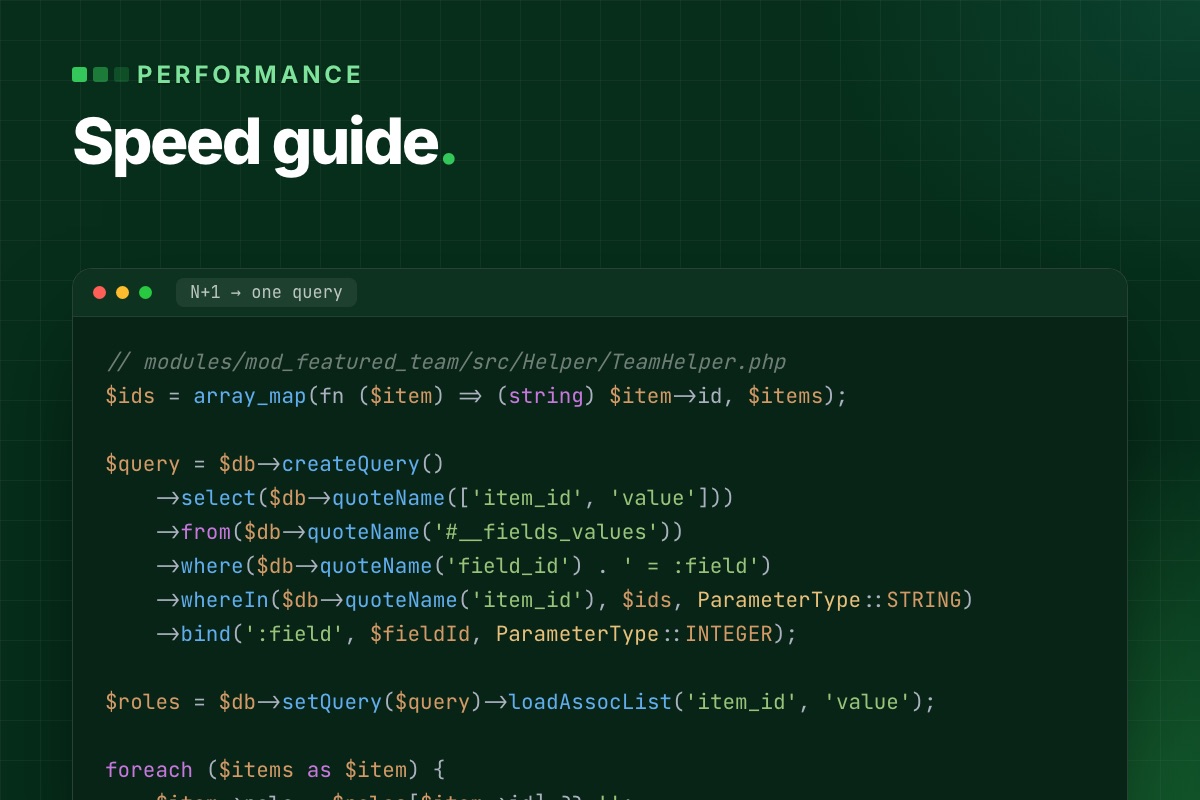
- Details
- Category: Performance & optimization
Most Joomla speed guides start with hosting and end with "install a CDN". On the slow Joomla sites we are asked to fix, the server is rarely the problem. The time goes into the request itself: too many queries, modules that query in a loop, a page cache that is off or wrongly scoped, plugins that run on every request, and a hero image the browser is told to load last.
This is the order in which we profile a slow Joomla 5 or 6 site, with the tools Joomla already ships and the code fixes we apply most often.
1. Measure the request, not the PageSpeed score
A PageSpeed score mixes server time, front-end weight and third-party scripts into one number. Split it first. Time to first byte (TTFB) tells you how long Joomla takes to build the page:
# terminal
curl -o /dev/null -s -w 'TTFB %{time_starttransfer}s  total %{time_total}s\n' https://example.com/blog
# logged in: copy the session cookie from your browser's dev tools
curl -o /dev/null -s -w 'TTFB %{time_starttransfer}s  total %{time_total}s\n' -b "$COOKIE" https://example.com/blog
Run it several times, as a guest and with a session. A guest page that comes from the page cache should answer in well under 200 ms. If it doesn't, the cache isn't serving it. If guest pages are fast but logged-in pages are slow, the problem is in the code and the cache was only hiding it.
Then turn on Debug System (System → Global Configuration → System) on a staging copy, never on the live site. The debug console at the bottom of each page shows three things worth reading:
- Profile information. The time marks
afterInitialise,afterRoute,afterDispatchandafterRender. A big jump beforeafterDispatchpoints at the component. A big jump beforeafterRenderpoints at modules and the template, because modules render in that phase. - Database queries. The count, the time per query and the duplicates panel. Fifty queries is normal for a Joomla page. Two hundred, or the same query repeated thirty times, is a module or plugin doing work in a loop.
- Memory peak. A page that needs 60 MB or more usually loads a large data set it then throws away.
2. The database: where most Joomla time goes
Queries in a loop (N+1)
The most common pattern we remove from custom modules and template overrides is one query per item: load ten articles, then run a query for each one to get its custom field, author or image. The debug panel shows it as the same query with a different ID, ten or a hundred times. Before:
// modules/mod_featured_team/src/Helper/TeamHelper.php
foreach ($items as $item) {
    $query = $db->createQuery()
        ->select($db->quoteName('value'))
        ->from($db->quoteName('#__fields_values'))
        ->where($db->quoteName('field_id') . ' = :field')
        ->where($db->quoteName('item_id') . ' = :item')
        ->bind(':field', $fieldId, ParameterType::INTEGER)
        ->bind(':item', $item->id);   // one query per article

    $item->role = $db->setQuery($query)->loadResult();
}
After: one query for all items, then a lookup in PHP.
// modules/mod_featured_team/src/Helper/TeamHelper.php
$ids = array_map(fn ($item) => (string) $item->id, $items);

$query = $db->createQuery()
    ->select($db->quoteName(['item_id', 'value']))
    ->from($db->quoteName('#__fields_values'))
    ->where($db->quoteName('field_id') . ' = :field')
    ->whereIn($db->quoteName('item_id'), $ids, ParameterType::STRING)
    ->bind(':field', $fieldId, ParameterType::INTEGER);

$roles = $db->setQuery($query)->loadAssocList('item_id', 'value');

foreach ($items as $item) {
    $item->role = $roles[$item->id] ?? '';
}
#__fields_values.item_id is a string column (it holds IDs from any context), so the IDs are bound as strings. Binding them as integers makes MySQL convert every row and skip the index.
Missing indexes in extension tables
Core tables are indexed well. Tables of custom and older third-party extensions often are not. Copy a slow query from the debug panel and run EXPLAIN on it:
# terminal
mysql -e "EXPLAIN SELECT * FROM jos_mycomp_bookings WHERE event_id = 42 AND state = 1 ORDER BY created DESC\G" mydb
type: ALL with a rows estimate close to the table size means a full table scan on every request. The fix belongs in the extension's update SQL, so it ships with the next version instead of living only on one server:
-- administrator/components/com_mycomp/sql/updates/mysql/2.4.0.sql
ALTER TABLE `#__mycomp_bookings` ADD INDEX `idx_event_state_created` (`event_id`, `state`, `created`);
Tables that only grow
Some core tables grow until they slow down every request that touches them. We check these on every audit:
| Table | Why it grows | What to do |
|---|---|---|
#__session | Database session handler; one row per visitor, bots included | Keep the session lifetime short, or switch the handler to Redis or the filesystem on busy sites |
#__action_logs | User Actions Log records every admin action | Add the scheduled task "Delete Action Logs" with "Days to delete action logs after" |
#__redirect_links | The Redirect plugin's "Collect URLs" stores every 404, including bot probes | Turn "Collect URLs" off once the redirects are done; empty the table |
#__finder_* | Smart Search index of every content type that has a finder plugin | Disable finder plugins for content you don't search; purge and re-index |
#__history | Content versions, unlimited when "Maximum Versions" is high | Lower "Maximum Versions" in the Articles options |
# terminal – the largest tables first
mysql -e "SELECT table_name, ROUND((data_length + index_length) / 1024 / 1024) AS mb, table_rows
          FROM information_schema.tables WHERE table_schema = 'mydb'
          ORDER BY (data_length + index_length) DESC LIMIT 15;"
3. Caching: what Joomla actually caches
Joomla has three cache layers, and they are often confused:
- System Cache in Global Configuration. It switches on caching for modules and for components that support it. Conservative caches each module separately, according to its own
cache_mode. Progressive caches module output per visitor state and fills the cache folder much faster. We use Conservative. - The module "Caching" option. It only works when System Cache is on, and it caches the module's HTML, not its data.
- System – Page Cache plugin. It stores the whole HTML of a page for guests and skips the component, the modules and the template on the next hit. This is the layer that takes TTFB from hundreds of milliseconds down to tens, and the one that breaks things if you don't scope it.
What breaks under the page cache
Anything personal or tied to a session is frozen into the cached HTML and served to the next visitor:
- Form tokens. A cached login or cart form carries the first visitor's CSRF token, and everyone after them gets "Invalid token". VirtueMart 4.8.0 hit exactly this with cached product modules, see add to cart fails with cached product modules.
- "Hello, Anna" and cart counters rendered on the server.
- Pages that vary by cookie, such as currency, language without a URL prefix, or consent state.
Exclude those menu items in the plugin's settings, or render the personal part in the browser and load it with a small AJAX request (com_ajax works well for this). The rest of the page stays cacheable.
Caching data in your own extension
The module cache stores HTML. When the expensive part is the data, for example an API call or a heavy aggregate query, cache the data with a callback controller and keep the rendering live:
// modules/mod_release_watch/src/Helper/ReleaseHelper.php
use Joomla\CMS\Cache\CacheControllerFactoryInterface;
use Joomla\CMS\Factory;

public function getReleases(string $repo): array
{
    $cache = Factory::getContainer()
        ->get(CacheControllerFactoryInterface::class)
        ->createCacheController('callback', [
            'defaultgroup' => 'mod_release_watch',
            'lifetime'     => 60,      // minutes
            'caching'      => true,    // cache even when System Cache is off
        ]);

    return $cache->get([$this, 'fetchReleases'], [$repo], md5('releases:' . $repo));
}
The third argument is the cache ID. Build it from everything the result depends on, or two different calls will share one entry.
4. Plugins that run on every request
A system plugin's onAfterInitialise or onAfterRoute runs on every request: front end, back end, AJAX and API. Two things we look for in custom and third-party plugins:
- Work without a guard. The plugin loads settings, queries the database or calls an API before it checks whether it is needed on this page.
- Legacy listeners. The plugin still relies on method-name matching instead of
SubscriberInterface. It works on Joomla 5 and 6 with the compatibility layer, but it can't declare which events it needs. See Joomla 6 plugin events explained.
// plugins/system/myplugin/src/Extension/MyPlugin.php
public static function getSubscribedEvents(): array
{
    return ['onAfterRoute' => 'onAfterRoute'];
}

public function onAfterRoute(AfterRouteEvent $event): void
{
    $app = $this->getApplication();

    // cheapest checks first – leave before touching the database
    if (!$app->isClient('site') || $app->getInput()->getCmd('option') !== 'com_content') {
        return;
    }

    // … the real work
}
The same applies to scheduled tasks. With the Lazy Scheduler on (Scheduled Tasks → Options), due tasks run inside a visitor's request, and that visitor waits for an index rebuild or a mail queue. On any site with real traffic, turn it off and run the scheduler from cron:
# /etc/cron.d/joomla-scheduler
*/5 * * * * www-data /usr/bin/php /var/www/example.com/cli/joomla.php scheduler:run --all >/dev/null 2>&1
5. Front end: the Web Asset Manager and the LCP image
Load assets through the Web Asset Manager
Hand-written <script> tags in a template or override can't be deduplicated, deferred or reordered. Registered assets can. Joomla resolves the dependencies, prints each file once, and you control defer per asset:
// templates/yourtemplate/html/com_content/article/default.php
$wa = $this->document->getWebAssetManager();
$wa->registerAndUseScript(
    'tpl.yourtemplate.code-blocks',
    'media/templates/site/yourtemplate/js/code-blocks.js',
    ['version' => 'auto'],
    ['defer' => true]
);
While you're in there, check whether anything still loads jQuery. Joomla's own front end hasn't needed it since Joomla 4. When it appears, an old extension or override asked for it, and that one call adds about 30 KB of render-blocking script to every page.
Don't lazy-load the image that matters
Joomla's image layout (joomla.html.image) adds loading="lazy" to every image whose width and height it knows. That includes the article's full-text image, which is usually the largest element in the first screen, the Largest Contentful Paint (LCP). A lazy LCP image starts downloading late, and LCP suffers. We override the layout for that one image:
// templates/yourtemplate/html/layouts/joomla/content/full_image.php
$layoutAttr = [
    'src'           => $images->image_fulltext,
    'alt'           => empty($images->image_fulltext_alt) && empty($images->image_fulltext_alt_empty) ? false : $images->image_fulltext_alt,
    'class'         => $imageClass,
    'loading'       => 'eager',   // the layout only adds "lazy" when loading is empty
    'fetchpriority' => 'high',
];
Do the same for the first one or two cards of a blog list. Leave every image below the fold lazy. If an optimization plugin adds lazy loading on its own, check that it respects fetchpriority="high". Ours had to be told to.
6. PHP settings that matter for Joomla
Joomla 5 with a typical set of extensions loads several thousand PHP files. The default OPcache limits are too small for that, so files fall out of the cache and are compiled again:
; /etc/php/8.3/fpm/conf.d/99-joomla.ini
opcache.enable=1
opcache.memory_consumption=256
opcache.interned_strings_buffer=32
opcache.max_accelerated_files=50000   ; default 10000
opcache.validate_timestamps=1
opcache.revalidate_freq=60            ; 0 on staging, where files change all the time
realpath_cache_size=4096K
realpath_cache_ttl=600
Check the result with opcache_get_status(). If cache_full is true or num_cached_scripts is at the limit, raise the limit. Keep the PHP version of cron (CLI) and of the web server (FPM) the same. A scheduler that runs on an older CLI PHP fails silently.
The checklist we run
| Check | Where | Healthy |
|---|---|---|
| Guest TTFB, cached page | curl -w %{time_starttransfer} | < 200 ms |
| Logged-in TTFB | same, with a session cookie | < 800 ms |
| Queries per page | Debug console | < 100, no repeated query |
| Largest tables | information_schema.tables | sessions, logs and 404 log under control |
| Page cache scope | System – Page Cache | on, with form and cart pages excluded |
| Lazy Scheduler | Scheduled Tasks → Options | off, with cron running scheduler:run |
| LCP image | page source | no loading="lazy", fetchpriority="high" |
| jQuery on the front end | page source | only if something really needs it |
| OPcache | opcache_get_status() | not full, file limit above the file count |
Fix in that order. The database and cache items usually remove most of the server time. The front-end items fix what PageSpeed reports. A faster server only helps once the request itself is lean.
Joomla site still slow? Send us the URL. We profile it the way this post describes and reply with what is slow, why, and a fixed quote to fix it.
SEO & speed optimization →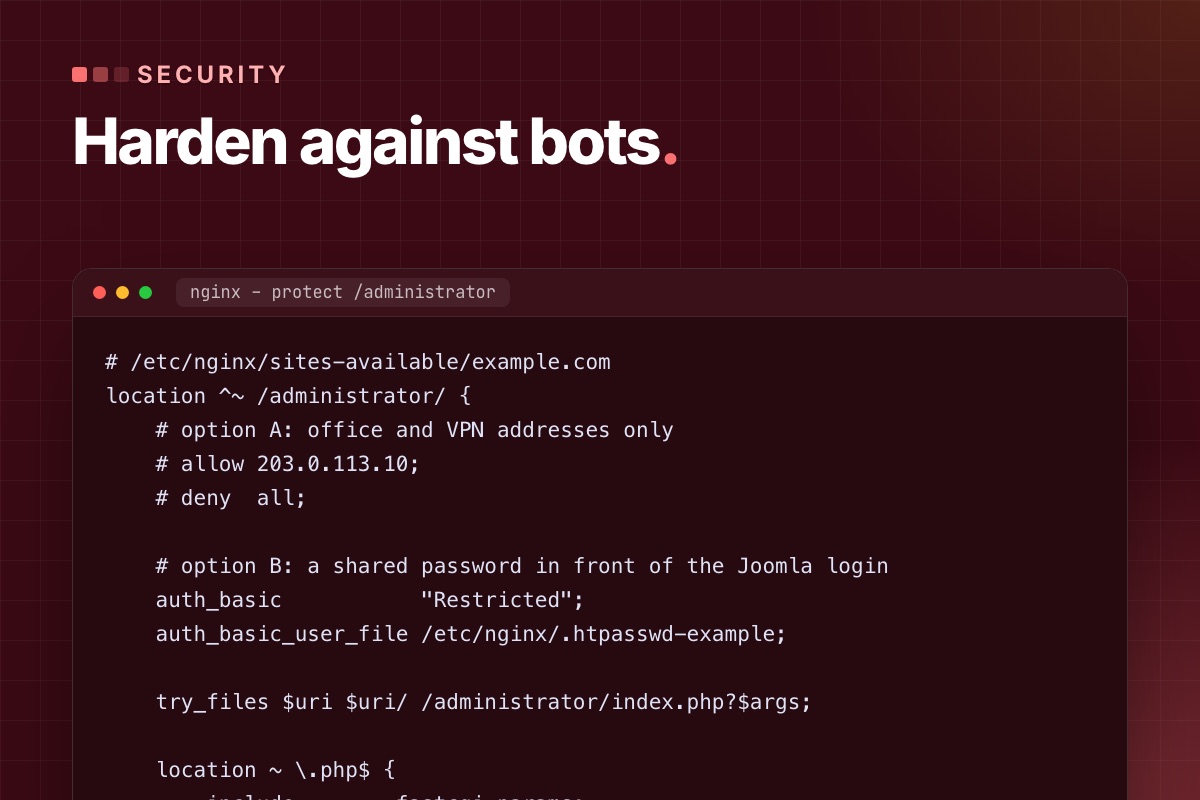
"AI bot attacks" sounds new. In the access logs of the Joomla sites we maintain, it mostly looks like the old attacks done faster and at scale: thousands of requests probing known paths, login forms tried with leaked passwords, registration forms filled with spam, and crawlers copying every page. The automation is better. The defences that work are still the boring, specific ones.
This is how we harden a Joomla 5 or 6 site against automated traffic, starting with the changes that remove the most risk per minute of work.
Start with your own logs
Before you change anything, look at what is actually hitting the site. One command on the access log shows the most requested paths that don't exist:
# terminal – top 404s in the last log (nginx/Apache combined format)
awk '$9 == 404 {print $7}' /var/log/nginx/example.com.access.log | sort | uniq -c | sort -rn | head -25
On a typical Joomla site the list includes:
/api/index.php/v1/config/application?public=true. This probes CVE-2023-23752, the Joomla 4.0.0–4.2.7 flaw that exposed the configuration, database password included, without login. It is still one of the most scanned Joomla URLs. On a patched site it returns 403 or 404, and the request is only noise./configuration.php.bak,/configuration.php~,/.git/config,/.env. Leftovers from editors, deploys and backups./administrator/with POST requests: password guessing./component/users/?view=registration: registration spam.
Each of these maps to one of the fixes below.
1. Keep code and secrets out of the web root: the public folder
Since Joomla 5.0, a site can serve only a public folder, which holds the entry points and the public media. configuration.php, libraries/, administrator/components/ and everything else stay one level up, where no URL can reach them. A leftover configuration.php.bak is then simply not downloadable.
# terminal – run once, then point the virtual host's document root at the new folder
php cli/joomla.php site:create-public-folder --public-folder=/var/www/example.com/public --live-site=https://example.com
Test it on staging first. Extensions that write files to their own folder and link to them by URL can break, because only the folders the public folder exposes are reachable. On new sites we use it from day one.
2. Put a second lock on /administrator
Joomla's own login is not the problem. Exposing it to the whole internet is. If the editors work from known places, allow only those addresses. If they don't, add HTTP authentication in front, so bots never reach Joomla's login form at all:
# /etc/nginx/sites-available/example.com
location ^~ /administrator/ {
    # option A: office and VPN addresses only
    # allow 203.0.113.10;
    # deny  all;

    # option B: a shared password in front of the Joomla login
    auth_basic           "Restricted";
    auth_basic_user_file /etc/nginx/.htpasswd-example;

    try_files $uri $uri/ /administrator/index.php?$args;

    location ~ \.php$ {
        include        fastcgi_params;
        fastcgi_param  SCRIPT_FILENAME $document_root$fastcgi_script_name;
        fastcgi_pass   unix:/run/php/php8.3-fpm.sock;
    }
}
Keep the PHP handler inside this block. A location ~ \.php$ elsewhere in the config matches /administrator/index.php first and skips the password, which is the most common mistake we find in "protected" admin folders.
3. Turn off what you don't use: Web Services and registration
- The API. If nothing talks to
/api/, disable the "API Authentication" plugins (Basic and Token) and the Web Services plugins, or deny/api/in the web server. If you do use it, use Token authentication for one dedicated user with the minimum permissions, never a Super User account. - User registration. If the site has no members area, set Users → Options → "Allow User Registration" to No. If it has one, add the proof-of-work CAPTCHA (Joomla 6.1+) to the registration form and require admin or email activation.
4. Make stolen passwords useless: enforce MFA
Joomla 4.2 and later include multi-factor authentication with passkeys (WebAuthn), TOTP apps, YubiKey, email codes and backup codes. The setting most sites miss is enforcement: Users → Options → Multi-factor Authentication → Enforce Multi-factor Authentication for the Super Users and Administrator groups. Without it, MFA is optional and the accounts that matter most often don't have it.
While you're there, audit who actually has Super User rights:
# terminal – every Super User, with the last visit (adjust the prefix)
mysql -e "SELECT u.id, u.username, u.email, u.block, u.lastvisitDate
          FROM jos_users u JOIN jos_user_usergroup_map m ON m.user_id = u.id
          WHERE m.group_id = 8 ORDER BY u.lastvisitDate DESC;" mydb
Accounts of former developers and agencies show up on almost every site we take over. Block them, don't just change their passwords.
5. Slow down password guessing
Bots rotate IP addresses, but most still send many POSTs from each one. A rate limit on login requests costs real users nothing:
# /etc/nginx/conf.d/limits.conf
limit_req_zone $binary_remote_addr zone=joomla_login:10m rate=10r/m;

# /etc/nginx/sites-available/example.com – inside location ^~ /administrator/
location = /administrator/index.php {
    limit_req zone=joomla_login burst=5 nodelay;
    limit_req_status 429;
    # … fastcgi lines as above
}
The same zone works for the front-end login (/component/users/ or your login menu item). Joomla's "Maximum MFA tries" and "MFA limit block time" options cover the second factor.
6. Make uploads harmless
Most real Joomla compromises we clean up started with a file upload: an old extension that accepted a PHP file disguised as an image. Two layers:
- Media options: keep "Restrict Uploads" and "Check MIME Types" on, and keep the allowed extensions to what editors need. The Joomla 6 defaults are sensible: images incl.
webpandavif, office files, PDF, audio, video. - The web server: never execute PHP in folders that hold uploads. Even if a PHP file gets in, it is served as text or blocked:
# /etc/nginx/sites-available/example.com – before the general PHP location
location ~* ^/(images|media|tmp|cache|logs)/.*\.(php|phtml|phar)$ {
    deny all;
}
7. Send security headers from Joomla
The core System – HTTP Headers plugin sets HSTS, X-Frame-Options, Referrer-Policy, Cross-Origin-Opener-Policy and a Content-Security-Policy, and it supports nonces and script hashes for the CSP. Turn the CSP on in report-only mode first and read the reports for a week. Third-party widgets and inline scripts in old modules will show up there. Enforcing a CSP blindly breaks pages.
8. Know when a file changes
An attacker who gets in drops a backdoor and leaves. You find out months later. The cheapest file-integrity check is version control on the server: commit a clean state and look at the difference.
# terminal – once, on a clean site (keep .git outside the public folder or deny it in the web server)
cd /var/www/example.com
git init -q && git add -A && git commit -qm "baseline $(date +%F)"

# daily, from cron: anything changed that wasn't an update you made?
git status --porcelain | grep -vE '^( M|\?\?) (cache|tmp|administrator/logs|images)/'
Without Git, compare against a clean package of the same Joomla version with diff -rq. A modified core file is either a hack someone made years ago or a backdoor, and you want to know which.
9. Patch on time, not "soon"
Automated attacks start within days of a public advisory. Subscribe to the Joomla Security Centre feed, and from Joomla 6.2 on, look at the security flag on extension updates: the dashboard highlights updates that their vendor marked as security releases, with a severity. A routine of "check updates every Monday, security updates the same day" beats any firewall rule.
10. AI crawlers: decide, then enforce
Crawlers that collect training data (GPTBot, ClaudeBot, CCBot, Google-Extended and others) are not attacks. Whether you allow them is a business decision: blocking them keeps your content out of training sets, and may also keep your site out of AI answers. The well-known ones respect robots.txt:
# robots.txt – opt out of AI training crawlers, keep search engines
User-agent: GPTBot
User-agent: ClaudeBot
User-agent: CCBot
User-agent: Google-Extended
Disallow: /
Scrapers that ignore robots.txt need rate limits or a bot-management rule at the CDN. They're a load problem more than a security one, and the page cache helps more than blocking.
If you are already compromised
- Take a full copy (files and database) before cleaning, as evidence and so you can compare later.
- Put the site offline (
php cli/joomla.php site:down) and change the database, FTP/SSH and hosting passwords. - Compare the files against a clean Joomla package and clean copies of each extension. Look in
images/andtmp/for PHP files. - Check
#__usersfor new Super Users and#__extensionsfor plugins you didn't install. - Find the way in (usually an outdated extension in the access log around the first changed file), patch it, then go back online.
Worried about your Joomla site? We run the checks in this post on a copy of your site and send you what we found, with the fixes in order of risk.
Maintenance & support →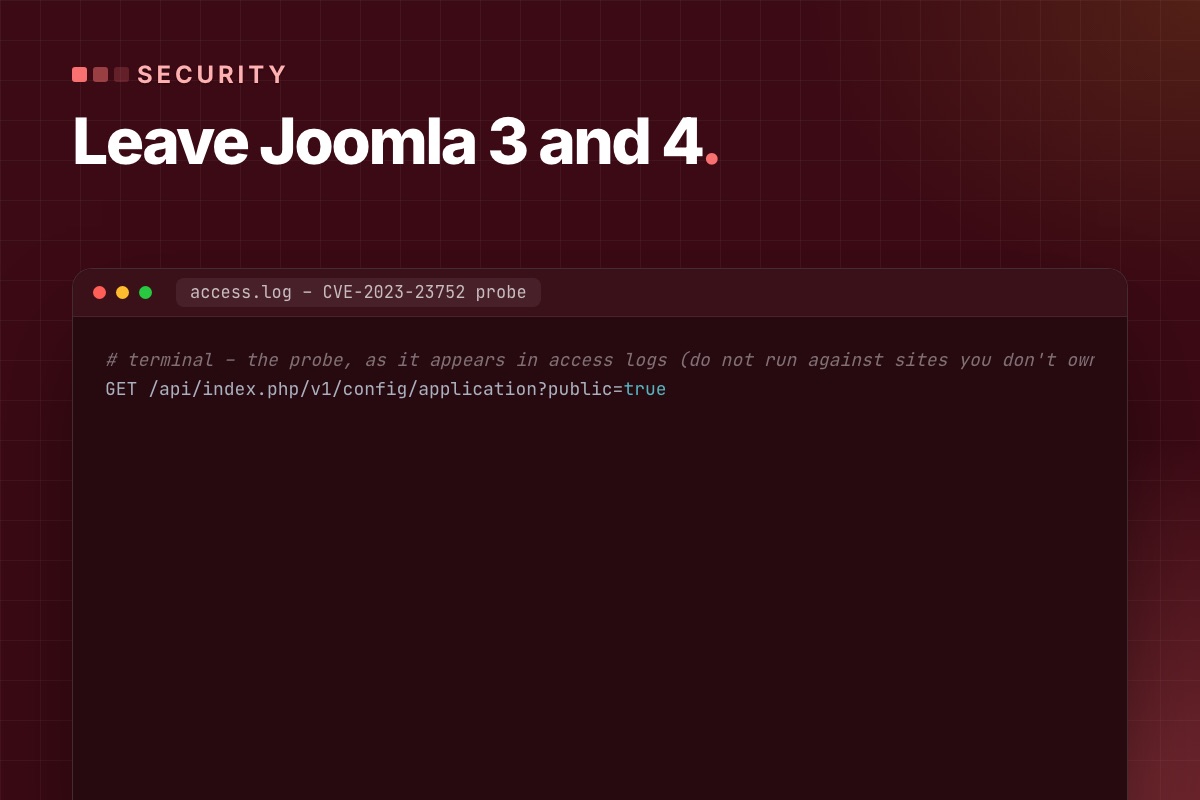
We wrote the first version of this post in 2024 to list Joomla 5's new features. Two years later the question has changed. Joomla 3 has been end-of-life since August 2023, Joomla 4 since October 2025. A site still on either isn't missing features, it is running unpatched software on an unpatched PHP version. This post is about what that means in practice, and how to get off it without breaking the site.
What "end of life" means on a real server
End of life isn't one risk, it's three that add up:
- Joomla core gets no security fixes. Vulnerabilities found after the end date stay open forever, and they are published, with details, for the supported versions.
- The PHP version is end-of-life too. Joomla 3 runs up to PHP 8.0. Joomla 4 up to 8.2 in practice. PHP 8.0 and 8.1 get no security fixes any more, so the hosting stack under the site has known holes as well.
- Extensions stop being maintained for that Joomla version, and in old Joomla sites the extensions are where most break-ins start.
Hosts push the second point for you sooner or later: when they remove PHP 7.4 or 8.0 from a server, a Joomla 3 site goes down, usually on a day nobody planned for.
The flaw that shows why patching matters
CVE-2023-23752 affected Joomla 4.0.0 to 4.2.7. One unauthenticated request to the Web Services API returned the site configuration, including the database user and password:
# terminal – the probe, as it appears in access logs (do not run against sites you don't own)
GET /api/index.php/v1/config/application?public=true
It was fixed in 4.2.8, within days, and automated scanners still request this URL on every Joomla site we look after, years later. The lesson isn't this specific bug. The scan for a published flaw starts within days, and it never stops. A site that got 4.2.8 the week it came out was fine. A site that stayed on 4.2.7 had its database password in the hands of anyone who asked.
Check your own log for it:
# terminal
grep -c "v1/config/application" /var/log/nginx/example.com.access.log
How to tell where a site stands
# terminal – Joomla version from the files (works even when the back end is broken)
grep -E "MAJOR_VERSION|MINOR_VERSION|PATCH_VERSION" libraries/src/Version.php          # Joomla 4, 5, 6
grep -E "RELEASE|DEV_LEVEL" libraries/cms/version/version.php libraries/src/Version.php 2>/dev/null   # Joomla 3

php -v # and the PHP version the web server uses: System → System Information| Site on | Risk today | Route |
|---|---|---|
| Joomla 3.x | high: no fixes since 2023, PHP ≤ 8.0 | 3.10 → 4.4 → 5.4 (→ 6), template rebuilt |
| Joomla 4.0–4.3 | high: known API flaw, no fixes | 4.4 → 5.4 (→ 6) |
| Joomla 4.4 | medium: end of life since Oct 2025 | 5.4 (→ 6) |
| Joomla 5.4 | low: security fixes until Oct 2027 | plan Joomla 6 |
Why Joomla 3 is the expensive step
Joomla 4 rewrote the core: namespaced classes, a new MVC, Bootstrap 5 and a new admin template. A Joomla 3 template can't be converted, it has to be rebuilt. Joomla 3 extensions need Joomla 4 versions, and many never got one. The database moves across with the official migration, and that's the easy part.
From Joomla 4.4 on, it gets much easier. 4.4 → 5.x and 5.4 → 6.x are mostly updates plus fixes for deprecated code, thanks to the backward-compatibility plugins Joomla ships for each major version. The step-by-step is in our Joomla 3/4 to 5.4 migration guide.
If you can't upgrade this month
Sometimes a budget or an abandoned extension blocks the upgrade. Until it happens, reduce what an attacker can reach:
- Joomla 4.0–4.2: update to 4.4.x now. It is a normal update in the back end, not a migration, and it closes the API flaw.
- Deny the API at the web server if nothing uses it (
location ^~ /api/ { deny all; }). - Password-protect
/administratorat the web server and enforce MFA (Joomla 4.2+). - Block PHP execution in
images/,media/andtmp/. - Remove every extension you don't use. Disabled isn't enough, the files are still reachable.
- Back up off-site, daily, and restore one backup once to make sure it works.
The details for each are in Joomla security against automated attacks. None of this replaces the upgrade. It buys the weeks you need to do it properly.
What you get on the other side
A site on Joomla 5.4 or 6 isn't just patched. It has a few things that make the next ten years cheaper: a template and code base that follow current Joomla APIs, so future updates are small; MFA and passkeys in core; a Scheduler for background jobs; automated core updates (Joomla 6); and PHP 8.3, which is noticeably faster than the PHP 7.4 most Joomla 3 sites run on.
Still on Joomla 3 or 4? Send us the URL. We check the version, PHP and extensions, and reply with the route and a fixed quote. The site stays online throughout.
Joomla migration →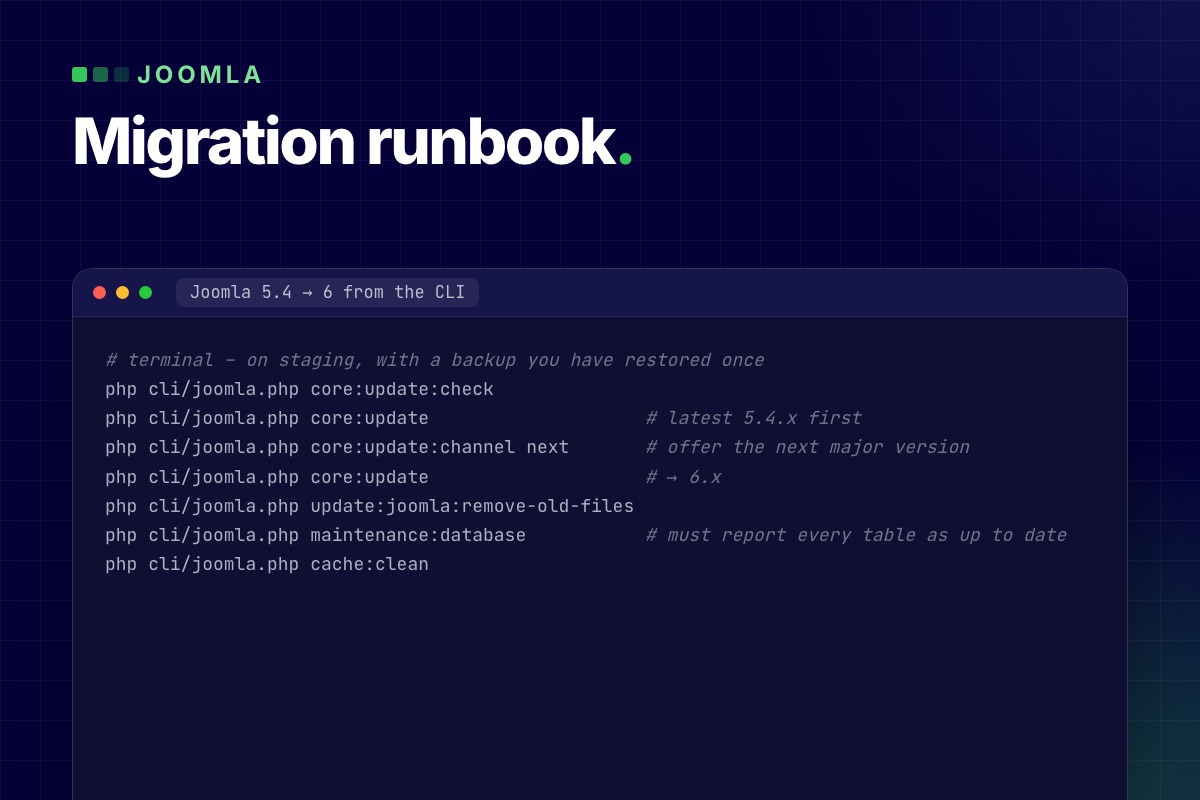

This is the order of work we use to move a Joomla 3 or 4 site to Joomla 5.4, written as a runbook: what to run, what to check after each step, and the problems that cost us time on real migrations. The last section covers the next jump, 5.4 → 6, from the command line, the way we upgraded our own site.
Step 0: Inventory and a staging copy
Never migrate the live site. Copy it, files and database, to a staging host with the target PHP version, and write down what you are starting from:
# terminal – on the copy
grep -E "MAJOR_VERSION|MINOR_VERSION|PATCH_VERSION|RELEASE|DEV_LEVEL" libraries/src/Version.php
php -v
mysql -e "SELECT type, element, folder, enabled,
                 JSON_UNQUOTE(JSON_EXTRACT(manifest_cache, '$.version')) AS version
          FROM jos_extensions
          WHERE JSON_UNQUOTE(JSON_EXTRACT(manifest_cache, '$.author')) NOT LIKE 'Joomla%'
          ORDER BY type, element;" mydb > extensions-before.txt
For every line in extensions-before.txt, decide: update (a Joomla 5 version exists), replace (abandoned, an alternative exists), or remove (not used). Disabled extensions are the easiest wins. Uninstall them before you start, and the migration has fewer moving parts.
On staging, also turn off outgoing mail and put payment plugins in test mode. Scheduled tasks and cron jobs on a copy will otherwise mail real customers.
Step 1 (Joomla 3 only): 3.10 → 4.4
This is the expensive step, because Joomla 4 rewrote the core.
- Update to the last 3.10. In Joomla Update, the Pre-Update Check tab lists every extension with "compatible / not compatible / unknown" for Joomla 4, and checks PHP and database versions.
- Switch the template to Cassiopeia on staging before the update. A Joomla 3 template will not render on Joomla 4. It gets rebuilt anyway, and a working default template makes the result testable.
- Run the update to 4.4 through Joomla Update ("Upload & Update" with the 4.4 update package if the channel doesn't offer it).
- Fix the database schema: System → Maintenance → Database. Every row must say "up to date". If one doesn't, press "Update Structure" and read what it reports.
- Rebuild the template for Joomla 4/5 (Bootstrap 5, the Web Asset Manager, new layout overrides). Copying old overrides across is the most common source of broken pages after a migration.
Content, users, menus and categories come across reliably. In our experience, what breaks is everything around them: custom template overrides, editors' inline HTML that relied on Bootstrap 2 classes (span6, pull-right), and extensions that store HTML with old markup.
# terminal – find Bootstrap 2/3 classes in article HTML that will lose their styling
mysql -e "SELECT id, title FROM jos_content
          WHERE introtext REGEXP 'class=\"[^\"]*(span[0-9]+|pull-(left|right)|offset[0-9]+|hidden-phone|visible-desktop)'
             OR \`fulltext\` REGEXP 'class=\"[^\"]*(span[0-9]+|pull-(left|right)|offset[0-9]+)';" mydb
Step 2: 4.4 → 5.x with the compatibility plugin
From 4.4 the jump is an update, not a migration. Joomla 5 ships Behaviour – Backward Compatibility, which keeps Joomla 4 code that uses deprecated APIs running.
- Update every extension to its newest version for Joomla 4 first. Most vendors released versions that run on both 4.4 and 5.
- Check PHP 8.1+ (8.3 if you're going on to Joomla 6).
- Run Joomla Update → 5.x. Check System → Maintenance → Database again.
- With Log Deprecated API on (Global Configuration → Logging), click through the site and read
administrator/logs/deprecated.php. That file is your to-do list for Joomla 6.
Step 3: 5.x → 5.4 and leave the site there for a while
Update to the latest 5.4.x, re-test, and go live. Joomla 5.4 has security support until October 2027. A site that is cleanly on 5.4 with an empty deprecation log is in the best possible position for Joomla 6, and you've only changed one thing at a time.
Going on to Joomla 6 from the command line
We upgraded our own site from 5.4 to 6.2 with the Joomla CLI. It's faster than the browser for big sites and doesn't hit PHP time limits. The commands:
# terminal – on staging, with a backup you have restored once
php cli/joomla.php core:update:check
php cli/joomla.php core:update                    # latest 5.4.x first
php cli/joomla.php core:update:channel next       # offer the next major version
php cli/joomla.php core:update                    # → 6.x
php cli/joomla.php update:joomla:remove-old-files
php cli/joomla.php maintenance:database           # must report every table as up to date
php cli/joomla.php cache:clean
What we hit on the way, and what you are likely to hit too:
- The CLI itself crashed before the update started. The CLI application boots enabled plugins, and plugins whose entry file still uses
J*class names fail when they load. We disabled those plugins (in our case 112, from three commercial extensions) for the upgrade only, then re-enabled them. Joomla also asks you to disable the old Joomla 5 compatibility plugin before the major update. - The finalisation step failed after the files were replaced, because the running process still had Joomla 5 classes in memory. Running finalisation again with the new code, and then
maintenance:database, completed it cleanly. Check the schema report. "Files updated" is not "upgrade done". - Extensions that need old class names ran again once "Classes Aliases" was turned on in Behaviour – Backward Compatibility 6. It's off by default.
- Case-insensitive file systems. On macOS (our local copies), an extension update that renamed folders from
classes/toClasses/deleted the new folder together with the old one. Linux servers are fine, but test locally on a case-sensitive volume or expect surprises.
The checks we run after every step
| Check | How |
|---|---|
| Schema up to date | System → Maintenance → Database, or maintenance:database |
| No PHP errors | web server error log, with Error Reporting at "Maximum" on staging |
| Deprecations | administrator/logs/deprecated.php |
| Every page type renders | home, category blog, article, contact form, search, login, 404, every component's main views |
| Forms send | contact, registration, password reset; check the mail catcher |
| Overrides | System → Templates → "Changes found" notices |
| URLs unchanged | crawl the old sitemap against staging; every URL should be 200 or a deliberate 301 |
The last row matters more than it looks. Router and menu changes during a migration can quietly change URLs, and rankings go with them. A crawler that takes a URL list as input (Screaming Frog, or wget --spider -i urls.txt) finds them in minutes.
When it goes live
- Freeze content on live (or note what changes during the switch).
- Take a final backup of live.
- Deploy staging to live, with live's
configuration.phpvalues (database, paths, mail, live site URL). - Clear all caches, including the CDN, and check the same list again on live.
- Keep the old live backup for at least a month.
If the site runs a shop or a CRM, it has its own upgrade path on top of this one: see VirtueMart 3 to 4.8 on Joomla 5 and upgrading a Joomla site with CiviCRM.
Want this done for you? We migrate Joomla 3 and 4 sites to 5.4 and 6, with a rebuilt template, your URLs kept and the site online throughout. Fixed quote after a free check.
Joomla migration →
Joomla 6.0 came out in October 2025, and two feature releases have followed: 6.1 and 6.2. Most "what's new" lists repeat the release announcement. This one is written from the other side: we run Joomla 6.2 on our own site and upgrade client sites to it, so for each change we note what it means when you build, upgrade or maintain a site.
Joomla 6 in one table
| Joomla 5.4 | Joomla 6.x | |
|---|---|---|
| Minimum PHP | 8.1 | 8.3 |
| Database | MySQL 8.0.13+, MariaDB 10.4+, PostgreSQL 12+ | same |
Old J* class names (JFactory, JText …) | work, with a deprecation | only through the "Backward Compatibility 6" plugin, off on new installs |
| Core updates | manual or one click | automated updates available (TUF-signed) |
| Support | security fixes until October 2027 | current major version |
The PHP minimum is enforced in the first lines of index.php. A site on PHP 8.2 doesn't degrade gracefully after the upgrade: every page, front end and back end, shows the "incompatible PHP" notice instead. Check PHP first, before you even look at extensions.
// index.php (Joomla 6.2)
\define('JOOMLA_MINIMUM_PHP', '8.3.0');

if (version_compare(PHP_VERSION, JOOMLA_MINIMUM_PHP, '<')) {
    die(str_replace('{{phpversion}}', JOOMLA_MINIMUM_PHP, file_get_contents(\dirname(__FILE__) . '/includes/incompatible.html')));
}
Joomla 6.0: a cleanup release with a few features
Automated core updates
Joomla can now install core updates by itself. The update data is signed with The Update Framework (TUF), which Joomla adopted in 5.1, so a compromised mirror can't push a fake package. You'll find it under System → Update → Joomla → Options.
Our advice: turn it on for small brochure sites. On sites with a custom template, overrides or a shop, keep it off and update after a staging run. An automated update tests nothing that core tests don't, and overrides and third-party plugins are exactly where updates break.
Cassiopeia Extended: child templates, shown by example
Child templates arrived in Joomla 4.1, but few people used them. Joomla 6 ships Cassiopeia Extended, a child of Cassiopeia with font and colour options, as a working example. For developers it's the cleanest reference for the pattern: the child template contains only what it changes, and everything else falls back to the parent.
<!-- templates/cassiopeia_extended/templateDetails.xml (excerpt) -->
<extension type="template" client="site">
    <name>cassiopeia_extended</name>
    <inheritable>0</inheritable>
    <parent>cassiopeia</parent>
    …
</extension>
If you build a site on Cassiopeia, make a child template on day one and put your overrides and CSS there. The next Cassiopeia update then can't overwrite them.
Versioning that includes fields, tags and categories
Content history used to store only the article row. In Joomla 6 a version also covers custom field values, tags and the category, so "restore" really brings the article back to how it was. The #__history table got two new columns for this, is_current and is_legacy. Versions saved before the upgrade are marked as legacy, because they don't contain field data.
One side effect to plan for: more data per version. On sites with many fields and frequent saves, set "Maximum Versions" in the Articles options to a sensible number.
Featured articles merged into the Articles view
The separate Featured Articles manager in the back end is gone. It is now the Articles list with the featured filter (view=articles&filter[featured]=1). The upgrade rewrites the admin menu link. Custom admin menus, bookmarks or extensions that link to view=featured in the back end need the new URL. The front-end featured menu item type is unchanged.
Smaller things that matter
- Two new custom field types: Number (min, max, step, decimals, currency) and Note (a heading or info box in the edit form).
- Mail template for new articles: the "new article submitted" notification is now an editable mail template (
plg_content_joomla.newarticle). - Batch remove a tag from many items at once.
- Language update site moved to the 6.x translation list. Language packs for 5.x won't show up as updates.
Joomla 6.1: spam protection and module versioning
- Proof-of-work CAPTCHA (
plg_captcha_powcaptcha). The browser solves a small puzzle in the background. There's no third-party service, no cookie and no API key. reCAPTCHA sends visitor data to Google and usually needs cookie consent, so this is now our default for contact and registration forms. Enable the plugin and set it as default in Global Configuration. - Workflow diagram. With Workflows on, the Articles → Workflows screen draws the stages and transitions as a graph. Stages have a new
positioncolumn for the layout. - Media custom fields for audio, video and documents. They render as HTML5
<audio>,<video>or a document link. - Module versioning and multilingual associations. Modules get version history like articles (a new
com_modules.modulecontent type), and module instances can be associated across languages. - Language override status. Missing overrides are shown and can be created in one step.
Joomla 6.2: editor and template quality of life
- Separate image and figure classes for intro and full-text images. You no longer need an override just to put a class on the
<figure>. - Media Manager picker and a Read More button in the editor.
- Multi-level dropdown menus in Cassiopeia.
- Login module toggles to hide the "Forgot your password/username?" links without an override.
- "Show subcategory image" option for Articles, Contacts and News Feeds categories.
- Security flag for extension updates. An extension's update XML can mark a release as a security release with a severity from 0 (none) to 4 (critical). Joomla stores it in the new
#__updates.securitycolumn and highlights the update in the dashboard. If you publish extensions, start using it:
<!-- https://example.com/updates/mod_example.xml -->
<updates>
    <update>
        <name>Example Module</name>
        <element>mod_example</element>
        <type>module</type>
        <client>site</client>
        <version>2.3.1</version>
        <security>3</security>   <!-- 0 none · 1 low · 2 medium · 3 high · 4 critical -->
        <downloads>
            <downloadurl type="full" format="zip">https://example.com/dl/mod_example-2.3.1.zip</downloadurl>
        </downloads>
        <targetplatform name="joomla" version="(5|6)\..*"/>
        <php_minimum>8.1</php_minimum>
    </update>
</updates>
What breaks when you upgrade
The features are the easy part. The work in a 5 → 6 upgrade is in code that relied on things Joomla 6 removed or moved:
- Old class names.
JFactory,JText,JHtml,JRouteand about 450 otherJ*aliases now live in the "Behaviour – Backward Compatibility 6" plugin. Its "Classes Aliases" option is off on a fresh install. On upgraded sites, check it before you blame an extension. - Moved classes.
Joomla\CMS\Filesystem\*,Joomla\CMS\Input\*and the old CLI application classes are only loaded through the same plugin's "Include Deprecated Classes" option. Their replacements are the framework packagesJoomla\Filesystem\*andJoomla\Input\*. - Removed assets.
chosenandwcpolyfillare gone. The compat plugin registers empty stubs, so an extension that asks for them doesn't throw an exception, but whatever relied on Chosen.js no longer gets it.
The code side of each of these, with before/after examples, is in Joomla 6 for extension developers. The side-by-side comparison for site owners is in Joomla 5 vs Joomla 6.
Should you upgrade now?
- New sites: start on Joomla 6.2 and PHP 8.3 or 8.4.
- Joomla 5.4 sites with maintained extensions: yes, after a staging run. Most well-kept extensions released Joomla 6 versions in 2025–2026.
- Sites with an abandoned extension, an old shop or CRM: stay on 5.4 for now. It has security support until October 2027. Plan the extension replacement first. Our VirtueMart and CiviCRM status pages show what that looks like for two big ones.
- Sites still on Joomla 3 or 4: go to 5.4 first, then 6. There is no direct jump.
Planning a Joomla 6 upgrade? Send us your site URL. We check PHP, extensions and overrides, and reply with a plan and a fixed quote.
Joomla 6 migration →
We installed our first Joomla 1.0 from a zip file, over FTP, on shared hosting with cPanel. Joomla turned 20 in 2025, and in those twenty years we've built, broken, migrated and rebuilt more Joomla sites than we can count. This post is the short history, the projects we're proud of, and the lessons that changed how we write code. With the code, because the lessons only mean something with the code.
Twenty years in six versions
- 2005 – Mambo becomes Joomla. We didn't follow the politics. We saw a new name, a community on fire, and the forums where we learned.
- 2008 – Joomla 1.5. MVC,
JFactory, template overrides. Confusing at first, then the moment we realised Joomla was a framework, not just a site builder. - 2012 – Joomla 2.5. Rock solid and quirky. The golden age of VirtueMart shops and K2 blogs. Some of the 2.5 sites we migrated still run today, two major versions later.
- 2012–2021 – Joomla 3. Bootstrap 2, template frameworks, a huge extension ecosystem, and our first complex systems: surveys, ticketing, streaming.
- 2021 – Joomla 4. The rewrite: namespaces, a DI container, Bootstrap 5, the Web Asset Manager, an API. It took long and it was worth it.
- 2023–2026 – Joomla 5 and 6. The calm after the rewrite: smooth updates, PHP 8.3, automated updates, child templates. Our own site runs Joomla 6.2, and we're testing extensions against the 7.0 branch.
Projects that last
The best part of twenty years is watching sites outlive the version they were built on. A few we've built, migrated or rebuilt:
- Vivi City Network: 11 travel sites migrated into one multisite Joomla platform.
- Vivi City: the global travel comparison platform, redesigned and tuned for speed.
- Multifamily Insiders, the largest online community for multifamily professionals, and its sister sites moved to Joomla 6.
- MBCCS – Marina Bay Cruise Centre Singapore: website and customer portal.
- IGAD: a multilingual information portal for an intergovernmental organisation.
- NorCal CarciNET and WARMTH: CiviCRM sites on Joomla 6, before CiviCRM officially supports it.
- Therapeeds: straight from Joomla 3 to a rebuilt Joomla 6 site.
The full list is on Case studies.
Seven lessons, with the code
1. Never edit core. Listen to events instead
Every core edit we've ever inherited was overwritten by an update or blocked one. Joomla is event-driven: almost anything core does can be changed from a plugin. The modern form, unchanged since Joomla 4, is a subscriber that declares its events:
// plugins/content/readingtime/src/Extension/ReadingTime.php
final class ReadingTime extends CMSPlugin implements SubscriberInterface
{
    public static function getSubscribedEvents(): array
    {
        return ['onContentPrepare' => 'addReadingTime'];
    }

    public function addReadingTime(ContentPrepareEvent $event): void
    {
        if ($event->getContext() !== 'com_content.article') {
            return;
        }
        $item = $event->getItem();
        $item->readingTime = (int) ceil(str_word_count(strip_tags($item->text)) / 220);
    }
}
2. Overrides should be surgical, and in a child template
An override is a copy of core that stops getting core's fixes. We override only what we must, in a child template, and after every update we check System → Templates for "Changes found" and compare. On this site alone, Joomla 6.2's new image classes meant re-checking the image layout overrides.
3. URLs are a contract
Menu structure is URL structure in Joomla, and every reorganisation, migration or "Remove IDs from URLs" switch can break links that took years to earn. Before any migration we crawl the old sitemap, and afterwards we check that every URL returns 200 or a deliberate 301. Most lost rankings we've been asked to recover came from skipping that one step.
4. Modules are small applications
Since Joomla 4, a module has a dispatcher and helpers created by a helper factory, which injects the database. We build them like that, even small ones. They're testable, cacheable and survive major versions:
// modules/mod_example/src/Helper/ExampleHelper.php
class ExampleHelper implements DatabaseAwareInterface
{
    use DatabaseAwareTrait;

    public function getItems(Registry $params): array
    {
        $db    = $this->getDatabase();      // injected, not Factory::getDbo()
        $query = $db->createQuery()->select('*')->from($db->quoteName('#__example'))->setLimit(5);

        return $db->setQuery($query)->loadObjectList();
    }
}
5. The query builder is not optional
Prepared statements through Joomla's query builder (bind(), whereIn()) are what stand between a site and SQL injection, and they keep queries portable between MySQL, MariaDB and PostgreSQL. Every SQL injection we've cleaned up was string concatenation in an extension.
6. Custom fields go further than they look
We've built pricing tables, survey logic and content variations on core custom fields plus layout overrides, where we'd once have written a component. With Joomla 6's number and note fields and Joomla 6.1's media fields, the list keeps growing. Fewer custom components means fewer things to port at the next major version.
7. Extensions live or die by updateability
Before an extension goes into a client site, we check: namespaced code, an update server, a release in the last year, and no deprecation warnings on the current Joomla version. That last check has become our best predictor of whether the vendor will be ready for the next major version. On Joomla 6, it's a one-line setting: Log Deprecated API.
Why we still choose Joomla
- Overrides at every level (layouts, language strings, templates, plugins) to adapt it without forking it.
- A real framework underneath: DI container, console commands, a REST API and a task scheduler, all in core.
- ACL that handles real organisations, with view levels and permissions per group, per category, per item.
- Multilingual in core, with associations and hreflang, no plugin required.
- A predictable lifecycle: a major version every two years, each with a compatibility plugin and a clear deprecation list, so upgrades can be planned.
Twenty years in, Joomla is still the tool we reach for when a site has to do more than publish pages, and still be maintainable in five years.
Need someone who's been with Joomla since day one? Migrations, rebuilds, custom extensions and long-term maintenance, by developers who've done it for twenty years.
Let's talk →Page 6 of 7