
Expert Joomla guides
Tutorials, upgrade notes and AI workflows for people who build and run Joomla sites.

- Details
- Category: News & updates
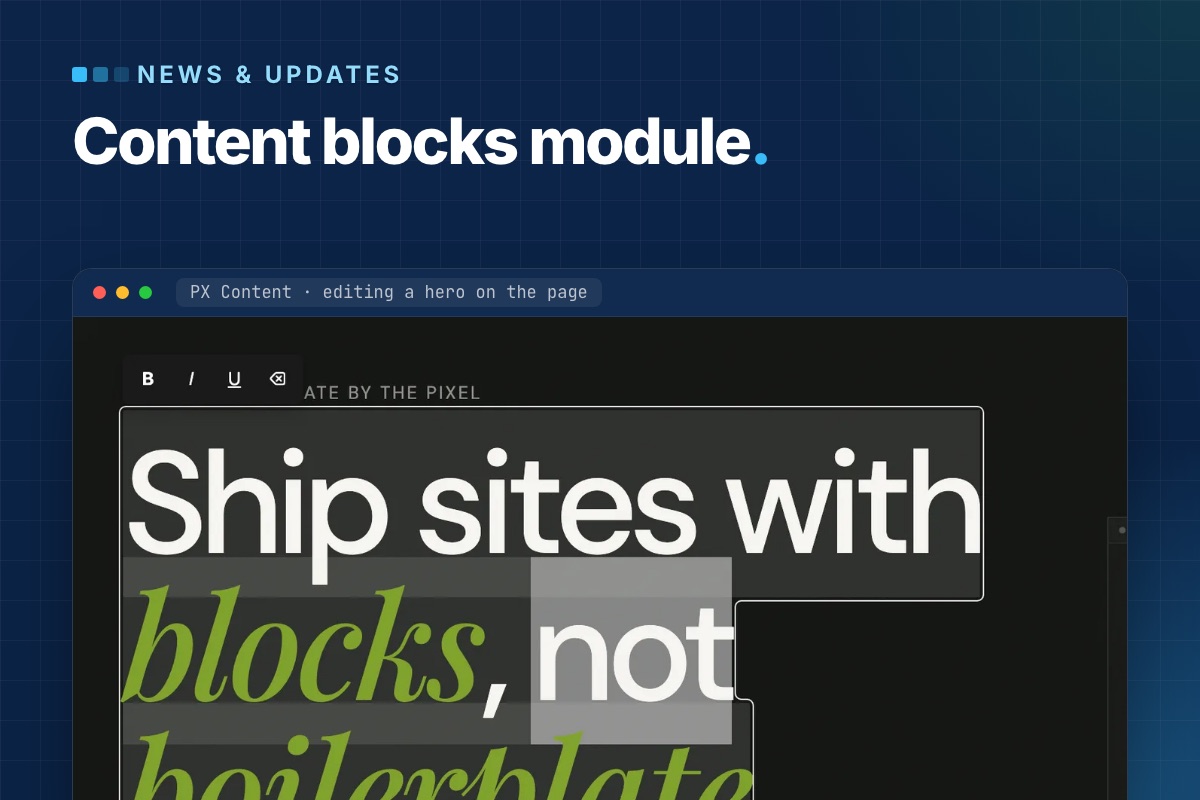
PX Content 1.0.0 is out: a free Joomla module that builds page sections from ready-made content blocks and lets editors change them right on the page. It ships a library of ready-made blocks, each in one or more styles, works with any template, and a template can add or override blocks without touching the module. Download it with a free ThePixel.dev account.
The problem it solves
A typical Joomla landing page is a stack of sections: hero, features, logos, numbers, testimonials, pricing, FAQ, call to action. They usually end up as Custom modules full of hand-written HTML, or as overrides with the copy baked in. Both are hard for editors: a new headline means finding the right module in the admin and editing markup they did not write.
PX Content splits the two. The section layout lives in a block template; the content lives in the module as structured fields. Editors only ever see the fields – in a short admin form, or directly on the page.
A library of ready-made blocks
Each PX Content module shows one block. Pick it from a visual library with a preview per style. The first release covers the sections most sites need, and more blocks and styles will follow:
| Block | Looks |
|---|---|
| Hero | background image with overlay; copy, visual and stats |
| Features Intro | why us, service cards, about with metrics, process steps |
| Clients | logo grid, name marquee, capability marquee |
| Gallery | project grid, case studies |
| Accordion | FAQ in two columns, centered FAQ |
| Stats, Team, Testimonials, Pricing, Timeline, Call To Action, Contact Info | numbers, member cards, quote slider, plans, steps, closing band, contact channels |
Every block opens with sample content, so a new module renders something sensible before you type a word. The whole configuration is also available as Advanced JSON for copying a section between modules or sites.
Editing on the page
Log in on the front end and click Edit content. Double-click a heading, paragraph or button label and type; Enter saves a one-line field, Ctrl/⌘+Enter a multi-line one, Esc cancels. Links get a small URL popup, images open the Joomla Media Manager, and every block has a Settings panel for spacing, alignment and button styles.
Because this writes to the database from the front end, the save endpoint is deliberately narrow:
- it needs a logged-in user with
core.editon that specific module – the normal Joomla module permission, so you decide who gets it; - every request carries the Joomla CSRF token;
- only fields declared in the block's XML for the active style can be written, and each value is sanitized for its field type (rich text through Joomla's
InputFilter); - it can be switched off per module (Advanced → Frontend Inline Edit).
After a save the module cache is cleared, so visitors see the change right away. A page cache or CDN in front of the site still needs its own purge.
A block is a folder
Blocks are plain files. The module scans its own blocks/ folder and the active template's, so a template can ship new blocks or replace a stock style:
# templates/your_template/blocks/
hero/
  config.xml          # block title, description, shared fields
  tmpl/style-1.php    # front-end markup
  tmpl/style-1.xml    # fields + sample content for this style
  preview/style-1.jpg # thumbnail in the block library
  css/style.css       # decoration on top of the module's base layout
Fields are standard Joomla form XML. Mark a field with setting="1" and it also appears in the on-page Settings panel:
<!-- templates/your_template/blocks/hero/tmpl/style-1.xml -->
<fieldset name="global" label="Global">
  <field name="align" type="list" default="start" label="Content align" setting="1">
    <option value="start">Left</option>
    <option value="center">Center</option>
  </field>
</fieldset>
Styling: base layout in the module, brand in the template
The module's block CSS is a usable base – grid, spacing and type sizes – so blocks read correctly on Cassiopeia or any other template. Colours and decoration come from the template. All blocks read shared custom properties defined once in media/css/px-content.css, so a template restyles every block from its own :root:
/* templates/your_template/css/template.css */
:root {
  --px-color-primary: #c9ff56;
  --px-space-lg: 80px;   /* "Large" section spacing on desktop */
  --px-fs-lg: 1.25rem;   /* intros and quotes */
}
Stylesheets load in a fixed order – shared tokens, module block CSS, template block CSS, then an optional local/ override – and later files win, so overrides never need !important.
Where it is used
PX Content powers every section of PX Base, our free Joomla 6 starter template, and the content blocks of PX University. Those templates add their own styles and decoration through the template block folder described above; the module itself stays the same.
Get it
- Product page and download: PX Content (free account).
- Documentation: install, blocks, front-end editing and template blocks.
- Updates arrive through System → Update → Extensions.
Need a block that is not in the library, or a full set designed for your brand? Our team builds them as part of template customization and custom extensions.
- Details
- Category: News & updates
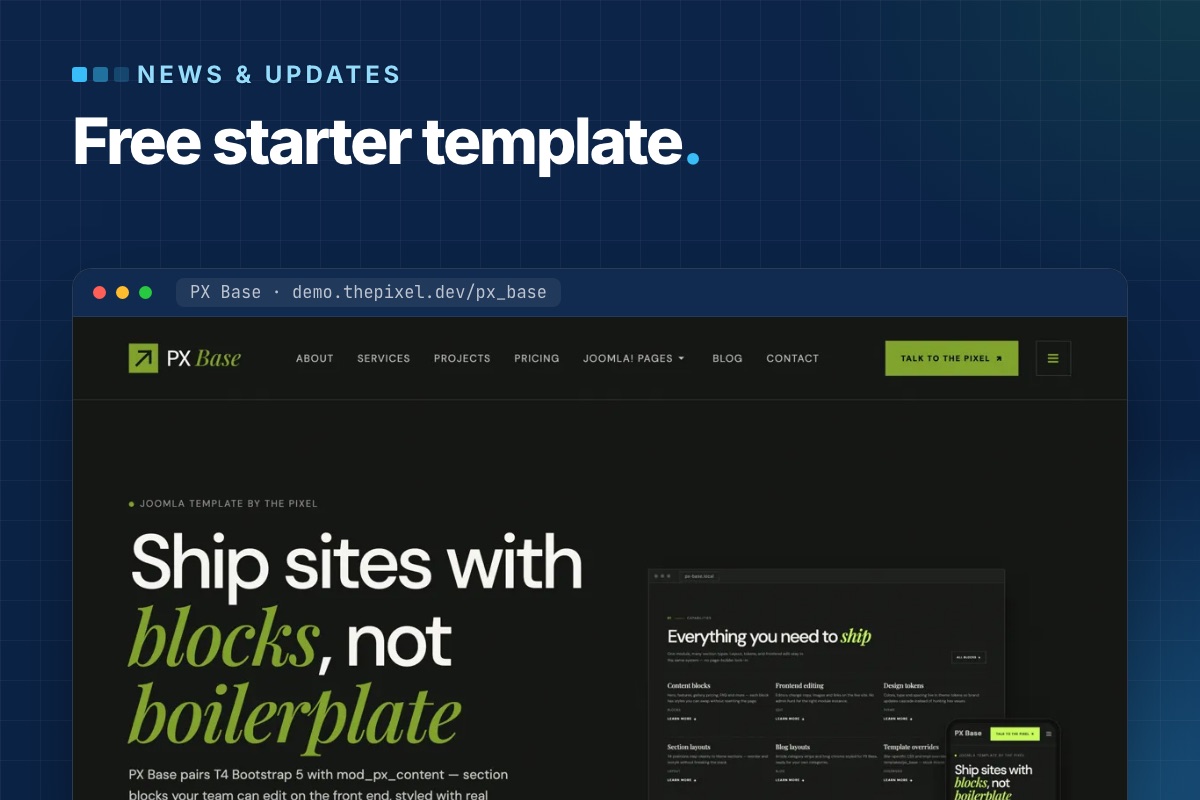
PX Base is out: a free starter template for Joomla 6. Every section of its pages is a PX Content block that you pick, style and edit right on the page, and the quickstart installs a complete seven-page site in one step. Download it with a free ThePixel.dev account and use it on as many sites as you like.
Why we built a starter template
Most of our client sites start the same way: a hero, a row of features, some logos, a pricing table, testimonials, an FAQ and a call to action. Building those sections again for every project – or pasting demo HTML into overrides – is slow, and it leaves editors with markup they cannot change.
PX Base keeps the structure in blocks and the look in the template. Editors change texts and images; the section layout stays put.
Twelve block types, twenty styles
Each section is a PX Content module that shows one block. PX Base ships with 12 block types in 20 styles:
| Block | Styles | On the demo |
|---|---|---|
| Hero | 2 | Home hero, page headers |
| Features Intro | 4 | Capabilities, “Why PX Base”, the four-step workflow |
| Clients | 3 | Logo strip, scrolling capability strip |
| Gallery | 2 | Project showcase |
| Accordion | 2 | FAQ on Home and Contact |
| Pricing, Testimonials, Team, Stats, Timeline, Contact Info, Call To Action | 1 each | Plans, quotes slider, team, numbers, closing band |
The full settings of a block are also available as Advanced JSON, so you can copy a section to another module or another site.
Edit on the page
Log in on the front end and click Edit content. Double-click a heading or paragraph to change it in place and save with Ctrl/⌘+Enter; images open the Media Manager. Each block gets a Settings panel for spacing, alignment and button styles, plus a link to the full module.
It works for users who may edit modules, so you decide who gets it with normal Joomla permissions. Editing can be turned off per module (Frontend Inline Edit on the Advanced tab).
Seven pages in the quickstart
The quickstart is Joomla 6.2 with PX Base, PX Content, T4 Framework and the demo content: Home, About, Services, Projects, Pricing, Blog and Contact, with menus and images. The Joomla views – login, registration, password reset, articles, categories, tags, search, contact and the 404 page – use the same design, each with its own page header.
It installs like any Joomla package in the browser. On a server with shell access you can also run the installer from the command line:
# unzip px_base_quickstart_v1.0.0.zip in the site folder, create an empty database, then:
php installation/joomla.php install --site-name="My site" \
  --admin-user="Admin" --admin-username=admin --admin-email="$ADMIN_EMAIL" \
  --admin-password='a-long-password' \
  --db-type=mysqli --db-host=localhost --db-name=mysite --db-user=mysite --db-pass='…' \
  --db-prefix=abc_ --db-encryption=0 -n
The installer creates your admin account and removes the installation folder. Demo users are not part of the package.
T4 Framework under the hood
PX Base is a T4 template on Bootstrap 5. Logo, fonts, colours, megamenu and layouts live on one settings screen with a live preview, and your own CSS goes in Tools » Edit Custom CSS, so it survives updates. Three template styles cover the site:
- PX Base - Home (layout
home): a hero inslideshow, thensection-1tosection-11. Home, About, Services, Projects and Pricing use it. - PX Base - Default (layout
default): page header, content and sidebars, for Blog, Contact and the Joomla views. - PX Base - No sidebar (layout
no-sidebar).
Updates through Joomla
The template manifest has an update server, so new versions of PX Base show up in System » Update » Extensions like any other extension, with a changelog – no download key needed.
Get PX Base
Sign up for a free account, then download the quickstart or the template package from the PX Base page. Try the live demo first, and read the documentation for the full setup.
Want it set up with your branding and pages? Template customization is what we do every week – or pick Pro + Launch and our developers set up your site in two business days.
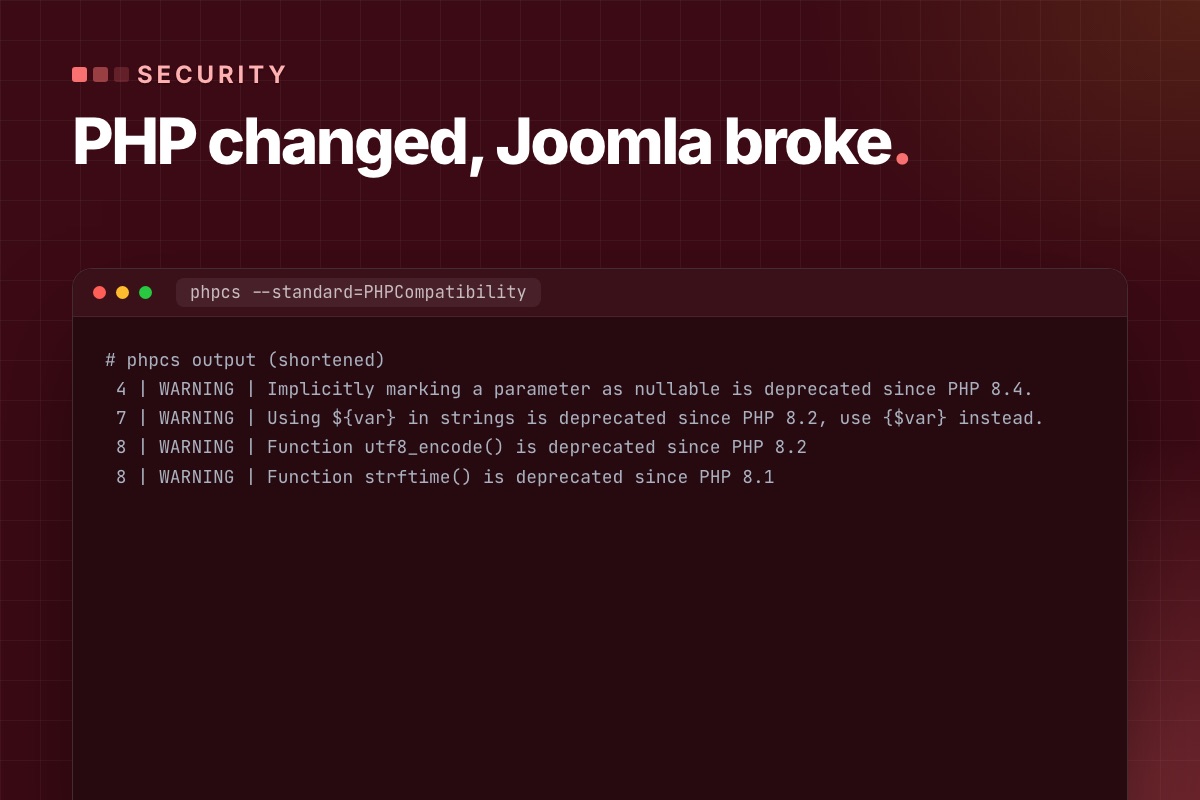

The host moved the site to a newer PHP, and now Joomla shows a blank page, an HTTP 500 or a page full of warnings. In the sites we take over, the cause is almost always one of three things: an extension nobody updated in years, a template framework older than the PHP version, or cron jobs that still run a different PHP. This is the order we work in: get the site back without reopening a security hole, read the actual error, then fix it on a copy.
1. Get the site back – without going back to an unpatched PHP
Switching the domain back to the old PHP is the fastest fix, and often the right one for a day or two. It depends on what changed:
| What changed | Can you switch back? |
|---|---|
| Patch release in the same branch (8.3.35 → 8.3.36) | No. Patch releases rarely break code, and the old build is the vulnerable one. Find the extension instead. |
| New branch, old branch still supported (8.2 → 8.4) | Yes, if the old branch is on its latest patch release. PHP 8.2 gets security fixes until 31 Dec 2026. |
| New branch, old branch end of life (8.1 → 8.3) | Only for hours, not weeks. PHP 8.1 gets no fixes from php.net anymore. |
If the switch came with the October 2026 PHP2Shell patch, read how to check the PHP2Shell patch before you ask for a rollback.
2. Read the first fatal error
A blank page tells you nothing. The PHP error log does. Where it is depends on the host:
# terminal – the last fatal errors (paths vary by host)
grep "PHP Fatal error" public_html/error_log | tail -5         # cPanel: error_log next to index.php
grep "PHP Fatal error" /var/log/nginx/error.log | tail -5      # nginx + PHP-FPM: "FastCGI sent in stderr"
ls -lt administrator/logs/ | head                            # Joomla's own logs (Global Configuration → Logging)
Keep display_errors off on the live site. Visitors don't need the stack trace, and on PHP 8.2+ a deprecation notice printed into an AJAX response is enough to break a form or a cart. If you need errors on screen, do it on a copy.
The messages we see most after a PHP upgrade, and what they mean:
| Message | Since | What it means |
|---|---|---|
Call to undefined function each() / create_function() | PHP 8.0 | Removed functions. The extension was written for PHP 5/7 and never updated – update or replace it. |
count(): Argument #1 ($value) must be of type Countable|array, null given | PHP 8.0 | Was a warning, now a fatal TypeError. Usually a missing ?? [] in old code. |
Creation of dynamic property Foo::$bar is deprecated | PHP 8.2 | Only a deprecation, but thousands of lines of it fill logs and break JSON responses when displayed. |
Implicitly marking parameter $x as nullable is deprecated | PHP 8.4 | function f(Foo $x = null) must become ?Foo $x = null. |
Class "JFactory" not found | Joomla 6 | Not PHP at all: the old class aliases are off. See Joomla 6 for extension developers. |
The file path in the error names the culprit: plugins/system/…, components/com_…, or templates/… for an old template framework. Note it, together with the time, before you change anything.
3. Check which PHP runs where
The website, the command line and your cron jobs can each use a different PHP. Hosting panels set the version per domain, so a subdomain or staging copy can differ too.
- Web: System → System Information → PHP Version, and on the PHP Information tab the "Server API" row (FPM/FastCGI, Apache 2.0 Handler, LiteSpeed) and "Loaded Configuration File".
- Admin down too? A two-line file with a random name tells you the same. Delete it right after.
<?php // public_html/v-8c1f.php – delete after use
echo PHP_VERSION, ' ', PHP_SAPI, ' ', php_ini_loaded_file();
# terminal – the CLI and cron side
php -v # the php on your PATH, not necessarily the site's
ls -d /opt/cpanel/ea-php*/root/usr/bin/php # cPanel: one binary per installed version
ls /usr/bin/php8* # Debian / Ubuntu / CloudPanel
crontab -l | grep -i php # which binary your jobs actually callIf the cron line says just php, it uses whatever the shell finds first, which is often the server default and not the domain's version. Pin the binary:
# crontab – Joomla scheduler with the same PHP as the site
*/5 * * * * /opt/cpanel/ea-php84/root/usr/bin/php /home/user/public_html/cli/joomla.php scheduler:run --all
"The site works but imports stopped" is nearly always this. The same applies to CiviCRM: see CiviCRM scheduled jobs not running.
4. Find all the incompatible code, not just the first error
Fixing errors one page load at a time on the live site takes days. On a staging copy with the target PHP, scan the third-party code in one go. PHPCompatibility (a PHP_CodeSniffer standard) reports what is removed or deprecated up to the version you name. Install it outside the site:
# terminal – PHPCompatibility 10 (alpha; 9.3.5 predates PHP 8.1)
mkdir ~/phpcompat && cd ~/phpcompat && echo '{}' > composer.json
composer config allow-plugins.dealerdirect/phpcodesniffer-composer-installer true
composer require --dev "phpcompatibility/php-compatibility:^10.0.0@alpha"
vendor/bin/phpcs -p -s --standard=PHPCompatibility --runtime-set testVersion 8.4 \
  --extensions=php /path/to/site/plugins/system/oldplugin /path/to/site/components/com_old
On a test file it reports, for example:
# phpcs output (shortened)
 4 | WARNING | Implicitly marking a parameter as nullable is deprecated since PHP 8.4.
 7 | WARNING | Using ${var} in strings is deprecated since PHP 8.2, use {$var} instead.
 8 | WARNING | Function utf8_encode() is deprecated since PHP 8.2
 8 | WARNING | Function strftime() is deprecated since PHP 8.1
Scan the extensions, the template and your own code, not Joomla core or libraries/vendor. Two things a static scan can't see:
- Dynamic properties. The scanner doesn't know which properties a class declares at runtime. They show up in the PHP log when you click through the site.
- Joomla's own deprecations. Turn on Global Configuration → Logging → Log Deprecated API. Joomla writes to
administrator/logs/deprecated.php, with the calling file.
5. Fix in this order
- Vendor updates first. Most commercial extensions fixed PHP 8.x years ago. Check the changelog for the PHP version, not just "Joomla 5 compatible".
- Replace what is abandoned. An extension last released for Joomla 3 will break again on the next PHP. Compare a replacement, a fork you maintain, or a small custom extension.
- Fix your own code properly, in git, as overrides or your own plugins, never by editing vendor files you can't track.
// plugins/system/example/src/Extension/Example.php – PHP 8.2 / 8.4 fixes
// before
public function onAfterRoute(Event $event = null)
{
	$this->started = time();                 // dynamic property: deprecated in 8.2
}

// after
public ?int $started = null;               // declared
public function onAfterRoute(?Event $event = null)   // explicit nullable: 8.4
{
	$this->started = time();
}
For a third-party class you can't refactor today, #[\AllowDynamicProperties] on the class silences the 8.2 deprecation. It's a stopgap, not a fix – record it so the next update doesn't surprise you.
6. Test more than the homepage, then switch
The homepage loading proves very little. Before the live switch, run a short list on staging with real outgoing mail and live payments turned off:
- Admin login, save an article, upload an image.
- Every form: contact, registration, password reset, and the email that arrives.
- Shop or CRM: a sandbox payment, the order email, a CiviCRM contribution or event registration.
- Scheduled tasks and cron: run them by hand with the pinned binary and read the output.
Switch live in a quiet hour, after a backup you have restored at least once. Don't copy the staging database over live – orders and users created since the copy would be lost. Then watch the log for the first hour:
# terminal – new fatals after the switch
tail -f /var/log/nginx/error.log | grep --line-buffered "PHP Fatal"
When a PHP-only fix isn't worth it
If the site runs Joomla 4.4 or older, PHP isn't the real problem: Joomla 4 is end of life and recommends PHP 8.2, which itself loses support on 31 December. Patching old extensions for a newer PHP on an unsupported Joomla buys a few months. Compare it with moving to Joomla 5.4 or 6, and plan the PHP step with it: PHP 8.2 end of life: a Joomla upgrade plan.
Site broken after a PHP change, or about to switch? Send us the URL and the error. We find the failing extension, fix it on a copy and switch with you – with a fixed quote before we start.
Joomla PHP upgrade & patching →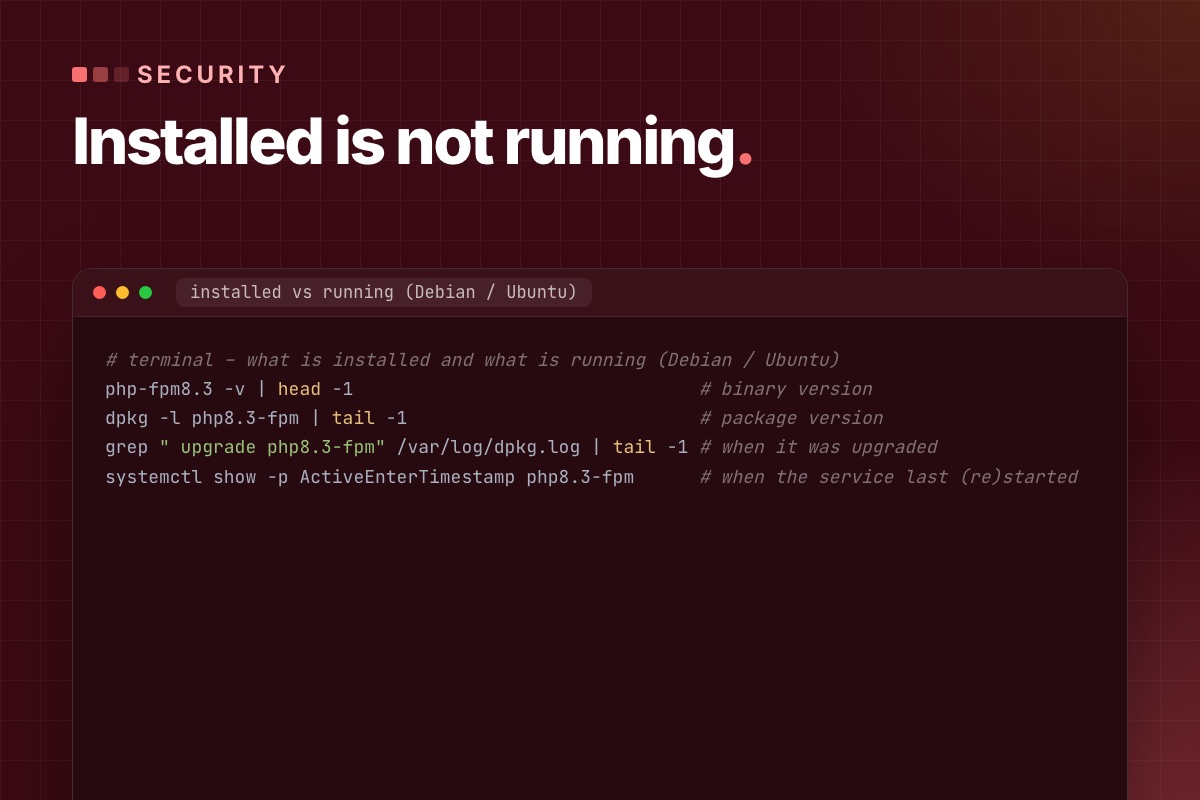
"Our servers are updated" is a reassuring email, but it doesn't say which PHP build serves your Joomla site. Hosts roll out patches server by server, panels keep several PHP versions side by side, and a patched package does nothing until the PHP workers restart. Here is how to check it yourself, on shared hosting and on your own server, and what to ask when you can't see far enough.
The versions to look for
The PHP project fixed CVE-2026-109618 and CVE-2026-109619 (unauthenticated remote code execution, "PHP2Shell") on 21 October 2026:
| Branch | Fixed from |
|---|---|
| PHP 8.5 | 8.5.12 |
| PHP 8.4 | 8.4.27 |
| PHP 8.3 | 8.3.36 |
| PHP 8.2 | 8.2.35 |
| PHP 8.1 and older | No release. php.net published source patches for 7.4–8.1; only a host or LTS vendor that applied them is fixed. |
On 23 October php.net added an informational advisory (CVE-2026-115560): keep session.upload_progress.enabled = 0 until the next regular release. It only matters for code that switches session.serialize_handler at runtime. Joomla 6.2 core doesn't – its session storage only passes on the options you configure – but an extension could, and Joomla core doesn't use upload progress, so turning it off costs nothing. Sources: php.net news archive, supported versions.
1. Shared hosting: read the version the site reports
In the Joomla admin, System → System Information:
- PHP Version – the full number.
8.3.36is fixed;8.3.35isn't, unless the host backported the fix (step 3). - The PHP Information tab, row "Server API" – FPM/FastCGI, Apache 2.0 Handler (mod_php, the highest-risk setup in the advisory) or LiteSpeed.
Check every domain and subdomain separately. cPanel's MultiPHP Manager, Plesk and similar panels set the version per domain, and a staging subdomain is often left on an old one. If a .htaccess was copied from another site, look for a pinned handler – it overrides what the panel shows:
# .htaccess – cPanel writes this block; ea-php82 pins the domain to PHP 8.2
# php -- BEGIN cPanel-generated handler, do not edit
<IfModule mime_module>
  AddHandler application/x-httpd-ea-php82 .php .php8 .phtml
</IfModule>
# php -- END cPanel-generated handler, do not edit
php -v over SSH on shared hosting shows the command-line PHP. It is useful for cron, but it is not proof of what serves the website.
2. Your own server: installed, and actually running
On a VPS you can see three things the host can only tell you: the binary version, the package, and when the service last restarted. Debian / Ubuntu, one PHP version shown – repeat for each one you run:
# terminal – what is installed and what is running (Debian / Ubuntu)
php-fpm8.3 -v | head -1                                # binary version
dpkg -l php8.3-fpm | tail -1                           # package version
grep " upgrade php8.3-fpm" /var/log/dpkg.log | tail -1 # when it was upgraded
systemctl show -p ActiveEnterTimestamp php8.3-fpm      # when the service last (re)started
If the service started before the package upgrade, the workers still run the old code in memory. Restart every FPM pool, and Apache if you use mod_php (apachectl -M | grep php shows it):
# terminal – restart every PHP-FPM service on the machine
systemctl list-units --type=service --no-legend 'php*-fpm*' | awk '{print $1}' | xargs -r systemctl restart
This is not theoretical. On our demo server the package manager installed the fixed builds by itself at 03:09 on 22 October, and the FPM services restarted two minutes later. On the main server we upgraded and restarted by hand. In both cases we checked the restart time, not just the package list.
3. An older version number can still be patched
Distributions and LTS vendors (Debian, Ubuntu, Red Hat, CloudLinux, TuxCare and others) often backport the fix and keep the old upstream version number. An older number from a distribution can be fixed; 8.2.34 from a panel’s own build without a backport isn’t. The package changelog decides:
# terminal – look for the CVE in the package changelog
apt changelog php8.2-fpm 2>/dev/null | grep -m3 "CVE-2026-10961"   # Debian / Ubuntu repositories
rpm -q --changelog php-fpm | grep -m3 "CVE-2026-10961"              # RHEL / AlmaLinux / CloudLinux
Third-party repositories don't always ship a changelog that apt changelog can read. Then the vendor's security advisory, naming both CVEs and the package version, is the evidence.
4. What to ask the host
A specific question gets a specific answer. Send it through the support ticket system – no passwords or keys needed:
For [domain], please confirm: (1) the PHP version and handler serving the site, (2) the exact package or build, (3) whether that build includes the fixes for CVE-2026-109618 and CVE-2026-109619 – if backported, a link to the advisory or changelog, and (4) that the PHP workers for this account were restarted after the update. Does cron on this account use the same PHP?
"Yes, we're patched" without a version or a build is not an answer to (2) and (3). Ask again, or ask when it will be done.
5. After the patch: undo the temporary limits
If you or the host applied the temporary measures from the advisory, remove the ones that hurt the site once PHP is fixed. We had set post_max_size = 32M on our servers on 21 October; that blocks large Akeeba or extension uploads. We removed it after the fixed builds were in. Keep the upload-progress setting off, though (see the 23 October note above).
; /etc/php/8.3/fpm/conf.d/99-local.ini – keep after patching (php.net, 23 Oct 2026)
session.upload_progress.enabled = 0
Then a short test: admin login, save an article, upload an image, send a form and check the email arrives. A site that runs is not proof that nobody got in before the patch. If you see new PHP files in images/ or tmp/, or unknown Super Users, preserve the logs and treat it as an incident, separately.
Write it down, per domain
| Domain | Runtime | Build / evidence | Restarted | Checked |
|---|---|---|---|---|
| example.org | PHP-FPM 8.3 | 8.3.36 (upstream) | 22 Oct, 09:40 | 24 Oct |
| shop.example.org | LiteSpeed 8.2 | vendor backport – advisory link | host confirmed | 24 Oct |
For an agency with many client sites, one row per domain is the only way to know which ones are still open. The background on the vulnerabilities and what attackers are doing with them is in PHP2Shell and Joomla.
Host not answering, or not sure what you're looking at? We check the PHP serving each of your Joomla sites, get the evidence from the host or patch your server, and test the sites afterwards.
Joomla PHP upgrade & patching →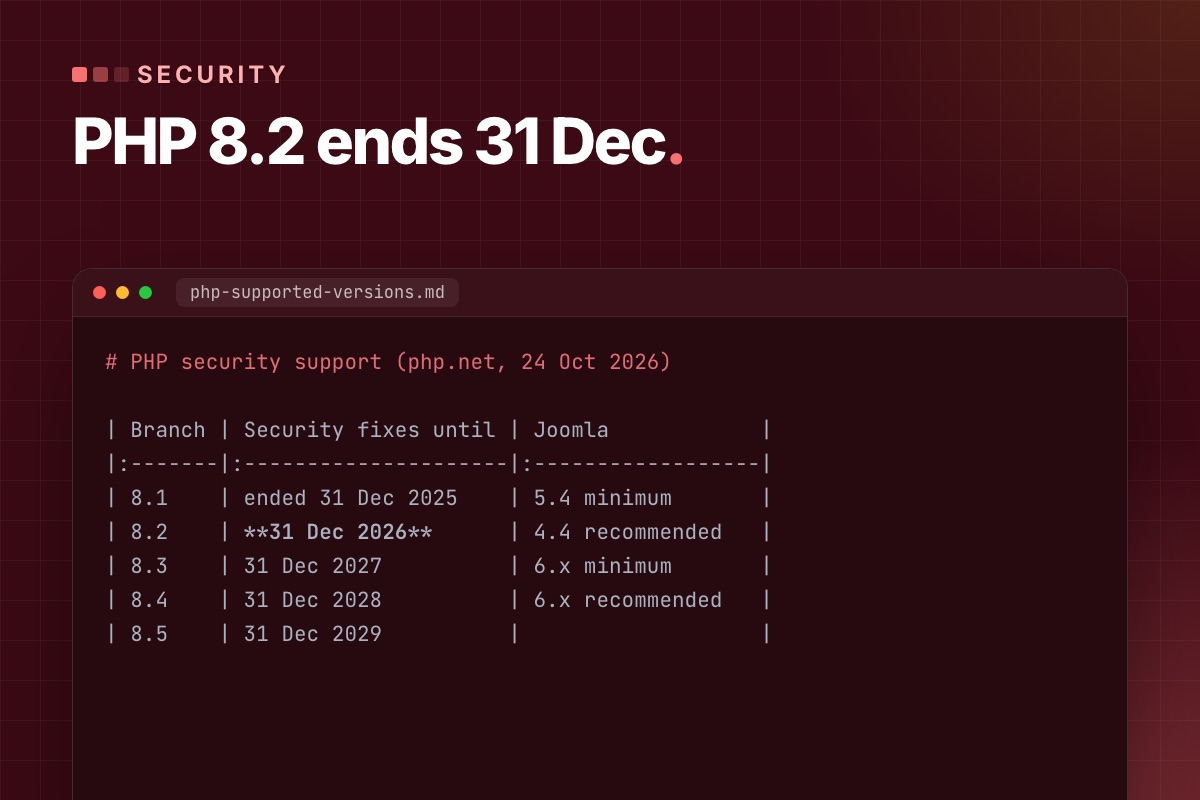
PHP 8.2 gets its last security fixes on 31 December 2026. Nothing stops working on 1 January – the patches stop. October showed what that means: when the PHP2Shell fixes came out on 21 October, branches 8.2 to 8.5 got a release the same day, and PHP 8.1 got none. A Joomla site still on 8.2 next time will be in the same place. Ten weeks is enough to move calmly, if you start with the extensions and not with the switch.
The dates
| PHP | Active support until | Security fixes until |
|---|---|---|
| 8.1 | ended | ended 31 Dec 2025 |
| 8.2 | ended | 31 Dec 2026 |
| 8.3 | ended | 31 Dec 2027 |
| 8.4 | 31 Dec 2026 | 31 Dec 2028 |
| 8.5 | 31 Dec 2027 | 31 Dec 2029 |
Source: php.net supported versions, checked 24 October 2026. Some hosts and LTS vendors sell extended support for old branches. That can bridge a few months; ask which package, which CVEs, until when and at what price.
Which PHP to move to depends on the Joomla version
| Joomla | PHP (Joomla's requirements) | Our target |
|---|---|---|
| 4.4 | minimum 7.2.5, recommended 8.2 | Upgrade Joomla first. Joomla 4 is end of life, and its recommended PHP is the one that's ending. |
| 5.4 | minimum 8.1, recommended 8.3 | 8.3 – security fixes to end of 2027, and it's the floor for Joomla 6, so the next step is smaller. |
| 6.x | minimum 8.3, recommended 8.4 | 8.4 – fixes to end of 2028. |
Source: Joomla technical requirements (pick the version). Don't jump to the newest branch because it's newest: 8.5 is fine for a lean Joomla 6 site, but commercial extensions usually certify a release later. The target is the newest branch that every extension on the site supports.
Step 1: list what's installed
The core is never the problem. The template framework, the page builder, the payment plugin and the one extension from 2017 are. Get the full list with versions and authors:
# terminal – third-party extensions with their versions (adjust the table prefix)
mysql -e "SELECT type, element, folder,
                 JSON_UNQUOTE(JSON_EXTRACT(manifest_cache, '$.version')) AS version,
                 JSON_UNQUOTE(JSON_EXTRACT(manifest_cache, '$.author'))  AS author
          FROM jos_extensions
          WHERE JSON_UNQUOTE(JSON_EXTRACT(manifest_cache, '$.author')) NOT IN ('Joomla! Project', 'Joomla! Projects')
          ORDER BY type, element;" mydb
For each row, note: is it business-critical, does the vendor list PHP 8.3/8.4 support, when was the last release. Anything without a release in two years goes on a "replace or own it" list now, not in December.
Step 2: scan the code against the target PHP
From 8.2 to 8.4 there are fewer removals than in the PHP 8.0 years, but plenty of deprecations that fill logs and break AJAX responses when displayed:
| Version | Deprecations we actually meet in Joomla extensions |
|---|---|
| 8.2 | dynamic properties, "${var}" in strings, utf8_encode() / utf8_decode() |
| 8.3 | get_class() / get_parent_class() without an argument, assert_options() |
| 8.4 | implicitly nullable parameters (Foo $x = null), E_STRICT, trigger_error() with E_USER_ERROR, mysqli_ping() |
If the site jumps from 8.2 to 8.4, it gets both lists – read the migration guides for 8.3 and 8.4. PHPCompatibility finds most of it statically:
# terminal – scan extensions and template against PHP 8.4 (installed outside the site)
vendor/bin/phpcs -p -s --standard=PHPCompatibility --runtime-set testVersion 8.4 \
  --extensions=php /path/to/site/templates/mytemplate /path/to/site/plugins/system/oldplugin
Installation and what it misses are in Joomla broken after a PHP upgrade. Most deprecations are warnings – the site keeps running – but they become removals in a later PHP, so fix them while you're in the code.
Step 3: staging on the target PHP
Copy the site, protect the copy with a password, and set the target PHP for that domain only. Before you open it:
- Outgoing mail off or caught (Global Configuration → Server → Send Mail = No, or a mail catcher).
- Payment plugins in sandbox mode, webhooks pointing nowhere live.
- Cron and Scheduled Tasks off on the copy, so it doesn't send newsletters or sync orders twice.
- No
.htaccesshandler line pinning the old PHP (cPanel writesAddHandler application/x-httpd-ea-php82into it).
Turn on Global Configuration → Logging → Log Deprecated API and PHP error logging with E_ALL on the copy, then click through the site.
Step 4: the test list
Write the list with the person who uses the site daily – they know which page matters. A typical one:
- Admin login, save an article with a custom field, upload an image.
- Every public form, and the email it sends.
- Shop: add to cart, sandbox checkout, order email, invoice PDF.
- Membership or CiviCRM: sign-up, renewal, a contribution, an event registration.
- Every cron job and scheduled task, run by hand with the new binary:
/usr/bin/php8.3 cli/joomla.php scheduler:run --all.
Read the PHP log and administrator/logs/deprecated.php after each group. A clean log after the full list is the green light.
Step 5: switch, watch, keep a way back
On shared hosting the switch is one select box per domain; on a server it's the FPM pool or the vhost handler. Switch in a quiet hour, run the critical part of the list again, watch the error log for a day. Until 31 December you can still switch back to a patched 8.2 if something was missed – after that, the way back is closed.
On Joomla 5.4 we do the PHP step first and let it run for a week before the Joomla 6 upgrade, so a broken extension is clearly a PHP problem or clearly a Joomla problem, never both. The rest of that route is in Joomla 5 vs Joomla 6.
A ten-week timeline
| When | What |
|---|---|
| Late October | Extension list, vendor check, order any paid updates |
| November | Code scan, staging on the target PHP, fixes and replacements |
| Early December | Test list signed off, live switch, one week of log watching |
| Before 31 December | Old PHP removed from the domain, cron binaries updated, next deadline in the calendar (8.3: end of 2027) |
If the October security fix is still missing on your server, don't wait for this project – check the patch first.
Still on PHP 8.2 with a list of extensions you're not sure about? We scan the site against the target PHP, fix or replace what breaks on a copy, and switch with you before the end of December.
Joomla PHP upgrade & patching →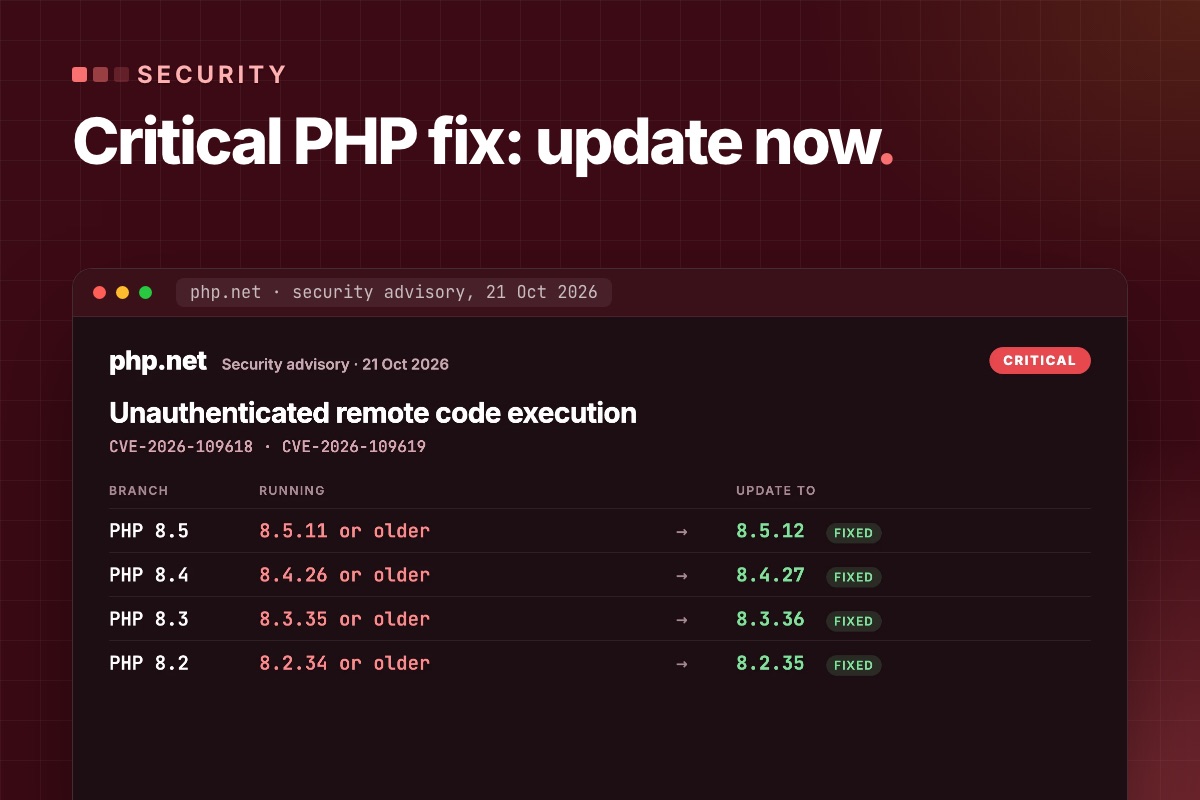
Updating Joomla does not patch PHP2Shell. The vulnerabilities are in the PHP engine beneath your website. Your next step is to identify the PHP runtime serving your domain, confirm its security patch with your host and test the site after the change. A recent Joomla release or a working homepage is not evidence that PHP is patched.
23 October update: from thousands to millions of attempts
PHP2Shell exploitation attempts escalated rapidly across Cloudflare’s network around the public announcement. By 22 October, the reported volume had reached millions of attempts:
These are approximate volumes reported across Cloudflare’s network, not Joomla-specific counts or numbers of successfully compromised websites. Exact totals and unique-target counts were not provided in the update. Source: Cloudflare CEO Matthew Prince, 22 October.
Separately, Cisco Talos observed attempts within hours of disclosure, predominantly scanning and uncoordinated payload delivery. The practical takeaway for Joomla owners: confirm the PHP patch now; a working website does not establish that its runtime is patched. Talos telemetry · 23 October news coverage.
1. Is my Joomla site affected by PHP2Shell?
CVE-2026-109618 concerns out-of-memory corruption; CVE-2026-109619 concerns stale internal state. Both are rated CVSS 9.2 and can allow unauthenticated remote code execution. PHP lists web-serving installations including PHP-FPM, Apache mod_php, php-cgi, FrankenPHP and LiteSpeed as at risk. Its advisory identifies mod_php as the highest risk, with a demonstrated path before application code runs. PHP security advisory. Technical details: OOM corruption advisory and stale-state advisory.
Wiz demonstrated pre-authentication code execution on Joomla container images as part of its research. This is not an extension-specific Joomla bug: secure application code does not remove an affected PHP runtime. Updating Joomla, changing an administrator password or installing a Joomla security plugin is not a substitute for the PHP fix. Wiz research and Joomla demonstration.
2. Which PHP release contains the fix?
The PHP project's 21 October releases contain the fixes below. These are upstream patch thresholds for these two CVEs, not a guarantee that a website is free of every vulnerability.
| PHP branch | First upstream release containing the fixes |
|---|---|
| 8.5 | 8.5.12 |
| 8.4 | 8.4.27 |
| 8.3 | 8.3.36 |
| 8.2 | 8.2.35 |
| 8.1 and older | No regular upstream security releases. Verify a vendor-maintained backport or plan a move to a supported branch. |
PHP also published minimal source backports for 7.4, 8.0 and 8.1 to assist maintainers. Their existence does not mean your host installed them. Ask for the package revision and vendor advisory covering both CVEs. Release and backport guidance.
24 October: php.net published an informational advisory on 23 October (CVE-2026-115560, full details with the next release): keep session.upload_progress.enabled = 0 until the next regular bugfix release. It only affects code that switches session.serialize_handler at runtime. Joomla 6.2 core doesn't, and core doesn't use upload progress either, so leaving it off is free. If you removed it after patching, put it back.
3. How do I verify the PHP my website actually uses?
- Check the web runtime. In Joomla administration, open System → System Information and record the PHP version. Confirm the PHP handler and package/build with your host. A shell command such as
php -vcan report a different CLI installation. - Match the patch to that runtime. Record the upstream release or vendor backport evidence for both CVEs. An older-looking version is not enough to declare a vendor build vulnerable; a hosting-panel version selection alone is not enough to prove it has been patched.
- Confirm the running workers. Ask the server administrator to confirm the updated packages are in use and all affected PHP workers have been restarted. Check other PHP services, cron jobs and subdomains separately where relevant.
- Record the result. Use “patch verified”, “vendor evidence pending” or “update required”, with the date, domain and evidence. Avoid a blanket “site safe” label.
On your own VPS or dedicated server, update the packages and restart every PHP worker – an upgraded package does nothing until the running workers are replaced:
# terminal – Debian / Ubuntu (package names depend on your repository)
apt update
apt list --upgradable 2>/dev/null | grep php
apt install --only-upgrade 'php8.3-*'                  # and php8.4-*, … for every version you run
systemctl restart php8.3-fpm                           # every FPM service; Apache too if it runs mod_php
systemctl show -p ActiveEnterTimestamp php8.3-fpm      # restart time must be after the upgrade
For a fuller checklist and a message you can send your provider, read how to verify your Joomla hosting has patched PHP.
4. My host says it is patched. What should I ask for?
Please confirm the PHP runtime and handler serving my domain, the installed package/build revision and the advisory showing fixes for CVE-2026-109618 and CVE-2026-109619. If this is a backport, please provide the vendor reference. Please also confirm that all affected workers have been restarted and are using the updated build.
If your hosting provider manages the packages, it controls the patch rollout. We can help interpret its response and test Joomla; we cannot replace missing server access or independently certify a proprietary build without evidence.
5. What if a PHP upgrade breaks Joomla?
A security patch within the same branch and a move to a newer PHP branch are different changes. First establish whether your current branch has a maintained patch. If you need a branch upgrade, inventory Joomla, extensions, template overrides and custom code; test an isolated staging copy; then agree the production window and rollback conditions.
For a blank page, HTTP 500 response or failing feature after a PHP change, follow our Joomla PHP upgrade diagnosis and recovery guide. For PHP 8.2, plan beyond the immediate patch: its upstream security support ends on 31 December 2026. See the PHP 8.2 end-of-life upgrade plan.
If you cannot patch immediately, have your host evaluate the temporary measures in the official advisory. PHP states that these reduce specific attack paths but do not provide complete protection. They must be set where PHP reads them before the request is parsed – php.ini, the FPM pool or the server configuration, not .user.ini or ini_set() – and every worker restarted:
; php.ini or FPM pool – temporary, until PHP is updated
session.upload_progress.enabled = 0   ; blocks the confirmed session path – keep it after patching too
post_max_size = 32M                   ; 8M if the site takes no uploads
upload_max_filesize = 30M             ; below post_max_size
fatal_error_backtraces = 0 ; PHP 8.5 only- Uploads in Joomla: 32M covers normal media uploads. Large extension packages and Akeeba archives go by SFTP while the limit is low.
memory_limit = -1is also in the advisory. On a server that hosts many sites, an unlimited PHP process can take the whole machine down – only with a container or cgroup memory limit around PHP.- A Joomla setting, a security extension or a firewall rule does not replace the patch.
6. We patched PHP. Could the site already have been compromised?
Patching closes the addressed vulnerability; it does not establish what happened before the update. Preserve available web, PHP, firewall and hosting logs. Note the exposure window and investigate unexpected files, administrator accounts, scheduled jobs or outbound activity with someone who can assess the server as well as Joomla.
A suspicious request is not proof of a successful intrusion, and a clean log search is not proof that none occurred. If you find suspicious activity, preserve the evidence and agree a separate investigation and recovery scope before deleting files or making broad changes. A patch-verification report is not a malware-cleanliness certificate.
What we did on our own servers
Our servers run PHP from the CloudPanel repository, which had no fixed builds on the day of the advisory: the newest packages were one release short (8.2.34, 8.3.35, 8.4.26, 8.5.11). We applied the temporary settings above to every PHP version on both servers and restarted all PHP-FPM services the same morning. On 22 October CloudPanel published 8.2.35, 8.3.36, 8.4.27 and 8.5.12. On the main server we installed them by hand and restarted every pool; the demo server had installed them by itself at 03:09 and restarted FPM at 03:11. We then removed the temporary limits for 8.2–8.5, and kept them for the old versions that get no fix.
Not sure which PHP your Joomla site runs, or your host is slow to answer? We check the runtime serving your domain, get the patch evidence from the host or update your server, and test the site afterwards. If you suspect an intrusion, tell us first – it's assessed separately.
Joomla PHP upgrade & patching →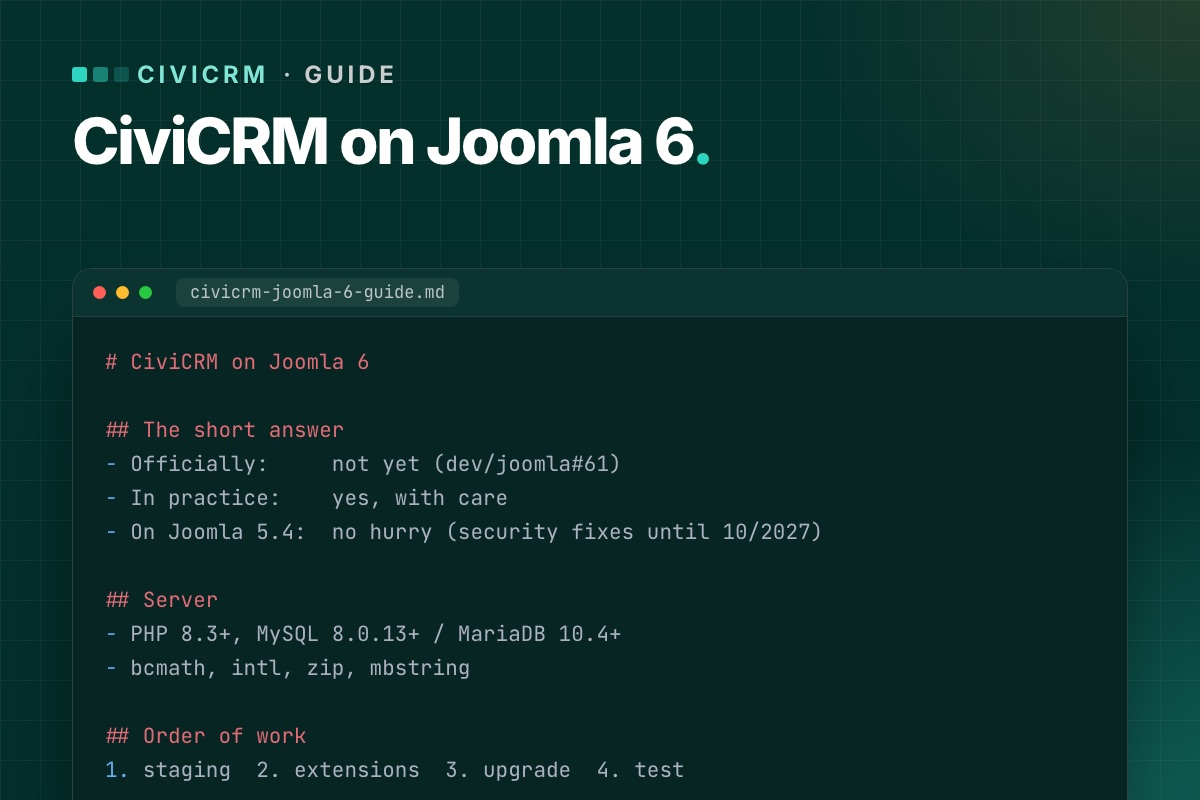
If your Joomla site runs donations, memberships, events or mailings through CiviCRM, the Joomla 6 question is not "should we upgrade?" but "can CiviCRM come with us?". This guide answers that in plain terms: where official support stands, the three realistic options, what the server needs, and the order of work for a safe upgrade.
We run CiviCRM on Joomla 6 on live client sites today – a cancer nonprofit and an international medical association – so everything below comes from work we have actually done, not from release announcements.
The short answer
- Officially: not yet. CiviCRM 6.19 (October 2026) ships its Joomla package for "Joomla 5+". Joomla 6 compatibility is an open task in CiviCRM's own tracker (dev/joomla#61).
- In practice: yes, with care. The missing piece is small and well understood – CiviCRM's Joomla plugins still use the old plugin style. It can be bridged outside CiviCRM core, so CiviCRM updates keep installing normally.
- No hurry if you are on Joomla 5.4. Joomla 5.4 gets security fixes until 12 October 2027, and it is the version CiviCRM officially supports.
We keep the current status up to date in Is CiviCRM compatible with Joomla 6?
Why CiviCRM is not "Joomla 6 ready" yet
Joomla has been moving plugins to its event system since Joomla 4. In Joomla 6 the old way of writing plugins – methods that receive loose arguments – is on its way out, and plugins are expected to implement SubscriberInterface and receive event objects.
CiviCRM ships three Joomla plugins with its component: a user plugin (resets CiviCRM's menu cache when users change and removes the contact link when a user is deleted), a system plugin and a quick-icon plugin. Matching Joomla users to CiviCRM contacts is done by CiviCRM core itself, not by the plugin. The open issue lists exactly these three as the work to do. CiviCRM core itself does not care which Joomla version it runs on; the integration layer does.
That is good news: the gap is narrow. For the developer side, see Joomla 6 plugin events explained, with a CiviCRM example.
Your three options
1. Stay on Joomla 5.4 and wait
The safest choice for most organizations right now. Keep Joomla 5.4 and CiviCRM updated, and plan the Joomla 6 move for when CiviCRM marks Joomla 6 as supported. Use the time to get the server and extensions ready (see the checklist below), so the upgrade is short when it comes.
Good fit if: nothing else is pushing you to Joomla 6, and your template and extensions are happy on 5.4.
2. Upgrade Joomla now with a compatibility layer
Move the site to Joomla 6 and bridge CiviCRM's plugins with code that lives outside CiviCRM core – a small Joomla extension and hooks. Then prove it on staging by installing a CiviCRM update and checking every fix is still in place.
Good fit if: your template, other extensions or hosting are already moving to Joomla 6, or you want one upgrade project instead of two. This is the route we took for NorCal CarciNET and WARMTH.
3. Patch CiviCRM core – don't
Editing CiviCRM's plugin files directly works once. The next CiviCRM update overwrites them, and the site breaks on a day nobody is watching – often in the middle of a mailing or a donation campaign. Whatever you do, keep fixes outside the files CiviCRM ships. More in Keep CiviCRM fixes out of core.
What the server needs
| Part | Joomla 6 | CiviCRM 6.16+ |
|---|---|---|
| PHP | 8.3 minimum (8.4 recommended) | 8.2–8.5 compatible, 8.3+ recommended |
| MySQL | 8.0.13 minimum | 5.7.5+, 8 recommended |
| MariaDB | 10.4 minimum (10.6 supported) | 10.2+, 11.4 recommended |
| PHP extensions | json, simplexml, dom, zlib, gd, mysqlnd | also bcmath, intl, zip, mbstring |
The combined minimum is therefore PHP 8.3 with MySQL 8.0.13+ or MariaDB 10.4+. Older shared hosting plans often fail on the database version, so check this first. Step by step: Check your server before a CiviCRM upgrade.
Safe upgrade checklist
- Inventory. Joomla, PHP and CiviCRM versions; every Joomla extension and every CiviCRM extension, with its update status.
- Backups. Files, the Joomla database and – if separate – the CiviCRM database. Copy both
civicrm.settings.phpfiles somewhere safe. - Staging. Restore the backup on the target stack (PHP 8.3+, MySQL 8). Never test the upgrade on the live site.
- Update CiviCRM first on the current Joomla version, so you change one thing at a time.
- Upgrade Joomla together with the template and extensions, then add the CiviCRM compatibility layer.
- Test what takes money and email: donation and membership pages, recurring contributions, event registration, mailing-list sign-ups. Our post-upgrade test checklist lists every page.
- Check cron – scheduled reminders, renewals and mailings only work if it runs. See CiviCRM scheduled jobs not running on Joomla.
- Install a CiviCRM update on staging and repeat the tests. If the fixes survive an update, they will survive the next one.
- Switch live in a quiet window, with a rollback backup ready.
The full walkthrough is in Upgrade a Joomla site with CiviCRM to Joomla 6 without losing data.
Common problems after the upgrade
- Scheduled jobs stop running – usually a PHP version mismatch between web and command line, or a cron URL that changed. Fix it here.
- CiviCRM pages return 404 – menu items or old
task=civicrm/…links. Fix it here. - CiviCRM suddenly writes to the Joomla database – the separate-database upgrade bug. Fix it here.
- A CiviCRM extension breaks on PHP 8.3 – audit them before you switch.
Keeping it running
An upgrade is a one-off; CiviCRM releases are not. A new version comes out roughly every month, with security releases in between. Have a routine: read the release notes, update staging, test, then live. Ours is in A safe CiviCRM update routine for Joomla sites, and we track each release on Joomla 6 on our CiviCRM Joomla 6 upgrade page.
Under the hood: what the Joomla integration is
For developers, "CiviCRM on Joomla" is three pieces, and only one of them cares about the Joomla version:
- CiviCRM core (
administrator/components/com_civicrm/civicrm): contacts, contributions, CiviMail. CMS-independent. - The Joomla component (
com_civicrm, from thecivicrm-joomlarepository): the admin and front-end entry points and the menu item types. Its code already branches onversion_compare(JVERSION, '4.0')and uses namespaced Joomla classes on 4+. - Three Joomla plugins, still written in the legacy style (a
plgUserCivicrmclass with methods named after events):
| Plugin (group) | Events it handles | What it does |
|---|---|---|
plg_user_civicrm (user) | onUserAfterSave, onUserAfterSaveGroup, onUserLogin, onUserAfterDelete | resets CiviCRM's navigation cache; on user delete removes the user's civicrm_uf_match row |
plg_system_civicrmsys (system) | onBeforeCompileHead, onExtensionBeforeInstall, onExtensionAfterInstall, onExtensionAfterUpdate | admin head assets and the CiviCRM install/upgrade hooks |
plg_quickicon_civicrmicon (quickicon) | onGetIcons | the CiviCRM icon on the Joomla dashboard |
Legacy listeners still run on Joomla 6, so the plugins don't simply stop. But Joomla has marked that mechanism "will be removed in 7.0", and the plugins' own source says the rewrite to SubscriberInterface is pending. That's the content of dev/joomla#61, and it makes that issue more urgent for Joomla 7 than for Joomla 6. Details in Joomla 7 breaking changes.
A quick inventory of any CiviCRM site from the shell, with CiviCRM's command-line tool cv:
# terminal – CiviCRM, CMS, PHP and database versions in one overview
cv status --cwd=/var/www/example.org
# installed CiviCRM extensions with versions
cv ext:list -Li --cwd=/var/www/example.org
Running CiviCRM on an older Joomla? Tell us your Joomla and CiviCRM versions. We reply with a plan and a fixed quote – no CiviCRM core edits.
CiviCRM Joomla 6 upgrade →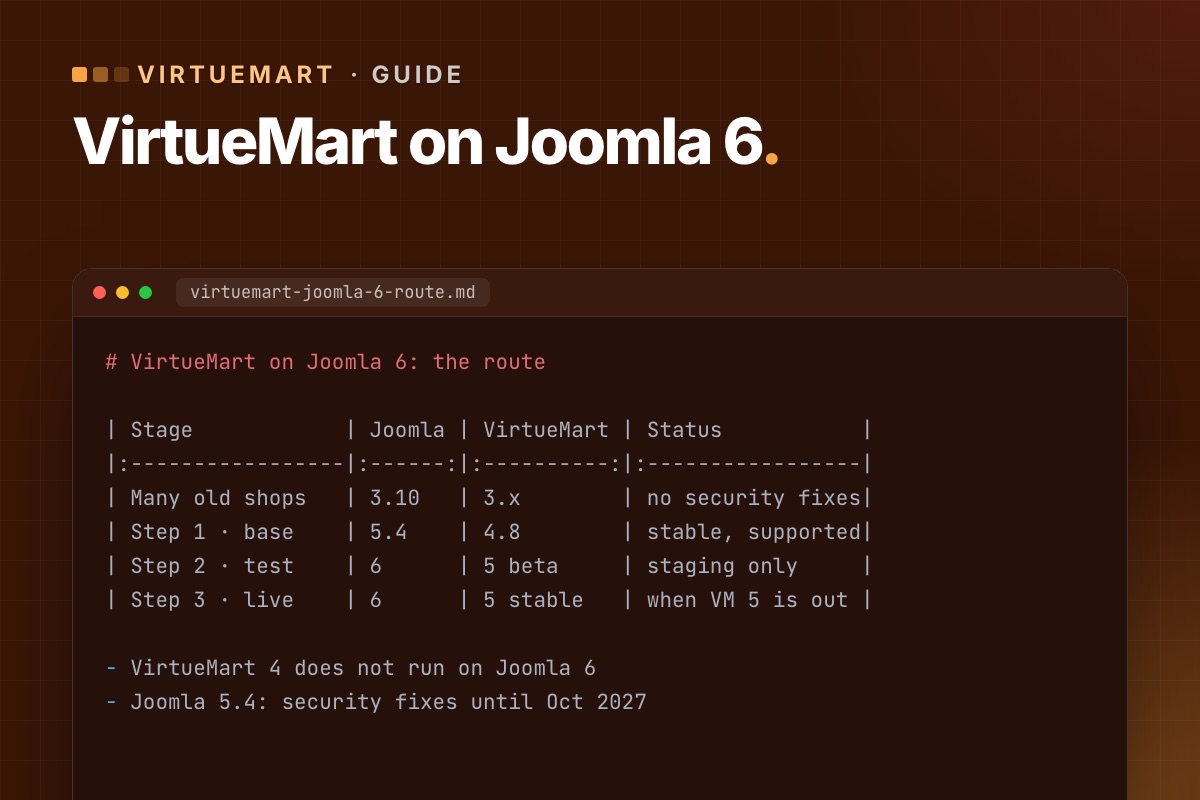
- Details
- Category: VirtueMart
If you run a shop on VirtueMart, Joomla 6 raises one question before any other: does VirtueMart come with you? This guide gives the honest answer for October 2026, the route we recommend from an old VirtueMart 3 shop to Joomla 6, and the checks that keep a shop selling while it upgrades.
The short answer
- VirtueMart 4 does not run on Joomla 6. The VirtueMart team said so plainly with the 4.6 release. VirtueMart 4.8.2 (August 2026) is the current stable version, for Joomla 3.10, 4 and 5.
- VirtueMart 5 is the Joomla 6 version. It is in beta – published as test builds numbered 4.9.x – and the team reports it already running on Joomla 6.
- For a live shop today: Joomla 5.4 with VirtueMart 4.8. Joomla 5.4 gets security fixes until 12 October 2027, so there is time to do Joomla 6 properly.
We keep the current status in Does VirtueMart work on Joomla 6?
The route: two steps, not one jump
| Stage | Joomla | VirtueMart | Status |
|---|---|---|---|
| Where many old shops are | 3.10 | 3.x | No support, no security fixes |
| Step 1 – supported base | 5.4 | 4.8 | Stable, supported |
| Step 2 – test | 6 | 5 beta | On a staging copy only |
| Step 3 – go live on 6 | 6 | 5 stable | When VM 5 is stable and your plugins support it |
Step 1 is worth doing now on its own: it gets the shop onto supported, patched software. Step 2 tells you, months before you need it, what Joomla 6 will cost for your shop. Step 3 waits for a stable VirtueMart 5 – not for your patience to run out.
Where the work really is
VirtueMart 3 updates to 4 much like a normal update. The data – products, categories, orders, customers – usually comes across fine. The work is around it:
- Template overrides. Cart and checkout overrides copied from VirtueMart 3 miss the security tokens newer versions require – the classic "Invalid token" in the cart. See how to fix it and how to review overrides.
- Payment and shipping plugins. Each needs a version for your target Joomla and VirtueMart. Some have none. Check them first.
- Third-party add-ons – one-page checkouts, feeds, importers. VirtueMart 5 moves some functions to static calls and drops its jQuery dependency, so older add-ons may need updates for Joomla 6.
- URLs. Router changes can move product and category URLs, which costs rankings unless you redirect. Keep your URLs.
- The server. Joomla 6 needs PHP 8.3+ and MySQL 8.0.13+ or MariaDB 10.4+. Older hosting plans often can't.
Upgrade checklist
- Audit: Joomla, VirtueMart and PHP versions; every extension, payment and shipping plugin; every override in
templates/your-template/html/com_virtuemart; custom code. - Back up files and database, and restore the backup on staging.
- Count your data on staging: products, categories, orders, customers. You will compare after each step.
- Update VirtueMart to the latest 4.x on the Joomla you have, then upgrade Joomla to 5.4 with the template and extensions.
- Fix overrides, update or replace payment and shipping plugins.
- Place test orders with every payment and shipping method. Our test-order checklist.
- Go live in a quiet hour, with a final sync of orders and customers placed since you built staging.
- Later: copy the upgraded shop to a new staging and try VirtueMart 5 beta on Joomla 6.
The full walkthrough for step 1: Upgrade VirtueMart 3 to 4.8 on Joomla 5, step by step.
Stay patched in the meantime
VirtueMart has had several security releases in the last eighteen months – 4.4.8, 4.4.10, 4.6.0 and 4.8.0. The last one fixed a flaw in the Skrill payment plugin and added token checks across the shop. Whatever your Joomla plans, keep VirtueMart current: what 4.8.0 means for your shop.
Why VirtueMart 4 and Joomla 6 don't mix
The reason is visible in the code. In VirtueMart 4.6 (component and bundled plugins), we counted the old Joomla class names: JFactory 1,277 times, JHtml 429, JRoute 376, JText 219, JFile/JFolder 178. That's 333 of 624 PHP files. Joomla 6 removed those names from core; they now load only through the compatibility plugin, and the Joomla 7 branch installs that plugin disabled. A namespaced VirtueMart 5 isn't a nice-to-have, it's the only way forward.
For developers: a data baseline in one query
Before and after each step, count every VirtueMart table at once instead of a handful by hand:
# terminal – row counts of all VirtueMart tables (adjust database and prefix)
mysql -N -e "SELECT CONCAT('SELECT ''', table_name, ''', COUNT(*) FROM ', table_name, ' UNION ALL')
             FROM information_schema.tables
             WHERE table_schema = 'shop_db' AND table_name LIKE 'jos\_virtuemart\_%';" \
  | sed '$ s/ UNION ALL$/;/' | mysql -N shop_db > counts-$(date +%F).txt
diff counts-before.txt counts-after.txt
Running a shop on an old Joomla or VirtueMart? We audit it, move it to a supported base and plan the step to Joomla 6 – the shop keeps selling.
VirtueMart Joomla 6 upgrade →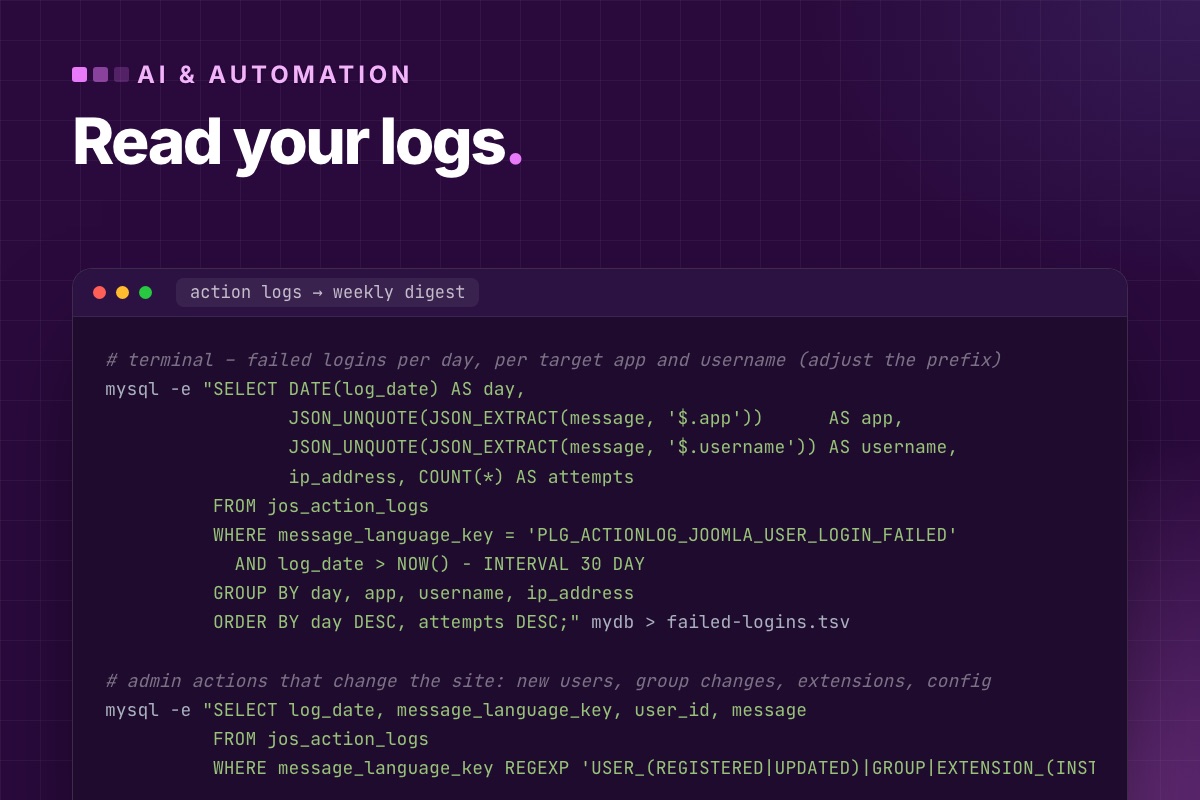
- Details
- Category: AI & automation
"AI-powered threat detection" usually means a product page. In practice, the useful part is narrower and very practical. Joomla and the web server already record most of what an attack looks like, and nobody reads those logs. An LLM is good at reading them, summarising, and pointing at the three lines that matter. It's bad at being the only control. This post shows what we do, starting with a real example.
What one site's logs showed
On a Joomla site we reviewed this month, we looked at Joomla's User Actions Log (#__action_logs):
| Event | Count, 9 July – 15 October 2026 |
|---|---|
| Failed logins | 43,307, of which 43,304 on /administrator |
| Successful logins | 130 |
| Usernames tried | 5 |
| Peak month | September: 28,752 failures |
| Source IP addresses | unknown: IP logging was off |
Three conclusions, and none of them needed AI. The admin login is under constant, low-skill password guessing. It's aimed at a handful of usernames the attackers have found or guessed. And we couldn't block by source, because the log didn't record it. The fixes are boring and effective: protect /administrator at the web server, enforce MFA, turn on IP logging (Users → User Actions Log → Options → IP Logging). They're in our hardening guide.
The point: most "threat detection" starts with reading what you already have. That's where an LLM helps, if you feed it the right extract.
Get the data out first
# terminal – failed logins per day, per target app and username (adjust the prefix)
mysql -e "SELECT DATE(log_date) AS day,
                 JSON_UNQUOTE(JSON_EXTRACT(message, '$.app'))      AS app,
                 JSON_UNQUOTE(JSON_EXTRACT(message, '$.username')) AS username,
                 ip_address, COUNT(*) AS attempts
          FROM jos_action_logs
          WHERE message_language_key = 'PLG_ACTIONLOG_JOOMLA_USER_LOGIN_FAILED'
            AND log_date > NOW() - INTERVAL 30 DAY
          GROUP BY day, app, username, ip_address
          ORDER BY day DESC, attempts DESC;" mydb > failed-logins.tsv

# admin actions that change the site: new users, group changes, extensions, config
mysql -e "SELECT log_date, message_language_key, user_id, message
          FROM jos_action_logs
          WHERE message_language_key REGEXP 'USER_(REGISTERED|UPDATED)|GROUP|EXTENSION_(INSTALLED|ENABLED)|CONFIG_UPDATED|PLUGIN'
            AND log_date > NOW() - INTERVAL 30 DAY ORDER BY log_date DESC;" mydb > admin-changes.tsv

# web server: POSTs to the admin, and requests for PHP files in upload folders
awk '$6 ~ /POST/ && $7 ~ /^\/administrator/' /var/log/nginx/example.com.access.log | awk '{print $1}' | sort | uniq -c | sort -rn | head -20 > admin-posts.txt
grep -E '"(GET|POST) /(images|media|tmp)/[^ ]*\.php' /var/log/nginx/example.com.access.log | tail -50 > upload-php.txt
Aggregate before you send anything to a model. Thousands of raw lines cost tokens and hide the pattern. One line per day, username and IP doesn't.
Where an LLM actually helps
1. A weekly digest a person will read
Nobody reads 40,000 log lines. Everybody reads five sentences. We send the aggregated files above with a fixed prompt:
You are reviewing security logs of a Joomla 6 site for its administrator.
Input: (1) failed logins aggregated per day/app/username/IP, (2) admin changes, (3) admin POSTs per IP,
(4) requests for PHP files in upload folders.
Write at most 8 bullet points:
- what changed compared with a normal week (volume, new usernames, new IPs, new targets);
- any admin change that looks unusual (new Super User, extension installed outside office hours, config changes);
- any request for a PHP file in images/, media/ or tmp/ that returned 200 – mark it URGENT.
Only state what the data shows. If something can't be determined from the data, say so.
The last line matters. Without it, models fill gaps with plausible stories ("likely a botnet from…").
2. Explaining one suspicious thing
A request you don't understand, a file you didn't put there, a plugin you don't remember installing. Paste it with context ("Joomla 6.2, this file appeared in images/ yesterday") and ask what it does. For obfuscated PHP backdoors (eval(base64_decode(…)) chains), an LLM decodes and explains in seconds what used to take an hour. Do this on a copy of the file, never by running it.
3. Reviewing extension code before you install it
For a small extension from an unknown vendor, ask a model to look for the classic Joomla mistakes: SQL built by string concatenation instead of bind(), missing Session::checkToken() on state-changing tasks, missing authorise() checks in controllers, file uploads without extension/MIME checks, unserialize() on request data. It's a first pass that tells you where to look, not a security audit.
Where it doesn't help
- As a control. An LLM in the request path deciding "is this request malicious?" adds latency and cost, fails open on outages, and can be talked into answers. Blocking belongs to the web server, the WAF and Joomla's own checks.
- On raw logs with personal data, unless you have decided that's acceptable. IPs and usernames are personal data. Aggregate, truncate IPs if you can, and know where the data goes.
- As the only reader. The digest is a prompt for a person to look, not a verdict.
Automating the digest
We run the extraction as a small script from cron on Monday mornings and send the files with the prompt above to an LLM API (the pattern is in calling LLM APIs from Joomla). The output goes to the site's admin mailbox. Ten minutes a week of reading has caught more problems for us than any security dashboard. That includes 43,000 failed logins like the ones above, which had gone unnoticed for three months.
Want someone to read your Joomla logs? Our maintenance plans include a weekly security digest and the hardening that makes most of it go quiet.
Maintenance & support →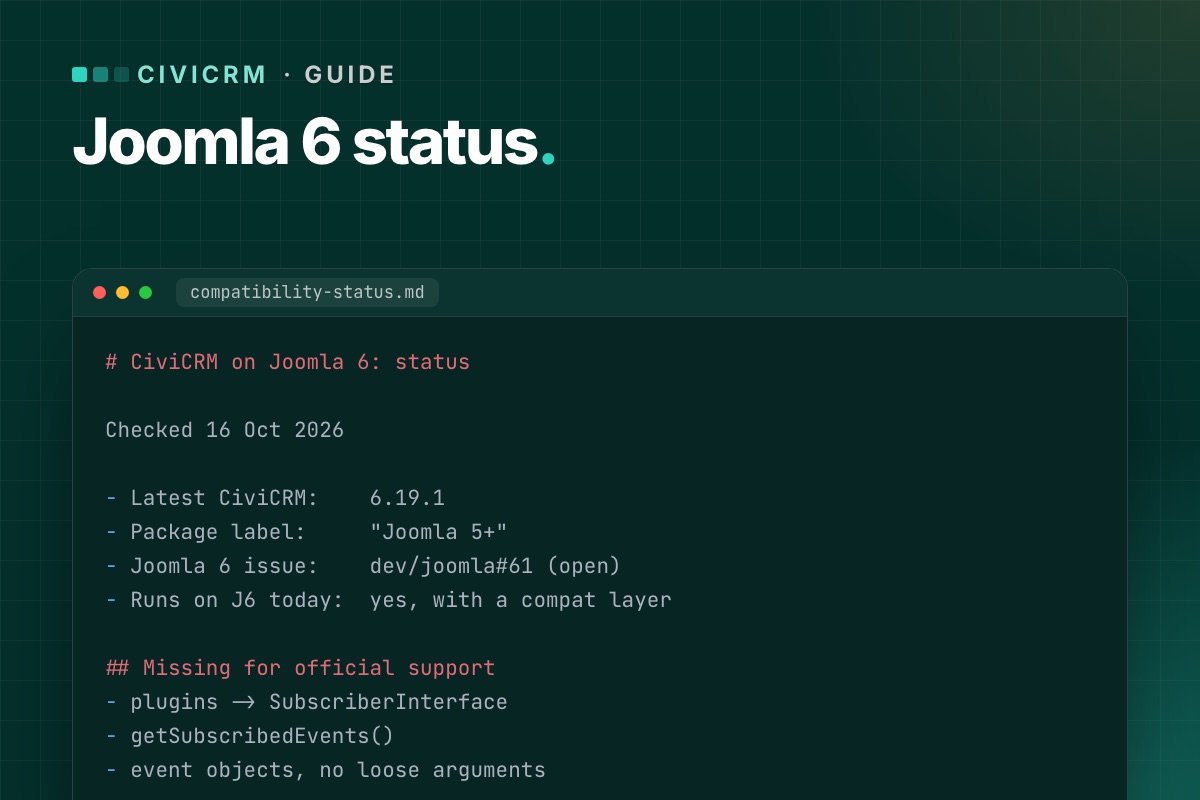

Short version: not officially, yet. CiviCRM runs on Joomla 6 today with a small compatibility layer, but the package CiviCRM ships is built for Joomla 5. This page tracks the status and is updated with each CiviCRM release.
Current status
| Latest CiviCRM | 6.19.1 (13 Oct 2026) – a bug-fix release |
|---|---|
| Joomla package label | "Joomla 5+" |
| Officially supported CMS versions | Joomla 5 (plus Drupal, WordPress, Backdrop and Standalone) |
| Joomla 6 work item | dev/joomla#61 – open since February 2026 |
| Runs on Joomla 6 today? | Yes, with a compatibility layer outside CiviCRM core |
What is missing for official support
The open work item is short. CiviCRM's three Joomla plugins – the user plugin, the system plugin and the quick-icon plugin – have to be rewritten to Joomla's event system (the full list of their events is below): implement SubscriberInterface, list their events in getSubscribedEvents(), and read event objects instead of loose arguments. Optionally, old version_compare() branches for Joomla 3 and 4 get removed.
CiviCRM itself – contacts, contributions, events, CiviMail – is not affected by the Joomla version. That is why the gap can be bridged safely from outside.
What changed recently on the Joomla side
- 6.19.0 (7 Oct 2026) fixed "class not found" errors during Joomla installs and upgrades, as part of the Joomla 5 compatibility work (dev/joomla#54), and fixed the upgrade bug for sites where CiviCRM uses its own database (dev/joomla#60).
- 6.17.3 (26 Aug 2026) fixed a compatibility issue with Joomla's DI container on Joomla 4 and 5 (dev/joomla#67).
Both are steps in the right direction. Neither adds Joomla 6 support by itself.
Should you upgrade to Joomla 6 now?
- On Joomla 5.4 and nothing pushing you? Stay. Joomla 5.4 has security support until 12 October 2027, and it is what CiviCRM supports.
- On Joomla 3 or 4? Move now – to 5.4 at least. Those versions no longer get security fixes.
- Need Joomla 6 now (template, other extensions, hosting)? It works with a compatibility layer that lives outside CiviCRM core, tested through a CiviCRM update. The options are explained in CiviCRM on Joomla 6: the complete guide.
How we keep this page current
We follow every CiviCRM release and install it on a Joomla 6 test site before it goes on client sites. The result per release is on our CiviCRM Joomla 6 upgrade page, under Release watch. When CiviCRM marks Joomla 6 as supported, this page will say so first.
The three plugins, precisely
From the civicrm-joomla source (October 2026):
| Plugin (group) | Events it handles | What it does |
|---|---|---|
plg_user_civicrm (user) | onUserAfterSave, onUserAfterSaveGroup, onUserLogin, onUserAfterDelete | resets CiviCRM's navigation cache; on user delete removes the user's civicrm_uf_match row |
plg_system_civicrmsys (system) | onBeforeCompileHead, onExtensionBeforeInstall, onExtensionAfterInstall, onExtensionAfterUpdate | admin head assets and the CiviCRM install/upgrade hooks |
plg_quickicon_civicrmicon (quickicon) | onGetIcons | the CiviCRM icon on the Joomla dashboard |
All three still use method names as event names (function onUserAfterSave($user, $isnew, $success, $msg)) and branch on JVERSION. Joomla 6 still calls such listeners, with a deprecation, through the backward-compatibility layer in CMSPlugin. Joomla has tagged that layer "will be removed in 7.0". So the honest status is: works on Joomla 6, needs dev/joomla#61 before Joomla 7. Contact matching (Joomla user ↔ CiviCRM contact) is not in these plugins. CiviCRM core does it when a user first loads CiviCRM, which is why it keeps working whatever happens to the plugins.
Want CiviCRM on Joomla 6 before official support? We do it with extensions and hooks, not core edits – and prove it survives a CiviCRM update.
See how we do it →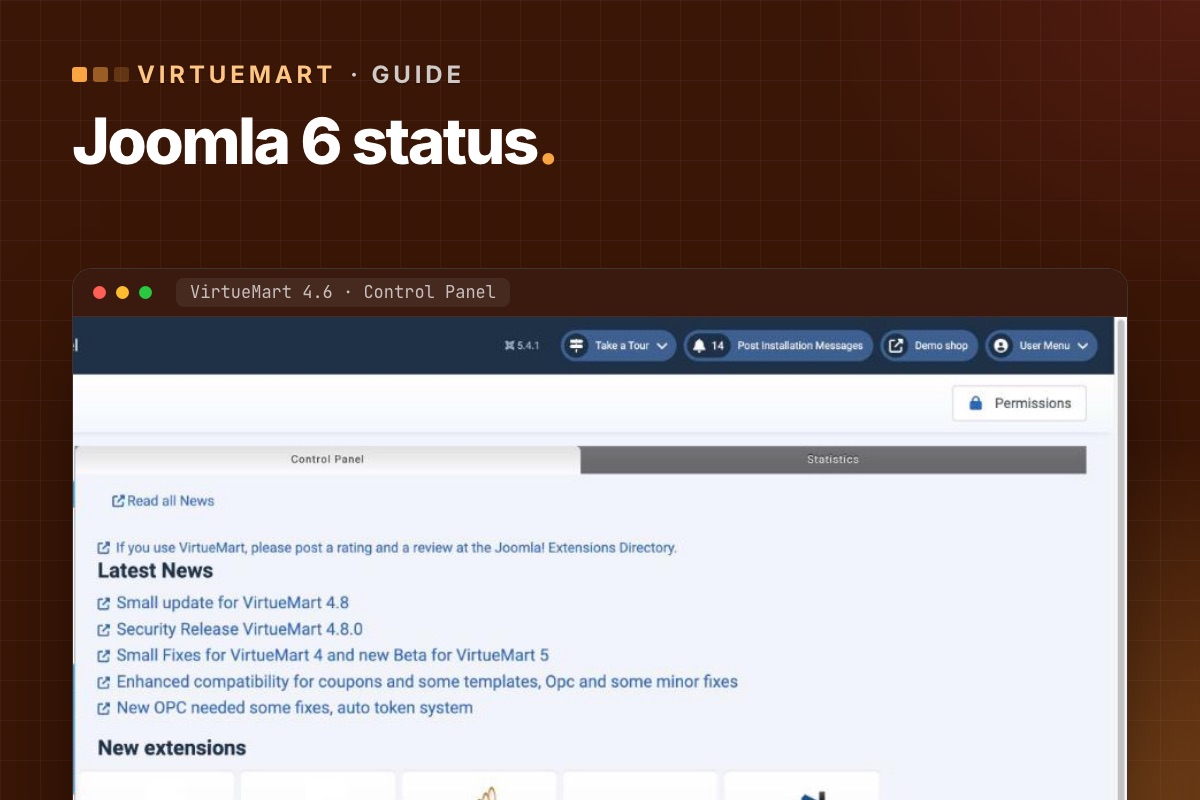
- Details
- Category: VirtueMart
Short version: VirtueMart 4 – no. VirtueMart 5 – yes, but it is still in beta. This page tracks the status and is updated as VirtueMart releases.
Current status
| Stable release | VirtueMart 4.8.2 (31 Aug 2026) |
|---|---|
| Stable runs on | Joomla 3.10, 4 and 5 |
| Joomla 6 version | VirtueMart 5 – beta, test builds published as 4.9.x (latest seen: 4.9.3) |
| VM 5 on Joomla 6 | Reported by the VirtueMart team as already running on Joomla 6 |
| For a live shop today | Joomla 5.4 + VirtueMart 4.8.2 |
Why VirtueMart 4 can't simply run on Joomla 6
When VirtueMart 4.6.0 came out in September 2025, the team stated it does not work on Joomla 6 and that a new VirtueMart 5 would follow "to match all the changes". Their stated aim for VirtueMart 5 is a namespaced code base that runs without Joomla's legacy compatibility plugin, on Joomla 3 up to 6.
What changes in VirtueMart 5
From the VirtueMart team's own announcements:
- Namespaced code, without relying on Joomla's backward-compatibility layer.
- Less jQuery. The plan is to replace VirtueMart's core jQuery code with plain JavaScript. The old "chosen" dropdowns are replaced by "choices", which works without jQuery and is what Joomla 6 uses.
- More static functions for performance – for example the media handler. Templates are not affected, but more complex extensions that call these functions may need small updates.
For shop owners, that means: VirtueMart itself will be ready before some of your add-ons are. Payment gateways, one-page checkouts and feed tools are the ones to watch.
When to move a live shop to Joomla 6
- VirtueMart 5 has a stable release.
- Every payment and shipping plugin you use has a version for VirtueMart 5 and Joomla 6.
- Your template and overrides have been tested with VirtueMart 5 on a staging copy.
- Test orders pass on staging with every payment method.
Until all four are true: stay on Joomla 5.4 and VirtueMart 4.8.x – it is supported and gets security fixes until October 2027. Use the time to test VirtueMart 5 beta on a copy.
How we keep this current
We follow every VirtueMart release and check it on a Joomla test shop. The latest release and our notes are on the VirtueMart Joomla 6 upgrade page, under Release watch. When VirtueMart 5 goes stable, this page will say so.
Why it's a rewrite, not a patch
The reason is visible in the code. In VirtueMart 4.6 (component and bundled plugins), we counted the old Joomla class names: JFactory 1,277 times, JHtml 429, JRoute 376, JText 219, JFile/JFolder 178. That's 333 of 624 PHP files. Joomla 6 removed those names from core; they now load only through the compatibility plugin, and the Joomla 7 branch installs that plugin disabled. A namespaced VirtueMart 5 isn't a nice-to-have, it's the only way forward.
For add-on developers the same check applies to your own code. Anything that runs inside VirtueMart 5 on Joomla 6 should pass:
# terminal – in your VirtueMart plugin or add-on
grep -rnoE "\bJ(Factory|Html|Route|Text|File|Folder|Table|Request|PluginHelper)\b" --include=*.php . | sort | uniq -c | sort -rn | head
grep -rnE "jQuery|\$\(" --include=*.js --include=*.php . | head    # VirtueMart 5 is moving off jQuery
Want to know what Joomla 6 means for your shop? We run your store on Joomla 6 with the VirtueMart 5 beta on staging and list what has to change.
VirtueMart Joomla 6 upgrade →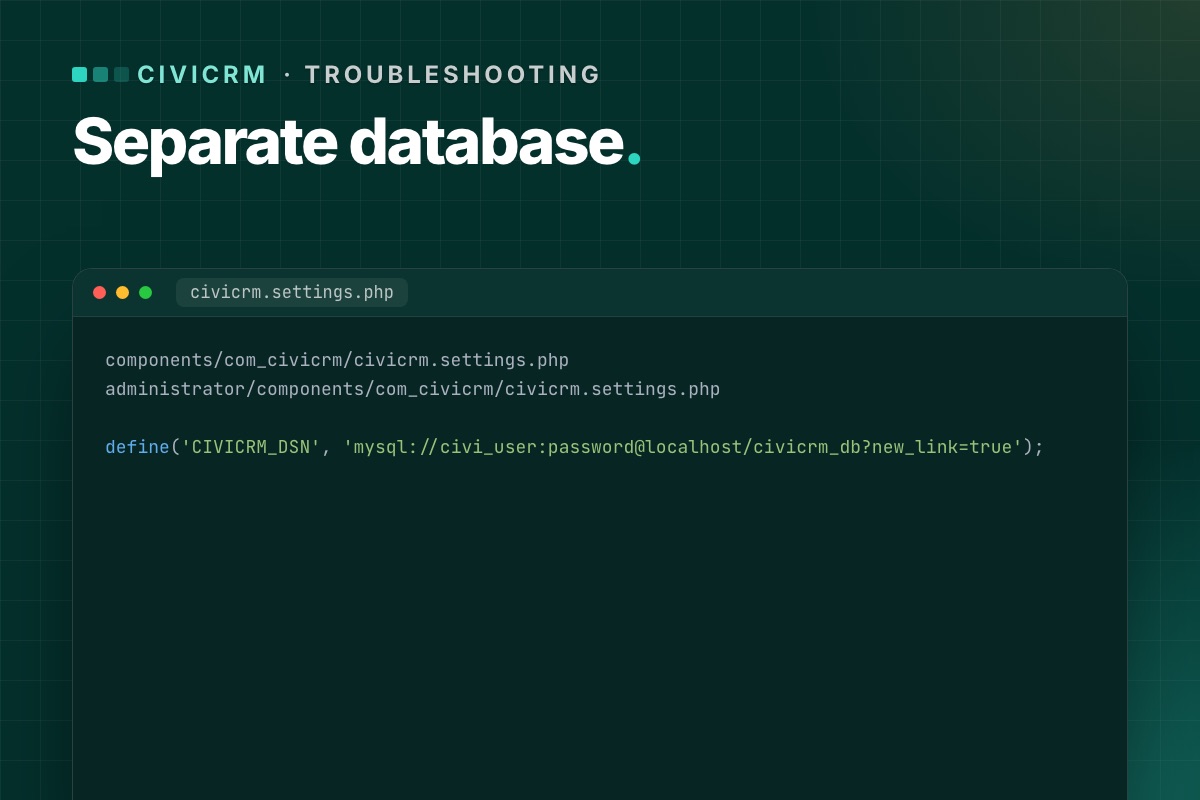

Many Joomla sites keep CiviCRM's data in its own database, next to Joomla's. It is a sensible setup – separate backups, separate credentials, a smaller Joomla database. But for a long time, upgrading CiviCRM through the Joomla installer could quietly break it.
The bug
When CiviCRM was upgraded on Joomla, the installer rewrote the CiviCRM settings files with the Joomla database credentials. Right after the upgrade, CiviCRM started reading and writing in the Joomla database instead of its own. The issue was reported several times (dev/joomla#47, then dev/joomla#60) and admins worked around it by copying CIVICRM_DSN back from their old settings file after every upgrade.
It was fixed in CiviCRM 6.19.0 (7 October 2026). The release notes list it under Joomla integration.
How to tell if you are affected
- You are on a CiviCRM version before 6.19.0, and
CIVICRM_DSNin your settings file points at a different database from the one in Joomla'sconfiguration.php.
Signs after an upgrade:
- CiviCRM looks empty or asks to be installed again – it is looking at a database without its tables.
- Or worse, it works but recent contacts and contributions are "missing", and new ones appear in
civicrm_*tables inside the Joomla database.
Where the settings live
CiviCRM on Joomla has two settings files, and both must agree:
components/com_civicrm/civicrm.settings.php
administrator/components/com_civicrm/civicrm.settings.php
The line that matters:
define('CIVICRM_DSN', 'mysql://civi_user:password@localhost/civicrm_db?new_link=true');CIVICRM_UF_DSN is the connection to the Joomla database (for users) and should point there – don't change it to the CiviCRM database.
The fix if you are already affected
- Stop cron and, if you can, put the site in maintenance mode, so nothing more is written to the wrong database.
- Restore
CIVICRM_DSNin both settings files from your pre-upgrade copies. - Clear
media/civicrm/templates_c. - Open CiviCRM and run the database upgrade again if it asks:
/administrator/index.php?option=com_civicrm&task=civicrm/upgrade&reset=1 - Check for stray data: look for
civicrm_*tables in the Joomla database. If anything was written there after the upgrade (new contributions, contacts, activities), it has to be moved across by hand or re-entered – do this with care, ideally with help. - When it is clean, drop the stray
civicrm_*tables from the Joomla database (after a backup).
Prevent it
- Upgrade to 6.19.0 or later – the fix is in the installer.
- Until then, before every CiviCRM upgrade, copy both settings files outside the site, and after the upgrade compare
CIVICRM_DSNbefore anyone logs in. - Always upgrade on staging first. This is exactly the kind of bug that is harmless on staging and expensive on live.
Check it in ten seconds
# terminal – the two settings files must agree, and CIVICRM_DSN must not point at the Joomla database
grep -h "define('CIVICRM_DSN'" components/com_civicrm/civicrm.settings.php administrator/components/com_civicrm/civicrm.settings.php
grep -E "public \$(db|user) " configuration.php

# stray CiviCRM tables in the Joomla database = data written to the wrong place
mysql -e "SELECT table_name, table_rows FROM information_schema.tables
          WHERE table_schema = 'joomla_db' AND table_name LIKE 'civicrm\_%' ORDER BY table_rows DESC;"
On a correctly separated site the last query returns nothing. If it returns tables with rows, compare their newest records (civicrm_contribution.receive_date, civicrm_activity.activity_date_time) with the date of the upgrade to see what was written there.
Separate databases are part of our upgrade checks. Both settings files and both databases are backed up, compared and tested before anything goes live.
CiviCRM Joomla 6 upgrade →Page 2 of 7