
Expert Joomla guides
Tutorials, upgrade notes and AI workflows for people who build and run Joomla sites.
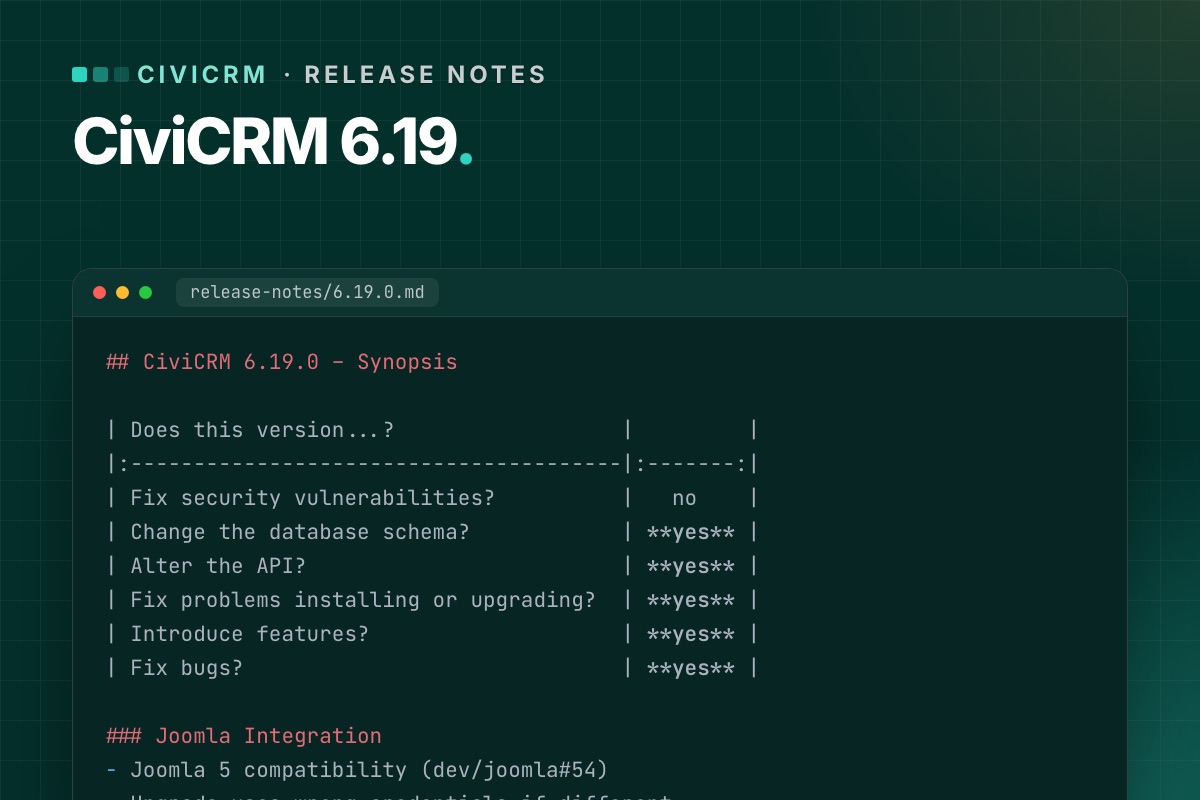

CiviCRM 6.19 is a feature release with two changes that matter specifically for Joomla sites. Here is what is in it, from the Joomla side, and how we would update.
At a glance
| Security fixes | No |
|---|---|
| Database schema change | Yes – run the database upgrade |
| API change | Yes – check custom integrations |
| New features | Yes |
| Joomla 6 support | Still "Joomla 5+" – see status |
For Joomla sites
The separate-database upgrade bug is fixed
If CiviCRM keeps its data in its own database, earlier upgrades through the Joomla installer could rewrite its settings with the Joomla database credentials (dev/joomla#60). 6.19.0 fixes that. Background and clean-up steps: CiviCRM with a separate database on Joomla.
The fix is in the installer of 6.19.0 itself, so this is the first upgrade where you shouldn't need to restore CIVICRM_DSN by hand. Back up both settings files anyway.
Fewer "class not found" errors on install and upgrade
As part of the Joomla 5 compatibility work (dev/joomla#54), 6.19.0 fixes class-not-found errors during Joomla installation and upgrade and removes legacy code. It doesn't add Joomla 6 support, but it is the same area of code that Joomla 6 support will build on.
Other changes worth knowing
- CiviMail: custom fields can now be used in mailing tokens, and FlexMailer supports CC and BCC.
- Message templates: send yourself a preview email from the message admin screen.
- Search: full-text search can power the contact quick search, with better matching and speed.
- SearchKit and FormBuilder: several improvements, including smarter smart-group handling and more filters.
- Longer fields: custom group titles and tag names can be longer (schema change).
6.19.1 (13 Oct 2026)
A bug-fix release, no schema or API changes and no security fixes. It fixes recurring contributions created through FormBuilder, a CKEditor 4 status popup, SearchKit dropdown options in conditions, APIv4 performance with hierarchical entities, a CiviContribute warning and KCFinder file icons. If you are going to 6.19, go straight to 6.19.1.
Our verdict
- Separate CiviCRM database? Worth updating soon – the upgrade-bug fix alone is reason enough.
- Everyone else: a normal feature update. Do it on staging first because of the schema change, run the database upgrade, and test custom integrations that use the API.
- On Joomla 6 with a compatibility layer: install on staging and check the user–contact sync and cron before live, as with every release.
Our routine is in A safe CiviCRM update routine for Joomla sites. Full official notes: 6.19.0, 6.19.1.
For developers
- Schema change: run
cv upgrade:db(or the browser upgrade) right after installing the package, before anyone uses the site. - API change: grep your extensions and integrations for the entities you call, and run their tests. For APIv4 callers, property names are case-sensitive since 6.17.1.
- CiviMail tokens with custom fields: if you added custom-field tokens through a hook before, check for duplicates in the token list after updating.
# terminal – where does our own code call the API?
grep -rnE 'civicrm_api3?\(|Civi\\Api4|api4\(' /path/to/civicrm/ext/org.example.* --include=*.php | cut -c1-140
We test every CiviCRM release on Joomla 6 before it goes on client sites. The result per release is on our service page.
See Release watch →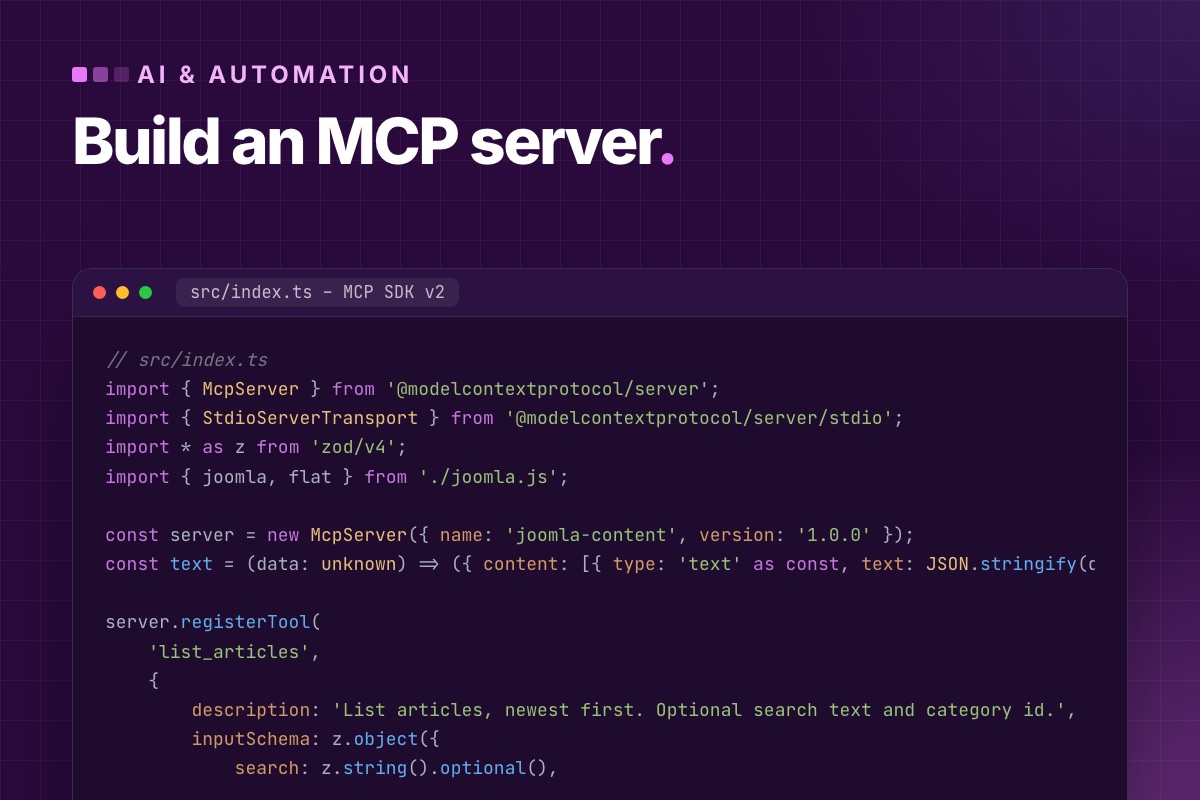

- Details
- Category: AI & automation
An MCP server lets an AI assistant such as Claude call your tools: "list the last ten articles", "save a draft", "fix this meta description". For Joomla there's no official MCP server, and you don't need one. Joomla has had a REST API in core since 4.0, and a small MCP server that wraps the parts you want to expose is about 150 lines.
This post builds one, with the current SDK (v2, @modelcontextprotocol/server) and the Joomla API as it actually behaves in Joomla 6.2. We also cover the security decisions, which matter more than the code.
The shape of it
Claude (Desktop / Code) ──stdio──▶ your MCP server (Node) ──HTTPS + token──▶ Joomla /api/index.php/v1/…The MCP server runs on your machine or a server you control. It holds one Joomla API token and exposes a short list of tools. The AI never sees the token and can only do what the tools allow. That is the whole security model, so choose the tools carefully.
1. Prepare Joomla: a user just for the AI
- Create a dedicated user, for example in a new group "API – Content" with permission to create and edit articles in the categories it should touch, and nothing else. Never use a Super User token for an AI.
- Allow that group to have tokens. By default only Super Users can. Open Plugins → User – Joomla API Token and add the group under "Allowed User Groups".
- Make sure API Authentication – Web Services Joomla Token is enabled, and the Web Services – Content plugin.
- Disable API Authentication – Basic if nothing uses it. It accepts a username and password on every API request.
- Log in as the new user (or edit it), open the Joomla API Token tab, and copy the token.
Test the token before writing any code:
# terminal
curl -s -H "Authorization: Bearer $JOOMLA_TOKEN" -H "Accept: application/vnd.api+json" \
  "https://example.com/api/index.php/v1/content/articles?page[limit]=2" | python3 -m json.tool | head -30
A 401 with {"errors":[{"title":"Forbidden"}]} means the token, the plugin or the group setting is wrong. The response format is JSON:API: each item is { "type": "articles", "id": "12", "attributes": { … } }.
2. The project
# terminal
mkdir joomla-mcp && cd joomla-mcp
npm init -y
npm pkg set type=module
npm install @modelcontextprotocol/server zod tsx
type=module is required, because the SDK ships ES modules only. tsx runs TypeScript directly, so there's no build step.
3. A small Joomla client
// src/joomla.ts
const BASE  = process.env.JOOMLA_URL?.replace(/\/$/, '');   // https://example.com
const TOKEN = process.env.JOOMLA_TOKEN;

if (!BASE || !TOKEN) {
    throw new Error('Set JOOMLA_URL and JOOMLA_TOKEN');
}

export async function joomla(path: string, init: RequestInit = {}): Promise<any> {
    const res = await fetch(`${BASE}/api/index.php/v1/${path}`, {
        ...init,
        headers: {
            Authorization: `Bearer ${TOKEN}`,
            Accept: 'application/vnd.api+json',
            'Content-Type': 'application/json',
            ...init.headers,
        },
        signal: AbortSignal.timeout(20_000),
    });
    const body = await res.text();

    if (!res.ok) {
        throw new Error(`Joomla API ${res.status}: ${body.slice(0, 300)}`);
    }
    return body ? JSON.parse(body) : null;
}

// JSON:API item → plain object
export const flat = (item: any) => ({ id: Number(item.id), ...item.attributes });
4. The server and its tools
Four tools: two that read, two that write, and the writes can't publish. New articles are saved unpublished (state: 0), and a person publishes them in the back end. That one rule removes most of the risk of letting an AI write to a live site.
// src/index.ts
import { McpServer } from '@modelcontextprotocol/server';
import { StdioServerTransport } from '@modelcontextprotocol/server/stdio';
import * as z from 'zod/v4';
import { joomla, flat } from './joomla.js';

const server = new McpServer({ name: 'joomla-content', version: '1.0.0' });
const text = (data: unknown) => ({ content: [{ type: 'text' as const, text: JSON.stringify(data, null, 2) }] });

server.registerTool(
    'list_articles',
    {
        description: 'List articles, newest first. Optional search text and category id.',
        inputSchema: z.object({
            search: z.string().optional(),
            category: z.number().int().optional(),
            limit: z.number().int().min(1).max(50).default(10),
        }),
        annotations: { readOnlyHint: true },
    },
    async ({ search, category, limit }) => {
        const q = new URLSearchParams({ 'page[limit]': String(limit), 'list[ordering]': 'a.id', 'list[direction]': 'DESC' });
        if (search) q.set('filter[search]', search);
        if (category) q.set('filter[category]', String(category));
        const res = await joomla(`content/articles?${q}`);
        return text(res.data.map(flat).map(({ id, title, state, metadesc }: any) => ({ id, title, state, metadesc })));
    }
);

server.registerTool(
    'get_article',
    {
        description: 'Get one article with its full text and metadata.',
        inputSchema: z.object({ id: z.number().int() }),
        annotations: { readOnlyHint: true },
    },
    async ({ id }) => text(flat((await joomla(`content/articles/${id}`)).data))
);

server.registerTool(
    'create_draft',
    {
        description: 'Create an UNPUBLISHED article for human review. HTML body; use <hr id="system-readmore"> for the intro break.',
        inputSchema: z.object({
            title: z.string().min(5).max(150),
            catid: z.number().int(),
            html: z.string().min(50),
            metadesc: z.string().max(160).optional(),
        }),
    },
    async ({ title, catid, html, metadesc }) => {
        const res = await joomla('content/articles', {
            method: 'POST',
            body: JSON.stringify({ title, catid, articletext: html, metadesc, language: '*', state: 0 }),
        });
        return text({ created: flat(res.data).id, state: 'unpublished – publish it in the back end after review' });
    }
);

server.registerTool(
    'update_meta_description',
    {
        description: 'Set the meta description of an article (max 160 characters).',
        inputSchema: z.object({ id: z.number().int(), metadesc: z.string().min(50).max(160) }),
    },
    async ({ id, metadesc }) => {
        await joomla(`content/articles/${id}`, { method: 'PATCH', body: JSON.stringify({ metadesc }) });
        return text({ updated: id });
    }
);

await server.connect(new StdioServerTransport());
Three details from testing against Joomla 6.2:
- The article body field for writing is
articletext. Joomla's content table splits it into intro and full text at the read-more marker, the same as the editor does. - Custom fields are sent by field name at the top level of the JSON (
"price": "19"). The API controller moves them intocom_fieldsfor you. - List filters use
filter[search],filter[category],filter[state]andfilter[language], and paging usespage[limit]andpage[offset].
5. Try it, then connect Claude
# terminal – the MCP Inspector lets you call each tool by hand
JOOMLA_URL=https://staging.example.com JOOMLA_TOKEN=… npx @modelcontextprotocol/inspector npx tsx src/index.ts
Claude Desktop reads servers from its config file (Settings → Developer → Edit Config):
// claude_desktop_config.json
{
  "mcpServers": {
    "joomla": {
      "command": "npx",
      "args": ["tsx", "/Users/you/joomla-mcp/src/index.ts"],
      "env": {
        "JOOMLA_URL": "https://staging.example.com",
        "JOOMLA_TOKEN": "…"
      }
    }
  }
}
Point it at a staging site first. Ask for something read-only ("which articles have no meta description?"), then for a draft, and check what lands in the back end.
Security decisions that matter more than the code
- Least privilege in Joomla, not in the prompt. The AI's user can only touch what its group allows. A prompt that says "don't delete anything" is not a control. A missing delete permission is.
- No publish, no delete tools. If a tool doesn't exist, the AI can't call it. Add them only with a confirmation step you control.
- The token stays in the server's environment. Never in a prompt, a repository or the tool output. Rotate it like a password: change the token in the user's profile and update the config.
- Treat article content as untrusted input. Text read from the site can contain instructions aimed at the model ("ignore previous instructions…"). Read tools should return data, and nothing in that data should be able to trigger a write without a person seeing it.
- Log what happens. Joomla's User Actions Log records API changes under the AI's user, which is one more reason to give it its own account.
Where to go from here
The same pattern extends to anything the Web Services API exposes: categories, tags, menus, modules, users (careful), redirects, and your own components if they have web services plugins. When not to use MCP, and when a plain script against the API is the better tool, is in MCP vs traditional APIs. The API itself is covered in Joomla REST API for beginners.
Want an MCP server for your own Joomla components? We build web services plugins for custom components and the MCP tools on top, with permissions designed first.
Custom extension development →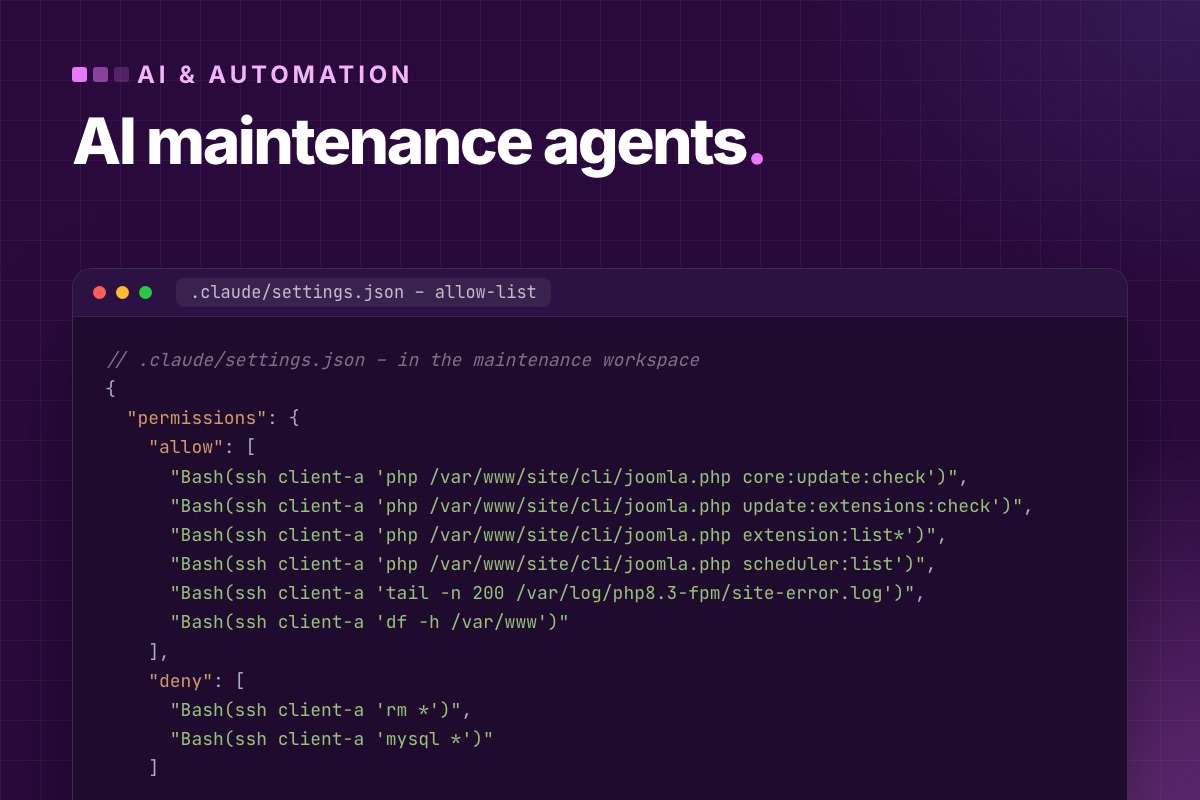

- Details
- Category: AI & automation
An AI agent with shell access to a Joomla server can do a week's worth of routine checks in a few minutes: versions, pending updates, failing tasks, disk use, error logs, backups. It can also break a site in one command. The difference is the setup: what the agent may run, on which copy, and who approves changes.
This is how we use agents for Joomla maintenance across client sites. Read-only by default, write actions approved one by one, and everything through Joomla's own CLI rather than clever SQL.
The Joomla CLI is the agent's API
Since Joomla 4, cli/joomla.php covers most maintenance tasks with clear, parseable output. That makes it the right interface for an agent: well-defined commands instead of free-form database edits.
| Question | Command | Changes anything? |
|---|---|---|
| Is a Joomla update available? | core:update:check | no |
| Which extensions have updates? | update:extensions:check | no |
| What's installed, which version, enabled? | extension:list | no |
| Do scheduled tasks run? | scheduler:list | no |
| Is the schema in sync after updates? | maintenance:database | yes, can fix: approve |
| Configuration value? | config:get <option> | no |
| Clear caches | cache:clean | yes, harmless |
| Update Joomla / install an extension | core:update, extension:install | yes: staging first, approve |
Step 1: an allow-list, not a prompt
"Don't change anything" in a prompt is a wish. A permission list is a control. With Claude Code, put the rules in the project's settings on the machine that runs the agent, so read-only commands run freely, and anything else stops and asks:
// .claude/settings.json – in the maintenance workspace
{
  "permissions": {
    "allow": [
      "Bash(ssh client-a 'php /var/www/site/cli/joomla.php core:update:check')",
      "Bash(ssh client-a 'php /var/www/site/cli/joomla.php update:extensions:check')",
      "Bash(ssh client-a 'php /var/www/site/cli/joomla.php extension:list*')",
      "Bash(ssh client-a 'php /var/www/site/cli/joomla.php scheduler:list')",
      "Bash(ssh client-a 'tail -n 200 /var/log/php8.3-fpm/site-error.log')",
      "Bash(ssh client-a 'df -h /var/www')"
    ],
    "deny": [
      "Bash(ssh client-a 'rm *')",
      "Bash(ssh client-a 'mysql *')"
    ]
  }
}
Other agents have similar mechanisms. The principle is the same: enumerate what may run unattended. On the server side, use an SSH user that can read the site and run PHP, but can't write to the web root. Then even an approved mistake can't change files.
Step 2: the weekly check, as a brief
The agent gets the same brief every week. Fixed structure in, fixed structure out, so reports can be compared:
Weekly maintenance check for client-a (Joomla 6, production). Read-only.
1. Joomla core: run core:update:check. Report current and available version.
2. Extensions: run update:extensions:check and extension:list. Report extensions with updates,
   and flag any update marked as a security release.
3. Scheduler: run scheduler:list. Report tasks that are disabled, overdue, or whose last exit was not OK.
4. Errors: read the last 200 lines of the PHP error log. Group by message, report counts and first/last time.
5. Disk: df -h. Warn above 80 %.
Output a table per section, then max 5 recommended actions ordered by risk.
Do not run any command that changes the site. If something needs a change, recommend it; don't do it.
What comes back is a one-page report per site. An agency with twenty sites reads twenty pages on Monday instead of logging into twenty back ends.
Step 3: changes, on staging, approved
When the report says "Joomla 6.2.1 available, two extension security updates", the update itself is a separate session:
- The agent refreshes staging from live (your normal script), then runs
core:updateand the extension updates on staging. Each write command asks for approval. - It runs
maintenance:database, clears the cache, and checks a list of URLs for HTTP 200 and PHP errors in the log. - A person looks at staging and decides. The live update is the same commands, approved again.
The agent saves the typing and the checking. The decisions stay with people.
What not to automate
- Direct database writes. An agent that "fixes" data with SQL bypasses Joomla's ACL, workflows, content history and action log. If it can't be done through the CLI, the API or the back end, a person does it.
- Unattended updates on live of sites with overrides, shops or CRMs. Joomla 6 has automated core updates for simple sites. Anything more complex gets staging first.
- Security incidents. An agent can collect logs and compare files with a clean package. Deciding what's compromised and cleaning it is human work.
- Anything without a backup you have restored at least once.
Content checks, through the API
Content quality checks (articles without meta descriptions, images without alt text, broken internal links) are better done through the Web Services API with a read-only token than over SSH. They're questions about content, not the server. The agent then uses an MCP server or a script against the API. See a Joomla MCP server for the tools.
What it saved us
The time saving is real but not the main gain. The main gain is consistency: every site gets the same checks every week, including the boring ones (failing scheduled tasks, filling disks, a PHP warning that started after an update), which used to wait until a client noticed.
Running many Joomla sites? Our maintenance plans combine this weekly agent check with a developer who acts on it.
Maintenance & support →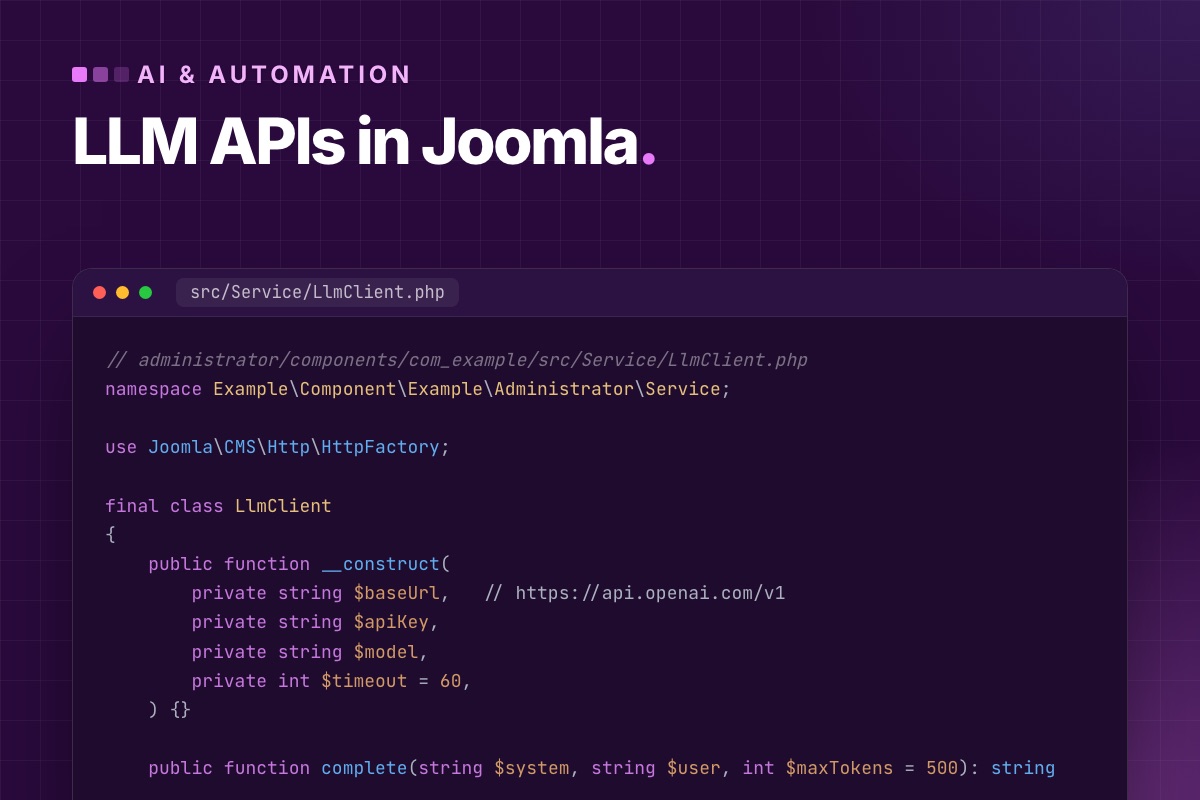
- Details
- Category: AI & automation
Calling ChatGPT from Joomla is ten lines of code. Calling it so that the site stays fast, the key stays secret, a provider outage doesn't break pages, and the bill doesn't surprise anyone takes some structure. This is the structure we use in Joomla extensions that talk to LLM APIs, from a one-off field generator to scheduled batch jobs.
Rule 1: never in the page request if you can avoid it
An LLM call takes one to thirty seconds and fails now and then. Put that in onContentPrepare or a module, and every visitor waits for it, and every outage becomes your outage. Where the call lives decides most of the design:
| Need | Where the call goes |
|---|---|
| Batch work: summaries, tags, descriptions, translations | a Scheduler task plugin or a console command |
| An editor clicks "suggest" in the back end | an AJAX request (com_ajax plugin) with a spinner; never on save |
| Visitor-facing answers (chat, search) | a separate endpoint with rate limiting and a cache, called from the browser |
Rule 2: one small client class, provider-agnostic
Most providers offer an OpenAI-compatible /chat/completions endpoint, so one class covers OpenAI, Azure OpenAI, Mistral, local models via Ollama or vLLM, and others. Keep the base URL and model configurable:
// administrator/components/com_example/src/Service/LlmClient.php
namespace Example\Component\Example\Administrator\Service;

use Joomla\CMS\Http\HttpFactory;

final class LlmClient
{
    public function __construct(
        private string $baseUrl,   // https://api.openai.com/v1
        private string $apiKey,
        private string $model,
        private int $timeout = 60,
    ) {}

    public function complete(string $system, string $user, int $maxTokens = 500): string
    {
        $response = HttpFactory::getHttp()->post(
            rtrim($this->baseUrl, '/') . '/chat/completions',
            json_encode([
                'model'      => $this->model,
                'max_tokens' => $maxTokens,
                'messages'   => [
                    ['role' => 'system', 'content' => $system],
                    ['role' => 'user', 'content' => $user],
                ],
            ], JSON_THROW_ON_ERROR),
            ['Authorization' => 'Bearer ' . $this->apiKey, 'Content-Type' => 'application/json'],
            $this->timeout
        );

        $status = $response->getStatusCode();

        if ($status === 429 || $status >= 500) {
            throw new LlmRetryableException("LLM API $status");      // rate limit or provider outage: try again later
        }
        if ($status !== 200) {
            throw new \RuntimeException("LLM API $status: " . substr((string) $response->getBody(), 0, 300));
        }

        $data = json_decode((string) $response->getBody(), true, 512, JSON_THROW_ON_ERROR);

        return trim($data['choices'][0]['message']['content'] ?? '');
    }
}
Joomla's HttpFactory picks an available transport (cURL or streams) and returns a PSR-7 response, so this works on any host without extra Composer packages. Anthropic's API has a different shape (/v1/messages, an x-api-key header, content[0].text in the response). Give it its own small class behind the same method, and nothing else in the extension changes.
Rule 3: the API key is not a plugin parameter
Plugin and component parameters are stored as plain JSON in #__extensions.params, so they show up in every database backup and every staging copy. A type="password" field only hides it in the form. Better options, in order:
- An environment variable of the PHP-FPM pool or the cron user (
getenv('OPENAI_API_KEY')). - A file outside the web root that only the PHP user can read.
- If it must be in the back end: a parameter, plus a documented decision that the database is now a secret too.
Whatever you choose, give each site its own key with a spending limit set at the provider. A leaked key with a limit is an incident. One without is a bill.
Rule 4: batch work belongs in a task plugin
Joomla's Scheduler (System → Scheduled Tasks) runs task plugins on a schedule, logs each run, and lets an admin see failures. That's the right home for "summarise new articles every hour":
// plugins/task/aisummary/src/Extension/AiSummary.php
final class AiSummary extends CMSPlugin implements SubscriberInterface
{
    use DatabaseAwareTrait;
    use TaskPluginTrait;

    private const TASKS_MAP = [
        'aisummary.articles' => [
            'langConstPrefix' => 'PLG_TASK_AISUMMARY_ARTICLES',
            'method'          => 'summarise',
            'form'            => 'summariseForm',
        ],
    ];

    protected $autoloadLanguage = true;

    public static function getSubscribedEvents(): array
    {
        return [
            'onTaskOptionsList'    => 'advertiseRoutines',
            'onExecuteTask'        => 'standardRoutineHandler',
            'onContentPrepareForm' => 'enhanceTaskItemForm',
        ];
    }

    private function summarise(ExecuteTaskEvent $event): int
    {
        $params = $event->getArgument('params');
        $llm    = new LlmClient($params->base_url, (string) getenv('OPENAI_API_KEY'), $params->model);
        $db     = $this->getDatabase();

        $query = $db->createQuery()
            ->select($db->quoteName(['id', 'title', 'introtext']))
            ->from($db->quoteName('#__content'))
            ->where($db->quoteName('state') . ' = 1')
            ->where($db->quoteName('note') . " = ''")                // not summarised yet
            ->setLimit((int) ($params->batch ?? 10));                  // small batches: bounded time and cost

        foreach ($db->setQuery($query)->loadObjectList() as $article) {
            try {
                $summary = $llm->complete(
                    'You summarise web articles in one plain sentence for an internal editor note.',
                    $article->title . "\n\n" . mb_substr(strip_tags($article->introtext), 0, 4000),
                    120
                );
            } catch (LlmRetryableException $e) {
                $this->logTask($e->getMessage() . ' – stopping, next run continues', 'warning');

                return Status::WILL_RESUME;
            }
            // … save $summary for $article->id with a prepared UPDATE
            $this->logTask("Summarised #{$article->id}");
        }

        return Status::OK;
    }
}
Two habits from production: small batches (a run that takes 20 minutes holds the Scheduler's lock and gets killed by PHP's time limit), and stop on rate limits instead of retrying in a loop. The next run continues where this one stopped, because the query only picks unprocessed rows.
Rule 5: cache what you can, store what you paid for
- Store results in the database, not just in the page cache. You paid for every token, and you shouldn't pay again because someone cleared the cache.
- Cache identical requests with Joomla's callback cache, keyed by a hash of model + prompt + input, when the same question repeats (FAQ answers, translations of a fixed string).
- Log usage: the response's
usageblock has token counts. A daily sum in the task log catches a runaway job before the invoice does.
Rule 6: personal data needs a decision, not a default
Sending user-generated content, form submissions or member data to an external API is a data transfer. Decide what may leave the site, strip personal data before the call where you can, check the provider's data-processing terms, and document it in the privacy policy. For anything sensitive, a self-hosted model behind the same OpenAI-compatible interface is a real option. Only the base URL changes.
Rule 7: output is untrusted input
Model output goes into your site like user input: escape it for HTML (htmlspecialchars, or InputFilter if you allow some HTML), validate lengths and formats, and never execute it or use it in SQL without binding. If the input came from visitors, the output may carry their instructions too.
For a complete, small example of this structure, see generating meta descriptions with a console command.
Adding AI to a Joomla extension? We build the integration the way this post describes: off the request path, with keys, costs and data handled properly.
Custom extension development →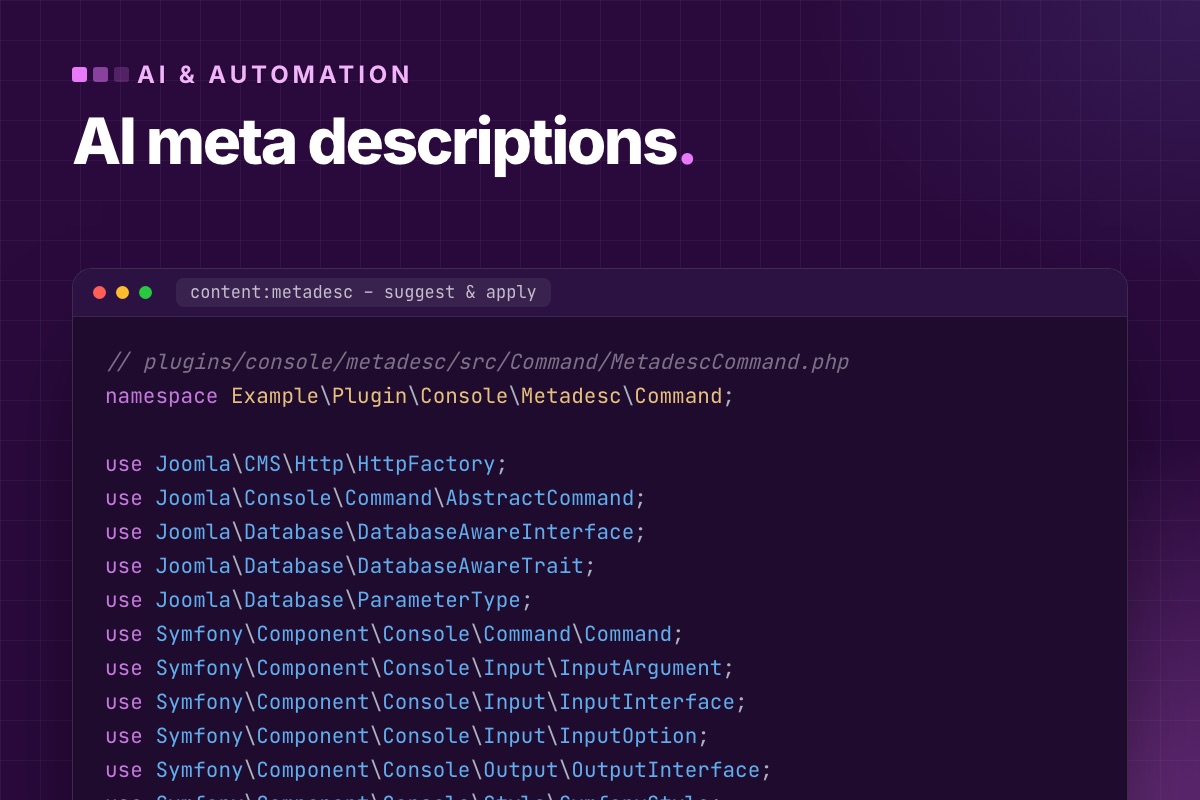
- Details
- Category: AI & automation
Most Joomla sites have dozens of articles with no meta description, or one copied from the global configuration. Search engines then make one up from the page, usually from the wrong paragraph. An LLM writes decent descriptions quickly. The trick is to do it so a person can check them before they go live, and so it doesn't burn tokens on articles that already have a good one.
We do it as a Joomla console command in two steps: suggest writes a CSV, a person reviews and edits it, and apply writes the reviewed lines to the database.
Find the gaps first
# terminal – how big is the job? (adjust the prefix)
mysql -e "SELECT
            SUM(metadesc = '')                    AS empty,
            SUM(CHAR_LENGTH(metadesc) > 160)      AS too_long,
            SUM(CHAR_LENGTH(metadesc) BETWEEN 1 AND 69) AS too_short
          FROM jos_content WHERE state = 1;" mydb
The command
It's registered by a small console plugin, the same pattern as any Joomla console command (see Joomla 6 for extension developers, section 5). The command itself:
// plugins/console/metadesc/src/Command/MetadescCommand.php
namespace Example\Plugin\Console\Metadesc\Command;

use Joomla\CMS\Http\HttpFactory;
use Joomla\Console\Command\AbstractCommand;
use Joomla\Database\DatabaseAwareInterface;
use Joomla\Database\DatabaseAwareTrait;
use Joomla\Database\ParameterType;
use Symfony\Component\Console\Command\Command;
use Symfony\Component\Console\Input\InputArgument;
use Symfony\Component\Console\Input\InputInterface;
use Symfony\Component\Console\Input\InputOption;
use Symfony\Component\Console\Output\OutputInterface;
use Symfony\Component\Console\Style\SymfonyStyle;

final class MetadescCommand extends AbstractCommand implements DatabaseAwareInterface
{
    use DatabaseAwareTrait;

    protected static $defaultName = 'content:metadesc';

    protected function configure(): void
    {
        $this->setDescription('Suggest meta descriptions with an LLM (suggest), or write reviewed ones (apply)');
        $this->addArgument('mode', InputArgument::REQUIRED, 'suggest | apply');
        $this->addOption('file', null, InputOption::VALUE_REQUIRED, 'CSV file', 'metadesc.csv');
        $this->addOption('limit', null, InputOption::VALUE_REQUIRED, 'Max articles per run', 25);
    }

    protected function doExecute(InputInterface $input, OutputInterface $output): int
    {
        $io = new SymfonyStyle($input, $output);

        return $input->getArgument('mode') === 'apply'
            ? $this->apply($io, $input->getOption('file'))
            : $this->suggest($io, $input->getOption('file'), (int) $input->getOption('limit'));
    }

    private function suggest(SymfonyStyle $io, string $file, int $limit): int
    {
        $db    = $this->getDatabase();
        $query = $db->createQuery()
            ->select($db->quoteName(['id', 'title', 'introtext', 'fulltext']))
            ->from($db->quoteName('#__content'))
            ->where($db->quoteName('state') . ' = 1')
            ->where('(' . $db->quoteName('metadesc') . " = '' OR CHAR_LENGTH(" . $db->quoteName('metadesc') . ') > 160)')
            ->order($db->quoteName('hits') . ' DESC')          // most-read pages first
            ->setLimit($limit);

        $out = fopen($file, 'w');
        fputcsv($out, ['id', 'title', 'metadesc', 'length']);

        foreach ($db->setQuery($query)->loadObjectList() as $article) {
            $text = trim(preg_replace('/\s+/', ' ', strip_tags($article->introtext . ' ' . $article->fulltext)));
            $desc = $this->ask($article->title, mb_substr($text, 0, 6000));
            fputcsv($out, [$article->id, $article->title, $desc, mb_strlen($desc)]);
            $io->writeln(sprintf('#%d (%d) %s', $article->id, mb_strlen($desc), $desc));
        }
        fclose($out);
        $io->success("Review and edit $file, then run: content:metadesc apply --file=$file");

        return Command::SUCCESS;
    }

    private function ask(string $title, string $text): string
    {
        $prompt = "Write a meta description for this web page.\n"
            . "Rules: 140–158 characters. Plain text, no quotes, no emoji, no marketing phrases like 'discover' or 'unlock'. "
            . "Say concretely what the reader gets. Use the page's own terms. Answer with the description only.\n\n"
            . "Title: $title\n\nPage text:\n$text";

        $response = HttpFactory::getHttp()->post(
            'https://api.anthropic.com/v1/messages',
            json_encode([
                'model'      => 'claude-haiku-5-5',
                'max_tokens' => 200,
                'messages'   => [['role' => 'user', 'content' => $prompt]],
            ]),
            [
                'x-api-key'         => getenv('ANTHROPIC_API_KEY'),
                'anthropic-version' => '2023-06-01',
                'content-type'      => 'application/json',
            ],
            30
        );

        if ($response->getStatusCode() !== 200) {
            throw new \RuntimeException('LLM API error ' . $response->getStatusCode() . ': ' . substr((string) $response->getBody(), 0, 200));
        }
        $data = json_decode((string) $response->getBody(), true);

        return trim($data['content'][0]['text'] ?? '');
    }

    private function apply(SymfonyStyle $io, string $file): int
    {
        $db   = $this->getDatabase();
        $in   = fopen($file, 'r');
        $head = fgetcsv($in);
        $n    = 0;

        while (($row = fgetcsv($in)) !== false) {
            [$id, , $desc] = $row;
            $id   = (int) $id;
            $desc = trim($desc);

            if ($desc === '' || mb_strlen($desc) > 160) {
                $io->warning("#$id skipped: empty or longer than 160 characters");
                continue;
            }
            $query = $db->createQuery()
                ->update($db->quoteName('#__content'))
                ->set($db->quoteName('metadesc') . ' = :desc')
                ->where($db->quoteName('id') . ' = :id')
                ->bind(':desc', $desc)
                ->bind(':id', $id, ParameterType::INTEGER);
            $db->setQuery($query)->execute();
            $n++;
        }
        fclose($in);
        $io->success("$n descriptions written. Clear the cache: php cli/joomla.php cache:clean");

        return Command::SUCCESS;
    }
}
The plugin injects the database when it registers the command ($command->setDatabase(...)), and the API key comes from the environment of the shell that runs the command. It never goes into Joomla's configuration or a plugin's settings, where it would sit in the database in plain text.
Running it
# terminal
export ANTHROPIC_API_KEY=…
php cli/joomla.php content:metadesc suggest --limit=25
# open metadesc.csv in a spreadsheet, fix what's wrong, delete rows you don't want
php cli/joomla.php content:metadesc apply --file=metadesc.csv
php cli/joomla.php cache:clean
What makes the descriptions good (or not)
- The prompt bans the model's habits. Without "no marketing phrases", you get "Discover the ultimate guide to…" on every page. Name the words you don't want.
- Give it the page, not the title. With only the title, every description becomes a rephrased title. The first 6,000 characters of text are plenty and keep the cost low.
- Check the length yourself. Models count characters badly, which is why
applyrefuses anything over 160 and the CSV shows the length. - Start with the most-read pages (
ORDER BY hits). They're where a better snippet changes clicks. - A small, fast model is enough. This is a summarising task. Cost per article is a fraction of a cent.
Why not a plugin that does it on save?
We tried onContentBeforeSave: generate a description whenever an article is saved without one. It works, but it adds an external API call, with its latency and its failures, to the editor's save button, and nobody reviews the result. The batch command keeps the AI out of the request cycle and keeps a person in the loop. If you want it automated, run suggest from the Scheduler weekly and mail the CSV to an editor, but keep apply manual.
Hundreds of pages without descriptions? We run this on your site, review the output with you, and fix titles and internal links while we're at it.
SEO & speed optimization →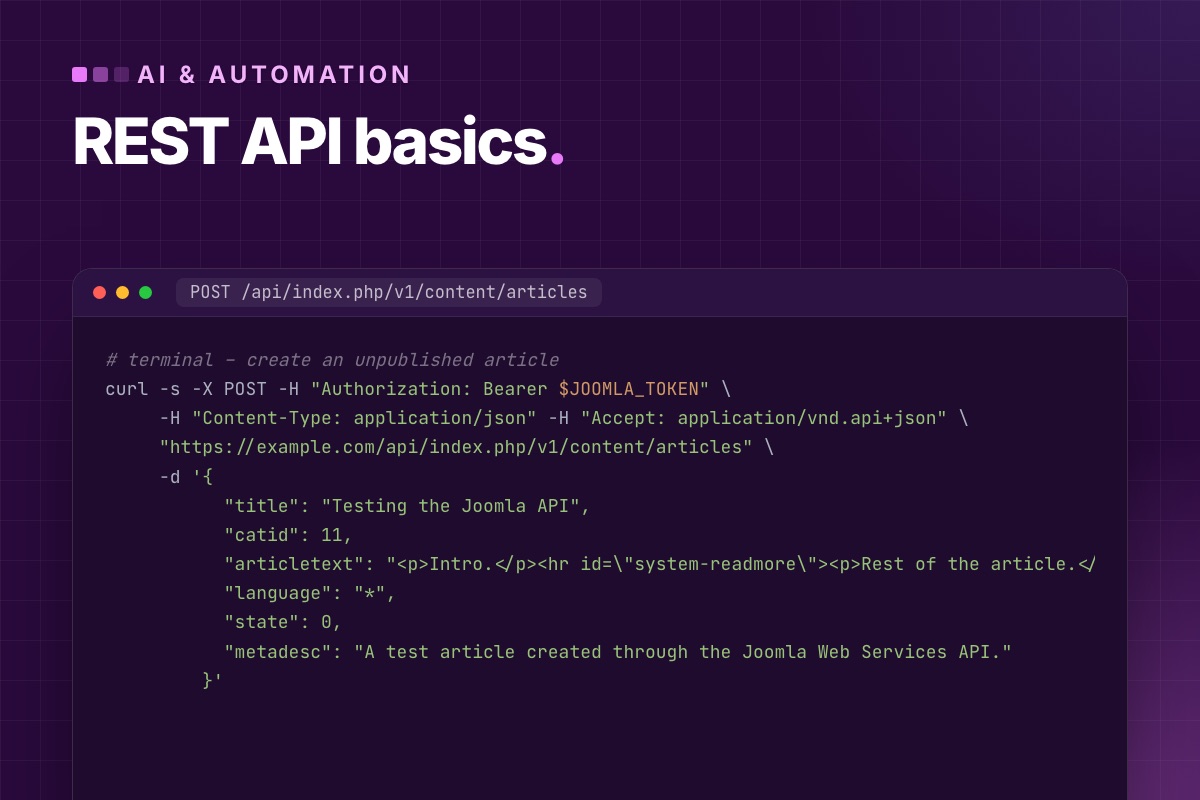
- Details
- Category: AI & automation
Every automation on a Joomla site, from an AI assistant writing drafts to a nightly import or a mobile app, runs through the same door: the Web Services API that has been in core since Joomla 4.0. This is the practical introduction we give developers who start with it: how authentication really works, what the requests and responses look like, and the details the official docs leave you to discover.
How the API is put together
- The entry point is
/api/index.php/v1/…, a separate application next to the site and the administrator. - Each resource comes from a plugin in the webservices group: Content, Users, Menus, Modules, Tags, Media, Redirect, Config and more. Disable the plugin and its endpoints disappear.
- Authentication comes from plugins in the api-authentication group: Token and Basic.
- Requests and responses use JSON:API (
application/vnd.api+json). - Every route is a standard set:
GETlist,GET /:id,POST,PATCH /:id,DELETE /:id.
// plugins/webservices/content/src/Extension/Content.php (Joomla 6.2, shortened)
public function onBeforeApiRoute(BeforeApiRouteEvent $event): void
{
    $router = $event->getRouter();

    $router->createCRUDRoutes('v1/content/articles', 'articles', ['component' => 'com_content']);
    $router->createCRUDRoutes('v1/content/categories', 'categories', ['component' => 'com_categories', 'extension' => 'com_content']);
    // …
}
One consequence surprises people: reading is not public. The content routes are registered with public => false, so even GET on published articles needs a token. The API is for managing a site, not for serving it. For public data, use the site's normal pages or a feed.
Authentication
Token (use this)
Each user can have an API token: User → Edit → Joomla API Token tab. It's sent as a bearer token:
# terminal
curl -s -H "Authorization: Bearer $JOOMLA_TOKEN" \
     -H "Accept: application/vnd.api+json" \
     "https://example.com/api/index.php/v1/content/articles?page[limit]=5"
Two things to set up first:
- By default only Super Users can have a token. To give one to a restricted integration user, add their group in Plugins → User – Joomla API Token → Allowed User Groups.
- The token acts with that user's permissions. An integration that only writes articles to one category should be a user who can only do that. API permissions are Joomla ACL, nothing separate.
Basic (disable it unless you need it)
The Basic plugin accepts a username and password on each request. It's handy for a quick test and a liability on a live site, because it turns the API into a login form without MFA. If nothing uses it, disable API Authentication – Basic.
Reading: lists, filters, paging
# terminal – published articles in category 11 containing "upgrade", newest first, 10 per page
curl -s -G -H "Authorization: Bearer $JOOMLA_TOKEN" -H "Accept: application/vnd.api+json" \
  --data-urlencode "filter[category]=11" \
  --data-urlencode "filter[state]=1" \
  --data-urlencode "filter[search]=upgrade" \
  --data-urlencode "list[ordering]=a.publish_up" \
  --data-urlencode "list[direction]=DESC" \
  --data-urlencode "page[limit]=10" \
  --data-urlencode "page[offset]=0" \
  "https://example.com/api/index.php/v1/content/articles"
The response, shortened:
{
  "links": { "self": "…/content/articles?page[offset]=0&page[limit]=10", "next": "…page[offset]=10…", "last": "…" },
  "data": [
    {
      "type": "articles",
      "id": "103",
      "attributes": {
        "title": "Upgrade a Joomla Site with CiviCRM to Joomla 6",
        "alias": "upgrade-joomla-civicrm-site-to-joomla-6",
        "state": 1,
        "language": "*",
        "metadesc": "…",
        "publish_up": "2026-10-16 08:46:09"
      },
      "relationships": {
        "category":   { "data": { "type": "categories", "id": "23" } },
        "created_by": { "data": { "type": "users", "id": "42" } }
      }
    }
  ],
  "meta": { "total-pages": 2 }
}
Notes from real use:
- The id is a string in
data[].id, as JSON:API requires. Cast it. list[ordering]only accepts columns the model allows as filter fields. Anything else is silently ignored, and the default order applies.- Follow
links.nextinstead of computing offsets. It's correct even when the total changes while you page. - A single item (
GET …/articles/103) includes the full text, images, metadata and custom fields by name.
Writing: create, update, delete
# terminal – create an unpublished article
curl -s -X POST -H "Authorization: Bearer $JOOMLA_TOKEN" \
     -H "Content-Type: application/json" -H "Accept: application/vnd.api+json" \
     "https://example.com/api/index.php/v1/content/articles" \
     -d '{
           "title": "Testing the Joomla API",
           "catid": 11,
           "articletext": "<p>Intro.</p><hr id=\"system-readmore\"><p>Rest of the article.</p>",
           "language": "*",
           "state": 0,
           "metadesc": "A test article created through the Joomla Web Services API."
}'- The body field is
articletext. Joomla splits it into intro and full text at the read-more marker, exactly like the editor. aliasis optional and generated from the title. Send it when URLs matter.- Custom fields go by their field name at the top level (
"price": "19"). The controller moves them intocom_fields. PATCHsends only the fields you change. Tags you don't send are kept.DELETEonly works on trashed items (state: -2), the same rule as in the back end. Two steps, on purpose.
# terminal – change one field
curl -s -X PATCH -H "Authorization: Bearer $JOOMLA_TOKEN" -H "Content-Type: application/json" \
     "https://example.com/api/index.php/v1/content/articles/103" -d '{"metadesc": "New description."}'
Errors you will meet
| Response | Usual cause |
|---|---|
401 {"errors":[{"title":"Forbidden"}]} | missing/wrong token, token plugin disabled, or the user's group not allowed tokens |
404 Resource not found | the webservices plugin for that resource is disabled, or a typo in the route |
403 on write | the user lacks create/edit permission in that category |
400 with a field message | form validation, e.g. a duplicate alias in the category, or a missing catid |
| HTML instead of JSON | a PHP error or a security plugin intercepting /api/; check the server error log |
From the browser: CORS
Calls from JavaScript on another domain need CORS headers. Global Configuration → Server → Web Services → Enable CORS, with allowed origins, headers and methods. Never put a token in front-end JavaScript: anyone can read it. Browser apps should talk to your own backend, and that backend calls Joomla.
Your own component in the API
A custom component joins the API with two pieces: an api/components/com_example folder with controllers and JSON:API views, and a webservices plugin that registers the routes with createCRUDRoutes(). Core's com_contact and its plugin are the cleanest example to copy.
Security checklist
- Disable the webservices plugins you don't use, and Basic authentication.
- One dedicated user per integration, with its own group and minimal permissions.
- Tokens live in server-side environment variables, and get rotated when people leave.
- Keep Joomla updated. The worst Joomla flaw of recent years (CVE-2023-23752) was in the API's access check.
- If nothing calls the API at all, deny
/api/in the web server.
Next: put an AI assistant on top of it with a Joomla MCP server.
Connecting Joomla to another system? We build API integrations and web services for custom components, with permissions and error handling done properly.
Back-end development →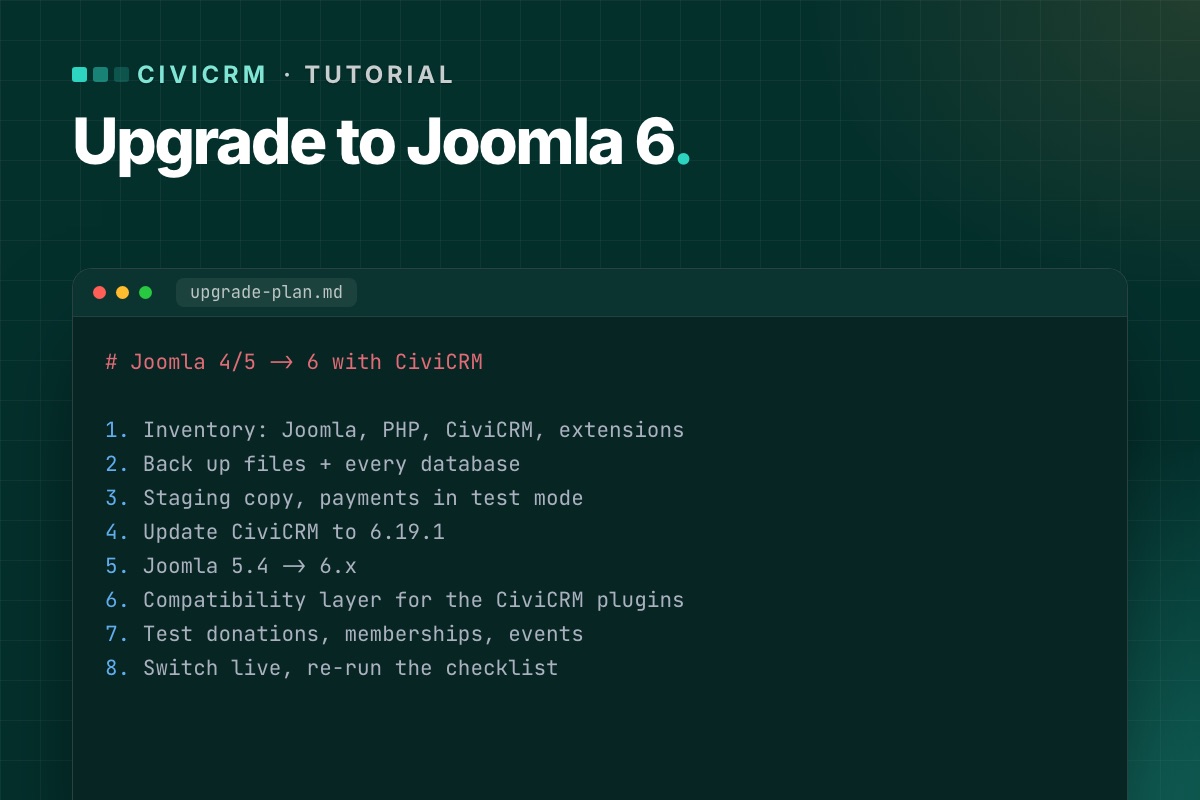
This is the order of work we use to move a Joomla site with CiviCRM to Joomla 6. It assumes you have shell or hosting-panel access, and that you will do everything on a staging copy first. Expect a day of work for a simple site and several days for one with many extensions.
Before you start, read the current Joomla 6 status: CiviCRM's own package is built for Joomla 5, so step 6 needs a compatibility layer.
What you need
- A server (or staging server) with PHP 8.3+, MySQL 8.0.13+ or MariaDB 10.4+, and the PHP extensions bcmath, intl, zip and mbstring. How to check.
- Full backups – files and every database.
- A list of what the site does with CiviCRM: which contribution pages, membership types, events, mailing lists and scheduled jobs are in use.
- Time when nobody is running a mailing or a campaign.
Step 1: Take an inventory
Write down the Joomla version, PHP version and CiviCRM version (CiviCRM shows it in the footer of its admin pages). Then list:
- Every Joomla extension, and whether it has a Joomla 6 version.
- Every CiviCRM extension (Administer » System Settings » Extensions), and whether it supports your target CiviCRM and PHP versions.
- Payment processors in use – they are the riskiest part to break.
Extensions without a Joomla 6 or PHP 8.3 version are your real project scope. See how to audit CiviCRM extensions.
Step 2: Back up everything
CiviCRM keeps files in several places on a Joomla site:
administrator/components/com_civicrm– the codecomponents/com_civicrm– the front-end entry pointmedia/civicrm– uploads, compiled templates, custom files
Back up the whole site folder plus the Joomla database. If CiviCRM uses its own database, back that up too – check CIVICRM_DSN in civicrm.settings.php. Copy both settings files outside the site:
components/com_civicrm/civicrm.settings.php
administrator/components/com_civicrm/civicrm.settings.php
Then restore the backup somewhere and open it. A backup you have never restored is a hope, not a backup.
Step 3: Build staging on the target stack
Restore the backup on a staging server that already runs PHP 8.3 and MySQL 8 (or MariaDB 10.4+). Update the database credentials and paths in configuration.php and both CiviCRM settings files. Then:
- Block outgoing email on staging (or point it at a mail catcher) so test mailings never reach real supporters.
- Switch payment processors to test or sandbox mode.
- Disable the staging cron until you are ready to test it.
Step 4: Update CiviCRM on the current Joomla
Change one thing at a time. First bring CiviCRM to the latest release on the Joomla version you have:
- Download
civicrm-x.y.z-joomla.zipfrom civicrm.org and unzip it into the Joomlatmpfolder. - System » Install » Extensions » Install from Folder, path ending in
tmp/com_civicrm. - Delete the compiled templates in
media/civicrm/templates_c. - Run the database upgrade:
/administrator/index.php?option=com_civicrm&task=civicrm/upgrade&reset=1 - Check the version in the CiviCRM footer and look at Administer » Administration Console » System Status.
If CiviCRM uses a separate database and you are below 6.19.0, compare CIVICRM_DSN with your backup after the install – see the separate-database bug.
Step 5: Upgrade Joomla
- Update Joomla to the latest 5.4 first, and every extension to its latest 5.x version.
- Run Joomla's pre-update check for Joomla 6. Replace or remove extensions it flags.
- Update the template – or its Joomla 6 version – at the same time as Joomla.
- Upgrade Joomla to 6.
Step 6: Add the CiviCRM compatibility layer
On Joomla 6, CiviCRM's own Joomla plugins (user sync, system, quick icon) need to work with Joomla's event system. Do this outside the files CiviCRM ships – a small Joomla extension or plugin of your own – so a CiviCRM update never overwrites it. The pattern is explained in Joomla 6 plugin events, with a CiviCRM example and Keep CiviCRM fixes out of core.
Step 7: Test what matters
Test every page that takes money, members or email addresses, end to end, with test payments. Then run the scheduled jobs from the command line and check the job log. The full list is in our post-upgrade test checklist.
Step 8: Prove it survives a CiviCRM update
Install a CiviCRM update on staging – even a reinstall of the same version – and repeat the tests. If anything you fixed in step 6 breaks, the fix lives in the wrong place.
Step 9: Go live
- Pick a quiet window. Pause cron during the switch.
- Take a fresh backup of live – there may be new donations since you built staging.
- Repeat the upgrade on live (or switch to the upgraded copy and merge new data), then run a short smoke test: one test donation, one sign-up, one cron run.
- Keep the rollback backup for at least a week.
Common errors
- Blank page after installing the CiviCRM package – raise
memory_limitandmax_execution_time, or use the-altzip if PHP has no zip support. - Missing icons or broken styling – check Administer » System Settings » Resource URLs.
- Reminders and renewals stop – cron. See scheduled jobs not running.
- CiviCRM pages 404 – menu items and old links.
The commands we actually run
# terminal – before: versions, and a backup of both databases and both settings files
cv status --cwd=/var/www/example.org
mysqldump --single-transaction --no-tablespaces joomla_db  | gzip > joomla-$(date +%F).sql.gz
mysqldump --single-transaction --no-tablespaces civicrm_db | gzip > civicrm-$(date +%F).sql.gz   # if separate
cp components/com_civicrm/civicrm.settings.php ~/civicrm.settings.site.php
cp administrator/components/com_civicrm/civicrm.settings.php ~/civicrm.settings.admin.php
On staging, stop CiviCRM from sending any email at all, not just CiviMail: add this to both settings files. CiviCRM then writes every outgoing message to the log file instead of the mail server:
// administrator/components/com_civicrm/civicrm.settings.php (staging only)
define('CIVICRM_MAIL_LOG', '/var/www/example.org/media/civicrm/templates_c/mail.log');
After installing the new CiviCRM package, run the database upgrade and clear caches from the shell, which is safer than the browser for large databases:
# terminal
cv upgrade:db --cwd=/var/www/example.org
cv flush --cwd=/var/www/example.org
Rather have it done for you? We upgrade Joomla sites with CiviCRM to Joomla 6 on staging first, with a test report and a rollback backup.
CiviCRM Joomla 6 upgrade →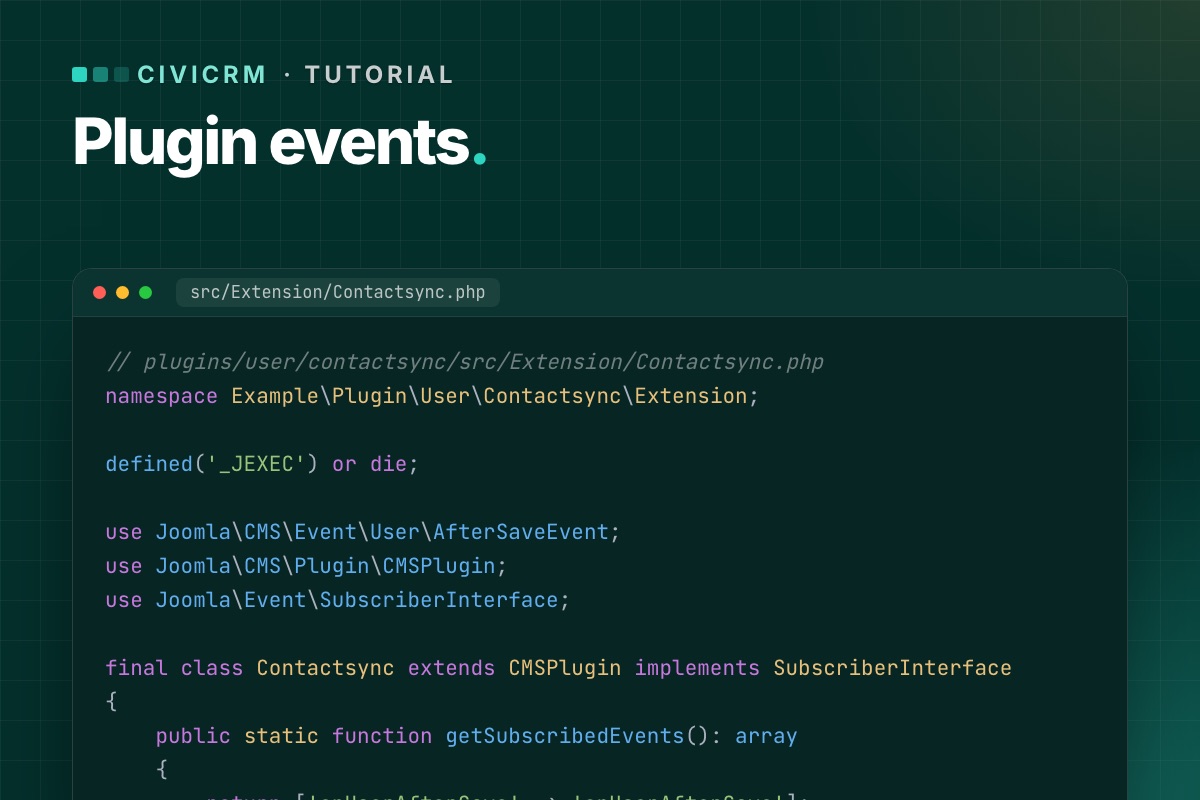
The open item that stands between CiviCRM and official Joomla 6 support (dev/joomla#61) is not about CiviCRM at all. It is about how Joomla plugins are written. This post explains the change with an example in the spirit of CiviCRM's user plugin: a plugin that reacts when Joomla users are saved or deleted.
The code below is a generic plugin written for this post, not CiviCRM's own code.
What changed in Joomla
Since Joomla 4, the CMS has been moving plugins to its event dispatcher. A modern plugin:
- is a namespaced class, created by a service provider (
services/provider.php), - implements
SubscriberInterfaceand says which events it listens to ingetSubscribedEvents(), - receives one event object per call, with typed getters, instead of a list of loose arguments.
The old style – a class named plgUserSomething whose public methods are matched to event names by reflection – has been kept working through backward-compatibility code and is deprecated. CiviCRM's three Joomla plugins (user, system, quick icon) are still written that way, which is why they are the work item for Joomla 6.
Before: a legacy user plugin
// plugins/user/contactsync/contactsync.php
defined('_JEXEC') or die;

use Joomla\CMS\Plugin\CMSPlugin;

class PlgUserContactsync extends CMSPlugin
{
    // Called after a Joomla user is saved.
    // $user is an array, $isNew a bool – positional arguments.
    public function onUserAfterSave($user, $isNew, $success, $msg)
    {
        if (!$success) {
            return;
        }

        $this->syncContact((int) $user['id'], $user['email'], $user['name']);
    }

    private function syncContact(int $userId, string $email, string $name): void
    {
        // create or update the matching CRM contact
    }
}
After: the same plugin for Joomla 5 and 6
Three files. The service provider:
// plugins/user/contactsync/services/provider.php
defined('_JEXEC') or die;

use Joomla\CMS\Extension\PluginInterface;
use Joomla\CMS\Factory;
use Joomla\CMS\Plugin\PluginHelper;
use Joomla\DI\Container;
use Joomla\DI\ServiceProviderInterface;
use Joomla\Event\DispatcherInterface;
use Example\Plugin\User\Contactsync\Extension\Contactsync;

return new class () implements ServiceProviderInterface {
    public function register(Container $container): void
    {
        $container->set(PluginInterface::class, function (Container $container) {
            $plugin = new Contactsync(
                $container->get(DispatcherInterface::class),
                (array) PluginHelper::getPlugin('user', 'contactsync')
            );
            $plugin->setApplication(Factory::getApplication());

            return $plugin;
        });
    }
};
The plugin class:
// plugins/user/contactsync/src/Extension/Contactsync.php
namespace Example\Plugin\User\Contactsync\Extension;

defined('_JEXEC') or die;

use Joomla\CMS\Event\User\AfterSaveEvent;
use Joomla\CMS\Plugin\CMSPlugin;
use Joomla\Event\SubscriberInterface;

final class Contactsync extends CMSPlugin implements SubscriberInterface
{
    public static function getSubscribedEvents(): array
    {
        return ['onUserAfterSave' => 'onUserAfterSave'];
    }

    public function onUserAfterSave(AfterSaveEvent $event): void
    {
        if (!$event->getSavingResult()) {
            return;
        }

        $user = $event->getUser();   // array, as before
        $this->syncContact((int) $user['id'], $user['email'], $user['name']);
    }

    private function syncContact(int $userId, string $email, string $name): void
    {
        // create or update the matching CRM contact
    }
}
And the manifest declares the namespace and the folders:
<extension type="plugin" group="user" method="upgrade">
    <name>plg_user_contactsync</name>
    <namespace path="src">Example\Plugin\User\Contactsync</namespace>
    <files>
        <folder plugin="contactsync">services</folder>
        <folder>src</folder>
    </files>
</extension>
What to watch for when converting
- Return values. Legacy methods sometimes returned
true/falseto signal a result. With event objects, results are added to the event (for events that collect results) or the plugin stops propagation – check the event class for the right method. - One event, one handler. List every event in
getSubscribedEvents(). A method that exists but is not listed is never called. - Priorities. If your plugin must run before or after another one, subscribe with a priority:
['onAfterRoute' => ['onAfterRoute', Priority::HIGH]]. - Generic events. Not every event has a concrete class. For those, accept
Joomla\Event\Eventand read arguments with$event->getArgument('name'). - The application. Use
$this->getApplication(), notFactory::getApplication(), inside the plugin.
How this applies to CiviCRM today
Until CiviCRM ships Joomla 6-ready plugins, a site on Joomla 6 needs the same behavior provided from outside the files CiviCRM installs – a small plugin of your own that does what the CiviCRM plugin would do, written the modern way. Keep it in its own extension and repository, so a CiviCRM update never touches it. More on that approach in Keep CiviCRM fixes out of core.
When CiviCRM's own plugins are updated, retire yours – and test that nothing is left running twice.
What CiviCRM's real plugin looks like today
For reference, the method signatures in civicrm-joomla's user plugin (October 2026), shortened:
// admin/plugins/civicrm/civicrm.php (civicrm-joomla, shortened)
class plgUserCivicrm extends _J3_to_J4_plgUserCivicrm
{
    function onUserAfterSave($user, $isnew, $success, $msg) { self::civicrmResetNavigation(); }
    function onUserAfterSaveGroup($var) { self::civicrmResetNavigation(); }
    function onUserAfterDelete($user, $succes, $msg) { CRM_Core_BAO_UFMatch::deleteUser($user['id']); }
    public function onUserLogin($user, $options = []) { /* admin only: reset navigation */ }
}
Four legacy listeners with positional arguments. Converting them is mechanical: AfterSaveEvent, AfterSaveGroupEvent, AfterDeleteEvent and LoginEvent carry the same data through getters. Joomla 6 still calls the legacy form, but Joomla has marked that support "will be removed in 7.0". That's the real deadline for this work.
Need this on a live site? We have run CiviCRM on Joomla 6 since early 2026, with the compatibility code in its own extension and tested through CiviCRM updates.
CiviCRM Joomla 6 upgrade →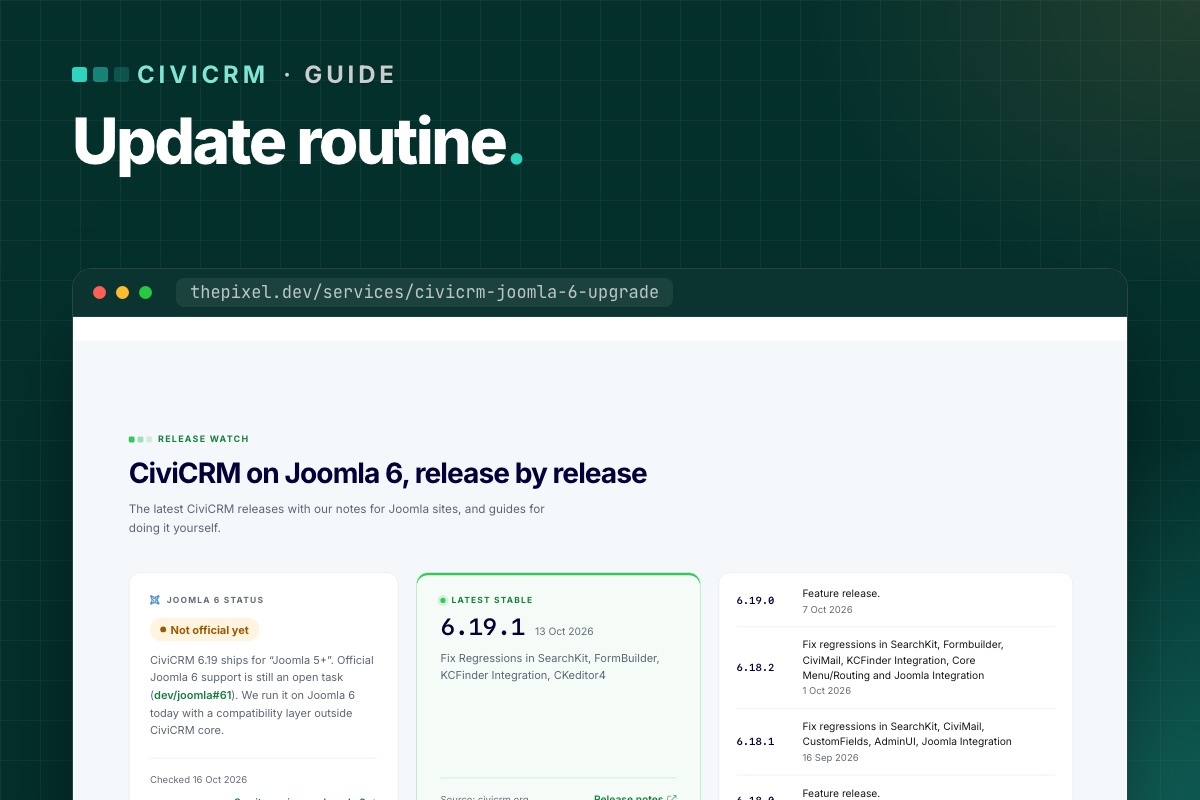
CiviCRM puts out a new feature release about once a month, bug-fix releases in between, and security releases when needed – sometimes rated "highly critical". Sites that update rarely end up making risky jumps under pressure. Sites with a routine update calmly. Here is ours.
Know which releases matter
- Security releases – update within days. The release notes say "Fix security vulnerabilities? yes" and link an advisory with a risk rating.
- Bug-fix releases (x.y.1, x.y.2…) – usually small; update if they fix something you use, or with the next routine update.
- Feature releases (x.y.0) – may change the database schema or the API. Update on staging first, always.
- ESR – CiviCRM also has an extended support release line that gets security fixes for longer, if you prefer fewer, bigger updates.
Every CiviCRM release note starts with a short synopsis table – schema change, API change, security, features, bugs. Read that first. We summarize each release for Joomla sites on our CiviCRM Joomla 6 upgrade page.
The routine
1. Read
Release notes and any "version-specific upgrade steps" in CiviCRM's sysadmin guide. Note anything touching what your site uses: CiviContribute, CiviMember, CiviEvent, CiviMail, your payment processor, Joomla integration.
2. Refresh staging
Copy live to staging (files and databases), with email blocked and payments in test mode. Staging that is months old tests the wrong site.
3. Update staging
- Back up both
civicrm.settings.phpfiles. - Install the new
civicrm-x.y.z-joomla.zipthrough Install from Folder. - Clear
media/civicrm/templates_c. - Run the database upgrade (
task=civicrm/upgrade&reset=1), or from the shell withcv upgrade:dbfollowed bycv flush. - Update CiviCRM extensions that have new versions.
4. Test
Run the short version of our post-upgrade checklist: one donation, one membership or event sign-up, one test mailing, one cron run. On Joomla 6, also check the user–contact sync. For feature releases, run the full list.
5. Update live
Same steps, in a quiet hour, with a fresh backup taken just before. Pause cron during the update so no job runs against a half-upgraded database.
6. Check message templates
If your organization has customized system workflow messages (receipts, confirmations), CiviCRM stops updating those templates. After feature releases, compare your customized ones with the new defaults – CiviCRM's upgrade guide explains how.
7. Write it down
Date, from-version, to-version, what was tested, anything odd. Three lines in a shared document.
Rolling back
If something important breaks on live and can't be fixed quickly: restore the pre-update backup of files and databases together. Never roll back files without the database – a newer schema with older code is worse than either. Anything recorded on live since the update (new donations) has to be re-entered, which is why updating in a quiet hour matters.
How often?
- Security releases: within a few days.
- Everything else: once a month, or every second release – whatever you can keep up with reliably.
The worst routine is the one that stops. If monthly updates don't fit your team, that is what our maintenance plans are for.
Find your customised message templates
CiviCRM keeps two rows per system message template in civicrm_msg_template: the active one (is_default = 1) and a pristine reserved copy (is_reserved = 1). Where the two differ, your organisation has customised it, and upgrades won't touch it:
# terminal – customised workflow templates (CiviCRM database)
mysql -e "SELECT d.workflow_name, d.msg_title
          FROM civicrm_msg_template d
          JOIN civicrm_msg_template r ON r.workflow_name = d.workflow_name AND r.is_reserved = 1
          WHERE d.is_default = 1 AND (d.msg_html <> r.msg_html OR d.msg_subject <> r.msg_subject);" civicrm_db
That's your list to review after each feature release. Compare each one with the new reserved version, so a fix CiviCRM shipped in a receipt template doesn't miss your site.
One script for staging
# terminal – update-staging.sh (after unzipping the new package into tmp/ and installing it)
set -e
cv upgrade:db --cwd=/var/www/staging.example.org
cv flush --cwd=/var/www/staging.example.org
cv api4 System.check --cwd=/var/www/staging.example.org | grep -iE '"(title|severity)"'
cv cron --cwd=/var/www/staging.example.org
mysql -e "SELECT run_time, name FROM civicrm_job_log ORDER BY id DESC LIMIT 5;" civicrm_staging
Want CiviCRM updates handled? We update on staging, test, and update live – and we have CiviCRM running on Joomla 6.
CiviCRM Joomla 6 upgrade →
- Details
- Category: VirtueMart
VirtueMart 5 is the version for Joomla 6, and it is still in beta. That is no reason to wait with your eyes closed. Running your shop on Joomla 6 with the beta – on a copy – tells you now what the real upgrade will involve. This is how we do it.
Never install a VirtueMart beta on a live shop. Everything below happens on staging.
Start from a supported base
Do this from a shop on Joomla 5.4 and VirtueMart 4.8.x. If you are still on Joomla 3 or VirtueMart 3, do step 1 of the route first – two big jumps at once make it impossible to tell what broke.
1. Build a fresh staging copy
- Copy files and database from live to a staging server running PHP 8.3+ and MySQL 8.0.13+ or MariaDB 10.4+ – Joomla 6's minimum.
- Payments in sandbox mode, outgoing email caught, search engines blocked.
- Count products, categories, orders and shoppers, so you can compare later.
2. Upgrade Joomla to 6
- Run Joomla's pre-update check for Joomla 6. Write down every extension it flags – this list is half your answer.
- Install the VirtueMart 5 beta (the 4.9.x test build from virtuemart.net) before or together with the Joomla upgrade, following the notes that come with the build.
- Upgrade Joomla to 6 and the template to its Joomla 6 version, if it has one.
3. Walk through the shop
Go through the shop as a customer, with error reporting on and the browser console open:
- Category pages, filters, search, product pages with variants and custom fields.
- Add to cart from product pages and from modules, update quantities, coupons.
- Checkout as guest and as a registered shopper, every shipping and payment method in sandbox mode.
- Account pages: orders, addresses.
- Admin: products, orders, status changes, invoices.
4. Write down what breaks, and why
VirtueMart 5 changes some internals, so expect findings in these areas:
| Area | Likely cause |
|---|---|
| Template overrides | Layouts copied from older VirtueMart versions; jQuery-dependent scripts |
| Payment and shipping plugins | No Joomla 6 / VirtueMart 5 version yet |
| One-page checkout, feeds, importers | Calls to VirtueMart functions that became static in VM 5; jQuery |
| Custom plugins and code | Legacy Joomla classes, old event style, PHP 8.3 changes |
For each finding note: the extension or file, the error, and whether a vendor update exists or is announced.
5. Turn the list into a plan
Sort findings into "update when the vendor releases", "replace", "fix ourselves" and "drop". Add rough effort. That is your Joomla 6 budget and timeline – months before you need it, instead of the week the old version goes out of support.
6. Repeat with each beta
VirtueMart publishes new test builds as VirtueMart 5 matures. Re-run the walk-through with each new build, and when the stable release lands, you will already know it works with your shop.
Status of VirtueMart 5: Does VirtueMart work on Joomla 6?
For developers: make the findings list exact
On the Joomla 6 staging copy, let Joomla tell you what's deprecated or missing instead of guessing:
# terminal – Global Configuration: maximum error reporting and the deprecation log
php cli/joomla.php config:set error_reporting=maximum
php cli/joomla.php config:set log_deprecated=true

# after the walk-through: grouped deprecations, by file
grep -v '^#' administrator/logs/deprecated.php | cut -f4- | sort | uniq -c | sort -rn | head -40

# third-party VirtueMart plugins still using removed Joomla class names
grep -rlE "\bJ(Factory|Html|Route|Text|Request)\b" plugins/vmpayment plugins/vmshipment plugins/vmcustom --include=*.php
Run the walk-through once with "Backward Compatibility 6" → Classes Aliases off. Whatever breaks then is also what will break on Joomla 7, so the same list covers both upgrades.
Want this done for your shop? We run your store on Joomla 6 with the VirtueMart 5 beta on staging and hand you the list of what has to change.
VirtueMart Joomla 6 upgrade →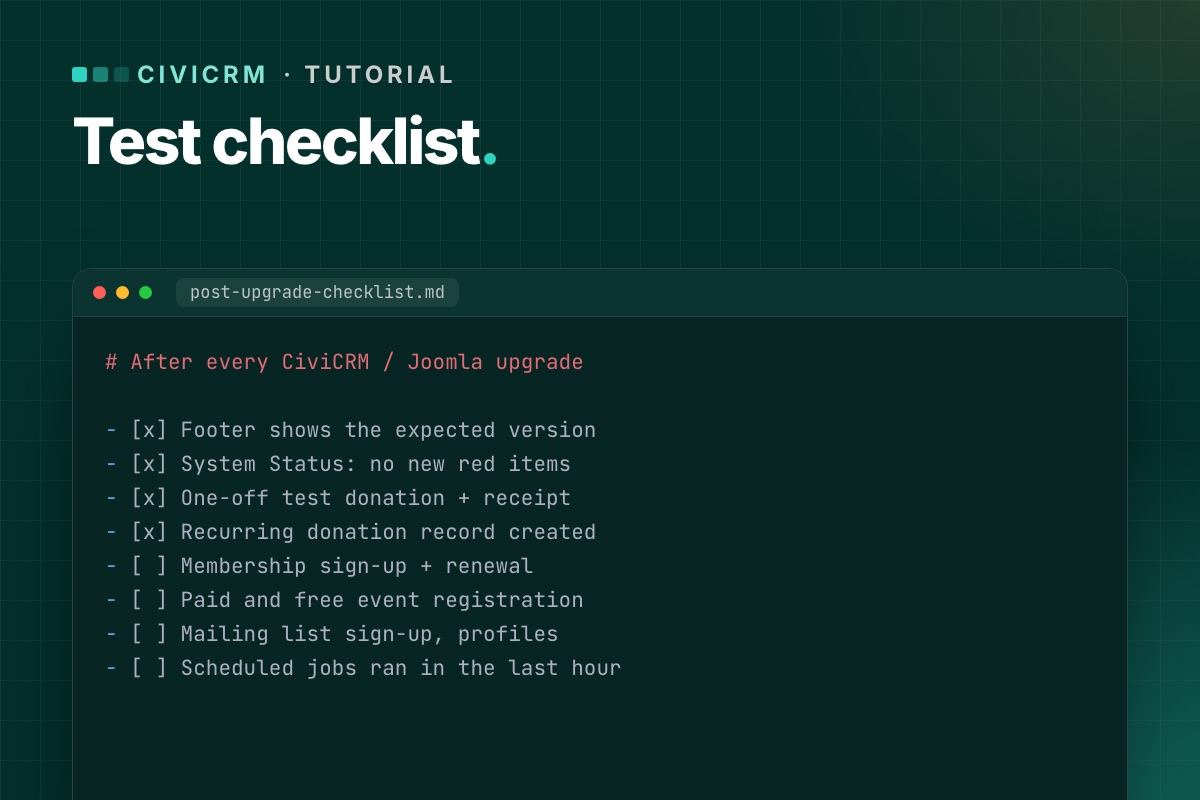
An upgrade is finished when the things that bring in money, members and sign-ups work – not when the installer says "success". This is the list we run on staging after every CiviCRM or Joomla upgrade, and a shorter version on live right after the switch.
Before you start on staging: payment processors in test mode, outgoing email to a mail catcher, and a test contact you can safely fill with records.
1. CiviCRM itself
- Footer shows the expected CiviCRM version.
- System Status has no new red or orange items (resource URLs, extensions, cron).
- Dashboard, contact search and one contact record open without errors.
- Extensions page: no extension shows an error or a missing dependency.
2. Donations
- Each public contribution page loads from its Joomla menu item.
- A one-off test donation completes; the contribution is recorded with the right financial type and status.
- The receipt email arrives (in the mail catcher) with correct amounts and links.
- A recurring donation can be set up, and the recurring record is created.
- Premiums, price sets and "other amount" fields behave as before.
3. Memberships
- Membership sign-up page completes with a test payment.
- The membership is created with the right type, dates and status.
- Renewal works for an existing member, including from the link in a renewal email.
- Members-only Joomla content still checks access correctly, if you use it.
4. Events
- Event listing, information page and registration form load.
- A paid and a free registration complete; participants are recorded.
- Confirmation emails arrive; waitlist and full-event behavior still work.
- Personal campaign (PCP) pages load and accept a donation, if you use them.
5. Forms and profiles
- Profile create/edit forms and FormBuilder forms submit and save.
- Mailing-list subscription page adds the contact to the group, with confirmation if enabled.
- The CiviCRM user dashboard shows a logged-in user their contributions, memberships and events.
6. Joomla users and contacts
- Creating a Joomla user creates or matches a CiviCRM contact.
- Changing a user's email in Joomla updates the contact (if your setup syncs it).
- Login and logout work on pages that show CiviCRM content.
On Joomla 6 this is the part that touches CiviCRM's Joomla plugins and its user matching – test it carefully. Background: Joomla 6 plugin events.
7. CiviMail and scheduled jobs
- A test mailing to a small group sends; open and click tracking links work.
- Unsubscribe and opt-out links in that mailing work.
- Cron runs from the command line and the job log shows "Success". If not.
- Bounce processing connects to its mailbox, if configured.
8. Links already out there
- Old
task=civicrm/…links from past emails still open the right page. - Changed menu aliases have redirects. How to check.
9. On live, right after the switch
A short version, with real (small) payments if your processor has no test mode on live:
- One donation, one membership or event sign-up, one mailing-list sign-up.
- One cron run checked in the job log.
- System Status checked.
Refund the real test payments afterwards, and write down what you tested and when. If someone reports a problem next week, you'll know what was working at launch.
Checks you can script
# terminal – System Status, without opening the browser
cv api4 System.check --cwd=/var/www/example.org | grep -iE '"(title|severity)"'

# did cron run after the upgrade? (CiviCRM database)
mysql -e "SELECT MAX(run_time) FROM civicrm_job_log;" civicrm_db

# Joomla users without a CiviCRM contact link (adjust database names and prefix)
mysql -e "SELECT u.id, u.username FROM joomla_db.jos_users u
          LEFT JOIN civicrm_db.civicrm_uf_match m ON m.uf_id = u.id
          WHERE m.id IS NULL AND u.block = 0 LIMIT 20;"
Users who never opened a CiviCRM page may legitimately have no link yet, because CiviCRM creates it on first use. A user who has CiviCRM records but no link after the upgrade is a real problem.
On staging, define('CIVICRM_MAIL_LOG', '…/mail.log') in both settings files sends every CiviCRM email to a file instead of the mail server, so you can check receipts and confirmations without a mail catcher.
Every CiviCRM upgrade we do ends with this list – and a written test report you keep.
CiviCRM Joomla 6 upgrade →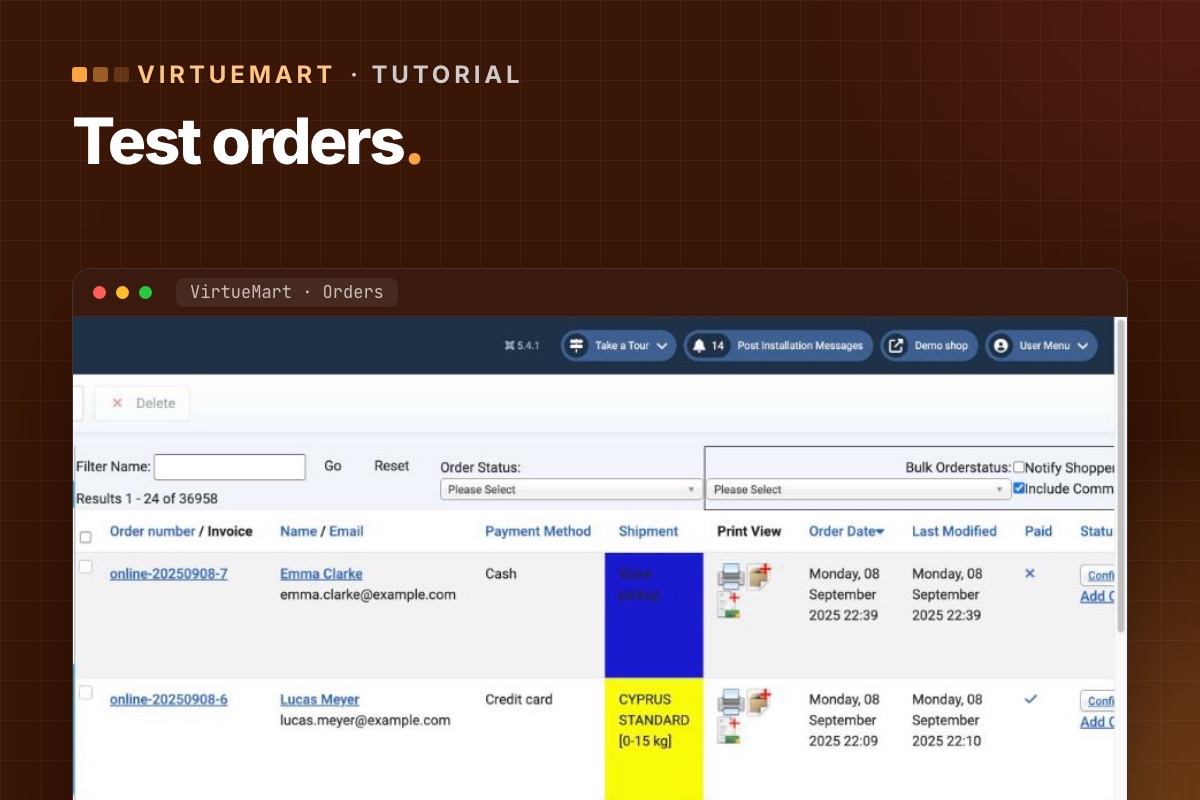
- Details
- Category: VirtueMart
An upgraded shop is done when it can take an order from start to finish with every payment and shipping method – and the shop owner can process it. This is our list. Run it in full on staging, and a short version on live right after the switch.
On staging: payment gateways in sandbox mode, outgoing email caught, and a few test products you can safely order.
1. Before you test: compare the data
- Counts of products, categories, manufacturers, orders and shoppers match the old shop.
- Five random products: prices, taxes, discounts, stock, images and custom fields match.
- Shopper groups and their prices still apply.
2. Browsing
- Home page product modules, category pages, sorting and pagination.
- Filters and search find the right products.
- Product pages: variants/child products, custom fields, availability messages, reviews.
- Old product and category URLs still work or redirect. How to check.
3. Cart
- Add to cart from the product page and from every product module – in two different browser sessions if caching is on. Why.
- Change quantities, remove items, update the cart – no "Invalid token". If there is.
- Coupons: valid, expired, minimum order amount.
4. Checkout
- As a guest and as a registered shopper; registration during checkout if you allow it.
- Address fields, required fields, terms-of-service checkbox.
- Every shipping method to a few typical destinations – compare the rates with the old shop.
- Every payment method in sandbox: successful payment, cancelled payment, failed payment.
- Order status changes after payment – proves the gateway's callback reaches the shop.
5. After the order
- Customer and shop emails arrive with correct totals, taxes and links.
- Invoice PDF generates, if you use invoices.
- Stock goes down; downloadable products deliver the file.
- The order shows in the customer's account.
6. Admin
- Order list and order detail open; change a status and the customer is notified (if configured).
- Edit a product, save, check the front end.
- Refund or cancel through the admin if your gateway supports it.
- Reviews and ratings can be moderated.
7. On live, right after the switch
- One real order per payment method with a small amount, then refund it.
- One order per shipping method if rates are calculated by a carrier API.
- Watch new orders closely for the first day – especially their status after payment.
Write down what you tested, when and by whom. If something is reported next week, you'll know what was working at launch.
For developers: check the orders, not just the screen
# terminal – the last test orders: status, total, payment method (adjust prefix)
mysql -e "SELECT o.virtuemart_order_id, o.order_number, o.order_status, o.order_total,
                 o.virtuemart_paymentmethod_id, o.virtuemart_shipmentmethod_id, o.created_on
          FROM jos_virtuemart_orders o ORDER BY o.virtuemart_order_id DESC LIMIT 10;" shop_db

# order history: did the status move after the gateway callback?
mysql -e "SELECT virtuemart_order_id, order_status_code, created_on
          FROM jos_virtuemart_order_histories ORDER BY virtuemart_order_history_id DESC LIMIT 20;" shop_db
An order stuck at the initial status (usually P, pending) after a successful sandbox payment means the gateway's callback didn't reach the shop or didn't validate. That failure doesn't show on any page, only in the data.
Every shop upgrade we do ends with this list – and a test order list you keep.
VirtueMart Joomla 6 upgrade →Page 3 of 7